Java Keywords
Java keywords are reserved words that have predefined meanings in the Java language. They form the grammar of Java and tell the compiler how to understand a program. Every Java program uses keywords in some form, whether it is declaring a class, defining a variable, writing a loop, handling an exception, controlling access, creating an object, or implementing inheritance. Because keywords are part of the language syntax, they cannot be used as names for variables, methods, classes, interfaces, packages, or other identifiers.
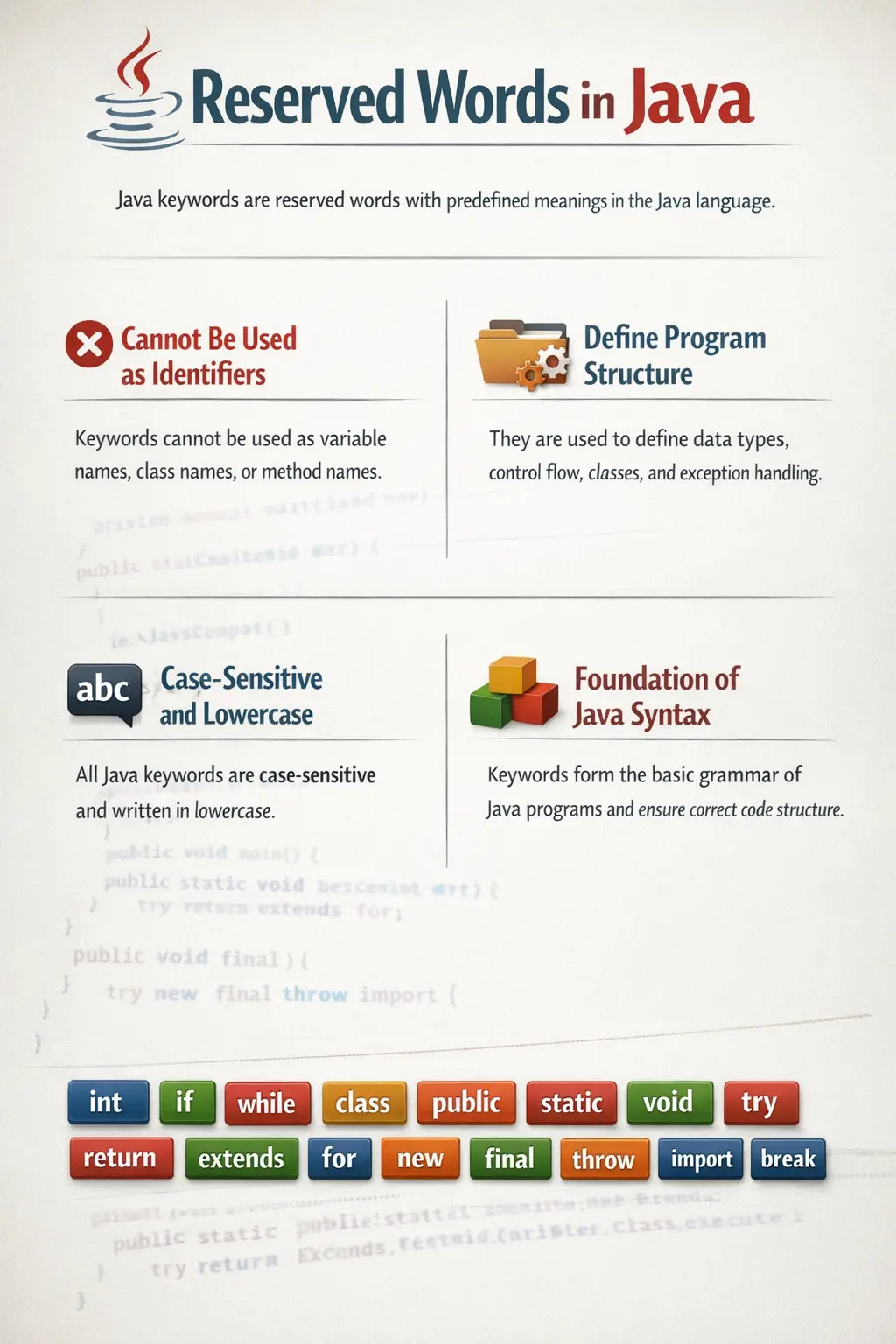
Understanding Java keywords is essential because they define how Java programs are structured and executed. A beginner may first notice keywords such as class, public, static, void, and int. As learning continues, more keywords appear in control flow, object-oriented programming, exception handling, packages, interfaces, multithreading, and advanced language features. Each keyword has a specific role, and using it incorrectly usually results in a compilation error.
Java is case-sensitive, and its keywords are written in lowercase. For example, int is a keyword, but Int is not. However, using capitalized versions as identifiers is still poor style because it creates confusion. A strong understanding of keywords helps developers read Java code faster, write correct syntax, debug compiler errors, and explain Java fundamentals clearly in interviews.
What Are Java Keywords?
Java keywords are predefined words recognized by the Java compiler as part of the official language syntax. These words are reserved by the Java language specification and cannot be redefined by developers. When the compiler sees a keyword, it expects that word to perform its predefined language function.
For example, the keyword int is used to declare an integer variable. The keyword class is used to declare a class. The keyword if begins a conditional statement. The keyword try begins a block where exceptions may occur. These words are not ordinary names; they are instructions that shape how the compiler parses and validates the code.
int number = 10;
In this example, int tells Java that number should store an integer value. If a programmer tries to use int itself as a variable name, the compiler rejects the code because int is reserved.
int int = 10; // invalid
This strict rule keeps Java syntax consistent. It ensures that when developers read Java code, keywords always carry the same meaning. That consistency is one reason Java programs remain readable across teams and projects.
Why Java Keywords Are Important
Java keywords are important because they define the structure and behavior of the language. Without keywords, the compiler would not know where a class begins, how a method is declared, when a loop should repeat, which code handles exceptions, or which members are accessible from outside a class. Keywords are the foundation of Java’s grammar.
Keywords also support Java’s object-oriented design. Words such as class, interface, extends, implements, abstract, this, super, and new allow developers to define objects, relationships, inheritance, abstraction, and object creation. These are central ideas in Java programming.
Keywords improve readability because their meaning is fixed. When a developer sees private, they immediately know access is restricted to the same class. When they see return, they know a method is ending and possibly sending a value back. When they see try and catch, they know exception handling is involved. This shared meaning helps teams understand code quickly.
Keywords also enforce language rules. Java is strongly typed and structured, so the compiler uses keywords to validate whether code is legal. Misusing a keyword, placing it in the wrong position, or using a reserved word as an identifier produces compilation errors. This strictness helps prevent ambiguous code and supports maintainability.
Categories of Java Keywords
Java keywords are officially part of one reserved list, but it is easier to understand them by grouping them according to their purpose. Some keywords control access. Some define data types. Some control program flow. Some support object-oriented programming. Others handle exceptions, packages, imports, multithreading, and specialized behavior.
These categories are not separate language rules; they are learning groups. Grouping keywords helps beginners understand why each word exists and where it is commonly used. It also helps in interviews because candidates can explain keywords functionally rather than trying to memorize a long list without context.
Access Modifier Keywords
Access modifier keywords control visibility. They define where a class, method, constructor, or variable can be accessed from. Java provides three access modifier keywords: public, protected, and private. There is also a default access level, but it is not written using a keyword. Default access happens when no access modifier is specified.
The public keyword allows access from anywhere, as long as the class or member is reachable through packages and imports. It is commonly used for classes and methods that are intended to be used by other parts of the application. The private keyword restricts access to the same class. It is commonly used for fields to support encapsulation. The protected keyword allows access within the same package and from subclasses.
public class Test {
    private int id;

    public int getId() {
        return id;
    }
}
In this example, the class is public, but the variable id is private. External code cannot directly modify id; it must use controlled access through methods. This is a basic example of encapsulation, where internal data is protected from uncontrolled access.
Class, Object, and OOP Keywords
Java is an object-oriented language, and several keywords exist specifically to support object-oriented programming. The class keyword declares a class, which acts as a blueprint for objects. The interface keyword declares an interface, which defines a contract that implementing classes must follow. The new keyword creates objects in memory.
The extends keyword supports inheritance. A class can extend another class to reuse and specialize behavior. The implements keyword allows a class to implement an interface. The abstract keyword can be used with classes and methods to represent incomplete behavior that must be completed by subclasses.
The keywords this and super are used inside classes. this refers to the current object, while super refers to the parent class. They are commonly used in constructors, method overriding, and variable shadowing scenarios.
class Car extends Vehicle {
    Car() {
        super();
    }
}
These keywords make Java’s OOP model possible. Without them, concepts such as inheritance, abstraction, polymorphism, and object creation would not have clear syntax.
Data Type Keywords
Java has primitive data type keywords that define the kind of value a variable can store. These include byte, short, int, long, float, double, char, and boolean. Each primitive type has a specific purpose and memory behavior.
Integer values are commonly stored using int, while larger integer values can use long. Decimal values can use float or double, with double being the common choice for many calculations. The char keyword stores a single character, and boolean stores either true or false.
int age = 25;
boolean isActive = true;
double price = 99.50;
char grade = 'A';
Data type keywords help Java perform compile-time type checking. If a value does not match the declared type, the compiler can detect the problem early. This makes Java safer and more predictable than languages with looser typing rules.
Control Flow Keywords
Control flow keywords determine the order in which program statements execute. They allow programs to make decisions, repeat operations, branch between alternatives, exit blocks, and return values from methods. Common control flow keywords include if, else, switch, case, default, for, while, do, break, continue, and return.
Conditional keywords such as if and else allow code to run only when certain conditions are true. Loop keywords such as for, while, and do allow repeated execution. Branching keywords such as break and continue control loop flow. The return keyword exits a method and may send a value back to the caller.
if (score >= 50) {
    System.out.println("Pass");
} else {
    System.out.println("Fail");
}
These keywords are essential for program logic. Without them, Java programs would execute only sequentially, with no decisions, repetition, or branching.
Exception Handling Keywords
Exception handling keywords help Java programs deal with runtime problems gracefully. Instead of crashing immediately when something unexpected occurs, a Java program can handle the situation using try, catch, finally, throw, and throws.
The try keyword marks a block of code where an exception may occur. The catch keyword handles a specific exception. The finally keyword defines code that should run whether an exception occurs or not. The throw keyword explicitly throws an exception, while throws declares that a method may pass exceptions to its caller.
try {
    int x = 10 / 0;
} catch (ArithmeticException e) {
    System.out.println("Error occurred");
}
Exception handling keywords are important in real applications because file operations, database calls, network requests, user input, and external integrations can fail. Proper exception handling improves reliability and user experience.
Modifier and Non-Access Keywords
Some keywords modify the behavior of classes, methods, or variables without directly controlling access. These are often called non-access modifiers. Common examples include static, final, synchronized, volatile, transient, native, and strictfp.
The static keyword defines class-level members that can be accessed without creating an object. The final keyword prevents reassignment of variables, overriding of methods, or inheritance of classes depending on where it is used. The synchronized keyword controls access in multithreaded environments. The volatile keyword helps with visibility of shared variables between threads.
public static final int MAX_USERS = 100;
In this example, public controls access, static makes the member class-level, and final makes the value constant. These modifier keywords are widely used in real Java code and frameworks.
Package and Import Keywords
Large Java applications are organized using packages. The package keyword declares the namespace of a class. It helps group related classes and avoid naming conflicts. The import keyword allows a class to use classes from other packages without writing their fully qualified names every time.
package com.softwaretips4u.demo;

import java.util.Scanner;
The package statement must appear before imports and before the class declaration if it is present. Import statements come after the package statement. These keywords are optional in very small programs, but they are essential in professional Java projects where code is split into many packages and modules.
Multithreading Keywords
Java supports concurrent programming, where multiple threads can run tasks at the same time. Some keywords help control behavior in multithreaded environments. The most commonly discussed are synchronized and volatile.
The synchronized keyword ensures that only one thread can execute a synchronized method or block for a specific lock at a time. This helps protect shared data from race conditions. The volatile keyword ensures that updates to a variable are visible across threads. It is used for specific visibility problems, not as a general replacement for synchronization.
These keywords are advanced compared with beginner topics, but they are important in real applications that use multithreading, background jobs, servers, or shared state.
Advanced and Specialized Keywords
Some Java keywords are used less frequently but still play important roles. The assert keyword is used to test assumptions during development and debugging. The enum keyword defines a fixed set of named constants. The instanceof keyword checks whether an object is an instance of a particular type.
if (obj instanceof String) {
    System.out.println("Object is a String");
}
The enum keyword is useful for values such as days of the week, order statuses, directions, or fixed categories. The instanceof keyword is often used before type casting, though modern Java versions have improved pattern matching support. These keywords may not appear in every beginner program, but they are common in professional codebases.
Reserved Literals in Java
Java also has reserved literals that behave like reserved words even though they are not classified as keywords in the same way. The literals true, false, and null have predefined meanings. true and false represent boolean values, while null represents the absence of an object reference.
These literals cannot be used as identifiers because doing so would conflict with their language meaning. For example, a variable cannot be named true or null. They are fundamental to boolean logic and reference handling in Java.
Reserved but Unused Keywords
Java reserves a few words that are not used in normal Java programming. The most commonly mentioned are goto and const. These words are reserved, so developers cannot use them as identifiers, but Java does not use them as active language features.
Reserving these words prevents future conflicts and avoids confusion for programmers coming from languages where these words have meaning. For example, Java does not use const for constants; it uses final. Java also does not use goto for control flow.
Common Mistakes Made by Beginners
One common mistake is trying to use a keyword as a variable, method, class, or package name. Since keywords are reserved, the compiler rejects this immediately. Another mistake is misunderstanding case sensitivity. Writing Int instead of int does not declare an integer type; it is treated as an identifier and may cause an error if no such type exists.
Beginners also sometimes confuse this and super. The keyword this refers to the current object, while super refers to the parent class. Misusing static is another common issue. A static member belongs to the class, not to individual objects, so using it incorrectly can create shared-state problems.
Another frequent mistake is forgetting return in a method that must return a value. If a method is declared with a return type such as int or String, the compiler expects a compatible return statement on all required paths. Understanding keywords in context prevents these beginner errors.
Interview-Ready Explanation
A short interview answer can be: "Java keywords are reserved words with predefined meanings in the Java language, and they cannot be used as identifiers." This answer is simple and correct.
A detailed answer can be: "Java keywords define the syntax and structure of Java programs. They are used for declaring classes, variables, methods, access levels, control flow, exception handling, packages, inheritance, interfaces, object creation, and concurrency. Examples include class, public, static, if, for, try, extends, and new. Since keywords are reserved, they cannot be used as variable names, method names, or class names."
If the interviewer asks about reserved literals, mention that true, false, and null are reserved literals with predefined meanings. If asked about unused reserved words, mention goto and const. These details show stronger Java fundamentals.
Key Takeaway
Java keywords are the fundamental building blocks of the Java language. They define grammar, structure, access, data types, program flow, object-oriented behavior, exception handling, packaging, and concurrency. Learning keywords is not about memorizing a list in isolation. It is about understanding how each word shapes the meaning of Java code.
Mastering Java keywords helps beginners write correct programs, understand compiler errors, read professional code, and answer interview questions confidently. As you continue learning Java, every major topic will build on keywords introduced at the foundation level.