Literals in Java
In Java, the simplest way to represent data is to write the value directly in the source code. These directly written constant values are called literals. A literal may be a number such as 10, a decimal value such as 99.99, a character such as 'A', a string such as "Java", a boolean value such as true, or the special value null. Although literals look basic, they are the starting point of data representation in every Java program.
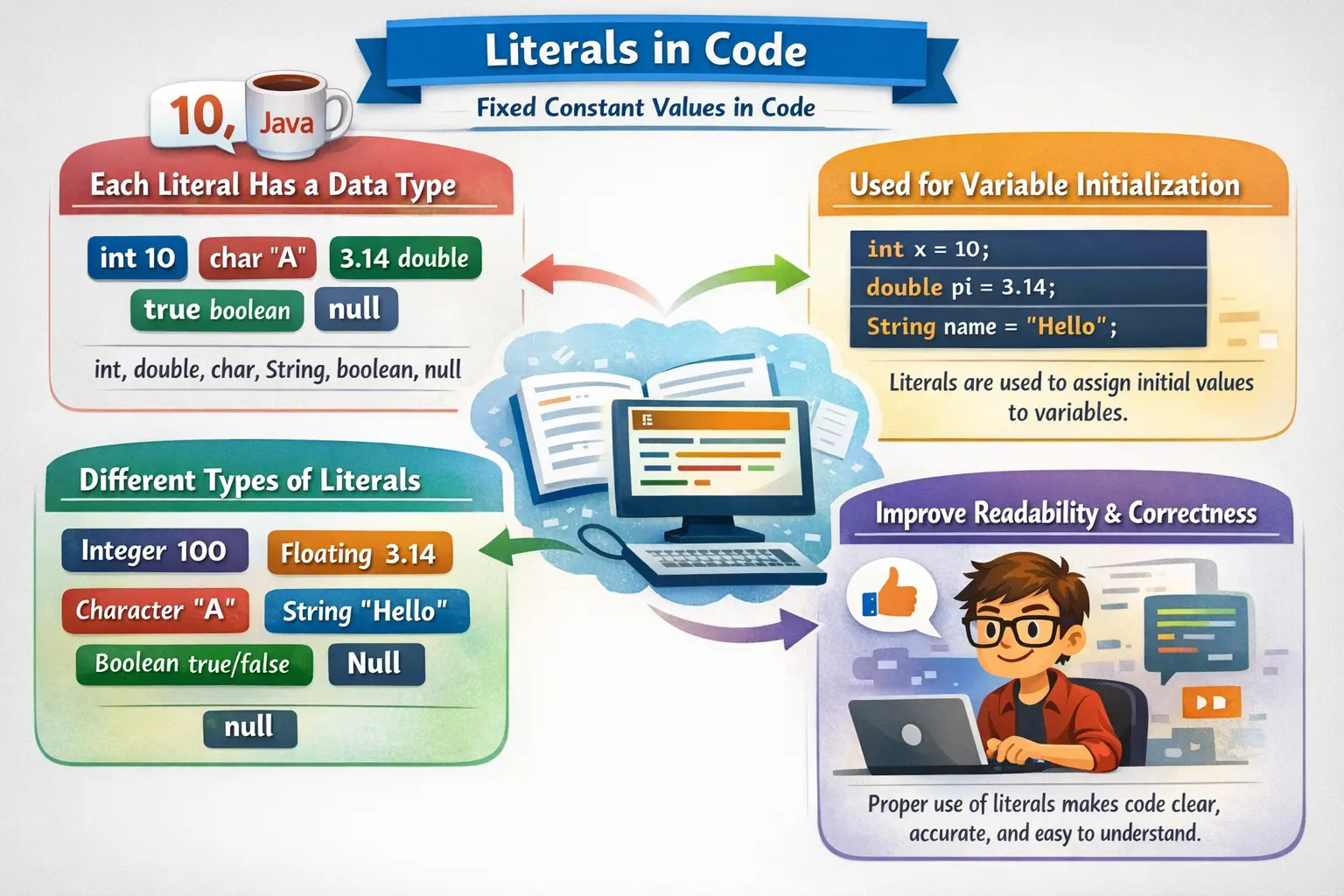
Literals are important because they tell Java what value should be stored, compared, printed, passed to a method, or used in an expression. When you write int age = 25;, the variable is age, but the literal is 25. When you write String course = "Java";, the literal is "Java". Variables are named containers, while literals are the actual fixed values placed in the code.
Understanding literals is essential for writing correct Java programs. A small mistake such as using double quotes instead of single quotes, forgetting the L suffix for a large long value, forgetting the f suffix for a float value, or assigning null to a primitive variable can lead to compilation errors or unexpected behavior. Literals are simple in appearance, but they connect directly to data types, memory, compiler interpretation, and runtime correctness.
What Are Literals?
A literal is a fixed value written directly in Java source code. It represents constant data that is known at compile time. Unlike variables, literals do not have names and do not act as containers. They are the values themselves. Java reads the literal and determines its type based on its syntax.
int number = 10;
String message = "Hello Java";
In these statements, 10 and "Hello Java" are literals. The variable number stores the integer literal 10, and the variable message stores a reference to the string literal "Hello Java". Java interprets 10 as an integer literal and "Hello Java" as a string literal because of their syntax.
Every literal has a type. Numeric literals may be interpreted as int, long, float, or double. Character literals are interpreted as char. String literals are interpreted as String objects. Boolean literals are interpreted as boolean. The null literal is interpreted as a special reference value that means no object is assigned.
Why Literals Matter
Literals matter because they are used everywhere in Java. They initialize variables, provide method arguments, define constants, control decisions, create output messages, represent configuration values, and participate in calculations. Even a very small Java program usually contains several literals.
Correct literal usage improves type safety. Java is a strongly typed language, so the compiler must understand what kind of value a literal represents. For example, 100 is treated as an int by default, while 100L is treated as a long. The decimal literal 3.14 is treated as a double, while 3.14f is treated as a float. These rules affect assignment and calculation behavior.
Literals also affect readability. A boolean literal such as true is clearer than using numeric substitutes like 1 or 0, which Java does not allow for booleans anyway. A numeric literal written as 1_000_000 is easier to read than 1000000. A well-chosen string literal can make output or configuration logic easier to understand.
Types of Literals in Java
Java supports several categories of literals. The major types are integer literals, floating-point literals, character literals, string literals, boolean literals, and the null literal. Each category has its own syntax rules, default type behavior, and common mistakes.
Integer literals represent whole numbers. Floating-point literals represent decimal values. Character literals represent single characters. String literals represent sequences of characters. Boolean literals represent logical truth values. The null literal represents the absence of an object reference. Together, these literal types cover the most common forms of direct data used in Java programs.
Integer Literals
Integer literals represent whole numbers without decimal points. The most common integer literal is a decimal literal, which uses the base-10 number system. Decimal literals are used for counts, ages, quantities, indexes, scores, IDs, and general whole-number values.
int a = 10;
int b = -25;
int count = 100;
By default, integer literals are of type int. This means a whole number written directly in code is treated as an int unless a suffix or context changes it. If the value is within the range of int, it can be assigned to an int variable directly.
Java also allows integer literals in binary, octal, and hexadecimal forms. These are useful when working with bits, masks, low-level data, memory representations, file formats, or values that are naturally expressed in another number system.
Binary Integer Literals
Binary literals use base 2 and were introduced in Java 7. They begin with the prefix 0b or 0B. Binary literals contain only 0 and 1.
int binary = 0b1010;
System.out.println(binary); // 10
The binary value 1010 equals decimal 10. Binary literals are especially useful when a program needs to represent bit patterns clearly. For normal business calculations, decimal literals are more common, but binary literals are valuable when bit-level meaning matters.
Octal Integer Literals
Octal literals use base 8 and begin with a leading zero. This rule is important because a number like 012 is not interpreted as decimal twelve. It is interpreted as octal twelve, which equals decimal ten.
int octal = 012;
System.out.println(octal); // 10
Octal literals are less common in modern Java application code, but they still exist in the language. Beginners should be careful with leading zeros because they can accidentally change the meaning of a number. Writing 010 does not mean decimal ten; it means octal ten, which equals decimal eight.
Hexadecimal Integer Literals
Hexadecimal literals use base 16 and begin with the prefix 0x or 0X. They can contain digits from 0 to 9 and letters from A to F, where A represents ten and F represents fifteen.
int hex = 0xA;
System.out.println(hex); // 10
Hexadecimal literals are common in color codes, memory values, bit masks, Unicode-related values, and low-level programming. They provide a compact way to express binary-friendly values. For example, values such as 0xFF and 0xFFFF are easier to read in hexadecimal than in decimal or binary.
Long Literals
If an integer literal is too large for the int range, it must be written as a long literal using the L or l suffix. The uppercase L is preferred because lowercase l can look like the digit 1.
long distance = 9876543210L;
long timestamp = 1720000000000L;
Without the suffix, Java treats the literal as an int first. If the value exceeds the int range, the compiler reports an error before assigning it to the long variable. This is a common beginner mistake.
Long literals are used for timestamps, file sizes, large IDs, large counters, population values, and other whole-number values that may exceed int limits. Choosing the correct suffix makes the developer’s intention clear to the compiler.
Underscores in Numeric Literals
Java allows underscores in numeric literals to improve readability. The underscores are ignored by the compiler, but they help humans read large numbers more easily. This feature is useful for money-like quantities, large IDs, binary groups, and long numeric constants.
int population = 1_000_000;
long cardNumber = 1234_5678_9012_3456L;
int binaryMask = 0b1111_0000;
The value of 1_000_000 is exactly the same as 1000000. The underscore does not change the value. It only improves readability. However, underscores must be placed correctly. They cannot appear at the beginning or end of a number, next to a decimal point, or directly next to a suffix.
int valid = 10_000;
// int invalid1 = _1000;
// int invalid2 = 1000_;
// double invalid3 = 10_.5;
Used properly, underscores make numeric literals easier to review and less error-prone. Used incorrectly, they cause compilation errors.
Floating-Point Literals
Floating-point literals represent numbers with decimal points or exponential notation. They are used for values such as prices, averages, measurements, percentages, scientific values, and calculations involving fractions.
double pi = 3.14159;
double amount = 99.99;
By default, floating-point literals are treated as double. This means a decimal value such as 3.14 is not a float unless it has an f or F suffix. Java chooses double by default because it provides more precision than float.
Float Literals
To create a float literal, the value must end with f or F. Without this suffix, Java treats the value as double, and assigning it directly to a float causes a compilation error.
float price = 99.99f;
float temperature = 36.6F;
The suffix tells Java that the literal should be stored as a float. This matters because float uses less memory but has lower precision than double. In most general-purpose decimal calculations, double is preferred unless a specific API or memory-sensitive use case requires float.
Scientific Notation Literals
Java supports scientific notation for floating-point literals. This form is useful for very large or very small numbers. The letter e or E means “times ten raised to the power of.”
double value = 1.5e3;
System.out.println(value); // 1500.0
The literal 1.5e3 means 1.5 × 10³, which equals 1500.0. Scientific notation is common in scientific computing, engineering, measurements, data analysis, and calculations involving large scales.
Floating-point literals should be used carefully in exact financial calculations because binary floating-point values may not represent every decimal exactly. For money-related logic, BigDecimal is often a better choice than float or double.
Character Literals
Character literals represent a single character and are enclosed in single quotes. They are assigned to the char data type. A character literal can be a letter, digit, symbol, space, or special escape sequence.
char grade = 'A';
char digit = '9';
char symbol = '#';
The character literal '9' is not the same as the integer literal 9. The first is a character, while the second is a number. This distinction is important in input validation, text processing, and conversion logic.
Java char values support Unicode. A character can be represented using a Unicode escape sequence beginning with \u followed by four hexadecimal digits.
char letter = '\u0041';
System.out.println(letter); // A
The Unicode value \u0041 represents the character 'A'. Unicode support allows Java to represent many international characters and symbols, which is one reason Java is suitable for global applications.
Escape Sequences in Character Literals
Some characters cannot be written directly or have special meaning in Java syntax. Escape sequences allow such characters to be represented safely. Common escape sequences include newline, tab, backslash, single quote, and double quote.
char newLine = '\n';
char tab = '\t';
char quote = '\'';
char backslash = '\\';
Escape sequences are useful for formatting output, working with file paths, generating text, and representing characters that would otherwise be hard to write directly. They are also used inside string literals.
Character Literal as Integer Value
A char stores a Unicode numeric value internally. Because of this, Java allows assigning certain integer constants to char if they are within the valid character range.
char ch = 65;
System.out.println(ch); // A
The numeric value 65 maps to the character 'A'. This behavior is useful in some character-processing tasks, but it should be used carefully because the code may be less readable than writing the character directly.
String Literals
String literals represent sequences of characters enclosed in double quotes. Unlike char, which stores a single character, a string can store zero, one, or many characters. In Java, String is not a primitive type. It is a class, and string literals create or reuse String objects.
String message = "Hello Java";
String course = "SoftwareTips4U";
String literals are stored in a special memory area called the String Constant Pool. When the same string literal appears multiple times, Java can reuse the same object from the pool. This saves memory and improves performance.
String a = "Java";
String b = "Java";
System.out.println(a == b); // true for pooled literals
Although this example prints true, string content should normally be compared using equals(), not ==. The == operator compares references, while equals() compares content. This distinction becomes especially important when strings are created using the new keyword or received from external sources.
String x = "Java";
String y = new String("Java");

System.out.println(x == y);      // false
System.out.println(x.equals(y)); // true
String literals are immutable. Once a String object is created, its content cannot be changed. Methods such as toUpperCase(), replace(), or substring() return new string objects rather than modifying the original object.
Boolean Literals
Boolean literals represent logical truth values. Java has only two boolean literals: true and false. They are used with the boolean data type and are essential for conditions, loops, flags, validation, and decision-making.
boolean isValid = true;
boolean isCompleted = false;
Java does not allow numeric substitutes for boolean values. You cannot use 1 as true or 0 as false. This makes Java code clearer and prevents accidental logic mistakes.
// boolean active = 1; // invalidBoolean literals are often used in if statements and loops. They make control flow explicit and readable.
if (isValid) {
    System.out.println("Valid input");
}
Null Literal
The null literal represents the absence of an object reference. It can be assigned only to reference variables, not primitive variables. A reference variable holding null does not point to any object.
String name = null;
Object value = null;
Null is useful when an object will be assigned later or when a method needs to indicate that no object is available. However, using a null reference without checking it can cause NullPointerException.
String name = null;
// System.out.println(name.length()); // NullPointerException
Primitive variables cannot store null. For example, int count = null; is invalid because int stores a direct numeric value, not an object reference. Wrapper classes such as Integer can hold null because they are reference types.
Literals and Default Types
Java assigns default types to literals based on syntax. Whole-number literals are int by default. Whole-number literals with L are long. Decimal literals are double by default. Decimal literals with f or F are float. Character literals in single quotes are char. Text in double quotes is String.
Understanding default literal types helps avoid compilation errors. For example, float f = 10.5; is invalid because 10.5 is a double literal. The correct code is float f = 10.5f;. Similarly, a very large integer needs the L suffix if it exceeds the int range.
Common Mistakes with Literals
One common mistake is confusing character literals and string literals. A character literal uses single quotes and contains exactly one character. A string literal uses double quotes and can contain multiple characters. 'A' is a char, while "A" is a String.
Another mistake is forgetting suffixes. A large whole-number literal may need L, and a float literal needs f or F. Without these suffixes, the compiler may treat the literal as the wrong default type.
A third mistake is assigning null to primitive variables. Null works only with reference types. Primitive types such as int, double, char, and boolean cannot store null.
A fourth mistake is misusing leading zeros. A number such as 012 is octal, not decimal. This can cause unexpected values if the developer intended a normal decimal literal.
A fifth mistake is using underscores incorrectly in numeric literals. Underscores improve readability, but they cannot be placed anywhere. They must appear between digits in valid positions.
Real-World Usage of Literals
Literals appear in almost every real-world Java application. Integer literals are used for limits, counts, IDs, retry attempts, page sizes, and indexes. Floating-point literals are used for rates, percentages, measurements, and calculations. Character literals are used in text processing and validation. String literals are used in messages, logs, URLs, SQL fragments, labels, file paths, and API fields.
Boolean literals are used for flags such as true and false in feature toggles, validation results, permission checks, and loop control. The null literal is used to represent missing references, optional object state, or values that will be assigned later.
In professional code, repeated important literals are often replaced with named constants. For example, instead of writing 3 in multiple places for maximum login attempts, a developer may define static final int MAX_LOGIN_ATTEMPTS = 3;. This improves readability and maintainability.
Best Practices
Use the correct literal type for the expected value. If a number may exceed the int range, use a long literal with L. If a decimal must be a float, use the f suffix. If the value is text, use a string literal. If the value is a single character, use a character literal.
Use underscores to make large numeric literals readable, but follow the placement rules. A value such as 1_000_000 is easier to read and review than 1000000.
Avoid magic numbers and magic strings when the value has business meaning. Replace repeated important literals with named constants. This makes code easier to understand and safer to change.
Use equals() for string content comparison. String literals may be pooled, but relying on == for content comparison is a bad habit. Use == only when reference comparison is intentionally required.
Handle null carefully. Before calling methods on a reference that may be null, validate it or design the code so null is not allowed. Null is useful, but careless null handling leads to runtime errors.
Interview Perspective
In interviews, literals can be explained as fixed values written directly in the source code. A strong answer should include examples such as 10, 3.14, 'A', "Java", true, false, and null.
A detailed answer should mention the major types of literals: integer, floating-point, character, string, boolean, and null. It should also explain default types, such as integer literals being int by default and decimal literals being double by default.
Interviewers may test edge cases. They may ask why float f = 10.5; fails, why long x = 10000000000; fails without L, why 'A' and "A" are different, why null cannot be assigned to int, or why 012 does not mean decimal twelve.
Key Takeaway
Literals are fixed values written directly in Java code. They are the simplest building blocks of data representation and are used to initialize variables, pass arguments, define constants, control logic, and create output. Every literal has a type, and Java interprets literals based on syntax.
Integer literals, floating-point literals, character literals, string literals, boolean literals, and the null literal each have specific rules. Understanding these rules prevents compilation errors and helps developers write clearer, safer code.
The golden rule is simple: write literals in the form that matches the intended data type and meaning. Correct literal usage improves readability, type safety, memory behavior, and reliability across Java programs.