Java Program Structure
Java program structure defines how a Java source file is organized and how the Java Virtual Machine identifies the code that must be executed. For beginners, this structure is the first practical step toward writing Java programs correctly. For experienced developers, it provides consistency, readability, maintainability, and predictable compilation behavior. Every Java program follows a disciplined format because Java is a strongly structured language: code is written inside classes, statements belong inside methods or blocks, and standalone execution begins from a specific entry point called the main() method.
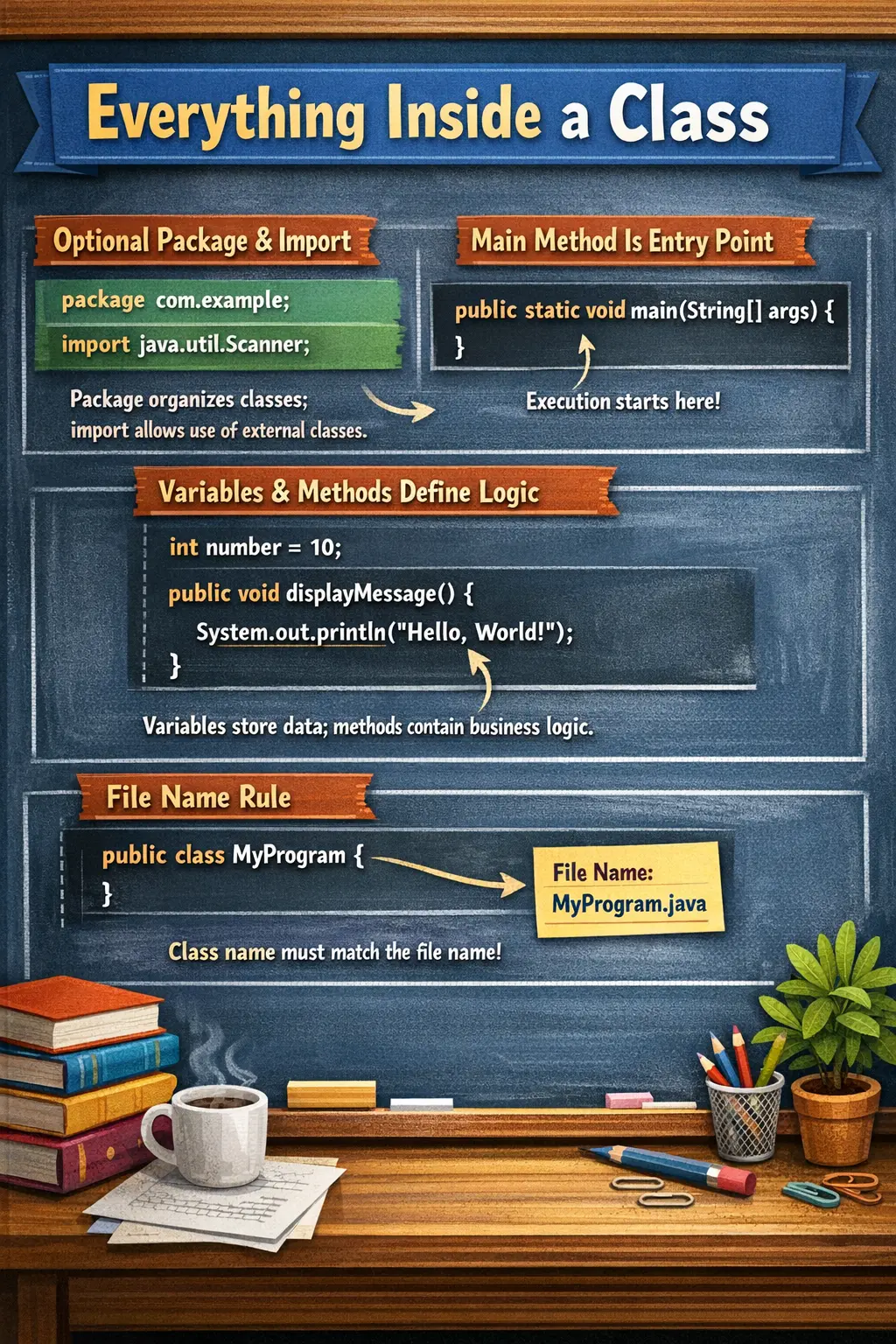
Understanding Java program structure is important because many beginner errors are not logic errors, but structural errors. A file name may not match the public class name. The main method may be written with the wrong signature. A package declaration may be placed in the wrong position. Code may be written outside a class. These mistakes result in compilation or execution errors even when the basic idea of the program is correct. Learning the structure early prevents confusion and makes later topics such as object-oriented programming, collections, exceptions, multithreading, Selenium, and Spring easier to understand.
A Java source file can contain package declarations, import statements, class declarations, variables, constructors, methods, comments, and the main method. Some of these components are mandatory and some are optional. The class is mandatory because Java code must be placed inside a class or another type. The main method is mandatory only when the class is intended to run as a standalone application. Package and import statements are optional, but they are extremely common in real-world projects.
Basic Java Program Structure
A typical Java program is arranged in a predictable order. The package statement, if present, comes first. Import statements come next. After that, the class declaration begins. Inside the class, we can declare variables, constructors, methods, and the main method. The following example shows a simple but complete Java program structure.
package com.example.demo;      // 1. Package statement
import java.util.Scanner;      // 2. Import statement

public class HelloWorld {      // 3. Class declaration
    static int count = 10;     // 4. Static variable

    public static void main(String[] args) {   // 5. Main method
        System.out.println("Hello Java");
    }

    void display() {           // 6. Instance method
        System.out.println("Display method");
    }
}
Each part of this program has a specific responsibility. The package statement identifies where the class belongs. The import statement gives access to external classes. The class acts as the container for program members. The variable stores data. The main method provides the starting point for execution. The display method represents reusable behavior. Once you understand this structure, Java programs become easier to read and debug.
Package Statement
The package statement declares the namespace of a Java class. A package groups related classes together and helps avoid naming conflicts. For example, two different teams may both create a class named User. If both classes are in different packages, Java can distinguish them clearly. This is why packages are essential in real projects that contain many modules and thousands of classes.
If a package statement is present, it must be the first non-comment statement in the Java source file. It appears before imports and before the class declaration. The syntax is simple.
package packageName;
A real package name often follows a reverse-domain naming style, especially in enterprise applications.
package com.softwaretips4u.corejava;
Packages improve organization and maintainability. Classes related to users can be placed in one package, service classes in another, utility classes in another, and test classes in another. Without packages, large applications would become difficult to manage and class name collisions would be common. The package name also influences the folder structure, so a class in com.softwaretips4u.corejava is usually stored inside matching nested directories.
Import Statement
The import statement allows a Java class to use classes from other packages without writing their fully qualified names every time. Java provides many built-in packages, such as java.util, java.io, and java.time. User-defined packages can also be imported when classes from other parts of a project are needed.
Import statements appear after the package declaration and before the class declaration. For example, if we want to use the List interface, we can import it like this.
import java.util.List;
Without an import statement, we would need to write the fully qualified name each time.
java.util.Scanner scanner = new java.util.Scanner(System.in);
With an import statement, the code becomes cleaner and easier to read.
Scanner scanner = new Scanner(System.in);
Imports do not copy code into a program. They simply tell the compiler where to find referenced classes. Java automatically imports java.lang, so classes such as String, System, and Math can be used without explicit import. Understanding imports helps beginners avoid confusion when programs use classes that are not defined in the same file.
Class Declaration
Every Java program must contain at least one class or another top-level type. A class is a blueprint that can contain data and behavior. In simple programs, the class acts as a container for the main method. In object-oriented programming, the class defines the structure and behavior of objects. This is why understanding class declaration is central to Java.
class ClassName {
}
A class may be declared with access modifiers such as public. If a top-level class is declared as public, the file name must exactly match the public class name. For example, if the class is declared as shown below, the file must be saved as HelloWorld.java.
public class HelloWorld
This file-name rule is strictly enforced by the Java compiler. If the public class name and file name do not match, compilation fails. This rule helps Java locate public classes consistently and makes source files easier to navigate in large projects. A Java file can contain multiple non-public classes, but only one public top-level class is allowed.
Variables as Class Members
Variables declared inside a class but outside methods are known as member variables or fields. They store data and represent the state of an object or class. Java commonly uses instance variables and static variables. Understanding the difference between them is important because they behave differently in memory and object creation.
Instance variables belong to objects. Each object created from the class gets its own copy of instance variables. If one object changes its instance variable value, it does not directly affect the same variable in another object. Static variables belong to the class itself and are shared across all objects. They are often used for common values, counters, constants, or shared configuration.
int id;            // instance variable
static int count;  // static variable
In real development, variables should be named clearly and placed where they belong. Data that is unique to each object should be instance-level. Data that is common to the class should be static. Misusing static variables can create unexpected shared state, while misunderstanding instance variables can make object behavior confusing.
Main Method as Program Entry Point
The main method is the entry point for standalone Java applications. When we run a Java class from the command line or an IDE, the JVM looks for the main method with the exact supported signature. If the main method is missing or incorrectly written, the class may compile but cannot be launched as a standalone program.
public static void main(String[] args)
Each keyword in this signature has a purpose. public allows the JVM to access the method from outside the class. static allows the JVM to call the method without creating an object. void means the method does not return a value. main is the method name recognized as the starting point. String[] args stores command-line arguments passed to the program.
Beginners often make mistakes such as writing public void main, missing static, changing String[] incorrectly, or misspelling main. These mistakes prevent the JVM from identifying the entry point. A standalone Java program depends on this method signature, so it is one of the most common interview and beginner topics.
Methods in a Java Program
Methods define the behavior of a class. A method contains reusable logic that performs a specific task. Instead of writing all code inside the main method, developers break logic into smaller methods. This improves readability, reuse, testing, and maintainability. In real projects, methods often represent business actions such as calculating totals, validating input, processing orders, or displaying results.
void calculateTotal() {
    // business logic
}
Methods can be static or non-static. Static methods belong to the class and can be called without creating an object. Non-static methods belong to objects and usually work with instance data. For beginners, it is enough to understand that the main method can call other methods to keep code organized. As programs grow, method design becomes essential for clean Java development.
Good methods should have clear names and focused responsibility. A method named calculateTotal should calculate a total, not also print reports, update databases, and send notifications. This habit becomes important later when learning object-oriented programming and framework-based development.
Comments in Java
Comments help explain code to human readers. They are ignored by the compiler, so they do not affect execution. Java supports single-line comments, multi-line comments, and documentation comments. Comments are useful when they clarify intent, explain non-obvious logic, or document APIs.
// Single-line comment

/*
   Multi-line comment
*/

/**
 * Documentation comment
 */
Comments should be used carefully. Good comments explain why something is done, not merely what every line does. For example, a comment saying "increment count by one" before count++ is not useful because the code is obvious. A comment explaining a business rule, edge case, or workaround can save time for future developers.
Order of Components in a Java Program
Java source files follow a clear order. The package statement comes first if it exists. Import statements come after the package. The class declaration comes after imports. Inside the class, developers usually place variables first, then constructors, then methods. The main method can technically appear anywhere inside the class, but many beginner programs place it near the top for visibility.
A common order is package, imports, class declaration, variables, constructors, methods, and main method. In real-world codebases, teams may follow style guides that specify exact ordering. The compiler is strict about package and import order, but more flexible about the ordering of members inside the class. Still, consistent ordering improves readability.
The most important structural rule is that executable statements cannot be placed directly inside a class unless they are inside a method, constructor, initializer block, or field initialization. Beginners often try to write System.out.println() directly inside a class body. That is not allowed as a normal statement and results in a compilation error.
Important Rules for Interviews
Java program structure is frequently asked in interviews because it checks whether a candidate understands the basics clearly. One important rule is that only one public top-level class is allowed in a Java source file. The file name must match that public class name exactly, including capitalization. Java is case-sensitive, so HelloWorld and helloworld are not the same.
Another rule is that the main method signature must be correct for standalone execution. The commonly expected signature is public static void main(String[] args). The parameter name args can be changed, but the type must remain a string array. The package statement is optional, but if it exists, it must come before imports. Import statements are optional, but if present, they must appear before the class declaration.
Code outside a class is not allowed in normal Java source files. Java requires structure. This is different from some scripting languages where statements can be written directly at the top level. This strict structure supports type safety, object-oriented design, and predictable compilation.
Common Mistakes by Beginners
A common beginner mistake is using the wrong main method signature. Missing static, using String args instead of String[] args, changing the return type, or misspelling main can prevent execution. Another frequent mistake is saving the file with a name that does not match the public class name. This causes a clear compiler error, but it can confuse new learners.
Beginners also sometimes place the package statement after imports or after the class declaration. If a package statement is present, it must appear first. Another mistake is writing statements outside methods, such as printing text directly in the class body. Java requires executable statements to be inside a valid block such as a method, constructor, or initializer.
Some learners also import classes unnecessarily or forget imports when using classes such as Scanner, List, or ArrayList. IDEs often fix imports automatically, but understanding the concept is still important because compilation from the command line requires correct imports and package paths.
Summary of Components
A Java source file may begin with a package statement, which organizes the class into a namespace. It may then include import statements, which allow the program to use classes from other packages. The class declaration defines the main container of the program. Inside the class, variables store data and methods define behavior. The main method acts as the execution entry point for standalone programs. Comments improve readability and documentation.
These components work together to create a valid Java program. The package and import statements help organize and connect code. The class provides structure. Variables and methods define state and behavior. The main method gives the JVM a starting point. Once this structure becomes familiar, Java code becomes easier to write, read, and troubleshoot.
Interview-Ready Explanation
A short interview answer can be: "A Java program consists of optional package and import statements followed by a class declaration. The class contains variables, constructors, methods, and the main method, which acts as the entry point for execution." This answer is concise and covers the essential structure.
A detailed answer can be: "Java programs are written inside classes. A Java file may start with a package declaration, followed by imports. The class contains members such as variables, constructors, and methods. For standalone execution, the JVM looks for public static void main(String[] args). If the class is public, the file name must match the class name exactly." This answer shows both structure and execution understanding.
If the interviewer asks why structure matters, explain that Java uses this structure to compile code, organize classes, avoid naming conflicts, and identify the execution entry point. Correct structure prevents compilation errors and supports maintainable code.
Key Takeaway
Java program structure is the foundation of Java programming. It explains how a source file is organized, how classes contain data and behavior, and how the JVM starts execution through the main method. Mastering this structure helps beginners avoid common compilation errors and builds confidence for writing larger programs.
A correct Java program structure ensures successful compilation, smooth execution, and maintainable code. Before moving into advanced topics such as object-oriented programming, exception handling, collections, multithreading, Selenium, or Spring, every Java learner should be comfortable with package statements, imports, classes, variables, methods, comments, and the main method.