break Statement
Control flow is one of the most fundamental aspects of programming. It determines how a program executes instructions, how it reacts to conditions, and how efficiently it processes data. Among the many control flow mechanisms available in Java, the break statement plays a crucial role in controlling execution within loops and switch blocks. While it may appear simple at first glance, understanding its behavior deeply is essential for writing efficient, readable, and bug-free programs.
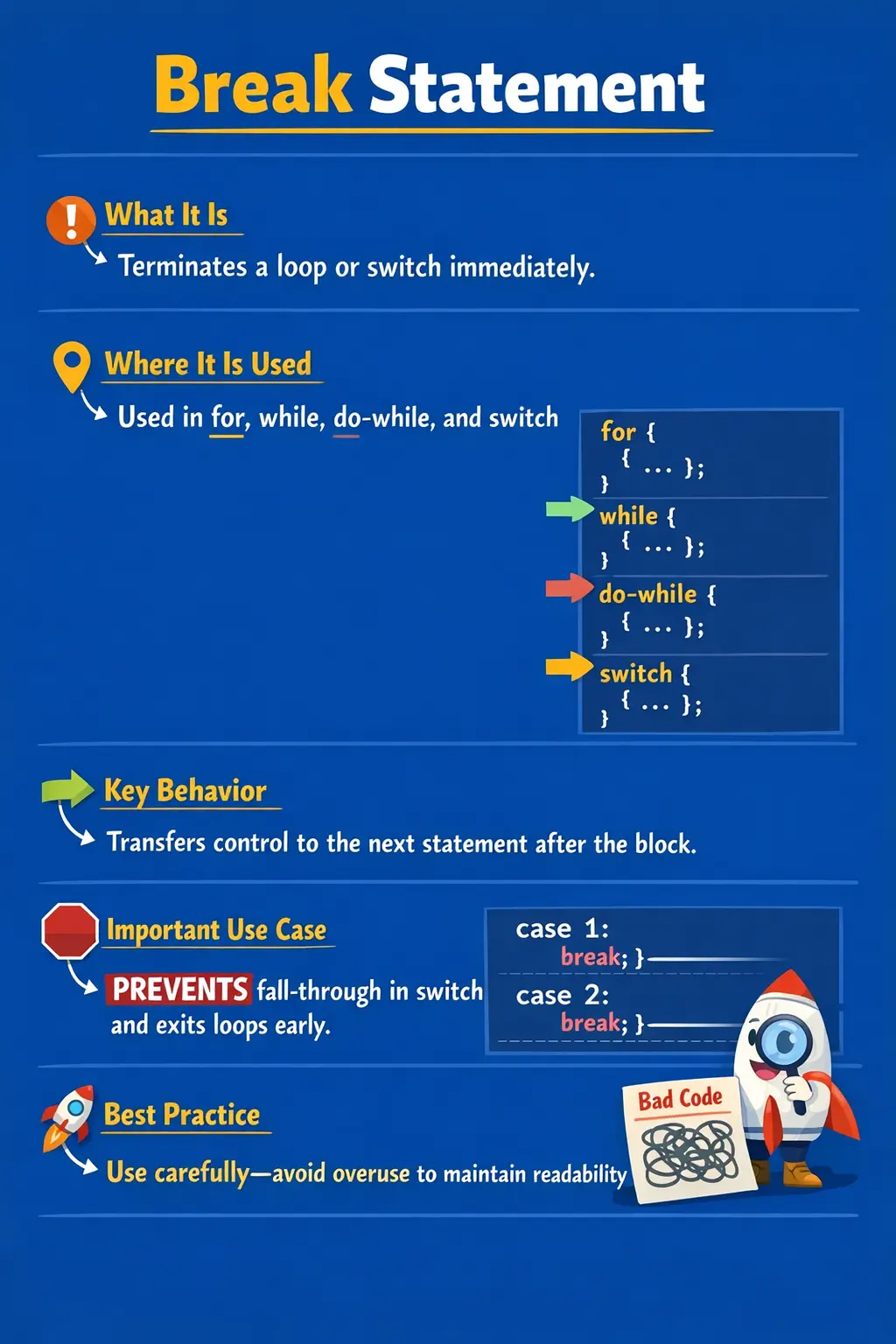
The break statement is used to immediately terminate the nearest enclosing loop or switch block, transferring control to the statement that follows it. This seemingly small capability has a significant impact on how programs behave, especially in scenarios involving iteration, searching, decision-making, and performance optimization. Mastering the break statement is not only important for writing effective code but also for succeeding in technical interviews, where control flow questions are frequently asked.
Understanding the break Statement
At its core, the break statement is a flow-interruption mechanism. When Java encounters a break statement during execution, it stops the current loop or switch block instantly and continues execution with the next statement outside that block. This allows developers to exit from repetitive or conditional structures as soon as a specific condition is satisfied.
Unlike conditions that control whether a loop starts or continues, the break statement provides a way to terminate execution prematurely, even if the loop condition still evaluates to true. This is particularly useful when the desired result has already been achieved and continuing execution would be unnecessary or inefficient.
The break statement is most commonly used in two contexts: within loops (such as for, while, and do-while) and within switch statements. In both cases, it serves to improve control over execution and prevent unintended behavior.
Role of break in switch Statements
One of the most important uses of the break statement is within switch blocks. In a switch statement, multiple case blocks are evaluated sequentially until a matching case is found. However, without a break statement, execution does not stop after the matching case—it continues into subsequent cases. This behavior is known as fall-through.
The break statement prevents fall-through by terminating the switch block immediately after the matching case is executed. This ensures that only the intended block of code runs.
For example, consider a scenario where a program needs to execute a specific action based on a user’s choice. When a matching case is found, the break statement ensures that the program does not accidentally execute logic meant for other cases. Without it, multiple case blocks may execute, leading to incorrect output.
Understanding this behavior is critical because forgetting to include break statements in switch cases is one of the most common beginner mistakes. It can lead to subtle bugs that are difficult to detect, especially in large codebases.
Using break in Loops
While its role in switch statements is well known, the break statement is equally important in loops. In iterative structures like for, while, and do-while loops, break provides a way to exit the loop before its natural termination condition is reached.
This is particularly useful in scenarios where a loop is used to search for a specific value. Once the value is found, there is no need to continue iterating. The break statement allows the loop to terminate immediately, improving efficiency and reducing unnecessary computations.
For instance, when scanning through a collection of data to find a match, the loop can exit as soon as the match is found. This not only improves performance but also makes the intent of the code clearer.
In while and do-while loops, break serves a similar purpose. It allows the program to exit the loop when a certain condition is met, even if the loop condition itself would still allow further iterations. This flexibility is essential for handling dynamic conditions that cannot be fully captured in the loop declaration.
Performance and Efficiency Benefits
One of the key advantages of using the break statement is its impact on performance. By terminating loops early, break prevents unnecessary iterations, which can be especially beneficial when working with large datasets or complex computations.
Consider a scenario where a loop is iterating through thousands of records to find a specific entry. Without break, the loop would continue to process all records even after the desired entry is found. With break, the loop exits immediately, saving time and computational resources.
This makes the break statement an important tool for writing efficient code. It allows developers to optimize execution by ensuring that loops run only as long as necessary.
Labeled break: Advanced Control Flow
In more complex scenarios involving nested loops, the standard break statement may not be sufficient. By default, break only exits the nearest enclosing loop. However, Java provides an advanced feature called labeled break, which allows developers to exit outer loops directly.
A labeled break uses a label defined before a loop. When break is used with that label, it terminates the labeled loop, regardless of how deeply nested the current loop is.
This feature is particularly useful in multi-dimensional iteration scenarios, such as processing matrices or nested data structures. Instead of using flags or additional conditions to exit multiple loops, labeled break provides a clean and direct way to terminate execution.
However, it should be used carefully. While powerful, labeled break can make code harder to read if overused. It is best reserved for situations where simpler alternatives are not practical.
When to Use the break Statement
The break statement is most effective when used in situations where early termination is required. Common use cases include exiting a loop after finding a desired result, stopping execution when an error condition is detected, and preventing fall-through in switch statements.
It is also useful in validation logic, where the program needs to stop processing as soon as invalid input is detected. Similarly, in real-time systems, break can be used to terminate loops based on external conditions or events.
In all these scenarios, break helps make the code more efficient and aligned with the intended logic.
When Not to Overuse break
Despite its usefulness, the break statement should not be overused. Excessive reliance on break can make code harder to understand and maintain. When multiple break statements are scattered throughout a loop, it becomes difficult to follow the flow of execution.
In many cases, it is better to design loops with clear conditions that naturally control their execution. This improves readability and reduces the need for abrupt interruptions.
For example, instead of using break to exit a loop based on a condition, it may be more appropriate to include that condition in the loop’s termination criteria. This leads to cleaner and more predictable code.
How break Changes Normal Loop Execution
A loop normally continues until its own termination condition fails. A for loop continues while its condition remains true. A while loop repeats as long as its condition is true. A do-while loop executes at least once and then repeats while its condition remains true. The break statement interrupts this normal pattern. It tells Java to stop the loop immediately, even if the loop condition would otherwise allow more iterations.
This makes break useful when the loop condition cannot fully describe the real stopping point. For example, a loop may be designed to scan a list of values, but the actual reason to stop is finding a specific match. The loop condition may simply say to continue while there are more items. The break condition says to stop because the useful result has already been found. These are two different ideas, and break allows both to be expressed clearly.
Understanding this distinction helps developers avoid overloading loop conditions with too much logic. The loop condition can describe the general boundary of iteration, while the break condition can describe a specific event that ends the work early. When used carefully, this keeps loops both flexible and readable.
break as an Early Exit Mechanism
The break statement is best understood as an early exit mechanism. It lets the program leave a loop or switch block as soon as continuing no longer makes sense. This is common in search operations, validation flows, menu systems, and switch-based dispatch logic. Instead of allowing execution to continue unnecessarily, break moves control directly to the next statement after the enclosing structure.
Early exit is valuable because it aligns execution with intent. If a matching product has been found, there is no need to keep scanning the remaining products. If an invalid record is detected and the program cannot proceed safely, there may be no reason to keep processing. If a user chooses an exit option from a menu, the menu loop should stop. In each case, break expresses that the current structure has completed its purpose.
However, early exit should be visible and easy to understand. A loop with one clear break condition is usually readable. A loop with many unrelated break statements can become confusing because the reader must track several possible exits. The best use of break is focused, intentional, and tied directly to the purpose of the loop or switch block.
Using break in Search Operations
Search operations are one of the most natural uses of break. When a program searches through an array, collection, file, or list of records, it often needs only the first matching result. Once that result is found, continuing the loop wastes time and may even create incorrect behavior if later matches overwrite the earlier result.
For example, imagine scanning a list of users to find the first user with a matching username. As soon as the match is found, the program can store the result and break out of the loop. This makes the search efficient and communicates clearly that the loop's job is complete after the first match. Without break, the loop would continue through the remaining users even though the desired result has already been located.
This pattern is common in beginner code, automation utilities, and small data-processing tasks. In larger applications, developers may use library methods, streams, database queries, or collection APIs instead of manual loops. Even then, the underlying concept remains the same: stop searching when the answer is known.
Using break in Validation Flows
Validation often involves checking a series of rules. A record may need to satisfy required fields, valid format, acceptable range, and business-specific constraints. If one mandatory rule fails, the program may decide to stop checking further rules and report the failure. The break statement can support this kind of early termination inside a loop that processes validation rules.
For instance, an application may loop through a list of validation checks. If one check fails and the requirement is to stop at the first error, break can terminate the loop immediately. This is useful when later checks depend on earlier checks or when the user should correct one issue at a time. The code becomes clear: continue validating while checks pass, but break when a blocking error appears.
In other validation designs, the program may intentionally collect all errors instead of stopping at the first one. In that case, break would not be appropriate. This shows an important principle: break is not automatically good or bad. It depends on the intended behavior. If the process should stop at the first failure, break fits. If the process should gather every failure, break would reduce useful feedback.
Using break in Menu-Driven Programs
Menu-driven programs often use break in two ways. Inside a switch statement, break prevents fall-through after a selected option is handled. Inside a loop, break can exit the menu entirely when the user selects an exit option. This makes break a common part of console-based programs, command processors, and simple interactive applications.
Consider a menu that repeatedly asks the user to choose an action. The loop keeps running so the user can perform multiple actions. When the user chooses "exit," the program should stop showing the menu. A break statement inside the exit branch can terminate the menu loop immediately. This clearly expresses the user's intention to leave the interaction.
In switch-based menu handling, each case should normally end with break. Otherwise, selecting one option may accidentally execute the next option too. This is one of the first practical lessons beginners learn about switch statements. The break statement acts as a boundary between choices, ensuring that one selected action does not spill into another.
break in Nested Loops
In nested loops, a normal break exits only the nearest enclosing loop. If a break appears inside the inner loop, Java stops the inner loop and continues with the next iteration of the outer loop unless some other logic stops it. This behavior is predictable, but it can surprise beginners who expect break to exit all loops at once.
This matters when processing structures such as tables, matrices, grids, nested collections, or combinations of values. If the program finds a target value inside the inner loop, the developer must decide whether only the inner search should stop or whether the entire nested search should stop. A normal break handles the first case. A labeled break, return statement, or control flag may be needed for the second case.
Nested-loop break logic should be designed carefully because it affects readability. If the goal is to stop the entire method after finding a result, returning from the method may be clearer than using labels or flags. If the goal is to exit a specific outer loop but continue other work afterward, a labeled break may be appropriate. The right choice depends on what the code is trying to communicate.
Labeled break in Detail
A labeled break allows a program to exit a specific labeled statement, usually an outer loop. The label is placed before the loop, and the break statement names that label. When Java executes the labeled break, control moves to the statement after the labeled loop. This avoids the need for extra boolean flags in some nested-loop scenarios.
Labeled break is powerful because it gives direct control over which loop should stop. Without it, breaking out of multiple nested loops may require setting a flag, checking that flag at each level, and breaking again. A labeled break can express the same intention in one statement. This can make certain search algorithms or matrix-processing logic cleaner.
At the same time, labeled break should be used sparingly. Many developers are less familiar with labels, and overusing them can make control flow feel abrupt. If a method becomes hard to read because of labels, it may be better to extract the nested logic into a separate method and use return when the result is found. Labeled break is a useful tool, but it should not replace good method design.
break and switch Fall-Through
In switch statements, break has a special importance because traditional switch cases fall through by default. Once a matching case is found, Java starts executing from that case. If no break, return, or throw statement appears, execution continues into the next case, even though that next case label did not match. This behavior is legal Java, but it is often unintended.
Fall-through can be useful when multiple cases should share the same logic. For example, several month values can fall through to the same season output. Multiple command aliases can execute the same operation. In these cases, fall-through is intentional and can reduce duplication. The code should be formatted clearly so the reader understands that the grouped cases are deliberate.
Accidental fall-through is different. It happens when a developer forgets break after a case that should stand alone. This may cause extra messages, wrong calculations, or unintended state changes. In professional code, every switch case should make its control-flow ending obvious. If fall-through is intended, the structure should make that intention clear. If it is not intended, use break consistently.
break vs return
Beginners sometimes confuse break and return because both can stop execution of something. The difference is scope. The break statement exits the nearest loop or switch block. The return statement exits the entire method. After break, the method continues with the statement after the loop or switch. After return, control goes back to the caller of the method.
Choosing between break and return depends on the desired flow. If the method still has work to do after the loop, break is appropriate. If finding a result means the method is complete, return may be clearer. For example, a method that searches for a matching value can return true immediately when the value is found. That avoids storing a flag and breaking out of the loop just to return later.
Both approaches are valid when used intentionally. The main point is to make the flow easy to read. If break is used, the reader should understand what happens after the loop. If return is used, the reader should understand that the method ends immediately. Clear method structure matters more than forcing every loop to use the same pattern.
break and Readability
The break statement can improve readability when it prevents unnecessary looping and makes the stopping condition obvious. A loop that searches for a value and breaks when the value is found is easy to understand. A switch case that ends with break is also easy to follow. These are direct and common uses.
Readability suffers when break is used from many places inside a long loop. If a loop contains several conditions that can break execution, the reader must inspect the entire loop to understand every possible exit. This can make debugging and maintenance harder. In such cases, the loop may be doing too much and should be refactored.
A good practice is to keep loops focused on one purpose. If a loop is searching, the break should relate to finding the target. If a loop is validating, the break should relate to a validation failure. If a break condition feels unrelated to the loop's main purpose, that is a sign the code may need redesign.
Testing Logic That Uses break
Testing code that uses break means verifying both early-exit and normal-completion paths. If a loop should break when a target value is found, tests should include a case where the target appears early, a case where it appears later, and a case where it does not appear at all. This confirms that the loop stops correctly and also behaves correctly when break is never reached.
For switch statements, tests should verify that each case executes only its intended logic. Missing break statements often show up as extra output or unexpected side effects. A test that selects each case can reveal whether fall-through is happening accidentally. The default path should also be tested with an unsupported value.
In nested loops, tests should confirm which loop is being exited. If only the inner loop should stop, the outer loop should continue as expected. If the entire search should stop, the test should prove that no unnecessary outer iterations happen after the result is found. These tests are especially useful because nested control flow is easy to misunderstand by reading alone.
Debugging break-Related Issues
When break-related code behaves unexpectedly, first identify which structure the break belongs to. In a nested loop, break may be exiting only the inner loop. In a switch inside a loop, break may be exiting only the switch, not the loop. This distinction is critical. The nearest enclosing loop or switch controls the behavior unless a labeled break is used.
The next step is to inspect whether the break condition is actually reached. A condition may never become true because the variable value is wrong, the comparison operator is incorrect, or the loop updates values differently than expected. Debugging line by line or logging the relevant values can quickly reveal whether the break path is being executed.
In switch statements, check every case boundary. If one case unexpectedly executes another case, a missing break is the likely cause. If no case executes, the switch expression may not match any case and the default block may be missing. These are simple issues, but they can cause confusing behavior when the switch block is long.
How to Explain break in Interviews
In interviews, a strong explanation should start with the core definition: break immediately terminates the nearest enclosing loop or switch block and transfers control to the statement after that block. Then explain the two common contexts: preventing fall-through in switch statements and exiting loops early when a condition is met.
A good answer should also compare break with continue. Break stops the whole loop, while continue skips only the current iteration and proceeds with the next one. Mention that break cannot be used in a normal if block by itself; it must appear inside a loop, switch, or labeled statement context.
Finally, include practical judgment. Break is useful for search operations, validation stops, menu exits, and switch cases, but overusing it can make code harder to follow. Labeled break exists for nested loops, but it should be used only when it improves clarity. This kind of answer shows both syntax knowledge and real coding maturity.
break vs continue: Understanding the Difference
A common point of confusion for beginners is the difference between break and continue. While both are control flow statements used in loops, they serve different purposes.
The break statement terminates the entire loop, transferring control to the next statement after the loop. In contrast, the continue statement skips the current iteration and moves to the next iteration of the loop.
Understanding this distinction is essential for using these statements correctly. Misusing them can lead to logical errors and unexpected behavior.
Common Mistakes with break
One of the most frequent mistakes is forgetting to include break in switch statements, leading to unintended fall-through. Another common error is attempting to use break outside of a loop or switch block, which results in a compilation error.
Beginners also often confuse break with continue, using one where the other is appropriate. Additionally, overusing labeled break can make code unnecessarily complex and difficult to read.
Avoiding these mistakes requires a clear understanding of how break works and careful attention to code structure.
Real-World Applications
In real-world applications, the break statement is widely used in scenarios such as searching, validation, and event-driven programming. For example, in automation testing, break can be used to stop a loop once a specific element is found on a webpage.
In data processing, break is used to terminate loops when a condition is met, such as detecting a threshold value. In interactive applications, it can be used to exit loops based on user input.
These practical applications highlight the importance of the break statement in everyday programming tasks.
Interview Perspective
The break statement is a commonly tested topic in Java interviews. Interviewers often ask candidates to explain its behavior in loops and switch statements, as well as its role in controlling program flow.
Candidates may be asked to identify errors in code where break is missing or misused, or to explain the difference between break and continue. Questions may also involve labeled break and its use in nested loops.
A strong answer should clearly define the break statement, explain its behavior, and provide examples of its usage in both loops and switch statements.
Key Takeaway
The break statement is a powerful and essential control flow tool in Java. It allows developers to terminate loops and switch blocks immediately, providing precise control over program execution.
When used correctly, break improves performance, enhances readability, and ensures that programs behave as intended. However, it must be used thoughtfully to avoid reducing code clarity.
By understanding its behavior, use cases, and limitations, developers can leverage the break statement effectively to write clean, efficient, and maintainable Java code.
1. break in a for Loop
for (int i = 1; i <= 5; i++) {
if (i == 3) {
break;
}
System.out.println(i);
}
Explanation
- Loop terminates when i == 3.
- Output: 1 2
- Control exits the loop immediately.
2. break in a while Loop
int i = 1;
while (i <= 5) {
if (i == 4) {
break;
}
System.out.println(i);
i++;
}
Explanation
- break stops the loop regardless of condition.
- Output: 1 2 3
3. break in a do-while Loop
int i = 1;
do {
if (i == 2) {
break;
}
System.out.println(i);
i++;
} while (i <= 5);
Explanation
- Loop executes at least once.
- break exits loop early.
4. break in switch Statement (Most Common Use)
int day = 2;
switch (day) {
case 1:
System.out.println("Monday");
break;
case 2:
System.out.println("Tuesday");
break;
default:
System.out.println("Invalid");
}
Explanation
- break prevents fall-through.
- Without break, next cases execute unintentionally.
5. Missing break in switch (Fall-Through)
int x = 1;
switch (x) {
case 1:
System.out.println("One");
case 2:
System.out.println("Two");
}
Explanation
- No break after case 1.
- Output:
One
Two
6. Intentional Fall-Through with break
int month = 1;
switch (month) {
case 12:
case 1:
case 2:
System.out.println("Winter");
break;
}
Explanation
- Multiple cases share logic.
- break exits after grouped cases.
7. break Inside Nested Loop (Inner Loop Only)
for (int i = 1; i <= 3; i++) {
for (int j = 1; j <= 3; j++) {
if (j == 2) {
break;
}
System.out.println("i=" + i + ", j=" + j);
}
}
Explanation
- break exits inner loop only.
- Outer loop continues.
8. Labeled break (Exit Outer Loop)
outer:
for (int i = 1; i <= 3; i++) {
for (int j = 1; j <= 3; j++) {
if (j == 2) {
break outer;
}
System.out.println("i=" + i + ", j=" + j);
}
}
Explanation
- break outer exits the outer loop.
- Useful in deeply nested loops.
9. break in switch Inside Loop
for (int i = 1; i <= 3; i++) {
switch (i) {
case 1:
System.out.println("One");
break;
case 2:
System.out.println("Two");
break;
case 3:
System.out.println("Three");
break;
}
}
Explanation
- break exits only the switch, not the loop.
- Loop continues normally.
10. Labeled break with switch Inside Loop
loop:
for (int i = 1; i <= 3; i++) {
switch (i) {
case 2:
break loop;
default:
System.out.println(i);
}
}
Explanation
- break loop exits the for loop.
- Output: 1
11. break with if Inside Loop
for (int i = 1; i <= 5; i++) {
if (i % 2 == 0) {
break;
}
System.out.println(i);
}
Explanation
- Loop stops at first even number.
- Output: 1
12. break vs continue
for (int i = 1; i <= 5; i++) {
if (i == 3) {
break;
}
System.out.println(i);
}
Explanation
- break exits loop completely.
- Compare with continue which skips iteration only.
13. break in Infinite Loop
while (true) {
System.out.println("Running");
break;
}
Explanation
- break is required to stop infinite loop.
- Common in menu-driven programs.
14. break with Search Logic
int[] nums = {10, 20, 30, 40};
for (int n : nums) {
if (n == 30) {
System.out.println("Found");
break;
}
}
Explanation
- Stops loop once element is found.
- Improves performance.
15. break with Flag vs break
boolean found = false;
for (int i = 1; i <= 5; i++) {
if (i == 4) {
found = true;
break;
}
}
System.out.println(found);
Explanation
- break exits loop.
- Flag indicates result after loop.
16. Invalid Use of break (Compile-Time Error)
// if (true) {
//     break; // compile-time error
// }
Explanation
- break allowed only inside loops or switch.
17. break in Nested if (Invalid)
// if (true) {
//     if (false) {
//         break; // compile-time error
//     }
// }
Explanation
- break cannot be used in plain if blocks.
18. break with Enhanced switch (Java 12+)
int day = 1;
String result = switch (day) {
case 1 -> "Monday";
case 2 -> "Tuesday";
default -> "Invalid";
};
System.out.println(result);
Explanation
- No break needed.
- Arrow syntax prevents fall-through.
19. break for Menu Exit
int choice = 3;
switch (choice) {
case 1:
System.out.println("Add");
break;
case 2:
System.out.println("Edit");
break;
case 3:
System.out.println("Exit");
break;
}
Explanation
- break ends switch after selected option.
20. Interview Summary Example
for (int i = 1; i <= 5; i++) {
if (i == 2) {
break;
}
System.out.println(i);
}
Explanation
- Output: 1
- Demonstrates:
- Loop
- Condition
- break
- Very common interview question.