Test Case to Structured Software Testing
Test cases are one of the most fundamental and essential components of software testing. They transform testing ideas and requirements into clear, structured, and executable instructions that allow testers to verify whether an application behaves as expected. Without well-written test cases, testing becomes inconsistent, incomplete, and difficult to reproduce.
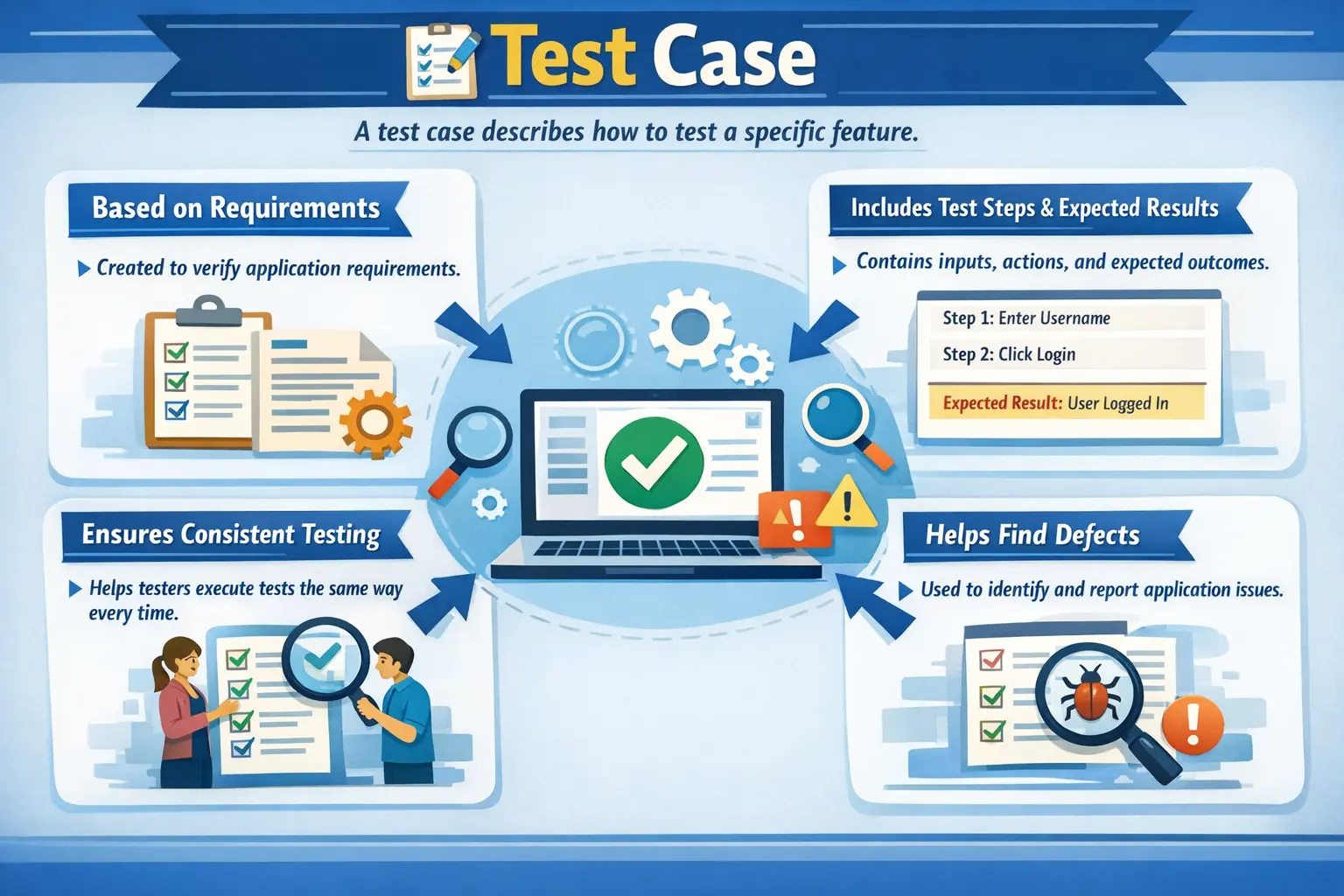
A Test Case is a detailed set of conditions, inputs, actions, and expected results created to verify a specific functionality or requirement of an application. It provides precise instructions that guide testers through the testing process and ensures that testing can be repeated consistently.
A test case answers the essential question:
“How exactly should this functionality be tested?”
Unlike test scenarios, which describe what needs to be tested at a high level, test cases provide step-by-step instructions that testers follow during execution. They define the exact inputs, actions, and expected outputs required to validate system behavior.
Test cases play a critical role in ensuring product quality because they provide a structured and systematic approach to testing.
Understanding Test Cases in Software Testing
Software systems often contain many features and complex workflows. Testing these systems without structured documentation can lead to confusion and missed defects. Test cases provide clarity by defining exactly how testing should be performed.
Test cases serve as the foundation of manual testing. They guide testers through the execution process and ensure that testing is performed consistently across different testers and testing cycles.
In professional environments, test cases are stored in test management tools or documentation systems. They serve as permanent records of testing activities and provide evidence that requirements have been validated.
Test cases are usually derived from requirements, test scenarios, and use cases. Each test case focuses on validating one specific requirement or behavior. Together, test cases provide comprehensive coverage of the application.
Because test cases include expected results, they allow testers to determine whether the system is behaving correctly. If the actual result differs from the expected result, a defect is identified and reported.
In real projects, test cases also protect the team from memory-based testing. A tester may understand a feature very well today, but the same feature may need to be tested again after three months, by a different tester, under release pressure. A written test case preserves the intent, input conditions, and expected behavior so that testing does not depend only on individual memory. This is especially important when teams change, when releases are frequent, or when the application has long-term maintenance needs.
Test cases also help convert informal understanding into shared agreement. A business analyst may describe what a feature should do, a developer may implement the logic, and a tester may validate the behavior. The test case becomes a practical bridge between these roles. If the expected result written in the test case does not match the business expectation, the mismatch can be discovered before execution rather than after defects appear in production.
Purpose of Test Cases
Test cases exist to ensure that software behaves correctly and meets specified requirements. They provide a structured approach to testing that helps maintain quality and consistency.
One of the primary purposes of test cases is to validate functional and non-functional requirements. Functional requirements define what the system should do, while non-functional requirements define how the system should behave. Test cases verify both types of requirements.
Another important purpose is ensuring repeatable and consistent testing. Different testers should be able to execute the same test case and obtain the same results. This consistency is essential for reliable testing.
Test cases also provide clear execution steps. Without clear steps, testers may perform testing differently, which can lead to inconsistent results.
Test cases enable defect identification and traceability. When defects are found, they can be traced back to specific test cases and requirements. This helps teams understand the impact of defects and prioritize fixes.
Test cases also serve as execution evidence. In many projects, especially regulated industries such as banking and healthcare, teams must demonstrate that testing has been performed. Test cases provide documented proof of testing activities.
Key Components of a Test Case
A well-structured manual test case contains several important components that ensure clarity and completeness. Each component serves a specific purpose in the testing process.
The Test Case ID uniquely identifies each test case. It allows testers to track execution and reference test cases easily in defect reports and discussions.
The Test Case Title or Description provides a brief explanation of what the test case verifies. It should clearly describe the purpose of the test case.
Preconditions define the conditions that must be satisfied before the test case can be executed. Preconditions may include system setup, user accounts, or required data.
Test Steps describe the sequence of actions that the tester must perform. Each step should be clear and easy to follow.
Test Data specifies the inputs required for the test case. This may include usernames, passwords, numeric values, or file names.
The Expected Result describes the correct system behavior after executing the test steps. This allows testers to determine whether the test passes or fails.
The Actual Result records the behavior observed during execution. It is filled in during test execution.
The Status indicates whether the test case passed or failed. Additional statuses such as blocked or not executed may also be used.
These components ensure that test cases are complete and useful for both execution and documentation.
Characteristics of a Good Test Case
A good test case should be clear and unambiguous. Any tester reading the test case should understand exactly what needs to be done. Ambiguous instructions lead to inconsistent execution and unreliable results.
Test cases should also be independent and reusable. Each test case should verify a specific functionality without depending on other test cases. Independent test cases are easier to maintain and execute.
Traceability is another important characteristic. Every test case should be linked to a requirement or user story. This ensures that all requirements are tested and allows teams to measure test coverage.
Good test cases should cover both positive and negative scenarios. Positive scenarios verify correct behavior with valid inputs, while negative scenarios verify system behavior with invalid inputs.
Test cases should also be easy to understand by any tester. Even someone unfamiliar with the project should be able to execute the test case correctly.
Well-written test cases reduce confusion and improve testing efficiency.
Writing Effective Test Cases
Writing effective test cases requires a structured approach. The process begins with understanding the requirement thoroughly. Testers must know what the system is supposed to do before they can design test cases.
After understanding the requirement, testers identify the relevant test scenarios. Each scenario usually leads to multiple test cases covering different conditions.
Test design techniques such as Equivalence Partitioning and Boundary Value Analysis are often applied to create effective test cases. These techniques help reduce redundant test cases while maintaining coverage.
Test steps should be written clearly and logically. Each step should describe one action. Steps should be simple and easy to follow.
Expected results must be defined precisely. Vague expected results such as "system works correctly" are not useful. Expected results should describe specific system behavior.
After writing test cases, they should be reviewed to ensure accuracy and completeness. Reviews help identify missing scenarios and unclear instructions.
A structured approach to writing test cases improves both quality and efficiency.
Test Case Example
Consider a login feature in a web application. A test case may verify successful login with valid credentials.
The precondition for this test case may be that a valid user account exists in the system.
The tester opens the login page, enters a valid username and password, and clicks the login button.
The expected result is that the user is successfully logged in and redirected to the dashboard.
This single test case verifies one specific behavior. Additional test cases may verify invalid credentials, empty fields, and password rules.
Together, these test cases provide complete coverage of the login functionality.
Test Case vs Test Scenario
Test cases and test scenarios serve different purposes in software testing. Understanding the difference is essential for structured testing.
Test scenarios describe what should be tested at a high level. They represent testing objectives and workflows.
Test cases describe how testing should be performed. They include detailed steps and expected results.
Test scenarios help ensure coverage, while test cases enable execution.
Test scenarios are usually created first, followed by detailed test cases.
Both are necessary for effective testing.
When to Write Test Cases
Test cases are usually written after requirement analysis is complete. Testers must understand requirements before designing test cases.
Test cases are created before test execution begins. This ensures that testing is organized and structured.
Test case design is an important phase of the Software Testing Life Cycle. It occurs after test planning and before test execution.
In Agile projects, test cases may be written incrementally as new features are developed.
Writing test cases at the right time ensures efficient testing and better coverage.
Benefits of Using Test Cases
Test cases provide numerous benefits in the testing process. One major benefit is consistency. Testers follow the same steps and obtain comparable results.
Another benefit is improved coverage. Test cases ensure that all requirements are tested systematically.
Test cases also support defect tracking. When defects are reported, they can be linked to specific test cases.
Test cases improve communication among team members. Developers and testers can discuss system behavior based on test cases.
They also support regression testing by providing reusable test assets.
Test cases also provide documentation for future projects and maintenance.
Another important benefit is onboarding. New testers often struggle not because the application is impossible to understand, but because the important business flows are hidden inside people’s experience. A well-maintained set of test cases introduces a new tester to the product gradually. By reading and executing test cases, the tester learns the application’s screens, rules, data dependencies, validations, and common failure points. In this way, test cases become both execution assets and learning assets.
Test cases also support release confidence. When stakeholders ask whether a feature is ready, the answer should not depend on a general statement such as "we tested it." A better answer is supported by execution evidence: which test cases were executed, which passed, which failed, which were blocked, and which defects remain open. This makes quality communication factual and transparent.
Common Mistakes in Writing Test Cases
One common mistake is writing vague test steps. Steps must be clear and precise to avoid confusion.
Another mistake is combining multiple validations in a single test case. Each test case should verify one specific behavior.
Missing negative test cases is another frequent problem. Testing only positive scenarios leads to incomplete coverage.
Failure to update test cases after requirement changes is also a major issue. Outdated test cases lead to incorrect testing.
Avoiding these mistakes improves test quality.
Another common mistake is writing test cases that are too dependent on the current user interface. For example, a test case that says "click the blue button on the right side of the page" may become outdated when the button color or layout changes. It is better to describe the action in functional terms, such as "submit the registration form." The tester can still use the current interface during execution, but the test case remains stable even if minor design changes occur.
Some test cases also fail because the expected result is incomplete. A tester may write "user should be logged in" as the expected result, but the actual feature may also need to redirect the user to the dashboard, display the user name, create an active session, and prevent access to the login page until logout. If the expected result is too shallow, defects may be missed even when the test case is executed. A strong expected result describes the observable business outcome clearly enough to support a confident pass or fail decision.
Testers should also avoid writing very long test cases that validate too many outcomes at once. A long test case may look efficient, but it creates problems during failure analysis. If step eight fails, the remaining steps cannot be executed, and the tester may not know whether the later behaviors are working. Smaller and focused test cases are easier to execute, easier to maintain, and easier to map to defects.
Test Case, Test Scenario, and Test Script
In testing discussions, the terms test scenario, test case, and test script are sometimes used casually, but they are not the same. A test scenario is a high-level idea of what needs to be tested. A test case is a detailed validation unit with conditions, steps, data, and expected results. A test script is often an executable or automation-oriented set of instructions used by a tool or framework.
For example, "verify login functionality" is a test scenario. From that scenario, testers may create several test cases: login with valid credentials, login with invalid password, login with locked account, login with empty username, and login after password reset. If automation is later added, those test cases may be converted into test scripts using Selenium, Playwright, Cypress, or another automation tool.
This difference matters because each artifact serves a different purpose. Test scenarios help teams think about coverage. Test cases help testers execute validation consistently. Test scripts help automation tools run checks repeatedly. Confusing these artifacts can lead to either over-documentation or weak execution detail. A mature testing process uses the right level of detail at the right stage.
Positive, Negative, and Boundary Test Cases
A complete test case set usually includes positive, negative, and boundary test cases. Positive test cases validate expected behavior using valid inputs and normal conditions. They confirm that the feature works when the user follows the intended path. For a login feature, entering a valid username and valid password is a positive test case.
Negative test cases validate how the application behaves when invalid input or incorrect conditions are used. They confirm that the system rejects invalid actions gracefully and safely. For the same login feature, entering an incorrect password, leaving the username blank, or trying to log in with a disabled account are negative test cases. These cases are important because users often make mistakes, and the system must handle those mistakes properly.
Boundary test cases validate values at the edges of allowed limits. If a password must contain between eight and twenty characters, boundary test cases should validate seven, eight, twenty, and twenty-one characters. Defects often appear at boundaries because developers may incorrectly implement comparison logic such as greater than, greater than or equal to, less than, or less than or equal to. Boundary cases are therefore small in number but high in defect-detection value.
Good test design balances all three types. Positive cases prove that the feature can succeed. Negative cases prove that the feature fails correctly. Boundary cases prove that the rules are enforced accurately at their limits. When a tester writes only positive test cases, the test set may look complete on paper but remain weak in real-world validation.
Preconditions and Postconditions
Preconditions are the setup requirements that must exist before a test case is executed. They may include user role, application state, test data, configuration, or previous business activity. For example, before testing money transfer, the user must have an active account and sufficient balance. Without these conditions, the test may fail for the wrong reason.
Writing clear preconditions prevents confusion during execution. If a tester does not know that a user account must already be verified, they may spend unnecessary time investigating a failure that is actually caused by missing setup. Preconditions also help automation engineers understand what data or state must be created before a script runs.
Postconditions describe the expected state of the system after execution. They are not always written as a separate field, but they are useful in complex workflows. For example, after a successful fund transfer, the source account balance should decrease, the destination account balance should increase, and a transaction record should be created. Thinking about postconditions helps testers validate the full business effect rather than only the visible screen message.
Test Data Planning
Test data is one of the most underestimated parts of test case design. A good test case can still fail to deliver value if the data is weak, unrealistic, duplicated, or unavailable. Test data should match the purpose of the test. If the test validates a premium customer workflow, the tester needs a premium customer account. If the test validates a low-balance condition, the account balance must be controlled carefully.
Effective test data planning includes identifying valid data, invalid data, boundary values, role-based data, and data combinations. For example, a registration form may require test data for valid email, invalid email, existing email, minimum password length, maximum password length, unsupported characters, and optional fields. Each data condition should support a specific validation purpose.
In many real projects, test data becomes difficult because environments are shared. One tester may change the same account that another tester needs. A test case should therefore mention data dependencies clearly. Where possible, teams should use dedicated test accounts, resettable test data, or controlled data creation steps. Strong test data management reduces false failures and improves execution speed.
Writing Clear Expected Results
The expected result is the heart of a test case because it defines the pass or fail decision. A test step tells the tester what to do, but the expected result tells the tester what correct behavior looks like. If the expected result is vague, different testers may interpret the same outcome differently.
A weak expected result says, "system should work properly." A stronger expected result says, "the user should be logged in successfully, redirected to the dashboard, and the dashboard should display the user's name." This second version gives the tester observable evidence to check. It also gives developers better context if the test fails.
Expected results should focus on user-visible and business-relevant outcomes. Sometimes backend validation is also necessary, such as confirming that an order record is created or that a payment status is updated. However, the expected result should still be written in a way that supports clear validation. If database checks are required, they should be described carefully and linked to the business outcome.
Traceability and Requirement Coverage
Traceability means connecting test cases back to requirements, user stories, acceptance criteria, or business rules. This connection helps teams answer an important question: have we tested what we promised to build? Without traceability, a large set of test cases may still leave critical requirements uncovered.
In formal projects, traceability may be maintained through a Requirements Traceability Matrix. In Agile projects, test cases may be linked directly to user stories in tools such as Jira, Azure DevOps, or test management systems. The method can vary, but the principle remains the same: every important requirement should have corresponding validation.
Traceability also helps during change impact analysis. If a requirement changes, testers can quickly identify which test cases need updates. If a defect is found, the team can identify which requirement is affected. This reduces guesswork and keeps testing aligned with business priorities.
Test Case Review
Writing test cases is not enough; they should be reviewed before execution. A test case review helps identify missing conditions, unclear steps, incorrect expected results, duplicate cases, and gaps in coverage. Reviews are especially useful when the feature is complex or business-critical.
Test case reviews may involve QA leads, peer testers, business analysts, product owners, or developers. Each role contributes a different perspective. A business analyst can confirm whether the expected result matches the requirement. A developer can identify technical constraints or missing integration points. A QA peer can identify test design gaps and improve execution clarity.
Good reviews are not about criticizing the tester who wrote the cases. They are about strengthening the test set before execution begins. Finding a missing scenario during review is cheaper than finding it after release. Review discipline is one reason mature teams produce better quality with less rework.
Maintaining Test Cases Over Time
Test cases are living assets. They must evolve as the application changes. When requirements are updated, screens are redesigned, business rules change, or defects reveal missing coverage, the related test cases should be updated. Outdated test cases create execution waste and reduce trust in the testing process.
Maintenance includes removing obsolete test cases, merging duplicates, improving unclear steps, updating test data, and revising expected results. It also includes marking test cases for regression, smoke, sanity, critical path, or automation suitability. Without maintenance, test repositories become large but less useful.
A practical approach is to review test cases during every major release or sprint. Testers should ask whether each case is still relevant, whether it has found defects in the past, whether it covers a critical flow, and whether it should be automated. This keeps the test suite lean, meaningful, and aligned with current product behavior.
Test Cases in Agile Projects
In Agile projects, test cases are often written and updated continuously rather than in one large phase. Testers analyze user stories during refinement, identify acceptance criteria, and prepare test cases before or during development. This supports shift-left testing because defects and requirement gaps can be found early.
Agile test cases may be lighter than traditional test cases, but they still need clarity. A team may use checklist-style cases for simple stories and detailed test cases for complex business flows. The key is to use enough detail to support reliable validation without creating unnecessary documentation overhead.
Test cases also support sprint demos and acceptance. When a story is ready for review, test cases show what was validated. If a story has clear test cases linked to acceptance criteria, the product owner can make acceptance decisions with more confidence. In this sense, test cases become part of the Agile feedback loop rather than a separate documentation exercise.
Test Cases in Regression Testing
Regression testing depends heavily on reusable test cases. When new changes are introduced, testers need a reliable set of existing test cases to confirm that previously working functionality still works. Without test cases, regression testing becomes memory-based and inconsistent.
Not every test case belongs in the regression suite. Regression cases should be selected based on business criticality, defect history, integration risk, usage frequency, and impact of change. Login, checkout, payment, account management, reporting, and role-based access are common examples of regression candidates in many applications.
Regression test cases should be especially stable and clear because they are executed repeatedly. If a regression case requires fragile data or unclear setup every time, it becomes expensive to maintain. Strong regression test cases are focused, repeatable, and connected to high-value business flows.
Manual and Automated Test Cases
Manual test cases are written for human execution. They can include exploratory judgment, visual observation, and contextual decision-making. Automated test cases are implemented as scripts that tools can execute repeatedly. Both are valuable, but they are not interchangeable.
A good manual test case may later become the basis for automation, but automation usually requires additional design decisions. The automation engineer must choose locators, waits, test data setup, assertions, cleanup logic, and reporting integration. A manual test case describes what to validate; an automation script describes how the tool will validate it.
Not all test cases should be automated. Stable, repeatable, high-value, and frequently executed test cases are strong automation candidates. Test cases requiring subjective visual judgment, frequent business changes, or one-time validation may remain manual. Good teams select automation based on value, stability, and maintainability rather than automation percentage alone.
Practical Test Case Template
A practical test case template usually includes Test Case ID, Module, Requirement ID, Test Case Title, Preconditions, Test Steps, Test Data, Expected Result, Actual Result, Status, Priority, Severity if applicable, and Comments. Some teams also include Created By, Reviewed By, Execution Date, Automation Status, and Defect ID.
For a login test case, the title might be "Verify successful login with valid credentials." The precondition may state that a registered active user exists. The test data may include a valid username and password. The steps may instruct the tester to open the login page, enter credentials, and submit the login form. The expected result may state that the user is authenticated and redirected to the dashboard.
This template may look simple, but it creates structure. It ensures the tester has enough information to execute the case, record the result, and communicate any failure. Teams can adjust the template based on project needs, but the core idea remains the same: a test case must be executable, observable, and traceable.
Real-Time Example: E-Commerce Checkout
Consider an e-commerce checkout workflow. A high-level test scenario may be "verify order placement." From this scenario, testers can derive multiple test cases. One test case validates successful checkout with valid payment details. Another validates checkout failure when payment is declined. Another validates that the cart total includes tax and shipping correctly. Another validates that an order confirmation email is sent after successful payment.
Each test case focuses on one behavior. The successful checkout case may require a registered user, items in the cart, a valid delivery address, and valid payment details. The expected result should include order creation, payment confirmation, order number generation, cart clearance, and confirmation notification. If the test case checks only the success message, it may miss important business effects.
This example shows why test cases must be designed with business understanding. Checkout is not just a button click; it is a business workflow involving inventory, pricing, payment, order creation, and communication. Strong test cases make those validations visible.
Checklist for a Good Test Case
Before finalizing a test case, a tester should ask several practical questions. Is the purpose of the test case clear? Is it linked to a requirement or business rule? Are preconditions defined? Are the steps written in a logical sequence? Is the test data available? Is the expected result specific and observable? Can another tester execute it without explanation?
The tester should also check whether the case is independent, whether it validates one main behavior, whether it avoids unnecessary UI details, and whether it includes positive, negative, or boundary intent clearly. If the test case fails, it should be easy to identify what went wrong and which defect should be reported.
This checklist mindset improves test case quality before execution begins. It also helps testers move from simply writing many test cases to writing useful test cases. In professional testing, usefulness matters more than volume.
Role of Test Cases in the Testing Lifecycle
Test cases play an important role throughout the testing lifecycle. During test design, they define how testing will be performed.
During test execution, they guide testers through the testing process.
During defect reporting, they provide context and reproduction steps.
During regression testing, they provide reusable validation steps.
After release, they serve as documentation for future testing.
Test cases provide continuity and structure across testing cycles.
During requirement analysis, early test case thinking helps testers identify unclear or missing acceptance criteria. During test planning, the number and complexity of test cases influence estimation. During test design, test cases become the detailed validation plan. During execution, they guide hands-on testing. During defect reporting, failed test cases provide reproduction evidence. During closure, executed test cases help summarize quality status.
This lifecycle-wide role makes test cases more than documents. They are operational tools used for planning, validation, communication, and decision-making. A well-designed test case set gives the team a clearer view of product quality and release readiness.
Interview Perspective
Test cases are one of the most common topics in software testing interviews. Interviewers often expect candidates to explain what a test case is and why it is important.
A short interview answer might describe a test case as a detailed set of steps and expected results used to validate a requirement.
A more detailed answer would explain that test cases provide structured instructions for testing and ensure consistent and traceable validation of system behavior.
Interviewers may also ask about the components of a test case or the difference between test cases and test scenarios.
Understanding these topics is essential for testing roles.
For interviews, it is useful to explain test cases from a project perspective rather than only giving a definition. A strong answer can say: "In my project, we created test cases from user stories and acceptance criteria. Each test case contained preconditions, test data, steps, expected results, and execution status. We reviewed test cases before execution, linked defects to failed test cases, and reused important cases for regression testing." This kind of answer shows practical experience.
Interviewers may also ask how to write test cases for a login page, ATM withdrawal, e-commerce checkout, file upload, or password reset. In such questions, the best approach is to start with positive cases, then negative cases, then boundary and security-related cases. This demonstrates structured thinking and coverage awareness.
Key Takeaway
Test cases transform testing ideas into structured and executable checks that verify application behavior. They provide clear instructions, expected results, and documentation that ensure consistent and reliable testing.
While test scenarios define what needs to be tested, test cases define how testing will be performed.
Well-designed test cases improve test coverage, enable defect detection, and provide evidence of testing activities, making them one of the most important artifacts in professional software testing.