Test Data to Effective Software Testing
Test data is a critical component of software testing that directly affects the quality and reliability of testing results. Even the most carefully designed test cases cannot produce meaningful outcomes without appropriate input data. Test data provides the values and inputs required to execute test cases and validate whether an application behaves as expected.
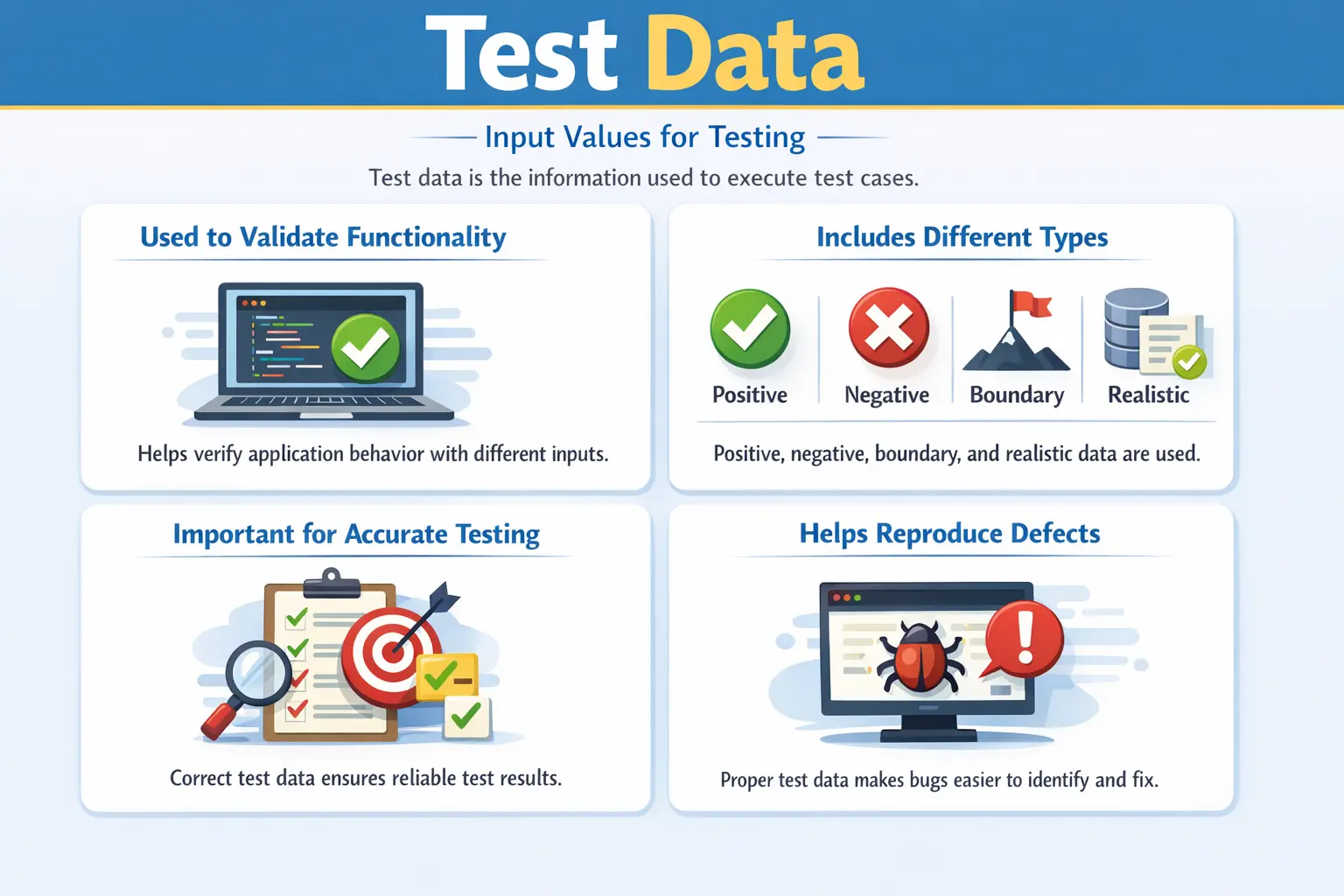
Test Data is the set of input values used to execute test cases and validate application behavior against expected results. These inputs may include user credentials, numeric values, text strings, dates, files, or any other information required by the application.
Test data answers the essential question:
“With what data should this test be executed?”
While test cases define the steps and expected outcomes of testing, test data provides the actual values that drive the execution. Proper test data ensures realistic testing conditions and reliable defect detection. Poor or incomplete test data often leads to missed defects, incorrect conclusions, and unreliable testing results.
Test data management is therefore one of the most important responsibilities of manual testers in real-world projects.
Understanding Test Data in Software Testing
Software applications process data continuously. Every user action involves some form of input data, whether it is entering login credentials, submitting forms, uploading files, or performing transactions. Because applications behave differently depending on the data provided, selecting appropriate test data is essential.
Test data allows testers to simulate real user behavior and validate system functionality. Different data sets help testers verify that the application behaves correctly under normal conditions and also handles unexpected or invalid inputs appropriately.
Test data is closely tied to test cases. Each test case requires specific input values, and those values must be prepared before testing begins. Without proper test data, test execution becomes incomplete or impossible.
In many real-world projects, preparing and maintaining test data takes significant effort. Testers must ensure that data is accurate, consistent, and available in the test environment when needed.
Test data is also one of the main reasons why a test may pass in one environment and fail in another. The test steps may be correct, the application build may be stable, and the tester may follow the procedure exactly, but if the required account, product, role, balance, configuration, or database state is missing, the result becomes unreliable. This is why professional testers do not treat data as a small detail. They treat it as part of the test design itself.
In a simple application, test data may be only a username and password. In a banking, healthcare, insurance, retail, or enterprise application, test data may include customer profiles, account statuses, policy types, eligibility rules, tax values, transaction histories, approval levels, files, currencies, dates, and regional settings. The more business rules an application contains, the more carefully test data must be designed.
A tester who understands test data well can identify defects that remain hidden during shallow testing. For example, a form may work for a normal English name but fail for a long name, a name with an apostrophe, a hyphenated name, or a name in another language. A payment calculation may work for whole numbers but fail for decimal rounding. A search feature may work with common records but fail when the database contains thousands of similar entries. These are not always test step problems; they are test data design problems.
Purpose of Test Data
Test data serves several important purposes in software testing. One major purpose is validating functionality using realistic inputs. Applications must work correctly with real-world data, not just ideal or simplified inputs. Realistic test data helps ensure that testing reflects actual usage conditions.
Another purpose is covering positive, negative, and edge scenarios. Applications must behave correctly when users provide valid inputs, invalid inputs, and extreme values. Proper test data allows testers to verify all these conditions.
Test data is also essential for reproducing defects reliably. When a defect is discovered, testers must be able to recreate it consistently. Documented test data allows defects to be reproduced by developers and testers.
Test data also ensures accurate and meaningful test results. Incorrect or unrealistic data may cause test cases to fail for the wrong reasons or hide real defects.
Well-prepared test data increases confidence in the testing process and improves product quality.
Test data also helps prove that business rules are implemented correctly. Many defects are not visible when only simple values are used. A discount rule, for example, may depend on customer category, order amount, coupon validity, product type, and purchase date. If the tester uses only one normal customer and one normal order amount, several rule combinations may remain untested. Proper test data allows testers to validate the decision logic behind the feature, not just the visible screen behavior.
Another purpose of test data is supporting repeatability. If a defect is reported with clear test data, developers can reproduce it more easily. A defect report that says "registration failed" is incomplete. A stronger report includes the exact name, email format, password, country, browser, and any relevant account state used during testing. Reproducible defects are fixed faster because the development team can see the same failure conditions.
Test data also improves test estimation and planning. If data preparation requires coordination with database teams, environment teams, business users, or external systems, that effort must be considered before execution begins. Many testing delays happen because test cases are ready but the required data is not. Good test data planning reduces this risk.
Types of Test Data
Different types of test data are used to validate different aspects of application behavior. A complete testing effort requires a combination of data types to ensure thorough validation.
Positive test data represents valid and expected inputs. This type of data verifies that the system behaves correctly under normal conditions. For example, valid usernames and passwords confirm that login functionality works as expected.
Negative test data represents invalid or unexpected inputs. This type of data verifies that the system handles errors correctly and does not crash or behave unpredictably. Invalid email formats or empty required fields are typical examples.
Boundary test data represents values at the edges of valid input ranges. These values are used to detect defects related to limits and thresholds. Password length limits and numeric range limits often require boundary testing.
Invalid or malformed data includes unusual or unexpected input formats. This type of data helps identify validation weaknesses and security vulnerabilities. Examples include special characters, extremely long text strings, or script-like inputs.
Realistic or production-like data represents data that closely resembles actual user data. This type of data helps testers validate real-world scenarios and ensure accurate system behavior. In many cases, production data is masked or anonymized before being used in testing environments.
Using a combination of these data types provides comprehensive test coverage.
Test data can also be classified as static or dynamic. Static test data remains mostly unchanged across test cycles. Examples include standard user roles, product categories, countries, branch codes, or configuration values. Dynamic test data changes during execution. Examples include order numbers, transaction IDs, generated invoices, changing balances, or newly created user accounts. Understanding this difference helps testers decide which data can be reused and which data must be created fresh for each execution.
Another useful classification is reusable data versus one-time data. Reusable data is designed to support repeated testing without being destroyed or permanently modified. For example, a test customer account used for viewing profile details may be reusable. One-time data is consumed by the test. For example, a coupon code that can be redeemed only once or a password reset link that expires after use may not be reusable. Testers must identify this before execution, otherwise later test runs may fail unexpectedly.
Role-based test data is especially important in applications with permissions. An admin user, manager user, customer user, guest user, and support user may all see different features. If the wrong role is used, the test may produce misleading results. For access-control testing, test data must include users with correct roles, restricted roles, expired access, inactive status, and sometimes overlapping permissions.
Date-based test data is another common category. Many applications behave differently depending on current date, expiry date, billing cycle, financial year, policy period, or cut-off time. Testing only today's date is rarely enough. Testers often need past dates, future dates, leap-year dates, month-end dates, year-end dates, and exact boundary dates to verify time-sensitive rules.
Sources of Test Data
Test data can originate from multiple sources depending on project requirements and testing needs. Understanding these sources helps testers prepare appropriate data sets.
Requirements and acceptance criteria are one of the primary sources of test data. Requirements often specify valid input formats, value ranges, and business rules. These details guide test data preparation.
Business rules also provide important input for test data design. Calculations, eligibility criteria, and validation rules determine the types of data required for testing.
Existing databases can also serve as sources of test data. Production or staging databases may contain realistic data that can be reused for testing after proper masking or anonymization.
Testers often create synthetic data specifically for testing purposes. Synthetic data is useful when production data is unavailable or unsuitable. Testers design synthetic data to cover specific scenarios and edge cases.
Using multiple data sources improves test coverage and realism.
Test data may also come from user stories and examples discussed during refinement. In Agile teams, business analysts and product owners often provide examples that clarify expected behavior. These examples are valuable because they represent business thinking rather than only technical input. A tester can convert those examples into structured test data for positive, negative, and boundary cases.
Defect history is another strong source of test data. If a past production issue occurred because of a special character, a missing value, a rare user role, or a high transaction amount, that data should be added to future test coverage. Historical defects reveal where the application is vulnerable. Reusing those lessons improves regression testing and prevents repeated failures.
Logs and support tickets can also guide test data selection. Customer complaints may show real-world data patterns that testers did not anticipate. For example, users may upload unusually large files, enter long address lines, use uncommon email domains, or perform actions in a different order than expected. These patterns can be converted into meaningful test data for future releases.
External systems can also influence test data. If an application integrates with payment gateways, identity providers, email services, tax engines, credit bureaus, or shipping systems, testers may need special data that triggers particular responses from those systems. Some integrations provide sandbox test cards, mock accounts, or test response codes. Knowing these external data rules is essential for reliable integration testing.
Test Data Preparation
Preparing test data is a structured process that ensures testing can proceed smoothly. The first step is identifying data requirements for each test case. Testers must understand what inputs are needed and what values are appropriate.
After identifying data requirements, testers classify data according to testing needs. Data is categorized into positive, negative, and boundary values to ensure comprehensive coverage.
Reusable data sets are then created whenever possible. Reusable data reduces preparation effort and improves consistency across test cycles.
Finally, testers verify that required data is available in the test environment. Missing or incorrect data can delay testing and reduce productivity.
Proper test data preparation ensures efficient and reliable test execution.
A practical preparation process begins by reading each test case and identifying the exact data conditions required. The tester should not simply ask, "Do I have a user?" The better question is, "What kind of user does this test need?" The answer may be an active user, inactive user, locked user, first-time user, premium user, expired user, or user with specific permissions. This level of detail prevents false failures.
After identifying the conditions, testers usually create a data matrix. A data matrix maps scenarios to data values so the team can see coverage clearly. For a registration form, the matrix may include valid email, invalid email, duplicate email, minimum password, maximum password, unsupported characters, optional fields blank, and mandatory fields blank. This avoids random data selection and ensures that each value has a purpose.
Testers should then verify the data before execution. A user account may exist but may not have the expected status. A product may exist but may be out of stock. A coupon may exist but may already be expired. A role may exist but may not have the required permission. Data verification before execution saves time because failures caused by incorrect setup can be avoided.
Data preparation should also include cleanup planning. Some tests create records, change statuses, reduce balances, consume inventory, or trigger notifications. If data is not reset after execution, the next cycle may start from an incorrect state. Cleanup may be manual, automated, or environment-level, but it should be considered during test design rather than after failures occur.
Manual Tester’s Role in Test Data Management
Manual testers play a key role in test data preparation and maintenance. They are responsible for identifying the data required to execute each test case.
Testers must create and maintain appropriate test data sets. This includes preparing new data when requirements change and updating data when test cases evolve.
Maintaining data consistency is another important responsibility. Test data must remain accurate and usable across multiple test cases and test cycles.
Testers must also ensure that test data is available in the correct environment. Data prepared in one environment may not exist in another, which can cause execution delays.
After test execution, testers may need to clean up or reset data. For example, user accounts created during testing may need to be removed or reset before the next test cycle.
Effective test data management improves testing efficiency and reduces errors.
Manual testers also act as data risk identifiers. When a tester notices that the same shared account is used by many people, that production-like data is not masked, or that test cases depend on fragile data states, they should raise the risk early. Data problems are not always visible to managers until execution is blocked. A tester who communicates these issues early protects the schedule.
Testers must also document data usage clearly. If a test case uses a specific user, file, product, or transaction, the test case or execution notes should mention it. This is important when defects are logged. A developer should not have to guess which account, file, or value caused the issue. Clear data documentation improves collaboration and reduces back-and-forth communication.
In larger teams, testers may coordinate with database administrators, environment support teams, automation engineers, and business users to prepare test data. For example, a tester may need a database script to create a customer, an API call to generate a token, or a business approval to use masked production data. Test data management therefore requires communication skills as much as technical awareness.
Test Data and Test Cases
Test data and test cases work together but serve different purposes. Test cases define how testing is performed, while test data provides the input values used during execution.
Test cases are usually static documents that change infrequently. Test data, however, often changes regularly as new scenarios are tested.
Test cases define execution steps and expected results. Test data defines the inputs used to perform those steps.
Separating test data from test cases improves flexibility. The same test case can be executed with multiple data sets without rewriting the steps.
This separation is considered a best practice in professional testing environments.
Separating data from steps is especially useful when the same behavior must be tested with many values. For example, the steps for validating a login attempt may remain the same, but the data may include valid credentials, invalid password, locked user, inactive user, expired password, and blank fields. If the steps are rewritten for each value, maintenance becomes harder. If the data is separated, the test design becomes cleaner and easier to extend.
This principle is also the foundation of data-driven testing. In data-driven testing, the same test logic is executed repeatedly with different data sets. Even in manual testing, this idea is useful. A tester may execute the same form validation test with multiple rows of input data. In automation, the same concept is implemented through Excel files, CSV files, JSON files, databases, or data providers.
However, separation should not make the test case unclear. If the data is stored somewhere else, the tester must know exactly where to find it and which row or value to use. A test case that says "use valid data" is weaker than one that clearly references the needed data set. Flexibility should not come at the cost of execution clarity.
Test Data and Business Rules
Business rules often determine what data is required. If a loan application requires minimum age, minimum income, employment status, credit score, and document verification, test data must cover each rule and important combinations of rules. A single valid applicant is not enough to validate the business logic.
Decision table testing is useful when business rules depend on combinations of conditions. For example, an insurance premium may vary based on age group, location, health condition, policy type, and claim history. Test data should be selected to cover meaningful combinations without creating unnecessary duplication. The objective is not to create random values but to create values that prove the rule works.
Business rules also create priority. Data that affects money, compliance, eligibility, security, or user access usually deserves more attention than low-risk display data. A spelling error in a display name may be minor, but incorrect interest calculation, tax calculation, or approval decision can have serious business impact. Test data planning should reflect this risk.
Real-Time Example of Test Data Usage
Consider a user registration feature in a web application. Multiple types of test data are required to verify correct system behavior.
Valid email addresses confirm that registration works under normal conditions. Invalid email formats verify error handling. Boundary password lengths verify limit validations. Duplicate usernames verify uniqueness rules.
Each type of data validates a different aspect of system behavior. Together, they ensure complete testing coverage.
Without proper test data, some defects may remain undetected.
Consider another example from an e-commerce checkout flow. A complete data set may include a registered customer, guest customer, active product, out-of-stock product, valid coupon, expired coupon, domestic address, international address, valid card, declined card, and payment timeout condition. Each data item validates a different part of the workflow. If the tester uses only one normal product and one valid card, many checkout defects may remain hidden.
In a banking application, test data may include savings account, current account, account with sufficient balance, account with insufficient balance, blocked account, daily transfer limit reached, beneficiary not activated, and transaction near cut-off time. These data conditions help validate not only the transfer screen but also the underlying financial rules.
In a file upload feature, test data may include valid PDF, unsupported file type, empty file, large file, corrupted file, file name with spaces, file name with special characters, and password-protected file. The same upload control may behave differently for each type of file. Without varied data, upload testing may be incomplete.
Test Data in Different Testing Types
Functional testing uses test data to confirm that features behave according to requirements. Positive and negative values are selected based on business rules, field validations, and workflow conditions. The focus is correctness of application behavior.
Regression testing uses test data to confirm that existing functionality still works after changes. Regression data should be stable and reusable because the same tests are executed repeatedly. If regression data keeps changing unpredictably, regression results become hard to trust.
Performance testing requires large volumes of realistic data. A screen that loads quickly with ten records may become slow with ten lakh records or several years of transaction history. Even if manual testers do not execute load tests, they should understand that data volume affects system behavior.
Security testing requires data that challenges access control, input validation, and sensitive information handling. Testers may use unauthorized users, expired sessions, invalid tokens, script-like input, or data that belongs to another user. The purpose is to confirm that the system protects data correctly.
Common Issues with Test Data
Test data problems are among the most common causes of testing delays and defects. One frequent issue is insufficient negative data. Testing only valid inputs leads to incomplete coverage.
Another issue is reusing the same data repeatedly. Repeated use of identical data may hide defects and cause unrealistic testing conditions.
Data dependency between test cases can also create problems. If one test case modifies shared data, other test cases may fail unexpectedly.
Environment data mismatches are another common problem. Data available in one environment may not exist in another.
Addressing these issues improves testing reliability.
Another issue is stale data. A test account that was valid last month may now be expired, locked, or modified. A product used for testing may have been discontinued. A configuration value may have changed. Testers should not assume that old data remains valid forever. Periodic data verification is necessary, especially for regression testing.
Duplicate data can also create confusion. If many users share similar names, emails, or records, testers may accidentally validate the wrong account. This is common in environments where teams create data without naming conventions. Meaningful prefixes, timestamps, or ownership labels can reduce this problem.
Over-dependence on production data is another risk. Production-like data is useful, but it may not cover all required test conditions. Real production data may contain mostly normal values and may not include boundary cases, invalid combinations, or rare rule violations. Testers should combine production-like data with intentionally designed synthetic data.
Shared data conflicts are also common. If two testers use the same user account at the same time, one tester may change the password, update the profile, or alter the state needed by another tester. Dedicated data ownership or isolated data sets reduce such conflicts.
Best Practices for Test Data Management
Effective test data management requires careful planning and organization. Using meaningful and traceable data helps testers understand test results and reproduce defects.
Separating test data from test steps improves maintainability and flexibility. This allows testers to execute the same test case with different data sets.
Covering all data variations ensures thorough testing. Positive, negative, and boundary data should all be included.
Documenting test data clearly allows testers and developers to reproduce results and understand test coverage.
Following best practices improves test efficiency and product quality.
One best practice is to create data with clear naming conventions. A test user named "testuser1" may not communicate purpose. A better name or note may indicate module, role, condition, and owner, such as a premium customer for checkout testing or an inactive user for access validation. Clear naming makes data easier to find and reuse.
Another best practice is to maintain a test data inventory. This inventory can list available users, roles, products, files, accounts, and special conditions. It helps testers avoid repeatedly creating the same data and helps new team members understand what is already available.
Test data should be reviewed whenever requirements change. If a field length changes, password rule changes, tax rule changes, or role permission changes, existing data may no longer be valid. Updating test data is part of maintaining test coverage.
It is also useful to separate stable shared data from temporary execution data. Stable data supports repeated validation, while temporary data supports one-time or destructive scenarios. Mixing both without control leads to confusion. A clear distinction improves environment reliability.
Finally, testers should communicate data limitations in test reports. If a feature could not be tested with certain data due to environment constraints, that limitation should be documented. This helps stakeholders understand remaining risk rather than assuming full coverage.
Importance of Realistic Test Data
Realistic test data is essential for accurate testing. Applications often behave differently with real-world data compared to simplified test values.
Realistic data helps identify issues related to formatting, size, and complexity. For example, names with spaces or special characters may reveal validation issues that simple test data would not detect.
Production-like data also helps testers evaluate system performance and usability under realistic conditions.
However, real data must be handled carefully to protect privacy and security. Sensitive information must be masked or anonymized before use in testing environments.
Using realistic data improves confidence in testing results.
Realistic test data improves confidence because it exposes issues that artificial values may hide. A customer name like "John Test" is easy to process, but real names may contain initials, multiple words, apostrophes, accents, hyphens, or very long strings. Addresses may include apartment numbers, rural routes, special characters, or regional formats. If the system cannot handle realistic variation, users may face problems even though simple tests passed.
Realistic data is also important for reports, dashboards, search, sorting, filtering, pagination, and exports. A table with five records may look correct, but a table with thousands of records may reveal sorting issues, slow filters, broken pagination, or export failures. Testers should think not only about individual values but also about realistic volume and variety.
At the same time, realistic does not always mean copied from production. Well-designed synthetic data can be realistic if it follows real formats, business rules, and usage patterns. Synthetic data gives testers control while reducing privacy risk. The best approach often combines masked production-like data for realism with synthetic data for targeted edge and negative scenarios.
Test Data Masking and Privacy
When production-like data is used in testing, privacy becomes critical. Real customer names, phone numbers, addresses, bank details, medical information, or identification numbers should not be freely available in test environments. Test data masking is the process of replacing sensitive values with safe but realistic values.
Masked data should preserve useful patterns while removing sensitive meaning. For example, a masked email should still look like an email, a masked phone number should still match phone format, and a masked account number should still match length and structure rules. If masking destroys the format, testing may become unrealistic.
Testers should be careful not to copy production data into local files, screenshots, defect reports, or shared documents without approval. Even in testing, data security matters. A good tester understands that quality includes protecting user information, not only finding functional defects.
Test Data in Agile and Sprint Testing
In Agile projects, test data must often be prepared quickly because stories move through development and testing within short sprint cycles. Testers should identify data needs during backlog refinement or story analysis, not after the build arrives. If data preparation starts too late, testing may be blocked even when the feature is ready.
Agile teams benefit from reusable sprint data sets. For example, a standard set of users, roles, products, and configurations can support many stories. When new stories require special data, testers can add to this controlled set rather than creating random data every time.
Test data should also be discussed during acceptance criteria review. If a story says "premium customers receive additional benefits," the team should clarify what makes a customer premium, how to identify one in the test environment, and what data is needed to validate the rule. This prevents ambiguity during execution.
Test Data for Automation
Automation depends heavily on predictable and maintainable test data. A script may fail not because the application is broken, but because the test account is locked, the product was deleted, the coupon expired, or the expected record already exists. Poor data management is one of the main causes of flaky automated tests.
Automated tests often need data setup and cleanup steps. Some frameworks create data through APIs before the UI test begins. Others use database scripts, fixture files, or dedicated test accounts. The goal is to make the test independent and repeatable. An automated test should not depend on a fragile manual setup that may change unexpectedly.
Data-driven automation uses external data sources such as Excel, CSV, JSON, or databases to run the same test with multiple values. This is useful for form validation, login combinations, calculation rules, and business decision testing. However, automation data must be reviewed like any other test asset. Large data files with duplicate or low-value rows can make automation slow without improving coverage.
Data Reset and Cleanup Strategy
A data reset strategy defines how the test environment returns to a known state after execution. Without reset, test data becomes polluted. Created records accumulate, statuses change, balances reduce, inventory gets consumed, and unique values become unavailable. Over time, test failures increase because the environment no longer matches the test design.
Cleanup can happen in different ways. Testers may manually delete created records, run reset scripts, use environment refreshes, or design tests to create fresh unique data each time. The right approach depends on the application and environment. What matters is that the team has a clear strategy rather than relying on guesswork.
Some data should not be deleted after testing because it is needed for audit or investigation. In such cases, testers may mark records with recognizable prefixes or timestamps. For example, a test order may include a note or naming pattern that identifies it as test data. This helps teams separate test records from business-like records.
Test Data and Defect Reporting
Test data is essential when reporting defects. A defect report should include the exact data used to reproduce the issue whenever possible. If a failure depends on a specific account, amount, file, date, role, or product, that information must be included. Without it, developers may not reproduce the issue and may return the defect as not reproducible.
Good defect reports separate steps from data clearly. The steps explain the action sequence, while the data explains the values used during the action. This makes the report easier to understand. Screenshots and logs may help, but they should not replace clear data documentation.
Testers should also mention whether the data is reusable. If the data was consumed during the test, developers may need a fresh data setup. For example, a one-time password reset link cannot be reused after the tester has clicked it. Explaining this avoids confusion during defect investigation.
Common Test Data Examples by Feature
For login testing, common test data includes valid credentials, invalid password, invalid username, locked account, inactive account, expired password, empty username, empty password, and role-specific user accounts. These values validate authentication and access behavior.
For registration testing, useful data includes valid personal details, duplicate email, invalid email format, minimum and maximum password length, unsupported characters, missing mandatory fields, future date of birth if not allowed, and users below minimum age. These values validate form rules and business restrictions.
For payment testing, data may include valid card, declined card, expired card, insufficient funds, high transaction amount, decimal amount, refund scenario, duplicate payment attempt, and payment timeout. Payment data must be handled carefully and often comes from payment gateway sandbox documentation.
For search testing, data may include exact match, partial match, no match, special characters, case variations, leading and trailing spaces, large result set, and filters combined with search. Search defects often appear only when data variety is present.
Checklist for Good Test Data
Before execution, testers should ask whether the data supports the purpose of the test case. Is the data valid for positive testing? Is invalid data available for negative testing? Are boundary values included? Are user roles correct? Is the data available in the target environment? Has the data already been consumed or modified?
Testers should also check whether sensitive data is protected, whether the data can be reused, whether cleanup is required, and whether the data is documented clearly enough for defect reproduction. If the answer to any of these questions is unclear, execution risk increases.
A strong test data checklist prevents many avoidable delays. It also improves the credibility of test results because failures are more likely to represent real product issues rather than poor setup.
Interview Perspective
Test data is a common topic in software testing interviews. Interviewers often ask candidates to explain what test data is and why it is important.
A short interview answer might describe test data as the input values used to execute test cases and validate system behavior.
A more detailed answer would explain that test data includes positive, negative, boundary, and realistic inputs used to verify functionality and ensure accurate testing results.
Candidates may also be asked how they prepare test data or handle test data challenges.
Understanding test data concepts is essential for testing roles.
In interviews, a stronger answer connects test data to real project work. For example: "In my project, I prepared test data based on test cases, acceptance criteria, and business rules. I created positive, negative, boundary, and role-based data. I also ensured that reusable data was available in the test environment, documented the data used for defects, and coordinated with the team when data reset was required." This answer shows practical understanding.
Interviewers may also ask about challenges with test data. Good examples include missing data in the test environment, shared data being modified by other testers, production data needing masking, and defects not being reproducible because data was not documented. Explaining how you handled these challenges demonstrates maturity as a tester.
If asked about the difference between test case and test data, the answer should be simple: a test case defines what steps to execute and what result to expect, while test data provides the actual input values used during execution. Both are required for meaningful testing.
Key Takeaway
Test data is a fundamental component of software testing that determines the effectiveness of test execution. Even the best-designed test cases cannot produce reliable results without appropriate input data.
Test data provides the values required to validate application behavior under normal conditions, error conditions, and edge cases.
Well-prepared test data improves test coverage, enables defect reproduction, and ensures accurate testing outcomes.
Good test data is critical—because even the best test case fails without the right data.
Effective testing is not only about writing steps; it is about choosing the right inputs to challenge the application. Test data determines whether test execution is realistic, repeatable, and meaningful. A weak data set can make a strong test case ineffective, while a well-designed data set can reveal important defects early.
For manual testers, test data preparation is a core professional skill. It requires requirement understanding, business awareness, environment knowledge, privacy discipline, and practical planning. When testers manage data carefully, they reduce false failures, improve defect reproduction, support regression testing, and increase confidence in release decisions.