Defect in Software Testing
In software testing, the primary objective is to ensure that a software application behaves according to requirements and user expectations. During this process, testers often encounter situations where the actual behavior of the application differs from what is expected. Such deviations are known as defects. Understanding defects is fundamental to software quality assurance because identifying and managing defects is one of the core responsibilities of testers.
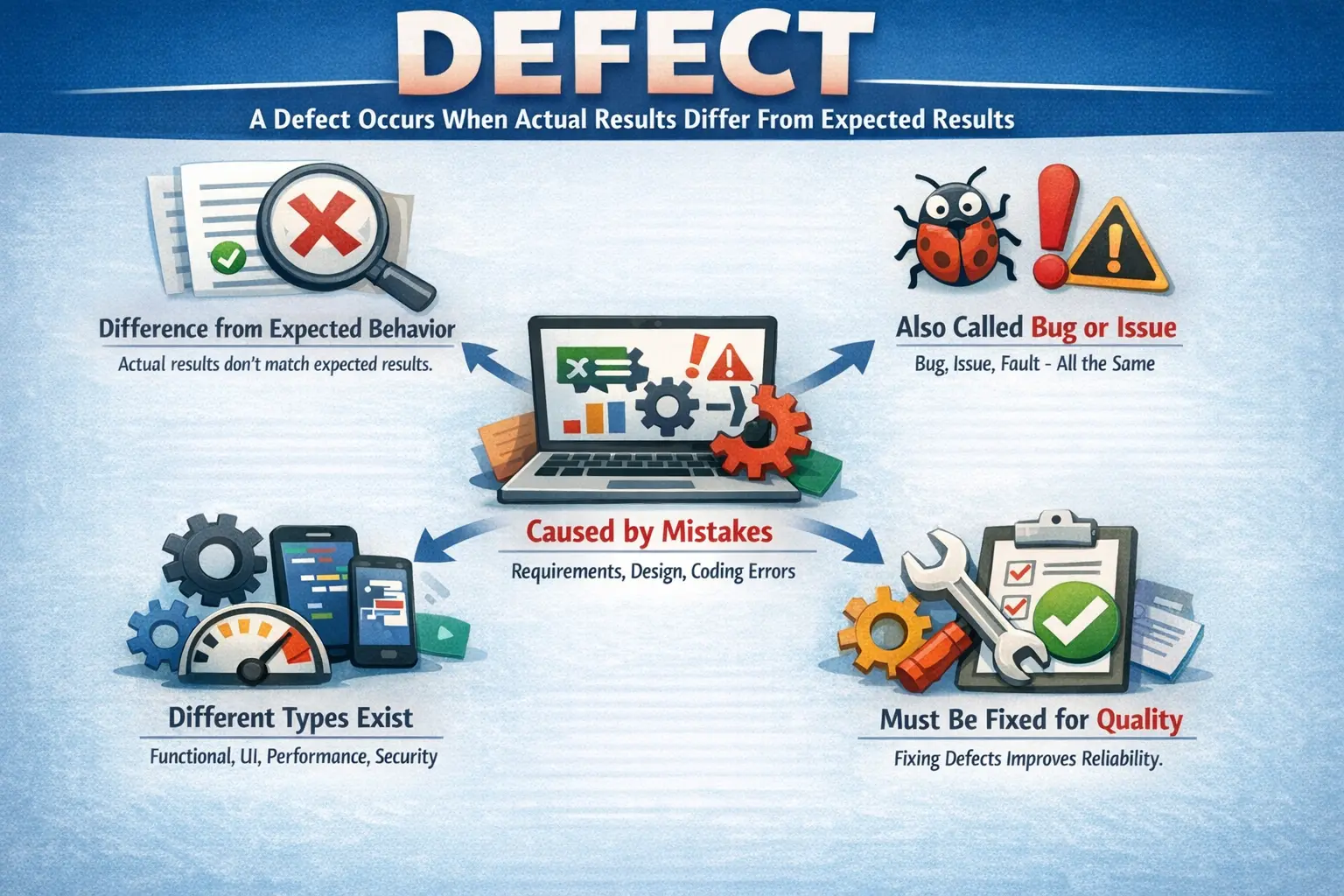
A Defect is any deviation of actual behavior from expected behavior, where the software does not meet requirements, design specifications, or user expectations. Whenever the application produces an incorrect output, behaves unexpectedly, or fails to meet defined requirements, a defect is said to exist. In simple terms, a defect answers the question: “What is wrong compared to what was expected?”
Defects can occur at any stage of the software development lifecycle, from requirement definition to production deployment. Proper identification and management of defects ensures higher software quality, reduced business risk, and improved user satisfaction.
Understanding the Concept of a Defect
A defect represents a gap between expected and actual system behavior. The expected behavior is usually defined by requirement documents, design specifications, or business rules. When the application behaves differently from these expectations, the deviation is classified as a defect.
For example, if a login feature is designed to allow access only with valid credentials but allows login with incorrect credentials, this represents a defect. Similarly, if a button does not respond when clicked, the issue is also considered a defect.
Defects are not always limited to functionality. They may also involve performance issues, usability problems, or security weaknesses. Even small issues such as spelling mistakes or alignment problems are considered defects because they affect the overall quality of the product.
Defects are important because they directly impact user experience and system reliability. Even minor defects can reduce user confidence in the application, while major defects can cause system failures or financial loss.
A defect is not simply a technical inconvenience. It represents a gap between what the business expects and what the product actually delivers. In some cases, that gap may be small, such as a spelling mistake in a label. In other cases, it may be severe, such as an incorrect bank balance, unauthorized access, or failed order placement. Understanding this gap is the foundation of practical software testing.
Testers identify defects by comparing actual behavior against a reliable source of truth. That source may be a requirement document, user story, acceptance criterion, design mockup, business rule, API contract, compliance rule, or agreed stakeholder expectation. If the expected behavior is unclear, testers should clarify it before logging a defect. This prevents confusion between real defects and misunderstood requirements.
Defects also reveal risk. A single failed test may indicate more than one broken screen. It may reveal weak requirement understanding, poor validation, missing unit tests, integration gaps, unstable environments, or incorrect assumptions about user behavior. Mature testing teams use defects not only to fix the current issue but also to learn where the delivery process needs improvement.
Synonyms and Related Terms
In software development and testing, the term "defect" is often used interchangeably with several other terms. Although these terms have subtle differences in formal definitions, in everyday testing practice they are often treated as equivalent.
The word bug is the most commonly used synonym for defect. It refers to any issue that causes incorrect behavior in the software.
The term issue is often used in project tracking systems and may refer to defects or improvement requests.
The term fault usually refers to the underlying cause of a defect within the code or design.
The term error often refers to a human mistake made during development, such as incorrect logic or incorrect implementation.
Although these terms have different theoretical meanings, testers and developers frequently use them interchangeably in real projects.
In formal testing theory, these terms can be separated more precisely. An error is usually a human mistake, such as a developer writing an incorrect condition or a business analyst documenting an incomplete rule. A fault is the underlying problem introduced into the software artifact. A defect is the observed mismatch between expected and actual behavior during testing. A failure is the visible inability of the system to perform correctly during execution.
For example, a developer may misunderstand a discount rule. That misunderstanding is an error. The incorrect calculation logic written in code is a fault. When a tester observes that the discount amount is wrong, the issue is logged as a defect. If the wrong discount reaches production and users are charged incorrectly, the defect results in a failure from the user's perspective.
In day-to-day project communication, teams often use "bug," "defect," and "issue" interchangeably. This is acceptable as long as everyone understands the context. What matters most in practical testing is that the problem is clearly described, reproducible, prioritized, tracked, fixed, and verified.
Sources of Defects
Defects can originate from many different sources during the software development lifecycle. Understanding defect sources helps teams prevent defects and improve development processes.
One major source of defects is incorrect or ambiguous requirements. If requirements are unclear or incomplete, developers may implement functionality incorrectly, resulting in defects.
Design flaws are another common source. Poor architectural or design decisions can lead to incorrect behavior even if the code is implemented correctly.
Coding mistakes represent one of the most obvious sources of defects. Developers may introduce errors such as incorrect conditions, missing validations, or incorrect calculations.
Integration issues occur when multiple components interact incorrectly. Even if individual modules work correctly, defects may occur when modules are integrated.
Environment and configuration problems also cause defects. Differences in operating systems, browsers, or server configurations may lead to unexpected behavior.
Data-related issues are another source of defects. Incorrect data formats, missing data, or inconsistent data can cause system failures.
Understanding defect sources helps teams improve processes and reduce defect rates in future releases.
Requirement-related defects are especially common because software quality begins with clear expectations. If a requirement says "system should process valid payment" but does not define valid payment rules, supported card types, timeout behavior, currency handling, or failure messages, different team members may interpret the requirement differently. This ambiguity can lead to defects even when everyone is working sincerely.
Defects can also come from poor communication between roles. A business analyst may explain a rule verbally, but if that rule is not documented, developers may implement one version while testers validate another. A tester may assume a workflow should behave like an older system, while the product owner expects a new behavior. Clear communication and review reduce these defects.
Time pressure is another source of defects. When teams rush development, skip reviews, reduce unit testing, or compress regression testing, defects are more likely to escape. Schedule pressure does not create defects by itself, but it increases the chance that mistakes remain undetected.
Changes made late in the project also introduce defects. A small fix in one module may affect validation, data flow, permissions, reports, or integrations elsewhere. This is why impact analysis and regression testing are essential. Many defects are not caused by the original feature, but by side effects of later changes.
Types of Defects
Defects can be categorized based on the type of problem they represent. Classification helps teams understand defect patterns and prioritize fixes effectively.
Functional defects occur when the system does not behave according to requirements or business rules. These defects affect the core functionality of the application and are usually considered high impact. For example, if a payment transaction fails even though all inputs are correct, this represents a functional defect.
User interface defects involve problems with layout, alignment, colors, fonts, or navigation elements. Although these defects may not affect functionality, they influence user experience. Examples include misaligned buttons or incorrect labels.
Performance defects occur when the application fails to meet expected performance levels. These defects include slow response times, timeouts, or system freezes. Performance defects often become more visible under heavy load conditions.
Security defects involve vulnerabilities that allow unauthorized access or exposure of sensitive information. These defects can lead to serious consequences such as data breaches or financial loss.
Compatibility defects occur when the application behaves differently across browsers, devices, or operating systems. For example, a feature working correctly in one browser but failing in another represents a compatibility defect.
Usability defects affect ease of use and user experience. These defects include confusing workflows, unclear instructions, or difficult navigation paths.
Understanding defect types helps testers design better test cases and identify risk areas more effectively.
Data defects occur when the application stores, displays, transforms, or retrieves data incorrectly. Examples include saved address details not matching entered values, duplicate records being created, totals being calculated incorrectly, or deleted records still appearing in reports. Data defects can be serious because they affect trust in the system.
Workflow defects occur when the sequence of business steps is incorrect. For example, an order may be shipped before payment confirmation, an approval request may skip a manager, or a cancelled booking may still appear as active. These defects are often found through end-to-end testing because individual screens may appear correct while the complete process fails.
Integration defects occur when systems fail to communicate correctly. A payment may be successful in the payment gateway but not reflected in the application. An email may be triggered twice. An API may return valid data but the user interface may display it incorrectly. These defects are common in modern applications that depend on multiple services.
Content defects involve incorrect text, missing labels, wrong messages, outdated help information, or misleading instructions. They may seem minor, but they can confuse users and increase support effort. In regulated domains, incorrect content may also create compliance risk.
Severity Levels
Severity indicates the impact of a defect on the system. It describes how serious the defect is from a technical perspective.
Critical severity defects cause system crashes, data loss, or major failures that prevent system usage. These defects must be addressed immediately.
High severity defects affect major functionality and significantly impact users. Although the system may still function partially, key features may be unusable.
Medium severity defects affect certain functionalities but have workarounds. These defects reduce usability but do not completely block system usage.
Low severity defects involve minor issues such as cosmetic problems or spelling errors. Although these defects do not affect functionality, they should still be corrected to maintain product quality.
Severity is usually assigned by testers because they understand the technical impact of the defect.
Severity should be assigned based on the actual impact of the defect, not on personal frustration. A tester may find an issue annoying, but if it does not block functionality or affect business rules, it may not be high severity. On the other hand, a defect that appears in a small area may still be severe if it causes data corruption, security exposure, or incorrect financial processing.
Critical defects usually require immediate attention because they prevent meaningful use of the system or create unacceptable risk. Examples include application crash during startup, users unable to log in, payment failure for all users, data loss after saving, or exposure of another user's private information.
Medium and low severity defects should not be ignored. Low severity does not mean no value. A product with many minor defects may feel unprofessional and reduce user trust. However, severity helps teams focus first on defects that threaten core functionality, data, security, compliance, and business continuity.
Priority Levels
Priority indicates how urgently a defect needs to be fixed. It reflects business importance rather than technical impact.
Priority levels are often categorized as P1, P2, P3, and P4.
P1 defects require immediate attention and must be fixed as soon as possible. These defects often block important business operations.
P2 defects are important but not critical. They should be fixed in the current release cycle.
P3 defects have moderate urgency and can be scheduled for future releases if necessary.
P4 defects have low urgency and may be fixed when time permits.
Priority is usually determined by product managers or business stakeholders because it reflects business needs.
Understanding the difference between severity and priority is important. A defect may have high severity but low priority if it occurs in a rarely used feature. Similarly, a minor defect may have high priority if it affects a critical business process.
Priority is often influenced by release timing. A spelling mistake on an internal admin page may be low priority, but the same mistake on a public homepage before a marketing launch may be high priority. A defect in a feature scheduled for a later release may have lower priority than a smaller defect affecting the current release.
Priority is also influenced by customer impact. If a defect affects a major client, a high-revenue workflow, legal compliance, or a public demo, the business may assign a higher priority even if the technical severity is moderate. This is why testers should understand both technical impact and business context.
Good teams discuss severity and priority during defect triage. Testers provide impact details and evidence. Developers provide technical analysis. Product owners or project managers decide urgency based on business needs. This collaboration prevents both underreaction and overreaction.
Defect Lifecycle Overview
Defects move through a series of stages from discovery to closure. This process is known as the defect lifecycle.
When a tester discovers a defect, it is initially recorded as a new defect. The defect is then assigned to a developer for investigation.
Once the developer begins work on the defect, its status changes to open or in progress.
After the developer fixes the defect, it is marked as fixed and returned to the tester.
The tester then verifies the fix through re-testing. If the defect is resolved, it is marked as closed. If the problem still exists, the defect is reopened.
The defect lifecycle ensures systematic tracking and resolution of issues.
In real projects, the lifecycle may include additional states such as Assigned, Duplicate, Deferred, Rejected, Cannot Reproduce, Need More Information, Ready for Retest, Verified, or Won't Fix. These states help teams manage different outcomes. For example, a duplicate defect may be linked to an existing defect, while a deferred defect may be accepted for a future release.
The lifecycle provides transparency. Everyone can see whether a defect is waiting for analysis, under development, fixed, ready for retesting, closed, or reopened. Without clear statuses, defects may be forgotten, fixed without verification, or closed without agreement.
Reopened defects deserve attention because they may indicate that the fix was incomplete, the root cause was misunderstood, or related scenarios were not tested. A high reopen rate can reveal weakness in development, testing, or communication. Tracking lifecycle movement helps teams improve quality over time.
Manual Tester Responsibilities
Manual testers play a critical role in defect management. Their responsibilities begin with identifying defects during test execution.
Testers must confirm that an issue is truly a defect before reporting it. Misinterpreting requirements can lead to reporting non-defects, which wastes time and resources.
Once confirmed, testers must report defects clearly and accurately. A well-written defect report enables developers to reproduce and fix the issue quickly.
Testers must assign appropriate severity levels to defects. Incorrect severity assignments can delay critical fixes or waste resources on minor issues.
After developers fix defects, testers perform re-testing to verify the fix.
Testers also determine whether defects should be closed or reopened based on re-test results.
Accurate defect management improves communication between testers and developers.
A manual tester's responsibility begins before logging the defect. The tester should confirm the expected behavior, reproduce the issue if possible, check the test environment, verify the build version, and confirm that the issue is not caused by wrong test data or incorrect setup. This does not mean the tester must solve the defect, but basic validation improves report quality.
Testers must also write clear defect reports. A good report includes a meaningful title, affected module, environment, build version, steps to reproduce, test data, expected result, actual result, severity, attachments, and any relevant notes. Developers depend on this information to reproduce and analyze the issue quickly.
During retesting, testers should use the same conditions that originally exposed the defect. If the original issue occurred with a specific user role, browser, data value, or workflow path, those same conditions should be used again. If the defect is fixed, it can be closed. If it still exists, it should be reopened with updated evidence.
Testers also support regression testing after defect fixes. A fix may solve one issue but accidentally break related functionality. For example, fixing password validation may affect registration, login, reset password, and change password flows. Good testers think beyond the failed step and validate nearby risk areas.
Common Defect Attributes
Defect reports contain several attributes that describe the issue clearly.
Each defect has a unique identifier that allows tracking throughout the lifecycle.
The defect summary provides a brief description of the issue.
Steps to reproduce describe how the defect can be recreated consistently.
Expected and actual results explain the difference between correct and incorrect behavior.
Severity and priority indicate impact and urgency.
Status shows the current stage of the defect.
Environment and build information help reproduce the issue under the same conditions.
These attributes ensure that defects are properly documented and traceable.
A strong defect summary should be specific. "Login issue" is weak because it does not explain the problem. "User is not redirected to dashboard after valid login" is stronger because it identifies the action and incorrect outcome. A clear summary saves time during triage and review.
Environment and build information are especially important when issues are not reproducible everywhere. A defect may occur only in Safari, only on mobile, only in the QA environment, only for a specific database version, or only after a particular deployment. Without this information, developers may test in a different setup and fail to reproduce the issue.
Attachments such as screenshots, videos, console logs, network traces, and server logs can improve defect clarity. Screenshots are useful for visual issues and error messages. Videos are useful for workflow defects and intermittent behavior. Logs are useful for crashes, API failures, and backend errors. Evidence should support the written report, not replace it.
Defect Report Quality
The quality of a defect report directly affects the speed of resolution. A vague report forces developers to ask follow-up questions, search for missing data, or attempt multiple reproduction paths. A precise report allows them to focus on root cause analysis.
A good defect report is clear, reproducible, factual, and professional. It avoids blame and focuses on behavior. Instead of writing "developer implemented this wrongly," the tester should write what was expected and what actually happened. The defect record should help the team solve the issue, not create conflict.
Good defect reports also make retesting easier. When the original steps, data, and environment are documented, the tester can verify the fix accurately. If the report is unclear, retesting becomes guesswork.
Real-Time Example
Consider a password validation feature where requirements specify that the password must contain at least eight characters.
During testing, a tester enters a six-character password and finds that the system accepts it without error.
This represents a functional defect because the system does not follow the requirement.
The defect would likely be classified as high severity because it affects security and validation rules.
Once reported, developers would update the validation logic and return the fix for re-testing.
This example illustrates how defects represent deviations from requirements.
Consider another example from an e-commerce application. A user applies a valid coupon during checkout, but the final order amount does not include the discount. The expected behavior is that the coupon discount should reduce the payable amount according to the business rule. The actual behavior is that the full amount is charged. This is a functional and financial defect because it affects customer billing.
In a banking application, a user may attempt to transfer money above the daily transaction limit. If the system allows the transaction instead of rejecting it, the defect affects business rules and possibly compliance. Such defects are usually high severity because they can create financial and regulatory risk.
In a reporting module, a tester may apply a date filter and export results to Excel, but the exported file contains records outside the selected date range. The screen may look correct, but the exported data is wrong. This is a data defect and may be serious if users rely on exported reports for decisions.
These examples show that defects can appear in visible screens, hidden calculations, integrations, reports, validations, workflows, and data movement. A good tester looks beyond whether a button works and verifies whether the business outcome is correct.
Common Mistakes in Defect Handling
One common mistake is reporting non-defects caused by misunderstanding requirements. Testers must verify requirements before logging defects.
Duplicate defect reporting is another problem. Multiple testers may report the same issue without checking existing defects.
Incorrect severity assignment can mislead development teams and delay important fixes.
Poor reproduction steps make it difficult for developers to reproduce defects, slowing down resolution.
Avoiding these mistakes improves defect management efficiency.
Another common mistake is logging multiple unrelated issues in one defect. If a page has a broken link, a spelling mistake, and a validation problem, these should usually be separate defects. Separate reports make assignment, fixing, retesting, and closure easier.
Some testers also report defects without checking for duplicates. Duplicate defects waste triage time and split discussion across multiple records. Before logging a new defect, testers should quickly search the defect tracking tool for similar issues.
Another mistake is using emotional or unclear language. Defect reports should be factual. A phrase like "this is completely wrong" does not help. A better report explains which requirement is not met, what steps were followed, what result was expected, and what result occurred.
Testers should also avoid closing defects without proper retesting. If a developer marks a defect fixed, the tester must verify the fix in the correct build. Closing based only on developer confirmation weakens the defect lifecycle.
Defect Triage
Defect triage is the process of reviewing defects to decide their validity, severity, priority, ownership, and release impact. Triage meetings often include testers, developers, QA leads, product owners, and project managers.
During triage, the team may decide whether a defect should be fixed immediately, deferred to a later release, marked duplicate, rejected as expected behavior, or sent back for more information. The goal is not only to discuss defects but to make decisions that protect quality and schedule.
A clear defect report makes triage faster. If the report contains precise steps, evidence, environment, severity, and business impact, the team can make a decision quickly. If the report is vague, triage becomes a discussion about basic facts instead of resolution.
Defect Prevention
Finding defects is important, but preventing defects is even better. Defect prevention means improving the process so similar issues are less likely to occur in the future. Testing teams contribute to prevention by analyzing defect patterns and sharing observations.
Requirement reviews prevent defects caused by unclear or incomplete requirements. Design reviews prevent defects caused by weak architecture or poor workflow decisions. Code reviews and unit testing prevent many implementation defects before they reach QA. Early tester involvement helps identify testability gaps and missing scenarios.
Root cause analysis is another prevention practice. Instead of only asking how to fix a defect, teams ask why it occurred. Was the requirement unclear? Was the logic complex? Was there no unit test? Was the integration contract misunderstood? The answer helps improve future delivery.
Defect Metrics
Defect metrics help teams understand product quality and process effectiveness. Common metrics include total defects, open defects, closed defects, defect density, defect leakage, defect rejection rate, defect reopen rate, and severity distribution.
Defect density measures the number of defects in relation to size, such as per module, story, function point, or lines of code. Defect leakage measures defects found after release that escaped earlier testing. Reopen rate shows how often fixed defects fail retesting. These metrics help teams identify quality trends.
Metrics must be interpreted carefully. A high number of defects does not always mean testers are doing poorly; it may mean testers are finding issues before users do. A very low number of defects does not always mean high quality; it may indicate weak testing or unclear reporting. Metrics need context.
Interview Perspective
Defects are one of the most frequently discussed topics in software testing interviews.
A short answer usually defines a defect as a deviation between expected and actual behavior.
A detailed answer explains that defects occur when software fails to meet requirements, design specifications, or user expectations.
Interviewers may also ask about severity, priority, and defect lifecycle concepts.
Strong understanding of defects demonstrates practical testing knowledge.
In interviews, a strong answer should define a defect and then explain it practically. For example: "A defect is a deviation between expected and actual behavior. It occurs when the application does not meet requirements, design specifications, business rules, or user expectations. Testers identify defects during execution, report them with clear steps and evidence, assign severity, and retest them after fixes."
If asked about severity and priority, explain that severity is the impact of the defect on the system, while priority is the urgency of fixing it. Give examples where both are high, such as application crash during login, and where they differ, such as a spelling mistake on a public homepage before launch.
If asked about defect lifecycle, describe the flow from New to Assigned or Open, then Fixed, Retest, Closed, or Reopened. You can also mention statuses such as Duplicate, Deferred, Rejected, and Cannot Reproduce. This shows that you understand real project tracking.
Importance of Defect Management
Defect management is essential for maintaining software quality.
Effective defect handling improves product stability and reliability.
It reduces the risk of production failures.
It improves communication between testers and developers.
It provides measurable indicators of product quality.
Organizations often track defect metrics such as defect density and defect leakage to evaluate quality levels.
Key Takeaway
Defects are not just technical issues; they represent risks to product quality, business operations, and user trust. Proper identification, reporting, and resolution of defects are essential for delivering reliable software.
Understanding defects helps testers ensure that applications meet requirements and user expectations. Effective defect management improves communication, reduces risks, and leads to higher-quality software products.