Test Metrics & KPIs
Test Metrics and KPIs are the measurement system behind effective software testing. Testing is often seen as the activity of writing test cases, executing them, and reporting defects, but mature quality assurance goes beyond execution alone. A testing team must also understand whether testing is progressing as planned, whether defects are being found early enough, whether coverage is sufficient, whether risks are reducing, and whether the product is becoming more stable over time. Metrics and KPIs help answer these questions with evidence rather than opinion.
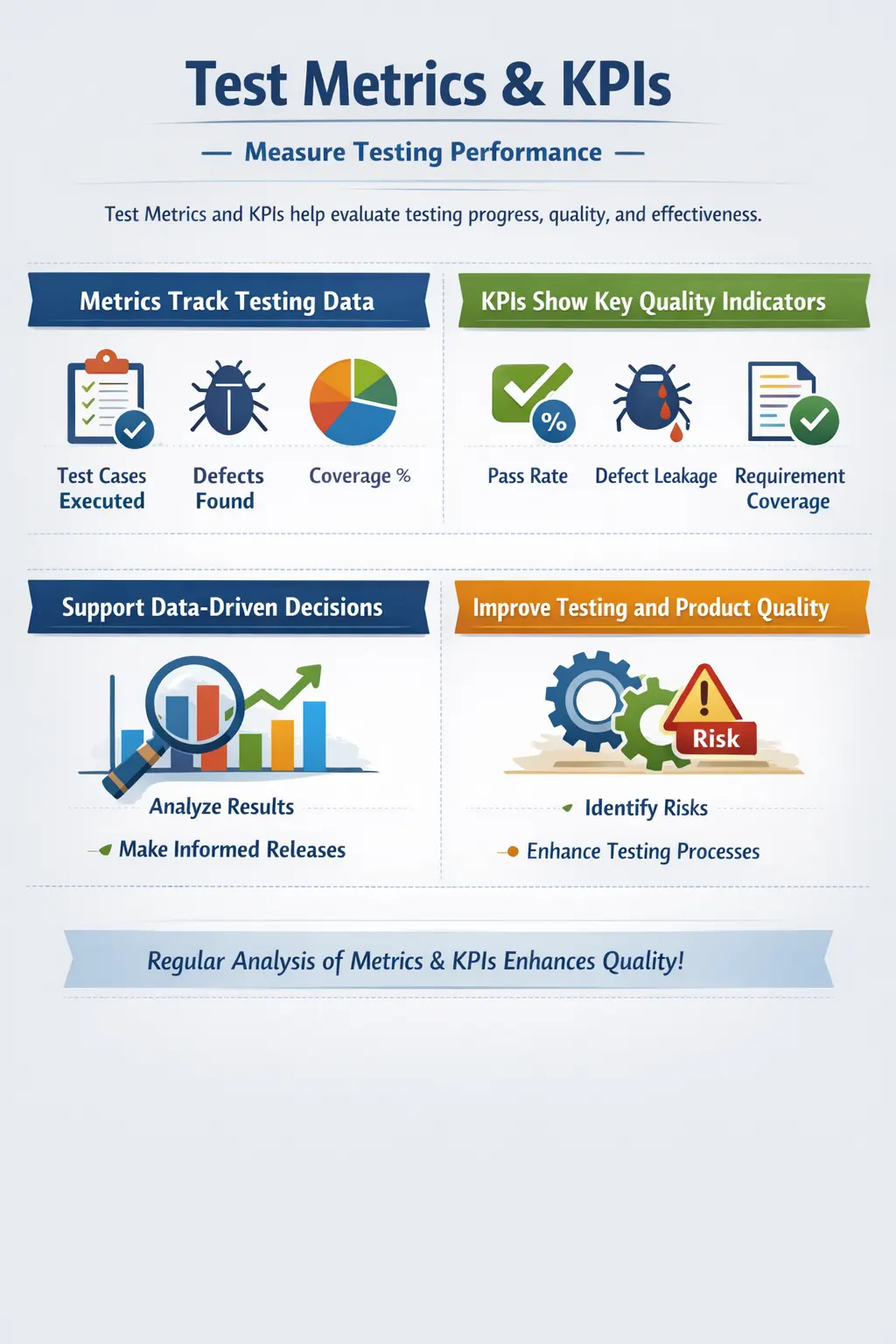
In a real project, decisions cannot be made only by saying that testing is going well or that the build feels stable. Stakeholders need measurable information. A project manager wants to know whether testing will finish on time. A product owner wants to know whether important business flows are covered. A development lead wants to know which modules are producing the most defects. A release manager wants to know whether any critical risks remain before deployment. Test metrics and KPIs convert testing activity into useful information that supports these decisions.
The simplest way to understand the topic is this: test metrics are measurable data points collected during testing, while KPIs are the most important measurements used to judge success. A team may collect many metrics, such as the number of test cases written, executed, passed, failed, blocked, reopened defects, rejected defects, automation pass percentage, or requirement coverage. Out of these, only a few may be treated as KPIs because they directly influence release readiness, customer impact, or quality improvement. Metrics give detail; KPIs give direction.
Test Metrics and KPIs answer a practical quality question: how well is testing performing, and is product quality improving? This question matters in every delivery model. In waterfall projects, metrics help track progress across formal phases. In Agile projects, metrics help teams understand sprint quality, defect trends, and release confidence. In DevOps environments, metrics support continuous monitoring, fast feedback, and early risk detection. Without measurement, teams may work hard but still lack visibility into whether their effort is producing the right quality outcome.
Understanding Test Metrics
Test metrics are quantitative measurements used to evaluate testing activities, product quality, team productivity, and process effectiveness. They provide numerical visibility into what is happening during the testing lifecycle. For example, if a test team planned 500 test cases and executed 350, the execution progress is measurable. If 40 defects were found and 10 are still open, the defect status is measurable. If 95 percent of requirements have at least one associated test case, requirement coverage is measurable.
Metrics are useful because they reduce uncertainty. Without metrics, a status report may say that testing is almost complete, but different people may interpret that statement differently. With metrics, the team can say that 92 percent of planned test cases have been executed, 87 percent have passed, five high-severity defects remain open, and two critical workflows are still blocked. This kind of reporting gives stakeholders a clearer picture of actual progress and remaining risk.
Metrics also help teams identify trends. A single day of test execution data may not reveal much, but repeated measurements over several builds can show whether quality is improving or declining. If defect counts decrease, pass rates improve, and blocked tests reduce across builds, the product may be stabilizing. If failed tests increase after every new build, the team may be facing unstable code, poor regression control, unclear requirements, or insufficient development validation. Trends make metrics more meaningful than isolated numbers.
In manual testing, metrics are usually collected from test management tools, defect tracking systems, spreadsheets, daily status reports, and test summary reports. The accuracy of these metrics depends heavily on disciplined test execution and defect logging. If testers do not update test results correctly or if defect statuses are not maintained, the metrics become misleading. Good metrics require good data hygiene.
Understanding KPIs in Software Testing
KPIs, or Key Performance Indicators, are selected measurements that represent the most important signals of testing performance and product quality. Every KPI is a metric, but not every metric is a KPI. The difference lies in importance and decision value. A team may track the number of comments added to defects, but that is unlikely to be a KPI. However, defect leakage, requirement coverage, pass rate, and critical defect count may be KPIs because they influence release decisions.
KPIs are usually aligned with business goals. If the organization’s main concern is avoiding production defects, defect leakage becomes a key KPI. If the main concern is regulatory compliance, requirement coverage and traceability may become key KPIs. If the main concern is faster delivery, cycle time, test execution progress, and defect resolution time may become important. KPIs must reflect what the business actually needs to control.
KPIs are especially useful for senior stakeholders because they simplify complex testing data into a smaller set of meaningful indicators. A test team may collect dozens of metrics, but leadership usually needs a concise view: is the release stable, are critical defects resolved, are requirements covered, and are users protected from major risk? KPIs help answer these questions without forcing stakeholders to analyze every low-level testing detail.
Good KPIs are measurable, relevant, understandable, and actionable. A KPI should not exist only because it is easy to calculate. It should help the team make better decisions. For example, counting the number of test cases executed is useful, but it becomes more valuable when combined with pass rate, defect severity, and coverage. A team that executes many low-value test cases may look productive, but the KPI may hide the fact that critical business scenarios are not tested. This is why KPIs must be chosen carefully.
Why Metrics and KPIs Matter
Metrics and KPIs matter because software quality is difficult to manage without visibility. Testing teams work under time pressure, changing requirements, unstable environments, and release deadlines. In such conditions, measurement helps separate real risk from assumption. If a build has a high pass rate, no open critical defects, strong requirement coverage, and low defect reopening, the team has evidence of stability. If those indicators are weak, the team can communicate risk clearly before release.
They also support transparency. Testing is sometimes misunderstood as a blocking activity because testers report defects and raise concerns. Metrics help show that testing is not merely delaying release; it is providing objective information about readiness. When testers show defect trends, coverage gaps, and unresolved risks, stakeholders can understand why additional testing or fixes are necessary. This improves trust between QA, development, business, and management teams.
Another major benefit is continuous improvement. A team cannot improve what it does not measure. If defect leakage remains high across releases, the team can investigate whether test design is weak, requirements are unclear, regression coverage is insufficient, or testing starts too late. If many defects are rejected, testers may need better requirement understanding or clearer defect reporting. If defects remain open for too long, the team may need better triage, ownership, or developer availability. Metrics reveal process weaknesses that can be improved.
Metrics also improve estimation and planning. Historical data helps teams understand how long test design usually takes, how many defects are typically found in a module, how much regression effort is needed, and how much time is required for defect verification. This makes future planning more realistic. Instead of guessing testing timelines, teams can use past metrics to support better estimates.
Difference Between Metrics and KPIs
Although people often use the terms together, metrics and KPIs are not identical. A metric is any measurable value related to testing, while a KPI is a strategically important metric that indicates whether testing is meeting its objectives. Metrics are broader and more detailed. KPIs are narrower and more decision-oriented.
For example, the number of test cases created is a metric. It tells the team how much test design work has been completed. But it may not be a KPI unless the organization specifically wants to track test preparation progress as a key success factor. On the other hand, defect leakage is commonly treated as a KPI because it directly indicates how many defects escaped testing and reached users. Defect leakage has strong business impact, so it deserves higher attention.
Metrics often support analysis at the team level, while KPIs often support reporting at the management or release level. A test lead may review detailed metrics such as blocked test cases, defect aging, retest pending count, and test case review status. A release manager may focus on KPIs such as open critical defects, pass percentage, requirement coverage, and production defect trend. Both levels are useful, but they serve different audiences.
Understanding this difference prevents teams from collecting data without purpose. Too many metrics can create noise. Too few metrics can hide risk. The goal is to collect enough detail for analysis while selecting the right KPIs for decision-making. A mature testing team knows which numbers are operational metrics and which numbers are strategic indicators.
Test Case Metrics
Test case metrics measure progress and outcomes related to test case preparation and execution. These are among the most common metrics in manual testing because they are easy to understand and useful for daily reporting. They help answer questions such as how many test cases are planned, how many are ready, how many have been executed, and what percentage passed or failed.
Planned versus executed test cases is a basic but important metric. If 1,000 test cases are planned and only 400 have been executed, the team knows that execution is 40 percent complete. This helps track schedule progress. However, this metric should not be interpreted alone. Executing 400 simple test cases may not mean much if the most critical business flows are still pending. Execution progress must be reviewed with priority and risk in mind.
Pass, fail, blocked, and not-run counts provide a clearer view of test execution status. Passed test cases indicate working behavior. Failed test cases indicate defects or mismatches. Blocked test cases indicate that testing cannot continue because of environment issues, missing data, unavailable builds, access problems, or dependent defects. Not-run test cases show remaining work. Together, these values help the team understand both progress and obstacles.
Test execution percentage is often used in daily status reports. It is calculated by dividing executed test cases by total planned test cases and multiplying by 100. Pass percentage is calculated by dividing passed test cases by executed test cases. These numbers are useful, but they should always be interpreted with context. A high pass percentage with low execution coverage may not indicate readiness. A lower pass percentage during early testing may be acceptable if defects are being found and fixed quickly.
Defect Metrics
Defect metrics are used to evaluate product quality and defect management effectiveness. They help teams understand where defects are occurring, how severe they are, how quickly they are fixed, and how many escape to later phases or production. Defect metrics are often more powerful than test case metrics because defects directly represent quality risk.
Defect density measures the number of defects relative to the size of the application, module, requirement set, or codebase. In manual testing, teams may use a practical version of this metric by comparing defect counts across modules. If one module consistently produces more defects than others, it may require deeper testing, code review, requirement clarification, or architectural improvement.
Severity distribution shows how many defects are critical, high, medium, or low. This matters because not all defects carry the same risk. Ten low-severity cosmetic issues may be less dangerous than one critical payment failure. A release decision should never rely only on total defect count. Severity and business impact must be considered. A build with a small number of high-impact defects may be riskier than a build with many minor defects.
Defect aging measures how long defects remain unresolved. Aging defects can indicate poor ownership, lack of developer capacity, unclear defect reports, or low prioritization. If high-severity defects remain open for many days, release risk increases. Defect aging is especially useful during release stabilization because it shows whether the team is resolving issues fast enough to meet timelines.
Defect rejection rate measures the percentage of reported defects that are rejected as invalid, duplicate, not reproducible, working as designed, or out of scope. A high rejection rate may indicate unclear requirements, weak defect reporting, environment mismatch, or insufficient tester understanding. This metric should be used for improvement, not blame. The goal is to improve clarity and accuracy, not discourage testers from reporting legitimate issues.
Coverage Metrics
Coverage metrics show how completely the application has been tested. They are important because execution numbers alone do not guarantee meaningful validation. A team may execute hundreds of test cases and still miss important requirements if coverage is weak. Coverage metrics help confirm whether testing effort is aligned with requirements, risks, business scenarios, and user workflows.
Requirement coverage measures the percentage of requirements that are covered by test cases. It is commonly tracked through a Requirement Traceability Matrix. High requirement coverage gives confidence that documented functionality has been considered during test design. Low coverage indicates that some requirements may not be validated before release.
Scenario coverage focuses on real user workflows and business processes. This is especially important because a requirement may be technically covered but still not tested through a realistic end-to-end flow. For example, an e-commerce system may have separate requirements for login, cart, payment, and order confirmation. Scenario coverage checks whether the complete order journey has been validated as a business process.
Risk coverage measures whether high-risk areas have received enough testing attention. Not all parts of an application carry equal risk. Payment, authentication, data privacy, reporting accuracy, and regulatory workflows usually require stronger validation than low-impact informational pages. Risk coverage helps testing teams focus effort where failure would hurt the business most.
Productivity and Efficiency Metrics
Productivity metrics measure how efficiently testing work is performed. Examples include test cases designed per day, test cases executed per tester, defects reported per cycle, or effort spent per testing phase. These metrics can help with planning and workload management, but they must be interpreted carefully.
The biggest risk with productivity metrics is overvaluing quantity. A tester who executes many simple test cases may appear more productive than a tester who spends time analyzing a complex business rule and finds a critical defect. Counting activities without considering complexity can create misleading conclusions. Testing quality is not measured only by volume.
Productivity metrics are best used at team level rather than as a tool to compare individual testers. Different testers may work on different modules, risks, environments, or test types. One person may test a stable feature, while another tests a complex integration with many failures. Comparing raw counts can damage team culture and encourage unhealthy behavior, such as rushing execution or reporting low-value defects.
When used properly, productivity metrics help test leads understand capacity. They can reveal whether the team has enough time for regression, whether test design is taking longer than expected, or whether defect verification is becoming a bottleneck. These insights support better planning and process improvement.
Common Testing KPIs
The most common testing KPIs are selected because they influence quality and release decisions. Pass rate is one of the simplest KPIs. It measures the percentage of executed test cases that passed successfully. A high pass rate usually indicates that the build is stable, but it must be reviewed with coverage and defect severity. A high pass rate is not meaningful if only low-risk test cases were executed.
Defect leakage is one of the strongest indicators of testing effectiveness. It measures defects that escape the testing phase and are found in production or later stages. Low defect leakage suggests that testing is catching important issues before users are affected. High leakage suggests gaps in test coverage, weak scenario design, unstable requirements, insufficient regression, or missed edge cases.
Defect Removal Efficiency, often called DRE, measures the percentage of defects found before release compared with total defects found before and after release. A high DRE means the team is detecting most defects before customers see them. This KPI is valuable because it connects testing activity to real quality outcomes.
Requirement coverage is another key KPI, especially in regulated or requirement-heavy projects. It indicates whether documented requirements have been validated. High requirement coverage supports confidence that the delivered product matches agreed scope. However, requirement coverage should be combined with scenario and risk coverage because requirements may not always describe every real-world behavior.
Mean Time to Fix measures the average time taken to resolve defects after they are reported. This KPI reflects collaboration between testing and development teams. If defects take too long to fix, test execution may be blocked, retesting may be delayed, and release timelines may be affected. Shorter fix times usually indicate better responsiveness, but quality of fixes must also be considered. Fast but incomplete fixes can increase reopened defects.
Manual Tester’s Role in Metrics and KPIs
Manual testers play a direct role in the accuracy of metrics and KPIs. Every test result they update, every defect they log, every severity they assign, and every retest status they maintain contributes to reporting. If test execution data is inaccurate, all related metrics become unreliable. This is why disciplined documentation is part of professional testing.
Testers must record execution results honestly and consistently. A test case should not be marked as passed unless the expected result is fully met. A blocked test should include a clear blocking reason. A failed test should be linked to a defect where appropriate. These small details improve the quality of metrics and make reports more useful.
Defect reporting is equally important. Severity, priority, reproduction steps, environment details, screenshots, logs, and actual versus expected results all affect defect metrics. Poorly written defects may be rejected or delayed, which can distort rejection rate and aging metrics. Clear defects improve both resolution speed and metric reliability.
Testers also provide context behind numbers. Metrics alone can be misunderstood. For example, a low pass rate may not mean poor testing; it may mean the tester is validating a new unstable feature and finding important defects early. A high blocked count may not reflect tester inefficiency; it may indicate environment instability. Testers help stakeholders interpret data correctly.
Using Metrics Effectively
Metrics should be used to support decisions, not to create reports for their own sake. A useful metric helps the team answer a question, identify a risk, or improve a process. Before collecting a metric, the team should ask why it is needed and what action will be taken based on it. If a metric does not influence any decision, it may not be worth tracking.
Metrics are most useful when reviewed as trends. A single pass rate value gives limited insight, but pass rate across multiple builds shows whether stability is improving. A single defect count may not reveal much, but defect trends across modules can show hotspots. A single coverage number may look good, but coverage growth over time shows whether testing is keeping pace with development.
Metrics should also be balanced. No single metric tells the full story. Pass rate should be viewed with defect severity and coverage. Execution progress should be viewed with blocked count and risk coverage. Defect count should be viewed with module complexity and change volume. Balanced interpretation prevents false confidence and unfair conclusions.
Another important practice is aligning metrics with project context. A banking application may focus heavily on defect leakage, security defects, transaction accuracy, and requirement traceability. A content website may focus more on compatibility, usability, and broken links. A startup product may focus on release speed and critical user journeys. Metrics should reflect the risks that matter most for the product.
Common Pitfalls in Metrics Usage
One common mistake is collecting too many metrics. When dashboards contain dozens of numbers, stakeholders may struggle to understand what matters. Excessive measurement can also consume time without improving quality. A smaller set of meaningful metrics is better than a large set of unused data points.
Another mistake is focusing on vanity metrics. A vanity metric looks impressive but does not help decision-making. For example, reporting that thousands of test cases exist may sound positive, but it does not prove that the right scenarios are covered. A smaller, well-designed test suite may be more valuable than a large, repetitive one.
Teams also misuse metrics when they turn them into blame tools. If testers are judged only by defect count or execution volume, they may optimize for numbers rather than quality. Developers may feel attacked if defect metrics are presented without context. Metrics should encourage learning and improvement, not fear.
Overemphasizing pass rate is another frequent issue. A high pass rate can create false confidence if testing is shallow. A low pass rate can be useful if it exposes defects early. Pass rate must be interpreted with coverage, severity, risk, and test quality. Numbers need explanation.
Example KPI Snapshot for Release Readiness
Consider a project approaching release. The test execution progress is 96 percent, the pass rate is 94 percent, no critical defects are open, two high-severity defects are pending business approval, requirement coverage is 98 percent, and defect leakage from the previous release was 2 percent. This snapshot gives stakeholders a practical view of release readiness.
The numbers suggest that the product is mostly stable, but the two high-severity defects still require discussion. If those defects affect rarely used workflows and have approved workarounds, release may proceed with known risk. If they affect payment, login, or compliance, release may need to be delayed. The KPI snapshot does not make the decision automatically, but it provides evidence for a responsible decision.
This example shows why KPIs are powerful. They do not replace judgment; they improve judgment. They help teams discuss quality using facts, context, and risk instead of emotion or pressure.
Interview-Ready Explanation
In interviews, test metrics can be explained as quantitative measurements used to track testing progress, product quality, and process efficiency. KPIs can be explained as the most important metrics that help evaluate testing success and support management decisions. A strong answer should mention examples such as pass rate, defect leakage, requirement coverage, defect aging, and mean time to fix.
A practical explanation should also mention that metrics must be interpreted carefully. Numbers alone do not prove quality. They must be reviewed with context, risk, severity, and coverage. This shows that the tester understands metrics as decision-support tools rather than mechanical reporting numbers.
A concise interview answer could be: Test metrics are measurable data points collected during testing, such as executed test cases, defect count, pass rate, and coverage. KPIs are the key metrics that indicate whether testing is effective and whether the product is ready for release, such as defect leakage, open critical defects, and requirement coverage. Metrics help teams make data-driven decisions and improve the testing process.
Key Takeaway
Test Metrics and KPIs help testing teams measure progress, evaluate product quality, identify risks, and support release decisions. Metrics provide detailed data about testing activities, while KPIs highlight the most important indicators of success. Together, they make testing more transparent, measurable, and improvement-focused.
Effective use of metrics requires accuracy, context, balance, and purpose. Teams should avoid collecting numbers only for reporting and should focus on measurements that guide decisions and improve quality. When used properly, metrics and KPIs help organizations move from assumption-based quality management to evidence-based quality improvement.
Ultimately, metrics measure activity, while KPIs measure impact. A mature testing team understands both and uses them to deliver better software with clearer visibility, stronger accountability, and more confident release decisions.