Severity in Software Testing
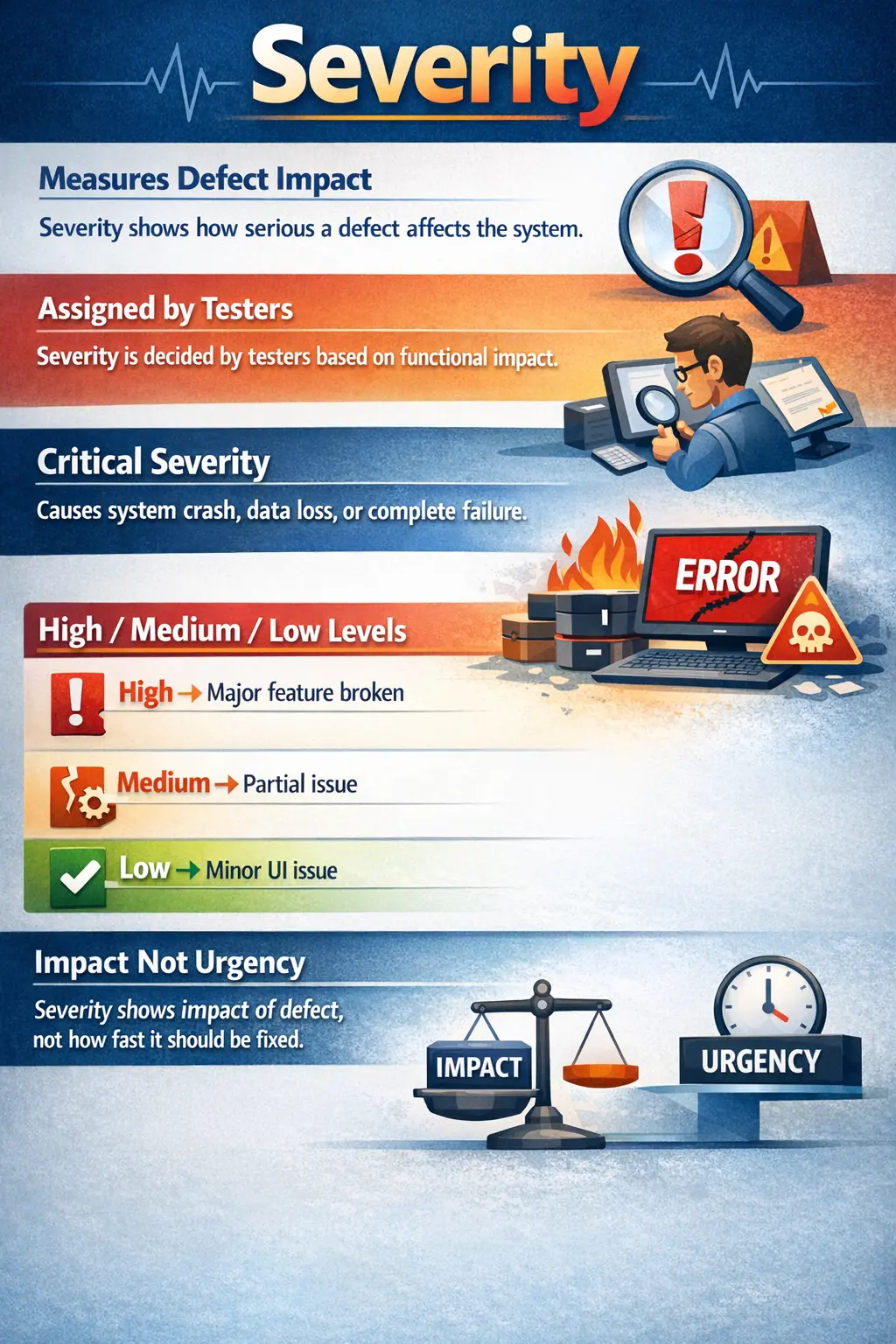
Severity is one of the most important attributes in defect management and plays a critical role in assessing software quality. Whenever a defect is reported during testing, it must be evaluated in terms of how seriously it affects the system. This evaluation is captured through severity, which measures the impact of a defect on application functionality, business operations, and user experience.
Severity answers a fundamental question in software testing: “How badly does this defect affect the system?”
Understanding severity is essential for testers, developers, and project managers because it helps teams evaluate risk and determine the seriousness of defects. Although severity does not directly determine the order in which defects are fixed, it strongly influences defect prioritization and release decisions.
Severity is assigned primarily from a quality and technical impact perspective, rather than a business urgency perspective. This distinction is important because severity is often confused with priority, even though they represent different concepts. Severity focuses on how serious the defect is, while priority focuses on how quickly the defect should be fixed.
In professional testing environments, severity classification helps teams communicate clearly about defects and ensures that critical problems receive appropriate attention. Proper severity assignment improves defect management and ultimately contributes to higher software quality.
Understanding Severity
Severity represents the degree of impact a defect has on the normal operation of a software application. It describes how much the defect disrupts the system and how serious the consequences are for users and business operations.
A defect with high severity may cause system crashes or prevent essential business functions from working. A defect with low severity may involve minor visual issues that do not affect functionality.
Severity helps testers communicate the seriousness of a defect to developers and stakeholders. When a defect is logged, assigning the correct severity ensures that everyone understands the potential risk associated with the issue.
Severity is typically determined based on technical impact rather than business urgency. For example, a system crash would be considered highly severe even if it occurs rarely. Conversely, a small cosmetic issue affecting many users may have low severity but high priority.
Severity classification is essential because software systems often contain many defects during testing. Without severity classification, it would be difficult to distinguish between critical issues and minor problems.
Severity is best understood as a risk signal. It tells the team how much damage the defect can cause if it remains unresolved. A defect that affects a major business transaction, compromises data, blocks users, or makes the application unstable carries higher severity than a defect that only affects appearance. This risk signal helps the team avoid treating all defects as equal.
Severity also helps testers think beyond the visible symptom. A button not responding may look like a simple UI problem, but if that button submits a loan application, completes payment, or saves medical information, the impact may be serious. The tester must evaluate what business function is affected, what users can no longer do, and whether data or security is at risk.
In real projects, severity is usually discussed during defect triage. A tester may initially mark a defect as high severity based on observed impact. During review, developers, QA leads, and product owners may confirm or adjust that severity after understanding technical cause, affected users, workaround availability, and release scope. This review keeps severity classification consistent.
Purpose of Severity
Severity serves multiple purposes in software testing and defect management. One of its primary purposes is to measure the impact of defects on system functionality and stability. By categorizing defects according to severity, teams can better understand the overall quality of the application.
Severity also supports risk assessment. High-severity defects represent significant risks to the business and users. Identifying these risks early helps teams take appropriate action before release.
Another important purpose of severity is to support decision-making. When project managers evaluate release readiness, they often consider the number and type of open defects. The presence of critical severity defects may prevent a release, even if most test cases have passed.
Severity also helps improve communication between testers and developers. When a tester marks a defect as critical or high severity, developers understand that the issue requires careful attention.
Although severity does not directly control defect fixing order, it indirectly influences priority decisions. High-severity defects are more likely to receive higher priority because of their impact.
Severity classification also helps organizations maintain consistent defect management practices across projects.
Severity also helps reduce noise in defect communication. If every issue is described only as a bug, stakeholders cannot immediately understand which ones are dangerous. Severity levels create a shared language. When someone says a defect is critical, the team understands that it can block release, stop testing, or create serious user impact.
Severity also supports test reporting. Test execution reports and test summary reports often include defect counts by severity. A release with twenty low-severity defects may be acceptable, but a release with one open critical defect may not be. Severity grouping makes quality status easier to communicate.
Another purpose is helping teams plan retesting and regression. High-severity defects usually deserve careful retesting and related regression checks because the affected area is important. Low-severity cosmetic defects may need simpler verification. Severity therefore influences how much validation effort is applied after a fix.
Who Assigns Severity
Severity is typically assigned by the tester who reports the defect. The tester is responsible for evaluating the impact of the issue and selecting the appropriate severity level.
Testers assign severity based on technical and functional impact. They consider how the defect affects system behavior and whether core functionality is disrupted.
Testers must avoid assigning severity based on urgency or business pressure. Urgency is represented by priority, which is usually determined by product owners or project managers.
In some organizations, severity assignment may be reviewed during defect triage meetings. During triage, team members may adjust severity levels to ensure consistency and accuracy.
Although testers assign severity initially, final agreement on severity may involve developers and project managers.
Correct severity assignment requires good understanding of the system and business requirements.
Testers should assign severity based on evidence, not emotion. A frustrating issue is not automatically critical. A visible issue is not automatically high severity. The right question is: what is the impact on system behavior, user task completion, data correctness, security, stability, or business flow?
In some teams, severity definitions are documented in the test plan or defect management process. Testers should follow those definitions rather than relying only on personal judgment. If the project defines data corruption as critical, then any confirmed data corruption defect should be marked critical even if it occurs in a less frequently used module.
When severity is uncertain, testers should explain the observed impact clearly in the defect report. Instead of only selecting a severity value, the tester can write why the defect is considered serious. This helps triage participants review and confirm the classification.
Common Severity Levels
Most software projects use a standard set of severity levels to classify defects. While naming conventions may vary slightly between organizations, the underlying concepts are similar.
Critical Severity
Critical severity represents the most serious category of defects. These defects cause severe disruption to the system and prevent normal operation.
Critical defects often include application crashes, system failures, and data corruption. They may also include situations where users cannot perform essential tasks.
For example, if an application crashes whenever a user attempts to log in, the defect would be considered critical. Similarly, if a database failure causes data loss, the severity would also be critical.
Critical defects usually block testing activities and prevent release until they are resolved.
These defects represent the highest level of risk and must be addressed immediately.
Critical severity is usually assigned when the application cannot be used meaningfully or when continued use may cause serious harm. Examples include complete application crash, login failure for all users, data deletion, incorrect account balance, unauthorized access to another user's data, or production-blocking installation failure.
Critical defects often block further testing. If the application cannot launch, testers cannot validate other features. If login is broken, most user flows are inaccessible. If test data is corrupted, results from other tests may become unreliable. This is why critical defects usually receive immediate attention.
High Severity
High severity defects involve major functionality failures that significantly affect users or business processes. Although the system may still operate, essential features do not work correctly.
High severity defects typically do not have acceptable workarounds. Users cannot complete important tasks without a fix.
For example, if a payment processing feature fails and prevents users from completing transactions, the defect would be considered high severity.
High severity defects may not crash the system, but they seriously impact business operations.
These defects are usually fixed before release to ensure acceptable product quality.
High severity does not always mean the entire system is down. It means an important function is broken. A user may still browse products but cannot complete checkout. A customer may log in but cannot download invoices. A manager may view requests but cannot approve them. These defects seriously affect business operations even if the application remains partially usable.
High severity defects may sometimes have temporary workarounds, but the workaround is usually inconvenient, risky, or unacceptable for release. For example, customer support manually processing failed orders may be possible for a short time, but it is not a good long-term solution. The severity remains high because the product behavior is significantly broken.
Medium Severity
Medium severity defects represent moderate problems that partially affect functionality. The system continues to operate, and users can often complete tasks using alternative methods.
Medium severity defects typically involve non-critical features or situations where workarounds exist.
For example, if a search feature produces incomplete results but users can still navigate manually to find information, the defect would likely be medium severity.
Medium severity defects may not prevent release, but they should be addressed when possible.
These defects represent moderate quality risks.
Medium severity defects often affect secondary functionality or partial behavior. They may reduce efficiency, create inconvenience, or limit a feature without completely blocking the user. For example, a filter may not work for one optional field while the main search still works. A report may display correct data but have formatting issues in one exported column.
Medium severity defects require careful judgment. If a workaround exists but is difficult, the defect may still be high. If the affected feature is rarely used and the workaround is simple, medium may be appropriate. The classification depends on real impact, not only the type of feature.
Low Severity
Low severity defects involve minor issues that do not affect system functionality. These defects are usually cosmetic or usability-related.
Examples of low severity defects include alignment problems, spelling errors, and minor visual inconsistencies.
For example, if a button label contains a spelling mistake but still functions correctly, the defect would be considered low severity.
Low severity defects have minimal impact on users and business operations.
These defects are often fixed after higher severity issues are resolved.
Low severity defects should still be tracked. Cosmetic issues, spelling errors, inconsistent spacing, or minor alignment problems may not block functionality, but they affect product polish and user trust. A product with many low-severity defects may feel unfinished even if core functionality works.
Low severity does not mean "ignore forever." It means the issue has limited functional impact compared with more serious defects. Teams may fix low-severity defects later, batch them into UI cleanup work, or include them in future maintenance releases.
Severity vs Priority
Severity and priority are closely related but represent different concepts in defect management.
Severity measures the impact of a defect on the system. It focuses on how serious the defect is from a technical perspective.
Priority measures the urgency of fixing the defect. It focuses on how quickly the defect should be resolved.
Severity is usually assigned by testers because they evaluate system behavior and quality risks.
Priority is typically assigned by product owners or project managers because they consider business needs and release schedules.
Severity levels tend to remain stable once assigned, because the technical impact of a defect rarely changes.
Priority levels may change frequently depending on project timelines and business decisions.
Understanding the difference between severity and priority is essential for effective defect management.
A useful way to remember the difference is this: severity is about impact, priority is about timing. Severity asks how serious the defect is. Priority asks how soon it should be fixed. These two values often align, but they do not always match.
A high-severity, high-priority defect may be an application crash during login before release. It is serious and urgent. A high-severity, low-priority defect may occur in a feature that is not part of the current release. It is serious, but fixing it may be scheduled later. A low-severity, high-priority defect may be a spelling error on the homepage before a public campaign. It is not technically serious, but it is urgent due to visibility.
Confusing severity and priority creates poor defect management. If testers mark everything high severity because they want faster fixes, developers may stop trusting severity values. If project managers lower severity because a fix is not urgent, quality reporting becomes misleading. Severity and priority should remain separate but connected.
High Severity and Low Priority
A defect can be high severity but low priority when its technical impact is serious but the business does not need the fix immediately. For example, a rarely used legacy report may crash when exporting very old data. The crash is technically serious, but if the report is not used in the current release, the priority may be lower.
This combination is common in phased releases. A feature may be developed but not enabled for customers yet. A serious defect in that feature should still be classified with appropriate severity, but the fix may not be urgent until the feature enters release scope.
Low Severity and High Priority
A defect can be low severity but high priority when the technical impact is minor but the business urgency is high. For example, a logo alignment issue on a public landing page may not affect functionality, but it may need immediate correction before a product launch or client demo.
This combination shows why priority is owned by business or project stakeholders. Testers can explain that the defect is low severity because functionality works, while product owners can still mark it high priority because of brand, customer, or release impact.
Real-Time Examples of Severity
Real-world defect scenarios help illustrate severity classification.
If the login functionality causes the application to crash, the defect would be considered critical severity because users cannot access the system.
If a payment processing feature fails but the rest of the application works normally, the defect would likely be classified as high severity because it prevents essential business operations.
If a report displays incorrect formatting but contains correct data, the defect might be medium severity because functionality is only partially affected.
If a tooltip displays incorrect text but does not affect functionality, the defect would be considered low severity.
These examples demonstrate how severity reflects impact rather than urgency.
Consider a banking application where the fund transfer confirmation message is missing but the transaction is completed correctly. This may be medium severity because the user lacks confirmation, but the core transaction works. If the transaction amount is deducted twice, the severity becomes critical because data and money are affected.
Consider a healthcare system where a patient's allergy information is not displayed to the doctor. Even if the rest of the application works, this defect may be critical because it can affect safety. Severity depends on consequence, not simply whether the page loads.
Consider an e-commerce site where product images are slightly misaligned on a listing page. This is likely low severity. But if the Add to Cart button is unavailable for all products, the defect becomes high or critical depending on business dependency because users cannot purchase.
Factors Considered When Assigning Severity
Several factors influence severity assignment.
Functional impact is the most important factor. Testers must evaluate whether the defect prevents the system from performing required tasks.
Business impact is also important. Defects affecting critical business processes typically have higher severity.
User impact is another consideration. Defects affecting many users or essential workflows are usually more severe.
Data integrity is a major factor. Defects causing data loss or corruption are always high severity.
System stability is also considered. Crashes and freezes indicate serious problems.
Workaround availability affects severity classification. If users can easily bypass the problem, severity may be lower.
Accurate severity assignment requires careful evaluation of these factors.
Testers should also consider frequency and scope, but frequency alone should not reduce severity when the impact is dangerous. A defect that corrupts data once in a rare scenario may still be critical. A cosmetic defect seen by many users may still be low severity if functionality is unaffected.
Security and privacy impact should receive special attention. Unauthorized access, sensitive data exposure, weak authentication, and permission bypass defects are usually high or critical severity because they can create legal, financial, and reputational damage.
Regulatory impact is another factor in domains such as banking, healthcare, insurance, and government systems. If a defect violates compliance rules, audit requirements, or legally required calculations, its severity may be higher than it appears from the user interface alone.
The availability of a workaround should be evaluated realistically. A workaround that requires database updates, manual support intervention, or expert knowledge may not reduce severity much for real users. A simple alternative path that ordinary users can follow may justify a lower severity.
Common Mistakes in Severity Assignment
One common mistake is confusing severity with priority. Testers sometimes assign high severity simply because a defect needs urgent attention.
Another mistake is assigning high severity to cosmetic issues. Visual problems rarely justify high severity classification.
Inconsistent severity assignment can also create confusion. Similar defects should receive similar severity ratings.
Testers sometimes underestimate severity by failing to consider full system impact.
Overestimating severity can cause unnecessary development pressure.
Consistency and accuracy are essential for effective severity management.
Another common mistake is assigning severity based on who reported the defect. A defect reported by a senior manager is not automatically high severity. A defect reported by an intern is not automatically low severity. The classification should be based on impact, evidence, and agreed severity guidelines.
Some testers also underestimate severity because a defect has a workaround. Workarounds must be evaluated carefully. If the workaround is difficult, slow, risky, or unrealistic for normal users, the defect may still be high severity. A workaround should reduce severity only when it genuinely allows users to continue safely and reasonably.
Another mistake is failing to update severity when new information appears. Initial severity may be assigned based on what the tester knows at the time. If later analysis shows wider impact, data corruption, or security exposure, severity may need review. Similarly, if the defect affects only a very narrow non-critical condition, triage may adjust it downward.
Severity should also not be used as a negotiation tool. Testers should not inflate severity to force faster fixes, and developers should not reduce severity simply to make reports look better. Severity must remain a quality signal.
Importance of Consistent Severity Standards
Organizations often define severity guidelines to ensure consistency across projects. These guidelines help testers classify defects accurately.
Consistency improves communication between testers and developers.
Standard severity definitions also support defect reporting and metrics analysis.
Without consistent standards, severity classification becomes subjective and unreliable.
Severity standards improve defect management efficiency and quality tracking.
A good severity standard defines each level with examples. For instance, Critical may include crashes, data loss, security breaches, and complete business flow blockage. High may include failure of major functionality. Medium may include partial failure with workaround. Low may include cosmetic or minor usability issues.
Standards should be tailored to the project domain. A defect that is medium severity in a shopping website may be critical in a medical or financial system. For example, incorrect rounding may be minor in a casual display but serious in billing, tax, loan, or insurance calculations.
Severity standards should be shared with all testers. If each tester uses personal judgment without common definitions, defect reports become inconsistent. One tester may mark an issue high while another marks a similar issue low. Consistency helps developers, leads, and stakeholders trust the defect data.
Teams should also review severity patterns periodically. If many defects are reclassified during triage, it may indicate that testers need clearer guidelines or better domain understanding. Regular review improves classification quality over time.
Severity in Release Decisions
Severity plays a major role in release readiness evaluation.
Critical severity defects usually prevent product release until they are resolved.
High severity defects may also block release depending on business impact.
Medium severity defects may be accepted if workarounds exist.
Low severity defects are often deferred to future releases.
Severity classification helps stakeholders make informed release decisions.
Release decisions are rarely based on total defect count alone. Ten low-severity defects may be acceptable if they do not affect core workflows. One critical defect may block release even if all other tests pass. Severity helps stakeholders understand the difference between quantity of defects and seriousness of defects.
Many projects define exit criteria based on severity. For example, release may require zero open critical defects, zero open high-severity defects, and business approval for any open medium defects. These criteria make release readiness more objective.
Severity also helps decide the scope of regression before release. If a critical defect was fixed in a core module, testers may perform wider regression around related workflows. If a low-severity label issue was fixed, the verification scope may be smaller. Severity influences testing effort after fixes.
Severity in Defect Triage
Defect triage is where severity is reviewed, confirmed, or adjusted. A tester may assign the initial severity when reporting the defect, but the triage team may consider additional information such as affected users, technical root cause, release scope, workaround, and business impact.
During triage, severity should be discussed separately from priority. The team may agree that a defect is high severity but lower priority due to release scope. Or the team may agree that a low-severity defect is high priority due to visibility. Keeping the two concepts separate leads to better decisions.
Triage also helps maintain consistency. If similar defects have different severity levels, the team can align them. This prevents confusion in reports and avoids unnecessary arguments later in the release cycle.
Severity and Defect Metrics
Severity is important for defect metrics. Teams often report defects by severity level, such as critical, high, medium, and low. This gives a clearer picture of quality than total defect count alone.
A project with many low-severity defects may need UI cleanup, but it may still be functionally stable. A project with fewer defects but several critical or high-severity issues may be risky. Severity-based metrics help stakeholders see the real condition of the product.
Severity trends can also reveal improvement or decline. If critical defects decrease across builds, product stability may be improving. If high-severity defects continue appearing late in testing, requirements, development quality, or integration testing may need attention.
Severity and Root Cause Analysis
High-severity defects should often trigger deeper analysis. The team should ask why the defect occurred, why it was not caught earlier, and whether similar defects may exist elsewhere. Root cause analysis helps prevent serious issues from repeating.
For example, if a critical defect occurs because input validation was missing in one form, testers and developers may review other forms for similar gaps. If a high-severity integration defect occurs due to API contract mismatch, the team may improve contract review or integration testing.
Severity helps decide where prevention effort should be focused. Low-severity issues may be handled through normal cleanup, while repeated high-severity defects may require process improvement, stronger reviews, better automation, or architectural changes.
Interview Perspective
Severity is a frequently asked topic in software testing interviews.
A simple explanation defines severity as the impact of a defect on the system.
A more detailed explanation describes severity levels such as Critical, High, Medium, and Low.
Interviewers often expect candidates to explain the difference between severity and priority.
Understanding severity demonstrates practical testing knowledge.
In interviews, a strong answer should define severity and then explain its use. For example: "Severity is the impact of a defect on the system. It tells how serious the defect is from a technical and quality perspective. Common severity levels are Critical, High, Medium, and Low. Testers usually assign severity based on functional impact, data impact, stability, security, and workaround availability."
If asked about severity versus priority, explain that severity measures impact while priority measures urgency. Severity is usually assigned by testers, while priority is usually decided by product owners, project managers, or triage teams based on business need and release schedule.
If asked for examples, mention application crash as critical, payment failure as high, search filter partially failing with workaround as medium, and spelling or alignment issue as low. Then add that domain context matters because the same symptom can have different impact in different systems.
Key Takeaway
Severity indicates the impact of a defect on the application’s functionality and stability. It reflects how serious the defect is from a technical and quality perspective.
Severity helps teams assess risks, communicate defect impact, and support release decisions. It ensures that serious defects receive appropriate attention and that product quality is properly evaluated.
Most importantly, severity reflects how damaging a defect is, not how quickly it should be fixed.
Correct severity assignment requires judgment, domain understanding, and consistency. Testers must evaluate the real effect of a defect on users, workflows, data, security, and system stability. They should avoid exaggeration and underestimation because both reduce the value of defect reports.
For manual testers, severity is a practical communication tool. It helps explain product risk clearly, supports triage, guides retesting effort, improves release reporting, and helps stakeholders understand quality. When severity is used properly, defect management becomes more disciplined and release decisions become more reliable.