Test Environment Understanding
Test Environment Understanding is the tester’s ability to clearly understand where testing is being performed, how the application is deployed, what systems it depends on, what data is available, and how closely the environment represents production. In software testing, many delays and incorrect defect reports do not come from application defects at all. They come from environment confusion: wrong build, missing data, unavailable integrations, incorrect configuration, expired access, unstable servers, or testing in the wrong environment. A tester who understands the environment can separate real application issues from setup problems and produce more reliable test results.
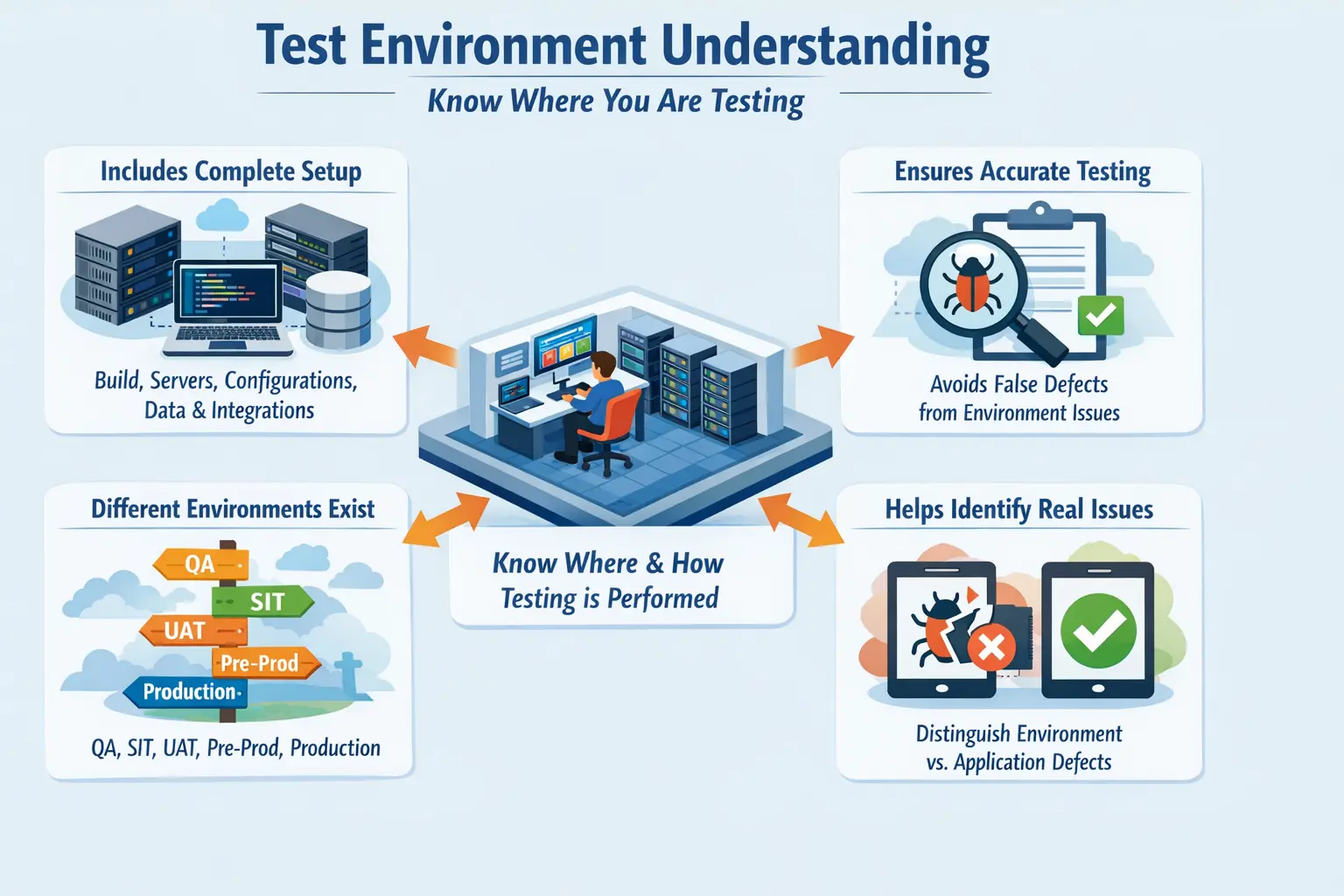
A test environment is more than a URL where testers open the application. It includes the application build, servers, databases, browsers, operating systems, configuration files, feature flags, API endpoints, third-party services, test accounts, user roles, network settings, data availability, logs, monitoring tools, and access permissions. Any one of these components can affect test results. If a tester does not know the environment, they may report a defect that developers cannot reproduce, or they may miss a defect because they assume the behavior is only an environment limitation.
Test Environment Understanding answers a basic but important question: where am I testing, and under what conditions? The answer affects every testing activity. A QA environment may be unstable because developers deploy frequently. A system integration environment may connect to real internal services but mock external services. A UAT environment may use business-like data but limited technical logging. A pre-production environment may closely resemble production but still contain test credentials or masked data. Production is live and must be handled with extreme care. Understanding these differences helps testers choose the right expectations.
This topic is important for manual testing, automation testing, API testing, DevOps collaboration, release validation, and defect analysis. A tester who understands the environment can execute tests more confidently, identify blockers faster, communicate clearly with development and operations teams, and provide better quality insights. Environment awareness is one of the practical skills that separates a beginner tester from a project-ready tester.
What Test Environment Understanding Means
Test Environment Understanding means knowing the complete setup in which testing is executed. It includes both visible and invisible parts of the system. The visible parts include the application URL, screens, browsers, users, and test data. The invisible parts include deployment version, backend services, database state, API integrations, configuration values, authentication services, caches, queues, network rules, and infrastructure components.
A tester does not need to become a system administrator to understand the environment. However, they should know enough to interpret failures correctly. If a payment flow fails, is it because the payment service is down, the API key is wrong, the test card is invalid, or the application logic is broken? If login fails, is the authentication provider unavailable, the test account locked, the password expired, or the login validation code defective? Environment understanding helps answer these questions.
Every testing environment has a purpose. Development environments are often used by developers for early changes and may not be stable. QA environments are used for functional testing and defect verification. SIT environments validate integration between systems. UAT environments support business validation. Pre-production environments are used for final release confidence. Production serves real users. The tester must understand not only the environment name, but also what kind of testing is appropriate there.
Strong environment understanding also includes knowing limitations. A QA environment may not send real emails. A UAT environment may not connect to live payment services. A staging environment may have smaller infrastructure than production. A test database may contain incomplete records. These limitations must be considered when interpreting test outcomes.
Why Environment Understanding Is Important
Environment understanding is important because test results are only reliable when the test conditions are understood. If a tester executes a test case on the wrong build, the result may be meaningless. If a tester validates an integration when the integration service is unavailable, the failure may not be an application defect. If a tester uses incomplete test data, the scenario may fail for the wrong reason. Understanding the environment prevents wasted effort.
It also helps reduce false defect reporting. A false defect is an issue reported as an application bug when the actual cause is something else, such as missing configuration, unavailable service, invalid data, expired credentials, or incorrect environment setup. False defects waste developer time, slow down triage, and reduce confidence in QA reports. A tester with environment awareness can do initial analysis before logging a defect.
Environment understanding improves defect quality. When testers include environment details in defect reports, developers can reproduce issues faster. Details such as environment name, build version, browser, role, test data, API endpoint, configuration condition, and timestamp can be extremely useful. Without these details, a defect may bounce between teams because nobody knows where or how it occurred.
It also supports realistic validation. Testing should reflect real-world behavior as closely as possible. If the environment differs significantly from production, testers should know which conclusions are safe and which are not. For example, performance results from a small QA server may not represent production performance. Email behavior in a mock environment may not prove real notification delivery. Understanding these limits prevents false confidence.
Application Build
The application build is the specific version of the software deployed in the test environment. It contains a defined set of code changes, bug fixes, enhancements, configuration updates, and sometimes database changes. Testing on the correct build is essential. If the wrong build is deployed, testers may waste time validating old behavior or reporting defects that are already fixed elsewhere.
Before starting testing, testers should confirm the build version. This may be shown in the application footer, release notes, deployment ticket, test management tool, build pipeline, or environment dashboard. If the build version is unclear, testers should ask before executing important tests. This is especially important during defect retesting and regression testing because a fix must be present in the build before it can be verified.
Build understanding also includes knowing what changes are included. A release may contain only one bug fix, or it may contain multiple features and configuration changes. Testers should review release notes, user stories, defect lists, or deployment notes to understand what needs validation. Testing without knowing build scope can lead to missed areas or unnecessary checks.
Infrastructure
Infrastructure refers to the systems that host and support the application. This can include web servers, application servers, database servers, cloud services, containers, load balancers, firewalls, storage systems, queues, and network components. Manual testers may not manage these systems directly, but they should understand that infrastructure affects application behavior.
Infrastructure issues can look like application defects. If a server is down, the application may not load. If a database connection fails, the user may see errors. If a load balancer routes traffic incorrectly, users may experience inconsistent behavior. If network latency is high, pages may appear slow. A tester with environment understanding can recognize when an issue may need DevOps or infrastructure investigation.
Infrastructure awareness is especially useful when an issue is intermittent. If the same action works sometimes and fails other times, the problem may involve multiple servers, caching, session handling, network instability, or integration availability. Testers do not need to solve all infrastructure issues, but they should report observations clearly so the right team can investigate.
Software Stack
The software stack includes the operating system, browser versions, database system, application runtime, middleware, frameworks, web server, mobile OS version, and other software components required for the application to run. Differences in the software stack can produce different behavior across environments or user devices.
For web applications, browser differences are common. A feature may work in Chrome but fail in Safari. A CSS layout may appear correct on desktop but break on mobile. A file upload may behave differently depending on browser security settings. Knowing the browser, device, and OS used during testing helps identify compatibility issues accurately.
Backend stack differences also matter. A staging environment may use a different database version or middleware configuration than production. If the environment does not match production closely, some defects may appear only after release. Testers should know which environments are production-like and which are only approximate.
Configuration
Configuration controls how the application behaves in a particular environment. It may include feature flags, API URLs, database connection settings, timeout values, file size limits, email settings, payment gateway keys, authentication settings, logging levels, and security rules. Configuration mistakes are a common cause of environment-specific issues.
A feature may be available in QA but disabled in UAT. An API may point to a mock service in testing but a live endpoint in production. A timeout may be short in one environment and long in another. A file upload limit may differ. If testers are unaware of these differences, they may misinterpret behavior. Understanding configuration helps testers know what to expect.
Feature flags are especially important in modern applications. A feature may be deployed but not enabled for all users. If a tester cannot see a feature, it may not be a defect; the flag may be disabled for that environment or user role. Testers should know how feature availability is controlled and whom to contact when configuration needs confirmation.
Test Data
Test data is one of the most important parts of a test environment. Many scenarios depend on specific data states: active users, inactive users, pending orders, approved requests, expired subscriptions, high-value transactions, empty accounts, duplicate records, or historical data. Without the right data, testing may be blocked or misleading.
Testers should know where test data comes from. It may be manually created, preloaded through scripts, copied from production after masking, generated through APIs, or created by previous test runs. Each approach has limitations. Manually created data may be small and unrealistic. Masked production data may be realistic but sensitive. Generated data may not cover business exceptions. Understanding data source helps testers judge test reliability.
Data state also matters. A scenario may fail because the account is locked, the order is already processed, the record is in the wrong status, or the user role does not match the data. Before reporting a defect, testers should verify whether the data supports the scenario. Good test data management reduces false failures and repeated blockers.
Integrations and Dependencies
Modern applications rarely work alone. They depend on APIs, authentication providers, payment gateways, notification services, reporting systems, file storage, third-party tools, internal services, message queues, and databases. These dependencies shape how the application behaves during testing.
In some environments, integrations are real. In others, they are simulated with mocks, stubs, or test endpoints. This difference is critical. If an email service is mocked, a tester may verify that the application triggered an email request, but not that a real email was delivered. If a payment gateway is in sandbox mode, the payment flow may behave differently from live production. Testers must know which dependencies are active.
Dependency failures can create confusing results. A checkout page may fail because the tax service is unavailable. A login flow may fail because the identity provider is down. A report may fail because the data warehouse refresh has not completed. Understanding dependencies helps testers identify the likely source of failure and route the issue correctly.
Types of Test Environments
Different environments support different stages of the software lifecycle. A development environment is used by developers for early validation and may change frequently. It is useful for quick checks but may not be stable enough for formal QA execution. A QA environment is usually used by testers for functional testing, defect verification, and regression testing.
A System Integration Testing environment validates interactions between multiple systems. This environment is important when the application depends on other services or modules. A UAT environment is used by business users to validate real business workflows. It should be stable and business-friendly, with realistic data and user roles.
A pre-production environment is designed to closely resemble production. It is often used for final validation, release rehearsals, performance checks, migration validation, and deployment confidence. Production is the live environment used by real users. Testing in production must be limited, controlled, and safe.
Knowing the purpose of each environment prevents misuse. Deep negative testing should not be performed in production. Business sign-off should not rely on an unstable development environment. Performance conclusions should not be drawn from a small QA environment unless its limitations are understood.
Manual Tester Responsibilities
Manual testers are responsible for knowing which environment they are using and whether it is appropriate for the testing activity. Before execution, they should confirm the environment URL, build version, access, user roles, test data, integrations, and known limitations. This readiness check prevents wasted effort.
Testers should also report environment issues separately from application defects when possible. If a service is unavailable, a test account is missing, or test data is incomplete, the issue may need environment support rather than code fixing. Clear classification helps the right team respond faster.
Another responsibility is documenting environment details in defect reports. A strong defect report should include environment name, build version, browser or device, user role, data used, timestamp, and any relevant integration details. This information helps developers reproduce and diagnose the issue.
Testers should communicate environment blockers early. If the environment is down or a critical integration is unavailable, waiting until the end of the day to report it wastes time. Fast communication helps test leads adjust plans and helps DevOps or support teams resolve blockers quickly.
Environment Readiness Validation
Environment readiness validation is the check performed before formal testing begins. It confirms that the environment is ready for the planned testing activity. This can be done through a simple smoke check, deployment verification, access check, data check, and integration availability check.
Testers should confirm that the application is accessible and stable enough to test. They should verify that the correct build is deployed, key pages open, login works, required roles are available, test data exists, and important integrations are reachable. If any of these are missing, testing may produce unreliable results.
Readiness validation is especially important before regression cycles, UAT, release candidate testing, and production smoke testing. Starting a major test cycle on an unready environment can create false failures, blocked test cases, inaccurate metrics, and frustration across teams.
Environment Issues vs Application Defects
One of the most practical skills in testing is distinguishing environment issues from application defects. An environment issue is caused by setup, configuration, data, infrastructure, access, or dependency problems. An application defect is caused by incorrect code, logic, validation, workflow, calculation, or system behavior.
For example, if login fails because the authentication server is down, it is an environment issue. If login fails because the application incorrectly rejects valid credentials, it is an application defect. If a report shows no data because the database refresh did not run, it is an environment or data issue. If the report calculation is wrong despite correct data, it is an application defect.
Correct classification matters because it determines ownership. Environment issues may go to DevOps, environment support, database teams, or configuration owners. Application defects usually go to development. Misclassification delays resolution and creates confusion. Testers should perform reasonable checks before assigning the issue.
Real-Time Example
Consider a tester validating login in a QA environment. The tester enters valid credentials, but login fails with a generic error. A beginner may immediately log a defect saying login is broken. A tester with environment understanding checks whether the build is correct, whether the test account is active, whether the authentication service is available, and whether other users can log in.
The tester discovers that the authentication service endpoint was changed during deployment and the QA configuration still points to the old URL. In this case, the application code may not be defective. The issue is an environment configuration problem. The tester reports it to the correct team with clear evidence, and testing resumes after configuration is corrected.
In another case, the authentication service is available, the account is active, and the configuration is correct, but the application still rejects valid credentials because of incorrect validation logic. That is an application defect. The same symptom, login failure, can have different root causes. Environment understanding helps identify the difference.
Common Mistakes
One common mistake is starting testing without verifying environment readiness. This leads to blocked test cases, false failures, and wasted effort. Another mistake is testing on the wrong build. If testers do not confirm deployment version, they may report issues that are already fixed or miss changes that should have been validated.
Another frequent mistake is using incorrect or stale test data. Data may have been changed by another tester, expired due to time rules, or moved to a different status. Testers should verify data state before assuming the application is wrong. Poor data awareness is one of the most common causes of misleading test results.
Failing to include environment details in defect reports is also a major mistake. Developers may be unable to reproduce issues if they do not know where the issue occurred. A defect that says “payment failed” is weak. A defect that includes environment, build, user role, payment data, endpoint behavior, timestamp, and screenshots is much stronger.
Interview Perspective
In interviews, test environment understanding can be explained as knowing the setup, configuration, data, integrations, build version, access, and dependencies under which testing is performed. It helps testers execute tests accurately and interpret failures correctly. This answer shows practical project awareness.
A strong interview answer should include the difference between environment issues and application defects. Interviewers often look for examples. A candidate can explain that if login fails because the authentication service is down, it is an environment issue, but if login fails because valid credentials are rejected by application logic, it is a defect.
A concise answer could be: Test Environment Understanding means knowing where testing is performed, what build is deployed, what configurations and data are used, which integrations are active, and how close the setup is to production. It helps avoid false defects, reduce blockers, and provide accurate defect reports.
Key Takeaway
Test Environment Understanding is essential for accurate, efficient, and reliable software testing. It helps testers know the conditions under which testing is performed and prevents confusion between real defects and setup-related issues.
A strong tester understands build versions, infrastructure, software stack, configuration, test data, integrations, environment types, readiness checks, and known limitations. This knowledge improves defect quality, reduces delays, and supports better collaboration with development, DevOps, and business teams.
Ultimately, environment awareness makes test results trustworthy. When testers understand the environment, they can test with confidence, analyze failures intelligently, and provide quality insights that reflect real application behavior rather than environment noise.