Java Identifiers & Naming Conventions
Writing Java programs is not only about using correct syntax; it is also about giving clear names to the different parts of the program. Every class, variable, method, interface, enum, package, object reference, and constant needs a name so that the compiler can recognize it and so that developers can understand what the code is trying to express. In Java, these programmer-defined names are called identifiers. Along with identifiers, Java developers follow naming conventions, which are agreed patterns for writing names in a readable and professional way. Together, identifiers and naming conventions form one of the earliest foundations of clean Java programming.
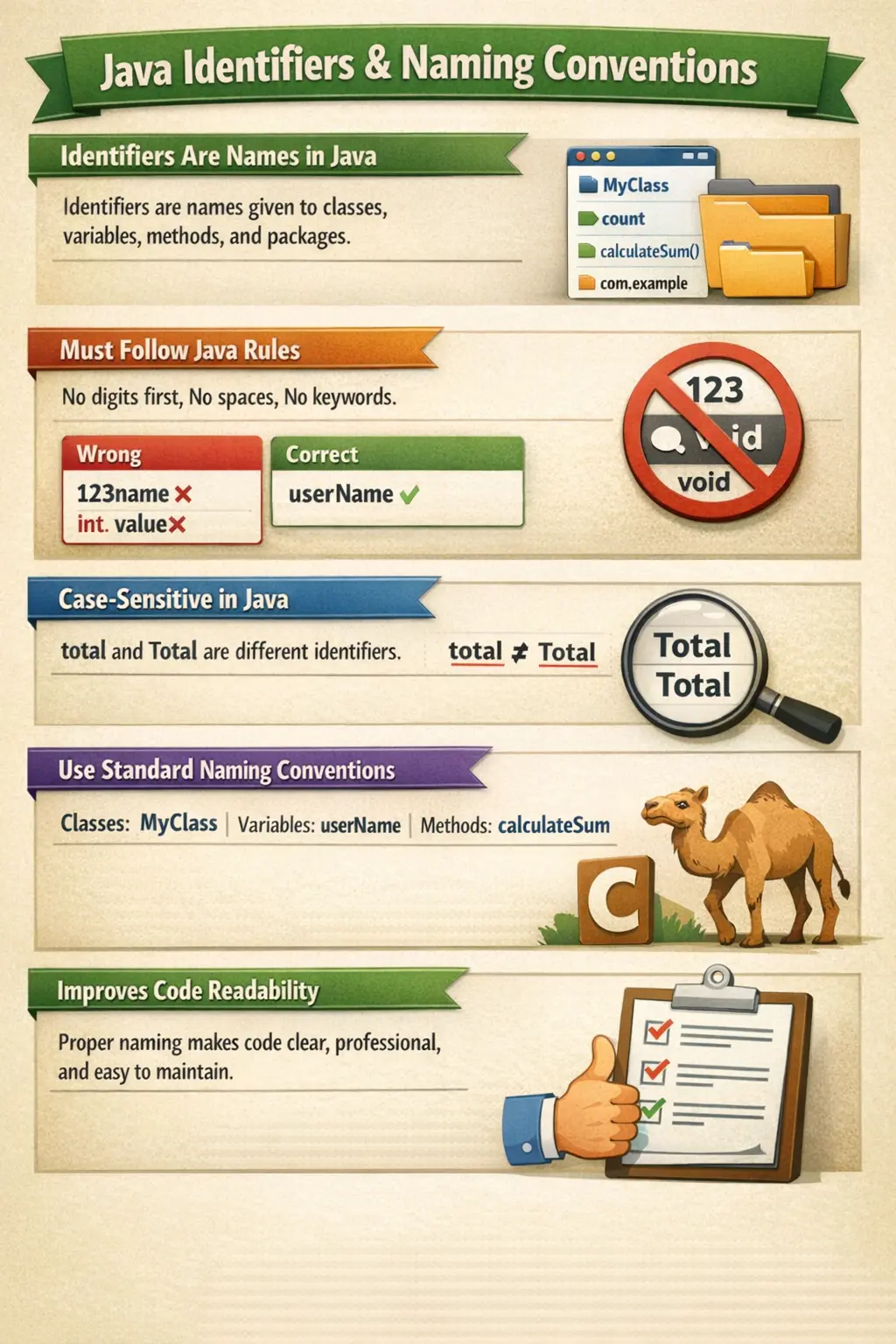
An identifier is the name used to identify a program element. If a class is named Employee, then Employee is an identifier. If a variable is named salary, then salary is an identifier. If a method is named calculateBonus(), then calculateBonus is an identifier. The compiler uses these names to connect declarations with later references, while developers use them to understand the purpose of each part of the program.
Naming conventions are different from identifier rules. Identifier rules are strict language rules enforced by the Java compiler. If a name breaks those rules, the program will not compile. Naming conventions, on the other hand, are professional guidelines followed by developers. A program may compile even if naming conventions are ignored, but the code will look unprofessional and may confuse other developers. Java checks whether a name is legal, but developers are responsible for making the name meaningful.
What Are Java Identifiers?
Java identifiers are names given to program elements created by the programmer. These program elements include classes, methods, variables, parameters, interfaces, packages, enums, annotations, labels, and object references. Whenever a developer declares something and gives it a name, that name becomes an identifier. Identifiers allow the program to refer to that declared element later in the code.
For example, consider a simple class that stores employee information and calculates salary details. The class name, field names, method names, and parameter names are all identifiers. Each one has a different role, but all of them must follow the same basic rules for valid Java identifiers. The naming convention may differ depending on whether the identifier belongs to a class, method, variable, or constant, but the compiler-level rules remain the same.
class Employee {
    int salary;

    void calculateBonus() {
        // method logic
    }
}
In this example, Employee is the identifier for the class, salary is the identifier for the variable, and calculateBonus is the identifier for the method. These names are not predefined by Java. The programmer selected them. Java only verifies whether they are syntactically valid. The responsibility of choosing names that communicate purpose belongs to the developer.
Identifiers are everywhere in Java. A beginner may first notice them in variables and class names, but as the program grows, identifiers appear in package names, constructor names, interface names, enum constants, exception classes, annotations, and method parameters. Because identifiers appear so frequently, good naming habits have a large impact on code quality.
Why Identifiers Matter in Java Programs
Identifiers matter because code is read more often than it is written. A developer may write a method once, but that method may be read many times during debugging, enhancement, review, testing, refactoring, and production support. If identifiers are meaningful, the code explains itself naturally. If identifiers are vague, other developers must spend extra effort understanding what each value represents.
For example, a variable named x may be valid Java, but it gives no business meaning. A variable named totalInvoiceAmount immediately tells the reader what value is being stored. Similarly, a method named process() is too broad, while a method named generateMonthlyReport() gives a clearer idea of the operation. Good identifiers reduce mental effort and make the program easier to follow.
Identifiers also support collaboration. In real software projects, many developers work on the same codebase. A developer who joins a project later should be able to understand important code without asking the original author for every detail. Consistent naming conventions help teams write code that looks unified even when many people contributed to it. This is one reason professional Java teams take naming seriously.
Good identifiers are especially important in object-oriented programming because Java code is built around named abstractions. Classes represent concepts, objects represent instances, methods represent behavior, and variables represent state. If those names are clear, the structure of the application becomes easier to understand. If those names are poor, even simple logic can feel complicated.
Rules for Java Identifiers
Java identifier rules define what names are legal from the compiler’s point of view. These rules must be followed for every identifier, regardless of whether it is a class name, variable name, method name, package name, or interface name. If any rule is violated, the compiler reports an error and the program cannot be compiled successfully.
An identifier can contain letters, digits, the underscore character, and the dollar sign. Letters may be uppercase or lowercase. Digits may appear in an identifier, but not as the first character. The underscore and dollar sign are technically allowed, although professional Java code rarely uses the dollar sign in normal application identifiers.
int total;
int total1;
int _count;
int $price;
All four names above are valid according to Java’s identifier rules. However, validity does not always mean good style. For example, $price compiles, but most developers avoid dollar signs in ordinary identifiers because they are usually associated with generated code or special internal naming. The better choice would be price or itemPrice.
An identifier cannot start with a digit. A digit can appear after the first character, but the first character must be a letter, underscore, or dollar sign. This rule prevents confusion between numeric literals and identifiers. Java must be able to clearly distinguish a name from a number.
int total1;   // valid
int 1total;   // invalid
The first declaration is valid because the digit appears after the word total. The second declaration is invalid because the identifier begins with the digit 1. Beginners often make this mistake when trying to create names such as 1stRank or 2ndNumber. A better Java-style name would be firstRank or secondNumber.
Identifiers cannot contain spaces. A Java identifier must be written as one continuous name. If the name contains multiple words, developers use camelCase or PascalCase depending on the type of identifier. Spaces break the name into separate tokens, and the compiler cannot treat them as one identifier.
int total amount;  // invalid
int totalAmount;   // valid
The valid version uses camelCase, where the first word starts with a lowercase letter and each later word starts with an uppercase letter. This style keeps the identifier legal while still making it readable. Java developers use this approach frequently for variable names and method names.
Java keywords cannot be used as identifiers. Keywords are reserved words that have predefined meanings in the language. Words such as class, public, static, void, int, if, else, for, while, return, and new cannot be used as names for variables, classes, methods, or other identifiers.
int class;    // invalid
int count;    // valid
The name class is invalid because Java already uses it to define a class. The compiler will not allow it as a variable name. This rule also applies to reserved literals. Even if a keyword seems meaningful for business logic, it must not be used directly as an identifier.
Java identifiers are case-sensitive. This means uppercase and lowercase letters are treated as different characters. The identifiers amount, Amount, and AMOUNT are different names in Java. While this flexibility is useful, it can also create confusion if names differ only by capitalization.
int total;
int Total;
The compiler treats total and Total as two separate variables. However, professional code should avoid names that differ only by case because they are easy to misread. Case sensitivity should be understood as a language rule, not as a reason to create confusing names.
Most special characters are not allowed in identifiers. Characters such as hyphen, dot, comma, at symbol, percent sign, exclamation mark, plus sign, and slash cannot be used inside normal identifiers. These characters already have other meanings in Java syntax or are not valid identifier characters.
int total-value;   // invalid
int user@email;    // invalid
int totalValue;    // valid
The hyphen in total-value is interpreted as a subtraction operator, not as part of a name. The at symbol is used in annotations and cannot be placed inside a variable name like that. The correct Java naming style avoids these characters and uses camelCase, PascalCase, or uppercase underscore conventions depending on the identifier type.
Valid and Invalid Identifier Examples
Examples make identifier rules easier to understand. Names such as employeeName, totalAmount, count2, _temporaryValue, and MAX_LIMIT are valid identifiers because they follow Java’s legal naming rules. Some of them are also good style, while others may be technically valid but not ideal for everyday code.
Invalid identifiers include 2value, employee-name, total amount, class, public, and user@name. These names fail for different reasons. Some start with digits, some contain spaces or special characters, and some are reserved keywords. Understanding why a name is invalid helps beginners avoid compiler errors.
int employeeAge;   // valid
int 2employeeAge;  // invalid: starts with digit
int employee-age;  // invalid: hyphen not allowed
int employee age;  // invalid: space not allowed
int static;        // invalid: keyword
int employee_age;  // valid, but not preferred for normal variables
The final example, employee_age, is important because it is legal but not preferred for ordinary Java variables. Java’s standard convention for variables is camelCase, so employeeAge is the better professional name. This is a good example of the difference between compiler rules and naming conventions.
Identifier Rules vs Naming Conventions
Identifier rules answer the question, “Will Java allow this name?” Naming conventions answer the question, “Is this name written in the style Java developers expect?” Both questions matter, but they are not the same. A name can be legal but poorly styled, and a name can look readable but still be illegal if it breaks a compiler rule.
For example, StudentName is a legal variable name, but it does not follow the normal Java variable convention because variables should start with a lowercase letter. The preferred name is studentName. Similarly, employee_details is legal, but it does not follow Java class naming convention. The preferred class name is EmployeeDetails.
In interviews, this distinction is often tested. A strong answer explains that identifiers are names used for program elements, while naming conventions are recommended styles for writing those names consistently. Identifier rules are mandatory; naming conventions are best practices. Professional developers follow both.
Class Naming Convention
Class names in Java follow PascalCase, also known as UpperCamelCase. In this style, the first letter of every word is capitalized, and there are no spaces or underscores between words. Class names usually represent nouns because classes model objects, concepts, entities, or components in the system.
class Student {}
class EmployeeDetails {}
class LoginController {}
class PaymentProcessor {}
These names are readable because they clearly describe what each class represents. Student represents a student, EmployeeDetails represents employee-related details, LoginController represents a component responsible for login flow, and PaymentProcessor represents a component that processes payments.
Poor class names include names that start with lowercase letters, use underscores, or describe behavior too vaguely. For example, employee, employee_details, process, and data are weak class names. They may compile, but they do not communicate the class’s responsibility clearly. A class name should make the reader understand the concept being modeled.
Interface Naming Convention
Interface names also follow PascalCase. Interfaces usually define capabilities, contracts, or behaviors that implementing classes must provide. In older coding styles, some developers used prefixes like I, such as IUserService. In modern Java, this style is generally avoided. The interface name should describe the role or capability directly.
interface Runnable {}
interface Comparable<T> {}
interface PaymentService {}
interface ReportGenerator {}
Names like Runnable and Comparable are familiar examples from Java itself. They describe capability. A class that implements Runnable can be run. A class that implements Comparable can be compared. This kind of naming makes interfaces expressive and natural to read.
When designing application interfaces, the same idea applies. PaymentService suggests a contract for payment-related operations. ReportGenerator suggests a contract for generating reports. Good interface names help developers understand what behavior a class promises to provide.
Method Naming Convention
Method names in Java follow camelCase. The first word begins with a lowercase letter, and each later word begins with an uppercase letter. Methods represent behavior, so method names usually begin with verbs or verb phrases. A good method name tells the reader what action the method performs.
void calculateSalary() {}
void sendEmail() {}
boolean isValidUser() { return true; }
String getEmployeeName() { return "John"; }
The names calculateSalary, sendEmail, isValidUser, and getEmployeeName all communicate behavior. The reader can understand the intent before reading the method body. This is especially useful when methods are called from other parts of the program.
Method names should avoid vague words such as doWork, handle, process, or execute unless the surrounding class context makes the meaning very clear. For example, processPayment is better than process, and handleLoginFailure is better than handle. Specific names make code easier to maintain.
Java also has common naming patterns for methods that return boolean values. Such methods often begin with is, has, can, or should. Examples include isActive(), hasPermission(), canWithdraw(), and shouldRetry(). These names read naturally in conditional statements and make the code more expressive.
if (user.hasPermission()) {
    approveRequest();
}
This code reads almost like an English sentence. That is one of the benefits of thoughtful method naming. Good method names reduce the need for comments because the code already explains the intention.
Variable Naming Convention
Variables in Java also follow camelCase. Variable names should describe the data they store. A variable is not just a storage location; it represents a value with meaning in the program. The name should help readers understand that meaning immediately.
int employeeAge;
double totalAmount;
String customerName;
boolean accountActive;
These names are clear because each one describes the value stored in the variable. employeeAge stores an employee’s age, totalAmount stores a total amount, customerName stores a customer name, and accountActive stores whether an account is active.
Single-letter variable names should generally be avoided except in very small scopes, such as simple loop counters. A loop variable named i is common and acceptable when the loop is short. However, using a, b, or x for business values makes the code harder to understand. In larger methods, descriptive names are better.
for (int i = 0; i < 10; i++) {
    System.out.println(i);
}
In this case, i is acceptable because it is a short loop counter used in a small scope. But for meaningful business data, names should be descriptive. For example, customerCount is better than c, and monthlySalary is better than ms.
Constant Naming Convention
Constants in Java are usually declared using static final and written in uppercase letters with words separated by underscores. This convention makes constants easy to identify at a glance. Constants represent values that should not change during program execution.
static final int MAX_LOGIN_ATTEMPTS = 3;
static final double INTEREST_RATE = 7.5;
static final String APPLICATION_NAME = "Learning Portal";
The uppercase naming style clearly separates constants from regular variables. When a developer sees MAX_LOGIN_ATTEMPTS, it is immediately clear that the value is intended to be fixed. This convention works closely with the final keyword, which prevents reassignment after initialization.
A common beginner mistake is writing constants using normal variable naming, such as maxLoginAttempts. While this compiles, it does not follow the usual Java convention for constants. Another mistake is using uppercase names for variables that are not constants. Uppercase should be reserved for true constants to avoid confusion.
Package Naming Convention
Package names in Java are written in lowercase letters. Packages organize related classes and help avoid naming conflicts. In professional projects, package names often follow the reverse domain naming pattern. This means the organization’s domain name is written in reverse order, followed by project or module names.
package com.softwaretips4u.corejava;
package com.example.inventory.service;
package org.company.project.module;
Lowercase package naming prevents confusion with class names, which use PascalCase. The reverse domain style also helps ensure uniqueness across organizations. Two companies may both create a class named UserService, but their package names can separate them clearly.
Package names should avoid uppercase letters, spaces, and vague grouping names. A package such as com.example.utils may be acceptable in small projects, but in larger systems it is better to use names that reflect business or architectural responsibility. Clear package names make navigation easier in large codebases.
Enum Naming Convention
Enums represent a fixed set of related constants. The enum type name follows PascalCase, while the enum constants are usually written in uppercase letters. This convention makes it clear which name represents the enum type and which names represent its fixed values.
enum OrderStatus {
    PENDING,
    APPROVED,
    SHIPPED,
    DELIVERED,
    CANCELLED
}
Here, OrderStatus is the enum type, and PENDING, APPROVED, SHIPPED, DELIVERED, and CANCELLED are enum constants. This naming style is easy to read and matches common Java practice.
Enums are useful when a value must be one of a limited set of options. Naming them clearly improves both type safety and readability. Instead of using unclear string values such as "P" or "A", an enum lets the code use meaningful names such as OrderStatus.PENDING and OrderStatus.APPROVED.
Constructor Naming Convention
Constructors are special because their name must match the class name exactly. This is not only a convention; it is part of Java syntax. If a class is named Employee, its constructor must also be named Employee. Constructors do not have return types, not even void.
class Employee {
    Employee() {
        // constructor logic
    }
}
Because Java is case-sensitive, the constructor name must match the class name with the same capitalization. A method named employee() inside class Employee is not a constructor because the case does not match. It is treated as a normal method if written with a return type, or it causes an error if written incorrectly.
Meaningful Naming in Java
Following naming conventions is important, but meaningful naming goes further. A name should reveal intent. It should explain why the value, method, or class exists. A technically valid and conventionally styled name can still be weak if it is too vague. For example, data, info, value, and temp are often unclear unless the context is extremely small.
Compare the names amount and totalInvoiceAmount. Both are valid variable names, and both follow camelCase. However, totalInvoiceAmount is more meaningful because it tells the reader exactly what the amount represents. Similarly, validateUserCredentials() is more informative than check().
Good names should be specific enough to communicate meaning but not so long that they become awkward. A name like theTotalAmountOfAllInvoicesForTheCurrentCustomer is technically descriptive, but it is too long for practical use. A better name might be customerInvoiceTotal. The goal is balance: clear, concise, and accurate.
Avoiding Misleading Names
A misleading name is worse than a short name because it gives the reader the wrong idea. For example, a variable named isActive should contain a boolean value. If it stores a string such as "ACTIVE", the name creates confusion. A method named calculateTax() should calculate tax, not save an invoice or send an email.
Names should match behavior. If a method name says getCustomer(), the reader expects it to return a customer, not create a customer or delete one. If the method performs a side effect, the name should communicate that side effect. For example, saveCustomer() is clearer than getCustomer() when database persistence is involved.
Misleading names cause bugs because developers make assumptions while reading code. If the assumptions are wrong, future changes may break behavior. Good naming reduces this risk by keeping the name aligned with the actual responsibility.
Identifier Naming for Boolean Values
Boolean variables and methods deserve special attention because they are often used in conditions. A boolean name should read naturally as true or false. Prefixes such as is, has, can, and should are commonly used because they make conditional logic easier to understand.
boolean isLoggedIn;
boolean hasPermission;
boolean canWithdraw;
boolean shouldRetry;
These names read clearly when used in an if statement. For example, if (hasPermission) is easier to understand than if (permission), and if (canWithdraw) communicates a business condition directly. Clear boolean naming helps avoid inverted logic and confusing conditions.
Avoid negative boolean names when possible. Names such as isNotActive or hasNoAccess can become confusing when combined with negation. For example, if (!isNotActive) is harder to read than if (isActive). Positive boolean names usually make code simpler.
Identifier Naming for Collections
When a variable stores multiple values, the name should usually be plural or indicate collection meaning. A list of users should be named users or userList, not user. A map of country codes could be named countryCodeMap. This helps readers understand whether they are dealing with one object or many objects.
List<User> users;
Set<String> emailAddresses;
Map<String, Product> productsByCode;
The name productsByCode is especially useful because it explains both the values and the key relationship. It tells the reader that products are organized by code. This kind of naming reduces the need to inspect the type declaration every time.
Identifier Naming for Parameters
Method parameters should also be meaningful. A parameter name should tell the reader what value the caller must provide. In a method such as calculateDiscount(double amount), the parameter amount is understandable. But in a more specific business method, a better name may be orderAmount or invoiceAmount.
double calculateDiscount(double orderAmount) {
    return orderAmount * 0.10;
}
The parameter name orderAmount clearly describes the input. This becomes even more important when a method has multiple parameters of the same type. For example, a method that accepts startDate and endDate is much clearer than one that accepts d1 and d2.
Common Naming Mistakes
One common mistake is using Java keywords as identifiers. Beginners may try names such as class, static, new, or return because those words seem meaningful in English. Java does not allow this because those words already have language-level meaning. The solution is to choose a related but non-reserved name, such as className instead of class.
Another common mistake is starting identifiers with numbers. Names such as 1stName and 2ndValue are invalid. Instead, use firstName and secondValue. This also improves readability because words are clearer than numeric prefixes in most identifiers.
A third mistake is using spaces, hyphens, or special characters. Java identifiers cannot contain spaces or hyphens. Names like user-name and total amount are invalid. Use userName and totalAmount instead.
A fourth mistake is mixing naming styles inconsistently. A codebase where some variables use camelCase, some use snake_case, and some use uppercase without reason becomes difficult to read. Consistency matters because it allows developers to recognize the role of a name quickly.
A fifth mistake is choosing names that are too generic. Names such as data, value, object, manager, and helper often hide meaning. Sometimes these names are acceptable in a very small local scope, but they should not be used for important business concepts without more detail.
Professional Naming Practices
Professional Java naming starts with clarity. A name should tell the truth about what the code represents. If a variable stores the final payable amount, call it payableAmount or finalAmount. If a method sends a password reset email, call it sendPasswordResetEmail(). The best name is usually the one that reduces questions for the next reader.
Professional naming also respects the domain language. In a banking application, names such as accountBalance, beneficiary, transactionLimit, and interestRate are meaningful because they match business vocabulary. In an e-commerce application, names such as cartItems, orderStatus, discountCode, and shippingAddress communicate domain meaning. Good code uses the language of the problem it solves.
Another professional practice is to avoid unnecessary abbreviations. Abbreviations may save a few characters, but they often reduce readability. For example, customerAddress is clearer than custAddr, and transactionAmount is clearer than txnAmt. Common abbreviations such as id, URL, or HTML may be acceptable, but custom abbreviations should be used carefully.
Names should also stay aligned with responsibility during refactoring. If a method originally validates a user but later also creates a session and writes an audit record, the name may no longer be accurate. This may indicate that the method should be split, or at least renamed to reflect its actual behavior. Naming is not a one-time activity; it evolves with the code.
Real-Time Example of Good Naming
Consider a simple order calculation. A poorly named version might use variables like a, b, and c. The compiler can process such code, but a developer reading it must guess what each value means. A better version uses names that reflect the business concept.
double itemTotal = 500.00;
double discountAmount = 50.00;
double taxAmount = 45.00;
double finalPayableAmount = itemTotal - discountAmount + taxAmount;
This code is easy to understand because the identifiers explain the calculation. Even without comments, the reader can see that the final payable amount is calculated from item total, discount, and tax. This is the practical value of meaningful naming.
The same principle applies to methods. A method named calculateFinalPayableAmount() is clearer than calculate(). If the method belongs to a class named OrderCalculator, a slightly shorter name such as calculateFinalAmount() may be enough. Good naming considers both the identifier itself and the surrounding context.
Identifier Naming and Code Readability
Readable code is code that communicates intent without unnecessary effort. Naming is one of the biggest contributors to readability. Formatting, indentation, and comments matter, but names are often the first thing a reader sees. If the names are clear, the code becomes easier to scan and reason about.
Good names can reduce comments. A comment like “calculate the total invoice amount after applying discount” may not be necessary if the method is named calculateDiscountedInvoiceTotal(). Comments should explain why something is done when the reason is not obvious. Names should explain what the code represents or does.
Readable naming also supports testing. Test cases and test methods become easier to understand when they use meaningful names. For example, shouldRejectLoginWhenPasswordIsIncorrect() communicates the expected behavior better than testLogin1(). Even though naming test methods may follow project-specific styles, the principle remains the same: names should reveal intent.
Identifiers and Scope
Scope affects naming. A variable used in a very small scope can sometimes have a shorter name because the surrounding code makes its meaning obvious. A variable used across a long method, class, or module needs a more descriptive name. The larger the scope, the clearer the name should be.
For example, i may be fine as a loop counter in a five-line loop. But a field named i at class level would be poor because its purpose is unclear. A class-level field should represent important state and therefore needs a meaningful name such as retryCount, currentPage, or selectedIndex.
Scope also helps avoid name conflicts. Java allows local variables, parameters, fields, and methods to have names within different scopes, but careless reuse of similar names can confuse readers. Using clear and context-aware names makes it easier to understand which value is being used at each point.
Identifiers, Keywords, and Literals
Beginners sometimes confuse identifiers, keywords, and literals. An identifier is a programmer-defined name. A keyword is a reserved word defined by Java. A literal is a fixed value written directly in the code, such as 10, "Hello", true, or 'A'. These three concepts play different roles in a Java program.
int age = 25;In this statement, int is a keyword, age is an identifier, and 25 is a literal. Understanding this distinction helps beginners read Java syntax more clearly. It also prevents mistakes such as trying to use keywords as variable names or confusing values with names.
Java literals represent actual values, while identifiers represent named program elements that may hold or process values. Keywords define the structure of the language. A clean Java program uses all three correctly.
Interview Perspective
In interviews, Java identifiers are often explained as names given to program elements such as classes, variables, methods, packages, and interfaces. A strong answer should mention that identifiers must follow rules: they cannot start with digits, cannot contain spaces, cannot use keywords, are case-sensitive, and can contain letters, digits, underscores, and dollar signs. This shows that you understand the compiler-level rules.
For naming conventions, a strong answer should explain that Java classes and interfaces use PascalCase, methods and variables use camelCase, constants use uppercase with underscores, and packages use lowercase. It is also useful to mention that naming conventions are not required by the compiler but are followed to improve readability and maintainability.
A concise interview answer could be: “Identifiers are programmer-defined names used for classes, variables, methods, packages, and other Java elements. They must follow rules such as not starting with digits, not using keywords, and not containing spaces. Naming conventions are standard guidelines for writing those identifiers, such as PascalCase for classes, camelCase for variables and methods, uppercase for constants, and lowercase for packages.”
Best Practices for Java Identifiers
Use meaningful names that describe purpose. Avoid names that are only technically valid but unclear. Prefer customerEmail over ce, orderTotal over ot, and calculateMonthlySalary() over calc(). Clear names make code easier to maintain.
Follow standard Java casing conventions consistently. Use PascalCase for class and interface names, camelCase for variables and methods, uppercase underscores for constants, and lowercase for packages. Consistency helps readers recognize the role of each identifier immediately.
Avoid using the dollar sign in normal application identifiers. Although Java allows it, the dollar sign is commonly associated with generated code and inner class naming in compiled output. Using it in ordinary code can look unusual and distract readers.
Avoid names that differ only by case. Names such as amount and Amount are legal but confusing. Developers may read them incorrectly, especially during debugging or code review. Choose names that differ meaningfully, not just visually.
Use domain language wherever possible. If the business uses the term policyNumber, use that name instead of a vague technical substitute. Domain-based names make code easier for developers, testers, business analysts, and maintainers to discuss.
Key Takeaway
Java identifiers are the names used to identify program elements, and naming conventions are the professional patterns used to write those names clearly. Identifier rules ensure that the compiler can understand the program, while naming conventions ensure that humans can understand it. Both are essential for writing clean Java code.
A valid identifier makes the program compile, but a meaningful identifier makes the program readable. A consistent naming convention makes the codebase easier to navigate, review, test, and maintain. For beginners, learning identifier rules prevents syntax errors. For professional developers, mastering naming conventions improves code quality and team collaboration.
The golden rule is simple: choose names that clearly reveal purpose. If another developer can understand what a class, method, variable, or constant represents without asking for explanation, the identifier is doing its job well. Clean names are not decoration in Java; they are part of clean programming.