Smoke Testing: A Quick Stability Check for New Builds
Introduction to Smoke Testing
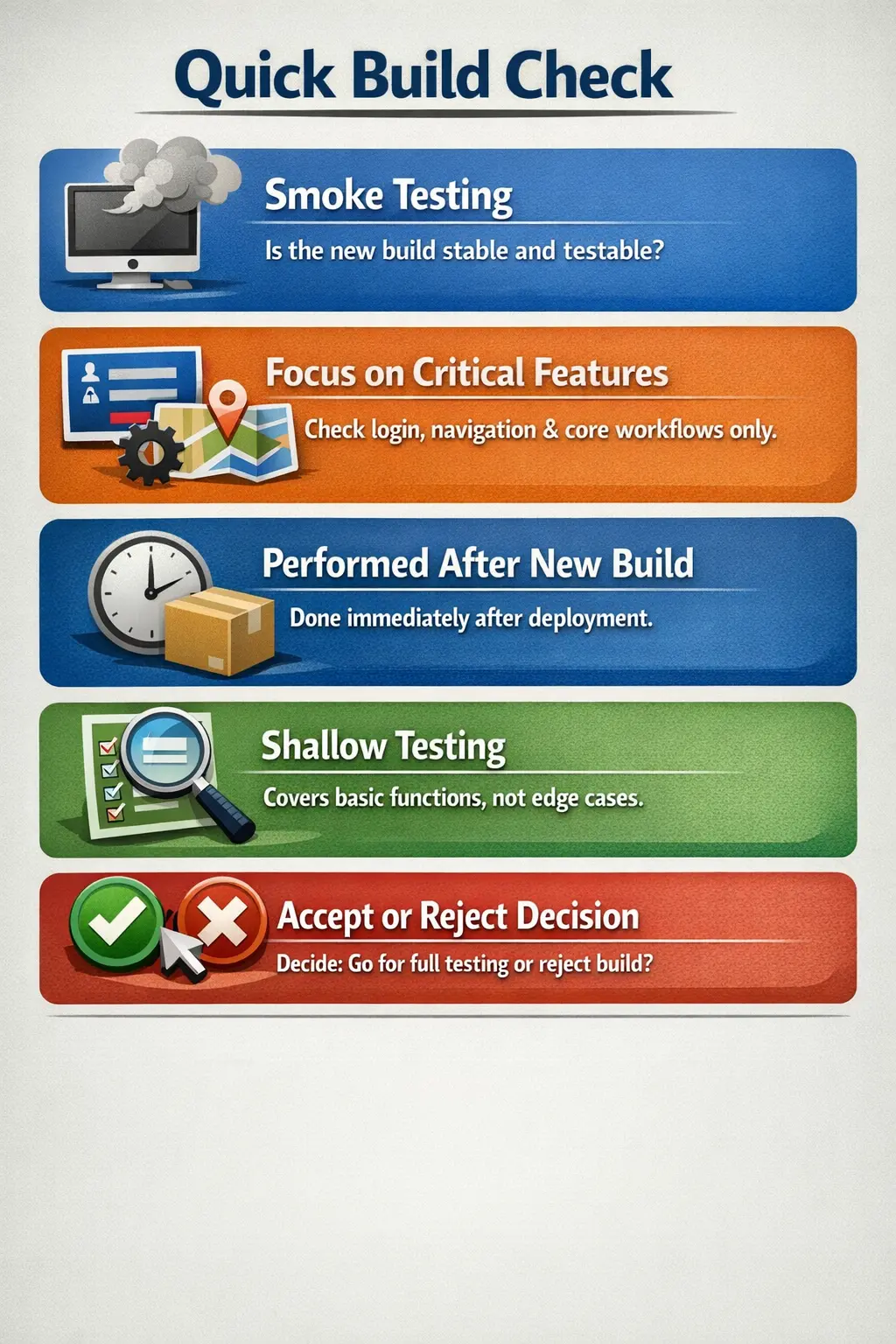
Smoke Testing is a shallow and focused level of testing performed on a newly deployed build to verify that the most critical functionalities are working. It does not aim to validate all features in depth. Instead, it answers a simple but crucial question: is the build testable?
If the build fails smoke testing, there is no point in proceeding with detailed testing. Smoke testing acts as the first quality filter.
Purpose of Smoke Testing
The main purpose of smoke testing is to verify build stability. A new build may contain code changes, configuration updates, database migrations, dependency changes, or deployment pipeline changes. Before the QA team spends time on detailed functional testing, regression testing, exploratory testing, or end-to-end testing, the team needs to know whether the build is basically alive and usable. Smoke testing provides that first answer.
It helps detect major failures immediately after deployment. By performing a quick validation of core functionalities, teams avoid wasting time testing a fundamentally unstable build. If the application does not launch, login does not work, the main dashboard fails to load, or a primary business flow is blocked, deeper testing will produce noise rather than useful quality information.
Smoke testing also supports a clear decision-making process. If critical flows fail, the build is rejected and returned for fixes. If they pass, the build is accepted for further testing. This accept-or-reject decision is one of the biggest practical benefits of smoke testing because it removes uncertainty at the start of the test cycle.
In real projects, smoke testing protects both schedule and effort. Without it, testers may spend hours executing detailed test cases only to discover that most failures come from one deployment issue or one broken core service. Smoke testing catches those blockers early, allowing the team to correct the build before detailed testing begins.
When Smoke Testing Is Performed
Smoke testing is typically executed immediately after a new build is deployed to the test environment. It is performed before detailed functional testing, system testing, or regression testing begins. This timing is important because smoke testing acts as a build gate. It tells the QA team whether the build is ready for meaningful testing or whether it should be sent back before more time is spent.
It is also commonly performed after major code changes, environment changes, release branch merges, database updates, or deployment pipeline changes. Even if a feature was already tested earlier, a new deployment can introduce instability. Smoke testing confirms that the basic application foundation still works after the change.
In Agile teams, smoke testing may happen many times during a sprint. Every time a build is promoted to a QA environment, staging environment, or release candidate environment, smoke tests may be executed to confirm that the environment is usable. In CI/CD pipelines, some smoke tests may be automated and run after each deployment, while manual testers may still perform a quick human check for key flows.
This timing ensures early defect detection and prevents unnecessary downstream effort. Smoke testing is not meant to prove that the entire system is correct. It is meant to prove that the build is stable enough to justify deeper testing.
Who Performs Smoke Testing
Smoke testing is usually conducted by manual testers as part of the initial QA validation process. Testers execute a small set of high-value checks and record whether the build is accepted or rejected. Because the result affects the entire testing cycle, smoke testing should be handled carefully even though it is quick.
Developers may also perform preliminary smoke checks before handing the build to QA. For example, a developer or DevOps engineer may confirm that the application starts, services are running, and deployment logs do not show obvious errors. These checks are useful, but they do not replace formal QA smoke testing. QA smoke testing validates the build from the tester's and user's perspective.
In some teams, product owners or business users may participate in smoke validation for release candidate builds. This is common when a small set of business-critical flows must be confirmed before a demo, UAT cycle, or production release. However, the primary responsibility usually remains with QA because smoke testing is part of the controlled testing lifecycle.
Automation can also perform smoke testing. Many teams maintain an automated smoke suite that runs after each deployment. This is useful for fast feedback, but manual smoke testing remains valuable when the application is changing rapidly, when visual confirmation matters, or when the automated suite does not yet cover a new critical flow.
Scope of Smoke Testing
The scope of smoke testing is limited to essential and high-priority functionalities. It verifies that the application launches successfully, users can access the system, core navigation is available, critical pages load, and the most important business flows are not blocked. It should cover the minimum set of checks required to decide whether the build is testable.
In a banking application, smoke testing may include login, account summary loading, fund transfer screen access, beneficiary list loading, and transaction initiation. In an e-commerce application, it may include home page launch, login, product search, product detail loading, add to cart, and checkout page access. In a learning website, it may include home page loading, navigation to courses, search functionality, article page rendering, and mock test access.
Smoke testing does not cover deep validation, edge cases, rare user paths, detailed business rules, or complex combinations of data. Those checks belong to later testing phases. For example, a smoke test may verify that a user can reach the checkout page and submit an order with a standard payment method. It should not attempt to validate every coupon rule, tax calculation, shipping condition, refund condition, and payment failure scenario.
The scope should be reviewed regularly. As an application grows, new critical flows may need to be added and old checks may become less important. The smoke suite should remain lean. If it becomes too large, it loses its speed and starts behaving like a regression suite. A good smoke suite gives quick confidence without pretending to cover everything.
Smoke Testing Compared to Sanity Testing
Smoke testing and sanity testing are often confused because both are quick checks. The difference is their purpose and scope. Smoke testing focuses on verifying overall build stability. It asks whether the build is suitable for further testing. Sanity testing checks whether a specific area works after a small change or defect fix.
Smoke testing is broad but shallow. It touches the major parts of the application lightly. Sanity testing is narrow but may go slightly deeper. If a new build is deployed with many changes, the QA team performs smoke testing first. If a defect in the password reset flow is fixed, the tester may perform sanity testing around password reset and related login behavior.
Another way to remember the difference is this: smoke testing is build-oriented, while sanity testing is change-oriented. Smoke testing decides whether the build can proceed. Sanity testing decides whether a particular fix or small change appears reasonable before more focused validation continues.
Both are lightweight checks, and both help teams avoid wasted effort. However, using the terms correctly is important in interviews and real projects because it clarifies what kind of confidence the team has gained.
A Practical Example
In an e-commerce application, smoke testing may confirm that the application opens correctly, users can log in, product listings load, product details open, items can be added to a cart, and the checkout page is reachable. These checks do not prove that every e-commerce rule is correct, but they prove that the main customer path is not completely blocked.
Suppose the product listing page fails to load because of a backend service configuration issue. Without smoke testing, testers may begin executing detailed test cases for filters, sorting, product comparison, cart rules, discount codes, and checkout flows. Most of those tests would fail or be blocked for the same underlying reason. Smoke testing catches the blocker early and allows the team to reject the build quickly.
Another example is a banking application. A smoke suite may check application launch, login, account dashboard, transfer screen access, and logout. If login fails for all users, the build is not testable. If the account dashboard shows a server error, critical flows cannot proceed. These smoke failures must be fixed before detailed testing provides useful information.
In a web tutorial site, smoke testing may confirm that the home page loads, navigation links open key courses, search returns results, tutorial pages render, images load, and important scripts do not break the page. If search is completely broken or tutorial pages fail to load, deeper content review can wait until the build is stable.
These examples show that smoke testing is practical and business-focused. It protects the testing cycle by confirming that the application is alive, reachable, and capable of supporting meaningful validation.
Entry and Exit Considerations
Smoke testing begins once a new build is deployed successfully in the test environment. The team should have the build version, deployment notes, environment access, smoke test checklist, and required test data ready. If testers do not know which build is deployed or cannot access the environment, smoke testing cannot provide reliable information.
A smoke test should also have clear pass and fail expectations. For each smoke scenario, the tester should know what minimal behavior is required. For example, "user can log in successfully and reach the dashboard" is a clear expectation. "login should look okay" is vague and less useful. Clear expectations make smoke results easier to communicate.
Smoke testing concludes when core functionalities are validated and a decision is made to accept or reject the build. If the build is accepted, detailed testing begins. If the build is rejected, the reason should be documented clearly, usually with the blocking defects that caused rejection. This record helps the team understand why testing did not proceed.
This quick evaluation keeps the testing cycle efficient and controlled. It also prevents disagreement later. When entry and exit expectations are clear, everyone understands whether the build was stable enough for further validation.
Common Defects Found
Typical smoke-level defects include application crashes during launch, login failures, broken navigation links, or configuration errors. These are major blockers that prevent further testing.
Deployment-related defects are common during smoke testing. A build may deploy successfully from a pipeline perspective but still fail because an environment variable is missing, a service URL is incorrect, a database migration did not run, or a dependency is unavailable. Smoke testing reveals these problems from the application user's perspective.
Authentication defects are also common. If users cannot log in, if sessions expire immediately, if role access is broken, or if the application redirects to the wrong page, most functional testing becomes blocked. Smoke testing gives login and access control high attention because many other flows depend on them.
Navigation defects may appear when menus, routes, links, or page loads are broken. A user may click a major navigation item and see a blank page, server error, or missing resource. These issues are smoke-level failures when they block access to critical areas of the application.
Data loading failures are another common category. The application may open, but key lists, dashboards, reports, or records may not load because an API is failing. Since many business flows depend on data being available, smoke testing checks whether essential data views are usable.
Common Pitfalls
A common mistake is treating smoke testing as full regression testing, which defeats its purpose. Including too many scenarios makes it time-consuming. Skipping smoke testing under schedule pressure increases risk, as unstable builds may move forward unnoticed.
Another pitfall is making smoke tests too detailed. If the smoke suite checks every field validation, every alternate flow, every edge case, and every minor rule, it becomes slow and loses its build-gate value. Smoke testing should be selective. It should answer whether the build is testable, not whether the entire release is ready.
Poor maintenance is also a problem. As applications change, smoke tests can become outdated. A flow that was once critical may be removed, renamed, or replaced. New critical flows may be added but not included in the smoke suite. If smoke tests are not maintained, they give false confidence or waste time on irrelevant checks.
Some teams ignore failed smoke tests and continue detailed testing because of schedule pressure. This weakens the purpose of smoke testing. If a smoke failure is truly critical, the build should be rejected or the risk should be explicitly accepted by stakeholders. Continuing silently leads to confusion and unreliable test results.
Effective smoke testing is focused, fast, and decisive. It should be short enough to run quickly, important enough to matter, and clear enough to support an accept-or-reject decision.
Best Practices for Smoke Testing
The first best practice is to keep the smoke suite small and business-critical. Every smoke test should have a strong reason to exist. If a failed scenario would not block detailed testing or create serious doubt about build stability, it probably does not belong in the smoke suite.
The second best practice is to define smoke scenarios in simple, clear language. Testers should be able to execute them quickly and consistently. A smoke checklist should not require long interpretation. It should state the flow, the required test data, and the expected minimum result.
The third best practice is to run smoke testing consistently after every important deployment. Smoke testing is most useful when it becomes a habit. If teams run it only occasionally, unstable builds can slip into deeper testing and waste effort.
The fourth best practice is to document failures clearly. Because smoke failures usually block further testing, they must be reported with enough detail for quick investigation. The report should include build version, environment, failed flow, expected result, actual result, and evidence such as screenshots or error messages.
The fifth best practice is to review the smoke suite regularly. Product changes, architecture changes, and business priority changes should influence smoke coverage. A strong smoke suite evolves with the product while staying lean.
Smoke Testing in Agile and CI/CD
In Agile and CI/CD environments, smoke testing becomes even more important because builds are created and deployed frequently. Fast delivery increases the need for fast feedback. A smoke suite helps teams know quickly whether a new deployment is usable.
Many CI/CD pipelines include automated smoke tests that run after deployment. These tests may check whether the application URL responds, whether login works, whether key APIs return successful responses, and whether core pages load. If automated smoke tests fail, the pipeline can stop or alert the team immediately.
Manual smoke testing still has a place in Agile teams. When a new feature is introduced, when the UI has changed significantly, or when a release candidate needs human confirmation, testers may perform manual smoke checks. Manual observation can catch visual or workflow issues that automated checks may not yet cover.
A mature team often combines both approaches. Automated smoke tests provide fast repeatable feedback, while manual smoke testing adds judgment for new or high-risk changes. Together, they reduce the chance that a broken build consumes the team's testing time.
Interview Perspective
In interviews, smoke testing is usually described as a quick validation performed on a new build to ensure critical functionality works. A strong explanation highlights that its goal is to confirm build stability before detailed testing begins.
A stronger interview answer also explains that smoke testing is broad but shallow, performed after build deployment, and used to decide whether the build should be accepted for further testing or rejected. It should mention examples such as application launch, login, navigation, and core business flows.
If asked to compare smoke and sanity testing, the answer should be clear: smoke testing checks overall build stability, while sanity testing checks a specific changed area after a fix or minor update. Smoke testing is a build acceptance check; sanity testing is a focused reasonableness check.
If asked whether smoke testing can be automated, the answer is yes. Smoke tests are often good automation candidates because they are critical, repeatable, and run frequently. However, manual smoke testing remains useful for new flows, visual confirmation, and release candidate checks.
Key Takeaway
Smoke Testing protects testing effort by filtering out unstable builds early. It ensures that only stable builds proceed to detailed validation, saving time and maintaining testing efficiency.
The most important idea is that smoke testing is not deep testing. It is a fast quality gate. It does not prove that the product is ready for release; it proves that the build is ready for serious testing. When used correctly, it reduces wasted effort, improves feedback speed, and helps teams maintain discipline in the testing lifecycle.
A good smoke test suite is small, stable, meaningful, and regularly maintained. It focuses on the flows that matter most to application stability. If those flows work, the QA team can proceed with deeper validation. If they fail, the team can stop early, report the blocker, and protect the test cycle from unnecessary noise.