Performance Testing: Evaluating Speed, Responsiveness, and Stability
Introduction to Performance Testing
Performance Testing is the process of evaluating how a software application behaves in terms of speed, responsiveness, scalability, and stability under expected and peak usage conditions.
Performance testing answers a user-centric question: is the application fast and stable for users?
An application that is functionally correct but slow or unstable can still fail in production.
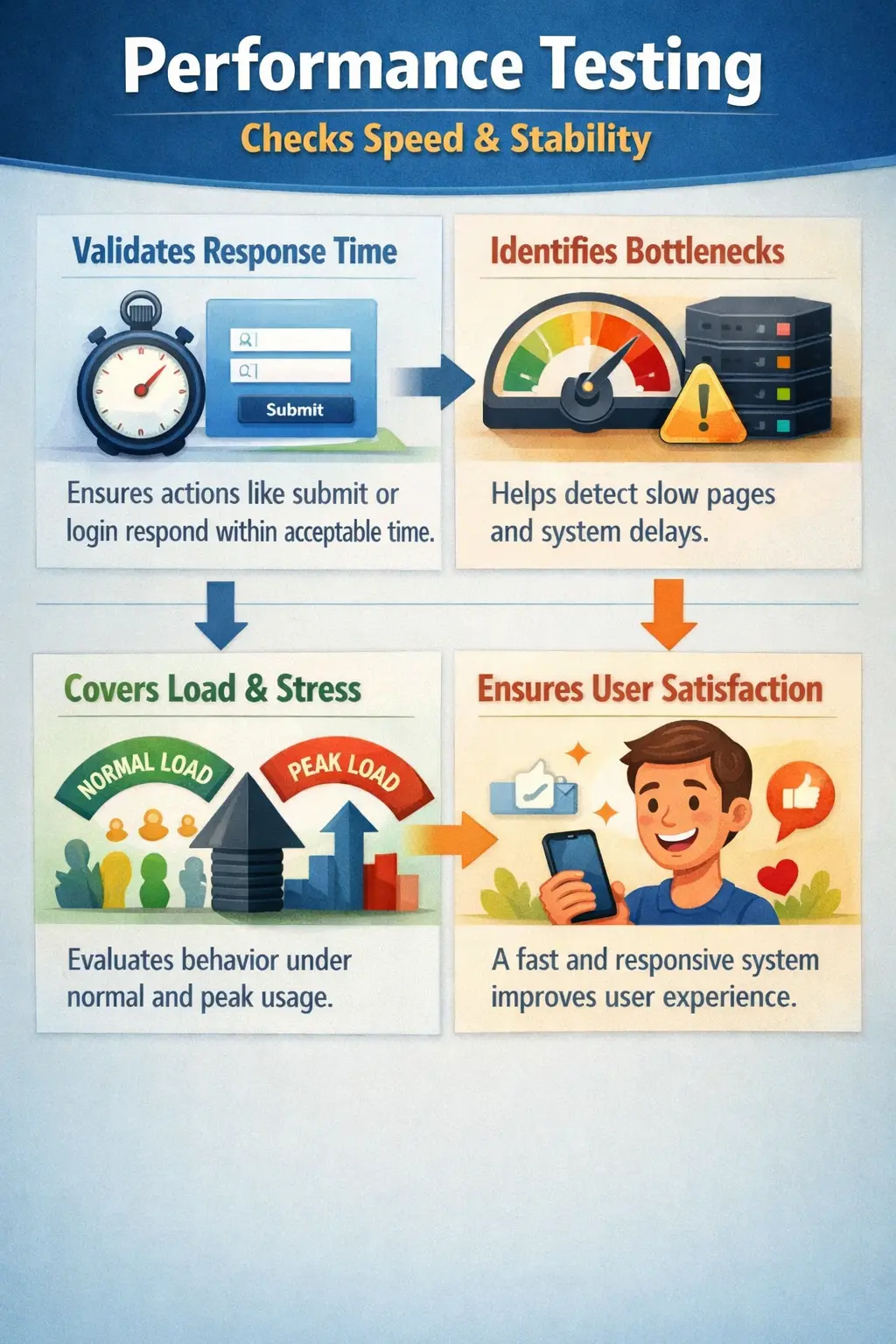
Performance is one of the most visible parts of software quality because users experience it directly. A page that takes too long to load, a button that appears to do nothing after being clicked, or a report that freezes the browser can create frustration even when the final result is technically correct. In real projects, users rarely separate correctness from speed. If a system is slow, they often describe it as broken, unreliable, or difficult to use.
Performance testing therefore looks beyond basic functionality. It evaluates whether the application can respond within acceptable time limits, handle expected traffic, remain stable during continuous usage, and recover gracefully when usage increases. It helps teams understand how the system behaves under real-world pressure rather than only in a quiet development environment with one tester and a small amount of data.
From a manual testing perspective, performance testing is often conceptual and observational. Manual testers may not execute large-scale load tests themselves, but they are frequently the first people to notice slow screens, delayed responses, timeouts, unstable behavior, and inconsistent performance across workflows. Their observations provide early warning signs that deeper performance analysis may be needed.
Purpose of Performance Testing
The primary objective of performance testing is to ensure acceptable response times and system stability. It helps identify bottlenecks in application logic, database interactions, network calls, or infrastructure.
Performance validation prevents user dissatisfaction caused by delays and protects the business from reputation damage due to slow systems.
The purpose of performance testing is not only to prove that the system is fast today. It is also to discover where the system may fail tomorrow when the number of users, transactions, records, files, or integrations increases. A feature may work well with ten records but become unusable with ten thousand records. A search page may respond quickly in a small test database but slow down when real production data grows. Performance testing reveals these risks before users experience them.
Performance testing also protects business outcomes. Slow checkout pages can reduce sales. Slow login pages can increase support calls. Slow internal systems can reduce employee productivity. Slow reports can delay management decisions. If users repeatedly wait, retry, refresh, or abandon a workflow, the system loses value even if every functional test case passes.
Another purpose is capacity planning. Performance results help teams understand whether current infrastructure is enough, whether scaling is needed, and which components are creating bottlenecks. A database query, external API call, image-heavy page, file generation process, or inefficient backend loop can all create performance problems. Testing helps isolate where attention is needed.
Performance validation also supports release confidence. Before a major launch, marketing campaign, enrollment period, financial closing cycle, or public event, the team must know whether the application can handle expected activity. Performance testing provides evidence for that decision instead of relying on assumptions.
Manual Tester’s Scope (Conceptual Awareness)
While detailed load and stress testing are usually performed using tools such as JMeter or LoadRunner, manual testers play an important observational role.
Manual testers focus on:
- Observing response times during normal usage
- Identifying slow-loading pages or delayed actions
- Detecting timeouts and system freezes
- Reporting performance concerns with clear steps and timestamps
Even perceived slowness is valuable feedback and should not be ignored. Manual testers represent real user experience in a way that raw metrics alone may not fully capture. A tool may show that the server responded in two seconds, but the user may still wait six seconds before the page becomes usable because scripts, images, or frontend rendering continue after the server response.
Manual testers should observe repeated delays rather than isolated one-time behavior. If a page is slow once because the environment was waking up, that may be less important than a page that is consistently slow during normal navigation. Testers should record the page, action, approximate time taken, test data used, browser, environment, and time of observation. This information helps developers and performance engineers reproduce and investigate the issue.
Manual testers also help identify performance-sensitive user journeys. Not every page has the same importance. Login, search, dashboard loading, checkout, payment, report generation, file upload, file download, and data submission often require closer attention because they directly affect user productivity or business revenue. These flows should be prioritized when performance risks are discussed.
Another manual testing responsibility is noticing user-facing symptoms. A loading spinner that never stops, a disabled button that does not recover, duplicate submissions caused by impatient repeated clicks, partial page rendering, delayed validation messages, and browser freezing are all performance-related observations. They may point to frontend issues, backend delays, network problems, or poor user feedback during long operations.
Types of Performance Testing (High-Level Overview)
Load Testing
Evaluates system behavior under expected user load to ensure it performs within defined thresholds.
Load testing answers the question: can the system handle normal expected usage? For example, if an application expects five hundred concurrent users during business hours, load testing checks whether response times, error rates, and resource usage remain acceptable at that level. This is the most common form of performance validation because it reflects realistic operating conditions.
Stress Testing
Tests system behavior beyond its capacity to determine breaking points and recovery capability.
Stress testing answers a different question: what happens when the system is pushed beyond expected limits? The goal is to identify the breaking point and observe whether the system fails safely. A well-designed system may slow down, reject excess requests, or show meaningful messages instead of crashing completely. Stress testing helps teams understand limits and plan recovery strategies.
Spike Testing
Assesses how the system handles sudden increases in user traffic.
Spike testing is useful when traffic can rise suddenly. A ticket booking site, exam result portal, flash sale application, or campaign landing page may receive a sudden surge within minutes. Spike testing checks whether the system absorbs the sudden jump, queues requests appropriately, scales quickly, or fails under pressure.
Endurance Testing
Validates system stability over long durations under continuous load.
Manual testers are not responsible for executing these at scale but should understand their purpose.
Endurance testing is sometimes called soak testing. It checks whether the system remains stable over hours or days of continuous use. Some issues appear only after long duration, such as memory leaks, growing log files, connection pool exhaustion, slow database accumulation, or gradual response-time degradation. A system may perform well for the first hour and become unstable later.
There are also related performance concepts such as volume testing and scalability testing. Volume testing checks behavior with large amounts of data, such as millions of records or large files. Scalability testing evaluates whether adding resources improves capacity as expected. Manual testers may not execute these tests directly, but awareness helps them recognize why a page with large data behaves differently from a page with small sample data.
Key Performance Indicators (Conceptual)
Performance evaluation typically considers:
- Response time – Time taken to complete a request
- Throughput – Number of transactions processed per unit time
- Latency – Delay before system response begins
- Error rate – Percentage of failed requests
These metrics help determine whether performance expectations are met. Without metrics, performance discussions become subjective. One person may say the page feels fine, while another says it is slow. Defined indicators provide a shared language for evaluating speed and stability.
Response time is the metric users notice most easily. It measures how long an operation takes from the user's perspective or from the system's processing perspective, depending on how it is measured. For user-facing workflows, response time should be tied to business expectations. A login may need to complete within a few seconds, while a complex report may be allowed more time if the user receives clear progress feedback.
Throughput measures how much work the system can process in a given time. For example, an application may process a certain number of transactions per second, orders per minute, or API calls per hour. High throughput matters for systems with many users or high transaction volume. A system can have acceptable response time at low traffic but fail to maintain throughput under load.
Latency refers to delay before a response begins. It can be caused by network distance, server processing, external services, or infrastructure configuration. Error rate shows how often requests fail. A system that responds quickly but produces many failed requests is not performing acceptably. Stability, resource usage, and recovery behavior should also be considered because performance is not only about speed.
User Experience and Perceived Performance
Perceived performance is how fast the application feels to the user. It may differ from backend response time. A page may receive data quickly but still feel slow if rendering is delayed, images are large, controls remain disabled, or the user receives no feedback. Manual testers are especially useful in evaluating perceived performance because they experience the system like real users.
Good user feedback can reduce frustration during unavoidable delays. If a report takes twenty seconds, the application should show progress or a clear loading state rather than appearing frozen. If a form submission is processing, the submit button may need to prevent duplicate clicks while still telling the user that the request is in progress. Performance testing should therefore consider both actual speed and communication during waiting periods.
Perceived performance also depends on workflow frequency. A five-second delay on a rarely used annual report may be acceptable, while the same delay on every search or every screen transition may be unacceptable. Testers should understand how often users perform the action and how much the delay affects their work.
Performance Testing vs Functional Testing
Functional testing verifies whether features work correctly. Performance testing verifies whether those features work quickly and reliably.
Functional results are typically measured as pass or fail. Performance validation is measured using time-based metrics and stability indicators.
An application can pass functional tests and still fail performance validation.
Functional testing usually asks whether the expected result appears. Performance testing asks how long it takes, how consistently it happens, and whether the system remains stable when many users perform similar actions. A search function may return the correct records, but if it takes thirty seconds for every search, the business may still consider the feature unacceptable.
Functional testing often uses a small amount of controlled data. Performance behavior may change when data volume increases. A dropdown, report, dashboard, or listing page may work in a test environment with twenty records but become slow in production with thousands of records. This is why performance thinking should be included when selecting test data and designing critical scenarios.
Functional and performance testing support each other. A performance test result is not useful if the feature produces incorrect outputs. Similarly, a functional pass is incomplete if the operation takes too long for real users. A mature quality approach validates both correctness and efficiency.
Real-Time Example
Consider a “Submit” button in an online form. If the expected response time is within three seconds and the system consistently responds within that threshold, performance is acceptable. If it takes significantly longer or intermittently times out, a performance defect exists.
User patience directly impacts system success. If the form gives no feedback after submission, users may click the button multiple times. This can create duplicate requests, duplicate payments, duplicate tickets, or duplicate records. What begins as a performance issue can become a data-quality or business-process issue.
In an e-commerce application, performance testing may focus on product search, cart updates, checkout, payment confirmation, and order history. These workflows directly affect revenue. A slow product search discourages browsing. A delayed payment confirmation creates anxiety. A timeout after payment can lead to support calls and reconciliation problems.
In an internal HR application, performance concerns may appear in employee search, attendance reports, payroll calculations, or document downloads. Even if the system is used only by employees, slow workflows reduce productivity. A page that takes ten seconds and is used hundreds of times per day creates measurable operational cost.
Performance Test Data and Environment
Performance results are only meaningful when the test environment and data are realistic enough. A small test database, local network, and low traffic may hide problems that production users will face. Testers should ask whether the environment resembles production in infrastructure, data volume, integrations, and configuration.
Test data matters because many performance problems are data-dependent. Search, filtering, pagination, report generation, dashboard loading, and exports can behave very differently with large datasets. If a report is tested with ten records, the result does not prove it will perform well with one million records.
External integrations also affect performance. Payment gateways, email services, identity providers, document systems, and third-party APIs may introduce delays. If a test environment uses mocks or faster internal substitutes, the team should understand that real-world performance may differ. Manual testers can raise these concerns during test planning.
Entry and Exit Criteria
Performance testing begins once a stable build is available and critical user flows are identified. It concludes when major performance risks are identified and response expectations are either met or documented for business evaluation.
Performance risks should always be quantified and communicated clearly.
Useful entry criteria include a stable application build, agreed performance expectations, identified critical workflows, available test data, prepared user roles, and an environment suitable for performance observation or tool execution. If expectations are not defined, testers cannot clearly decide whether a response time is acceptable or unacceptable.
Performance expectations should be practical and business-driven. For example, a requirement may state that the dashboard should load within five seconds for normal data volume, or that search should return results within three seconds for common filters. These targets help testers report defects with clarity rather than relying only on personal judgment.
Exit criteria may include meeting response-time thresholds, completing planned load scenarios, identifying and documenting bottlenecks, resolving critical performance defects, and obtaining business acceptance for known limitations. In some cases, a performance risk may be accepted temporarily, but it should be documented with impact and mitigation plans.
Common Performance Issues (Manual Observation)
Frequent performance concerns include slow page loads, long wait times after user actions, application freezing, memory-related instability, and timeout errors.
These issues degrade user trust even if functionality remains correct.
Slow page load is one of the most common observations. It may be caused by large images, heavy scripts, inefficient queries, too many network requests, or slow backend services. Manual testers should note whether the entire page is slow, whether only a specific section is delayed, or whether the page appears loaded but remains unusable.
Long wait times after user actions are especially important when the action changes data. Submitting forms, saving records, uploading files, generating reports, and processing payments should provide clear feedback. If users cannot tell whether the system is working, they may retry or abandon the task.
Application freezing may indicate frontend performance problems, memory pressure, large DOM updates, inefficient scripts, or browser limitations. A page that freezes the browser can be as damaging as a backend timeout. Manual testers should report browser freezing with details about data volume, action performed, and whether the issue repeats.
Timeout errors can occur when operations exceed configured limits. A timeout may reveal backend slowness, network delay, integration failure, or unrealistic timeout settings. From the user's perspective, a timeout often feels like failure. Testers should capture the exact operation, approximate duration, and message displayed.
Common Mistakes
One major mistake is postponing performance validation until production. Another is assuming that functional correctness guarantees acceptable performance. Failing to report perceived slowness because it “eventually works” can allow serious scalability issues to go unnoticed.
Performance quality must be validated proactively. Waiting until production means users become the performance testers, which is risky and expensive. Once a system is live, performance issues can affect many users at once and may require emergency fixes, infrastructure changes, data cleanup, or rollback decisions.
Another mistake is testing only in ideal conditions. A tester using a fast machine, small data set, and quiet environment may not see the delays that real users experience. Performance should be considered across realistic browsers, data volumes, user roles, and workflows.
Teams also make the mistake of ignoring intermittent slowness. If a page is fast nine times and very slow once, that single slow case may still matter. Intermittent delays can point to locking, caching, garbage collection, external service delays, or resource contention. Testers should report patterns rather than dismissing them as random.
A further mistake is failing to distinguish performance symptoms from root causes. Manual testers usually report symptoms: slow page, timeout, freeze, delayed message, or duplicate submit risk. Developers and performance engineers investigate root causes. Good defect reporting connects the symptom to user impact without pretending to know the exact technical cause when it is not confirmed.
Performance Testing in Agile Projects
In Agile projects, performance should be considered continuously rather than only before release. New features can introduce slow queries, heavy UI components, additional API calls, or inefficient processing. If performance is checked only at the end, teams may discover that several sprints of work need redesign.
Testers can include performance awareness during story refinement. They can ask how much data the screen should support, how quickly the response should appear, whether pagination is needed, whether large exports are expected, and what should happen during long-running operations. These questions help define acceptance criteria before implementation.
Regression testing should include critical performance-sensitive workflows. If search, reporting, dashboard, checkout, or login has a history of slowness, testers should continue observing those flows after related changes. Performance regressions are common when teams add new fields, filters, validations, integrations, or UI components.
Reporting Performance Defects
Performance defects should be reported with measurable details whenever possible. A useful report includes the environment, browser, user role, data used, action performed, approximate response time, expected response time, actual behavior, and whether the issue is consistent or intermittent. If the page freezes, screenshots alone may not be enough; a short recording or timestamped observation can help.
The defect should also describe user impact. "Report takes 45 seconds to generate" is useful, but "Payroll report takes 45 seconds to generate for a normal monthly data set, causing the browser to appear frozen and preventing the user from knowing whether the action is still running" is much stronger. It explains why the delay matters.
Testers should avoid vague statements like "application is slow" without context. Performance is specific to workflows, data, environment, and timing. Clear reporting helps teams reproduce the issue and decide whether it is a code problem, database issue, infrastructure limitation, integration delay, or frontend rendering concern.
Best Practices for Performance Awareness
Start with business-critical flows. Login, search, dashboard loading, checkout, payment, report generation, data export, file upload, and frequently used forms should receive priority. These workflows affect user satisfaction and business operations most directly.
Use realistic data whenever possible. If production will contain large records, long histories, multiple roles, and complex filters, test data should reflect those realities. Small demo data can create false confidence. Performance problems often appear only when data volume grows.
Observe both first-time and repeated usage. The first load may be slower due to caching, while repeated usage may be faster. In other cases, repeated usage may become slower due to memory growth or accumulated state. Both patterns are useful to understand.
Communicate early. If testers notice slowness during normal functional testing, they should raise it immediately rather than waiting for a formal performance cycle. Early feedback allows developers to investigate while the code is fresh and easier to change.
Interview Perspective
In interviews, performance testing is typically defined as evaluating system speed, responsiveness, and stability under various conditions. A strong explanation highlights both expected and peak load scenarios and emphasizes user impact.
A strong interview answer should mention response time, throughput, latency, error rate, load testing, stress testing, spike testing, and endurance testing. It should also explain that performance testing is different from functional testing because it measures how quickly and reliably features work, not only whether they produce the correct result.
From a manual testing standpoint, it is useful to explain that manual testers observe slow workflows, report delays with clear evidence, identify performance-sensitive business flows, and support performance teams with realistic scenarios. This shows practical understanding without overstating the manual tester's role in tool-based load execution.
Key Takeaway
Performance Testing ensures that an application is not only correct but also fast, stable, and scalable. Speed and responsiveness are critical components of overall software quality and user satisfaction.
The main lesson is that correctness alone is not enough. Users need systems that respond within acceptable time, remain stable under expected usage, and handle growth without failing unpredictably. Performance testing gives teams the evidence needed to improve speed, protect reliability, and release software that works well in real conditions.