Beta Testing: Real-World Validation Before Full Release
Introduction to Beta Testing
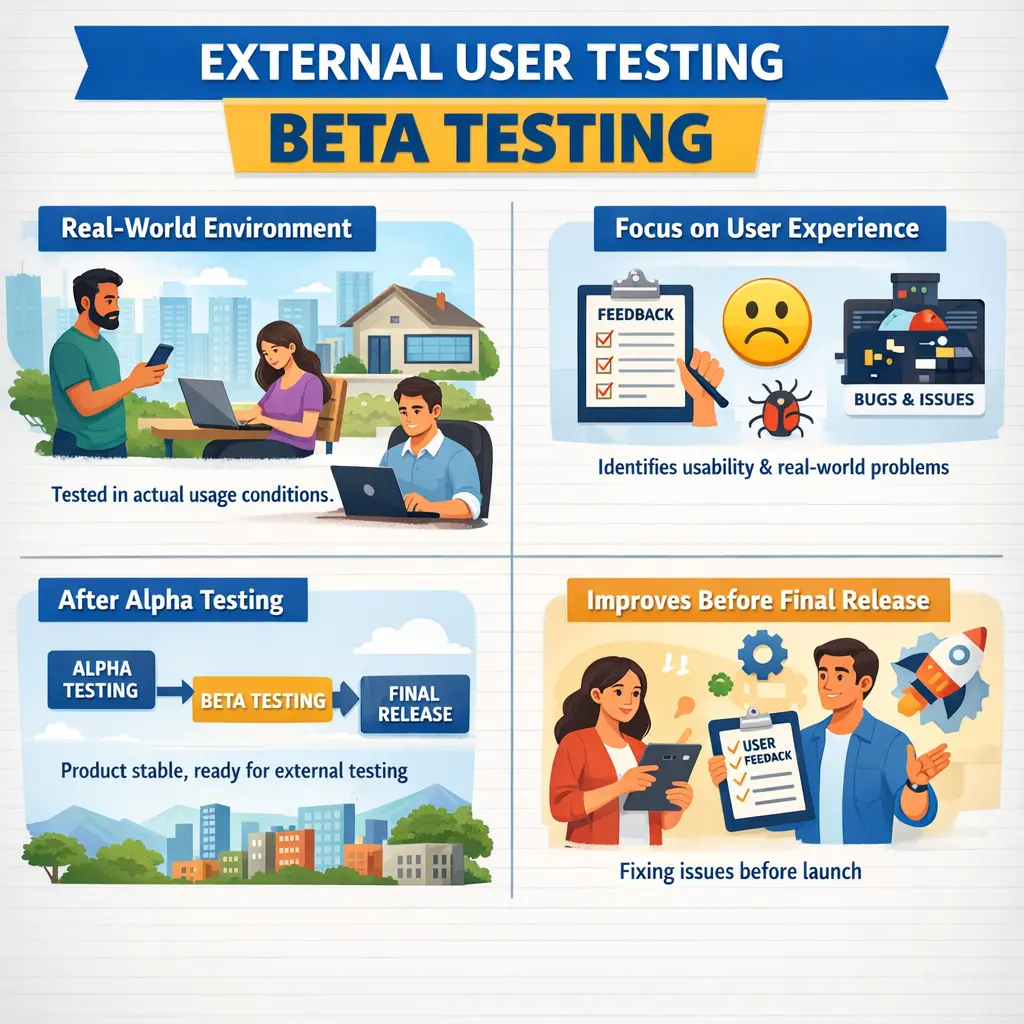
Beta testing is a form of external acceptance testing conducted by real users in real or near-production environments. Unlike internal testing phases, beta testing exposes the application to actual end users outside the organization. It answers an essential question: how does the software behave with real users in real environments?
Why Beta Testing Matters in Real Projects
Beta testing matters because internal testing can never fully reproduce the variety of real-world usage. Internal teams may test carefully, but they usually work with limited devices, predictable data, known workflows, controlled environments, and people who already understand the product. Real users behave differently. They use different phones, browsers, operating systems, network speeds, accessibility settings, habits, expectations, and data combinations. Beta testing exposes the product to this diversity before the full release.
A product may pass alpha testing and system testing but still face problems in the field. A mobile app may crash on a specific device model. A web application may behave differently in a particular browser. A feature may confuse users because they do not follow the path designers expected. A workflow may be technically correct but inconvenient in real use. Beta testing helps reveal these issues while the audience is still limited and the release can still be improved.
Beta testing also protects business reputation. When a product is released widely, defects become public and can affect trust quickly. A limited beta release gives the organization a chance to learn from real users, fix important issues, improve usability, and make better release decisions before full rollout. It is a practical risk-reduction step between internal confidence and public exposure.
The Real-World Nature of Beta Testing
The defining feature of beta testing is real-world exposure. Unlike alpha testing, which is internal and controlled, beta testing involves selected users outside the immediate development organization or a wider group of real users. These users interact with the product in their own environments, using their own devices, internet connections, usage habits, and expectations. This makes beta feedback different from scripted internal test results.
Real-world usage reveals patterns that internal testers may not predict. Users may ignore instructions, explore features in unusual order, use old devices, switch networks, abandon workflows, retry actions, or combine features in unexpected ways. These behaviors are not necessarily wrong. They reflect how the product will actually be used after release. Beta testing gives the team a chance to observe and learn from this.
This is why beta testing is valuable even when internal testing has been strong. It is not just another functional test phase. It is a real-user validation phase. It helps answer whether the product is usable, stable, compatible, and understandable outside the controlled conditions of the project team.
Purpose of Beta Testing
The primary purpose of beta testing is to uncover issues that internal testing may have missed. These issues may be technical, usability-related, compatibility-related, workflow-related, or expectation-related. Beta testing validates whether the product behaves well when used by people who were not involved in building or testing it internally.
Another purpose is to collect authentic feedback. Internal teams often know too much about the product. They understand why a button exists, how a workflow is supposed to proceed, and what limitations are already known. Real users do not have that context. Their confusion, hesitation, complaints, and suggestions reveal gaps in design, communication, and usability.
Beta testing also supports rollout planning. If beta users report only minor issues, the team may proceed toward full release with confidence. If users report crashes, major confusion, performance problems, or critical workflow failures, the team may delay rollout or release fixes first. Beta results help make release decisions based on real evidence.
Who Performs Beta Testing
Beta testing is performed by selected external users, trusted customers, pilot groups, early adopters, partner users, or a controlled segment of the target audience. The participants should represent the people who will use the product after release. Their value comes from their real perspective. They are not expected to behave like trained testers. They are expected to behave like users.
Manual testers and QA teams still play an important role, but their role changes. During beta testing, QA may prepare release notes, define feedback channels, monitor issue reports, reproduce user-reported issues, classify defects, track trends, and coordinate with development teams. QA may not execute every test directly, but it helps turn user feedback into actionable quality information.
Product managers, support teams, UX teams, and developers may also be involved. Product teams analyze feature feedback. Support teams observe user questions and pain points. UX teams evaluate usability concerns. Developers investigate technical defects. Beta testing works best when feedback is reviewed by a cross-functional team.
When Beta Testing Is Conducted
Beta testing usually occurs after alpha testing and before full production release. By this point, the product should be functionally stable. Major internal defects should already be fixed. Core workflows should work. The purpose is not to let users discover obvious blockers that the internal team should have caught. The purpose is to gather real-world validation and feedback.
Timing is important. If beta testing starts too early with an unstable build, users may lose trust and provide feedback only about basic failures. That reduces the value of the beta program. If beta testing starts too late, the team may not have enough time to act on feedback before full release. A successful beta phase needs enough stability and enough time for correction.
Some teams run closed beta testing first with a smaller, trusted group, then expand to open beta with a larger group. Others run beta testing by region, user segment, customer type, device type, or feature flag. The structure depends on product risk, release strategy, and user base.
Scope of Beta Testing
Beta testing focuses on real-world usage scenarios, environment variations, usability, compatibility, user behavior, and practical experience. It helps answer whether users can complete meaningful tasks, whether the product behaves reliably across varied environments, and whether the experience is acceptable. The scope is broader in user behavior but not necessarily deeper in technical coverage.
Beta testing does not aim to replace system testing, alpha testing, security testing, performance testing, or UAT. Those activities have their own purpose. Beta testing is not usually designed for exhaustive functional coverage. It is designed to observe real usage and discover issues that controlled testing could not fully simulate.
The best beta scope includes critical user journeys, new or changed features, high-risk workflows, device and browser coverage, installation or onboarding experience, support and help content, usability feedback, and any area where real user behavior is likely to reveal new information. The scope should be clearly communicated to beta participants.
Beta Testing Environment
Beta testing usually happens in a real or near-production environment. Users interact with the product using actual devices, browsers, operating systems, networks, and sometimes real data. This is what makes beta testing powerful. It exposes the product to conditions that the internal team may not be able to reproduce completely.
At the same time, data protection and privacy must be handled carefully. If real data is used, the organization must ensure proper consent, security, masking, access control, and compliance. In some beta programs, test data or limited production-like data is used instead. The environment strategy should match the sensitivity of the product.
Monitoring is also important. Beta environments should capture logs, crash reports, performance data, analytics, feedback, and issue reports where appropriate. Since user behavior is less controlled than internal testing, good monitoring helps the team understand what happened when a user reports a problem.
Beta Testing Compared to Alpha Testing
Alpha testing and beta testing are related but different. Alpha testing is internal, controlled, and focused on stability before external exposure. Beta testing is external or wider-user testing, focused on real-world feedback, usability, compatibility, and environment diversity. Alpha testing asks whether the product is stable enough to leave internal control. Beta testing asks how the product behaves with real users.
Alpha testing should remove major functional blockers before beta begins. If alpha testing is weak, beta users may spend time reporting crashes, broken workflows, or obvious defects. This reduces the value of beta feedback. A good alpha phase makes beta testing more productive by allowing users to focus on experience and real-world fit.
Beta testing provides feedback that alpha cannot fully provide. Internal testers may not represent all devices, user skills, expectations, network conditions, or usage patterns. External users bring that diversity. Together, alpha and beta testing reduce release risk from different angles.
A Practical Mobile App Beta Example
Consider a mobile application released to a limited group of one thousand users. Internally, the app may have passed system testing and alpha testing on common devices. During beta testing, users may report that the app crashes on a specific older phone model, drains battery quickly on one operating system version, or performs poorly on weak mobile networks. These issues may not have appeared in the internal device lab.
Beta users may also report usability concerns. They may not understand onboarding instructions, may miss an important permission prompt, may struggle to find a key action, or may abandon a workflow because the language is unclear. These are valuable findings because they reflect genuine user behavior. Internal teams often miss them because they already know how the app is supposed to work.
Without beta testing, these problems might appear after full public release, when the user base is much larger and reputational impact is higher. A controlled beta allows the team to improve compatibility, stability, onboarding, and experience before the full launch.
Common Issues Discovered During Beta Testing
Beta testing often reveals device and browser compatibility problems, installation issues, crashes, usability gaps, performance complaints, confusing workflows, unclear messages, unexpected user behavior, and configuration-related defects. These findings are valuable because they come from real usage rather than scripted internal scenarios.
Performance feedback is common. Users may report slow loading, delayed responses, battery drain, excessive data usage, timeout problems, or inconsistent behavior on different networks. These issues may not be visible in internal environments with strong connectivity and predictable devices.
Beta testing may also reveal expectation gaps. Users may expect a feature to work differently from how the team designed it. They may use terminology differently, misunderstand instructions, or follow a workflow that was not considered. This feedback helps improve product design, documentation, and training.
Feedback Collection in Beta Testing
A beta test is only useful if feedback is collected, organized, and acted upon. Teams should define clear feedback channels before the beta begins. Users may submit feedback through forms, in-app reporting, support tickets, surveys, community forums, interviews, analytics, or crash reporting tools. The channel should be easy for users and useful for the team.
Feedback should be classified carefully. Some reports are defects. Some are usability suggestions. Some are misunderstandings. Some are environment-specific issues. Some are enhancement requests. QA and product teams should triage feedback so that critical issues are fixed, important trends are recognized, and low-value noise does not distract the release team.
Beta users should also receive communication. If users report issues and never hear back, they may lose interest. Clear release notes, known issue lists, feedback expectations, and update communication make the beta program more professional and productive.
Common Pitfalls in Beta Testing
A major pitfall is releasing an unstable build to beta users. If users encounter basic crashes, broken login, or blocked core flows, they may lose trust quickly. Their feedback may focus only on obvious failures instead of real-world experience. Beta testing should begin only when the product is stable enough for meaningful external use.
Another pitfall is ignoring user feedback. If the organization collects beta feedback but does not analyze or act on it, the beta phase becomes symbolic. Users may feel ignored, and production issues may remain unresolved. The purpose of beta testing is not merely to say that real users tried the product. The purpose is to learn and improve before full release.
Treating beta testing as the final quality step is also risky. Beta testing complements internal testing, but it does not replace it. Security, performance, functional correctness, accessibility, and regression should not be left entirely to beta users. Internal quality work must happen before and alongside beta testing.
Best Practices for Beta Testing
Effective beta testing starts with participant selection. Choose users who represent the target audience, device mix, geography, skill level, and usage patterns. A narrow participant group may miss important problems. A large uncontrolled group may create too much feedback to manage. The right size depends on product maturity and risk.
Prepare beta release notes and known issue lists. Users should know what is included, what is not included, what areas need feedback, how to report problems, and what limitations are already known. This prevents confusion and improves feedback quality. It also sets realistic expectations.
Monitor beta results actively. Track defects, crash rates, feedback themes, usability issues, performance complaints, support questions, and feature adoption. Review this information regularly and decide what must be fixed before full release. A beta program without active monitoring loses much of its value.
Interview-Ready Understanding of Beta Testing
In interviews, beta testing should be explained as external testing performed by real or selected users in real or near-production environments before full release. A strong answer should mention that beta testing validates real-world usability, compatibility, user behavior, and environment diversity. It helps identify issues that internal testing cannot fully simulate.
The answer should distinguish beta testing from alpha testing. Alpha testing is internal and controlled, focused on stability. Beta testing is external or wider-user testing, focused on real-world feedback. It should also mention that QA teams coordinate beta testing, analyze feedback, and track issues, while users provide authentic usage experience.
A concise interview answer could be: Beta testing is external acceptance testing conducted by selected real users before full release to validate usability, compatibility, stability, and real-world behavior. It reduces release risk by collecting practical feedback from actual users and environments.
Final Practical Guidance
Beta testing should be treated as a real-world learning phase before full rollout. It is not a replacement for internal testing, and it should not be used to expose users to unstable software. Its value comes from observing authentic usage, collecting meaningful feedback, and acting on issues before the product reaches a larger audience.
When beta testing is planned and monitored well, it improves product quality, reduces release risk, and protects user trust. It gives the team a controlled way to learn from real users before the consequences of defects become much larger. That is why beta testing is one of the most useful final validation steps before broad release.
Beta testing bridges the gap between controlled internal validation and full public release.
Purpose of Beta Testing
The primary purpose of beta testing is to uncover issues that internal testing may have missed. Even well-tested applications can behave differently when used by diverse users across varied devices, networks, and configurations. Beta testing validates usability, observes natural user behavior, and identifies real-world compatibility concerns.
It significantly reduces business risk before large-scale rollout by providing practical feedback from the field.
Who Performs Beta Testing
Beta testing is performed by selected external users such as customers, pilot groups, or trusted end users. These participants represent real usage conditions and offer authentic feedback.
Manual testers play a coordination role during beta testing. They prepare beta release notes, collect and analyze feedback, and log or track issues reported by users. Their responsibility shifts from direct execution to monitoring and evaluation.
When Beta Testing Is Conducted
Beta testing typically takes place after alpha testing and before the full production rollout. By this stage, the product is expected to be functionally stable. Major defects should already be resolved so that external users can focus on usability and experience rather than basic functionality.
Releasing an unstable build to beta users can damage confidence and reduce the value of feedback.
Scope of Beta Testing
Beta testing focuses on real-world usage scenarios, different user behaviors, environment variations, and usability experience. It helps uncover configuration issues, device compatibility problems, and workflow misunderstandings.
It does not aim to perform deep internal debugging or exhaustive functional coverage. Those responsibilities belong to earlier testing phases.
Beta Testing Environment
Beta testing usually occurs in a real or near-production environment. Users interact with the application using actual devices, browsers, and network conditions. Sometimes real data is used, often masked or protected for security reasons.
Because user behavior is uncontrolled, beta testing reveals authentic interaction patterns that internal teams may not anticipate.
Beta Testing Compared to Alpha Testing
Alpha testing is conducted internally in a controlled environment and focuses on stability. Beta testing is conducted externally in real-world conditions and focuses on user feedback and environment diversity.
Alpha testing detects major functional defects before external exposure. Beta testing identifies usability gaps and configuration-related issues that only real users can reveal.
A Practical Scenario
Consider a mobile application released to a limited group of one thousand users. During beta testing, users may report crashes on specific devices or performance issues on certain network types. This feedback allows the development team to improve compatibility and user experience before full public release.
Without beta testing, these issues might surface after full deployment, causing reputational damage.
Common Issues Discovered
Beta testing often reveals device and browser compatibility problems, usability challenges, performance complaints, and unexpected user workflows. These insights are valuable because they reflect genuine user interaction rather than scripted scenarios.
Common Pitfalls
Releasing an unstable build to beta users undermines trust and reduces useful feedback. Ignoring user feedback wastes the purpose of beta testing. Treating beta testing as the final quality step without addressing reported concerns can lead to production failures.
Beta testing should be structured, monitored, and followed by corrective action.
Interview Perspective
In interviews, beta testing is typically described as external testing conducted by real users in real environments. A strong explanation highlights that it validates usability and identifies issues that internal testing cannot fully simulate.
Key Takeaway
Beta testing provides real-user validation that internal environments cannot completely replicate. It strengthens confidence before full release and helps ensure that the software performs well under authentic conditions. By capturing real-world feedback early, beta testing protects both user experience and business reputation.