Why Selenium for Automation
Modern software development has evolved significantly over the last decade. Applications are no longer released once or twice a year; instead, they are updated frequently through agile development cycles, continuous integration, and continuous delivery pipelines. As a result, the demand for efficient testing practices has increased dramatically.
Manual testing alone cannot support the speed, scale, and reliability required by modern development practices. Testing teams must validate large numbers of features repeatedly across different browsers, platforms, and configurations. To achieve this, organizations rely heavily on test automation.
Among the many automation tools available today, WebDriver has emerged as one of the most widely used and trusted frameworks for web automation testing.
WebDriver provides a powerful ecosystem that allows testers and developers to automate browser-based applications efficiently. Its flexibility, open-source nature, and strong community support have made it a preferred choice across industries.
Understanding why Selenium is widely adopted helps testers recognize its role in modern testing strategies and how it supports high-quality software delivery.
The simplest way to understand Selenium's importance is to look at the nature of web applications. A web application is not a single static screen. It contains login flows, navigation menus, forms, dynamic tables, search filters, validations, dashboards, pop-ups, frames, alerts, file uploads, downloads, and integrations with many backend systems. Every change to the application has the potential to affect one or more of these areas. When a team depends only on manual testing, the same important paths must be checked again and again by people, even when the checks are predictable and repetitive. Selenium gives teams a practical way to move those repeatable browser checks into automated scripts so testers can spend more time on analysis, risk discovery, exploratory testing, and improving coverage.
Selenium is especially valuable because it automates the application through a real browser. It does not simply call backend services or inspect code internally. It opens the browser, finds elements on the page, types values, clicks buttons, reads messages, waits for page changes, and verifies visible behavior in a way that is close to how a user interacts with the product. This makes Selenium useful for validating end-to-end user journeys, such as signing in, adding a product to a cart, submitting a form, updating a profile, or generating a report. When these flows are automated well, they become reliable safety checks that can be executed whenever the application changes.
For beginners, Selenium is also a bridge between manual testing knowledge and automation engineering. A tester who already understands test cases, expected results, regression testing, defect reporting, and business workflows can use Selenium to convert selected manual scenarios into executable tests. The skill is not just writing code. It is deciding what should be automated, identifying stable locators, designing test data, handling synchronization, creating assertions, and making test reports meaningful. This is why Selenium remains a common learning path for testers who want to move toward automation, SDET, or QA engineering roles.
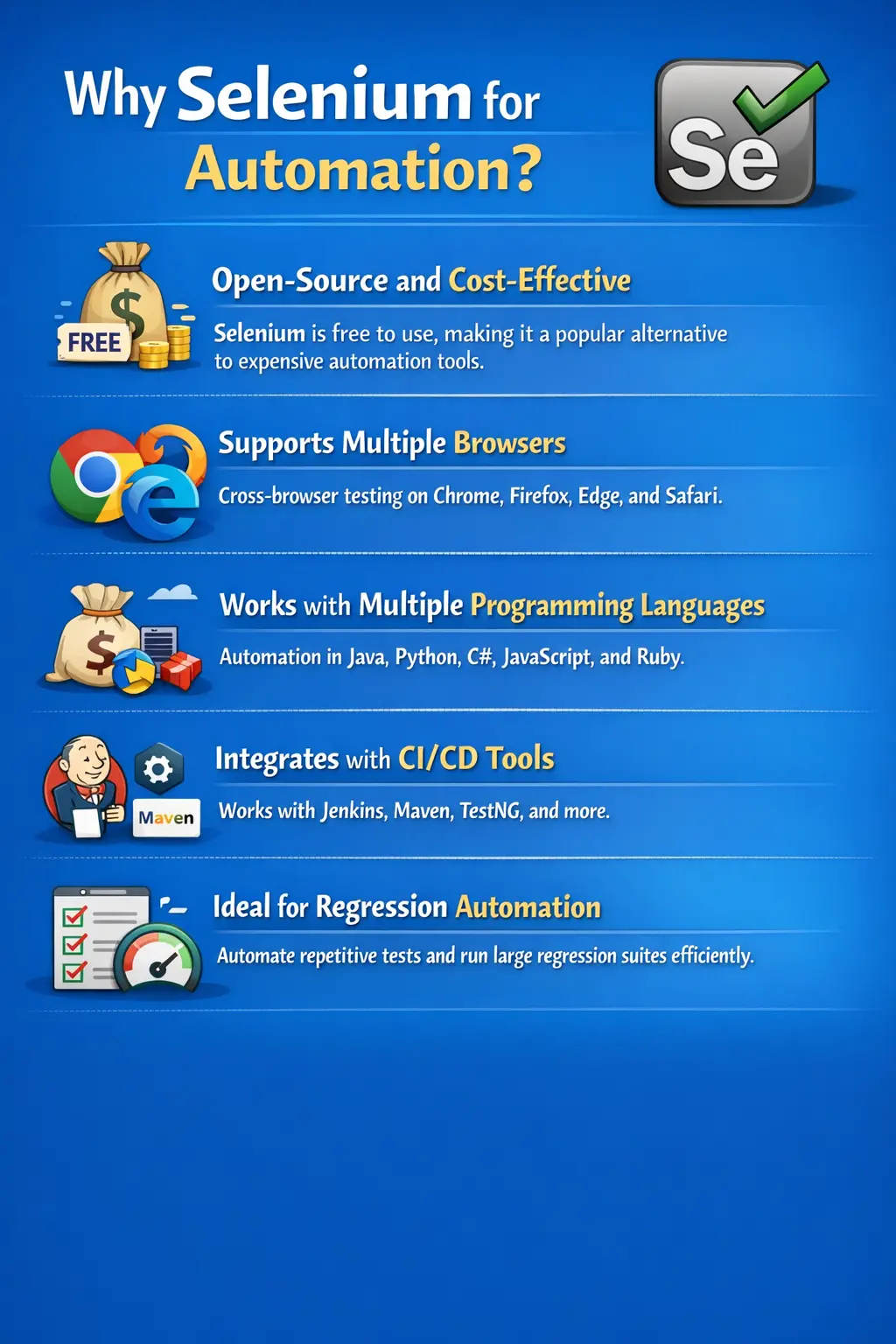
Industry Need for Automation
Modern software projects demand rapid development and frequent releases. Agile methodologies encourage teams to deliver incremental updates regularly rather than waiting for long release cycles.
With these frequent updates comes the need for faster feedback cycles. Developers need to know quickly whether recent changes have introduced defects or broken existing functionality.
Another challenge is the increasing size of regression test suites. As applications grow, the number of test scenarios required to validate functionality increases significantly.
Manual testing struggles to keep up with these requirements. Running hundreds or thousands of regression tests manually is time-consuming and prone to human error.
Cross-browser compatibility also adds complexity. Modern web applications must function consistently across multiple browsers and operating systems.
Automation tools like Selenium address these challenges by allowing teams to execute large numbers of tests quickly and reliably.
Through automation, testing teams can validate functionality more efficiently and support faster software delivery cycles.
In traditional release models, testing teams often had enough time to execute long manual regression cycles before production release. Modern teams rarely have that luxury. A feature may be developed in a sprint, merged into a shared branch, deployed to a test environment, and expected to move toward release quickly. If every change requires a full manual retest, the testing process becomes the slowest part of delivery. Selenium helps reduce that delay by making important checks executable on demand. The same suite can run after a code merge, before a release candidate, or overnight while the team is away.
The need for automation becomes even clearer when teams maintain large applications with many existing features. New development is only one part of the risk. Every new code change can accidentally break old behavior, especially when multiple teams modify shared components, common services, authentication flows, or reusable UI controls. Manual testers may remember the most obvious regression areas, but it is difficult to repeatedly cover hundreds of combinations with the same accuracy. Selenium helps preserve institutional knowledge by converting important regression scenarios into automated tests that can be executed consistently.
Automation also improves feedback quality. A manual test cycle may discover a defect days after the code was changed, when the developer has already moved to another task. A Selenium suite integrated into the development workflow can detect failures much earlier. Early feedback is cheaper to act on because the code change is still fresh, the development context is still available, and the defect has not yet affected other downstream testing activities. This is one of the main reasons automation is closely connected with agile delivery and DevOps practices.
Open-Source and Cost-Effective
One of the most significant advantages of Selenium is that it is open-source. Unlike commercial testing tools that require expensive licenses, Selenium is freely available for anyone to use.
Organizations can implement Selenium without incurring licensing costs. This makes it particularly attractive for startups and small companies that need automation capabilities but cannot afford expensive tools.
Even large enterprises benefit from Selenium’s cost-effectiveness. By avoiding licensing fees, organizations can allocate resources toward improving automation frameworks and infrastructure.
Another advantage of open-source software is community support. Selenium has a large and active global community of developers and testers who contribute to improving the tool.
This community continuously shares tutorials, frameworks, plugins, and solutions for common challenges.
The open ecosystem reduces dependency on a single vendor and allows organizations to customize Selenium according to their needs.
As a result, Selenium provides powerful automation capabilities without the financial burden associated with commercial tools.
Cost-effectiveness is not only about avoiding license fees. Commercial tools may charge per user, per machine, per execution environment, or per parallel session. As a team's automation needs grow, these costs can become a limiting factor. Selenium removes that barrier at the tool level. Teams can start small with a local setup, then gradually invest in better framework design, cloud execution, reporting, containerized browsers, or grid infrastructure as their needs mature. This makes Selenium suitable both for learning environments and for serious enterprise automation programs.
The open-source nature of Selenium also encourages transparency. Teams can understand how the tool behaves, read documentation, follow issue discussions, and benefit from improvements made by the wider community. If a browser changes its behavior, the Selenium ecosystem usually responds through driver updates, documentation, and community knowledge. This matters because browser automation sits close to rapidly changing technologies. A healthy community gives teams confidence that the tool will continue to evolve with the web platform.
Another practical advantage is hiring and skill availability. Because Selenium is widely used, many testers, automation engineers, and developers already have experience with it. Organizations are not forced to train every new employee on a proprietary tool from scratch. They can build on a common industry skill set and standard automation concepts such as WebDriver commands, locators, waits, page objects, assertions, and test framework integration. This makes Selenium a practical choice from both technical and team-building perspectives.
Cross-Browser Testing Capability
Modern web applications must function consistently across multiple browsers. Different browsers interpret web technologies such as HTML, CSS, and JavaScript in slightly different ways.
This means that an application that works perfectly in one browser may behave differently in another.
Selenium supports all major browsers, including Chrome, Firefox, Microsoft Edge, and Safari. Using Selenium Grid, testers can automate browser interactions and validate application behavior across these platforms.
A single test script can be executed across multiple browsers, allowing teams to detect browser-specific issues quickly.
Cross-browser testing is essential for ensuring a consistent user experience. Users access applications through various devices and browsers, so applications must behave reliably in all environments.
Selenium’s ability to automate tests across browsers makes it an invaluable tool for modern web application testing.
Cross-browser testing is important because users do not experience the web through one controlled environment. One user may access the application on Chrome from Windows, another may use Safari from macOS, and another may use Edge in a corporate environment with strict browser policies. Even when the application uses standard web technologies, small differences in rendering, event handling, browser security rules, downloads, pop-up behavior, or JavaScript execution can create user-facing defects. Selenium helps teams detect these issues before customers report them.
A common mistake is to assume that cross-browser testing means running every test on every browser all the time. In practice, teams usually design a strategy. They may run a broad smoke suite across major browsers on every build and run a deeper regression suite on the primary supported browser more frequently. Before release, they may execute a wider browser matrix. Selenium supports this flexibility because the same test logic can usually be parameterized to run against different browser drivers. This allows teams to balance coverage, execution time, and infrastructure cost.
Selenium Grid makes this capability more powerful by distributing tests across machines or browser nodes. Instead of waiting for one machine to run Chrome tests, then Firefox tests, then Edge tests, teams can execute them in parallel. This is especially useful when the product must support strict browser compatibility requirements. With good grid configuration, cross-browser automation becomes a regular quality practice rather than a last-minute manual activity performed under release pressure.
Multi-Language Support
Another important advantage of Selenium is its support for multiple programming languages.
Selenium WebDriver provides APIs for languages such as Java, Python, C#, JavaScript, and Ruby.
This flexibility allows teams to choose a programming language that aligns with their existing technical skills and project requirements.
For example, teams with strong Java expertise often use Selenium with Java because of its robust ecosystem and extensive libraries.
Python is also popular due to its simplicity and readability.
C# is commonly used in organizations that rely heavily on Microsoft technologies.
Multi-language support allows Selenium to integrate easily with different development environments and technology stacks.
This flexibility makes Selenium accessible to a wide range of development and testing teams.
Multi-language support is one of the reasons Selenium fits into many organizations. A Java-based enterprise application may prefer Selenium with Java because developers and testers can share libraries, coding standards, build tools, and review practices. A data-heavy team may prefer Python because it is concise and widely used for scripting. A front-end team may choose JavaScript or TypeScript because those languages are already part of the web development stack. Selenium does not force every organization into a single programming model.
This freedom also helps automation become a shared responsibility. In some teams, automation is owned mainly by QA engineers. In others, developers contribute to UI tests, maintain page objects, or help stabilize test infrastructure. When Selenium can be used in a language familiar to the team, collaboration becomes easier. Test code can live in the same repository as application code or in a separate automation repository, depending on the team's delivery model.
For learners, Java remains a strong choice because it is widely used in enterprise automation, has mature testing frameworks, and encourages clear object-oriented framework design. Concepts such as classes, methods, interfaces, inheritance, exceptions, collections, and Maven dependencies connect naturally with Selenium framework development. A Selenium learner who becomes comfortable with Java automation gains skills that transfer directly to many real-world QA roles.
Platform Independence
Selenium is designed to be platform-independent, meaning it can run on multiple operating systems without modification.
Automation scripts written using Selenium can execute on Windows, macOS, and Linux environments.
This capability is particularly useful in organizations where development and testing teams use different operating systems.
For example, developers may use macOS machines while testing infrastructure may run on Linux servers.
Selenium allows the same automation scripts to execute across these environments seamlessly.
Platform independence also supports distributed testing environments where tests run on multiple machines simultaneously.
This flexibility makes Selenium suitable for organizations operating across diverse technology environments.
Platform independence is valuable in real projects because test execution rarely stays on one personal machine. A tester may develop scripts locally on Windows, while the CI server runs Linux containers. Another team may use macOS laptops because their product must be verified on Safari. Selenium's design allows the same test suite to move across these environments with minimal changes when the framework is configured properly. Browser binaries, drivers, paths, and environment settings may differ, but the test intent remains the same.
This ability supports modern infrastructure practices. Teams can run Selenium tests on build agents, virtual machines, Docker containers, remote grids, or cloud browser platforms. The tests can be triggered by scheduled jobs, pull requests, release pipelines, or manual execution. Because Selenium is not tied to a single operating system, organizations can choose execution environments based on cost, speed, browser availability, and infrastructure standards.
Platform independence also helps teams separate automation design from execution details. A well-designed framework can read configuration values for browser type, environment URL, timeout settings, credentials, and execution mode. The same test can then run locally for debugging, remotely for grid execution, or in CI for build validation. This flexibility is one of the practical reasons Selenium remains useful beyond simple demo scripts.
Strong Integration with Test Frameworks
Selenium provides powerful browser automation capabilities, but it becomes even more effective when integrated with testing frameworks.
Test frameworks such as TestNG and JUnit provide additional features such as test organization, parallel execution, assertions, and reporting.
These frameworks allow teams to create structured and maintainable automation suites.
Build tools like Maven and Gradle help manage project dependencies and automate build processes.
Continuous integration tools such as Jenkins and GitHub Actions enable automated test execution as part of development pipelines.
Reporting tools like Extent Reports and Allure generate detailed test reports that help teams analyze test results.
Logging frameworks also help capture detailed execution information for debugging and analysis.
By integrating with these tools, Selenium allows teams to build robust automation frameworks rather than simple automation scripts.
This distinction between scripts and frameworks is important. A script may automate one browser flow, but a framework provides structure for many tests. It helps teams manage setup and teardown, reusable page objects, common waits, test data, assertions, screenshots, logging, reporting, retries, environment configuration, and execution groups. Selenium supplies the browser automation layer, while tools such as TestNG, JUnit, Maven, Gradle, Jenkins, GitHub Actions, Extent Reports, and Allure help turn that layer into a maintainable automation solution.
For example, TestNG can group tests into smoke, sanity, regression, and end-to-end suites. Maven can download Selenium and framework dependencies consistently. Jenkins or GitHub Actions can run the tests automatically when code changes. Reporting tools can show which tests passed, which failed, what screenshot was captured, what browser was used, and how long execution took. Without these supporting tools, Selenium tests may run, but they will be harder to manage at scale.
Strong integration also supports better debugging. When a Selenium test fails, the team needs more than a red status. They need the failure message, browser screenshot, page source when appropriate, logs, test data, environment details, and sometimes video or network information. A mature Selenium framework captures this information automatically. This reduces investigation time and makes automation results more trustworthy for developers, testers, and managers.
Ideal for Regression Testing
Regression testing is one of the most important areas where automation provides value.
Regression testing involves repeatedly executing test cases to ensure that new code changes have not broken existing functionality.
As applications evolve, regression test suites can grow significantly in size.
Running these tests manually becomes inefficient and time-consuming.
Selenium allows teams to automate stable and repetitive test cases, enabling large regression suites to be executed automatically.
Automation ensures consistent execution of tests without human error.
Tests can be scheduled to run overnight or during off-peak hours, allowing teams to review results the next day.
This approach significantly reduces testing effort while increasing coverage.
Selenium’s ability to automate regression testing makes it a critical component of modern testing strategies.
Regression testing is often where Selenium delivers its highest return on investment. A test that is executed once may not justify automation effort, especially if the scenario is unstable or likely to change. A test that must be executed repeatedly after every build, sprint, or release is a much stronger candidate. Login, user registration, product search, checkout, role-based access, report generation, profile update, and form submission are examples of flows that often become part of Selenium regression suites.
Good regression automation is selective. Teams should avoid automating every manual test case without thinking about value. Some scenarios are too visual, too unstable, too dependent on third-party systems, or too expensive to maintain. Selenium works best when teams choose stable, high-value, business-critical paths and write them with clean locators, meaningful assertions, reusable components, and controlled test data. A smaller reliable regression suite is more useful than a large suite that fails randomly and consumes team attention.
Over time, a Selenium regression suite becomes a living quality asset. It protects previously tested functionality, gives confidence during refactoring, supports faster release decisions, and helps onboard new team members by documenting important workflows in executable form. When a test fails for a real defect, it proves the value of automation. When it passes after a risky change, it gives the team evidence that key user journeys still work.
Supports CI/CD and DevOps Practices
Modern development environments rely heavily on continuous integration and continuous deployment pipelines.
In CI/CD pipelines, code changes are automatically built, tested, and deployed as soon as they are committed.
Selenium integrates naturally with CI/CD tools, allowing automated tests to run as part of the build process.
Whenever a new build is created, Selenium tests can execute automatically to verify system stability.
If tests fail, developers receive immediate feedback and can fix issues before they reach production.
This approach improves collaboration between development and testing teams and reduces the risk of releasing defective code.
Selenium therefore supports the concept of continuous testing, which is essential for DevOps practices.
In a CI/CD environment, automation is not an activity that happens only at the end of testing. It becomes part of the delivery pipeline. Selenium tests can run after code is merged, after a deployment to a test environment, before a release branch is approved, or as part of nightly regression. The goal is not simply to run more tests. The goal is to place the right tests at the right point in the pipeline so failures are detected early and release confidence improves.
Different Selenium suites can serve different pipeline purposes. A fast smoke suite may run on every build to confirm that the application launches, users can log in, and core pages are reachable. A broader regression suite may run nightly because it takes longer. A cross-browser suite may run before a release candidate is signed off. This layered approach keeps feedback fast while still preserving deeper coverage where it matters.
Selenium also supports DevOps culture by making quality visible to the whole team. Automated test results can be published in dashboards, build reports, pull request checks, or release summaries. Developers can see failures quickly, testers can analyze trends, and product teams can understand release readiness with better evidence. When implemented well, Selenium does not sit outside the delivery process; it becomes part of the engineering feedback system.
Parallel Execution and Scalability
As automation suites grow, test execution time becomes an important factor.
Running hundreds of tests sequentially may take several hours.
Selenium addresses this challenge through parallel execution capabilities.
Using Selenium Grid, tests can run simultaneously across multiple browsers, operating systems, and machines.
Parallel execution significantly reduces test execution time.
This scalability allows organizations to run large automation suites efficiently.
For enterprise-level applications with extensive test coverage requirements, Selenium Grid provides a powerful solution for managing distributed testing environments.
Scalability is one of the biggest differences between beginner automation and professional automation. Running ten tests locally is simple. Running hundreds or thousands of tests across browsers, environments, and data combinations requires planning. Selenium Grid helps by allowing multiple browser sessions to run at the same time on different nodes. This can reduce a suite from hours to minutes when the tests are designed to run independently.
Parallel execution requires disciplined framework design. Tests should not depend on each other's execution order, should not share mutable test data unsafely, and should clean up after themselves when needed. If one test creates a user and another test assumes the same user exists, parallel execution may create conflicts. Selenium can provide the browser sessions, but the automation engineer must design the test suite so parallel execution is reliable.
Scalable Selenium execution also supports different business needs. A small team may use a few local browser nodes. A larger organization may use a cloud grid to cover many browser and operating system combinations. A CI pipeline may spin up containers only when tests are needed. Selenium's ecosystem allows teams to start with simple execution and grow into distributed execution as test volume increases.
Real-World Applicability
Selenium is widely used across industries and project types.
Large enterprise applications rely on Selenium to automate regression testing and ensure consistent functionality across releases.
Banking and financial systems use Selenium to validate complex workflows and transaction processing.
E-commerce platforms rely on Selenium to test user interactions such as product search, checkout processes, and payment flows.
Software-as-a-Service platforms also use Selenium extensively to validate web-based applications.
Because of its widespread adoption, Selenium skills are highly valued in the job market.
Many organizations expect automation engineers and SDET professionals to have strong experience with Selenium.
Understanding Selenium therefore provides significant career advantages for testers.
Real-world Selenium usage is rarely limited to clicking a few buttons. In banking applications, tests may validate login security, account summaries, fund transfers, beneficiary management, and transaction history. In e-commerce systems, Selenium may check product search, filters, cart behavior, shipping address validation, payment handoff, coupon handling, and order confirmation. In SaaS products, automation may cover tenant-specific configuration, role permissions, dashboard workflows, exports, notifications, and subscription behavior.
These examples show why Selenium knowledge must be connected to testing judgment. A tester must understand the business risk of each workflow, not just the browser commands. Automating a rarely used page may be less valuable than automating a high-revenue checkout path. Validating a label may matter less than confirming that a transaction is saved correctly. Selenium gives the technical ability to automate, but testing skill decides what deserves automation and how the result should be verified.
Selenium experience is also valuable because it introduces engineers to many broader automation concepts. They learn about locator strategies, synchronization, browser behavior, test data, environment stability, reporting, framework architecture, source control, dependency management, CI execution, and debugging failed tests. These skills transfer to other automation tools as well. Even if a team later adopts another browser automation framework, the practical testing lessons learned through Selenium remain useful.
What Selenium Is Best At
Although Selenium is a powerful automation tool, it is important to understand its strengths and limitations.
Selenium is particularly effective for regression testing where stable test scenarios must be executed repeatedly.
It is also useful for smoke testing and sanity testing where quick validation of key functionality is required.
Cross-browser testing is another area where Selenium excels because it allows scripts to run across multiple browsers.
Data-driven testing is also supported through integration with testing frameworks.
However, Selenium is not suitable for all types of testing.
Exploratory testing requires human judgment and cannot be automated effectively.
Usability testing also requires human observation and evaluation.
Selenium cannot easily automate CAPTCHA or one-time password verification processes.
Desktop applications are also outside the scope of Selenium, which focuses primarily on web applications.
Understanding these limitations helps teams use Selenium effectively.
Selenium is best used where browser behavior can be verified through repeatable steps and clear expected results. It is strong when the application has stable workflows, predictable test data, and accessible UI elements. It is weaker when the scenario depends heavily on human judgment, visual preference, third-party unpredictability, anti-automation controls, or complex desktop interactions outside the browser. Knowing this boundary prevents teams from blaming Selenium for problems it was never designed to solve.
For example, Selenium can verify that a button is visible, enabled, and leads to the expected page. It can check that a validation message appears when a required field is empty. It can confirm that search results contain expected records. But it cannot decide whether a design is pleasant, whether a workflow feels confusing to a new user, or whether the wording is persuasive. Those observations still require human testers, UX review, and product judgment.
Teams get the best results when Selenium is part of a balanced testing strategy. Unit tests can validate small pieces of logic quickly. API tests can check service behavior without browser overhead. Selenium tests can validate critical user journeys through the UI. Manual and exploratory testing can investigate risks that automation cannot predict. When each testing layer has a clear purpose, Selenium adds strong value without becoming overloaded with responsibilities better handled elsewhere.
Common Misconception About Selenium
A common misconception is that Selenium replaces manual testing.
In reality, Selenium supports manual testing rather than replacing it.
Manual testing remains essential for designing meaningful test cases, identifying edge cases, and evaluating usability.
Automation should focus on repetitive and stable test scenarios that provide the greatest value when automated.
A strong foundation in manual testing helps testers decide what to automate and how to design reliable automation scripts.
Automation and manual testing complement each other to improve overall testing effectiveness.
The idea that Selenium replaces manual testers is one of the most damaging misunderstandings in automation. Selenium does not think, question requirements, identify missing scenarios, evaluate usability, or understand business impact by itself. It executes instructions. If the test design is weak, Selenium will automate weak checks. If the assertions are incomplete, Selenium may pass even when the application has a serious defect. Human testing skill remains essential before, during, and after automation.
A better way to view Selenium is as a force multiplier. It handles repetitive checks so people can focus on higher-value work. Manual testers can explore new features, analyze edge cases, review requirements, improve test coverage, investigate customer-like scenarios, and decide which tests should be added to the regression suite. Automation engineers can then convert suitable scenarios into reliable Selenium tests. This partnership improves both speed and depth.
Strong teams also review automation regularly. A Selenium suite should not grow forever without maintenance. Tests that no longer provide value should be removed or redesigned. Flaky tests should be fixed, not ignored. Locators should be improved when the UI changes. Assertions should be strengthened when defects escape. In this sense, Selenium automation is not a one-time project. It is a continuous engineering practice that evolves with the application.
Interview Perspective
Selenium is frequently discussed during testing and automation interviews.
A short interview response may explain that Selenium is widely used because it is open-source, supports multiple browsers and programming languages, and integrates with CI/CD pipelines.
A more detailed explanation highlights Selenium’s ability to automate regression testing, support cross-browser testing, and integrate with modern automation frameworks.
Interviewers often expect candidates to understand both the advantages and limitations of Selenium.
Demonstrating knowledge of real-world automation practices shows practical experience with the tool.
In interviews, candidates should avoid answering only with a list of Selenium advantages. A stronger answer connects Selenium to project needs. For example, Selenium is preferred because web applications require repeated browser validation, regression suites grow over time, cross-browser issues must be detected, and CI/CD pipelines need automated feedback. It is open-source, supports many languages and browsers, integrates with frameworks, and scales through parallel execution. At the same time, it does not replace manual testing and is not suitable for every testing type.
Interviewers may also ask when not to use Selenium. A practical candidate can explain that Selenium is not ideal for desktop applications, mobile native apps, CAPTCHA automation, visual design judgment, exploratory testing, or scenarios that change constantly. They may mention that API tests are often better for service-level validation and unit tests are better for pure logic. This shows maturity because automation selection should be based on purpose, cost, reliability, and feedback value.
A concise interview-ready answer could be: Selenium is widely used for web automation because it automates real browser interactions, supports major browsers and languages, integrates with testing and CI/CD tools, enables regression and cross-browser testing, and scales through parallel execution. It is cost-effective and flexible, but it works best when used for stable, repeatable browser scenarios alongside manual, API, and unit testing.
Key Takeaway
Selenium has become one of the most widely adopted tools for web automation testing because it provides a flexible, scalable, and cost-effective automation solution.
Its open-source nature eliminates licensing costs, while its support for multiple browsers, languages, and platforms makes it adaptable to various technology environments.
Selenium integrates seamlessly with modern development practices such as CI/CD pipelines, enabling continuous testing and faster feedback cycles.
Although Selenium does not replace manual testing, it significantly enhances testing efficiency by automating repetitive tasks and enabling large-scale regression testing.
Ultimately, Selenium is not just a tool but an entire automation ecosystem that supports modern software development and testing practices across industries.
The key to using Selenium successfully is understanding why it is being used, not only how to write commands. Selenium is valuable because it improves repeatability, speed, coverage, and confidence in web application testing. It helps teams respond to frequent changes, verify critical workflows, support continuous delivery, and reduce the manual effort spent on predictable regression checks. Its value grows when it is paired with good test design, stable framework architecture, meaningful reporting, and disciplined maintenance.
For testers learning automation, Selenium is a practical starting point because it connects directly to real browser behavior. It teaches how applications behave in actual user-facing environments and how automation can support release quality. For experienced teams, Selenium remains useful because it integrates with modern engineering workflows and can scale across browsers, platforms, and pipelines. That combination of accessibility, flexibility, and real-world relevance explains why Selenium continues to be one of the most trusted tools in web automation testing.