Selenium with Java – Why Java Is Preferred
Selenium supports multiple programming languages, but Java has become the most widely used and preferred language for Selenium automation in real-world projects. This preference is not accidental—it is driven by Java’s strong object-oriented capabilities, mature ecosystem, enterprise adoption, and long-term maintainability.
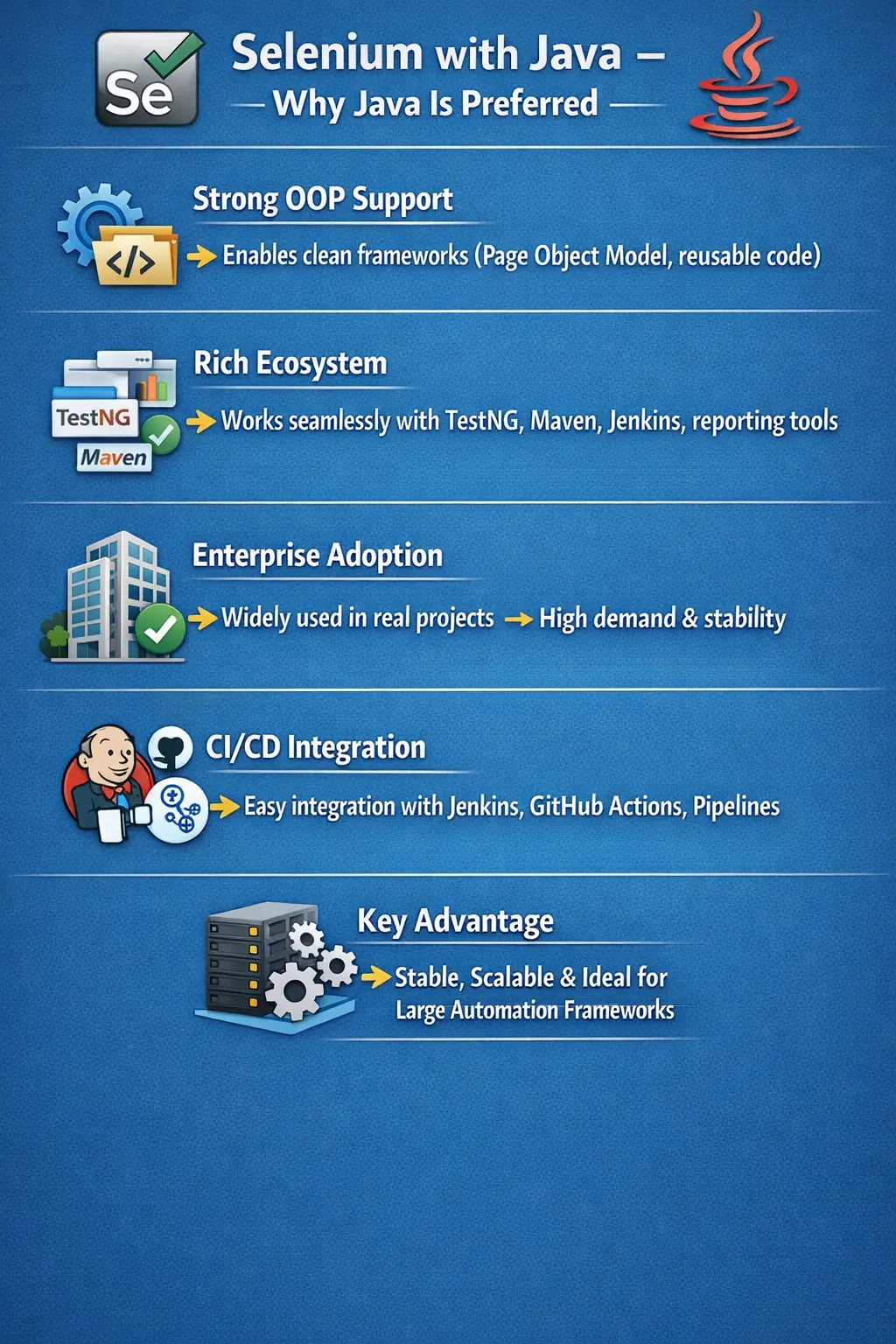
Automation is not just about writing scripts; it is about building scalable systems that can handle continuous changes, large test suites, and integration with modern DevOps pipelines. Java fits perfectly into this requirement, making it the default choice in most enterprise automation projects.
When beginners first learn Selenium, they often focus on browser commands such as opening a URL, clicking a button, entering text, and reading page content. Those commands are important, but real automation projects quickly move beyond individual browser actions. A professional framework must support multiple environments, reusable page objects, test data, assertions, reporting, logging, parallel execution, CI/CD triggers, and long-term maintenance. Java is preferred because it gives automation engineers a disciplined language and mature tooling ecosystem for building that larger structure.
Java is also familiar to many enterprise development teams. Large organizations commonly use Java for backend services, API layers, middleware, internal tools, and legacy systems. When Selenium automation is also written in Java, QA engineers, developers, and SDETs can collaborate using the same language family, build tools, code review practices, and dependency management standards. This alignment reduces friction and makes automation easier to adopt at scale.
The preference for Java does not mean other languages are wrong. Selenium works with Python, C#, JavaScript, Ruby, and other bindings. Each language can be successful in the right context. Java is preferred in many projects because it balances readability, structure, strictness, performance, enterprise acceptance, testing framework support, and long-term maintainability. For teams building large Selenium frameworks, that balance matters more than writing the shortest possible script.
Strong Object-Oriented Programming (OOP) Support
One of the biggest reasons Java is preferred with Selenium is its strong support for object-oriented programming. Automation frameworks are not simple scripts—they are structured systems that require clean design, modularity, and reusability.
Java provides all core OOP principles such as classes, objects, inheritance, polymorphism, abstraction, and encapsulation. These concepts are heavily used in automation framework design. For example, the Page Object Model (POM), which is widely used in Selenium frameworks, relies on encapsulation to separate test logic from UI interactions.
Because of Java’s OOP strength, teams can design frameworks that are easy to maintain, extend, and debug. Changes in UI or functionality can be handled with minimal impact on the overall test suite. This leads to stable and scalable automation solutions, which is critical in real-world projects.
The Page Object Model is the clearest example of Java's usefulness in Selenium automation. In POM, each web page or major UI component is represented as a class. Locators are kept inside that class, and actions are exposed through meaningful methods. A test does not need to know the exact XPath of the login button or the internal structure of a product search page. It can call methods such as login, searchProduct, addToCart, or verifyDashboardLoaded. This makes test code easier to read and keeps UI details centralized.
Encapsulation is especially valuable here. Page classes hide the details of how elements are found and interacted with. If a locator changes, the update is made in one page class instead of every test. Inheritance can be used for common page behavior, such as waiting for a page to load or reading common header elements. Abstraction can define common contracts for pages, services, utilities, or driver factories. Polymorphism can support different browser or environment implementations behind a common interface.
Java's OOP model also supports clean separation of responsibilities. Test classes can focus on scenario flow and assertions. Page classes can focus on UI behavior. Utility classes can handle screenshots, waits, file operations, test data, and configuration. Base classes can manage setup and teardown. This structure is what turns Selenium from a set of browser commands into a maintainable framework. Without such structure, test suites become hard to read, duplicate logic everywhere, and break frequently as the application changes.
Mature and Stable Language
Automation code must be stable and predictable. Unlike experimental or rapidly evolving languages, Java is known for its maturity and long-term stability.
Java offers backward compatibility, meaning older code continues to work even with newer versions. It also provides long-term support (LTS) releases, which are widely used in enterprise environments. This stability ensures that automation frameworks do not break frequently due to language changes.
In enterprise projects, stability is more important than novelty. Companies prefer technologies that are reliable and proven over time. Java meets this requirement perfectly, making it a safe and dependable choice for Selenium automation.
Automation suites are long-lived assets. A regression framework may run for several years while the application evolves through many releases. If the programming language or its ecosystem changes unpredictably, the automation framework becomes harder to maintain. Java's long history and compatibility culture give organizations confidence that their test code will not become obsolete quickly. This is one reason Java continues to be trusted even when newer languages offer shorter syntax or faster onboarding.
Stability also matters for team onboarding. A new automation engineer joining a Java Selenium project can usually understand the project structure if it follows common patterns: Maven or Gradle dependencies, src/test/java folders, TestNG or JUnit tests, page object packages, utilities, constants, and configuration files. These conventions are widely documented and familiar across organizations. A predictable structure reduces learning time and improves collaboration.
Java's compile-time checking is another stability advantage. Many mistakes are detected before execution begins. Type mismatches, missing methods, invalid method calls, and certain structural errors are caught by the compiler or IDE. In a large framework, this early feedback is useful because it prevents some errors from appearing only during browser execution, where debugging can be slower and more expensive.
Rich Selenium Ecosystem with Java
Another major advantage of using Java with Selenium is the availability of a rich ecosystem. Automation is not just about writing test scripts—it involves reporting, logging, build management, and data handling.
Java integrates seamlessly with tools such as TestNG and JUnit for test execution and assertions. Maven and Gradle are used for build and dependency management, making project setup and maintenance easier. Logging frameworks like Log4j and SLF4J help track execution details, while reporting tools such as Extent Reports and Allure provide detailed and visually rich reports.
Additionally, libraries like Apache POI allow testers to read and write Excel files, enabling data-driven testing. JSON and CSV libraries further enhance flexibility in handling test data.
This ecosystem enables teams to build complete automation frameworks rather than isolated scripts, which is essential for real-world projects.
The Java ecosystem is one of the biggest reasons Selenium with Java is preferred in enterprise automation. TestNG and JUnit provide test lifecycle management, assertions, annotations, grouping, prioritization, parameterization, and parallel execution support. Maven and Gradle make dependencies repeatable so every developer, tester, and CI server uses the same library versions. Reporting libraries turn execution results into readable evidence. Logging frameworks help teams understand what happened during a failed run.
Data handling is another area where Java's ecosystem helps. Many automation projects need to read test data from Excel, JSON, CSV, properties files, databases, or APIs. Apache POI, Jackson, Gson, OpenCSV, JDBC, and many other libraries make these tasks manageable. Instead of hardcoding values inside test scripts, teams can build flexible data-driven frameworks. This is important when the same scenario must run with many roles, input values, countries, browsers, or environments.
Java also works well with supporting libraries for REST API validation, database checks, file handling, email verification, PDF reading, date utilities, encryption, configuration management, and environment switching. A complete Selenium framework often needs these capabilities around the browser layer. Selenium controls the browser, while the Java ecosystem helps manage everything around that browser execution.
Strong Community and Industry Adoption
Java combined with Selenium has been the industry standard for many years. As a result, it has a massive community and extensive documentation.
Whenever testers face issues, solutions are easily available through forums, blogs, GitHub repositories, and online tutorials. This significantly reduces the time required to troubleshoot problems and improves productivity.
For organizations, this also means easier hiring and onboarding. Since many professionals are already skilled in Java, training costs are reduced. The availability of real-world examples and best practices further accelerates development.
Community support matters when automation failures become difficult. Selenium projects face practical issues such as stale elements, timeout exceptions, browser-driver mismatch, dynamic locators, CI failures, parallel execution conflicts, and reporting problems. Because Selenium with Java is so widely used, there is usually a large body of examples, discussions, and fixes available. This shortens troubleshooting time and helps teams avoid reinventing solutions.
Industry adoption also creates standard expectations. Many job descriptions for automation testers, QA engineers, and SDETs mention Selenium with Java, TestNG, Maven, Jenkins, and Page Object Model. Interview questions often assume Java-based Selenium examples. Learning this stack therefore has career value. It prepares testers not only to automate browsers, but also to speak the language used in many enterprise automation teams.
Another practical benefit is knowledge transfer. When many engineers understand the same stack, framework ownership does not depend on one person. A team can review each other's code, improve utilities, refactor page objects, and maintain the suite collectively. This reduces project risk. An automation framework should not become a black box that only one engineer can update.
Enterprise and Legacy System Compatibility
Many enterprises already use Java for backend development, APIs, and internal systems. Using Java for Selenium automation aligns with the existing technology stack.
This alignment simplifies integration with backend services, databases, and APIs. It also reduces the need for additional training, as teams are already familiar with Java.
From a business perspective, this is a major advantage. It reduces operational complexity, improves collaboration between teams, and ensures consistency across development and testing processes.
Enterprise compatibility is not only about language preference. It is about integration with existing systems. A Java Selenium framework can call backend APIs, connect to databases, read configuration from enterprise sources, validate records created by UI actions, and interact with internal libraries where allowed. This makes tests stronger because they can verify both browser behavior and supporting data outcomes when needed.
For example, after placing an order through the UI, a Selenium test may verify that the order confirmation appears in the browser. A Java framework can also call an API or database query to confirm that the order was stored with the correct status. This kind of layered validation requires careful design, but Java makes it practical because many enterprise integration libraries already exist.
Legacy compatibility also matters. Many enterprises have older Java-based systems, internal services, or shared libraries. A Java automation framework can align with those systems more naturally than a completely different stack. This reduces the need for duplicated utilities and allows automation to participate in the broader technical ecosystem of the organization.
Excellent Support for Test Frameworks
Java works exceptionally well with testing frameworks such as TestNG and JUnit. These frameworks provide advanced features that are essential for managing large automation suites.
Features like annotations, parallel execution, grouping, and DataProviders allow teams to design flexible and efficient test suites. Test lifecycle management ensures proper setup and teardown of test environments.
In large projects, where thousands of test cases need to be executed, these features become critical. Java’s seamless integration with these frameworks makes it ideal for enterprise-level automation.
TestNG is especially popular in Selenium with Java because it gives teams practical control over test execution. Annotations such as BeforeSuite, BeforeClass, BeforeMethod, Test, AfterMethod, AfterClass, and AfterSuite help manage setup and teardown. Groups allow teams to separate smoke, sanity, regression, and end-to-end tests. DataProviders allow the same test logic to run with different data. Parallel execution helps reduce suite duration when combined with proper WebDriver session management.
JUnit is also widely used, especially in organizations where developers and testers share testing conventions. It integrates well with build tools and CI pipelines and supports modern testing practices. The exact framework choice depends on the team, but Java's strength is that both TestNG and JUnit are mature, well-documented, and supported by tooling. Teams can choose based on project needs rather than being limited by language ecosystem weakness.
These frameworks also encourage clean test lifecycle design. Browser setup should happen before the test needs it. Screenshots should be captured when failures occur. Browser sessions should close properly after execution. Test reports should reflect meaningful pass and fail states. Without a test framework, Selenium scripts can become scattered and inconsistent. Java testing frameworks provide the structure needed to run automation professionally.
Easy Integration with CI/CD Tools
Modern development relies heavily on CI/CD pipelines, where code is continuously built, tested, and deployed. Java-based Selenium projects integrate smoothly with tools like Jenkins, GitHub Actions, Azure DevOps, and GitLab CI.
Maven-based execution is widely used in CI pipelines, providing a standard and reliable way to run tests. Automation suites can be triggered on every code commit, enabling early defect detection and faster feedback.
This integration ensures that testing becomes a continuous process rather than a separate phase, improving overall software quality and delivery speed.
CI/CD integration is one of the strongest reasons Java remains a practical Selenium choice. Maven commands such as mvn test are easy to run from Jenkins, GitHub Actions, Azure DevOps, GitLab CI, or other pipeline tools. The pipeline can install dependencies, compile the project, run selected suites, publish reports, and notify the team. This creates a repeatable execution model that does not depend on a tester manually opening an IDE and clicking run.
Java frameworks also support environment configuration through properties files, system variables, Maven profiles, or pipeline parameters. The same framework can run against QA, staging, UAT, or pre-production environments by changing configuration rather than rewriting tests. Browser choice, headless mode, grid URL, credentials, timeouts, and reporting paths can all be controlled from the pipeline. This is essential for automation that must run reliably across environments.
Continuous testing works best when tests are grouped intelligently. A fast smoke suite can run on every commit or deployment. A larger regression suite can run nightly. Cross-browser suites can run before release. Java, TestNG or JUnit, Maven, and CI/CD tools support this layered execution strategy well. Selenium performs the browser automation, while the Java ecosystem helps operationalize it.
Better Control for Large Frameworks
Java provides strong control over code structure and behavior, which is essential for large automation frameworks. Its strong typing system helps detect errors at compile time, reducing runtime failures.
Grid support in Java is also excellent. Tools like IntelliJ IDEA and Eclipse offer features such as code completion, refactoring, debugging, and dependency management. These features improve developer productivity and make it easier to maintain large codebases.
For teams working on complex projects, this level of control ensures consistency, reliability, and easier debugging.
Large frameworks need strong control because small design mistakes multiply quickly. If every test creates WebDriver differently, parallel execution becomes risky. If every page uses its own wait strategy, failures become inconsistent. If configuration is scattered across classes, environment changes become painful. Java helps teams centralize these concerns using driver factories, base test classes, configuration managers, utility classes, enums, interfaces, and reusable service layers.
Strong typing also makes refactoring safer. If a method name changes in a page object, the IDE can show where it is used. If a utility method signature changes, compile-time errors guide the update. This is valuable in a suite with hundreds or thousands of tests. The framework can evolve without relying entirely on runtime trial and error.
Debugging support is another practical advantage. IntelliJ IDEA and Eclipse allow breakpoints, step execution, variable inspection, stack trace navigation, dependency exploration, and quick refactoring. When a Selenium test fails, an engineer can pause execution, inspect the browser state, examine variables, and understand the exact path taken by the code. This speeds up troubleshooting and improves framework quality.
Performance and Memory Management
Automation frameworks often need to execute large test suites, sometimes in parallel. Java provides efficient memory management and built-in support for multithreading.
When combined with Selenium Grid, Java allows parallel execution across multiple browsers and machines. This significantly reduces execution time and improves efficiency.
Java’s stable performance makes it suitable for long-running automation suites, which is a common requirement in enterprise environments.
Performance in UI automation is not only about language speed, because browser tests are naturally slower than unit or API tests. However, Java's runtime stability helps when suites run for long periods or execute in parallel. A framework may create many browser sessions, process large reports, read data files, call APIs, and manage logs. Java's memory management, collection libraries, concurrency utilities, and mature runtime make these activities dependable when implemented correctly.
Parallel execution requires careful design regardless of language. Java gives teams tools such as ThreadLocal WebDriver management, synchronized utilities when needed, concurrent collections, and executor services. These features help automation engineers prevent browser session conflicts and shared-state issues. When combined with Selenium Grid, Java-based frameworks can distribute tests across multiple browsers and machines while preserving clean test isolation.
Efficient Java frameworks also avoid unnecessary browser work. They reuse utilities, apply explicit waits instead of fixed sleeps, group tests appropriately, and keep assertions meaningful. Selenium execution time is influenced by browser behavior, network speed, application performance, and framework design. Java provides the engineering tools needed to manage those factors in large suites.
IDE and Tooling Support
Java has some of the best development tools available, including IntelliJ IDEA and Eclipse. These IDEs provide advanced features such as code completion, debugging, refactoring, and project management.
Dependency management through Maven or Gradle is also well supported, making it easier to manage libraries and configurations.
These tools enhance productivity and reduce development time, which is a major advantage for automation engineers.
IDE support becomes important as soon as the framework grows. Code completion helps engineers discover Selenium, TestNG, Java, and framework methods quickly. Refactoring tools allow safe renaming and restructuring. Static analysis can identify unused code, unreachable code, duplicate logic, and potential mistakes. Integrated Maven or Gradle support makes dependency updates and test execution easier. These productivity features reduce the daily friction of maintaining automation code.
Java IDEs also support strong navigation. An engineer can jump from a test method to a page object, from a page object to a utility class, from a utility class to a configuration value, and from a failure stack trace to the exact line of code. This matters because Selenium failures often require investigation across several layers. Good tooling turns that investigation into a manageable process.
Comparison with Other Languages
While Selenium supports multiple languages, Java stands out in terms of ecosystem maturity and enterprise adoption.
Python is simple and easy to learn but lacks the same level of enterprise ecosystem support. C# is strong within the Microsoft ecosystem but less widely used globally. JavaScript-based tools are growing rapidly but often have limitations in browser support or framework flexibility.
Java, on the other hand, provides a balance of stability, scalability, and ecosystem support, making it the default choice in most enterprises.
Python is excellent for simplicity and quick scripting. It is often easier for beginners to start with, and it has a strong ecosystem of its own. However, some enterprise automation teams prefer Java because its strict structure supports large framework design and long-term maintainability. C# is a strong choice in Microsoft-centric organizations, especially where .NET skills are already common. JavaScript and TypeScript are attractive for frontend-heavy teams and modern tools such as Playwright or Cypress. The right language depends on team context.
Java's advantage is not that it is the easiest language for the first Selenium script. Its advantage is that it scales well when automation becomes a serious engineering effort. It supports clear class design, strong testing frameworks, mature dependency management, enterprise integration, and broad hiring availability. This is why many organizations continue to choose Java even when other languages offer faster initial learning.
For a Selenium career path, Java also strengthens broader programming fundamentals. Testers learn classes, objects, methods, collections, exceptions, interfaces, file handling, streams, and debugging. These skills improve automation design and make it easier to understand enterprise applications. Selenium becomes the practical use case through which Java concepts become real.
How Java Shapes a Real Selenium Framework
A real Selenium Java framework usually grows in layers. The driver layer creates and manages browser sessions. The page layer stores locators and page actions. The test layer defines business scenarios and assertions. The utility layer handles waits, screenshots, files, dates, logs, and configuration. The reporting layer captures execution evidence. Java supports this layered design naturally because classes, packages, interfaces, and access modifiers help keep responsibilities separate.
This structure makes maintenance more predictable. If the browser setup changes, the driver factory can be updated. If the login page changes, the login page class can be updated. If reporting needs improvement, the reporting utility can be enhanced without rewriting every test. Java encourages this kind of organization because the language rewards clear boundaries and reusable components. In large projects, those boundaries are what keep the framework from becoming a collection of disconnected scripts.
Java also makes code review easier. Reviewers can check whether page objects are clean, methods are named clearly, waits are centralized, assertions are meaningful, and test data is not hardcoded unnecessarily. Because the structure is explicit, problems are easier to identify before they become suite-wide maintenance issues. This is a major advantage in teams where multiple automation engineers contribute to the same framework.
Interview Perspective
From an interview point of view, understanding why Java is preferred with Selenium is important.
A short answer would be that Java is preferred because of its strong OOP support, rich ecosystem, stability, and widespread industry adoption.
A more detailed answer would explain that Java enables scalable and maintainable automation frameworks using tools like TestNG and Maven, integrates well with CI/CD pipelines, and provides long-term reliability for enterprise projects.
Interviewers often expect more than a memorized list. A strong answer connects Java's features to framework needs. Java is preferred because Selenium automation requires maintainable code, reusable page objects, test lifecycle management, data-driven execution, reporting, logging, CI/CD integration, and parallel execution. Java supports these needs through OOP, TestNG or JUnit, Maven or Gradle, rich libraries, stable tooling, and enterprise adoption.
A practical interview response could be: Java is preferred with Selenium because it is mature, stable, object-oriented, and widely used in enterprises. It helps build scalable automation frameworks using Page Object Model, TestNG, Maven, logging, reporting, and CI/CD integration. Its strong typing, IDE support, and large community make framework maintenance and debugging easier in long-term projects.
Candidates should also be careful not to say Java is the only good language for Selenium. A better answer acknowledges that Selenium supports multiple languages, but Java is commonly preferred where enterprise scale, maintainability, existing Java skills, and mature tooling are important. This shows balanced judgment rather than tool bias.
Key Takeaway
Selenium supports multiple programming languages, but Java continues to dominate because it is stable, scalable, enterprise-friendly, and supported by a rich ecosystem.
It allows teams to build maintainable automation frameworks, integrate with modern DevOps pipelines, and handle large test suites efficiently.
For long-term automation careers and enterprise-level projects, Selenium with Java remains the most reliable and powerful combination.
The key point is that Java helps Selenium automation grow from simple scripts into a professional framework. It provides structure for page objects, utilities, configuration, test data, reporting, logging, and execution control. It also fits naturally into enterprise development environments where maintainability and long-term support matter.
For learners, Selenium with Java is a strong investment because it teaches both automation and programming discipline. The combination prepares testers for real-world QA automation, SDET roles, CI/CD workflows, and interview discussions. Java may require more learning effort at the beginning, but that effort pays off when the automation suite becomes large, collaborative, and business-critical.