Selenium: A Complete Introduction to Web Automation
What Is Selenium
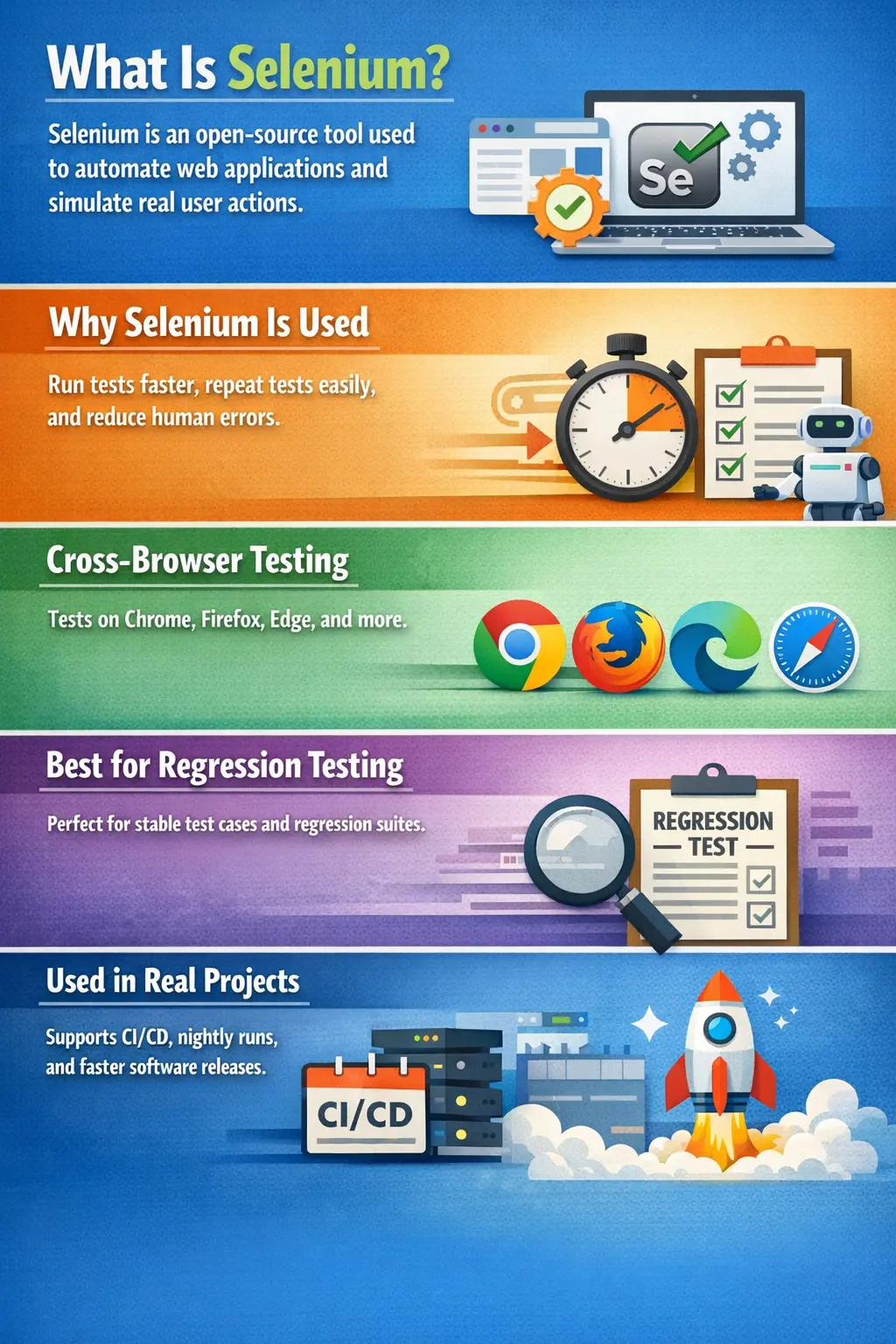
Selenium (software) is an open-source automation testing framework used to automate web applications by simulating real user interactions with browsers and validating application behavior. It allows testers and developers to execute tests faster, repeatedly, and consistently across multiple browsers and platforms.
Selenium is not just a tool but an ecosystem that supports building scalable and maintainable automation solutions for modern web applications.
In practical testing work, Selenium is used when a team wants to verify that a web application still behaves correctly after code changes. A Selenium test can open a browser, navigate to a page, enter text, click buttons, select values, verify messages, and confirm that the application responds as expected. This is close to what a real user does, but it is performed by an automated script that can run repeatedly without manual effort. That repeatability is the main reason Selenium became one of the most widely used tools in web test automation.
Selenium is especially important because modern web applications change frequently. Teams release new features, bug fixes, UI updates, security patches, and performance improvements in short cycles. Every change can accidentally break an existing workflow. Manual testers can catch many issues, but repeatedly checking every old flow by hand becomes slow and inconsistent as the application grows. Selenium helps by automating stable, high-value checks so the team can receive quick feedback whenever the application changes.
A strong interview answer should describe Selenium as an open-source web automation framework, but it should also mention where it fits in a testing strategy. Selenium is not a replacement for testers, requirements analysis, exploratory testing, usability review, or test design. It is an execution tool. It runs checks that a tester or automation engineer has designed. The quality of Selenium automation depends heavily on the quality of the test scenarios, locators, synchronization strategy, framework structure, and maintenance discipline.
Why Selenium Automation Exists
As software systems grew more complex and release cycles became shorter, manual testing alone could no longer keep up. Repeating the same regression tests for every release became time-consuming, error-prone, and inefficient. Selenium automation emerged as a solution to handle these repetitive checks reliably.
Modern applications demand frequent releases, cross-browser compatibility, and parallel validation. Selenium helps teams detect regressions early and deliver updates with greater confidence. Instead of replacing manual testing, it complements it by handling stable and repeatable scenarios.
Before automation became common, regression testing often required long manual cycles. A release team might spend days checking login, search, checkout, reporting, user management, and other repeated flows. This worked when releases were slow, but it became a bottleneck when Agile and DevOps practices pushed teams toward weekly, daily, or even multiple daily deployments. Selenium automation exists because teams needed a faster way to validate whether old functionality still worked after new changes were introduced.
Selenium also helps with consistency. Human testers are excellent at investigation and judgment, but repetitive checks can become tiring. A tester may miss a step after running the same regression pack many times. An automation script runs the same steps in the same order every time. This consistency is useful for smoke tests, sanity tests, regression tests, and cross-browser checks where repeatability matters more than exploration.
The best teams use Selenium to reduce repetitive manual effort, not to remove human thinking. Testers still decide what should be automated, what data should be used, what risks matter, and what results mean. Selenium simply executes the chosen checks quickly and repeatedly. This balanced view is important in interviews because it shows business awareness, not only tool knowledge.
Objectives of Selenium Automation
The primary goal of Selenium automation is to improve efficiency and consistency in testing. It reduces human error, increases coverage, and enables cross-browser validation. Because automated tests can run unattended and in parallel, teams receive faster feedback on application stability. This makes Selenium especially valuable in CI/CD environments where quick validation is essential.
Selenium automation also supports risk reduction. When critical flows are automated, teams can validate them after every important build. For example, an e-commerce application may automate login, product search, add to cart, checkout, payment redirection, order confirmation, and logout. If any of these flows fail, the team knows quickly that the build may not be safe for release. This kind of early signal is valuable because defects are cheaper to fix when they are found close to the change that caused them.
Another objective is broader browser coverage. A manual tester may not have enough time to repeat the same tests across Chrome, Firefox, Edge, and different environments for every release. Selenium can execute the same tests across multiple supported browsers, helping teams identify compatibility issues. This does not guarantee perfect visual or usability quality, but it gives a strong baseline that key workflows behave correctly across browser engines.
What Selenium Can and Cannot Do
Selenium is designed specifically for web automation. It can automate browser-based applications, validate UI behavior, and execute workflows across different browsers and operating systems. It is particularly strong in regression scenarios where the same tests must be repeated across builds.
However, Selenium is not a universal automation solution. It does not automate desktop applications, cannot reliably bypass CAPTCHA or OTP mechanisms, and is not designed for validating images or videos. It also cannot replace the insight gained from exploratory or usability testing, which require human judgment.
Selenium can interact with web elements such as text boxes, buttons, links, dropdowns, checkboxes, radio buttons, alerts, frames, windows, and tables. It can verify page title, URL, visible text, attributes, element state, navigation behavior, and workflow outcomes. It can also upload files through supported input elements, take screenshots, execute JavaScript when needed, and support data-driven execution through a framework.
At the same time, Selenium should not be forced into tasks it was not designed for. It is not a load testing tool, although Selenium tests may reveal performance symptoms. It is not an API testing tool, although it can be combined with API checks in a broader framework. It is not a visual testing tool by default, although visual comparison libraries can be integrated. It is not a tool for testing native mobile apps, although related ecosystems such as Appium build on similar ideas for mobile automation.
Understanding these limits prevents weak automation strategies. Trying to automate CAPTCHA, OTP, complex image comparison, or unstable third-party flows often creates flaky tests and wastes effort. A mature automation engineer knows when Selenium is the right tool and when another testing approach is better.
Core Selenium Components
Selenium includes several major components that serve different purposes. Selenium WebDriver is the core engine that directly interacts with browsers. Selenium IDE is a record-and-playback tool useful for quick prototyping but limited for large frameworks. Selenium Grid enables distributed and parallel execution across machines and browsers, improving speed and scalability.
Together, these components support different levels of automation maturity, from simple scripts to enterprise-grade frameworks.
Selenium WebDriver is the most important component for professional automation. It provides programming language bindings that allow tests to control browsers through code. With WebDriver, teams can create maintainable test suites using Java, Python, C#, JavaScript, or other supported languages. WebDriver is used in real frameworks because it gives engineers control over structure, assertions, waits, data, reporting, and integration.
Selenium IDE is useful for beginners and quick demonstrations because it can record browser actions and replay them. However, record-and-playback scripts often become difficult to maintain in large applications. Real projects usually move beyond IDE into WebDriver-based frameworks. Selenium Grid becomes important when test volume increases. Instead of running tests one by one on one machine, Grid allows execution across multiple browsers, operating systems, and nodes, reducing overall execution time.
How Selenium Works at a High Level
In a typical setup, a test script written in a language such as Java communicates with Selenium client libraries. These libraries use the WebDriver API to send commands to a browser driver like ChromeDriver or GeckoDriver. The browser driver then controls the actual browser. Communication follows the W3C WebDriver protocol, which standardizes how automation tools interact with browsers.
This layered architecture allows Selenium to support multiple languages and browsers while maintaining consistent behavior.
The flow can be understood as a chain. The automation engineer writes a test script in Java. The script calls
Selenium WebDriver methods such as findElement(), click(), and
sendKeys(). Selenium client libraries convert those method calls into WebDriver commands. The
browser driver receives the commands and communicates with the browser. The browser performs the requested
action and returns a response. Selenium then gives the result back to the test script.
This architecture is powerful because the same test logic can be written in one language while running against different browsers. The browser-specific details are handled by browser drivers. ChromeDriver controls Chrome, GeckoDriver controls Firefox, and EdgeDriver controls Microsoft Edge. The W3C WebDriver protocol provides a standard contract so automation commands behave consistently across browser implementations as much as possible.
In interviews, this high-level architecture explanation is often enough. You do not need to memorize every internal protocol detail. You should be able to explain that test scripts communicate with Selenium libraries, Selenium communicates with browser drivers, and browser drivers control real browsers.
Role of Selenium in Test Automation
Selenium is widely used to automate regression suites and validate critical business flows. It supports continuous integration by allowing automated tests to run on every build. This reduces release cycle time and increases confidence in deployments. Selenium supports the execution side of testing, but test strategy and design still require human planning.
In a real automation strategy, Selenium often sits between manual functional testing and deployment confidence. Manual testers validate new behavior, edge cases, usability, and requirement interpretation. Selenium then helps preserve important old behavior through automated regression checks. When the application changes, these checks alert the team if a known workflow breaks. This allows testers to spend more time on new risk areas instead of repeating the same stable scenarios.
Selenium also supports shift-left testing when integrated early in the development process. Developers can run smoke tests locally or in a pipeline before code reaches later test environments. QA teams can run regression suites after deployment to QA or staging. Release teams can run production smoke checks after deployment. The tool is flexible, but the value depends on selecting the right tests for the right stage.
Selenium and Manual Testing
Manual and automated testing serve different purposes. Manual testing is flexible and valuable for new features, usability checks, and exploratory scenarios. Selenium automation excels in repetitive and stable areas. High-quality testing strategies use both, allowing each to cover its strengths.
Automation enhances testing capability but does not eliminate the need for thoughtful manual testing.
Manual testing remains essential because not every valuable observation can be scripted. A tester may notice confusing wording, awkward user flow, inconsistent layout, unclear error messages, accessibility concerns, or business rule ambiguity. Selenium can verify that a button exists and can be clicked, but it cannot decide whether the experience feels natural to a real user. That human judgment is still central to quality.
The correct relationship is partnership. Manual testing explores, discovers, and validates new understanding. Automation repeats known checks and guards against regression. A good tester learns when to automate and when not to automate. A good automation engineer respects manual testing because automation scripts are only as good as the scenarios behind them.
Why Selenium Is Often Used with Java
Java is a popular choice for Selenium because of its object-oriented design, mature ecosystem, and widespread industry adoption. Tools like TestNG, Maven, and logging frameworks integrate well with Selenium. Java also supports structured framework design, which is important for large automation projects. Strong community support further accelerates learning and troubleshooting.
Java also encourages framework patterns that are common in Selenium automation. Page Object Model classes can represent pages or components. Utility classes can handle screenshots, waits, files, configuration, and test data. TestNG can organize tests, assertions, groups, parameters, and parallel execution. Maven can manage dependencies and trigger test execution from command line or CI/CD tools. Logging libraries can help diagnose failures. These ecosystem pieces make Java a practical choice for enterprise automation.
Another reason Java is common is hiring and support. Many organizations already use Java for application development or backend services, so Java-based automation fits existing skill sets and tooling. A Selenium Java framework can be version-controlled, reviewed, built, and executed using familiar engineering practices.
Where Selenium Fits Best
Selenium is most effective in regression, smoke, sanity, cross-browser, and data-driven testing. These scenarios benefit from repeatability and speed. It is less suitable for usability evaluation or exploratory analysis, where human perception is essential.
Regression testing is the strongest Selenium use case because regression checks are repeated often. Smoke tests are also a good fit because they confirm that the most important application flows are basically working after a deployment. Sanity tests can confirm that a specific changed area is stable enough for deeper testing. Cross-browser tests help ensure that major flows work across supported browsers. Data-driven tests help verify the same workflow with different inputs without duplicating test code.
Selenium is less effective when requirements are changing rapidly. Automating unstable features too early can create maintenance waste because locators, workflows, and expected results may change every day. A practical approach is to automate stable, valuable, repeatable scenarios first and keep exploratory testing manual until the feature matures.
Selenium in Real-World Projects
In real environments, Selenium commonly runs nightly regression suites, validates cross-browser behavior, and integrates into CI/CD pipelines. It helps teams maintain quality as applications evolve. Manual testing remains critical for early feature validation and user-experience assessment.
A typical project may have several layers of Selenium execution. A small smoke suite runs after every build and gives quick feedback in a few minutes. A broader regression suite runs nightly or before release. Cross-browser tests may run on a schedule or before major deployments. Production smoke tests may run after release to confirm that critical flows are available. Each suite has a different purpose, size, and execution frequency.
Real projects also require careful test data management. Automated tests need predictable users, products, orders, permissions, and environment configuration. If test data is unstable, Selenium tests may fail even when the application is working correctly. Mature frameworks include data setup, cleanup, environment selection, and clear reporting so failures can be understood quickly.
Automation Frameworks and Selenium
Selenium becomes powerful when used within a well-designed framework. Such frameworks include structured test scripts, Page Object Model design, test data handling, reporting, logging, and configuration management. A good framework improves maintainability, readability, and scalability.
Automation success depends more on framework design than on the tool itself.
A Selenium framework should separate responsibilities. Test classes should describe business scenarios. Page classes should hide UI locators and page actions. Utility classes should handle reusable technical work such as waits, screenshots, file reading, and reporting. Configuration should be externalized so the same tests can run in QA, staging, or production-like environments without code changes. This separation makes the framework easier to maintain.
Page Object Model is one of the most common design patterns in Selenium. It avoids scattering locators across test scripts. If a locator changes, the page class can be updated in one place. Reporting and logging are also critical. When a test fails, the team needs to know what failed, where it failed, what data was used, what browser ran, and ideally see a screenshot. Without good reporting, automation creates noise instead of value.
A good framework should also be readable. Automation code is maintained for months or years, often by multiple people. Clear names, small methods, stable locators, sensible waits, and meaningful assertions matter as much as technical capability. Selenium can click a button, but framework design determines whether the test suite remains useful as the application evolves.
Common Challenges in Selenium
Teams often face challenges with dynamic elements, synchronization timing, flaky tests, weak locator strategies, and browser compatibility differences. These issues are not Selenium flaws alone; they often result from poor design or unstable applications. Strong engineering practices and proper wait strategies greatly reduce these problems.
Synchronization is one of the biggest Selenium challenges. Web applications are dynamic. Elements may appear
after AJAX calls, animations, loading spinners, API responses, or client-side rendering. If a test tries to
click an element before it is ready, it fails. Fixed waits such as Thread.sleep() may hide the
problem temporarily, but they slow execution and remain unreliable. Explicit waits and condition-based waits
are better because they wait for a specific state.
Locator strategy is another major factor. Weak locators that depend on changing indexes, long absolute XPath, or unstable generated attributes cause frequent failures. Strong locators use stable IDs, names, accessible labels, meaningful CSS selectors, or robust relative XPath when needed. Good teams collaborate with developers to add test-friendly attributes where appropriate.
Flaky tests are especially harmful because they reduce trust. If a test sometimes passes and sometimes fails without a product change, the team may start ignoring automation results. Reducing flakiness requires stable data, proper waits, isolated tests, reliable environments, and careful failure analysis.
Beginner Pitfalls
New learners sometimes rely too heavily on fixed waits, mix test logic with UI logic, or automate without clear test design. Others neglect exception handling or use weak locators. Automation requires discipline, planning, and maintainable coding practices to be effective.
Another beginner mistake is automating too much too soon. Not every test case should become a Selenium test. If a scenario is rarely used, changes often, depends heavily on visual judgment, or is difficult to stabilize, it may not be a good first automation candidate. Start with stable, high-value flows that are repeated often. This creates quick automation value and builds confidence.
Beginners also sometimes write tests that verify too many things at once. A long end-to-end test can be useful, but if it fails, diagnosis becomes harder. A healthy suite usually combines focused tests with a few critical end-to-end flows. Assertions should be meaningful and placed where they prove business behavior, not randomly after every step.
Maintainability should be learned early. Hard-coded data, duplicated locators, unclear method names, and large test methods make automation difficult to scale. Selenium learning should include Java fundamentals, test design, framework structure, waits, locators, reporting, and debugging, not only browser commands.
Interview Perspective
In interviews, Selenium is typically described as an open-source framework for automating web applications across browsers and platforms. A stronger explanation highlights its role in regression automation, cross-browser validation, and CI/CD integration to support faster and more reliable releases.
A strong interview answer can be structured like this: Selenium is an open-source web automation framework used to automate browser-based applications. It supports multiple browsers and languages through WebDriver. It is mainly used for regression testing, smoke testing, sanity testing, cross-browser testing, and CI/CD validation. Selenium is most effective when used inside a maintainable framework with good locators, waits, reporting, and test data management.
You can make the answer stronger by mentioning limitations. Selenium cannot automate desktop applications, should not be used to bypass CAPTCHA or OTP, and cannot replace exploratory testing. This shows maturity because real automation engineers know both tool strengths and tool boundaries. If the interviewer asks why Java is used, mention OOP support, TestNG, Maven, reporting libraries, community support, and framework maintainability.
How to Learn Selenium Effectively
Selenium learning should start with manual testing fundamentals. Before automating a test, you must understand the requirement, test scenario, expected result, data needs, and risk. After that, learn basic Java, including classes, objects, methods, collections, exception handling, and file handling. Then move into Selenium WebDriver basics such as launching browsers, finding elements, clicking, typing, reading text, handling dropdowns, and switching windows or frames.
The next step is synchronization and locators. Many Selenium failures come from poor waits and weak locators. Learn implicit waits, explicit waits, WebDriverWait, ExpectedConditions, CSS selectors, XPath, and locator best practices. After that, learn framework design: Page Object Model, TestNG, Maven, data-driven testing, reports, screenshots, logging, configuration, and parallel execution.
Finally, practice debugging. A good automation engineer can read stack traces, understand common Selenium exceptions, inspect DOM changes, identify synchronization issues, and explain whether a failure is caused by the application, test data, environment, browser, or automation code. This debugging skill is what separates script writing from real automation engineering.
Selenium Success Criteria
Selenium automation is successful when it provides reliable feedback that the team trusts. A large suite with hundreds of flaky tests is less valuable than a smaller suite of stable tests that detect real regressions. Success should be measured by failure usefulness, maintenance effort, execution speed, coverage of critical risks, and how effectively the suite supports release decisions.
A good Selenium suite should fail for meaningful reasons. If failures are mostly caused by timing issues, unstable data, or poor locators, the suite needs engineering improvement. If failures quickly identify product defects, environment issues, or integration breaks, the suite is helping the team. Automation is not about showing many green test cases; it is about giving accurate information at the right time.
Designing a Selenium Test Suite
A useful Selenium test suite is designed around risk and execution purpose. Not every automated test belongs in the same suite. A smoke suite should be small, fast, and focused on the most critical flows. A regression suite can be broader and run less frequently. A cross-browser suite may run only selected high-value scenarios across all supported browsers because running every test on every browser can become expensive. This separation helps teams get the right feedback without wasting execution time.
Good suite design also avoids unnecessary dependency between tests. If one test creates data and another test depends on it, a single failure can cause a chain of misleading failures. Where possible, tests should prepare their own required data or use stable test data setup utilities. Independent tests are easier to run in parallel, easier to debug, and more reliable in CI/CD pipelines.
Assertions should be chosen carefully. A Selenium test should verify meaningful business outcomes, not only that a click happened. For example, after placing an order, the test should verify order confirmation, order number, status, or expected message. Strong assertions make automation valuable because they prove behavior, not just interaction.
Selenium in CI/CD Pipelines
Selenium becomes more powerful when integrated with CI/CD tools such as Jenkins, GitHub Actions, Azure DevOps, GitLab CI, or similar systems. In a pipeline, tests can run automatically after code is built and deployed to a test environment. This gives the team fast feedback without waiting for someone to start tests manually.
Pipeline execution requires discipline. The environment must be stable, browser versions must be managed, driver compatibility must be handled, test data must be available, and reports must be easy to read. A local test that passes on one laptop may fail in CI if the framework depends on local paths, hard-coded settings, or manual browser configuration. Automation code should be environment-independent and configurable.
CI/CD integration also changes how failures are handled. A failure should provide enough evidence for quick triage: logs, screenshots, browser name, environment, test data, stack trace, and failure step. Without this information, a failed build becomes frustrating. With good evidence, Selenium failures can quickly guide the team toward product defects, environment problems, or automation issues.
Maintainability in Selenium Automation
Maintainability is one of the most important measures of Selenium success. A test suite may be easy to create at first but difficult to maintain after the application changes. If locators are duplicated across many tests, one UI change can break dozens of files. If waits are hard-coded, tests become slow and flaky. If test methods are too long, failures are hard to understand.
Maintainable Selenium automation uses clear naming, reusable page methods, stable locators, centralized wait utilities, externalized configuration, and consistent reporting. Test methods should read like business scenarios. Page methods should describe user actions on a page. Utility methods should solve repeated technical problems. This structure lets future team members understand the framework without reverse-engineering every script.
Maintenance is also a team responsibility. Developers can support automation by adding stable attributes, avoiding unnecessary DOM instability, and communicating UI changes. Testers can review automated scenarios for relevance. Automation engineers can refactor framework code as the suite grows. Selenium works best when it is treated as software engineering, not as a side activity.
What Makes a Good Selenium Automation Engineer
A good Selenium automation engineer understands both testing and coding. Testing knowledge helps decide what to automate, what not to automate, which risks matter, and what assertions prove. Coding knowledge helps build a framework that is readable, reusable, and reliable. Selenium sits at the intersection of these skills.
Strong engineers also know how to investigate failures. They do not immediately blame Selenium or the application. They check the locator, wait condition, test data, browser state, environment, recent changes, and application logs. They can explain whether the failure is a product defect, test design issue, synchronization issue, infrastructure issue, or data problem. This diagnostic ability is highly valued in real projects.
Key Takeaway
Selenium is automation-focused, code-driven, and framework-dependent. It is especially powerful for regression testing and continuous validation. Mastering Selenium requires a solid foundation in manual testing, because understanding what to test is just as important as knowing how to automate it.
Selenium’s real value lies in enabling teams to deliver quality software faster and with greater confidence.