Selenium with Maven Setup
Using Maven with Selenium is the industry-standard approach for building scalable, maintainable, and CI/CD-ready automation frameworks. In modern software engineering environments, automation is no longer about writing isolated scripts—it is about building systems that can be executed reliably across machines, integrated into pipelines, and maintained over time. Maven plays a central role in achieving this by standardizing dependency management, build lifecycle execution, and project structure.
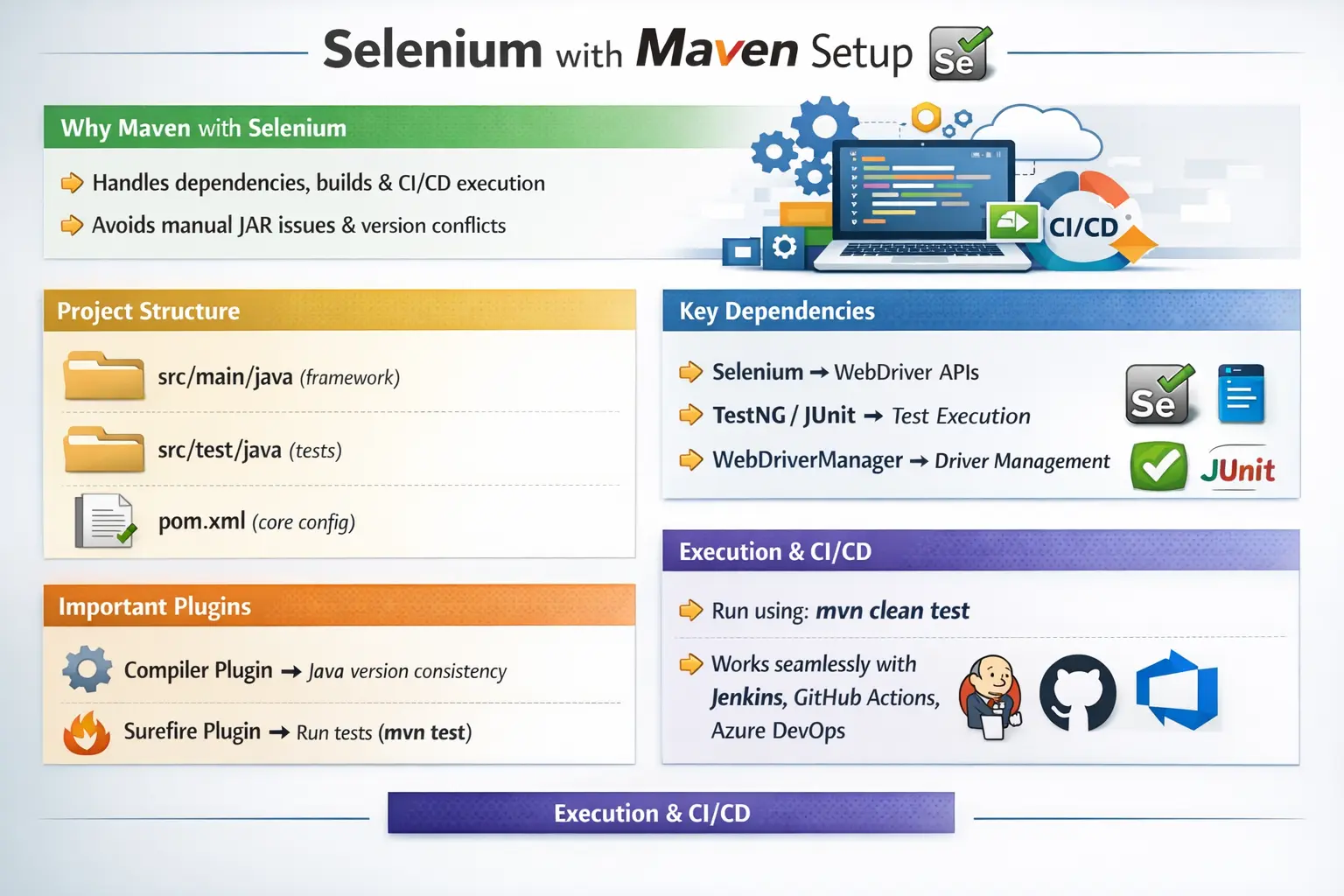
When Selenium is used without Maven, teams often encounter issues such as inconsistent environments, dependency conflicts, and fragile builds. These problems become more pronounced as projects grow in size and complexity. Maven eliminates these challenges by providing a predictable, structured, and automated way to manage projects. As a result, Selenium combined with Maven is not just a preference—it is a necessity for professional automation frameworks.
A Maven setup also gives Selenium projects a shared language. Developers, testers, build servers, and IDEs all understand the same project model. Instead of asking every team member to configure JAR files manually, the project declares its requirements in pom.xml. Instead of relying on an IDE button, the project can be executed from the command line. Instead of depending on one person's laptop configuration, the framework can be rebuilt in a clean environment. This repeatability is the reason Maven appears in so many real Selenium projects.
For beginners, Maven may initially look like extra work because a small Selenium program can be written without it. But that small program is not the same as a maintainable automation framework. Once tests need TestNG, WebDriverManager, reporting, logging, data files, CI execution, and parallel runs, manual setup becomes a liability. Maven provides the foundation before the framework becomes too large to control.
Why Selenium + Maven Is Preferred
Before understanding how to set up Selenium with Maven, it is important to understand why this combination is so widely adopted. Without Maven, developers must manually download JAR files, configure classpaths, and manage versions. This approach is error-prone and does not scale well in team environments.
Manual dependency management leads to several problems. Different developers may use different library versions, causing inconsistencies. Updating libraries becomes difficult, and integrating automation into CI/CD pipelines becomes complicated because builds depend on local configurations.
Maven solves these issues by centralizing dependency management. All required libraries are declared in a single file, and Maven automatically downloads them from repositories. This ensures that every developer and every environment uses the same versions, resulting in consistent builds.
Another key advantage is command-line execution. Maven allows tests to be executed using simple commands such as mvn test, making it ideal for automation pipelines. In CI/CD environments, where there is no IDE, this capability is essential.
The bottom line is clear: Selenium without Maven may work for small experiments, but it does not scale for real-world projects. Selenium with Maven provides the structure and reliability required for enterprise automation.
Maven is preferred because it solves both technical and team problems. Technically, it downloads dependencies, resolves transitive libraries, compiles Java code, and executes tests through plugins. From a team perspective, it creates consistency. A project checked into source control can be cloned by another engineer and run using the same Maven command. That matters in automation because failures should come from application behavior or test logic, not from hidden setup differences between machines.
Another major benefit is traceability. If a Selenium suite starts failing after a library upgrade, the pom.xml shows exactly which version changed. If a CI build fails because Maven cannot download a dependency, the failure points to a repository or network problem. If tests are not discovered, the Surefire configuration can be inspected. Maven makes setup visible, and visible setup is easier to debug.
Maven Basics from an Automation Perspective
Maven is a build and dependency management tool that follows a convention-over-configuration approach. Instead of requiring developers to configure everything manually, Maven provides a standardized structure and lifecycle that projects must follow.
At the core of Maven is the pom.xml file, also known as the Project Object Model. This file defines everything about the project, including dependencies, plugins, and build configurations. It acts as the single source of truth for the project setup.
Maven uses repositories to fetch libraries. The most common repository is Maven Central, which hosts thousands of libraries, including Selenium and TestNG. When a dependency is added to the pom.xml, Maven automatically downloads it and its related dependencies.
Plugins extend Maven’s capabilities. For example, the compiler plugin ensures that the project is compiled with the correct Java version, while the Surefire plugin is responsible for executing tests. These plugins are essential for making the automation framework functional and CI/CD-ready.
Understanding these core concepts is critical because they form the foundation of how Selenium projects are built and executed using Maven.
From an automation perspective, Maven should be understood in layers. The first layer is project structure. Maven expects source files, test files, and resources to live in standard locations. The second layer is dependency management. Maven downloads Selenium, TestNG, WebDriverManager, and any additional libraries declared in pom.xml. The third layer is the build lifecycle. Maven knows how to clean, compile, test, package, and verify a project. The fourth layer is plugins, which customize how compilation and test execution happen.
This layered understanding is useful when failures occur. If Java files are in the wrong folder, Maven may not compile or discover them. If a dependency is missing, imports fail. If a plugin is missing or misconfigured, tests may not run from the command line. If a profile is wrong, the suite may run against the wrong environment. Maven setup is therefore not just about writing XML; it is about making the automation project predictable.
Maven also introduces the idea of a local repository. When dependencies are downloaded, they are cached locally. This improves future builds but can also hide problems. A build may work on one developer's machine because the dependency is already cached, while CI fails because it cannot download the same artifact. For that reason, CI execution is the real proof that the Maven setup is reproducible.
Creating a Selenium Maven Project
Setting up a Selenium Maven project begins with creating a new Maven project in an IDE such as IntelliJ IDEA or Eclipse. During project creation, the developer selects the JDK version, typically Java 11 or Java 17, which are widely used in modern projects.
Once the project is created, Maven automatically generates a standard directory structure. This structure is not arbitrary—it is required for Maven to function correctly.
The project contains a root directory with the pom.xml file. Inside the src folder, there are two main directories: main and test. The main/java directory is used for framework code such as utilities, base classes, and page objects. The test/java directory contains test classes, while test/resources is used for configuration files and test data.
This standardized structure ensures that Maven can identify where the code and tests are located, enabling it to compile and execute them correctly. It also promotes consistency across projects, making it easier for teams to collaborate.
In a Selenium framework, the Maven structure should support separation of responsibilities. Page Object Model classes, driver factories, wait utilities, configuration readers, and common helper classes should not be randomly mixed with test methods. Test classes should describe scenarios and assertions. Framework code should handle browser setup, page interactions, configuration, and reusable logic. Maven's src/main/java and src/test/java separation encourages this discipline.
The src/test/resources folder is especially important in automation. It can hold testng.xml files, configuration properties, log settings, test data, and environment-specific files. Keeping these files under resources allows Maven and the classpath to find them consistently. Hard-coding file paths from a local machine is a common beginner mistake because those paths break in CI or on another developer's machine.
A practical Maven Selenium project might include packages such as base, factory, pages, tests, utils, config, and listeners. The base package manages setup and teardown. The factory package creates WebDriver instances. The pages package stores page objects. The tests package contains TestNG or JUnit classes. The utils package contains reusable support code. This structure is not mandatory, but it reflects the way real frameworks grow.
pom.xml – The Core Configuration
The pom.xml file is the most important part of a Maven project. It defines the project’s identity, dependencies, and build behavior.
The project coordinates—groupId, artifactId, and version—uniquely identify the project. These coordinates are used by Maven and CI systems to manage builds and artifacts.
The Selenium dependency is added to provide WebDriver APIs and browser interaction capabilities. This is the foundation of the automation framework. Without it, Selenium cannot function.
Next, a test framework dependency such as TestNG is added. TestNG is preferred in most Selenium projects because it provides powerful features such as annotations, parallel execution, and data-driven testing. It allows developers to structure and execute tests efficiently.
WebDriverManager is another essential dependency. It automatically manages browser drivers, eliminating the need for manual downloads and configuration. This significantly reduces setup complexity and prevents compatibility issues between browsers and drivers.
Together, these dependencies form the core of a Selenium Maven project, enabling browser automation, test execution, and driver management.
A clean pom.xml should avoid unnecessary dependencies. Many beginners copy large dependency blocks from online examples without knowing why each library is present. This increases build time, raises the chance of version conflicts, and makes the project harder to maintain. Start with the mandatory dependencies: Selenium Java and a test framework. Add WebDriverManager if the project uses it for driver resolution. Add reporting, logging, data-handling, or API libraries only when the framework actually needs them.
Version management is another important part of pom.xml design. It is common to define dependency versions in Maven properties so they can be updated from one place. For example, selenium.version, testng.version, and webdrivermanager.version can be declared at the top of the file. This keeps the dependency section readable and makes upgrades intentional. When Selenium is upgraded, the team can change one version, run mvn clean test, and verify behavior.
Dependency scope should also be chosen carefully. Test frameworks and many reporting libraries often belong in test scope because they are needed only for test execution. Libraries used by framework classes may require compile scope. Incorrect scope can cause runtime issues or expose libraries unnecessarily. Understanding Maven scope is a small detail that improves project hygiene.
Maven Plugins and Their Importance
Maven plugins play a critical role in making the project functional. Two of the most important plugins in Selenium projects are the Maven Compiler Plugin and the Maven Surefire Plugin.
The Maven Compiler Plugin ensures that the project is compiled using the correct Java version. This is important because different environments may have different Java versions installed. By specifying the version in the plugin configuration, developers ensure consistent builds across machines and CI environments.
The Maven Surefire Plugin is responsible for executing tests. It allows Maven to run TestNG or JUnit tests using commands such as mvn test. Without this plugin, tests cannot be executed as part of the build process.
Surefire also provides advanced features such as test filtering, parallel execution, and suite-based execution. These capabilities are essential for running large test suites efficiently.
Together, these plugins ensure that the project can be compiled and executed reliably, making them indispensable for Selenium automation.
The Compiler Plugin protects the project from Java version drift. A developer may have several JDKs installed, and a CI agent may use a different JDK from the local IDE. By declaring source and target versions, the project states exactly which Java level it expects. This avoids confusing build failures where code works in the IDE but fails from Maven.
The Surefire Plugin is equally important because UI automation must run without manual IDE interaction. Surefire discovers test classes, connects Maven to TestNG or JUnit, runs test methods, and reports results to the build. If tests run in IntelliJ but not with mvn test, Surefire configuration and test naming conventions should be checked first. This is a setup issue, not a browser automation issue.
In mature projects, plugins may also support report generation, code quality checks, dependency analysis, or integration-test phases. However, every plugin should have a clear purpose. Overloading pom.xml with plugins that are not used makes builds slower and harder to debug.
Running Selenium Tests with Maven
One of the key advantages of Maven is its ability to execute tests using simple commands. Developers can run tests without relying on an IDE, which is particularly useful in CI/CD pipelines.
The mvn clean command removes previous build artifacts, ensuring a fresh start. The mvn test command executes all tests, while mvn clean test combines both steps.
In real-world projects, mvn clean test is the most commonly used command. It ensures that the project is built from scratch and that all tests are executed in a clean environment.
This command-line execution capability is what makes Maven ideal for automation pipelines, where tests must run automatically without manual intervention.
Command-line execution is also the best way to verify that the project is not dependent on IDE settings. An IDE may hide missing configuration through cached indexes, custom run configurations, or locally attached libraries. Maven execution starts from the project definition. If mvn clean test passes, the setup is closer to CI-ready. If it fails, the failure usually points to a real configuration problem that should be fixed before the framework grows.
Different Maven goals serve different purposes. mvn clean removes the target folder and previous build output. mvn compile compiles source code. mvn test compiles and runs tests. mvn clean test combines a clean build with test execution. mvn install places the built artifact into the local Maven repository. Selenium projects usually rely most on clean test because it gives a fresh execution cycle.
For day-to-day development, teams may run a specific test class or suite to save time. For CI, they usually run a defined smoke suite, regression suite, or tagged subset through Maven. The important point is that test selection should be expressed through Maven, TestNG XML, profiles, or pipeline parameters rather than one-off IDE clicks.
TestNG Suite Execution with Maven
In larger projects, tests are often organized into suites using a TestNG XML file. This file allows developers to define which tests to run, group tests into categories, and configure parallel execution.
When Maven is integrated with TestNG, it can execute these suites as part of the build process. This enables flexible test execution, allowing teams to run specific sets of tests such as smoke or regression suites.
This approach is particularly useful in CI/CD pipelines, where different test suites may be executed at different stages of the pipeline.
TestNG suite execution is one of the reasons Maven is popular in Selenium projects. A testng.xml file can define classes, packages, groups, listeners, parameters, and parallel execution settings. Maven Surefire can be configured to run that XML file, allowing the same suite to run locally and in CI. This creates a predictable execution contract.
For example, a project may have smoke-testng.xml for quick validation and regression-testng.xml for broader coverage. A pull request pipeline may run the smoke suite, while a nightly pipeline runs regression. Maven can trigger either suite based on the command or profile. This setup is cleaner than changing code to decide which tests should run.
Suite execution also helps with environment parameters. The same suite can pass browser name, application URL, headless mode, or execution type to the tests. This makes the framework configuration-driven. Instead of hard-coding Chrome or a QA URL inside test classes, the Maven and TestNG setup can pass those values at runtime.
Selenium Maven Setup in CI/CD
Maven integrates seamlessly with CI/CD tools such as Jenkins, GitHub Actions, Azure DevOps, and GitLab CI. This is because Maven is command-line driven and does not depend on an IDE.
In a typical pipeline, the command mvn clean test is used to build the project and execute tests. The results are then collected and reported, providing immediate feedback on the quality of the application.
Maven’s predictable behavior and standardized output make it ideal for CI/CD environments. It ensures that tests run consistently across different environments, reducing the risk of failures due to configuration differences.
In CI/CD, Maven setup must be non-interactive. The pipeline cannot rely on an IDE, local browser prompts, or a manually downloaded JAR file. Everything required to build and run the tests should come from the repository, the configured Maven repositories, the execution image, and pipeline variables. This is where Maven's command-line nature becomes valuable.
A typical CI job checks out the code, sets up the required JDK, restores or downloads Maven dependencies, executes mvn clean test, collects Surefire reports, and archives screenshots or custom reports. If the framework is configured well, the same command can run on Jenkins, GitHub Actions, Azure DevOps, GitLab CI, or another tool. The CI system changes, but the Maven project remains the same.
Browser execution adds another layer. The CI environment needs compatible browsers and drivers, or it must connect to Selenium Grid, Dockerized browsers, or a cloud browser provider. Maven does not replace browser infrastructure, but it coordinates test execution. A good Maven setup works together with driver management and environment configuration to make pipeline automation reliable.
Maven Profiles for Environment-Based Execution
Maven profiles allow the same project to behave differently based on selected configuration. In Selenium automation, profiles are often used to separate local execution, QA execution, staging execution, headless CI execution, smoke suites, and regression suites. A profile can activate different system properties, plugin settings, or suite files without changing Java code.
This is useful because automation frameworks usually run in multiple contexts. A developer may run a quick local smoke test in Chrome. A QA pipeline may run a broader suite in headless mode. A nightly build may run cross-browser tests on Grid. The framework should not require code edits for each mode. Maven profiles and external configuration make this possible.
Profiles should be kept understandable. Too many profiles with overlapping behavior can become difficult to maintain. Each profile should have a clear purpose and a documented command. For example, mvn clean test -Psmoke should mean something predictable to the entire team.
Common Maven Setup Issues
Despite its advantages, developers may encounter issues during setup.
One common issue is dependencies not being downloaded. This can occur due to network problems or repository issues. Reloading the Maven project or running mvn clean install usually resolves this.
Another issue is tests not running. This is often caused by a missing Surefire plugin or incorrect test annotations. Ensuring that the plugin is configured correctly and that test methods are annotated properly fixes the problem.
Java version mismatches can also cause build failures. This happens when the compiler plugin is not aligned with the installed JDK. Updating the plugin configuration resolves this issue.
Understanding these problems and their solutions is essential for maintaining a stable automation framework.
Another common issue is that tests run from the IDE but not from Maven. This usually happens because the IDE directly runs a class, while Maven relies on Surefire discovery rules, test naming conventions, and configured suite files. If Maven reports that no tests were run, check class names, annotations, dependency scope, and Surefire configuration.
Dependency conflicts can also appear as runtime errors. A project may compile successfully but fail with NoSuchMethodError, ClassNotFoundException, or incompatible API behavior during execution. In that case, inspect the Maven dependency tree and look for conflicting versions. This is especially common when reporting, logging, or data libraries bring their own transitive dependencies.
CI-only Maven failures often come from repository access, missing Java setup, proxy restrictions, or differences between local and pipeline environments. If a dependency downloads locally but fails in CI, the issue may be network or repository configuration. If a build passes locally but fails with a Java source error in CI, the pipeline may be using the wrong JDK. Maven makes these problems visible, but the team must read the build output carefully.
Best Practices for Selenium Maven Setup
To build a robust Selenium Maven framework, certain best practices should be followed.
Always use Maven for dependency management instead of manual JAR files. Lock dependency versions explicitly to avoid unexpected changes. Keep the pom.xml file clean and organized, making it easy to understand and maintain.
Avoid adding unnecessary dependencies, as they can increase complexity and cause conflicts. Upgrade Selenium and other libraries cautiously, ensuring compatibility with existing components.
For advanced setups, use Maven profiles to manage environment-specific configurations. This allows the same project to run in different environments without modifying the code.
These practices ensure that the framework remains stable, scalable, and easy to maintain.
Another best practice is to keep Maven commands documented. A new team member should know how to run all tests, smoke tests, a specific suite, or a CI-style headless run. These commands can be placed in a README so the project is easy to operate. Automation frameworks are more valuable when they are easy for the team to run.
It is also wise to verify upgrades in a controlled way. Upgrade Selenium separately from TestNG, reporting tools, or Java versions. Run a smoke suite after each upgrade. If everything is upgraded at once and the build fails, it becomes harder to identify the cause. Small, intentional changes make Maven projects easier to maintain.
Finally, avoid committing generated target folders, downloaded JAR files, IDE metadata that does not belong in source control, or machine-specific paths. Maven should generate build output. Dependencies should come from repositories. Configuration should be portable. This keeps the repository clean and prevents hidden setup assumptions.
Interview Perspective
From an interview perspective, understanding Selenium with Maven is essential.
A short answer would explain that Maven is used to manage dependencies, control the build lifecycle, and execute tests using the pom.xml file and plugins.
A more detailed answer would describe how Selenium, TestNG, and WebDriverManager are integrated using Maven, and how tests are executed using the Surefire plugin and integrated into CI/CD pipelines.
Demonstrating both conceptual understanding and practical knowledge is key to answering interview questions effectively.
A strong interview answer should include the role of pom.xml, dependencies, plugins, and command-line execution. Explain that Selenium Java provides WebDriver APIs, TestNG or JUnit provides test execution and assertions, WebDriverManager or Selenium Manager helps with driver setup, the Compiler Plugin controls Java compilation, and the Surefire Plugin runs tests through Maven. Then connect that setup to CI/CD by saying that pipelines can run mvn clean test without depending on an IDE.
If the interviewer asks about real-time issues, mention dependencies not downloading, tests not being discovered, Java version mismatch, driver-browser compatibility, and CI agents using different environments. If asked about best practices, mention explicit versions, clean pom.xml, Maven profiles, command-line validation, and avoiding manual JAR files. This demonstrates that you understand Maven as a framework foundation, not merely as an XML file.
Key Takeaway
Selenium with Maven is the foundation of modern automation frameworks. It provides dependency stability, execution consistency, and seamless integration with CI/CD pipelines.
A professional Selenium setup always includes Maven because it ensures that projects are maintainable, scalable, and reliable. By mastering Maven, developers can build automation frameworks that are not only functional but also robust and enterprise-ready.
In today's automation landscape, Selenium and Maven are not just a convenient combination; they are the standard foundation for maintainable Java-based browser automation.
When Maven is configured well, Selenium tests become easier to build, easier to run, and easier to integrate with modern delivery workflows. The framework can grow from a few smoke tests into a larger suite without losing structure. Dependencies remain visible, execution remains repeatable, and CI/CD integration becomes a natural extension of the project rather than a separate struggle.
For that reason, every serious Selenium Java learner should understand Maven setup early, because it shapes dependency control, test execution, team collaboration, and long-term framework reliability.