Selenium Limitations
Selenium is one of the most widely adopted automation tools in the software testing industry. It has become a standard choice for web automation due to its flexibility, open-source nature, and strong community support. However, despite its popularity and capabilities, Selenium is not a complete testing solution. Understanding its limitations is critical for making informed decisions in real projects, designing robust automation frameworks, and answering interview questions effectively.
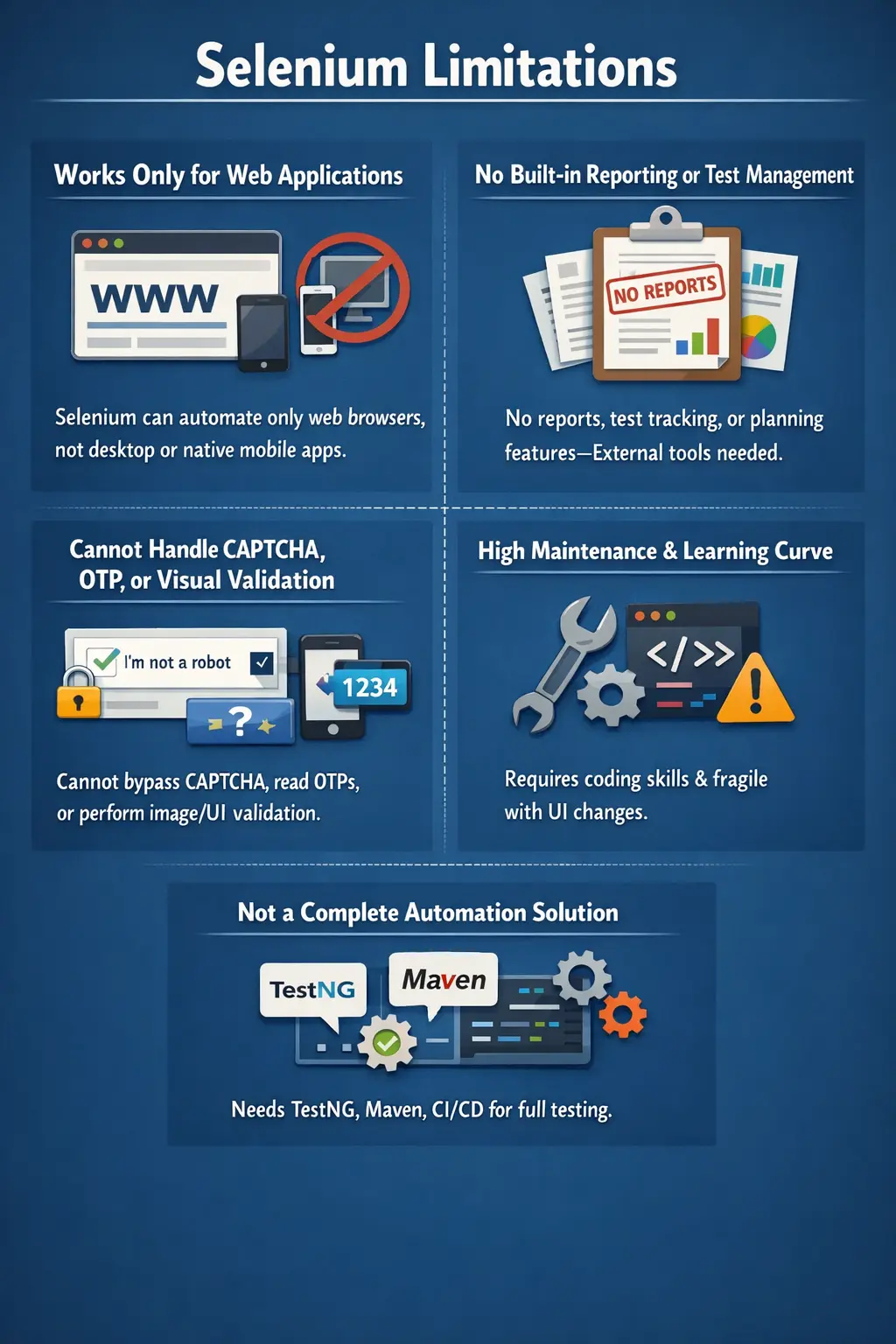
In real-world testing environments, tools are rarely evaluated only based on their strengths. A mature tester or automation engineer must also understand where a tool falls short, how those gaps impact testing, and what strategies can be used to overcome them. Selenium is no exception. While it excels in browser automation, it has several inherent limitations that must be addressed through additional tools, frameworks, and best practices.
This article explores Selenium’s limitations in depth—not as drawbacks, but as practical realities that shape how Selenium is used in modern automation ecosystems.
A limitation does not automatically mean a tool is poor. In automation engineering, every tool has a defined scope. Unit testing frameworks are strong for code-level validation but cannot prove that a complete browser workflow works. API testing tools are strong for service validation but do not verify rendered user interfaces. Selenium is strong for browser automation, but it does not manage every part of the testing lifecycle. Knowing this scope helps teams use Selenium where it delivers the most value and avoid forcing it into areas where another tool is more appropriate.
Many Selenium problems in real projects come from unrealistic expectations. Teams sometimes expect Selenium to provide reporting, test management, data management, visual comparison, environment control, mobile automation, and CI/CD orchestration by itself. Selenium does not do all of that. It provides browser control. A complete automation solution is built by combining Selenium with programming languages, test frameworks, build tools, reporting libraries, CI/CD systems, test management platforms, and disciplined framework design.
Understanding Selenium limitations is therefore a sign of maturity. A beginner may say, "Selenium can automate everything in the browser." A stronger automation engineer says, "Selenium is excellent for repeatable web UI checks, but it needs supporting tools and careful design for reporting, maintainability, synchronization, parallel execution, and end-to-end quality coverage." This article follows that practical view.
It is also useful to separate tool limitations from implementation mistakes. Selenium not having built-in reporting is a tool limitation. A test failing because the team used a fragile XPath is an implementation problem. Selenium not automating native mobile apps is a scope limitation. A suite becoming unreliable because every test shares the same user account is a framework design problem. This distinction matters because some issues are solved by adding complementary tools, while others are solved by improving engineering practices.
In successful teams, Selenium limitations are discussed early during automation planning. The team decides what belongs in UI automation, what should be covered through API tests, what should remain manual, what requires visual testing, and what infrastructure is needed for reliable execution. This prevents the automation suite from becoming overloaded with checks that are slow, brittle, or better handled elsewhere. A clear automation boundary is one of the strongest ways to keep Selenium useful over time.
Selenium Automates Only Web Applications
One of the most fundamental limitations of Selenium is that it is designed exclusively for web application automation. It works by interacting with web browsers such as Chrome, Firefox, Edge, and Safari. This means Selenium cannot automate:
- Desktop applications
- Windows-based software
- Native mobile applications (Android or iOS)
This limitation is not a flaw but a design choice. Selenium is built specifically for browser-based automation, and it performs exceptionally well within that scope. However, in real-world projects where applications span multiple platforms, Selenium alone is insufficient.
For example, if a project involves testing a desktop-based financial application or a mobile banking app, additional tools must be introduced. Tools like WinAppDriver or AutoIt are used for desktop automation, while Appium is commonly used for mobile testing.
The key takeaway is that Selenium should be viewed as a specialized tool for web automation, not a universal testing solution.
This boundary is especially important in products that combine web, mobile, desktop, and backend workflows. A retail platform may have a web storefront, a native mobile app, an admin desktop utility, APIs, and warehouse software. Selenium can validate the web storefront and browser-based admin screens, but it cannot directly automate the native mobile app or desktop utility. If the test strategy depends only on Selenium, large parts of the product may remain uncovered.
The right approach is to choose tools based on application type. Selenium can cover browser workflows. Appium can cover native and hybrid mobile flows. Desktop tools can cover Windows applications. API testing tools can validate service behavior. This does not reduce Selenium's value; it clarifies its role. Selenium becomes one part of a wider quality strategy instead of being treated as a universal automation hammer.
No Built-in Reporting Mechanism
Another significant limitation of Selenium is the absence of a built-in reporting system. When Selenium executes test scripts, it performs browser actions such as clicking, typing, and navigation. However, it does not generate structured reports that summarize test results.
This means that after execution, there is no default output indicating:
- Which tests passed or failed
- Execution summaries
- Visual dashboards
- Historical trends
In real projects, this lack of reporting makes Selenium insufficient as a standalone tool. To address this gap, teams integrate external reporting frameworks such as:
- TestNG Reports
- Extent Reports
- Allure Reports
These tools transform raw execution into meaningful insights. Without them, Selenium execution results are difficult to interpret, especially in large test suites.
This limitation reinforces an important concept: Selenium is an execution engine, not a reporting solution.
Reporting is not a cosmetic feature in real automation. When a suite has hundreds of tests, the team needs to know which tests failed, why they failed, what browser was used, which environment was tested, what screenshots were captured, and whether the failure is new or recurring. Selenium can perform the browser steps, but it does not organize this information into a decision-ready report. Without a reporting layer, automation results are hard to share with developers, managers, product owners, and release teams.
This is why Selenium frameworks commonly integrate with TestNG, JUnit, Extent Reports, Allure, or custom dashboards. A good report turns browser execution into useful evidence. It can show pass and fail counts, failure stack traces, screenshots, execution duration, suite grouping, retry status, and historical trends. The limitation is manageable, but only when the framework includes reporting from the beginning instead of treating it as an afterthought.
No Built-in Test Management Features
Selenium does not provide capabilities for managing the overall testing lifecycle. It lacks features such as:
- Test case management
- Requirement traceability
- Test planning
- Execution tracking
In contrast, full-fledged testing tools often include dashboards, traceability matrices, and planning modules. Selenium, however, focuses solely on automation execution.
As a result, teams must integrate Selenium with test management tools such as:
- JIRA (for defect tracking)
- TestRail or Zephyr (for test management)
- CI/CD tools for execution tracking
This limitation highlights that Selenium is not an end-to-end testing platform. Instead, it must be combined with other tools to form a complete testing ecosystem.
Test management is broader than running automation. A project needs to know which requirements are covered, which test cases exist, which tests are planned for a release, which defects are open, which risks remain, and what evidence supports sign-off. Selenium does not store requirements, track coverage, manage manual test cases, or provide release-level dashboards. Those responsibilities belong to test management and project management tools.
In a mature setup, Selenium results may be linked back to test cases or user stories. CI/CD pipelines may publish execution results, while tools such as Jira, Zephyr, or TestRail maintain broader testing records. This creates traceability. Selenium contributes automated execution evidence, but the testing lifecycle is managed through additional systems. This separation keeps Selenium focused and prevents automation code from becoming a substitute for proper QA process management.
Cannot Handle CAPTCHA and OTP
Selenium cannot handle CAPTCHA (Completely Automated Public Turing test to tell Computers and Humans Apart) or One-Time Passwords (OTP). This is not a technical limitation but a security-driven constraint.
CAPTCHA systems are intentionally designed to prevent automation. Similarly, OTPs are dynamically generated and sent through external channels such as SMS or email.
Because of this:
- Selenium cannot bypass CAPTCHA
- Selenium cannot read OTPs automatically
In real-world testing, teams use workarounds such as:
- Disabling CAPTCHA in test environments
- Using predefined test OTPs
- Mocking authentication services
Understanding this limitation is critical because it reflects the boundary between automation and security mechanisms.
CAPTCHA and OTP are designed specifically to prove that a real user is present or that a secure authentication channel is being used. Trying to bypass them in automation usually defeats their purpose. In production, these controls protect the system from bots, fraud, and unauthorized access. A test framework should not attempt to break them. Instead, the test environment should provide controlled alternatives that allow authentication flows to be tested safely.
Common solutions include disabling CAPTCHA in lower environments, using a fixed test OTP, exposing a test-only OTP retrieval API, mocking the authentication provider, or testing the secure control separately through dedicated security testing. The goal is not to ignore authentication. The goal is to design testability into the environment while respecting security boundaries. Selenium can automate the surrounding browser flow, but security mechanisms often require environment-level support.
No Support for Visual or Image-Based Validation
Selenium operates at the DOM (Document Object Model) level, meaning it interacts with elements based on their structure and attributes. However, it cannot perform visual validations such as:
- Comparing UI layouts
- Detecting visual misalignment
- Validating images, barcodes, or QR codes
This limitation becomes important in applications where visual correctness is critical, such as e-commerce or UI-heavy platforms.
To overcome this, teams integrate visual testing tools like:
- Applitools
- Percy
- Sikuli
These tools complement Selenium by enabling visual comparisons and image-based validations.
Selenium can verify that an image element exists, that its src attribute is present, or that a button text matches an expected value. It cannot reliably judge whether a page looks correct to the human eye. A layout may be shifted, an icon may be cropped, a color may be wrong, or a section may overlap another section while the DOM still contains all expected elements. From Selenium's perspective, the elements may be present, but visually the page may be broken.
Visual testing tools fill this gap by comparing screenshots, detecting pixel-level or AI-assisted differences, and highlighting layout changes. These tools are especially useful for design-heavy applications, dashboards, marketing pages, e-commerce product pages, and responsive layouts. In practice, Selenium and visual testing can work together: Selenium navigates to the correct state, and the visual tool validates how that state appears.
Steep Learning Curve
Although Selenium is open-source and widely used, it is not beginner-friendly. It requires:
- Programming knowledge (Java, Python, etc.)
- Understanding of object-oriented programming (OOP)
- Knowledge of browser behavior and DOM structure
- Framework design skills
For someone without a coding background, learning Selenium can be challenging. Additionally, writing stable automation requires knowledge of:
- Synchronization (waits)
- Locator strategies
- Exception handling
Without these skills, tests can become unreliable and flaky.
This limitation highlights an important reality: automation is not just about tools—it is about engineering discipline.
The learning curve becomes visible when testers move from simple examples to real applications. A login demo may require only a few lines of code. A real framework requires project structure, dependency management, driver setup, page objects, waits, reusable assertions, test data handling, exception analysis, reporting, and CI/CD execution. Selenium itself is only one part of this engineering work. This is why automation roles often require both testing knowledge and programming skill.
Beginners often struggle with locators and waits first. They may use brittle XPath expressions, fixed sleeps, or duplicated code. The tests may pass once and fail later because the page loads differently or the UI changes slightly. Learning Selenium properly means learning how browsers behave, how the DOM changes, how JavaScript applications render content, and how to build stable abstractions around the UI.
High Test Maintenance
Selenium test scripts are highly dependent on the application’s UI. When the UI changes:
- Element locators may break
- Test scripts may fail
- Maintenance effort increases
Modern web applications frequently update their UI, making this a common challenge.
For example:
- Changing an element ID can break multiple test cases
- Dynamic elements can cause inconsistent behavior
To reduce maintenance, best practices such as:
- Page Object Model (POM)
- Stable locator strategies
- Proper wait mechanisms
must be implemented.
Without these practices, Selenium automation becomes fragile and difficult to maintain.
Maintenance is one of the largest hidden costs in Selenium automation. Writing the first version of a test is often easy. Keeping that test useful for months or years is harder. When a product evolves, page structure changes, labels change, workflows change, and data rules change. If the automation framework is tightly coupled to fragile UI details, even small product updates can break many tests.
The Page Object Model reduces this cost by centralizing locators and page actions. Stable locator strategies reduce failures caused by UI reshuffling. Explicit waits reduce timing-related instability. Code reviews and refactoring keep test code readable. Maintenance cannot be eliminated, but it can be controlled. A Selenium suite should be treated like production code because teams depend on it for release confidence.
Performance and Speed Limitations
Selenium interacts with real browsers, which introduces overhead. Each test involves:
- Browser startup
- Page loading
- Element interaction
This makes Selenium slower compared to some modern tools like Playwright or Cypress in certain scenarios.
However, this trade-off comes with benefits:
- Real browser testing ensures accuracy
- Broad browser support is maintained
In enterprise environments, Selenium’s reliability often outweighs its speed limitations.
Speed limitations matter because slow feedback reduces the usefulness of automation. If a suite takes many hours to run, teams may run it less often, ignore failures, or delay release decisions. Selenium tests are naturally slower than unit or API tests because they execute through a real browser. That cost is justified for critical end-to-end workflows, but it is inefficient for validations that can be performed at a lower level.
A practical strategy is to build a test pyramid. Unit tests cover logic quickly, API tests cover service behavior efficiently, and Selenium tests cover high-value browser journeys. Within Selenium itself, teams can keep smoke tests small and fast, run deeper regression suites on schedules, and use Grid or CI parallelization to reduce overall time. Selenium's speed limitation is manageable when the test strategy is layered.
No Built-in Parallel Execution
By default, Selenium executes tests sequentially. This means:
- One test runs at a time
- Execution time increases for large test suites
To achieve parallel execution, additional tools are required, such as:
- TestNG
- Selenium Grid
- CI/CD pipelines
While parallel execution is possible, it is not available out-of-the-box. This adds complexity to framework design.
Parallel execution is not simply a switch that can be turned on safely. Tests must be independent. They should not rely on execution order, shared browser sessions, shared mutable data, or common files that can be overwritten by another test. If two tests use the same user account and modify the same records at the same time, parallel execution can create failures that are difficult to understand. Selenium can support parallel execution through frameworks and Grid, but the test design must be ready for it.
A scalable Selenium framework usually creates a separate WebDriver instance per test thread, manages test data carefully, and closes browser sessions reliably. TestNG or JUnit can coordinate parallel execution at the test level, while Selenium Grid or cloud browser platforms provide multiple browser sessions. This setup is powerful, but it requires planning and discipline.
Browser and Driver Dependency
Selenium requires browser-specific drivers such as:
- ChromeDriver
- GeckoDriver
- EdgeDriver
- SafariDriver
Each driver must match the browser version. A mismatch results in execution failures.
This creates a maintenance overhead where:
- Drivers must be updated frequently
- Compatibility must be ensured
Tools like WebDriverManager help automate this process, but the dependency remains a common challenge in real projects.
Driver dependency creates a practical maintenance concern because browsers update frequently. A browser update can introduce changes that require a compatible driver or Selenium version. In local execution, this may appear as a session creation failure. In CI/CD, it may appear only on build agents where browser versions differ from tester machines. In Grid environments, one node may fail while another works because they have different browser and driver combinations.
Modern tooling reduces this pain. Selenium Manager and WebDriverManager can detect and manage drivers automatically in many cases. Still, teams should understand the dependency because driver and browser compatibility remains part of Selenium architecture. Reliable automation environments control browser versions, driver versions, and execution configuration instead of leaving them to chance.
Challenges with Modern Dynamic Applications
Modern web applications use technologies like:
- AJAX
- React
- Angular
- Vue
These frameworks create dynamic content that does not load immediately. Selenium, by default, does not handle such synchronization automatically.
This leads to issues such as:
- Element not found errors
- Timing issues
- Flaky tests
To handle this, testers must implement:
- Explicit waits
- Fluent waits
- Custom synchronization logic
This requirement increases the complexity of automation.
Dynamic applications are one of the biggest reasons Selenium tests become flaky. A page may load the initial HTML quickly but populate content later through API calls. A button may exist in the DOM before it becomes enabled. A framework may re-render a component, causing a previously located element to become stale. These are application behavior realities, not random Selenium behavior. Selenium executes commands against the current browser state, so the automation must wait for the right state before acting.
Good synchronization is specific and meaningful. Instead of waiting for a fixed number of seconds, tests should wait until a condition is true: an element is visible, a loader disappears, a URL changes, text appears, a button becomes clickable, or an API-driven table contains expected data. This makes Selenium tests more resilient and faster because they continue as soon as the condition is satisfied.
Selenium Is Not a Complete Automation Solution
Perhaps the most important limitation is that Selenium is not a complete automation tool. It does not provide:
- Reporting
- Test management
- Logging
- CI/CD integration
- Framework structure
Instead, it must be combined with:
- Test frameworks (TestNG, JUnit)
- Build tools (Maven, Gradle)
- Reporting tools
- CI/CD tools (Jenkins, GitHub Actions)
This makes Selenium part of an automation ecosystem, not a standalone solution.
A complete Selenium automation solution is usually a framework assembled from multiple pieces. Selenium handles browser interaction. Java or another language handles programming logic. TestNG or JUnit handles test execution and assertions. Maven or Gradle handles dependencies and build commands. Extent Reports or Allure handles reporting. Jenkins or GitHub Actions handles scheduled and pipeline execution. Git handles version control. Each tool solves a specific problem that Selenium itself does not try to solve.
This modularity is both a strength and a limitation. It gives teams flexibility to design the framework they need, but it also means there is more engineering work. A poorly assembled framework can become unstable, even if Selenium itself is working correctly. A well-assembled framework turns Selenium into a reliable automation platform by filling the gaps around it.
Common Misconceptions
There are several misconceptions about Selenium that need to be clarified.
A common misunderstanding is that Selenium can test everything. In reality, it is limited to web UI automation.
Another misconception is that Selenium replaces manual testing. In practice, Selenium complements manual testing by automating repetitive tasks such as regression testing.
Understanding these distinctions is critical for using Selenium effectively.
Another misconception is that more Selenium tests always mean better quality. In reality, a large suite of unstable or low-value UI tests can slow the team down. Good automation is selective. The best Selenium tests cover important, repeatable, business-critical browser workflows. Exploratory testing, usability review, requirement analysis, and risk-based thinking still require human testers. Selenium supports quality, but it does not replace judgment.
Some teams also assume that Selenium failures always indicate application defects. Many failures are automation issues: bad locators, weak waits, environment instability, test data conflicts, browser-driver mismatch, or framework bugs. Mature teams classify failures carefully. They separate product defects from automation maintenance and infrastructure issues. This keeps trust in the automation suite high.
Interview Perspective
From an interview standpoint, Selenium limitations are frequently asked questions. A strong answer should highlight key points such as:
- Limited to web applications
- No built-in reporting or test management
- Cannot handle CAPTCHA or OTP
- Requires external tools for full automation
- High maintenance for dynamic UIs
A real-world answer should also emphasize that these limitations are addressed through frameworks and integrations.
A strong interview answer should be balanced. It should not criticize Selenium as if limitations make it useless. Instead, it should explain that Selenium is focused on web UI automation and needs supporting tools for a complete solution. For example, it lacks reporting, so teams integrate Extent Reports or Allure. It lacks test management, so teams use Jira, Zephyr, or TestRail. It does not automate mobile apps, so teams use Appium. It does not handle visual testing by itself, so teams use visual comparison tools. This answer shows real project understanding.
A concise interview-ready answer could be: Selenium is limited to web application automation, has no built-in reporting or test management, cannot handle CAPTCHA or OTP directly, requires browser drivers, needs programming and framework skills, and can be slower or flaky when dynamic applications are not synchronized properly. These limitations are handled through good framework design, stable locators, waits, reporting tools, CI/CD integration, WebDriverManager or Selenium Manager, Selenium Grid, and complementary tools.
Key Takeaway
Selenium is a powerful and flexible automation tool, but it is not complete on its own. Its limitations are not weaknesses but boundaries that define its role in the testing ecosystem.
When combined with the right tools, frameworks, and best practices, Selenium becomes a highly effective solution for web automation. The key is to understand its limitations and design around them.
In practical terms, Selenium is:
- Powerful but focused on web automation
- Flexible but dependent on frameworks
- Scalable but requires maintenance
A well-designed automation framework transforms these limitations into manageable challenges, enabling teams to deliver high-quality software efficiently.
The practical lesson is that Selenium should be used intentionally. It is excellent for validating real browser behavior, regression flows, smoke checks, and cross-browser web scenarios. It is not the right tool for every layer of testing. Teams that understand this boundary build stronger automation strategies because they use Selenium where browser-level confidence matters and use other tools where they are more efficient.
For Selenium with Java learners, studying limitations is just as important as studying commands. It prepares you to answer real interview questions, design better frameworks, and avoid common project mistakes. The best automation engineers do not only know what Selenium can do; they also know what Selenium should not be forced to do.
In real projects, Selenium works best when its limitations are accepted and planned around. The team should define stable automation candidates, use Page Object Model or similar design patterns, manage drivers consistently, add meaningful reports, keep test data isolated, and place Selenium tests at the right level of the testing strategy. When these decisions are made deliberately, Selenium remains powerful without becoming fragile. Its boundaries become part of the framework design rather than surprise problems discovered late in the release cycle.
The final message is simple: Selenium is not weak because it has limitations. It is effective because it does one major job well: controlling real browsers for web automation. The responsibility of an automation engineer is to build the surrounding ecosystem that Selenium needs. With the right combination of testing knowledge, programming discipline, infrastructure, and complementary tools, Selenium continues to be a practical and reliable choice for modern web application testing.