History of Selenium: From Internal Tool to Industry Standard
The history of Selenium is the history of web test automation becoming practical, open, and widely adopted. Selenium did not begin as a large commercial platform or a fully designed enterprise product. It began as a small internal solution to a real testing problem: manual regression testing for a web application was slow, repetitive, and difficult to scale. From that practical beginning, Selenium grew through community contribution, changing browser technology, and the growing need for faster software delivery.
Understanding Selenium's history is useful for interviews because it explains why Selenium works the way it does today. Selenium Core used JavaScript inside the browser. Selenium RC introduced a server-based approach. WebDriver moved automation closer to native browser control. Selenium Grid addressed parallel and distributed execution. Selenium 3 strengthened WebDriver and browser-driver alignment. Selenium 4 embraced W3C WebDriver standards and modernized browser automation. Each stage solved a limitation from an earlier stage.
Selenium's journey also teaches a larger lesson about automation. Tools evolve because applications evolve. Early web pages were simpler than modern single-page applications, browser security restrictions became more important, release cycles became shorter, and teams needed automation that could run reliably in CI/CD pipelines. Selenium survived because it adapted to these changes while remaining open-source, language-flexible, and browser-focused.
Origins of Selenium
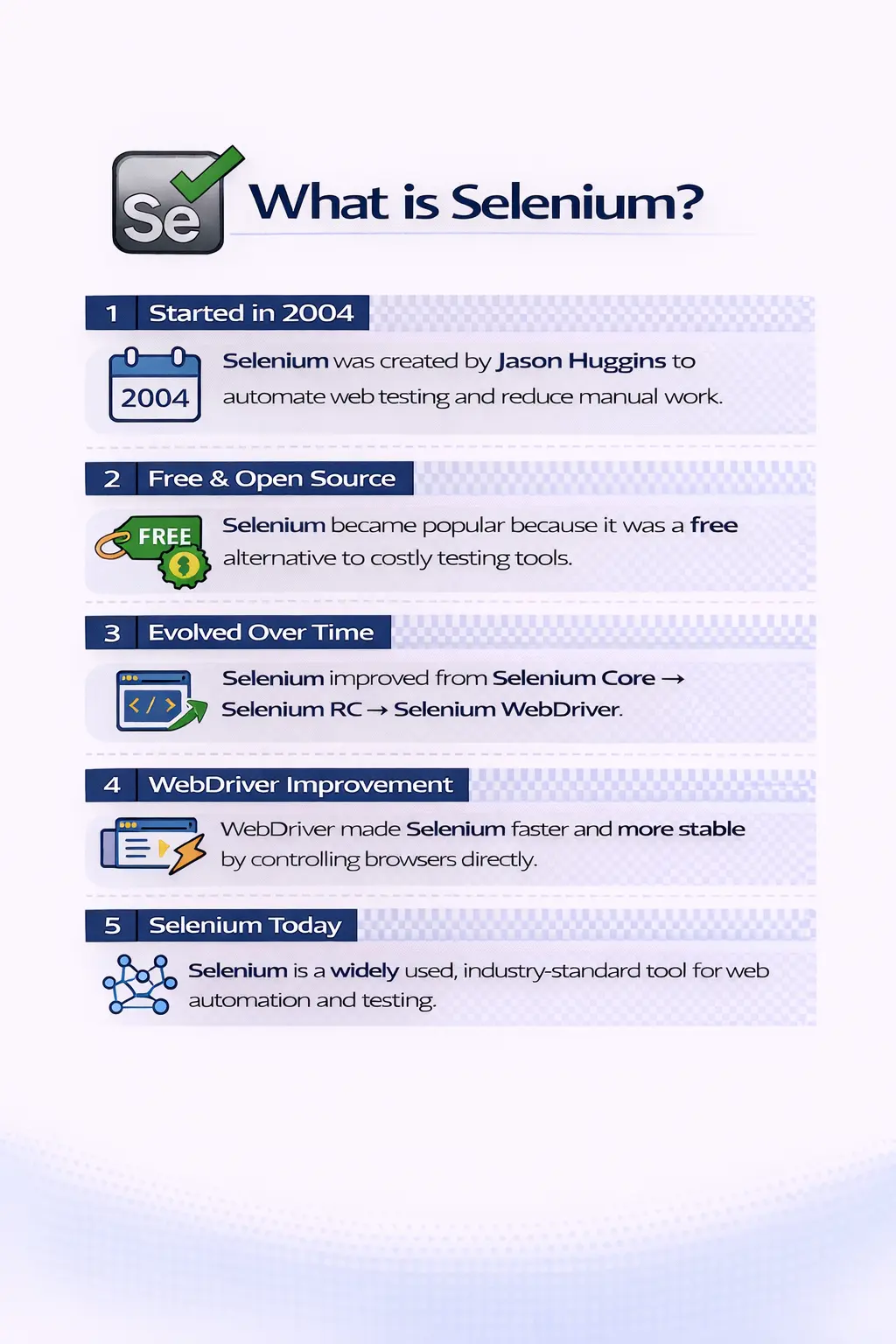
Selenium began in 2004 at ThoughtWorks, where software engineer Jason Huggins was working on testing a web-based application. The team faced a common problem: regression testing had to be repeated again and again, but doing it manually consumed time and energy. To reduce repetitive browser work, Huggins built a small JavaScript-based tool called JavaScriptTestRunner. It could automate browser actions by simulating user interactions inside the browser.
What started as a local helper for one project quickly became interesting to a wider testing community. Many teams were facing the same pain. Web applications were becoming more important, but browser-based testing was still heavily manual. JavaScriptTestRunner showed that browser actions could be scripted, repeated, and used to validate behavior more consistently than manual clicking through the same screens every release.
The tool evolved into Selenium Core and was released as open source. This open-source decision was crucial. Instead of remaining an internal utility, Selenium became something testers and developers outside ThoughtWorks could use, improve, discuss, and extend. That community involvement became one of the strongest reasons Selenium grew from a small tool into a global automation standard.
The Story Behind the Name
The name Selenium was chosen as a humorous reference. At the time, Mercury Interactive had a well-known commercial testing tool called QTP. Since the chemical element selenium is known for counteracting mercury poisoning, the name symbolized Selenium as a free, open-source alternative to a commercial solution associated with Mercury. The naming story is memorable, but it also reflects the spirit of the project.
Selenium represented openness and flexibility. It gave teams a way to automate browsers without being tied to a single vendor ecosystem. Organizations could write tests in familiar programming languages, build frameworks around their own needs, and integrate automation into their own delivery process. This flexibility was especially attractive as Agile development and frequent releases became more common.
In interviews, the naming story is useful because it shows historical awareness. However, the stronger point is that Selenium became successful because it met a real market need. Teams wanted web automation that was accessible, extensible, and community-supported. Selenium provided that foundation.
Selenium Core: The First Step
Selenium Core was the first major stage in Selenium's evolution. It was essentially a collection of JavaScript functions that ran inside the browser. It could automate user actions such as clicking, typing, selecting values, and navigating through pages by injecting JavaScript into the application under test. For its time, this was an innovative way to reduce manual browser regression work.
Selenium Core proved that web UI automation could be done in a repeatable way. It allowed teams to create automated checks that interacted with the application through the browser, closer to how real users worked than pure backend testing. This was important because many defects appear only when the browser, DOM, JavaScript, and server-side behavior come together.
The major limitation was browser security. Selenium Core was affected by same-origin policy restrictions, which limited what scripts could do across different domains. The same-origin policy is important for user security, but it created automation challenges. Selenium Core also struggled with more complex scenarios as web applications grew. These limitations pushed the Selenium community toward a new architecture.
Selenium Remote Control (RC)
Selenium Remote Control, usually called Selenium RC, was introduced to overcome limitations of Selenium Core. RC added a server that acted as an intermediary between test scripts and the browser. Test scripts sent commands to the RC server, and the server controlled the browser. This design helped work around browser restrictions and expanded Selenium's usefulness.
Selenium RC was important because it supported multiple programming languages. Testers could write automation in Java, C#, Ruby, Python, and other languages. This was a major step forward because automation could now fit into broader engineering workflows. Teams could use test frameworks, assertions, build tools, source control, and reporting libraries from their preferred programming ecosystem.
However, Selenium RC had real drawbacks. The architecture was more complex because commands passed through an extra server layer. Execution could be slower and less stable than teams wanted. Browser interaction still depended heavily on JavaScript-driven control, and dynamic web applications could expose synchronization and reliability issues. Selenium RC was a milestone, but it was not the final model for modern browser automation.
Today, Selenium RC is deprecated and should not be used for new automation. Its historical value is that it moved Selenium beyond simple in-browser JavaScript execution and introduced broader language support. It helped Selenium become more flexible, but WebDriver eventually replaced it because WebDriver offered a cleaner and more reliable approach.
The Birth of WebDriver
A major turning point came in 2006 when Simon Stewart created WebDriver. WebDriver took a different approach from Selenium Core and Selenium RC. Instead of relying mainly on JavaScript injection, WebDriver communicated with browsers using native browser automation support. It worked more like a real user interacting with the browser and less like a script manipulating the page from inside.
This direct browser communication made WebDriver faster, more stable, and more reliable. It solved many of the limitations that existed in Selenium RC. Actions such as clicking, typing, handling windows, working with alerts, switching frames, and navigating pages became more natural. WebDriver also aligned better with how browsers were actually built.
WebDriver became especially important as web applications became richer and more dynamic. AJAX, client-side rendering, complex DOM updates, and browser-specific behavior required automation that could work at the browser level. WebDriver provided a stronger foundation for professional web automation frameworks.
When people talk about Selenium in modern projects, they usually mean Selenium WebDriver. It became the core engine of Selenium automation because it offered better speed, stronger architecture, and more realistic browser interaction than RC.
Selenium 2: The Merger Era
Selenium 2 marked the merging of Selenium RC and WebDriver. This merger was important because Selenium RC had a large user base, while WebDriver represented the future. Selenium 2 allowed teams to transition gradually. Existing RC users had a path forward, and new projects could adopt WebDriver directly.
During this period, WebDriver became the primary engine while RC remained temporarily for backward compatibility. Over time, RC support was removed because WebDriver proved superior in speed, stability, and maintainability. This transition established WebDriver as the center of Selenium automation.
The Selenium 2 era also taught automation teams an important framework lesson. Tools change over time. If a framework is tightly coupled to outdated APIs and poor design patterns, migration becomes painful. Teams that kept their test logic clean and separated from low-level tool details were better positioned to move from RC to WebDriver.
Introduction of Selenium Grid
As automation needs grew, teams needed faster execution and broader browser coverage. Selenium Grid was introduced to meet this demand. Grid allowed tests to run on multiple machines and different browser and operating system combinations at the same time. This made Selenium suitable for larger regression suites and enterprise-scale automation.
Grid solved a different problem from WebDriver. WebDriver improved how tests communicated with browsers. Grid improved where and how many tests could run. Instead of running a full suite on one machine for hours, teams could distribute tests across multiple nodes and finish much faster. Parallel execution became a practical part of Selenium strategy.
Grid also supported cross-browser testing. A team could run tests on Chrome, Firefox, Edge, and other supported browsers to validate compatibility. This became important because real users access web applications from many different environments. Selenium Grid helped teams increase coverage without multiplying manual effort.
In modern automation, Grid concepts are also connected to cloud testing platforms, containerized browsers, and CI/CD pipelines. The core idea remains the same: distribute browser execution so feedback arrives faster and supports release decisions.
The Selenium 3 Era
Selenium 3 focused on WebDriver stability and standardization. By this stage, WebDriver was clearly the main direction of Selenium. Browser vendors such as Chrome, Firefox, and Edge began maintaining their own browser drivers, which improved alignment between automation and browser internals.
This shift was important because browser automation depends heavily on browser behavior. When browser vendors maintain drivers, compatibility can improve and automation can follow browser changes more closely. Selenium 3 also moved the ecosystem further away from Selenium RC and toward a WebDriver-centered model.
Selenium IDE, which had been removed for a period, was later redesigned and reintroduced. This gave beginners and teams needing quick prototypes a record-and-playback option again, while professional frameworks continued to rely primarily on WebDriver. The Selenium 3 era was therefore a stabilization and modernization step before Selenium 4's stronger standardization.
Selenium 4 and Modern Automation
Selenium 4 represents modern Selenium. Its most important change is full support for the W3C WebDriver protocol. A standard protocol helps ensure that Selenium commands and browser driver behavior follow a common specification. This reduces inconsistencies and supports more predictable automation across browsers.
Selenium 4 also improved browser interaction APIs. Window and tab handling became cleaner. Relative locators were introduced to locate elements based on their position relative to other elements. Selenium Grid was redesigned with a more modern architecture, making distributed execution easier to set up, observe, and scale.
Selenium 4 reflects the current reality of automation. Teams run tests in CI/CD pipelines, cloud grids, containers, multiple browsers, and multiple environments. They need standards, stable APIs, logs, observability, and framework maintainability. Selenium 4 aligns with those needs by focusing on standard communication and scalable execution.
Selenium's Place Today
Today, Selenium is considered an industry standard for web automation. It is widely used in enterprise projects, regression suites, CI/CD pipelines, and cross-browser testing strategies. Its open-source nature, strong community support, browser compatibility, and language flexibility make it a preferred choice for many organizations.
Selenium remains relevant because web applications remain central to business. Banking portals, e-commerce sites, healthcare applications, insurance systems, SaaS dashboards, learning platforms, and internal admin tools all depend on browser-based workflows. Teams need confidence that these workflows still work after every release, and Selenium provides a proven foundation for that validation.
Selenium is not the only modern automation tool. Tools such as Playwright, Cypress, and others are used in many teams for specific needs. Selenium's strength is maturity, ecosystem depth, multi-language support, broad browser support, and long-term adoption. Understanding its history helps testers understand why different tools exist and what problems each generation of automation tried to solve.
Why Selenium Became So Popular
Selenium's popularity grew because it is free, open-source, and flexible. Teams can use it without licensing cost, customize frameworks based on project needs, and integrate it with many tools. It supports multiple browsers and multiple programming languages, which allows organizations to align automation with existing skills and technology stacks.
Java teams can use Selenium with TestNG, Maven, logging libraries, reporting tools, and CI/CD systems. Python teams can use their own testing ecosystem. C# teams can integrate with .NET tooling. This flexibility helped Selenium spread across many industries because it did not force every team into the same language or commercial platform.
Selenium also benefited from community trust. A widely used tool creates a large knowledge base. Common problems around locators, waits, browser drivers, screenshots, reports, Grid, and CI/CD execution have been discussed and solved by many practitioners. This makes Selenium easier to learn, hire for, and support in real projects.
Selenium fit naturally with Agile and DevOps because it supported automated regression feedback. As teams released more frequently, they needed tests that could run on every build, every deployment, or every nightly cycle. Selenium helped move browser validation into the delivery pipeline.
Timeline of Selenium Evolution
Selenium's timeline can be remembered as a chain of problem-solving stages. In 2004, JavaScriptTestRunner was created to reduce repetitive manual browser testing. Selenium Core followed as the early JavaScript-based automation engine. Selenium RC introduced a server-based architecture and multi-language support to overcome browser restrictions.
In 2006, WebDriver introduced native browser automation and changed Selenium's future. Selenium 2 merged RC and WebDriver so the community could transition toward the stronger model. Selenium Grid addressed scaling and parallel execution. Selenium 3 strengthened WebDriver and browser-driver alignment. Selenium 4 embraced the W3C WebDriver protocol and modernized Grid and browser interaction APIs.
This timeline is useful in interviews because it shows cause and effect. Selenium did not randomly add features. Each stage addressed a real limitation: repetitive manual testing, JavaScript restrictions, RC complexity, browser compatibility, distributed execution, and standardization.
What Selenium History Teaches Automation Engineers
Selenium's history teaches that automation tools must evolve with application technology. Early web pages were simpler than modern web applications. Today's applications are dynamic, asynchronous, component-driven, and integrated with many services. Automation approaches that worked for simple pages may become weak for modern interfaces unless the tools and frameworks adapt.
The move from Selenium Core to RC to WebDriver also teaches the importance of architecture. Selenium Core was useful but limited by browser security. RC was flexible but complex and slower. WebDriver became dominant because its architecture better matched how browsers should be automated. Grid became important because execution scale became a real project need.
For framework designers, the lesson is to build automation that can adapt. Keep business test logic separate from low-level browser operations. Use maintainable page objects, stable locators, reusable wait utilities, external configuration, reporting, and clear test data strategy. Selenium's own evolution shows that maintainability matters as much as initial capability.
Why WebDriver Replaced RC
The replacement of Selenium RC by WebDriver is one of the most important interview points in Selenium history. RC was valuable because it allowed multi-language automation and helped bypass early browser restrictions, but its architecture had unavoidable drawbacks. Commands moved through an RC server, browser control depended heavily on JavaScript, and tests could become slower or less stable as applications became more dynamic.
WebDriver solved the problem by changing the automation model. Instead of controlling the browser mainly from inside the page, WebDriver communicated with the browser through browser-specific automation support. This made browser actions more natural. Clicking, typing, switching windows, handling alerts, and navigating pages became closer to real browser behavior. As a result, WebDriver provided better reliability and became more suitable for large automation frameworks.
This transition also changed how automation engineers thought about test design. With WebDriver, teams could build stronger page objects, reusable components, explicit wait utilities, reporting layers, and CI/CD execution patterns. Selenium was no longer just a set of scripts; it became the foundation for maintainable automation engineering.
How Selenium Grid Changed Execution Strategy
Before distributed execution became common, many teams ran automation on a single local machine or one build server. That worked for small suites, but it became inefficient as regression coverage grew. A suite with hundreds of tests could take hours if each test ran one after another. Selenium Grid changed this by making parallel browser execution a standard part of Selenium strategy.
Grid allowed teams to separate test creation from execution infrastructure. A test could request a browser and platform, and Grid could route that request to an available node. This made execution more scalable. Teams could add more nodes to reduce execution time, run different browser combinations, and support broader regression coverage before releases.
In modern CI/CD pipelines, the Grid idea continues through local grids, cloud grids, container-based grids, and hosted cross-browser platforms. The practical goal remains the same: provide fast, reliable feedback across the environments that matter. Selenium Grid helped make browser automation feasible for enterprise teams that could not wait for long sequential test runs.
Impact on Automation Framework Design
Selenium's history also shaped common framework design patterns. Early scripts were often simple and tightly coupled to page details. As Selenium adoption grew, teams realized that automation code needed the same engineering discipline as application code. Large suites required structure, naming conventions, reusable methods, configuration management, logging, reporting, and clean separation between test logic and page logic.
Page Object Model became popular because Selenium tests interact heavily with pages and elements. If locators are scattered across many tests, maintenance becomes painful. Page objects centralize locators and page actions, making UI changes easier to handle. This pattern became common because real Selenium projects needed a way to manage change over time.
Selenium history therefore shows that tool capability alone is not enough. A team can have WebDriver, Grid, and modern browser support but still fail if the framework is poorly designed. Stable automation requires strong locators, good waits, meaningful assertions, reliable test data, independent tests, readable reports, and regular refactoring. Selenium provides the engine, but framework design provides the long-term value.
Selenium and the Shift Toward Standards
One of the biggest changes in Selenium's history is the shift toward standardization. In the early days, browser automation behavior could vary significantly between browsers and drivers. This created frustration for teams because a test might work in one browser and fail in another for reasons unrelated to the application. Standardization helped reduce those differences.
The W3C WebDriver protocol gave browser automation a shared specification. Selenium 4's full support for this protocol was important because it aligned Selenium, browser drivers, and browser vendors around common behavior. Standards do not eliminate every compatibility issue, but they make automation more predictable and easier to maintain.
For interview answers, this point is useful because it shows modern awareness. Selenium 4 is not just another version number. It represents Selenium's alignment with browser automation standards. This is one reason Selenium continues to be relevant in professional automation environments.
Lessons for Choosing Automation Tools
Selenium's evolution also helps testers choose automation tools more intelligently. A tool should be selected based on the application type, team skills, browser needs, integration requirements, maintainability, and reporting expectations. Selenium is excellent for browser-based automation across multiple languages and browsers, but it is not the answer to every testing problem.
If the goal is API validation, API testing tools or libraries may be better. If the goal is visual comparison, a visual testing tool may be needed. If the goal is performance testing, load testing tools are more appropriate. Selenium's history reminds us that tools are created to solve specific problems. Good engineers understand both tool strengths and tool boundaries.
This balanced view is valuable in interviews. Instead of saying Selenium is always best, explain that Selenium became popular because it solved web UI automation problems very well, especially regression and cross-browser validation. Then mention that successful automation still depends on test design, framework design, and choosing the right tool for the right testing layer.
How Selenium History Affects Real Project Decisions
Selenium history is not only useful for memorizing version names. It also helps teams make better decisions in real projects. Knowing why RC was replaced by WebDriver helps automation engineers avoid outdated approaches and focus on WebDriver-based design. Knowing why Grid exists helps teams plan parallel execution instead of accepting slow test suites as unavoidable. Knowing why Selenium 4 emphasizes standards helps teams understand the importance of browser-driver compatibility and modern protocol behavior.
This historical understanding also improves migration planning. Many organizations maintain old frameworks for years. When a Selenium version changes, a browser driver changes, or a CI/CD environment changes, teams need to understand which part of the automation stack is affected. Is the issue in the test code, the WebDriver API, the browser driver, the browser version, the Grid setup, or the application under test? Selenium's history gives engineers a mental map of these layers.
In practical terms, a mature Selenium engineer does not treat the tool as a black box. They understand that a test script talks to client libraries, client libraries communicate through WebDriver, browser drivers control browsers, and Grid can distribute execution. This layered thinking comes directly from Selenium's evolution and helps teams debug problems faster.
Simple Memory Technique for Interviews
A simple way to remember Selenium history is to think in five phases. First, JavaScriptTestRunner and Selenium Core automated browser actions through JavaScript. Second, Selenium RC added a server and multiple language support. Third, WebDriver introduced native browser automation and became the preferred engine. Fourth, Selenium Grid made parallel and distributed execution practical. Fifth, Selenium 4 aligned Selenium with W3C WebDriver standards and modern automation needs.
This memory technique keeps the answer organized. It avoids jumping randomly between names and versions. If an interviewer asks for details, you can expand each phase with the problem it solved. Core solved repetitive browser actions. RC solved language flexibility and browser restrictions. WebDriver solved speed and reliability. Grid solved scale. Selenium 4 solved standardization and modern execution expectations.
Interview Perspective
From an interview standpoint, Selenium's history shows how it evolved to solve real testing challenges. It began as a JavaScript-based internal tool, progressed through Selenium Core and Selenium RC, matured with WebDriver's native automation approach, scaled with Grid, stabilized through Selenium 3, and became W3C-aligned in Selenium 4.
A strong interview answer should be chronological but concise. Start with Jason Huggins at ThoughtWorks in 2004 and JavaScriptTestRunner. Explain that Selenium Core used JavaScript injection but faced same-origin policy limitations. Then explain that Selenium RC introduced a server and multi-language support but was slower and more complex. Next, mention Simon Stewart's WebDriver, which used native browser automation and became faster and more reliable.
Then describe Selenium 2 as the merger of RC and WebDriver, Selenium Grid as the solution for parallel execution, Selenium 3 as the stabilization era, and Selenium 4 as the W3C-standard modern version. If the interviewer asks why WebDriver replaced RC, say that WebDriver communicated more directly with browsers using native automation support, making it faster, more stable, and closer to real user interaction.
If asked why Selenium is still used today, mention its open-source nature, cross-browser support, multi-language support, mature community, CI/CD compatibility, and strong fit for regression automation. A balanced answer can also mention that Selenium is one tool in a broader automation landscape and works best when paired with good framework design.
Key Takeaway
Selenium's journey reflects the evolution of web testing itself. It started as a small internal solution and grew into a global standard because it solved real problems at each stage. WebDriver replaced RC because it provided better speed, stability, and browser-level interaction. Grid helped Selenium scale. Selenium 4 aligned Selenium with modern browser automation standards.
The main lesson is that Selenium's success came from practical need, community support, open standards, and continuous adaptation. Its history is not just a list of versions. It is a story of how web automation matured from simple JavaScript execution into a flexible, standards-based ecosystem used across modern software delivery.
For learners, this history provides direction. Start with why Selenium was created, then understand why each later component appeared. When you connect Selenium Core, RC, WebDriver, Grid, and Selenium 4 to the problems they solved, the tool becomes easier to remember, easier to explain, and easier to apply in real automation projects.