Feature Keyword
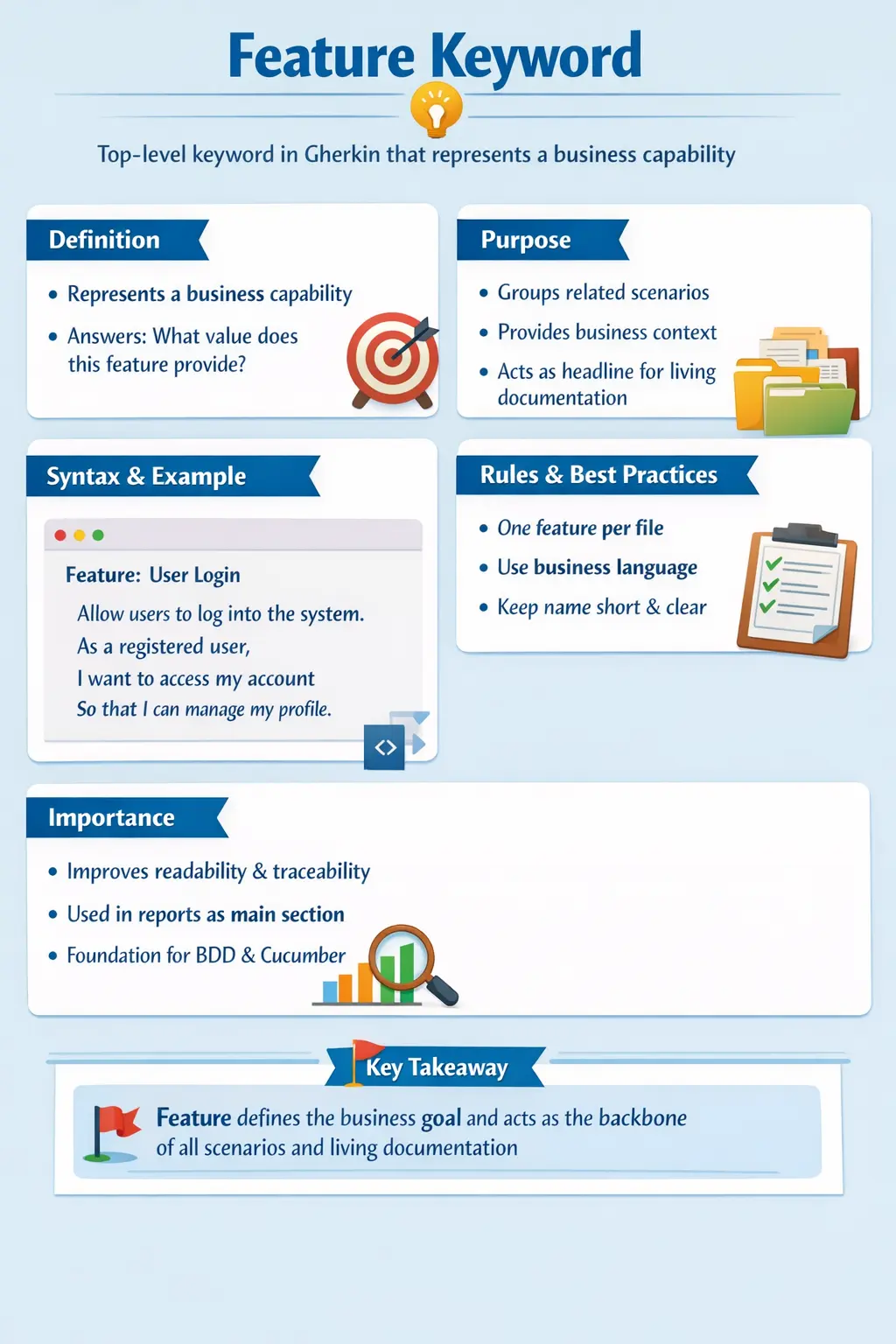
The Feature keyword is the entry point of every Gherkin-based specification. It is the highest-level construct in a feature file and represents a complete, meaningful unit of business capability. While scenarios define specific examples of behavior, the Feature defines the broader intent—the “why” behind those examples. In Behavior Driven Development (BDD), this distinction is critical because the focus is not just on validating functionality, but on ensuring that the system delivers real business value.
Why the Feature Keyword Matters
The Feature keyword matters because it establishes the business boundary of a Gherkin file. Without a clear Feature, scenarios can become a loose collection of test cases that may be technically valid but difficult to understand. A feature file should not feel like a random checklist. It should tell readers which capability is being described and why that capability matters to the product.
In Behavior Driven Development, communication is as important as automation. Business analysts, product owners, developers, testers, automation engineers, and sometimes support teams may read the same feature file. The Feature line gives all of them a common starting point. When it is clear, the rest of the file becomes easier to interpret. When it is vague, every scenario below it becomes harder to trust because the reader must guess the intended scope.
The Feature keyword also helps teams avoid writing automation that is disconnected from business value. A scenario may check a field, button, message, or API response, but the Feature reminds the team what larger behavior those checks support. This matters in long-lived test suites. Months later, a team member should be able to open a feature file and understand the capability being protected without asking who wrote it or why it exists.
Feature as a Business Capability
A strong Feature represents a business capability rather than a screen, button, class, method, or technical component. This distinction is central to BDD. Business capability means something the system enables a user, customer, administrator, or business process to achieve. Examples include account registration, order placement, password reset, appointment booking, claim submission, payment processing, or report generation.
When a Feature is framed as a capability, scenarios naturally become examples of behavior. A feature named "Password Reset" can contain scenarios for requesting a reset link, using an expired link, entering a weak password, and successfully logging in with a new password. Each scenario becomes part of the story of how password reset works. The file has a meaningful center.
When a Feature is framed as an implementation detail, the file becomes fragile. A feature named "Reset Button Click" is too narrow and UI-focused. If the UI changes from a button to a link, the feature name becomes misleading even if the business behavior remains the same. BDD specifications should survive reasonable implementation changes because they describe behavior, not temporary interface details.
Feature as the Reader's Context
The Feature line is the first context a reader receives. Before reading any Given, When, or Then step, the reader should know what area of the system is being discussed. This is why naming matters. A name such as "User Login" immediately prepares the reader for authentication behavior. A name such as "Login Tests" is less helpful because it sounds like a test suite rather than a business capability. A name such as "Verify Page" is too vague to be useful.
Good context reduces cognitive load. A stakeholder reading a report should not need to interpret every scenario from scratch. The Feature groups related behavior into a recognizable business topic. In large projects, this becomes extremely important because teams may maintain hundreds or thousands of scenarios. Clear features make the suite navigable.
Context also helps during defect discussions. If a failed scenario appears under the Feature "Payment Processing," the team immediately understands the affected business area. If the same failure appears under a feature named "Validation," the impact is unclear. Feature names should therefore be selected with the same care as requirement titles or user story names.
Feature Description and Business Intent
The optional description below the Feature line is often overlooked, but it can make a feature file much more useful. The description is not executed by Cucumber. It exists for humans. It explains the business intent, user goal, assumptions, boundaries, or value behind the feature. In a mature BDD practice, this description helps turn a file from a set of executable checks into living documentation.
A useful feature description does not need to be long. It should explain why the capability exists and what outcome it supports. For example, under "Feature: Password Reset," the description might explain that registered users need a secure way to regain account access without contacting support. That short explanation tells developers and testers why security, link expiry, and identity verification matter in the scenarios.
Descriptions are especially helpful for onboarding. New team members may not know the domain, business rules, or reason behind a feature. A concise description gives them enough background to interpret the scenarios. It also helps automation engineers understand which scenarios are essential and which are supporting cases. The description is not a substitute for scenarios, but it improves the meaning of scenarios.
One Feature Per File
One of the most important structural rules in Gherkin is that a feature file should contain one Feature. This rule keeps the file focused. A file with multiple unrelated capabilities becomes hard to maintain because the scenarios no longer share a single context. It also weakens reporting because generated reports use Feature names as major sections.
One Feature per file does not mean one scenario per file. A feature can and usually should contain multiple scenarios that describe related behavior. The key is that those scenarios should belong to the same capability. For example, "User Login" can include successful login, invalid password, locked account, and password expiry scenarios. But it should not also include registration, order placement, and report download scenarios.
This discipline helps teams decide where new scenarios belong. If a new scenario does not naturally fit under the existing Feature name, that is a sign it may belong in another feature file. This simple rule prevents feature files from becoming dumping grounds for unrelated automation.
Feature Scope and Boundaries
Writing a good Feature requires deciding the right scope. A Feature that is too broad becomes difficult to manage. A Feature that is too narrow becomes fragmented. For example, "E-Commerce Application" is too broad because it could include registration, login, cart, checkout, payment, shipping, returns, and reporting. On the other hand, "Click Add to Cart Button" is too narrow because it describes one interaction rather than a business capability.
A useful Feature usually maps to a meaningful functional area. "Shopping Cart Management" is a better scope because it can include adding items, removing items, updating quantities, viewing totals, and preserving cart state. These behaviors are related and together describe a capability. If the file grows too large, the team can split by business concepts such as "Cart Pricing Rules" or "Saved Cart Behavior," but the split should still be based on domain meaning.
Scope decisions should be discussed during backlog refinement or test design. If developers, testers, and product owners disagree about what belongs under a Feature, that disagreement may reveal unclear product boundaries. The Feature keyword therefore supports not only test organization but also domain understanding.
Feature Naming in Professional Projects
In professional projects, feature naming should be consistent and business-oriented. Names should be short enough to scan but specific enough to identify the capability. "User Login" is clearer than "Login." "Customer Account Registration" is clearer than "Registration" if the system also has vendor or admin registration. "Refund Processing" is clearer than "Refund Screen" because the business process matters more than the screen.
Feature names should avoid unnecessary testing language. Words such as "Verify," "Validate," "Check," and "Test" usually belong in test case thinking, not Feature titles. A Feature is not named after the act of testing; it is named after the system behavior being specified. "Verify Login Page" is weaker than "User Login." "Check Payment Gateway" is weaker than "Payment Processing."
Technical jargon should also be limited unless the domain itself is technical. A feature named "POST Authentication Endpoint" may be appropriate in an API-focused technical suite, but if the feature file is meant for business stakeholders, "User Authentication" may be better. The name should match the intended audience and purpose of the documentation.
How Feature Supports Collaboration
The Feature keyword supports collaboration because it gives the team a common unit of conversation. During refinement, the product owner can explain the business goal of the feature. The tester can identify examples, edge cases, and negative paths. The developer can discuss technical feasibility and dependencies. The resulting scenarios then reflect shared understanding instead of one person's interpretation.
This collaboration is one of the strongest reasons to use Gherkin. If feature files are written only by automation engineers after development is complete, they may become automated scripts rather than BDD specifications. The Feature line should ideally come from a shared conversation about business behavior. It should represent what the team agreed the system must support.
Feature-level clarity also helps during reviews. A reviewer can ask whether all scenarios truly belong under the Feature, whether the name reflects business language, and whether important behavior is missing. These questions improve the quality of both the specification and the automation suite.
Feature and Scenario Relationship in Practice
The Feature and Scenario relationship can be understood as capability and examples. The Feature defines the capability. Scenarios provide concrete examples of how that capability behaves under different conditions. A Feature without scenarios is only a title. Scenarios without a meaningful Feature are isolated examples. Together, they form an understandable specification.
For example, "Feature: User Login" may include a scenario for successful login with valid credentials, a scenario for failed login with an incorrect password, a scenario for locked account access, and a scenario for empty username validation. Each scenario is specific, but the Feature explains why they belong together. They are all examples of login behavior.
This relationship also helps prevent scenario duplication. If two scenarios under different Feature files test the same behavior, the team can examine whether the Feature boundaries are unclear. Clean Feature grouping keeps scenario suites easier to maintain and reduces repeated coverage.
Feature-Level Tags in Execution Strategy
Feature-level tags are useful when all scenarios in a file share a common classification. If every scenario under "User Login" belongs to authentication, the team may place an @authentication tag at the Feature level. If the whole feature is part of regression testing, an @regression tag may be applied once instead of repeated for every scenario. This reduces noise and improves maintainability.
Tags can also support CI/CD pipelines. A team may run @smoke scenarios after every deployment, @regression scenarios nightly, and @critical scenarios before release approval. Feature-level tags make this easier when the category applies to all scenarios in the file. However, teams should avoid overusing tags. Too many tags make feature files harder to read and execution rules harder to understand.
The best tagging strategy is intentional. Tags should reflect execution needs, reporting needs, or ownership needs. A tag should not be added simply because it might be useful someday. Feature-level tags are powerful because they affect every scenario under the Feature, so they should be chosen carefully.
Feature Keyword in Living Documentation
Living documentation is one of the most important benefits of BDD. A living document stays connected to executable scenarios and reflects the current behavior of the system. The Feature keyword is the top-level structure in that documentation. Reports often group results by Feature, making the Feature name the first thing stakeholders see.
This means a poor Feature name creates poor documentation. If reports contain titles such as "Page Checks," "Validation Cases," or "Sprint 12 Tests," stakeholders will not understand the actual capabilities being described. If reports contain titles such as "User Registration," "Payment Processing," and "Order Cancellation," the documentation becomes much easier to navigate.
Because living documentation may be used by people outside the automation team, Feature names should be written for readers, not tools. Tools only need valid syntax. Humans need meaning. A well-written Feature line improves the usefulness of every generated report.
Feature Keyword and Traceability
The Feature keyword also supports traceability. In many teams, a Feature can map to an epic, user story group, business requirement, or product capability. Scenarios under that Feature then represent examples and acceptance conditions. This mapping helps teams prove that business requirements are covered by executable specifications.
Traceability is valuable when requirements change. If the product owner changes a rule related to password reset, the team can identify the Feature file and review the related scenarios. If a defect occurs in production, the team can locate the corresponding Feature and add a scenario to prevent recurrence. This creates a feedback loop between real product behavior and automated specifications.
In regulated or enterprise environments, traceability may also support audit needs. A well-organized Feature structure can show how business capabilities are validated. It is not a replacement for formal traceability tools where required, but it gives the testing assets a clearer business structure.
Common Anti-Patterns Around Feature
One common anti-pattern is naming a Feature after a page. For example, "Login Page" may sound acceptable, but it narrows the focus to UI. If authentication can happen through mobile, API, or single sign-on, the page name becomes too limited. "User Authentication" or "User Login" is usually better because it describes the behavior rather than the screen.
Another anti-pattern is creating one Feature file per test case. This leads to too many tiny files with little context. It becomes hard to navigate and weakens the grouping benefit of Gherkin. A Feature should usually contain multiple related scenarios. If every scenario becomes its own feature, the suite loses structure.
A third anti-pattern is using generic titles such as "Common Tests," "Regression," or "Validation." These names describe testing categories, not business capabilities. Tags are better for execution categories. Feature names should describe what the system does.
Review Checklist for Feature Keyword
When reviewing a feature file, the first question should be whether the Feature name clearly describes a business capability. If the name is technical, vague, or overly narrow, it should be improved. The next question is whether all scenarios under it belong to that capability. If scenarios feel unrelated, the file may need to be split or renamed.
Reviewers should also check whether the Feature has enough context. A short description can help explain business intent, especially when the feature contains complex rules. The description should not repeat every scenario. It should explain why the capability exists and what value it provides.
Finally, reviewers should check whether tags are appropriate. Feature-level tags should apply to all scenarios in the file. If only one scenario needs a tag, the tag should usually be placed on that scenario instead. These small review habits improve the long-term maintainability of the Cucumber suite.
Practical Example of a Well-Written Feature
A well-written feature might begin with "Feature: Password Reset." The description could explain that registered users need a secure way to regain access to their accounts when they forget their password. The scenarios could then cover requesting a reset link, receiving an email, using a valid link, using an expired link, entering a weak password, and successfully logging in after reset.
This structure is strong because the Feature describes the capability and the scenarios describe examples of behavior. The file is readable for business stakeholders, useful for testers, and automatable for developers or automation engineers. It also supports traceability because all password reset behavior is grouped under one business topic.
A weaker version would be "Feature: Reset Link Button" with scenarios that focus only on clicking UI elements. That file may still run in automation, but it communicates less business value. If the UI changes, the name and scenarios may become misleading. BDD is most useful when the specification remains focused on behavior and intent.
Interview-Ready Understanding of Feature Keyword
In interviews, the Feature keyword should be explained as the top-level Gherkin keyword that defines the business capability being specified. It groups related scenarios and provides context for the feature file. It is not executable by itself, but it organizes executable scenarios and appears as a major section in Cucumber reports.
A strong answer should mention that there should generally be one Feature per file, the Feature name should be concise and business-oriented, and a description can be added below it to explain intent. It is also useful to explain the difference between Feature and Scenario: the Feature defines the broader capability, while scenarios define specific examples of behavior.
To sound practical, include an example. For instance, "Feature: User Login" can include scenarios for successful login, invalid password, locked account, and empty username. This shows that the Feature groups related behavior and keeps the file organized around business value.
Understanding the Feature keyword goes far beyond recognizing it as the first line in a .feature file. It is about understanding how to frame a problem domain, how to organize behavior logically, and how to communicate intent across roles such as Business Analysts, Developers, and QA engineers. When used correctly, the Feature keyword becomes a powerful tool for alignment, traceability, and documentation. When misused, it reduces clarity and turns feature files into fragmented or technical artifacts that lose their purpose.
What Is the Feature Keyword?
The Feature keyword is the top-level declaration in a Gherkin feature file. It defines a high-level business capability or functionality of the system under test. Conceptually, it answers a fundamental question: What value does this functionality provide to the user or the business?
Unlike scenarios, which focus on individual behaviors or cases, the Feature encapsulates a collection of related behaviors that together represent a complete capability. For example, “User Login” is not just a single action—it includes successful login, failed login, password validation, and security rules. All these behaviors belong under a single Feature because they collectively define the login capability.
From an execution perspective, the Feature keyword itself is not executable. It serves as a container and a contextual anchor for scenarios. However, from a documentation and communication standpoint, it is one of the most important elements in the entire BDD ecosystem.
Purpose of the Feature Keyword
The Feature keyword exists to provide structure and meaning to behavior specifications. Its primary purpose is to group related scenarios under a single business goal. Without this grouping, scenarios would exist as isolated examples with no clear relationship to each other.
It also provides business context. When stakeholders read a feature file, the Feature title immediately tells them what area of the system is being described. This is especially important in large systems where hundreds of scenarios may exist. The Feature acts as a headline that organizes and contextualizes those scenarios.
Another key purpose is its role in living documentation. In generated reports, Feature names appear as top-level sections. Stakeholders navigate documentation by feature, not by individual scenarios. A well-defined Feature improves readability, traceability, and usability of reports.
Finally, the Feature keyword improves traceability between requirements and tests. In Agile environments, features often map directly to user stories or epics. This alignment ensures that what is being tested corresponds directly to what was requested and built.
Basic Syntax and Structure
The syntax of the Feature keyword is intentionally simple. It begins with the keyword Feature: followed by a concise description of the business capability. This simplicity is by design—it ensures that the feature remains readable and accessible to non-technical stakeholders.
A typical feature declaration might look like “Feature: User Login” or “Feature: Payment Processing.” The emphasis is on clarity and business relevance rather than technical detail.
Although the syntax is minimal, the impact of this line is significant. It sets the tone for the entire file and defines the scope of all scenarios that follow. A poorly written feature name can lead to confusion, while a well-written one provides immediate clarity.
Feature Description as Context
Below the Feature line, it is considered best practice to include a description that explains the business intent. This description is written in natural language and is not executed by the test framework. Its purpose is purely explanatory.
A common format for this description is derived from user stories: “As a user, I want to perform an action so that I can achieve a goal.” This format emphasizes user perspective and business value, making the feature more meaningful.
The description helps stakeholders understand the purpose of the feature without needing to read individual scenarios. It also provides context for developers and testers, ensuring that everyone has a shared understanding of the functionality being implemented.
In large teams, this description plays a crucial role in onboarding and knowledge transfer. New team members can quickly understand the system by reading feature descriptions without diving into code.
What a Feature Should Represent
A Feature should represent a single, cohesive business capability. This is one of the most important principles in writing effective feature files. A feature is not a collection of unrelated tests—it is a logical grouping of behaviors that together define a functional area.
Good examples of features include “User Registration,” “Order Placement,” and “Password Reset.” Each of these represents a complete business function that can be understood independently.
Bad examples include “Click Login Button” or “Verify Username Field.” These are implementation details, not business capabilities. Writing features at this level leads to fragile and meaningless specifications that do not provide real value.
A well-defined feature should align with domain concepts and user goals. It should be meaningful to business stakeholders and should represent something that can be delivered as part of the system.
Feature vs Scenario: Understanding the Difference
The distinction between Feature and Scenario is fundamental in BDD. The Feature defines the overall capability, while scenarios define specific examples of behavior within that capability.
A Feature is broad and business-focused. It provides context and groups related behaviors. A Scenario, on the other hand, is specific and example-driven. It describes a single path or case.
There is typically one Feature per file, but multiple scenarios within that feature. The Feature is not executable on its own—it becomes meaningful only when combined with scenarios. Scenarios are the executable units that validate behavior.
Understanding this relationship helps maintain clarity and organization. It ensures that feature files remain structured and that scenarios are correctly scoped.
Feature-Level Tags and Their Importance
Tags can be applied at the feature level to categorize and manage execution. When a tag is applied to a feature, it automatically applies to all scenarios within that feature. This simplifies test management and reduces duplication.
Feature-level tags are commonly used for grouping tests into categories such as regression, smoke, or authentication. They are also used in CI/CD pipelines to control which tests are executed under different conditions.
Using tags effectively improves scalability. As test suites grow, tags provide a mechanism for organizing and filtering tests without modifying individual scenarios.
Rules Governing the Feature Keyword
There are several important rules that govern the use of the Feature keyword. Only one Feature should be defined per file. This ensures that each file has a clear and focused purpose.
The Feature must appear at the top of the file. This is both a syntactic requirement and a logical one, as it defines the context for everything that follows.
The name of the Feature should be concise, meaningful, and business-oriented. It should avoid technical jargon and focus on user value.
Following these rules ensures consistency and clarity across feature files, making them easier to read and maintain.
Good vs Bad Feature Naming
Feature naming is a critical skill in BDD. A good feature name clearly communicates the business capability, while a bad one introduces ambiguity or focuses on implementation details.
A feature named “User Login” immediately conveys its purpose. It is concise, clear, and business-focused. In contrast, a feature named “Login Page Validation” shifts the focus to technical details and loses the broader context.
The goal of feature naming is to communicate intent, not implementation. Names should be understandable by all stakeholders, including those without technical backgrounds.
Feature Keyword in Living Documentation
In BDD frameworks, feature files serve as living documentation. When tests are executed, reports are generated that reflect the current behavior of the system. In these reports, Feature names appear as top-level sections.
This makes feature naming even more important. Stakeholders use these reports to understand system behavior, and they navigate them by feature. A well-named feature improves readability and usability of these reports.
Each feature represents a deliverable unit of functionality. In this sense, features align closely with business deliverables and provide a clear view of system capabilities.
Common Mistakes with Feature Keyword
One common mistake is defining multiple features within a single file. This breaks the logical structure and makes the file harder to maintain. Each file should represent only one feature.
Another mistake is using technical or UI-focused names. This shifts the focus away from business value and reduces the usefulness of the feature file.
Vague or generic names are also problematic. A feature named “Testing” or “Validation” provides no meaningful context and should be avoided.
Skipping the feature description is another missed opportunity. While optional, the description adds valuable context and improves understanding.
Best Practices for Using Feature Keyword
Best practices for the Feature keyword revolve around clarity, consistency, and business alignment. Feature names should be short, descriptive, and focused on business capabilities. Using noun-based naming conventions helps maintain consistency.
Features should align with user stories and domain concepts. Reviewing feature names during backlog refinement ensures that they accurately reflect business intent.
Consistency across feature files is also important. Using similar naming patterns and structures makes the entire suite easier to navigate and understand.
Real-World Perspective
In real-world projects, the Feature keyword plays a central role in communication and collaboration. It is the first thing stakeholders see when reviewing a feature file, and it sets the context for all discussions.
During sprint planning and refinement, features are discussed in terms of business value. Scenarios are then derived from these discussions. This ensures that development and testing are aligned with business goals.
In CI/CD pipelines, features are executed continuously, and reports provide real-time visibility into system behavior. The Feature keyword anchors these reports and provides a clear structure for analysis.
Interview Perspective
From an interview standpoint, the Feature keyword is a foundational concept in BDD. Candidates should be able to explain its purpose, structure, and role in organizing scenarios.
A strong answer should emphasize that the Feature represents a business capability, not a technical implementation. It should also highlight its role in grouping scenarios and providing context.
Candidates should demonstrate an understanding of best practices, such as writing clear feature names, using one feature per file, and aligning features with business goals.
Key Takeaway
The Feature keyword is more than just a syntactic requirement in Gherkin. It is the cornerstone of behavior-driven specifications. It defines the scope, provides context, and organizes scenarios into meaningful groups.
A well-defined Feature improves communication, enhances documentation, and ensures alignment between business and technical teams. It transforms feature files from simple test scripts into powerful tools for collaboration and validation.
Mastering the Feature keyword means understanding how to think in terms of business capabilities, how to express intent clearly, and how to structure behavior in a way that remains maintainable and valuable over time.