What Is HTML?
In the modern digital world, every website—from simple blogs to complex enterprise platforms—relies on a foundational technology that defines how content is structured and displayed. That technology is HTML (HyperText Markup Language). Whether you are browsing a news article, filling out a form, or watching a video online, HTML is silently working behind the scenes to organize and present that content in a way that browsers can understand.
HTML is not just a starting point for web development—it is the backbone of the web itself. Understanding HTML is essential for anyone entering software development, testing, UI automation, or even technical content creation. Despite its simplicity, HTML plays a critical role in how web applications are built, rendered, and interacted with.
The Core Definition of HTML
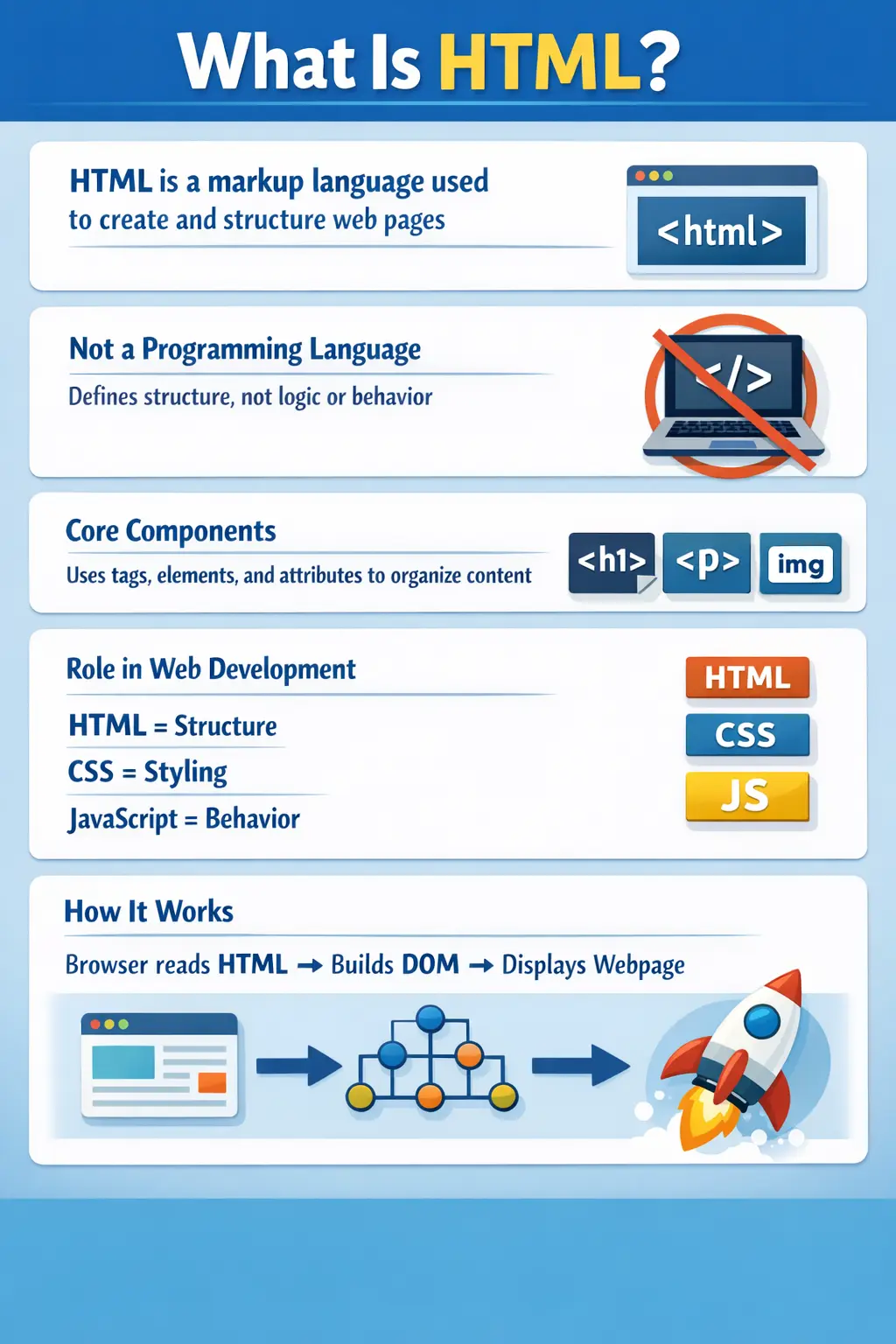
HTML stands for HyperText Markup Language. It is the standard markup language used to create and structure web pages. Unlike programming languages such as Java or Python, HTML does not contain logic or algorithms. Instead, it focuses on defining the structure and meaning of content.
Being a markup language means that HTML uses a system of tags to describe elements on a webpage. These tags tell the browser how to interpret and display content such as text, images, links, and forms.
It is important to understand that HTML is not responsible for styling or interactivity. Those responsibilities are handled by CSS and JavaScript, respectively. HTML provides the skeleton or foundation, upon which other technologies build.
Why HTML Exists
Before HTML, there was no standardized way to present content across different systems and devices. HTML was introduced to solve this problem by providing a universal structure that all web browsers could understand.
Without HTML, browsers would not know how to interpret raw content. Text, images, and links would lack structure, making web pages inconsistent and unusable. HTML ensures that content is organized logically and rendered consistently, regardless of the device or browser being used.
This universality is one of HTML’s greatest strengths. It allows developers to create content once and have it displayed correctly across multiple platforms, from desktops to mobile devices.
Understanding Markup: The Foundation of HTML
At the heart of HTML is the concept of markup. Markup refers to the use of tags to annotate content and define its structure. These tags act as instructions for the browser, indicating how different parts of the content should be treated.
For example, a paragraph is marked using a <p> tag, while a heading might use <h1> or <h2>. These tags do not define how the content looks—that is the job of CSS—but they define what the content is.
This distinction between structure and presentation is crucial. By separating these concerns, HTML enables more flexible and maintainable web development.
Elements and Tags: Building Blocks of HTML
An HTML document is made up of elements, and each element is defined using tags. A typical HTML element consists of an opening tag, content, and a closing tag.
For instance, a heading element might look like this:
<h1>Welcome</h1>
Here, <h1> is the opening tag, </h1> is the closing tag, and "Welcome" is the content. Together, they form a complete element.
Some elements, known as self-closing elements, do not have closing tags. Examples include <img> for images and <br> for line breaks. These elements perform specific functions without enclosing content.
Understanding elements and tags is fundamental because they form the structure of every HTML document.
Attributes: Adding More Meaning to Elements
While tags define the structure, attributes provide additional information about elements. Attributes are placed inside the opening tag and usually come in key-value pairs.
For example, an anchor tag used to create a hyperlink might include an attribute like this:
<a href="https://example.com">Visit</a>
In this case, href is an attribute that specifies the destination of the link. Attributes enhance the functionality of elements and allow developers to customize behavior.
Other common attributes include src for images, alt for alternative text, and class or id for styling and scripting purposes.
A Basic HTML Document Structure
Every HTML page follows a standard structure that helps the browser interpret the content correctly. At the top, the <!DOCTYPE html> declaration tells the browser that the document is written in HTML5.
The <html> tag wraps the entire document, while the <head> section contains metadata such as the page title and links to stylesheets. The <body> section contains the visible content that users see on the webpage.
This structured format ensures that browsers can parse and render the content efficiently.
How HTML Works Behind the Scenes
When a user enters a URL in the browser, a series of steps take place behind the scenes. The browser sends an HTTP request to the server, which responds with an HTML file. This file is then parsed by the browser.
During parsing, the browser reads the HTML tags and constructs a tree-like structure known as the Document Object Model (DOM). The DOM represents the page as a hierarchy of elements, allowing scripts and styles to interact with it.
Once the DOM is created, the browser renders the page visually on the screen. This entire process happens in milliseconds, giving users the impression of instant loading.
The Role of HTML in Web Development
HTML is one part of a trio of core web technologies. Together with CSS and JavaScript, it forms the foundation of modern web development.
HTML defines the structure of the page, CSS controls its appearance, and JavaScript adds interactivity. Each technology has a distinct role, but they work together seamlessly to create rich user experiences.
For example, HTML might define a button, CSS styles it with colors and layout, and JavaScript makes it clickable and interactive.
Understanding this separation of concerns is essential for building scalable and maintainable web applications.
Real-World Analogy: HTML as the Skeleton
A useful way to understand HTML is through a real-world analogy. Imagine building a house. HTML represents the structure—the walls, rooms, and layout. CSS is the design—the paint, furniture, and decorations. JavaScript is the functionality—the electrical wiring, appliances, and automation systems.
Without the structure, the house cannot exist. Similarly, without HTML, a webpage cannot be formed. This analogy highlights the foundational role HTML plays in web development.
Key Characteristics of HTML
HTML has several defining characteristics that make it suitable for web development. It is platform-independent, meaning it works across different operating systems and devices. It is also easy to learn, making it an ideal starting point for beginners.
The tag-based structure of HTML provides clarity and organization, while its compatibility with multimedia elements allows developers to include images, audio, and video seamlessly.
Another important characteristic is that HTML is interpreted by browsers rather than compiled. This means that changes to HTML code can be reflected immediately, making development faster and more interactive.
Evolution of HTML
HTML has evolved significantly since its inception. Early versions were simple and focused primarily on text formatting. Over time, new features were added to support multimedia, forms, and advanced layouts.
The introduction of HTML5 marked a major milestone. It brought support for modern web features such as video and audio elements, semantic tags, and improved performance. HTML5 also reduced the need for external plugins, making web applications more efficient and secure.
This evolution reflects the growing complexity of web applications and the need for more powerful tools to build them.
Importance of HTML for Developers and Testers
For developers, HTML is the starting point of any web application. It defines the structure that other technologies build upon. For testers, especially those working in UI automation, understanding HTML is equally important.
Automation tools like Selenium rely heavily on HTML structure to locate elements using locators such as id, class, and XPath. Without a solid understanding of HTML, writing reliable automation scripts becomes challenging.
Thus, HTML is not just for front-end developers—it is a critical skill for anyone involved in web technologies.
Common Beginner Mistakes
While HTML is easy to learn, beginners often make certain mistakes. One common error is confusing HTML with programming languages. HTML does not contain logic or decision-making capabilities.
Another mistake is improper nesting of tags, which can lead to rendering issues. Forgetting to close tags or using incorrect attributes can also cause problems.
Additionally, beginners sometimes mix structure with styling, using HTML for visual design instead of relying on CSS. Understanding the proper role of HTML helps avoid these issues.
Interview Perspective
HTML is a fundamental topic in technical interviews, especially for roles involving web development or testing. Candidates are often asked to define HTML, explain its purpose, and describe how it works with CSS and JavaScript.
Interviewers may also ask about the DOM, semantic elements, and the difference between HTML and programming languages. A strong answer should clearly explain that HTML is a markup language used to structure web content and that it forms the foundation of web development.
Key Takeaway
HTML is the cornerstone of the web. It provides the structure that allows browsers to interpret and display content consistently across devices. While it may seem simple, its role is indispensable in modern web development.
By understanding HTML, developers and testers gain the ability to create, analyze, and interact with web applications effectively. It is the first step in a journey that leads to mastering CSS, JavaScript, and advanced web technologies.
In essence, HTML is not just a language—it is the framework upon which the entire web is built.