Configuration Testing
Configuration Testing is the process of validating that an application behaves correctly when different configuration settings are applied. In modern software systems, behavior is not controlled only by code. A large part of the application’s behavior depends on settings outside the codebase: feature flags, environment variables, API endpoints, timeout values, database connections, user roles, file limits, retry counts, authentication settings, and integration keys. The same code can behave differently in QA, UAT, staging, and production because the configuration is different.
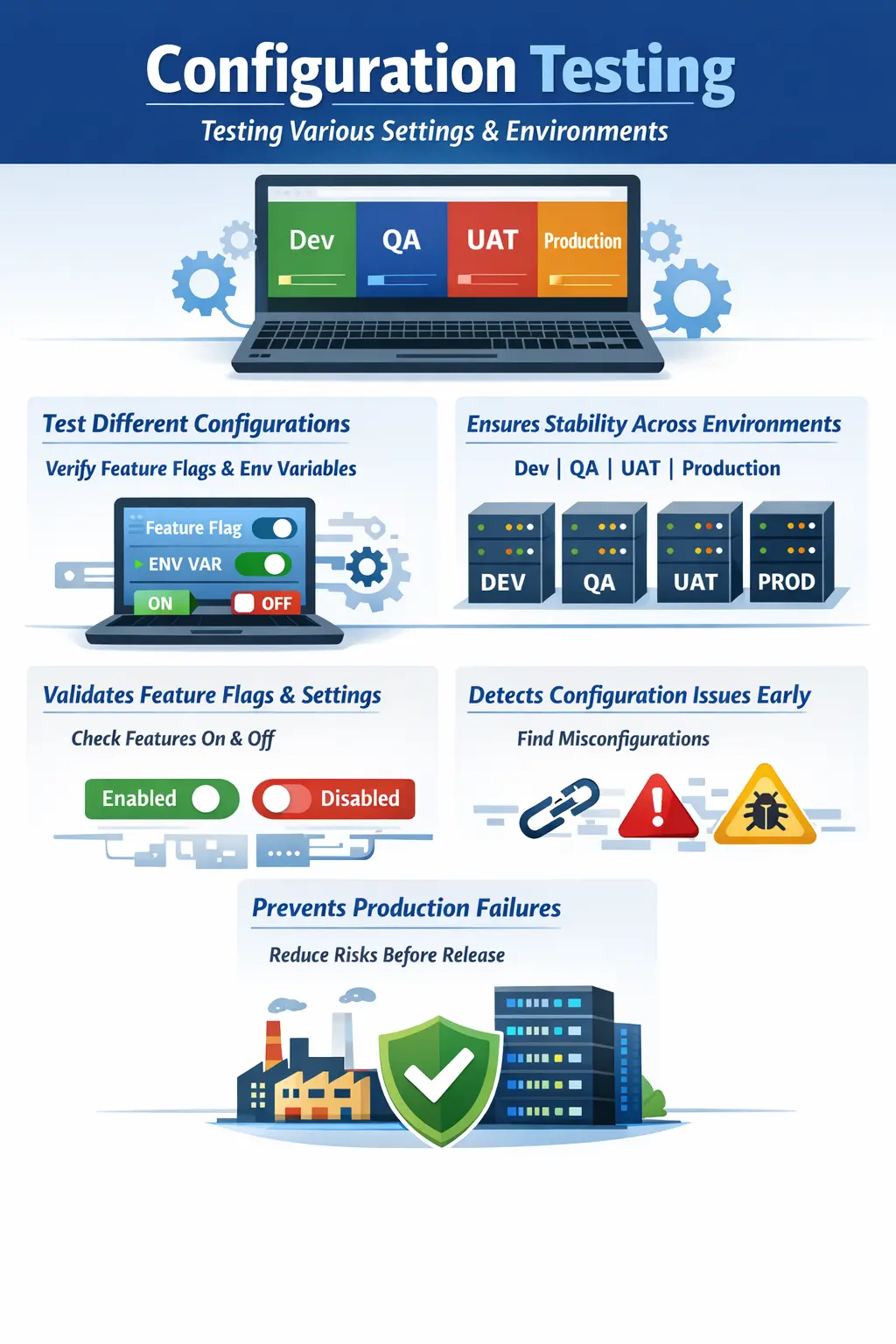
This makes configuration testing extremely important. Many serious production failures are not caused by a developer writing incorrect business logic. They are caused by a wrong endpoint, a disabled feature flag, a missing environment variable, an incorrect permission setting, an expired API key, a wrong database connection, or a mismatch between environments. A feature may pass all functional tests in QA and still fail in production because the production configuration is different. Configuration testing helps prevent that kind of failure.
Configuration testing answers a practical quality question: does the application behave correctly with different configurations? This question applies to manual testers, automation testers, DevOps engineers, release managers, and anyone involved in deployment validation. A tester who understands configuration can design better test scenarios, identify configuration-related failures, avoid false defect reports, and communicate more clearly with development and operations teams.
The goal of configuration testing is not to test random settings. It is to validate meaningful configuration variations that affect users, business workflows, integrations, security, or release behavior. Good configuration testing focuses on risk. It asks which settings can change, which settings are different across environments, which settings control critical behavior, and what could go wrong if those settings are incorrect.
What Configuration Testing Means
Configuration testing focuses on application behavior under different settings. Unlike normal functional testing, which verifies whether a feature works according to business rules, configuration testing verifies whether the feature behaves correctly when configuration values change. The code may remain exactly the same, but the runtime behavior can change significantly because the environment settings are different.
For example, a discount feature may be controlled by a feature flag. When the flag is disabled, users should not see the discount. When the flag is enabled, eligible users should see and apply the discount correctly. If the feature is enabled only for a subset of users, only that group should see it. All of these behaviors are configuration-driven and must be validated.
Another example is session timeout. The application may have a configuration value that logs users out after a period of inactivity. If the timeout is set to ten minutes, the user should be logged out after ten minutes of inactivity. If it is set to thirty minutes, the behavior should change accordingly. Testing only one timeout value may not be enough if the configuration can vary by environment or user type.
Configuration testing also applies to integrations. An application may call different API endpoints in QA and production. QA may use sandbox payment services, while production uses live payment services. If the wrong endpoint is configured, transactions may fail or go to the wrong system. Configuration testing confirms that the application connects to the correct services and handles the configured behavior properly.
Why Configuration Testing Is Important
Configuration testing is important because configuration errors are common, difficult to diagnose, and often discovered late. Code defects are usually found through functional testing, regression testing, and automation. Configuration defects may not appear until deployment, environment switching, feature rollout, or production validation. This makes them dangerous if teams do not test configuration deliberately.
One major benefit of configuration testing is early detection of misconfiguration. If a QA environment points to the wrong service, testers can identify the issue before UAT or production. If a feature flag is incorrectly enabled, the team can correct it before users see incomplete functionality. If a role permission setting is wrong, access control problems can be fixed before release.
Configuration testing also improves release confidence. Modern applications often use the same build across multiple environments and rely on environment-specific settings to control behavior. This means the deployment package may be correct, but the environment setup may still be wrong. Testing configuration helps confirm that the deployed application is not only functionally correct but also operationally ready.
It also reduces false defects. If testers understand configuration, they can distinguish between a real code defect and a configuration issue. For example, if an email is not received because email sending is disabled in QA, that is not a code defect. If email sending is enabled but the application fails to trigger it, that may be a defect. This distinction saves time and improves defect quality.
Configuration from a Tester’s Perspective
From a tester’s perspective, configuration means any adjustable setting that affects how the application behaves. These settings are usually managed outside the main code and can often be changed without modifying source code. Testers do not always edit these settings themselves, but they must understand which settings exist and how they influence testing.
Common configuration items include feature flags, environment variables, application property files, API endpoint URLs, database connection strings, authentication settings, timeout values, retry limits, upload size limits, role permissions, email settings, SMS settings, payment gateway settings, cache settings, and logging levels. Each of these can affect what the tester sees during execution.
A tester should ask practical questions before testing configuration-sensitive features. Is this feature enabled in the current environment? Is it enabled for all users or only certain roles? Which endpoint is the system calling? Are external services real, sandboxed, mocked, or unavailable? What is the default setting? What happens if the setting is missing or invalid? These questions help testers design meaningful scenarios.
Configuration awareness is especially useful when behavior differs across environments. If a feature works in QA but fails in UAT, the tester should not assume the code changed. They should compare configuration, data, integrations, roles, and environment differences. Configuration testing builds this habit of investigation.
Environment-Specific Settings
Environment-specific settings are among the most important areas of configuration testing. Applications usually run in several environments, such as development, QA, SIT, UAT, staging, pre-production, and production. Each environment may have different URLs, databases, credentials, integrations, feature flags, security rules, and data sets.
These differences are necessary, but they also create risk. A QA environment may use a sandbox payment gateway, while production uses a live gateway. A UAT environment may use masked production data, while QA uses generated test data. A staging environment may have production-like infrastructure, while QA may have limited resources. Testers must understand these differences before interpreting results.
Configuration testing validates that each environment behaves as intended. For example, QA should point to QA services, UAT should point to UAT services, and production should point to production services. If an environment accidentally points to the wrong endpoint, test results become unreliable and business risk increases.
Environment-specific testing also supports release readiness. Before deployment, teams may compare configuration values between staging and production to ensure consistency where required. Testers may not perform the comparison directly, but they should understand why configuration alignment matters and should raise concerns when behavior differs unexpectedly.
Feature Flags
Feature flags are configuration switches that enable or disable functionality without changing code. They are widely used in Agile, DevOps, phased rollouts, A/B testing, beta releases, and controlled production deployments. Because feature flags directly control user-visible behavior, they are a major focus of configuration testing.
A feature controlled by a flag must be tested in both enabled and disabled states. When the flag is disabled, the feature should not appear, should not be accessible through direct URLs or APIs, and should not affect existing workflows. When the flag is enabled, the feature should work according to requirements. Both states matter because incorrect disabled behavior can be just as risky as incorrect enabled behavior.
Partial rollout scenarios are also important. A feature may be enabled only for internal users, premium customers, a region, a role, or a percentage of traffic. Testers should validate that eligible users see the feature and ineligible users do not. This requires good test accounts and clear understanding of rollout rules.
Feature flag combinations can become complex. If two flags interact, turning one on and another off may produce different behavior. Testers should prioritize high-risk combinations rather than trying every possible combination blindly. Risk-based thinking is essential in configuration testing.
Application Properties
Application properties are operational settings that control how the system behaves. Examples include timeout values, retry counts, file upload limits, pagination size, password expiry duration, maximum login attempts, session duration, cache expiry, notification settings, and allowed file types. These values may look small, but they can strongly affect user experience and system behavior.
Timeout configuration is a common example. If the session timeout is too short, users may be logged out while completing a workflow. If it is too long, security risk may increase. Testers should validate that timeout behavior matches business and security expectations. They should also check whether warning messages, auto-save behavior, and redirect behavior work correctly around timeout.
File size limits are another practical example. If the configured limit is 10 MB, the application should accept files within the limit and reject files beyond the limit with a clear message. Boundary testing is useful here because configuration values often define thresholds. Testing only a small file may not prove that the configured limit is applied correctly.
Retry limits and error handling settings also matter. If an API call is configured to retry three times, the application should not retry endlessly or fail too quickly. These settings can affect performance, user experience, and system load. Configuration testing helps verify that operational behavior is controlled as intended.
Integration Configuration
Modern applications depend on many external and internal systems. Integration configuration defines how the application connects to those systems. This may include API URLs, authentication tokens, client IDs, secrets, callback URLs, certificate settings, service accounts, queue names, and webhook endpoints. A small configuration mistake can break a complete workflow.
For example, an incorrect payment API endpoint can prevent checkout. A wrong callback URL can stop payment confirmation. An expired authentication token can break an integration. A wrong email service configuration can prevent notifications. These issues may not be visible during isolated functional testing if the integration is mocked or disabled.
Configuration testing for integrations requires testers to know which services are real and which are simulated. If an integration is mocked, the test can validate application behavior around the mock, but it cannot prove the live integration. If a sandbox service is used, testers should know sandbox limitations. This understanding prevents overclaiming test coverage.
Integration configuration should be tested especially before UAT, production deployment, and major releases. Many high-impact production incidents happen because integrations were configured incorrectly even though the application code was correct.
Role and Permission Configuration
Role and permission configuration controls what users can see and do. This is both a functional and security concern. An admin may be able to create users, approve requests, or view reports. A normal user may have limited access. A manager may see team data but not organization-wide data. Configuration testing verifies that these permissions are applied correctly.
Incorrect role configuration can create serious issues. If a user receives too much access, sensitive data or restricted actions may be exposed. If a user receives too little access, they may be unable to complete their work. Both cases can affect business operations. Testers should validate positive and negative access scenarios for important roles.
Permission testing should include UI and direct access checks. A restricted menu item should not be visible, but the user also should not be able to access the page by typing the URL directly. Similarly, APIs should enforce access rules even if the UI hides a button. Manual testers may validate these behaviors at a practical level and report access gaps clearly.
Manual Tester’s Role
Manual testers play an important role in configuration testing because they observe how configuration affects real user workflows. Their first responsibility is understanding which settings matter for the feature under test. A tester does not need access to every configuration file, but they should know the configurable behavior that affects testing.
Testers must design scenarios for both default and non-default settings. Default behavior is important because it is what the system does when no special setting is applied. Non-default behavior is important because many environments and user groups use custom settings. Both can fail in different ways.
Another responsibility is documenting the configuration used during testing. If a defect is found with a feature flag enabled, the defect report should mention that. If a timeout value is part of the scenario, the value should be included. Clear configuration details help developers and DevOps teams reproduce and diagnose the issue.
Testers also help distinguish configuration issues from code defects. If a feature fails because the endpoint is wrong, the issue may belong to configuration or release management. If the endpoint is correct but the application handles the response incorrectly, it may be a code defect. Correct classification improves resolution speed.
Configuration Testing vs Compatibility Testing
Configuration testing is sometimes confused with compatibility testing, but the focus is different. Configuration testing validates behavior under different application or environment settings. Compatibility testing validates behavior across different browsers, devices, operating systems, screen sizes, or platforms.
For example, testing whether a feature works when a feature flag is enabled or disabled is configuration testing. Testing whether the same feature works in Chrome, Firefox, Safari, Android, and iOS is compatibility testing. Both are important, but they answer different questions.
The cause of failure is also different. A configuration testing failure is often caused by a setting, endpoint, permission, or environment value. A compatibility failure is usually caused by platform differences, browser behavior, device limitations, or rendering differences. Knowing the distinction helps testers choose the right investigation path.
Real-Time Examples
Consider a discount feature controlled by a feature flag. When the flag is off, the discount field should not appear during checkout and discounts should not be applied. When the flag is on, eligible users should see the discount field and the calculation should work correctly. If the flag is enabled only for premium users, normal users should not see the feature. This is a clear configuration testing scenario.
Another example is session timeout. If the configuration says users should be logged out after ten minutes of inactivity, testers should verify that the session expires correctly, that the user receives the expected message or redirect, and that secure pages are not accessible after timeout. If the value changes to thirty minutes in another environment, behavior should match that configuration.
A third example is integration endpoint configuration. In QA, the application may send SMS messages through a mock provider. In UAT, it may use a sandbox provider. In production, it may use the live provider. Testing must confirm that each environment points to the correct provider and that the application handles responses correctly.
Common Defects Found
Configuration testing often reveals defects that are not pure code issues. A common defect is a feature being enabled but not fully working because related configuration was incomplete. Another common issue is a feature remaining visible even when the flag is disabled. Both cases can confuse users and create release risk.
Incorrect default configuration is another common problem. If no explicit setting is provided, the application should fall back to a safe and expected default. If the default is wrong, new environments or users may experience incorrect behavior. Defaults should be tested because they are often overlooked.
Environment mismatches are frequent. An application may point to the wrong API, wrong database, wrong email server, or wrong authentication provider. Role and permission defects also appear often, especially when access rules are configured differently across environments.
Boundary-related configuration defects are also common. File limits, retry counts, timeout values, maximum item counts, password attempts, and pagination sizes can all fail at boundaries. These issues may be missed if testers validate only normal values.
Best Practices
A strong best practice is maintaining a configuration checklist. This checklist should identify important configurable areas such as feature flags, endpoints, roles, permissions, timeouts, limits, integrations, and environment-specific values. A checklist helps ensure that configuration validation is not forgotten during releases.
Test default configurations first. Defaults provide a baseline. Once default behavior is confirmed, test important non-default configurations and high-risk variations. This approach keeps testing organized and prevents random configuration changes from creating confusion.
Use risk-based prioritization. Not every configuration combination deserves equal testing effort. Focus first on settings that affect security, payment, data accuracy, critical workflows, customer communication, integrations, and production deployment. Low-impact settings can receive lighter validation.
Coordinate with DevOps, development, and release teams. Configuration is often managed through deployment pipelines, environment files, secrets, dashboards, or infrastructure tools. Testers should know whom to contact when a configuration value needs confirmation. Collaboration is essential because testers may observe the behavior, while DevOps may control the setting.
Common Mistakes
One common mistake is assuming configuration is correct. Testers may focus only on functionality and ignore the settings that control that functionality. This can allow misconfiguration to reach production. Important configuration values should be verified, especially before release.
Another mistake is testing only the default setting. If a system supports multiple configurations, testing only one path creates gaps. Feature flags, permissions, timeouts, and limits should be tested in meaningful variations. However, testers should avoid trying every possible combination without risk analysis because that can become inefficient.
Logging configuration issues as application defects without analysis is another mistake. If an API endpoint is wrong, the issue may need configuration correction rather than code change. Defect reports should clearly mention the suspected configuration condition so the right team can investigate.
Poor documentation is also a problem. If testers do not record which configuration was active during testing, future troubleshooting becomes difficult. A defect that occurs only when a flag is enabled or only for a specific role must mention that context.
Interview Perspective
In interviews, configuration testing can be explained as testing application behavior under different configuration settings such as feature flags, environment variables, endpoints, timeouts, permissions, and integration settings. It ensures that the application works correctly across environments and configuration variations.
A strong answer should include examples. For instance, a discount feature controlled by a feature flag should be tested when the flag is enabled and disabled. A session timeout value should be validated according to the configured duration. An API endpoint should be checked to ensure the application connects to the correct service in each environment.
A concise interview answer could be: Configuration Testing verifies that an application behaves correctly when configuration settings change. It helps detect issues caused by feature flags, environment settings, integration endpoints, roles, permissions, and operational limits. It is important because many production issues are caused by misconfiguration rather than code defects.
Key Takeaway
Configuration Testing ensures that software behaves correctly under different settings and environments. It validates the behavior controlled by feature flags, environment variables, application properties, integrations, permissions, and operational limits. This makes it a critical part of release readiness.
Many real-world failures happen because configuration is wrong, incomplete, inconsistent, or misunderstood. By testing configuration deliberately, teams can catch these issues earlier, reduce false defects, improve release confidence, and prevent production incidents.
Ultimately, configuration testing confirms that the application is not only functionally correct in code, but also correctly wired, enabled, connected, and controlled in the environments where users will actually use it.