Use Case Testing to Validating Real User Workflows
Software systems are built to serve users and support real-world business operations. While individual features may function correctly, the true measure of software quality lies in whether users can successfully complete their intended tasks. A system may pass functional testing yet still fail to support real workflows due to missing steps, broken integrations, or incorrect business logic. To address this gap, testers use a structured approach called Use Case Testing, which focuses on validating end-to-end user interactions with the system.
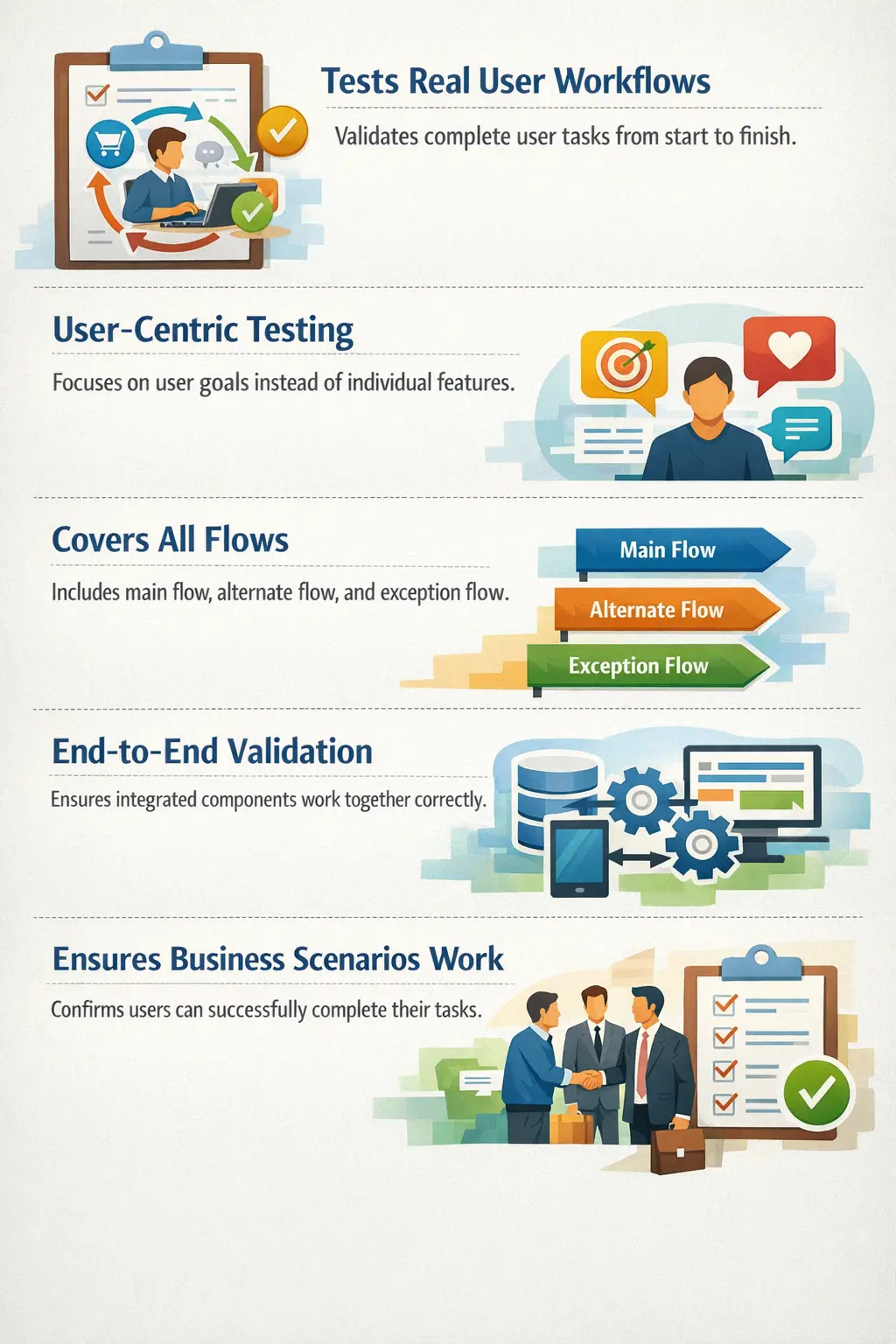
Use Case Testing is a test case design technique that validates complete user workflows based on defined use cases. Instead of testing individual features in isolation, this approach ensures that the application supports real user goals from beginning to end. Use Case Testing answers an essential question in software validation:
“Can the user complete their intended task successfully?”
This technique plays a vital role in manual testing because it bridges the gap between functional testing and real-world usage. It ensures that software behaves correctly not only at the feature level but also at the business workflow level. Use Case Testing is particularly important in modern applications where multiple modules interact to deliver a single business outcome.
Use Case Testing is valuable because users do not think in terms of isolated screens or individual functions. A customer does not say, "I want to test the cart button." The customer wants to buy a product. A bank user does not think only about the beneficiary field. The user wants to transfer money safely. A hospital employee does not think only about the save button. The employee wants to register a patient and make the information available for treatment. Use Case Testing keeps testing aligned with these real goals.
This user-goal focus helps testers discover defects that are invisible in feature-level testing. Login may work, search may work, payment may work, and confirmation email may work separately, but the complete order placement journey may still fail because data is not passed correctly between modules. Use Case Testing validates the connected behavior that users actually experience.
Understanding the Purpose of Use Case Testing
The primary goal of Use Case Testing is to validate that real user workflows function correctly. Software is designed to support business processes, and users interact with the system to achieve specific goals such as placing an order, transferring funds, registering for a service, or submitting a form. These activities involve a sequence of steps rather than a single action. Use Case Testing ensures that these sequences work as intended.
This testing approach improves coverage by focusing on how users actually interact with the system. Traditional functional testing may validate individual components such as login functionality or form submission independently. However, Use Case Testing verifies whether these components work together to support a meaningful business activity.
Another important purpose of Use Case Testing is identifying gaps between requirements and implementation. Requirements documents often describe business scenarios in a structured way, but defects may occur when developers interpret those requirements incorrectly. By validating use cases directly, testers ensure that the implemented system matches the intended business behavior.
Use Case Testing also improves real-world test coverage. Since it is based on user behavior, it reveals defects that scripted functional tests might miss. This makes it a highly practical and effective test design technique.
Another purpose is business confidence. Stakeholders are usually less interested in whether a single field validation works and more interested in whether the business process can be completed. A product owner wants confidence that users can register, subscribe, purchase, cancel, renew, report, or approve as intended. Use Case Testing provides that confidence because it validates complete business tasks rather than disconnected checks.
Use Case Testing also helps expose requirement gaps. When testers walk through a use case step by step, they may find that the requirement does not explain what should happen after a failed payment, duplicate submission, changed address, expired session, or unavailable product. These gaps may not appear during feature-level review, but they become obvious when the complete user journey is analyzed.
Understanding Use Cases
To understand Use Case Testing, it is essential to understand what a use case represents. A use case describes how a user or external system interacts with the application to achieve a specific goal. It captures both the user's objective and the steps required to achieve that objective.
A typical use case includes several key elements:
- Actor: The person or system interacting with the application.
- Goal: What the actor wants to accomplish.
- Preconditions: The required system state before the use case begins.
- Main flow: The normal sequence of steps when everything works as expected.
- Alternate flows: Variations of the normal process due to user choices or conditions.
- Exception flows: Error situations such as invalid input or system failure.
By including all these elements, use cases provide a comprehensive view of how the system should behave in realistic situations.
A good use case is written from the actor's perspective. It should describe what the user wants to achieve, what conditions must exist before the workflow starts, what normal path leads to success, what alternate paths are allowed, and what should happen when something goes wrong. This structure helps testers convert business intent into testable scenarios.
Use cases may be documented formally in requirement documents, user stories, acceptance criteria, process flows, workflow diagrams, or business rules. Even if a project does not use a formal use case template, the tester can still apply use case thinking by identifying actor, goal, preconditions, main flow, alternate flows, and exception flows from available information.
Actors, Goals, and System Boundaries
The actor is the starting point of Use Case Testing. An actor may be a real user, an administrator, a support agent, a business approver, an external system, a payment gateway, or a scheduled background job. Different actors often have different permissions, goals, and workflows. Testing from the wrong actor perspective can miss important behavior.
The goal defines why the actor interacts with the system. The goal should be meaningful from a business perspective. "Click submit" is not a goal. "Submit a loan application" is a goal. "Open report page" is not a complete goal. "Generate monthly sales report" is a goal. Clear goals help testers avoid writing UI-step tests that do not validate business success.
The system boundary defines what is inside and outside the application being tested. This matters because many use cases involve external systems. For example, placing an order may involve a payment gateway, inventory service, email provider, delivery partner, and accounting system. The tester must understand which parts can be directly tested, which parts are simulated, and which integrations must be verified through responses, logs, or downstream records.
Importance of Use Case Testing in Manual Testing
Manual testers rely heavily on Use Case Testing because it closely reflects real user behavior. Testers must think from the user's perspective and understand how the application will be used in practice. This user-centric approach makes Use Case Testing particularly effective in identifying workflow defects.
Manual testers play a critical role in interpreting use cases and converting them into effective test scenarios. They must understand user goals, business logic, and application behavior. This requires both technical knowledge and domain understanding.
Another important responsibility of manual testers is identifying alternate and exception flows. While developers often focus on implementing the main flow, alternate scenarios may not always be handled properly. Testers must ensure that these variations are thoroughly validated.
Manual testers also validate system behavior across modules. Since use cases often involve multiple components, testers must verify that integrations work correctly. This includes checking data flow, system responses, and final outputs.
Manual testers add special value because they can think beyond the written steps. Real users may go back, edit information, abandon a flow, retry a failed action, refresh the page, change a selection, or use an alternate path. A good tester studies the use case and asks how a user might realistically complete the same goal in more than one way. This is where Use Case Testing becomes more powerful than a fixed script.
Domain understanding is also critical. In a banking application, a funds transfer use case is not complete just because a success message appears. The tester must consider debit, credit, transaction reference, balance update, beneficiary details, transaction limits, notifications, and audit trail. Use Case Testing requires the tester to understand what business success really means.
Designing Use Case Test Cases
Designing Use Case Test Cases requires a structured approach that begins with understanding the application and its users. The first step involves identifying the actors who interact with the system. Each actor typically has different goals and responsibilities.
The next step is identifying use cases that represent meaningful business activities. These use cases should reflect real user goals rather than technical operations.
After identifying use cases, testers must define the main flow. This flow represents the standard sequence of actions that leads to successful completion of the task. The main flow forms the foundation of Use Case Testing.
Once the main flow is defined, testers must identify alternate and exception flows. Alternate flows describe variations in the process, while exception flows describe error conditions. Both are essential for thorough testing.
Finally, testers create test cases for each flow. Each test case should represent a realistic scenario and validate expected system behavior.
A well-designed use case test case should include the actor, preconditions, input data, steps, expected result, and postconditions. Postconditions are especially important because they confirm the final business state after the workflow. For example, after an order is placed, the order should be created, payment should be recorded, inventory should be adjusted, and confirmation should be available. A test that checks only the success message may miss important backend or downstream failures.
Testers should also classify use case tests by flow type. Main-flow tests validate the normal successful path. Alternate-flow tests validate valid variations. Exception-flow tests validate errors and recovery. A balanced use case suite includes all three. If only the main flow is covered, the application may still fail under realistic user behavior.
Main Flow, Alternate Flow, and Exception Flow
The main flow is the simplest successful path from start to finish. It is sometimes called the happy path. It represents the most common way a user completes the goal. For an order placement use case, the main flow may include selecting a product, adding it to the cart, entering shipping details, paying successfully, and receiving confirmation.
Alternate flows are valid variations. They are not failures. A customer may apply a coupon, choose cash on delivery, use a saved address, edit the cart quantity, or select express delivery. These actions may change the workflow slightly, but the user's goal remains valid. Alternate flows are important because many users do not follow the exact same path.
Exception flows describe problems that interrupt or change the workflow. Payment failure, expired session, invalid address, unavailable product, insufficient balance, duplicate request, service timeout, or access denial are examples. Exception flows should verify that the system handles the issue clearly, protects data, and gives the user a meaningful next step where appropriate.
Real-Time Example: Placing an Order
One of the most common examples of Use Case Testing is the online ordering process in an e-commerce system. This use case represents a complete business workflow involving multiple steps and system components.
In this scenario, the actor is a customer who wants to purchase a product. The goal is to successfully place an order. The precondition is that the customer has access to the application and the product is available.
The main flow typically begins with browsing products. The customer selects an item and adds it to the shopping cart. The customer then proceeds to checkout and enters shipping information. After that, payment details are provided and the transaction is processed. Finally, the system confirms the order.
Alternate flows may occur during the checkout process. For example, the customer may choose a different payment method or update the shipping address. These variations must be tested to ensure correct behavior.
Exception flows include situations such as payment failure or out-of-stock items. The system must handle these situations gracefully and provide appropriate feedback.
Use Case Testing validates the entire workflow from start to finish, ensuring that the customer can successfully complete the order process.
This use case also shows why test data matters. The product must be available, the customer account must be active, the delivery location must be serviceable, the payment method must be usable, and the system must be able to generate an order number. If any precondition is wrong, the test may fail for setup reasons rather than product defects. Good use case testing requires realistic and controlled data.
The tester should validate final business outcomes after order placement. The order should appear in order history, payment status should be correct, inventory should be reduced or reserved, confirmation email or SMS should be triggered, and the order should be available for fulfillment. This complete verification is what makes Use Case Testing stronger than simply clicking through screens.
Real-Time Example: Funds Transfer
A funds transfer use case is common in banking applications. The actor is a bank customer, and the goal is to transfer money from one account to another. Preconditions may include an active account, successful login, sufficient balance, registered beneficiary, and availability of the transaction service.
The main flow begins when the user selects a beneficiary, enters the amount, confirms details, completes authentication, and receives a transaction confirmation. Alternate flows may include choosing a different transfer type, scheduling the transfer for a later date, or adding remarks. Exception flows may include insufficient balance, exceeded transfer limit, invalid OTP, expired session, or service unavailable.
Use Case Testing validates the full business result. The debit account should be reduced, the beneficiary account should be credited or the transfer should be queued, transaction history should show the correct status, alerts should be sent, and failed transactions should not cause incorrect balance changes. This end-to-end business correctness cannot be proven by testing the amount field alone.
Real-Time Example: Account Registration
Account registration is another useful example. The actor is a new user, and the goal is to create an account. The main flow may include entering personal details, verifying email or mobile number, setting a password, accepting terms, and reaching a successful account creation page.
Alternate flows may include social login, referral code entry, optional profile completion, or language preference selection. Exception flows may include duplicate email, weak password, expired OTP, invalid mobile number, unchecked terms, or network failure during verification.
A use case test should confirm more than form submission. It should verify that the user account is created with the correct status, verification flags are set correctly, welcome communication is sent if expected, duplicate registration is prevented, and the user can log in after successful registration.
Use Case Testing vs Functional Testing
Use Case Testing differs significantly from functional testing in terms of focus and scope. Functional testing validates individual features based on functional requirements. It ensures that specific functions behave as expected.
Use Case Testing, on the other hand, focuses on complete workflows. Instead of testing isolated features, it verifies that multiple features work together to support user goals.
Functional testing is system-centric, while Use Case Testing is user-centric. Functional tests may verify that a login button works correctly. Use Case Testing verifies whether a user can log in and complete a meaningful task such as placing an order.
Both approaches are essential and complement each other. Functional testing ensures correctness at the feature level, while Use Case Testing ensures correctness at the workflow level.
A practical way to understand the difference is to compare the testing question. Functional testing asks, "Does this feature work?" Use Case Testing asks, "Can the user achieve the goal using this set of features?" For example, functional testing may validate search, cart, address form, payment, and confirmation separately. Use Case Testing validates whether those features work together so the user can place an order.
This does not mean use case tests should replace functional tests. Feature-level testing is still needed to validate detailed rules, field behavior, validations, and small conditions. Use Case Testing sits above those checks and validates the business journey. A strong test strategy uses both levels.
End-to-End Perspective
Use Case Testing shares similarities with End-to-End Testing because both approaches validate complete workflows. However, Use Case Testing is driven by use cases derived from requirements, while End-to-End Testing focuses more broadly on system integration.
Use Case Testing ensures that user goals are supported exactly as defined in the requirements. It validates business scenarios rather than technical interactions.
This requirement-driven approach makes Use Case Testing particularly valuable during acceptance testing and system testing phases.
Use Case Testing is often one of the strongest inputs for End-to-End Testing because it identifies the workflows that matter most to users and the business. Not every end-to-end path has equal value. A complete purchase, successful funds transfer, claim submission, appointment booking, or account activation may be far more important than a rarely used administrative path. Use cases help prioritize these journeys.
The difference is that End-to-End Testing may emphasize integration across systems, while Use Case Testing emphasizes user intent and requirement flow. In many real projects, the same test scenario can serve both purposes when it validates a real user goal across multiple integrated modules.
Use Case Testing and Data Flow
One of the most important parts of Use Case Testing is validating data flow across the workflow. When a user enters information in one step, that information may be used in later steps, stored in a database, sent to another system, displayed in reports, or included in notifications. A workflow can appear successful on the screen while data is wrong behind the scenes.
For example, in an order workflow, the shipping address entered during checkout must appear correctly in the order summary, delivery label, customer email, and order history. If the address is correct on the confirmation page but wrong in the warehouse system, the use case has failed. Use Case Testing encourages testers to follow the data until the business outcome is complete.
Data flow validation is especially important in systems with integrations. Banking, healthcare, insurance, HR, payroll, and e-commerce applications often pass data through multiple services. Testers should verify that important data remains accurate, complete, and consistent throughout the use case.
Use Case Testing and Preconditions
Preconditions define what must be true before the use case begins. They are easy to ignore, but they are essential for reliable testing. If a use case requires a logged-in user, active account, available product, sufficient balance, valid subscription, or approved role, the tester must prepare that state before execution.
Poor precondition setup leads to misleading failures. A funds transfer test may fail because the account has insufficient balance, not because the transfer feature is broken. A checkout test may fail because the product is out of stock, not because checkout is defective. Clear preconditions help testers distinguish setup issues from product defects.
In automation, preconditions are even more important. Automated use case tests should prepare data in a reliable way, often through APIs, fixtures, test data builders, or controlled environments. Without stable preconditions, workflow automation becomes flaky.
Common Defects Found Using Use Case Testing
Use Case Testing is highly effective in identifying workflow-related defects. Common issues include:
- Broken user workflows where one step fails and prevents task completion.
- Missing alternate flows where only the main flow is implemented properly.
- Inconsistent behavior across modules for similar inputs.
- Poor error handling with unclear messages or no recovery options.
Such defects are often missed by feature-level testing but become visible when testing realistic workflows.
Use Case Testing also finds navigation defects. A user may complete one step but not know where to go next. A button may be missing in a particular role. A confirmation page may not provide a meaningful next action. These issues may not break a single function, but they prevent the user from completing the goal smoothly.
Another common defect is partial completion. For example, a claim may be submitted successfully on screen, but the attached document may not be saved. A payment may be processed, but the order may not be created. A user may register, but the verification email may not be sent. Use Case Testing is effective because it checks the entire outcome rather than one visible success message.
Importance in Real Projects
Use Case Testing plays a crucial role in real-world projects because it aligns testing activities with business goals. Organizations invest in software to support business processes, and Use Case Testing ensures that those processes function correctly.
In financial applications, Use Case Testing ensures that users can complete transactions successfully. In healthcare systems, it ensures that patient data can be recorded and retrieved correctly. In e-commerce platforms, it ensures that customers can place orders without interruption.
This business-focused approach makes Use Case Testing highly valuable for both testers and stakeholders.
In real projects, Use Case Testing is often used to decide release readiness. Stakeholders may ask whether critical business flows are working: Can a customer sign up? Can a user pay? Can an admin approve? Can a report be generated? Can a claim be submitted? These questions are use case questions. Passing them gives stronger release confidence than passing isolated feature checks alone.
Use Case Testing is also useful for training and documentation. Since use cases describe real workflows, they help new testers understand how the system is supposed to be used. They also help business users review whether the application supports their process correctly.
Use Case Testing in Agile Projects
In Agile projects, use cases may appear as user stories, acceptance criteria, story maps, workflow diagrams, or business examples. Testers can apply Use Case Testing by identifying the user goal behind each story and asking how that goal is completed from start to finish. This keeps testing aligned with user value.
During backlog refinement, testers can ask questions such as: Who is the actor? What is the goal? What must be true before the flow starts? What is the happy path? What alternate paths are allowed? What errors should be handled? What is the final business outcome? These questions improve the story before development.
During sprint testing, testers can validate the use case incrementally. If the full workflow spans multiple stories or systems, testers can still verify the completed portion and mark integration risks clearly. As the product evolves, use case tests can become part of smoke, regression, or acceptance suites.
Use Case Testing in UAT
Use Case Testing is strongly connected to User Acceptance Testing because both focus on real business readiness. Business users usually care about whether they can perform their work using the application. Use cases provide a natural structure for UAT because they describe business tasks in user language.
For example, a UAT script for a banking application may ask a business user to create a beneficiary, transfer funds, verify confirmation, and review transaction history. This is not just a technical test. It confirms that the application supports a real banking workflow.
QA teams can prepare use case scenarios for business users, but the expected outcomes should be validated with stakeholders. This ensures that UAT is not limited to checking screens, but confirms business correctness.
Use Case Testing in Automation
Use Case Testing can be automated when the workflow is stable, important, and repeated frequently. Critical user journeys such as login, registration, checkout, funds transfer, report generation, and subscription renewal are common automation candidates. Automating these flows provides quick regression confidence.
However, use case automation must be designed carefully. Long end-to-end tests can be slow and sensitive to environment issues. The automation should use reliable test data, clear setup and cleanup, stable locators, and meaningful assertions at key workflow points. It should not simply click through screens without verifying business outcomes.
A good automated use case test verifies checkpoints across the journey. For an order flow, it may verify cart update, checkout summary, payment confirmation, order creation, and order history. These checkpoints help identify where the workflow failed if the test breaks.
Traceability in Use Case Testing
Use Case Testing improves traceability because each test scenario can be linked to a user goal or business requirement. This is useful for test planning, coverage reporting, audits, and release decisions. Instead of reporting only that 200 test cases passed, the team can report that critical use cases such as registration, checkout, payment, cancellation, and refund were validated.
Traceability also helps identify gaps. If a requirement has no use case test, the workflow may not be validated. If a use case has no alternate or exception tests, the suite may be too happy-path focused. This visibility helps test leads improve coverage intelligently.
Common Mistakes in Use Case Testing
- Testing only the happy path without covering alternate and exception flows.
- Ignoring data flow across modules in multi-step workflows.
- Treating Use Case Testing as simple feature-level functional testing.
- Designing test cases without a complete understanding of business requirements.
Another mistake is writing use case tests that are too broad. A test called "verify complete application" is not useful because it has no clear actor, goal, or expected outcome. Each use case test should focus on one meaningful user goal. If the scenario becomes too large, it should be split into smaller business flows.
Testers also sometimes ignore postconditions. A workflow may appear successful, but the final state may be wrong. For example, a submitted application may show confirmation but remain in draft status. A cancelled order may still reserve inventory. Good use case testing always checks the final business state.
A third mistake is using unrealistic data. If test data does not reflect real usage, the test may pass but provide weak confidence. Realistic user roles, valid business rules, representative amounts, meaningful products, and proper account states make use case tests stronger.
Interview Perspective
Use Case Testing is a common interview topic in software testing roles.
Short answer:
Use case testing validates system behavior by testing complete user workflows based on use cases.
Detailed answer:
Use case testing ensures that real user interactions and goals are fully supported by validating main flows, alternate flows, and exception flows across the entire application.
Candidates may also be asked to describe a real example such as placing an order or transferring funds.
Project-based answer:
In a real project, I use Use Case Testing when I need to validate a complete user goal. I identify the actor, preconditions, main flow, alternate flows, exception flows, and expected final outcome. For example, in an e-commerce application, I would test whether a customer can browse a product, add it to cart, checkout, make payment, receive confirmation, and see the order in order history. I would also test alternate flows like changing address and exception flows like payment failure.
A strong interview answer should mention that Use Case Testing is user-centric and workflow-focused. It is different from testing a single function because it validates whether multiple features work together to support a business goal.
Advantages of Use Case Testing
- Improves test coverage by focusing on realistic user scenarios.
- Ensures business processes are supported correctly.
- Enhances collaboration between testers and business stakeholders.
- Helps identify workflow defects early.
- Builds confidence that the application supports real user behavior.
Limitations of Use Case Testing
- Designing use case scenarios requires time and domain knowledge.
- Large systems may have many use cases, making full coverage challenging.
- Use Case Testing does not replace other techniques such as Equivalence Partitioning or Boundary Value Analysis; it complements them.
Another limitation is that use case tests can become long and expensive if every small variation is treated as a separate end-to-end scenario. Testers must prioritize based on business risk and user frequency. Common and critical workflows should receive deeper coverage, while rare low-risk paths may be covered with fewer checks.
Use Case Testing may also depend on multiple systems being available. If a payment gateway, email service, or external API is unstable, the test may fail even when the application logic is correct. Teams should plan environments, test doubles, or controlled integrations carefully.
Practical Checklist for Use Case Testing
Before finalizing use case tests, testers should confirm the actor, goal, preconditions, main flow, alternate flows, exception flows, expected result, and postconditions. They should verify whether the flow crosses multiple modules or systems and whether data must be checked after completion.
Testers should also ask whether the use case includes role permissions, business rules, notifications, reports, audit trails, or downstream impacts. They should check whether recovery is possible after errors and whether the user receives clear guidance when the workflow cannot continue.
Finally, testers should identify which use cases are critical enough for regression or automation. Not every use case needs heavy automation, but the most important user journeys should be protected.
Key Takeaway
Use Case Testing ensures that applications support real user behavior rather than just isolated features. By validating complete workflows based on defined use cases, testers can confirm that users can successfully achieve their goals.
This technique provides a practical and business-focused approach to software testing. It bridges the gap between functional correctness and real-world usability, making it one of the most valuable test case design techniques in manual testing.
When applied effectively, Use Case Testing ensures that software works not only in theory but also in real-life scenarios where users depend on it to accomplish meaningful tasks.