System Testing: Validating the Complete Application
Introduction to System Testing
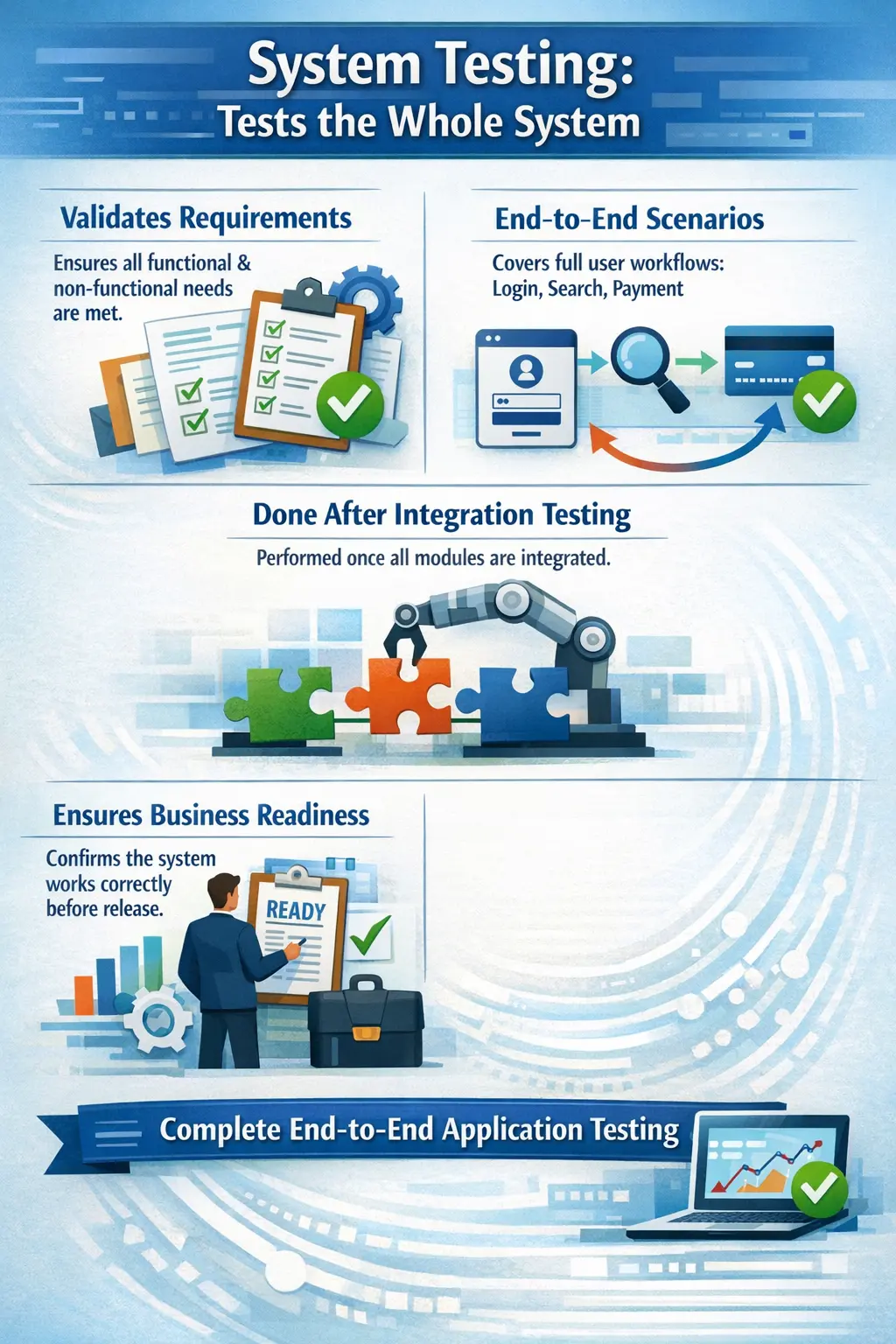
System testing is the level of testing where the complete and fully integrated application is evaluated as a whole. Instead of focusing on individual modules or interactions between a few components, system testing verifies the behavior of the entire system against its functional and non-functional requirements. It answers a key question: does the entire system work as expected?
Why System Testing Matters in Real Projects
System testing matters because users do not experience software as separate modules, classes, services, or database tables. They experience the application as one complete product. A user logs in, searches, enters information, saves records, makes payments, downloads reports, receives messages, and expects the whole journey to work smoothly. Even when unit testing and integration testing are strong, the complete product can still fail when all parts are used together under realistic conditions. System testing is the level that validates this complete experience.
In real projects, many defects appear only when the full system is assembled. A module may work correctly alone, and two modules may integrate correctly, but the complete business workflow may still behave incorrectly. The issue may come from missing validation, incorrect sequence of operations, inconsistent messages, wrong business rules, environment configuration, data persistence, usability problems, or regression impact. System testing brings these issues to the surface before the product reaches users.
System testing is also important because it provides stakeholders with a realistic view of product quality. A developer may confirm that code is complete, and integration testing may confirm that components communicate, but the business still needs to know whether the application supports the intended workflows. System testing answers that question from the perspective of the complete product. It helps teams decide whether the application is ready for user acceptance testing, release preparation, or further stabilization.
The Core Idea Behind System Testing
The core idea behind system testing is to evaluate the application as a whole against its requirements. This means the tester is no longer focused only on a single method or a single integration point. Instead, the tester checks whether the complete system behaves correctly when used in realistic ways. The focus shifts from internal construction to external behavior. In simple terms, system testing asks whether the finished application does what it is supposed to do.
System testing is performed after the major components are integrated and the system is stable enough for broader validation. The application should be deployed in a test environment that resembles production as closely as possible. This environment should include realistic configuration, test data, user roles, supported browsers or devices, and required dependencies. The closer the environment is to real usage, the more meaningful the testing results become.
This level of testing is usually black-box in nature. Testers do not need to know the internal code implementation to validate the system. They use requirements, user stories, acceptance criteria, business rules, workflows, and test cases to evaluate behavior. They observe inputs, outputs, messages, screen behavior, data changes, and user outcomes. This makes system testing especially important for manual testers because it aligns closely with real user behavior.
Purpose of System Testing
The main purpose of system testing is to validate end-to-end functionality. A feature is not fully proven just because its individual parts work. It must work across the complete flow. For example, an order management feature may require product search, cart update, price calculation, coupon validation, payment, order creation, inventory update, confirmation message, and order history display. System testing checks the whole flow from start to finish.
Another purpose is to verify that the application satisfies functional requirements. Functional requirements describe what the system should do. System testing confirms whether those functions are available, correct, and usable in the completed application. If the requirement says that a user should be able to reset a password through email, system testing checks the actual reset journey, not only the individual email service or password validation method.
System testing also provides confidence in stability and readiness. A system may appear correct during development but behave unpredictably when many features are used together. System testing evaluates whether the application is stable enough for broader review, user acceptance, or release. It helps identify whether the product is still too risky, whether regression is under control, and whether critical business flows are working reliably.
Scope of System Testing
The scope of system testing can be broad because the complete application is under evaluation. It usually includes functional testing, regression testing, user interface validation, business rule validation, workflow testing, data validation, role-based access checks, compatibility checks, and basic observation of non-functional behavior. The exact scope depends on the project, release size, risk level, and business priorities.
Functional system testing verifies that features work according to requirements. Regression system testing verifies that recent changes did not break existing behavior. UI checks confirm that screens, labels, messages, navigation, and layout behave consistently. Business rule checks confirm that policies, calculations, approvals, limits, validations, and restrictions are applied correctly throughout the application.
System testing may also include practical observations of non-functional qualities. Manual testers may not perform deep performance engineering, but they can notice obvious slowness, frequent timeouts, confusing usability, browser issues, broken responsive behavior, poor error messages, or access problems. These observations help the team understand the product from a user perspective, even if specialized non-functional testing is handled separately.
System Testing as End-to-End Validation
End-to-end validation is one of the strongest parts of system testing. It confirms that a business process works across all required steps. A single feature may pass isolated checks, but an end-to-end flow may fail because one step does not pass correct data to the next step, a status is not updated, a message is missing, or a user cannot complete the process without help. System testing exposes such problems.
For example, a travel booking application may have separate modules for search, passenger details, seat selection, payment, booking confirmation, and email notification. Each module may work separately. However, the real test is whether a user can search for a trip, choose a seat, enter passenger details, pay successfully, receive a booking reference, and view the booking later. This full journey is a system test.
End-to-end testing should include both normal and alternate flows. A normal flow checks the expected successful journey. Alternate flows check situations such as invalid input, cancelled payment, expired session, unavailable inventory, duplicate request, or user permission restrictions. Real users do not always follow perfect paths, so system testing must include realistic variations.
Role of a Manual Tester in System Testing
Manual testers play a central role in system testing because they evaluate the system from the perspective of users and business expectations. They read requirements, understand workflows, design test cases, prepare test data, execute scenarios, record results, report defects, retest fixes, and communicate quality status. Their role is not only to click through screens but to judge whether the complete application behaves correctly.
A good manual tester thinks in workflows. Instead of testing one field in isolation, the tester asks how that field affects the next screen, the saved record, the generated report, the notification, and the final business outcome. This workflow mindset is essential in system testing because defects often appear when the application is used as a complete process.
Manual testers also provide valuable feedback about usability and clarity. A feature may technically work but still confuse users because messages are unclear, navigation is difficult, mandatory fields are not obvious, or error recovery is poor. System testing gives testers the opportunity to identify these experience-level issues before real users face them.
System Testing Compared with Unit Testing
Unit testing and system testing are very different levels of validation. Unit testing checks small code components in isolation. It is usually performed by developers and focuses on internal logic. System testing checks the fully integrated application and focuses on user-visible behavior, business workflows, and requirement satisfaction. Both are necessary, but they serve different purposes.
A calculation method may pass unit testing because it returns the correct value for selected inputs. But system testing may still find that the wrong input is sent from the screen, the value is displayed with the wrong currency, the result is not saved, or the report shows a different total. These are system-level problems that unit testing cannot fully detect.
Manual testers should understand this difference clearly. They should not try to manually repeat every unit test. Instead, they should validate whether the code-level logic supports complete business behavior in the real application. This layered approach prevents duplicate effort and improves overall testing efficiency.
System Testing Compared with Integration Testing
Integration testing focuses on communication between components. It checks whether modules, services, databases, APIs, or external systems exchange data correctly. System testing has a wider scope. It checks whether the full application meets business needs after those components are integrated. Integration testing looks at the connections; system testing looks at the complete product experience.
For example, integration testing may confirm that the payment service communicates correctly with the order service. System testing confirms that a user can search for a product, add it to a cart, apply a coupon, pay, receive confirmation, and view the order afterward. The payment integration is only one part of the full system workflow.
Weak integration testing can make system testing harder because basic communication failures may block end-to-end flows. However, even strong integration testing does not replace system testing. The final product must still be validated from a complete business and user perspective.
Functional System Testing
Functional system testing verifies whether the system performs the functions described in requirements. It checks features, validations, workflows, calculations, search behavior, status changes, access rules, reports, notifications, and other user-visible behavior. Functional testing is usually the largest part of manual system testing because it directly confirms whether the product works as expected.
Functional system testing should include positive and negative scenarios. Positive scenarios confirm that valid actions produce correct results. Negative scenarios confirm that invalid actions are rejected properly with meaningful messages. Boundary scenarios check values at limits, such as minimum and maximum amounts, allowed dates, field lengths, quantity limits, and role restrictions.
Good functional system testing is requirement-driven but not limited to direct requirement statements. Testers should also think about realistic user behavior, data combinations, business rules, and exception paths. Requirements may describe the main flow, but testers must often identify additional scenarios needed to evaluate the system thoroughly.
Regression Testing in System Testing
Regression testing is a major part of system testing because new changes can break existing functionality. Whenever a feature is added, fixed, or modified, related areas may be affected. System-level regression testing confirms that the application still works as a whole after changes. This is especially important in applications with shared services, common components, and interconnected workflows.
Regression scope should be selected based on impact analysis. If a change affects login, user permissions, payment, or shared data models, regression should cover all dependent workflows. If a change affects only a small isolated label, regression may be lighter. Risk-based regression helps teams focus effort where the chance and impact of failure are higher.
Manual testers often work with developers, business analysts, and test leads to decide regression scope. They review what changed, which modules are connected, which business flows are critical, and where defects appeared previously. This planning makes regression testing more effective and prevents random retesting.
System Testing Environment
The test environment is critical for system testing. Since the purpose is to observe real-world behavior, the environment should be close to production in configuration, data structure, integrations, user roles, browser support, and deployment setup. If the environment is too different from production, testing results may be misleading. A feature may work in test but fail in production because of configuration differences.
Environment instability can also create noise. If servers are frequently down, test data is missing, services are unavailable, or deployments are inconsistent, testers may spend time reporting environment issues instead of product defects. This delays progress and reduces confidence in test results. Stable system testing requires reliable deployment, access, data, and dependency availability.
Testers should clearly record environment details in defect reports. Browser version, device type, build number, user role, test data, and environment name can all help developers reproduce issues. In system testing, context matters because defects may appear only under specific environment conditions.
Entry Criteria for System Testing
System testing should begin only when the application is ready enough to be tested meaningfully. Common entry criteria include completed integration testing for major components, a stable build, approved test cases, prepared test data, available environment, required access, and clear requirements. If these conditions are not met, system testing may be blocked or produce unreliable results.
A basic smoke test is often useful before full system testing begins. Smoke testing confirms that the build is stable enough for deeper testing. If the application cannot launch, login fails for all users, or core navigation is broken, full system testing cannot proceed effectively. Smoke testing prevents wasted effort on an unusable build.
Entry criteria protect both testers and project timelines. Starting too early may create many invalid or duplicate defects, while starting too late may compress testing time. Clear readiness conditions help teams begin system testing at the right time.
Exit Criteria for System Testing
System testing should end only when agreed completion conditions are met. Common exit criteria include executed planned test cases, completed critical business scenarios, acceptable pass rate, no open critical or high-severity defects, completed retesting of fixed defects, completed regression for impacted areas, and approved test summary report. These criteria help teams make objective closure decisions.
Exit criteria do not mean the product has zero defects. They mean the remaining risk is known and acceptable. Low-severity defects may remain open if stakeholders approve them for future release. However, unresolved major defects in critical flows should usually block exit from system testing. The decision must be based on evidence, not only schedule pressure.
A strong system testing exit process includes a test summary. This summary explains what was tested, what passed, what failed, which defects remain open, what risks were accepted, and whether the test team recommends moving forward. This makes release readiness transparent.
A Practical E-Commerce System Testing Scenario
An e-commerce application provides a clear example of system testing. A complete business journey may begin with user registration, continue through login, product search, product filtering, adding items to a cart, applying a coupon, choosing shipping, making payment, receiving confirmation, and viewing order history. System testing validates this full journey as a customer would experience it.
During this test, the tester checks many things at once. The registration should create the user correctly. Login should authenticate the user. Search should return relevant products. Cart totals should calculate correctly. Coupon rules should apply only when valid. Payment should succeed or fail correctly. Order confirmation should show the right details. Inventory and order history should update after purchase.
Negative and alternate flows should also be tested. What happens if the coupon is expired? What if payment fails? What if stock becomes unavailable before checkout? What if the user refreshes during payment? What if the address is incomplete? These scenarios help confirm that the system handles realistic user behavior, not only ideal paths.
Typical Defects Found During System Testing
System testing can reveal many types of defects. Missing validation is common. A field may accept invalid data, a mandatory value may not be enforced, or a business rule may be skipped. Broken workflows are also common. A user may complete one step but be unable to proceed to the next step because of a navigation, status, or data issue.
Incorrect business rules are another major category. Discounts may apply when they should not, approval limits may be wrong, user permissions may be too broad, or calculations may not match requirements. User interface inconsistencies also appear during system testing, including wrong labels, confusing messages, layout problems, missing confirmation, and inconsistent behavior across screens.
Data persistence problems are especially important. A user may save data successfully on one screen, but the data may not appear later, may appear with incorrect values, or may not be available in reports. System testing catches these problems because it follows the full lifecycle of data through the product.
Common Pitfalls in System Testing
One common pitfall is testing only happy paths. Happy paths are necessary, but they do not represent the full risk of the application. Users make mistakes, systems fail, data varies, sessions expire, and business rules have exceptions. If system testing ignores these realities, serious defects may escape to production.
Another pitfall is weak regression coverage. Teams sometimes focus only on new features and forget that new code can break existing functionality. This is especially risky in applications with shared components. A small change in user permissions, validation logic, or data model can affect many screens and workflows.
Poor test data can also weaken system testing. If test data is unrealistic, incomplete, or reused without control, testers may miss important scenarios or create confusing results. Good system testing requires meaningful data that represents real users, roles, states, and business conditions.
Best Practices for System Testing
Effective system testing starts with understanding business workflows. Testers should not only read individual requirements but also understand how features connect. This helps them design scenarios that reflect real usage. A test case that checks a single button may be useful, but a test case that validates a complete user journey often reveals more meaningful defects.
Testers should prioritize critical flows. Login, registration, payment, order processing, data submission, approvals, reports, and user permissions are often high-risk areas. These flows should receive deeper coverage because failures can block users or harm the business. Lower-risk areas can still be tested, but effort should match impact.
Defect reporting should include full context. In system testing, defects often depend on workflow, data, role, environment, and sequence of actions. A good defect report should include clear steps, expected result, actual result, test data, screenshots or logs where useful, environment details, severity, and any business impact. This helps developers reproduce and fix the issue faster.
System Testing in Agile Projects
In Agile projects, system testing may happen incrementally within each sprint and more broadly before release. Testers validate completed stories, perform regression around changed areas, and check whether new increments work with the existing system. The goal is to avoid waiting until the end of a long cycle to discover system-level problems.
Agile system testing requires close collaboration. Testers need to understand story acceptance criteria, developer changes, impacted modules, and business priorities. They often test early builds, provide quick feedback, retest fixes, and update regression scope as the sprint evolves. This keeps quality visible throughout development.
Even in Agile, a release-level system test may still be needed when several sprint increments are combined. This broader validation confirms that the full product remains stable and coherent. Agile reduces late testing risk, but it does not remove the need to validate the complete system.
Interview-Ready Understanding of System Testing
In interviews, system testing should be explained as testing the complete and fully integrated application against functional and non-functional requirements. A strong answer should mention end-to-end workflows, production-like environment, business validation, regression testing, defect reporting, and release readiness. It should also distinguish system testing from unit and integration testing.
A practical example makes the answer stronger. You can describe an e-commerce flow where the tester validates registration, login, product search, cart, payment, confirmation, and order history as one complete journey. This shows that you understand system testing as full product validation, not isolated feature checking.
A concise interview answer could be: System testing is a testing level where the complete integrated application is tested as a whole to verify that it meets requirements and supports end-to-end business workflows. It is usually performed in a production-like test environment and helps identify defects that appear only when the full system is used together.
Final Practical Guidance
System testing should be treated as the point where the product is evaluated as users and stakeholders will experience it. It is not only a technical activity. It is a business validation activity. The tester must confirm that workflows are complete, data is correct, rules are applied, screens are usable, and the system behaves reliably under realistic conditions.
Strong system testing depends on good preparation, stable environments, realistic test data, clear requirements, thoughtful test cases, and strong defect communication. It also depends on tester judgment. Testers must know when to follow planned cases, when to explore, when to expand regression, and when to raise release risks.
The simplest way to remember system testing is this: it validates the complete product. Unit testing checks pieces, integration testing checks connections, and system testing checks whether the assembled application works for real business use. When system testing is done well, teams gain confidence that users will receive a reliable, usable, and functional application.
At this stage, the application is tested in an environment that closely resembles production so that real-world behavior can be observed.
Purpose of System Testing
The purpose of system testing is to validate end-to-end behavior. It confirms that requirements are implemented correctly and that complete workflows operate smoothly. This level of testing helps uncover defects that appear only when the entire system is used together.
System testing also evaluates overall stability and reliability. Even if individual modules and integrations work, the full system may still show issues under realistic usage. System testing provides confidence before the product moves toward user acceptance or release.
Scope of System Testing
System testing covers a broad range of validations. It includes checking functional behavior, running regression tests to ensure existing features still work, evaluating the user interface for correctness and consistency, and validating business rules. From a manual testing perspective, it can also include observation of non-functional aspects such as usability and basic performance perception.
The focus is always on the system as a complete product rather than isolated parts.
Role of a Manual Tester
Manual testers play a central role in system testing. They execute end-to-end scenarios that reflect real user journeys. They validate business workflows, perform regression testing after changes, and log defects with full context so that developers can reproduce issues.
Testers also communicate overall quality status, helping stakeholders understand release readiness. Their user-focused perspective is especially valuable at this level.
System Testing Compared to Integration Testing
Integration testing checks whether modules communicate correctly, while system testing checks whether the entire application fulfills business needs. Integration testing looks at connections; system testing looks at the complete experience.
Integration testing might confirm that a payment service connects properly, but system testing confirms that a user can search for a product, add it to a cart, pay, and receive confirmation successfully. The scope is wider and more business-focused.
Common Types of System Testing
System testing can take different forms depending on project needs. Functional system testing validates features and rules. Regression system testing ensures new changes do not break existing functionality. Usability testing evaluates ease of use. Compatibility testing checks behavior across browsers or devices. Security considerations may also be reviewed conceptually from a manual perspective.
All of these contribute to evaluating the system as a whole.
Entry and Exit Considerations
System testing typically begins after integration testing is completed and a stable build is available. Test cases and a suitable environment should be ready. Testing is usually considered sufficient when critical scenarios are executed, major defects are resolved, and a test summary is approved.
These checkpoints help ensure system testing is meaningful and controlled.
A Practical Scenario
Consider an e-commerce application. A realistic system test might cover registration, login, product search, adding items to a cart, making a payment, and receiving order confirmation. Validating this full journey ensures the application supports real customer use from start to finish.
Typical Defects Found
System testing often reveals missing validations, broken workflows, incorrect business rules, user interface inconsistencies, and data persistence problems. These issues may not appear at lower testing levels but become visible when the system is used end to end.
Common Pitfalls
Focusing only on happy paths is a frequent mistake. Ignoring edge cases or performing weak regression testing can allow defects to slip through. An unstable environment can also create noise and delay progress. Good system testing requires realistic scenarios and stable conditions.
Interview Perspective
In interviews, system testing is usually defined as testing the fully integrated application against requirements. A strong explanation highlights end-to-end validation in a production-like environment and focus on business workflows.
Key Takeaway
System testing ensures that the software works as a complete product, not just as individual parts. It bridges technical correctness and real-world usability. Strong system testing gives teams confidence that users will experience a reliable and functional application.