Security Testing: Protecting Applications from Threats and Misuse
Introduction to Security Testing
Security Testing is the process of evaluating an application to identify vulnerabilities and ensure that data, functionality, and system access are protected from unauthorized use or malicious attacks.
Security testing answers a critical risk-based question: is the application protected against threats and misuse?
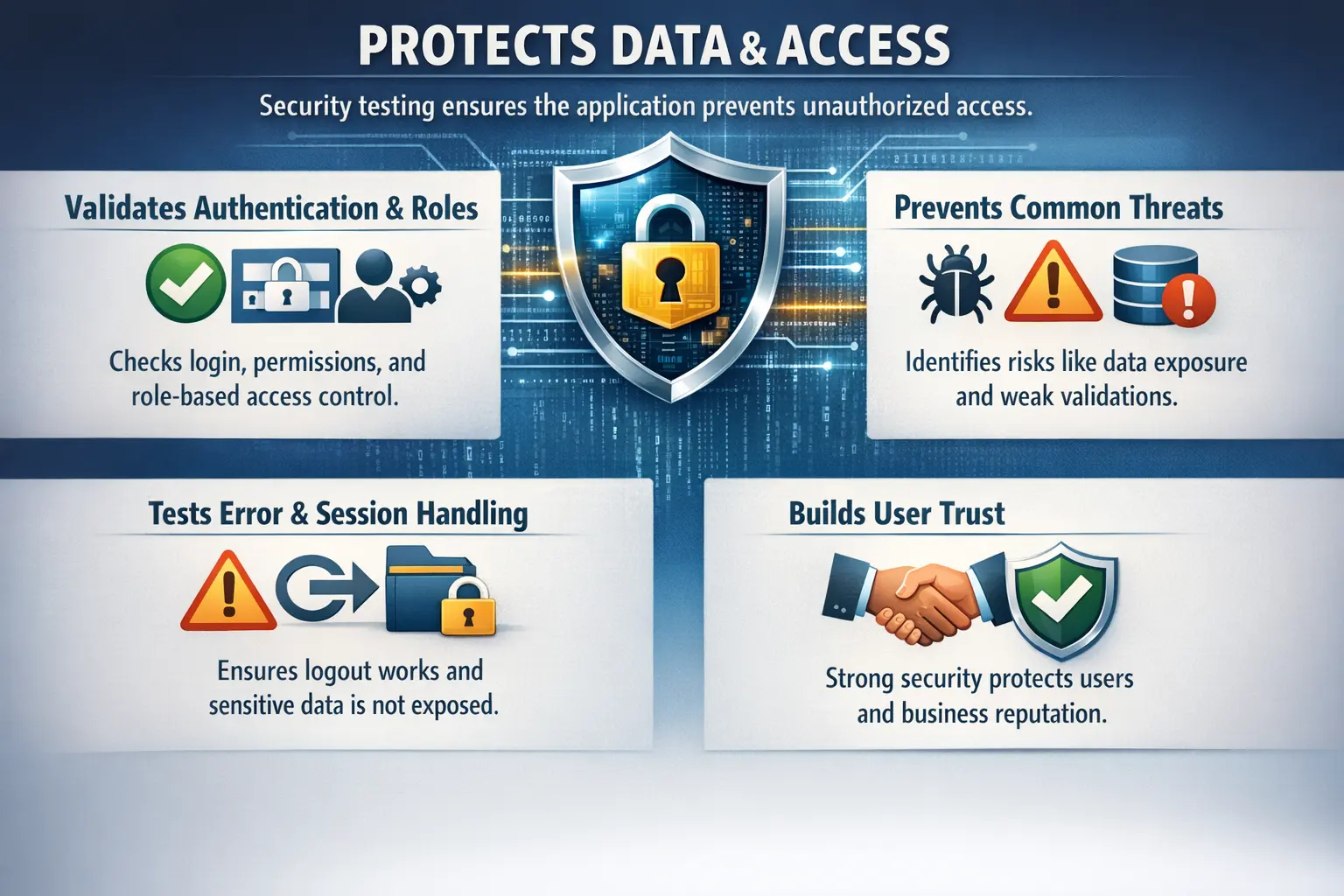
In modern software systems, security is not a separate concern that can be checked only at the end of a release. Applications handle user accounts, payments, personal data, business records, files, reports, tokens, and system integrations. A single weak access control or exposed message can give an attacker information or access that should never be available. Security testing helps teams identify these weaknesses before they become production incidents.
Security testing is different from simply confirming that a feature works. A login form may work correctly for valid users, but the same form must also reject invalid attempts, protect passwords, prevent information leakage, manage sessions safely, and enforce account rules consistently. A report page may display data correctly for an admin, but it must also prevent a normal user from opening the same report by changing the URL. Security testing looks at the application from the perspective of misuse, abuse, and unauthorized access.
For manual testers, security testing does not always mean advanced ethical hacking or deep penetration testing. Specialized security teams may handle complex vulnerability assessments, network scanning, exploit testing, and code-level security reviews. However, manual testers still play a very important role because many security weaknesses are visible at the application behavior level. Authentication, authorization, input handling, session behavior, error messages, and role-based restrictions can all be validated through thoughtful manual testing.
Purpose of Security Testing
The primary objective of security testing is to safeguard sensitive user and business data. It ensures that only authorized users can access specific functionality and that confidential information is not exposed.
Security validation reduces the risk of data breaches, financial loss, regulatory penalties, and reputational damage. It also supports compliance with organizational and industry security standards.
One of the most important purposes of security testing is protecting confidentiality. Users expect that their personal information, account details, financial data, medical information, documents, and business activity will remain private. If a user can see another user's data, if sensitive values appear in a page source, or if confidential information is exposed in error messages, the application fails an essential security expectation.
Security testing also protects integrity. Integrity means that data should not be changed by unauthorized users or through unintended actions. A customer should not be able to change another customer's address. A normal employee should not approve their own elevated permissions. A user should not be able to manipulate a hidden field and submit a higher discount than allowed. Manual testers can identify many of these risks by trying realistic misuse scenarios.
Another purpose is protecting availability and trust. If poor input validation causes a page to crash, if session handling behaves unpredictably, or if attackers can repeatedly lock legitimate users out, the system becomes unreliable. Security failures are not only technical failures. They affect business continuity, user confidence, brand reputation, and compliance posture.
Security testing also supports better release decisions. It gives stakeholders visibility into known risks. A team may not eliminate every possible security risk before release, but it should understand which risks exist, which ones are critical, which have been mitigated, and which require acceptance or further review. Clear security validation makes risk visible instead of hidden.
Manual Tester’s Scope (Conceptual Level)
Manual testers are not expected to perform advanced penetration testing, but they play an essential role in validating security at the application level.
Their focus includes:
- Authentication validation (login controls)
- Authorization and role-based access control
- Input validation checks
- Session management behavior
- Error message exposure analysis
Deep vulnerability assessments are typically handled by specialized security teams, but manual testers act as the first line of defense.
The manual tester's scope begins with authentication. Authentication answers the question: who is the user? Testers validate login behavior, invalid credential handling, password reset flows, account lockout rules, password masking, error messages, and logout behavior. A good tester checks not only successful login, but also how the system behaves when credentials are wrong, expired, incomplete, or reused incorrectly.
Authorization is equally important. Authorization answers the question: what is this user allowed to do? Many serious application defects occur when authentication works but authorization is weak. A user may be logged in correctly, but that does not mean the user should access every page or perform every action. Manual testers should validate role boundaries carefully, especially in systems with admin, manager, employee, customer, vendor, or guest roles.
Input validation is another practical area for manual testers. Testers can enter unexpected values, unusually long text, special characters, script-like input, SQL-like input, blank values, and boundary values. The goal is not to attack recklessly, but to confirm that the application handles unsafe or invalid input safely. The system should reject harmful input, show useful messages, and remain stable.
Session management is also within manual testing scope. Testers should verify that logout actually ends the session, that protected pages cannot be accessed after logout using the browser back button, and that inactive sessions expire as expected. If a session remains active after logout or timeout, unauthorized users may gain access on shared machines or unattended devices.
Error message exposure analysis is a simple but valuable security activity. Applications should not reveal stack traces, database names, internal file paths, server details, framework versions, SQL statements, or sensitive identifiers in user-facing errors. Clear business messages are useful; technical leakage is risky. Manual testers often catch these problems during negative testing.
Common Security Threats (High-Level Awareness)
Manual testers should have conceptual awareness of common threats such as:
- Unauthorized access to restricted functionality
- Data exposure in UI or responses
- SQL Injection vulnerabilities
- Cross-Site Scripting (XSS) risks
- Broken authentication mechanisms
Understanding these risks helps testers design better negative and boundary scenarios. Manual testers do not need to become security specialists overnight, but they should know enough to recognize suspicious behavior and ask the right questions. Security testing improves when testers understand what can go wrong, not only what should go right.
Unauthorized access occurs when a user reaches data or functionality without proper permission. This may happen through direct URL access, predictable IDs, weak role checks, missing server-side validation, or hidden UI controls that are still callable. A page should not rely only on hiding a button. The backend must enforce permission rules.
Data exposure occurs when sensitive information appears where it should not. Examples include full credit card numbers, personal identifiers, internal user IDs, authentication tokens, passwords, or confidential business records displayed in the UI, browser storage, logs, downloads, or error responses. Manual testers should pay attention to visible data and downloadable content, especially when switching between user roles.
SQL Injection is a risk where unsafe input is interpreted as part of a database query. Manual testers at a conceptual level may not exploit databases, but they can observe whether input fields safely reject suspicious strings and whether the application displays database-related errors. Cross-Site Scripting, or XSS, occurs when unsafe user input is rendered as executable script in a page. Testers can watch for unsafe reflection of input in messages, comments, profiles, search results, or saved content.
Broken authentication includes weak password rules, predictable reset links, account enumeration, missing lockout controls, insecure remember-me behavior, and inconsistent login error messages. These risks matter because attackers often begin with identity-related weaknesses. Strong authentication behavior does not guarantee total security, but weak authentication creates an immediate entry point.
Manual Security Test Scenarios
At a practical level, manual testers validate scenarios such as:
- Attempting login with invalid credentials
- Trying to access restricted pages via direct URL manipulation
- Verifying proper logout functionality
- Confirming session timeout behavior
- Ensuring error messages do not expose technical details or sensitive information
These checks help identify visible security weaknesses. They should be designed as controlled, repeatable scenarios rather than random attempts. The tester should understand the expected security rule, execute a misuse condition, and verify that the system rejects it safely.
A basic authentication scenario is attempting login with invalid credentials. The expected result is that login fails and the user receives a safe message. The message should not reveal whether the username exists if that information could be abused. For example, "Invalid username or password" is generally safer than "Username exists but password is wrong." Testers should also check blank values, locked accounts, disabled accounts, expired passwords, and password reset behavior.
A practical authorization scenario is direct URL manipulation. If an admin page has a URL such as an administration dashboard, a normal user should not access it by pasting the URL into the browser. The same rule applies to records identified by IDs. If a customer opens an order details page and changes the order ID in the URL, the application should not show another customer's order. This type of access-control defect is common and high risk.
Logout testing is also important. After logout, the user should not be able to open protected pages through browser history. The session should be invalidated, and any further protected action should require re-authentication. If the user can submit a form after logout using a cached page, the application may have a session management weakness.
Session timeout scenarios validate inactivity behavior. A banking, healthcare, HR, or admin system should not leave sessions active indefinitely. Testers should confirm that the timeout warning, expiration behavior, and post-timeout redirection work correctly. After timeout, protected actions should fail safely instead of silently succeeding.
Error message testing should be included in negative scenarios. Testers can submit invalid forms, open restricted pages, upload unsupported files, and interrupt workflows to observe how the application responds. A secure application should explain the problem in user-friendly language without exposing internal implementation details.
Authentication Testing
Authentication testing focuses on verifying that only legitimate users can access the system. Login is usually the starting point, but authentication includes more than entering a username and password. It includes registration, password reset, account activation, multi-factor authentication, remember-me behavior, account locking, and session creation.
A manual tester should validate successful login with valid credentials and failed login with invalid credentials. The tester should also check whether password fields are masked, whether copy-paste behavior follows the application's security policy, whether password reset links expire, and whether reset links can be reused. If an expired or already-used reset link still works, the system has a security weakness.
Account lockout rules should be tested carefully when they exist. After repeated failed attempts, the system may temporarily lock the account or require additional verification. The tester should confirm that the behavior matches requirements and does not create a denial-of-service risk. A poorly designed lockout mechanism can be abused to lock legitimate users out too easily.
Authorization and Role-Based Access Control
Authorization testing validates whether users can access only the functions and data allowed by their role. This is one of the most important areas for manual security testing because access-control defects are often visible through normal application usage. If roles are not tested thoroughly, critical features may be exposed to the wrong users.
Role-based testing should include positive and negative scenarios. An admin should be able to access admin functions. A customer should not. A manager may approve requests for their team, but not for another department. A viewer may read reports but should not edit them. These differences must be validated from both the menu and direct access paths.
Testers should not assume that hiding a link is enough. If a restricted button is hidden from a normal user but the restricted URL or API action still works, the application is insecure. Authorization must be enforced on the server side. Manual testers can expose this risk by saving URLs, switching roles, and attempting actions directly.
Input Validation and Injection Awareness
Input validation testing confirms that the application handles user-provided data safely. Every field that accepts input is a potential risk area, including search boxes, login fields, profile forms, comments, file names, filters, query parameters, and hidden fields. The application should validate input on the server side, even if client-side validation exists.
Manual testers can use invalid values, boundary values, special characters, long strings, script-like text, SQL-like text, and unexpected formats. The goal is to observe whether the system rejects unsafe input gracefully. The application should not crash, store harmful input, execute scripts, or reveal technical errors.
It is important to test both immediate and stored behavior. If a tester enters unusual text into a profile field and the system saves it, the same content may later appear on another page. Stored output should be encoded safely. This matters for XSS awareness because dangerous input may not show its impact until it is displayed elsewhere.
Session Management Testing
Session management controls how the application remembers a user after login. Poor session handling can allow unauthorized access even when login rules are correct. Manual testers should verify session creation, session timeout, logout, browser back behavior, remember-me behavior, and behavior across multiple tabs or devices when relevant.
After logout, protected pages should not remain usable. A user may press the browser back button and see a cached screen, but any attempt to refresh or perform a protected action should redirect to login or show an appropriate access message. Sensitive pages should be handled carefully so that confidential information is not exposed through browser caching.
Session timeout should be tested under realistic conditions. If requirements say that the user should be logged out after a period of inactivity, testers should confirm what happens when that time passes. The system should not allow stale pages to submit transactions after timeout. Clear messaging is also important so users understand why they were redirected.
Security Testing vs Functional Testing
Functional testing verifies whether features work correctly. Security testing verifies whether features are protected correctly.
Functional defects affect usability or operations, whereas security defects can lead to high-impact breaches. Because of this, security validation carries elevated business risk.
The same feature can be viewed through both lenses. In functional testing, a tester may confirm that a customer can view their order history. In security testing, the tester asks whether the customer can view only their own orders and whether changing an order ID exposes another user's data. Functional testing confirms intended use. Security testing challenges misuse.
Functional testing often focuses on success paths and expected business behavior. Security testing gives more attention to negative paths, restricted paths, boundary conditions, and suspicious behavior. A secure feature must work correctly for authorized users and fail safely for unauthorized users. Both outcomes are part of quality.
This distinction matters during test planning. Security scenarios should not be treated as optional extras after all functional testing is complete. For sensitive features, access control and data protection should be part of the core acceptance criteria. A feature is not truly complete if it works for the right user but is also available to the wrong user.
Real-Time Example
Consider a user logged in with a “Customer” role. That user should not be able to access administrative pages. If direct URL entry allows access to restricted functionality, the application has an authorization defect.
Security testing ensures that access controls are enforced consistently. A tester should validate this in more than one way. First, the customer should not see admin menu items. Second, if the tester manually enters the admin URL, access should be denied. Third, if the tester attempts to perform an admin action through a saved request or direct navigation, the server should reject it. The rule must be enforced beyond the visible interface.
Another real-time example is a password reset flow. Functionally, the flow may send a reset email and allow the user to create a new password. From a security perspective, the reset link should expire, should not be reusable, should belong only to the intended user, and should not reveal whether an email address exists in the system. Manual testing can validate many of these behaviors.
A third example is file upload. Functionally, the user may upload a profile image or document. Security testing checks whether unsupported file types are rejected, whether file size limits are enforced, whether file names are handled safely, and whether uploaded files are accessible only to authorized users. This prevents file upload from becoming a data exposure or malicious content risk.
Entry and Exit Criteria
Security testing typically begins after functional validation is complete and user roles and permissions are clearly defined. It concludes when major security gaps are identified, access controls are validated, and known risks are documented.
Complete elimination of risk may not always be possible, but risk exposure must be understood and minimized.
Useful entry criteria include stable functionality, defined user roles, documented access rules, available test accounts, prepared test data, and a test environment that resembles real deployment behavior. Without clear roles and permission rules, security testing becomes guesswork. Testers need to know what each user type should and should not do.
Test accounts should be created for each important role. If the application has admin, manager, staff, customer, guest, and auditor roles, each role should be tested separately. Testers should also have data that belongs to different users so they can validate that one user cannot access another user's records.
Exit criteria should consider severity. Critical access-control defects, exposed sensitive data, active session weaknesses, or serious authentication failures should block release unless formally accepted at a high level. Lower-risk observations may be documented for future improvement, but major security gaps must not be ignored because they can create production incidents.
Common Security Defects (Manual View)
Frequent issues include role escalation vulnerabilities, weak password validation rules, sessions remaining active after logout, and sensitive data displayed in UI elements or error messages.
These vulnerabilities can significantly impact trust and compliance. Role escalation is especially serious because it allows a lower-privileged user to perform higher-privileged actions. This may happen when the UI hides a feature but the backend does not enforce the role check.
Weak password validation can also create risk. If the application allows very short passwords, common passwords, or passwords that match user details, accounts become easier to compromise. Manual testers should validate password policy rules against requirements and confirm that error messages are helpful without revealing unnecessary internal logic.
Sensitive data exposure can occur in many places. A page may display full account numbers when masked values are required. A response may include fields that are hidden visually but still available in page data. A downloaded file may contain records beyond the user's permission. A technical error may expose database details. Manual testers should remain alert to information that appears outside its intended context.
Session defects are also common. A user may remain logged in after logout, stay active beyond the required timeout, or access protected content through cached pages. These defects are easy to underestimate, but they matter in shared-device environments such as offices, libraries, customer service centers, and public kiosks.
Common Mistakes
One common mistake is assuming security is solely a backend responsibility. UI-level exposure can still compromise sensitive data. Another mistake is ignoring role-based testing or displaying overly detailed technical error messages that reveal internal system information.
Security must be considered across all application layers. A page may be beautifully designed and functionally correct, but if it exposes data to the wrong role, it is not safe. Manual testers should avoid thinking of security as someone else's responsibility. They may not perform deep penetration testing, but they can catch many practical application-level weaknesses.
Another mistake is testing only through the visible navigation. Restricted links may be hidden correctly, but direct URLs, bookmarked links, manipulated IDs, or reused requests may still expose functionality. Security testing should always include attempts to bypass the normal path in controlled ways.
Teams also make the mistake of using only one test user. Role-based testing requires multiple users with different permission levels and ownership of different data. Without that, testers cannot verify whether access boundaries are enforced correctly.
A further mistake is ignoring error messages because the main workflow works. Overly detailed error messages can reveal internal implementation details that help attackers. User-facing errors should be clear enough for legitimate users but not so technical that they expose system internals.
Security Testing in Agile Projects
In Agile projects, security testing should be included in each sprint where security-relevant functionality is delivered. Login changes, new roles, new APIs, file uploads, payment flows, account settings, and admin screens should include security acceptance criteria. Waiting until the end of the release creates late surprises and expensive rework.
During backlog refinement, testers can ask practical security questions. Which roles can access this feature? Can users see only their own data? What happens after logout? What inputs must be rejected? What data should be masked? What error message should appear? These questions improve requirements and reduce ambiguity before development begins.
Regression testing should include security-sensitive flows. If a shared authorization component changes, testers should re-check restricted pages. If session handling changes, logout and timeout should be retested. If input validation logic changes, negative input scenarios should be revisited. Security regression is important because fixes and enhancements can accidentally weaken existing controls.
Documentation and Reporting
Security defects must be reported carefully and clearly. A good report explains the role used, the data involved, the steps followed, the expected restriction, and the actual exposure. Evidence should be specific, but sensitive information should not be spread unnecessarily in screenshots, logs, or messages.
Severity should reflect business impact. A typo in a warning message is not the same as a customer accessing another customer's records. Access-control defects, exposed personal data, reusable reset links, and active sessions after logout usually require urgent attention. Testers should communicate risk in terms that product owners and business stakeholders can understand.
Documentation should also capture known limitations. If advanced penetration testing is out of scope for a release, that should be stated. If only application-level manual security scenarios were executed, stakeholders should understand that deeper infrastructure or code-level vulnerabilities may still require specialist review.
Best Practices for Manual Security Testing
Start with the most sensitive areas. Authentication, authorization, personal data, payments, admin actions, file uploads, reports, and integrations should receive priority. These areas carry higher risk because defects can expose data, money, or privileged operations.
Test with multiple roles and multiple data owners. A strong security test set includes at least one privileged user, one normal user, and one user who owns different records. This allows testers to validate both role boundaries and ownership boundaries. Access rules should be checked through menus, direct URLs, browser history, and manipulated identifiers.
Combine positive and negative scenarios. Confirm that authorized users can complete valid actions, then confirm that unauthorized users cannot complete the same actions. Security testing is not complete if it validates only denial or only success. The application must support legitimate work while blocking misuse.
Keep security test data controlled. Do not use real sensitive production data unless the organization has approved and protected that usage. Use masked or synthetic data when possible. Security testing should reduce risk, not create new risk through careless handling of information.
Interview Perspective
In interviews, security testing is typically described as validating the application’s ability to protect data and enforce access controls. A strong explanation highlights authentication, authorization, and vulnerability awareness, even from a manual testing standpoint.
A strong interview answer should also explain the manual tester's practical role. Manual testers validate login behavior, role-based access, direct URL restrictions, session timeout, logout behavior, input validation, and safe error messages. They are not always responsible for deep penetration testing, but they help identify application-level security weaknesses early.
It is useful to compare security testing with functional testing. Functional testing asks whether the feature works for intended users. Security testing asks whether the feature is protected from unintended users and unsafe input. A feature is not production-ready if it works correctly but exposes restricted data or actions.
Key Takeaway
Security Testing protects user data, business integrity, and organizational trust. Even at a conceptual manual-testing level, validating access control, input handling, and session management significantly strengthens overall system security.
The core idea is simple: software must not only do the right thing for the right user; it must also refuse the wrong thing from the wrong user. Manual security testing helps teams verify that authentication, authorization, sessions, inputs, and error handling behave safely. When these checks are included consistently, the application becomes more trustworthy, resilient, and ready for real-world use.