Scalability Testing: Validating System Growth Capability
Introduction to Scalability Testing
Scalability Testing is the process of evaluating whether a software application can handle increasing workload, users, or data volume without degrading performance or breaking functionality.
Scalability testing answers a forward-looking question: can the system grow without failing?
An application that works well today but collapses under growth is not production-ready for long-term business expansion.
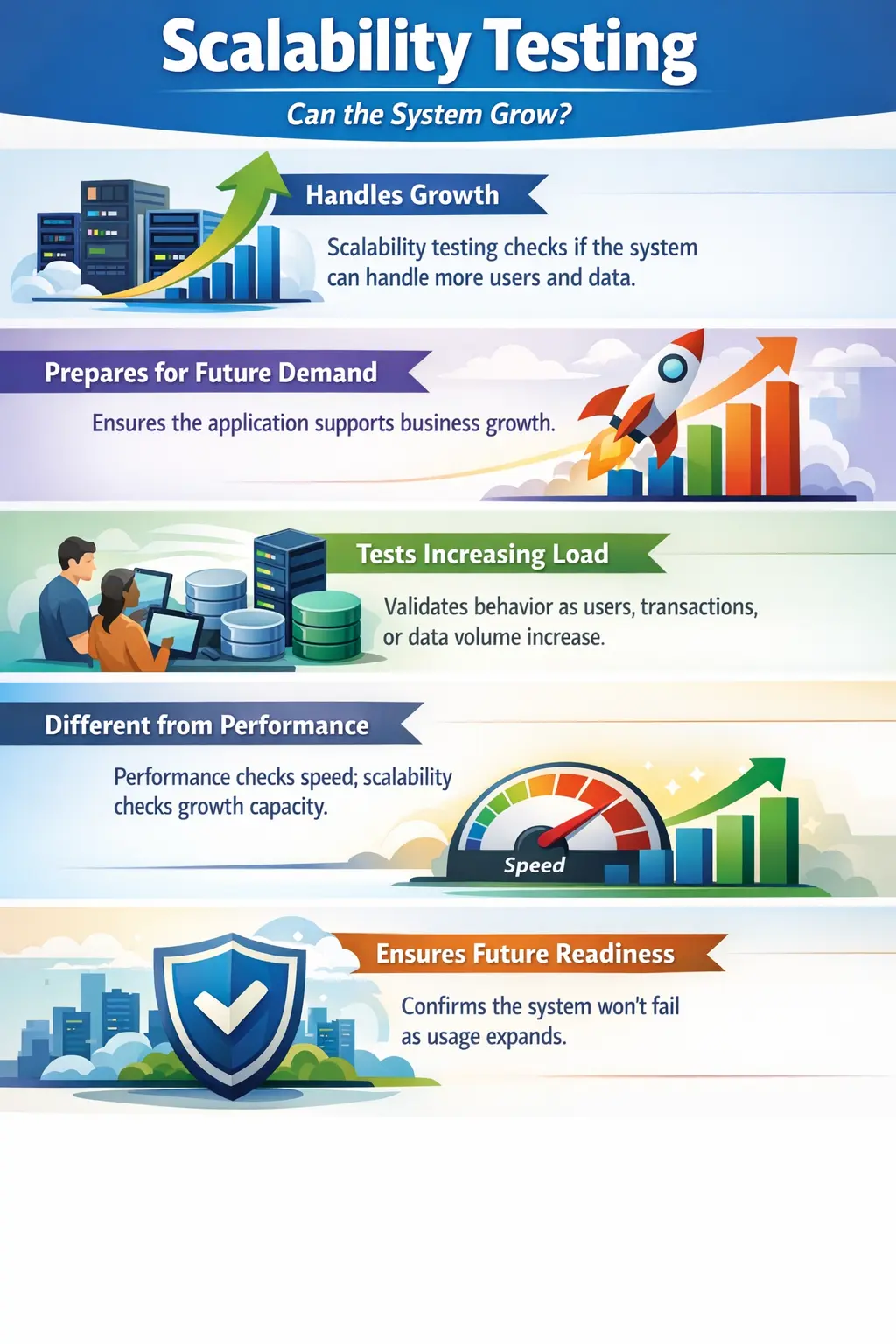
Scalability is about future readiness. A system may work perfectly for a small group of users, a limited number of records, and a modest transaction volume, but that does not prove it can support business growth. As customers increase, data grows, integrations expand, and usage becomes heavier, weaknesses that were invisible during early testing can become serious production problems.
Scalability testing looks at the system from a growth perspective. It asks whether the application can continue to provide acceptable behavior when demand increases. That demand may come from more users logging in at the same time, more orders being placed, larger files being uploaded, bigger reports being generated, more records being searched, or more background processes running together. The goal is to understand whether the system can grow smoothly or whether it will slow down, fail, or require major redesign.
For manual testers, scalability testing is usually not about executing thousands of virtual users directly. Tool-based scalability validation is normally handled by performance engineers, DevOps teams, or specialized testing groups. However, manual testers still play a meaningful role by understanding growth expectations, testing with larger data sets where possible, observing UI and functional behavior as data increases, and raising concerns when the system appears designed only for small-scale usage.
Purpose of Scalability Testing
The primary objective of scalability testing is to ensure that the system can support business growth. As user bases expand and data accumulates, systems must continue to function efficiently.
Scalability testing identifies limits, bottlenecks, and architectural risks. It also supports infrastructure and capacity planning decisions before real-world growth exposes weaknesses.
The main purpose of scalability testing is to avoid growth-related failure. Many systems are launched with a small user base and limited data. Over time, usage expands. If the application was not designed or validated for that expansion, users may experience slow pages, failed transactions, overloaded servers, database timeouts, blocked queues, or unreliable background jobs. Scalability testing gives teams visibility before these problems affect customers.
Scalability testing also helps teams understand system limits. Every system has a capacity boundary. The question is whether that boundary is known, acceptable, and manageable. If the business expects ten thousand concurrent users but the system begins failing at two thousand, the gap must be identified early. Knowing the limit helps teams plan infrastructure, optimize code, tune databases, change architecture, or adjust release strategy.
Another purpose is capacity planning. Businesses need to know when additional servers, cloud resources, database improvements, caching, load balancing, or architectural changes will be required. Scalability testing provides evidence for these decisions. Instead of guessing when to scale, teams can use observed system behavior under increasing demand.
Scalability testing also protects user experience during success. Growth is usually a positive business signal, but if the system cannot handle that growth, success turns into failure. A course platform may attract many students after a campaign, an e-commerce site may receive heavy traffic during a sale, or a government portal may receive huge demand during application deadlines. Scalability testing helps ensure that growth does not break the service.
Manual Tester’s Scope (Conceptual Understanding)
While actual scalability testing is performed using performance tools and infrastructure monitoring systems, manual testers play an important conceptual role.
Manual testers focus on:
- Understanding scalability expectations from business requirements
- Observing system behavior as test data volume increases
- Identifying functional or UI degradation under higher usage
- Reporting risks related to growth and expansion
Even manual observations during high-data scenarios can reveal important insights. A tester may not simulate ten thousand users, but they can still test a search page with thousands of records, a report with a large date range, a table with many pages of data, or an upload flow with larger files. These tests often reveal whether the UI and workflows are ready for realistic growth.
Manual testers should pay attention to scalability expectations in requirements. If a feature is expected to support large customer lists, high transaction volumes, multiple departments, many files, or long historical records, that expectation should influence test design. Testing only with five records may miss important scaling problems.
UI degradation is a practical manual testing concern. A page may be easy to use with ten records but difficult with one thousand. Tables may become slow, filters may stop responding, dropdowns may become unusable, pagination may break, and exports may time out. These are scalability-related issues because the feature does not remain usable as data grows.
Manual testers also support specialized scalability testing by identifying realistic business flows. Tool-based tests are only useful when they simulate meaningful user behavior. Testers can help define which actions should be scaled, which data should be used, which roles matter, and which outcomes must be measured.
What Is Scaled in Scalability Testing
- Number of concurrent users
- Volume of transactions
- Size of data sets (records, files, database entries)
- Simultaneous operations
Each dimension tests whether the system architecture can expand without instability.
Increasing the number of concurrent users is one of the most common scalability dimensions. Concurrent users are users interacting with the system at the same time. A website may work well when ten users search products, but behave differently when thousands search, add to cart, and check out together. Concurrency creates pressure on servers, databases, caches, networks, and external integrations.
Transaction volume is another important dimension. Some systems may not have many users, but each user may perform many transactions. A trading platform, payment processor, messaging system, or logistics application may process a high number of operations per minute. Scalability testing checks whether the system can maintain correctness and stability as transaction volume increases.
Data volume is often underestimated. As databases grow, queries may become slower, reports may take longer, exports may become heavier, and screens may load too much information. A system that works with sample data may struggle with real historical data. Scalability testing must consider records, attachments, logs, audit trails, files, and archived data.
Simultaneous operations also matter. Users may generate reports while others submit transactions, upload files, approve requests, or run searches. Background jobs may run at the same time as user activity. Scalability testing evaluates whether these operations can coexist without blocking each other or degrading the system severely.
Horizontal and Vertical Scaling Concepts
Scalability is often discussed through horizontal and vertical scaling. Vertical scaling means increasing the capacity of an existing machine or resource, such as adding more CPU, memory, or storage. Horizontal scaling means adding more machines or instances so the workload is distributed across multiple resources.
Manual testers do not need to configure infrastructure, but understanding these concepts helps them communicate better with technical teams. If a system improves when more instances are added, it may support horizontal scaling well. If it depends heavily on a single database, single server, or single background process, it may face scaling limits.
Some applications are easier to scale than others. Stateless services, efficient caching, optimized database design, queue-based processing, and load-balanced architecture usually support growth better. Applications with tightly coupled components, heavy synchronous processing, or inefficient queries may require more redesign before they can scale.
Scalability Testing vs Performance Testing
Performance testing measures how fast and responsive a system is under a given load. Scalability testing evaluates how well the system handles increasing load over time.
Performance focuses on current speed and responsiveness. Scalability focuses on future growth capability and structural readiness.
A system may perform well at low usage but fail when scaled. This distinction is important. Performance testing might show that the system responds within two seconds for one hundred users. Scalability testing asks what happens as users increase to five hundred, one thousand, five thousand, or more. The trend matters as much as the single result.
Performance testing often evaluates a defined load level. Scalability testing evaluates how behavior changes across increasing levels. If response time grows slowly and predictably, the system may scale well. If response time suddenly jumps, error rates increase, or resources become exhausted after a certain point, the system has a scalability limit.
Scalability is also connected to architecture. A performance issue may be solved by optimizing a query or reducing page size. A scalability issue may require deeper changes, such as database indexing, caching strategy, asynchronous processing, load balancing, sharding, queue management, or service separation. This is why scalability testing is important before growth forces urgent redesign.
Real-Time Example
Consider an e-commerce platform. It may operate smoothly with 1,000 users but begin slowing down or crashing at 10,000 concurrent users.
Scalability testing determines whether infrastructure, database design, and application logic can support expanding demand without disruption.
During a normal day, the e-commerce platform may handle product browsing, search, cart updates, payment, and order confirmation without difficulty. During a festival sale or campaign, traffic may increase suddenly. Thousands of users may search the same products, apply coupons, check inventory, and attempt payment at the same time. If the cart service, inventory system, payment integration, or database cannot scale, users may see errors or incomplete orders.
Another example is an exam result portal. On ordinary days, traffic may be low. On result day, thousands or millions of students may attempt to access the site within minutes. A portal that was never tested for high concurrent access may become unavailable exactly when users need it most. Scalability testing helps reveal whether caching, infrastructure, and database access can support such demand.
A third example is a business reporting system. A monthly report may work with one department and one year of data, but as the organization grows, the same report may need to process many departments and several years of records. If the report design is not scalable, it may time out or consume excessive resources. This shows that scalability is not only about users; it is also about data growth.
Data Volume and Scalability
Data volume is one of the most common causes of scalability problems. Applications often begin with small test datasets, but production data grows continuously. Customer records, transaction history, audit logs, attachments, notifications, messages, reports, and archived records can all increase over time.
Manual testers should question whether test data reflects realistic growth. If a search page will eventually handle one million records, testing it with twenty sample records is not enough. If a dropdown may contain thousands of customers, the UI should not load all records at once without search or pagination. If an export may include large datasets, limits and progress indicators should be considered.
Large data can affect both backend and frontend behavior. Backend queries may become slow. Frontend rendering may freeze if too many rows are loaded. Browsers may struggle with large tables. Users may find it difficult to navigate. Scalability testing should therefore evaluate both system processing and user experience under larger data conditions.
Concurrency and Simultaneous Usage
Concurrency means multiple users or processes interacting with the same system at the same time. Scalability problems often appear when many users perform similar actions together. Login, search, checkout, report generation, file download, and API calls may all compete for shared resources.
Manual testers can conceptually validate concurrency risks by coordinating small group tests or by observing behavior during shared environment usage. For example, several testers may submit forms, upload files, or generate reports at the same time. This does not replace tool-based load testing, but it can reveal locking issues, duplicate processing, slowdowns, or inconsistent results.
Simultaneous operations also create data consistency concerns. If two users update the same record, the system should handle conflicts safely. If many users attempt to book the last available item, inventory rules must remain correct. Scalability is not only about handling volume; it is also about preserving correctness under shared usage.
Entry and Exit Criteria
Scalability testing begins once a stable build is available and scalability expectations are clearly defined. It concludes when growth-related risks are identified and system behavior under increased load is documented.
The outcome should provide visibility into scaling limits and readiness. Useful entry criteria include a stable build, defined growth expectations, identified critical workflows, realistic data sets, available test environment, monitoring support, and agreement on what metrics matter. Without clear expectations, it is difficult to decide whether the system scales acceptably.
Scalability expectations should come from business reality. How many users are expected during normal operation? What peak traffic is expected during campaigns or deadlines? How much data will exist after one year? How many transactions per hour should the system support? These questions help convert vague growth concerns into testable scenarios.
Exit criteria may include identifying the current capacity limit, documenting bottlenecks, confirming whether scaling targets are met, measuring behavior at different growth levels, and communicating risks. A scalability test does not always end with "pass" or "fail." Often it produces a capacity profile that helps the business and technical teams plan next steps.
Common Scalability Issues
Typical scalability challenges include application slowdown as data grows, system failures during peak traffic, resource exhaustion, and database bottlenecks.
These issues often stem from architectural limitations rather than isolated defects. Slow database queries are a common example. A query may be acceptable with a few records but become expensive with large tables. Missing indexes, inefficient joins, unbounded searches, and heavy reporting queries can all limit scalability.
Resource exhaustion occurs when CPU, memory, threads, connections, storage, or network capacity is consumed faster than the system can handle. Users may experience timeouts, failed requests, queue delays, or crashes. In cloud environments, scaling rules may need adjustment. In traditional environments, hardware or configuration may become a limiting factor.
UI scalability issues are also common. Tables that load thousands of rows without pagination, filters that run slowly, dropdowns that contain huge lists, and dashboards that fetch too much data at once can all degrade usability. These problems may not be visible in small test data but become serious as the business grows.
Integration bottlenecks can limit scalability even when the main application is strong. A payment gateway, email service, identity provider, reporting service, or third-party API may have rate limits or slow response behavior. Scalability testing should consider dependencies, not only the application itself.
Common Mistakes
A common misconception is assuming that good performance automatically means good scalability. Another mistake is testing only with small data sets that do not reflect realistic growth scenarios.
Scalability must be evaluated proactively, not reactively after failures occur. Waiting until the system becomes popular or data becomes large is risky because scalability problems can require deep changes. Architectural changes are more expensive when the system is already live and users are depending on it.
Another mistake is focusing only on user count and ignoring data volume. Some systems have moderate user traffic but massive data growth. A reporting application, document management system, learning platform, or audit-heavy business system may face scalability pressure from accumulated records rather than concurrent users.
Teams also make the mistake of testing only happy paths. Under scale, error handling, retries, duplicate submissions, timeouts, and partial failures become important. A system should degrade gracefully. It should not corrupt data or leave users confused when capacity limits are reached.
A further mistake is treating scalability as purely an infrastructure problem. Adding servers may help, but poorly designed queries, inefficient code, large payloads, synchronous bottlenecks, and unscalable workflows can still fail. Scalability requires both infrastructure readiness and application design readiness.
Scalability Testing in Agile Projects
In Agile projects, scalability should be considered as features are designed and built. A story that introduces search, reporting, file uploads, notifications, dashboards, or high-volume APIs should include growth questions early. If scalability is ignored until release, design limitations may already be embedded in the system.
Testers can raise scalability questions during refinement. How many records will this screen support? Should results be paginated? What happens when many users submit at the same time? Is there a limit on file size? Should long-running jobs be processed asynchronously? What peak usage is expected? These questions help the team build scalable behavior from the start.
Regression testing should include high-data or high-usage representative scenarios for features that are sensitive to growth. If a search feature has been optimized, testers should avoid returning to tiny data sets only. Maintaining realistic data helps prevent scalability regressions.
Reporting Scalability Risks
Scalability risks should be reported with context. A useful report explains what was scaled, what data volume or usage level was observed, what behavior changed, and why it matters. For example, "Customer search loads in two seconds with fifty records but takes thirty seconds with twenty thousand records" is much more useful than "search is slow."
Testers should describe user impact. If a large table freezes the browser, if reports time out, if exports fail beyond a certain range, or if pages become difficult to navigate with many records, the report should connect the observation to business usage. Scalability issues are easier to prioritize when stakeholders understand how growth will expose them.
When exact load simulation is not available, manual observations should still be documented as risks. A tester can say that the page was validated with a larger data set and showed degradation. This does not replace formal scalability testing, but it provides evidence that deeper analysis is needed.
Best Practices for Scalability Awareness
Start by identifying growth-sensitive areas. Search, reports, dashboards, exports, imports, file uploads, notifications, transaction processing, and APIs are common candidates. These features often behave differently as users or data increase.
Use realistic data sizes whenever possible. Sample data should not be too small to reveal growth behavior. If production will contain years of history, multiple departments, large files, or high transaction volume, test data should reflect those conditions at least in representative form.
Observe trends, not only single results. A system that responds in two seconds at one thousand records, four seconds at ten thousand records, and forty seconds at fifty thousand records may have a scaling trend that needs attention. Scalability testing is about how behavior changes as demand grows.
Collaborate with developers, architects, DevOps, and business stakeholders. Scalability is a cross-functional concern. Testers provide usage scenarios and observations, developers investigate code and queries, infrastructure teams monitor resources, and business teams define expected growth.
Interview Perspective
In interviews, scalability testing is typically described as validating whether an application can handle increasing users, workload, or data volume without degradation.
A strong answer emphasizes future readiness and growth handling rather than just present performance.
A strong interview answer should mention increasing users, transaction volume, data size, and simultaneous operations. It should also explain that scalability testing helps identify limits, bottlenecks, and architectural risks before the business grows into them. The answer should not reduce scalability to simple speed testing.
It is also useful to compare scalability testing with performance testing. Performance testing checks speed and responsiveness under a defined load. Scalability testing checks whether the system can maintain acceptable behavior as load increases. This distinction shows practical understanding.
Key Takeaway
Scalability Testing ensures that an application is prepared for business growth and increased demand. It validates not just stability today, but sustainability tomorrow.
The core idea is that software must be ready for growth. A system that works only at small scale may create serious business risk when users, data, transactions, or integrations expand. Scalability testing gives teams early visibility into limits and helps them build systems that can grow with the business instead of failing under success.