Non-Functional Testing: Evaluating Software Quality Attributes
Introduction to Non-Functional Testing
Non-Functional Testing is the process of validating how well a software application performs, rather than what functionality it delivers. While functional testing confirms features and logic, non-functional testing evaluates quality attributes such as usability, performance, security, reliability, and compatibility.
Non-functional testing answers a critical question: how good is the system under real-world conditions?
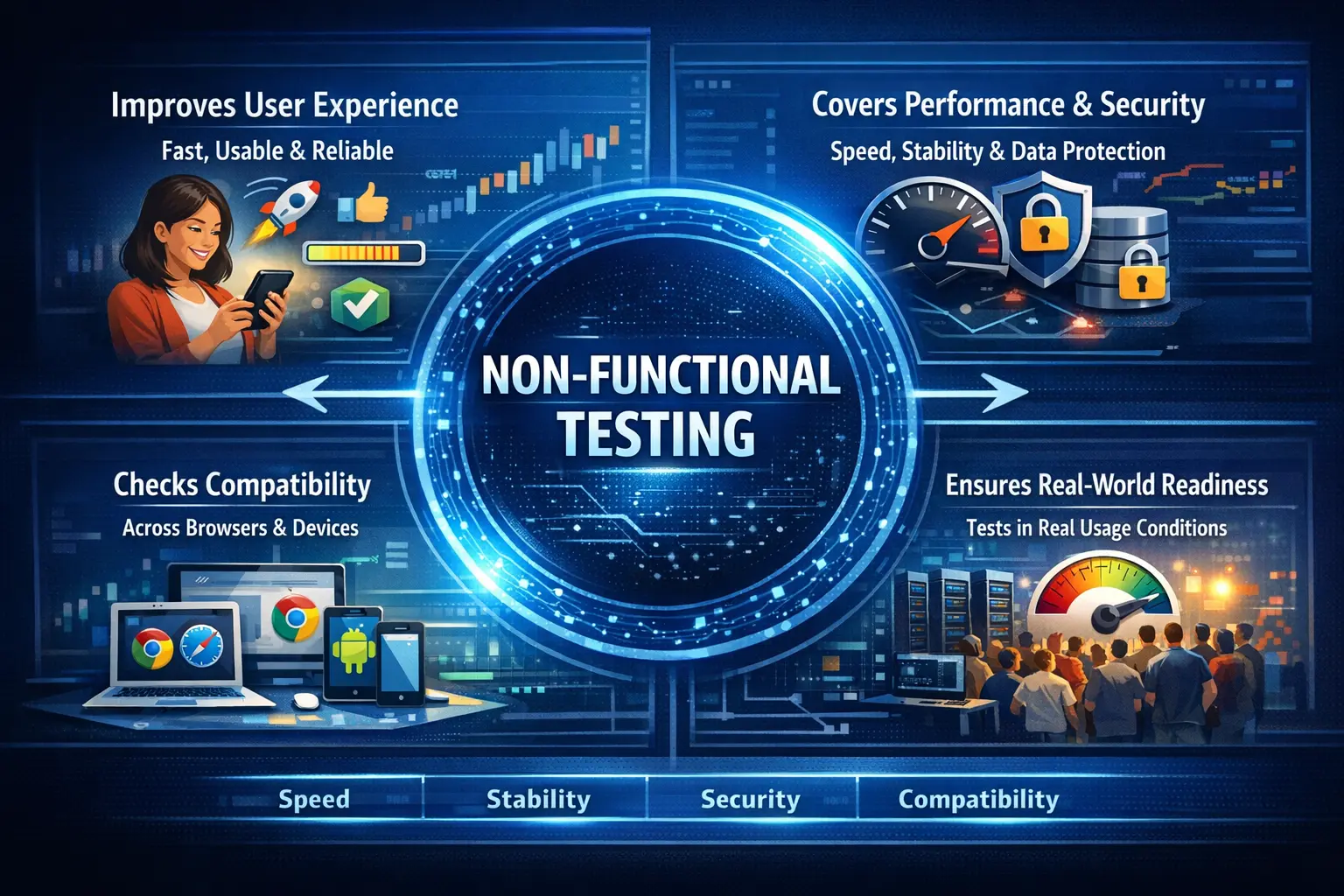
Purpose of Non-Functional Testing
The primary objective of non-functional testing is to ensure a positive user experience and system dependability. A product may satisfy every functional requirement and still disappoint users if it is slow, confusing, unstable, insecure, inaccessible, or unreliable. Non-functional testing evaluates these quality concerns so that the system is not only correct but also practical and trustworthy in real use.
Even if an application is functionally correct, it may still fail due to slowness, instability, poor usability, or security weaknesses. For example, a checkout flow may calculate the correct total and place the order successfully, but if it takes twenty seconds to load each step, users may abandon it. A report may show correct data, but if only one browser displays it properly, the product still has a quality problem.
Non-functional testing identifies risks that extend beyond feature validation. It improves reliability, enhances stability, supports accessibility, reduces security exposure, and builds user trust in the system. These qualities directly affect customer satisfaction and product adoption.
The purpose is also to make release decisions more realistic. Passing functional tests proves that expected features work. Passing non-functional checks gives confidence that users can actually use those features comfortably, consistently, and safely under expected conditions.
Functional vs Non-Functional Testing
Functional testing validates what the system does by checking features and business logic. It confirms whether the user can log in, submit a form, generate a report, make a payment, or complete another defined action. Non-functional testing evaluates how the system behaves by assessing quality characteristics such as speed, usability, security, reliability, compatibility, accessibility, and maintainability.
Functional defects directly affect operations. If a user cannot place an order, the feature is broken. Non-functional defects may not always stop the feature, but they affect user perception, experience, and confidence. If the order page loads slowly, looks broken on mobile, or exposes sensitive information, users still experience poor quality.
The two types of testing answer different but connected questions. Functional testing asks, "Does it work?" Non-functional testing asks, "How well does it work?" A successful product needs both answers. A system that works correctly but performs poorly may still fail in the market.
Both are essential for delivering a complete and reliable product. Functional testing confirms correctness. Non-functional testing confirms quality in practical use.
Scope of Non-Functional Testing
From a manual testing perspective, non-functional validation includes evaluating ease of use, observing response behavior, checking quality of error handling, validating security controls at a conceptual level, and verifying behavior across different environments.
It also includes checking whether the application remains understandable, readable, and usable across common devices and browsers. Manual testers may not conduct deep load testing with tools, but they can still notice delays, inconsistent behavior, confusing messages, broken layouts, poor keyboard navigation, or missing access restrictions.
The scope depends on project risk and product type. A banking application may require strong security, reliability, and accessibility checks. A public learning website may focus heavily on compatibility, readability, mobile behavior, and page responsiveness. An internal admin tool may prioritize stability, clear workflows, and role-based access.
This type of testing ensures that the application performs consistently and reliably under normal and varied conditions. It helps teams evaluate whether the product is ready for real users, not merely whether features pass under ideal test conditions.
Types of Non-Functional Testing
Usability Testing
Usability testing assesses ease of navigation, clarity of messages, layout consistency, and overall user satisfaction. It determines whether users can complete tasks efficiently and intuitively.
From a manual testing perspective, usability testing includes observing whether labels are understandable, actions are easy to find, error messages guide the user, and workflows feel natural. A feature may work functionally but still frustrate users if the interface is confusing or requires unnecessary steps.
Performance Testing (Manual Perspective)
Although detailed performance testing is tool-driven, manual testers can observe response time perception, delays, and timeouts during normal usage. Even visible slowness can significantly impact user experience.
Manual testers may note pages that take too long to load, actions that show no feedback, reports that time out, or screens that freeze during processing. These observations do not replace formal performance testing, but they help identify visible performance risks early.
Security Testing (Conceptual)
Manual testers validate authentication mechanisms, role-based access control, and data visibility restrictions. They ensure that users cannot access unauthorized information.
Manual security checks may include verifying that users cannot open restricted pages, sensitive data is not visible to the wrong role, sessions expire correctly, and error messages do not expose technical details. Deep penetration testing is specialized, but basic security awareness belongs in everyday testing.
Compatibility Testing
Compatibility testing verifies consistent behavior across browsers, operating systems, and devices. It ensures the application works reliably in different environments.
Manual testers may compare behavior across Chrome, Edge, Firefox, Safari, mobile devices, tablets, and different screen sizes depending on the supported matrix. Compatibility defects often appear as layout issues, broken controls, inconsistent scrolling, or browser-specific behavior.
Accessibility Testing
Accessibility testing checks keyboard navigation, screen reader compatibility basics, and sufficient color contrast to ensure inclusivity.
Manual accessibility checks include verifying that important controls can be reached by keyboard, focus is visible, images have meaningful alternatives where needed, form labels are clear, and information is not communicated by color alone. These checks improve usability for a wider range of users.
Reliability Testing
Reliability validation ensures stable and consistent behavior over time, especially during repeated usage or extended sessions.
Manual reliability checks may include repeated login and logout, repeated form submissions, extended sessions, repeated navigation, and checking whether the application remains stable after many user actions. Reliability is about consistency, not just one successful execution.
Role of the Manual Tester
Manual testers play a vital role in identifying user experience issues that automated tools may not capture. They observe visual performance indicators, validate UI consistency across environments, and assess accessibility and usability concerns.
They also act as user advocates. A manual tester can notice that a page is technically correct but difficult to read, that a workflow is slow enough to frustrate users, that a message is unclear, or that a layout breaks on a common device. These observations require human judgment.
The tester must document quality risks clearly because non-functional defects often influence customer satisfaction directly. A report should include environment details, browser or device, screen size, observed behavior, expected quality behavior, screenshots when useful, and business impact. Non-functional issues can be subjective, so evidence matters.
Manual testers also help decide when specialized testing is needed. If visible slowness is observed, the team may plan formal performance testing. If role access looks weak, security testing may be expanded. If accessibility concerns appear, a deeper accessibility review may be required.
Real-Time Example
An application may successfully pass all functional tests yet still frustrate users due to slow page loads, confusing navigation, or inconsistent design across browsers. Non-functional testing uncovers these hidden quality gaps before release.
Consider an online banking application. Functional testing may confirm that a user can log in, view balance, and transfer money. Non-functional testing checks whether login is fast enough, whether the transfer screen is usable on mobile, whether session timeout works, whether unauthorized users are blocked, and whether the interface remains stable across supported browsers.
Consider a learning website. Functional testing may confirm that articles open and search returns results. Non-functional testing checks whether pages load quickly, text is readable, navigation is clear, images do not break the layout, search works smoothly on mobile, and the site is usable with keyboard navigation.
Without non-functional validation, technically correct software may still fail in the market. Users judge a product by the total experience, not only by whether a feature technically completes.
Entry and Exit Criteria
Non-functional testing typically begins once functional testing is completed and a stable build is available. It concludes when major quality risks are identified, usability and compatibility concerns are validated, and known limitations are documented.
Entry criteria may include stable core functionality, defined quality expectations, supported browser and device lists, user roles, test environment availability, and access to representative data. If quality expectations are not defined, testers may still report observations, but acceptance decisions become harder.
Exit criteria may include completion of planned non-functional checks, documentation of major risks, resolution of critical usability or compatibility issues, acceptance of known limitations, and stakeholder review where needed. For specialized areas such as performance or security, exit may depend on formal tool results or expert review.
The goal is to ensure readiness beyond basic correctness. A release should not be judged only by whether features work, but also by whether users can use them reliably and confidently.
Common Defects Identified
Non-functional testing frequently reveals slow page loading, unclear or poorly worded error messages, inconsistent UI behavior across environments, and accessibility shortcomings. These defects directly affect user experience and brand perception.
Performance-related defects may include slow page loads, delayed search results, long report generation, missing loading indicators, or timeouts during normal use. Even when final results are correct, visible delays can reduce user satisfaction.
Usability defects may include confusing navigation, unclear labels, too many steps, inconsistent button placement, poor error guidance, or workflows that make users unsure what to do next. These issues affect adoption and support costs.
Compatibility defects may include layouts breaking in one browser, controls not working on mobile, text overlapping at certain screen widths, or date pickers behaving differently across environments.
Accessibility defects may include missing labels, poor contrast, keyboard traps, invisible focus indicators, and error messages that are not announced or placed clearly. These defects can prevent some users from using the product effectively.
Common Mistakes
One common mistake is treating non-functional testing as optional or secondary. Focusing solely on functional correctness ignores user experience risks. Overlooking usability and accessibility can lead to customer dissatisfaction and reduced adoption.
Another mistake is waiting until the end of the project. Non-functional risks found late can be expensive to fix. A major performance issue or accessibility gap may require design, architecture, or component changes. Early attention reduces rework.
Teams also make the mistake of assuming tools alone cover non-functional quality. Tools are important for performance, security, accessibility, and compatibility, but manual observation still matters. Users experience the product as a whole, and testers can notice issues that metrics alone may not explain.
Poor documentation is another common weakness. Non-functional defects need context: environment, browser, device, network condition, steps, screenshot, timing, and observed impact. Without context, teams may dismiss or misunderstand the issue.
Quality must extend beyond functionality. A product that works but feels slow, unsafe, confusing, or inaccessible is not truly high quality.
Best Practices for Non-Functional Testing
The first best practice is to define quality expectations early. Teams should discuss acceptable response times, supported browsers, accessibility expectations, security responsibilities, and usability standards before release pressure begins.
The second best practice is to test on realistic environments and data. Non-functional behavior can change when data volume, browser, device, network, or user role changes. Representative conditions produce better findings.
The third best practice is to combine manual checks with specialized tools where needed. Manual testers can observe user experience, while performance tools, security tools, accessibility tools, and monitoring systems provide deeper technical evidence.
The fourth best practice is to prioritize based on risk. A public customer-facing page may need stronger performance and accessibility attention than a rarely used internal admin page. A payment feature may need stronger security and reliability attention than a static information page.
The fifth best practice is to document limitations clearly. If a browser is not supported, if performance is acceptable only under certain data volumes, or if a known accessibility issue is deferred, stakeholders should understand the risk.
Non-Functional Testing in Agile Projects
In Agile projects, non-functional testing should not be postponed until the end. Usability, performance, accessibility, compatibility, and security expectations should be considered during refinement and design. This allows teams to build quality into the story rather than inspect it only after development.
Testers can add non-functional checks to acceptance discussions. For example, a story may need to work on mobile, provide keyboard access, show a clear loading state, or prevent unauthorized access. These expectations can become part of the story definition.
Agile teams can also use lightweight non-functional checks during each sprint and deeper specialized testing at planned intervals. This balances fast delivery with quality awareness.
Planning Non-Functional Test Coverage
Planning non-functional test coverage starts with understanding which quality attributes matter most for the product. Not every application needs the same depth in every area. A public banking application requires strong security, reliability, accessibility, and performance expectations. A small internal reporting tool may focus more on data readability, browser compatibility, and stable report generation.
Testers should work with product owners, architects, developers, business users, and support teams to identify quality risks. Questions such as "How many users are expected?", "Which browsers are supported?", "What response time is acceptable?", "Which roles can see sensitive data?", and "What devices do users use?" help define practical coverage.
Non-functional coverage should be prioritized. Critical user journeys deserve more quality validation than rarely used screens. A slow login page, broken mobile checkout, unclear payment error, or weak access control issue can have serious impact. These high-risk areas should be tested first.
Planning should also identify what can be tested manually and what needs tools or specialists. Manual testers can observe usability, compatibility, basic accessibility, and visible performance symptoms. Load testing, penetration testing, deep accessibility audits, and infrastructure reliability checks may require specialized tools and expertise.
Good planning turns non-functional testing from a vague activity into a controlled quality effort. It helps the team decide what to test, how deeply to test it, what evidence to collect, and what risk remains after testing.
Interview Perspective
In interviews, non-functional testing is typically described as validating system quality attributes such as usability, performance, security, and reliability. A strong explanation emphasizes that it ensures the system behaves effectively under real-world conditions and meets user expectations.
A stronger interview answer explains the difference between functional and non-functional testing. Functional testing checks what the system does. Non-functional testing checks how well it does it. Examples include usability, performance, security, compatibility, accessibility, and reliability.
If asked for a manual testing example, explain that a tester may observe slow page loads, verify behavior across browsers, check keyboard navigation, validate role-based visibility, and report unclear error messages. This shows practical understanding beyond tool-based performance testing.
If asked why non-functional testing matters, the answer is that functionally correct software can still fail if users find it slow, confusing, insecure, inaccessible, or unreliable.
Key Takeaway
Non-Functional Testing ensures that software is not only correct but also usable, stable, secure, and reliable. It transforms functional software into high-quality software that users trust and value.
The practical value of non-functional testing is that it evaluates the real experience of using the system. It protects user trust, brand perception, operational stability, and business confidence.
Good non-functional testing combines human observation, clear quality expectations, realistic environments, risk-based prioritization, and specialized tools where needed. It ensures that the application does not only deliver features, but delivers them well.