Non-Functional Requirements (NFR)
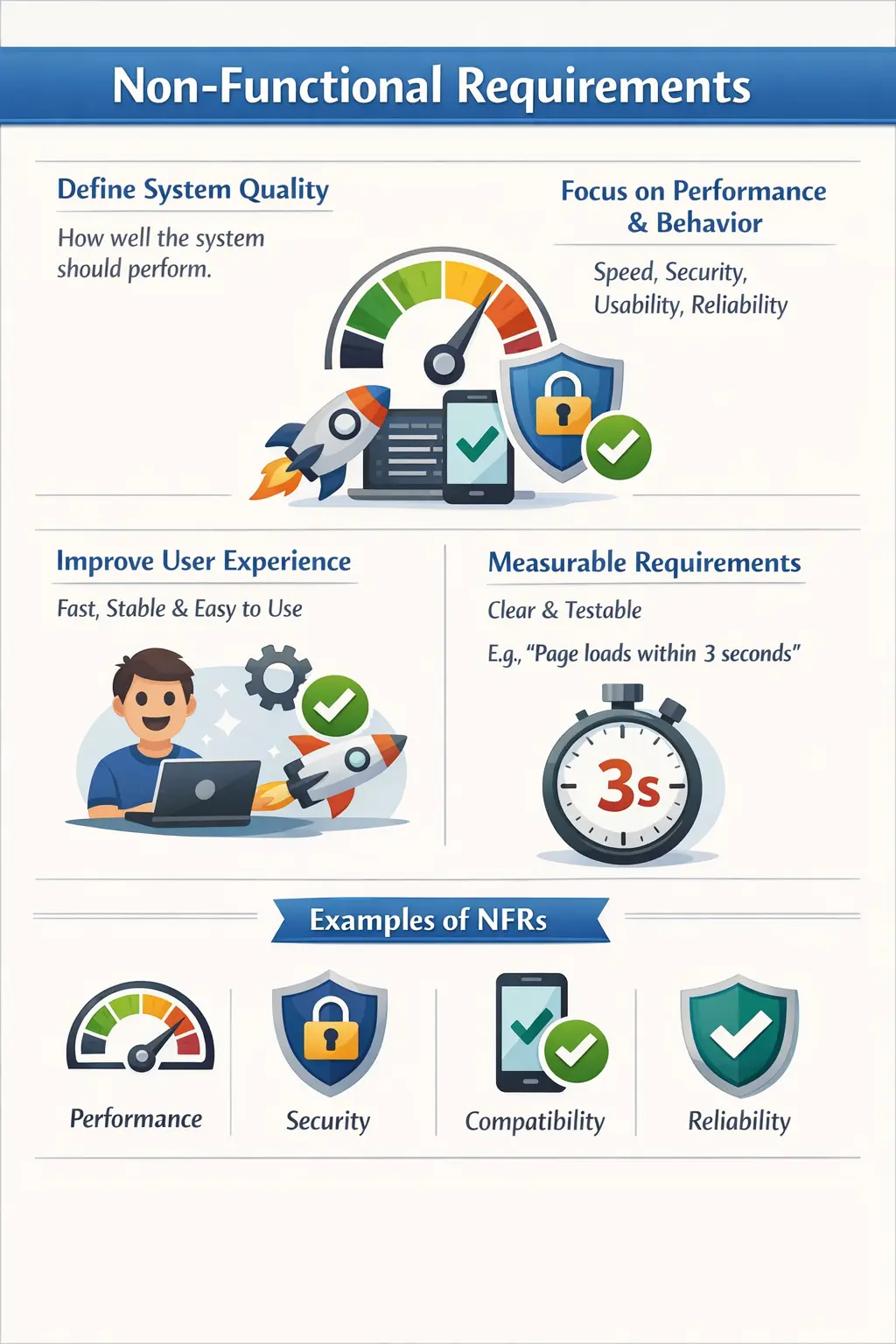
Non-Functional Requirements (NFRs) define the quality characteristics and operational behavior of a software system. While functional requirements describe what the system must do, non-functional requirements describe how well the system must perform those functions. These requirements specify the performance, reliability, usability, security, and other quality attributes that determine whether the system is acceptable in real-world use.
Non-functional requirements answer the important question: “How should the system behave under certain conditions?” A system may correctly implement all functional requirements but still fail in production if non-functional requirements are not satisfied. For example, a payment feature that works correctly but takes thirty seconds to respond would be unacceptable to users. Similarly, a login system that allows unauthorized access is functionally correct but insecure.
Non-functional requirements define the quality standards that software must meet to be considered usable, stable, and reliable. They provide measurable targets for system behavior and help ensure that the application meets business and user expectations.
For manual testers, understanding non-functional requirements is essential because these requirements influence user experience, system stability, and release readiness.
Definition of Non-Functional Requirements
A Non-Functional Requirement defines the quality attributes, constraints, and operational characteristics of a software system. These requirements specify how the system should behave rather than what functionality it should provide.
Non-functional requirements describe aspects such as system speed, reliability, security, usability, and compatibility. They define acceptable levels of performance and behavior under specific conditions.
Unlike functional requirements, which focus on features, non-functional requirements focus on quality attributes. They ensure that features work efficiently and reliably in real-world environments.
Non-functional requirements typically define measurable targets such as response time limits, availability percentages, or supported platforms. These measurable targets allow testers and stakeholders to verify whether the system meets expectations.
Without clearly defined non-functional requirements, a system may technically work but still fail to meet user expectations.
Purpose of Non-Functional Requirements
Non-functional requirements establish quality standards for the system. They define how well the system must perform in order to be acceptable for business use.
One important purpose of non-functional requirements is to define user experience expectations. Users expect systems to respond quickly, operate reliably, and behave consistently. Non-functional requirements set clear expectations for these qualities.
Non-functional requirements help ensure system reliability and stability. Requirements such as availability targets and error recovery rules help prevent system failures and downtime.
Another important purpose is risk reduction. Systems that lack proper security, performance, or reliability requirements are more likely to fail in production. Non-functional requirements reduce business and operational risks.
Non-functional requirements also provide acceptance benchmarks beyond functionality. Functional testing alone cannot determine whether a system is ready for production. Non-functional requirements define additional criteria that must be satisfied.
Well-defined non-functional requirements improve system quality and user satisfaction.
Characteristics of Good Non-Functional Requirements
Good non-functional requirements must be written in a way that allows verification and validation.
Measurable non-functional requirements define clear and objective targets. Requirements such as "the system must be fast" are not measurable and therefore not useful. A measurable requirement specifies exact response times or performance limits.
Clear non-functional requirements avoid ambiguous language. Requirements should use precise terminology so that developers and testers understand expectations consistently.
Testable non-functional requirements can be validated through testing or observation. Even if full measurement requires specialized tools, manual testers should be able to verify expected behavior conceptually.
Aligned non-functional requirements support business goals. Requirements should reflect actual business needs rather than arbitrary targets.
Non-functional requirements should not specify implementation details. They describe expected behavior without dictating technical solutions.
Well-written non-functional requirements enable effective validation and reduce misunderstandings.
Performance Requirements
Performance requirements define how quickly and efficiently the system responds to user actions.
Performance requirements often specify response times for critical operations. For example, a requirement may specify that a web page should load within three seconds under normal conditions. Response time requirements help ensure a smooth user experience.
Throughput requirements define the number of transactions the system can process within a given time. These requirements are important for high-volume applications such as e-commerce systems and banking platforms.
Resource usage requirements define acceptable limits for CPU, memory, and network usage. Efficient resource utilization improves system stability and scalability.
Manual testers often validate performance requirements conceptually by observing response times during testing. Formal performance testing may be conducted using specialized tools, but manual observations can reveal obvious performance problems.
Performance requirements ensure that the system remains responsive and efficient.
Security Requirements
Security requirements define how the system protects data and prevents unauthorized access.
Security requirements often specify authentication and authorization rules. These requirements determine who can access the system and what actions they are allowed to perform.
Session management requirements define how long user sessions remain active and how inactive sessions are handled. For example, a requirement may specify that sessions expire after fifteen minutes of inactivity.
Data protection requirements specify how sensitive data must be stored and transmitted. These requirements help prevent data breaches and unauthorized disclosure.
Manual testers validate security requirements by verifying login restrictions, permission controls, and session behavior. Security testing may also involve verifying password policies and access restrictions.
Security requirements protect business data and user privacy.
Usability Requirements
Usability requirements define how easy the system is to use.
Usability requirements often specify that interfaces must be intuitive and easy to navigate. Systems that are difficult to use reduce productivity and increase user frustration.
Error message requirements specify that messages must be clear and actionable. Users should understand what went wrong and how to correct it.
Navigation requirements define how users move through the system. Logical navigation improves usability and efficiency.
Manual testers play a major role in validating usability requirements because usability evaluation often requires human judgment.
Usability requirements ensure a positive user experience.
Reliability Requirements
Reliability requirements define how consistently the system operates over time.
Reliability requirements often specify system availability targets. For example, a requirement may specify that the system must be available 99.9 percent of the time.
Failure handling requirements define how the system behaves when errors occur. Systems should handle failures gracefully without crashing.
Recovery requirements specify how the system recovers after failures. Automatic recovery improves system stability and reduces downtime.
Manual testers validate reliability by observing system behavior during repeated usage and error conditions.
Reliability requirements ensure that the system operates dependably.
Compatibility Requirements
Compatibility requirements define the environments in which the system must operate.
Compatibility requirements often specify supported browsers and operating systems. For example, an application may be required to support Chrome, Edge, and Firefox.
Device compatibility requirements define support for desktops, tablets, and mobile devices.
Compatibility requirements ensure consistent behavior across environments.
Manual testers validate compatibility requirements by executing tests on different browsers and platforms.
Compatibility requirements help ensure that all users can access the system successfully.
Scalability Requirements
Scalability requirements define how the system handles growth in usage.
Scalability requirements specify how performance should behave as the number of users increases. A requirement may specify that the system must support twice the current number of users without performance degradation.
Scalability ensures that the system remains usable as business demand grows.
Manual testers may validate scalability conceptually by identifying performance risks and discussing scalability expectations with stakeholders.
Scalability requirements support long-term system growth.
Accessibility Requirements
Accessibility requirements define how the system supports users with disabilities.
Accessibility requirements often specify support for keyboard navigation and screen readers. These requirements help ensure that all users can access the system.
Accessibility requirements may also specify color contrast standards and font readability.
Manual testers validate accessibility by verifying keyboard navigation and visual clarity.
Accessibility requirements improve inclusiveness and compliance with standards.
Manual Tester’s Role in NFR Validation
Manual testers play an important role in validating non-functional requirements.
Testers review non-functional requirements during requirement analysis to ensure that quality expectations are clearly defined.
Testers identify missing non-functional requirements such as performance or security expectations.
Testers validate non-functional requirements conceptually through observation and exploratory testing.
Testers raise risks when non-functional requirements are unclear or unrealistic.
Testers ensure that non-functional requirements are discussed during acceptance and release decisions.
Manual testers help ensure that non-functional requirements are not overlooked.
Non-Functional Requirements vs Functional Requirements
Functional requirements define system features and behaviors.
Non-functional requirements define system quality attributes and operational behavior.
Functional requirements describe actions such as logging in or submitting forms.
Non-functional requirements describe characteristics such as response time and security.
Functional requirement failures result in broken features.
Non-functional requirement failures result in poor user experience or system risk.
Both functional and non-functional requirements are essential for complete testing.
Common Issues with Non-Functional Requirements
Non-functional requirements are often not documented clearly.
Some projects assume performance or security expectations without specifying them. Assumptions often lead to production issues.
Vague requirements such as "the system should be fast" are difficult to verify and interpret.
Non-functional requirements are sometimes tested too late in the development lifecycle. Late testing increases defect costs.
Incomplete non-functional requirements increase system risk.
Proper requirement analysis helps prevent these issues.
Real-World Example
Consider a form submission feature.
A functional requirement may specify that users can submit the form successfully.
Non-functional requirements may specify that form submission must complete within two seconds.
Another non-functional requirement may specify that error messages must be clear and understandable.
Another requirement may specify that the form must work on supported browsers.
Together, functional and non-functional requirements define complete system behavior.
Why Non-Functional Requirements Matter
Non-functional requirements matter because users judge software by more than feature availability. A system may provide the correct functions, but if it is slow, unreliable, confusing, insecure, or unavailable during peak usage, users will still experience it as poor quality. NFRs define the quality expectations that make functional behavior acceptable in real life.
Consider an online banking application. The functional requirement may say that a customer can transfer money. That is important, but it is not enough. The transfer must happen securely, respond quickly, handle failures gracefully, protect sensitive data, record the transaction reliably, and work on supported devices. These expectations are non-functional, but they are central to user trust.
Non-functional requirements also protect business outcomes. Slow checkout can reduce sales. Weak access control can cause data breaches. Poor reliability can interrupt operations. Bad usability can increase support calls. Lack of accessibility can exclude users and create compliance risk. NFRs convert these business risks into quality expectations that can be reviewed and validated.
For testers, NFRs broaden the meaning of quality. Testing is not only about whether a button works or whether data is saved. It is also about whether the user can complete the task efficiently, securely, consistently, and comfortably. This wider view helps testers evaluate the product more realistically.
Strong NFRs make release decisions more reliable. A team can say not only that the features work, but that they work at the quality level required for production use. This is the difference between functional completion and true product readiness.
Making NFRs Measurable
The biggest weakness in many non-functional requirements is lack of measurability. Statements such as “the system should be fast,” “the application should be secure,” or “the UI should be easy to use” sound useful, but they are difficult to test because they do not define objective expectations. A good NFR should be specific enough to verify.
A measurable performance requirement might state that the search results page should load within three seconds for ninety-five percent of requests under expected load. This is much stronger than saying the page should load quickly. It defines the action, target time, measurement condition, and acceptance level.
A measurable availability requirement might state that the system should be available 99.9 percent of the time per month, excluding planned maintenance. This makes the expectation clear and allows operations teams to measure whether the system meets the target.
A measurable compatibility requirement might state that the application must support the latest two versions of Chrome, Edge, and Firefox on Windows and macOS. This is testable because it defines the supported environments. Without this detail, compatibility testing becomes guesswork.
Manual testers may not always perform formal measurement with specialized tools, but they can still challenge vague NFRs. If a requirement cannot be objectively assessed, testers should ask for clearer targets, usage conditions, and acceptance thresholds.
Performance and User Patience
Performance requirements are closely tied to user patience. Users expect applications to respond quickly. If every action takes too long, the product feels broken even when the functional result is technically correct. This is why performance is one of the most visible non-functional qualities.
Performance requirements should focus on critical user journeys. Login, search, checkout, payment, dashboard loading, report generation, and form submission are common examples. Not every operation needs the same performance target. High-frequency and business-critical actions usually need stricter expectations.
Manual testers can observe performance during normal testing. If a page consistently loads slowly, a button appears unresponsive, or a report takes too long without progress feedback, the tester should report it. Even when formal performance testing is handled by specialized tools, manual observation helps identify user-visible performance concerns early.
Performance requirements should also define expected conditions. A response time target under one user is different from a target under one thousand concurrent users. Without load assumptions, performance requirements may be misleading. The team should clarify user volume, data volume, and environment expectations.
Good performance requirements improve user satisfaction and reduce business risk. They help teams avoid the common mistake of treating speed as an afterthought until users complain.
Security and Trust
Security requirements are non-functional requirements because they define how safely the system operates. A system may allow users to log in, update profiles, and submit transactions, but if unauthorized users can access private data, the system is not acceptable. Security is essential to trust.
Security NFRs may define password rules, multi-factor authentication, role-based access, session timeout, encryption expectations, audit logging, account lockout, sensitive data masking, and secure error handling. These requirements should be clear before development begins because retrofitting security later is expensive and risky.
Manual testers validate security requirements at the application level by checking role permissions, direct URL access, logout behavior, session timeout, password policy, and sensitive data exposure. They may not perform deep penetration testing, but they play an important role in identifying visible access-control and data-protection issues.
Security requirements should also define what must not happen. A customer should not access admin pages. An unauthenticated user should not view restricted data. Error messages should not expose stack traces, database names, or internal implementation details. These negative expectations are important for testing.
Strong security requirements protect users, business data, legal compliance, and organizational reputation. They should be treated as core quality requirements, not optional technical concerns.
Usability and Accessibility as Quality Requirements
Usability and accessibility are often underestimated because they do not always appear as traditional feature requirements. However, they strongly affect whether users can successfully use the system. A feature that works technically but confuses users is still a quality problem.
Usability requirements may define clear navigation, meaningful labels, consistent layouts, understandable messages, and efficient workflows. For example, a checkout process may require that users can complete purchase in a limited number of steps and receive clear feedback for any validation error.
Accessibility requirements ensure that users with disabilities can use the application. These may include keyboard navigation, screen reader support, sufficient color contrast, proper labels for form fields, focus visibility, and avoiding reliance on color alone. Accessibility improves inclusiveness and may also support legal compliance.
Manual testers are well positioned to evaluate usability and basic accessibility because these areas often require observation and human judgment. Testers can navigate with a keyboard, inspect focus order, check whether labels make sense, review error messages, and identify confusing workflows.
Treating usability and accessibility as NFRs helps teams plan and validate them intentionally. If they are not written as requirements, they are often handled too late or ignored until users report problems.
Reliability, Recovery, and Availability
Reliability requirements define whether the system behaves consistently over time. A feature that works once but fails intermittently is not reliable. Users expect systems to produce consistent results, maintain sessions correctly, recover from failures, and remain stable during normal use.
Availability requirements define how often the system should be accessible. For business-critical applications, downtime can directly affect revenue, operations, or customer trust. Availability targets should be realistic and measurable, such as monthly uptime percentage or support hours.
Recovery requirements define what happens after failure. If a payment service fails, does the system retry, show a clear message, preserve the cart, or roll back the transaction? If a report generation process fails, can the user retry? If the system restarts, is data preserved? These behaviors must be defined and tested.
Manual testers validate reliability by repeating workflows, observing session behavior, testing error conditions, and checking whether the system remains stable during longer usage. Formal reliability testing may require tools, but manual testing can reveal intermittent failures and confusing recovery behavior.
Reliability and recovery requirements are especially important for systems that users depend on daily. They help ensure that software is not only functional but dependable.
NFRs in Agile Projects
In Agile projects, non-functional requirements may be captured in multiple ways. Some NFRs apply across the whole product, such as security standards, browser support, accessibility expectations, and performance baselines. Others apply to specific user stories, such as response time for a search feature or audit logging for an approval workflow.
Teams should discuss NFRs during backlog refinement. If a user story affects performance, security, compatibility, or accessibility, those expectations should be added to acceptance criteria or supporting notes. Waiting until the end of the sprint to ask non-functional questions creates rework.
Some NFRs may be part of the team’s Definition of Done. For example, the DoD may require basic accessibility checks for UI stories, no open high-severity security defects, or regression impact assessment for critical flows. This ensures that quality attributes are considered continuously.
Agile teams should avoid treating NFRs as separate late-phase tasks. If performance, security, usability, and reliability are delayed until the end, the product may require significant redesign. NFRs should influence design and implementation from the beginning.
Manual testers support Agile NFR validation by raising quality risks early, designing exploratory checks, reviewing acceptance criteria, and ensuring that non-functional expectations are visible during sprint planning and review.
How Testers Analyze NFRs
Testers analyze NFRs by first identifying which quality attributes matter for the feature or system. Not every feature has the same non-functional risk. A public login page has security, performance, accessibility, and usability concerns. An internal admin report may have accuracy, performance, access control, and export compatibility concerns.
The next step is checking whether the NFR is measurable. If a requirement says the application should be reliable, the tester should ask what reliability means in that context. Is it uptime, failure rate, error recovery, data consistency, or repeated execution stability? Clear definition is necessary for validation.
Testers also identify what evidence is needed. Some NFRs can be observed manually, such as confusing navigation or missing keyboard focus. Others require logs, monitoring, performance tools, security scans, or environment reports. Knowing the evidence early helps the team plan validation.
Testers should also connect NFRs to user impact. A slow page affects productivity. Poor contrast affects readability. Weak session handling affects security. Unstable recovery affects trust. Explaining NFRs in user and business terms helps stakeholders understand why they matter.
Good NFR analysis turns vague quality expectations into practical validation targets. It helps teams move from “the system should be good” to specific expectations that can be tested, discussed, and accepted.
Common NFR Anti-Patterns
One common anti-pattern is documenting NFRs as vague wishes. Statements like “the system should be scalable” or “the system should be secure” are too broad to guide development or testing. They must be translated into specific expectations, conditions, and measures.
Another anti-pattern is testing NFRs only at the end of the project. Performance, security, accessibility, and reliability issues can require architectural changes. If discovered late, they may be expensive or impossible to fix before release. Shift-left thinking applies strongly to NFRs.
A third anti-pattern is assuming that NFRs belong only to specialized teams. Performance engineers and security specialists may perform advanced validation, but manual testers, developers, Product Owners, and business stakeholders all have a role in defining and observing quality expectations.
Some teams also ignore NFRs because functional testing passes. This creates false confidence. A feature can pass every functional test and still fail because it is too slow, insecure, inaccessible, unstable, or unsupported on required browsers.
Avoiding these anti-patterns requires making NFRs visible, measurable, and part of normal delivery discussions.
Detailed Example: Checkout Feature
Consider an e-commerce checkout feature. The functional requirement says that the customer can place an order and make payment. Non-functional requirements define whether that checkout experience is acceptable in real conditions.
A performance NFR may state that checkout confirmation should appear within three seconds for standard payment transactions under expected load. A security NFR may state that payment details must not be stored or displayed in plain text. A reliability NFR may state that failed payment attempts must not create duplicate orders.
A usability NFR may state that validation messages should clearly explain what the customer needs to correct. A compatibility NFR may state that checkout must work on supported desktop and mobile browsers. An accessibility NFR may state that the entire checkout flow must be operable using keyboard navigation.
Manual testers can validate many of these concerns directly or conceptually. They can observe response time, verify clear messages, test duplicate submission behavior, check browser support, and navigate using keyboard. Specialized tools may support deeper performance and security checks, but manual testers still provide valuable quality feedback.
This example shows why NFRs are not separate from user experience. They define whether the functional checkout flow is fast, safe, usable, and trustworthy enough for real customers.
Best Practices for Non-Functional Requirements
Define NFRs early. Quality attributes should influence architecture, design, development, and testing from the beginning. Late discovery of non-functional gaps often leads to expensive rework.
Make NFRs measurable wherever possible. Replace vague expectations with specific targets, supported environments, thresholds, and observable outcomes. If a metric cannot be measured exactly by manual testers, define how the team will verify it.
Prioritize NFRs based on business risk. A banking application may prioritize security and reliability. A public e-commerce site may prioritize performance, scalability, usability, and availability. Different systems need different quality emphasis.
Include NFRs in acceptance and release discussions. A story should not be considered ready for release only because functional tests passed. The team should also consider whether relevant quality attributes are satisfied.
Review NFRs continuously. As the product grows, user volume, supported devices, security risks, and business expectations may change. Non-functional requirements should evolve with the product rather than remain outdated assumptions.
Interview Perspective
Non-functional requirements are commonly discussed in testing interviews.
Interviewers often ask testers to explain the difference between functional and non-functional requirements.
A short answer typically defines non-functional requirements as quality attributes of the system.
A detailed answer explains that non-functional requirements define performance, security, usability, and reliability expectations.
Providing examples demonstrates understanding.
Understanding non-functional requirements is essential for testing roles.
Key Takeaway
Non-Functional Requirements define how well a system performs rather than what it does.
They specify quality attributes such as performance, security, usability, reliability, and compatibility.
A system may be functionally correct but still fail without strong non-functional requirements.
Manual testers help ensure that non-functional requirements are clearly defined and validated.
Strong Non-Functional Requirements ensure that software is not only correct but also reliable, secure, and usable in real-world environments.