Manual Functional Testing: Validating What the Application Does
Introduction to Manual Functional Testing
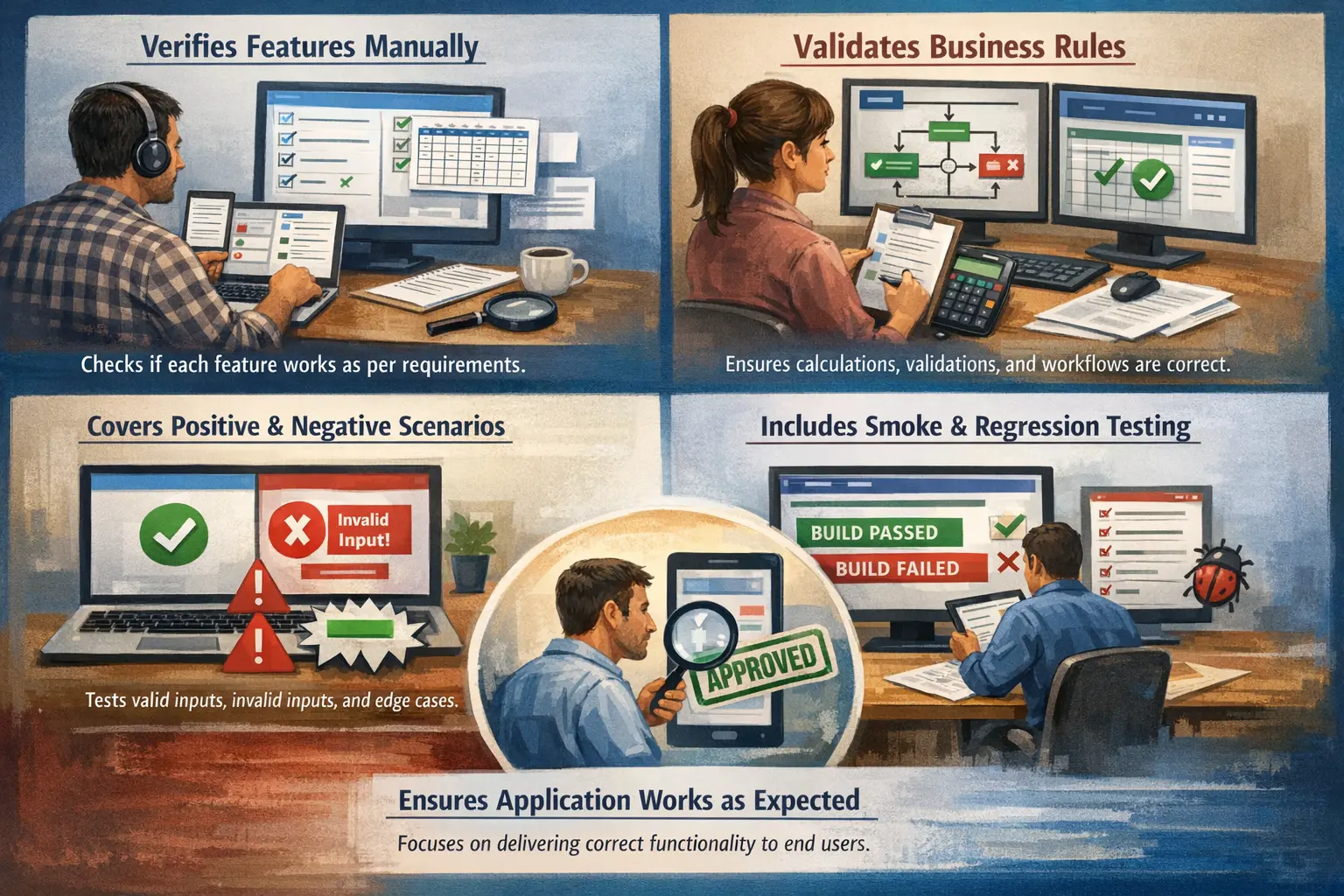
Manual Functional Testing is the process of verifying, without automation tools, that each feature of an application works according to its specified functional requirements. It focuses strictly on validating functionality rather than performance, security, or technical architecture. At its core, manual functional testing answers a straightforward question: does the application do what it is supposed to do?
It is one of the most fundamental forms of testing and serves as the backbone of quality assurance in many projects.
Purpose of Manual Functional Testing
The purpose of manual functional testing is to ensure that the application behaves according to its stated functional requirements and business expectations. Every software product is built to perform certain actions: a user should be able to register, log in, search, submit a form, place an order, approve a record, download a report, or complete another defined workflow. Manual functional testing validates those actions directly by executing them as a real user or business operator would execute them.
This type of testing is especially important because functionality is the visible promise of the product. If a payment button looks attractive but does not complete a transaction, the application has failed from a user and business point of view. If a report screen loads quickly but shows incorrect totals, the system is not functionally correct. Manual functional testing keeps attention on this practical truth: software must first do the right thing before teams can confidently evaluate speed, scale, security, or other qualities.
Manual execution also helps testers observe behavior that may not be obvious from documents or automated scripts. A tester can notice confusing messages, incomplete field behavior, broken navigation, unexpected screen transitions, and inconsistent workflow responses. These observations are valuable because many functional issues are not only code failures; they are mismatches between what the system does and what the user reasonably expects it to do.
In release decisions, manual functional testing provides direct evidence that the implemented features are usable and reliable enough for the intended audience. It supports confidence by showing which requirements passed, which failed, which defects remain open, and which risks need stakeholder approval. Without this evidence, release decisions become based on assumption rather than verified behavior.
Scope of Manual Functional Testing
The scope of manual functional testing includes feature-level validation, business rule enforcement, user workflow verification, data handling, error handling, boundary behavior, and the correctness of visible outputs. It checks whether each feature works independently and whether related features work together in a meaningful flow. For example, in an e-commerce application, functional testing may validate login, product search, cart updates, coupon application, checkout, payment confirmation, order history, and cancellation.
The scope remains focused on what the system does rather than how fast, secure, or scalable it is. A manual functional tester may notice that a page is slow or that a field exposes sensitive data, but the central purpose of functional testing is still to verify behavior against requirements. Performance testing, security testing, compatibility testing, and usability testing may overlap in real observation, but they are separate testing concerns with different objectives and techniques.
A strong functional test scope includes both positive and negative scenarios. Positive scenarios verify that the system works when the user provides valid information and follows the expected path. Negative scenarios verify that the system handles invalid input, missing data, unauthorized access, rule violations, and other incorrect conditions correctly. Both are necessary. A system that accepts valid orders but also accepts invalid payment details is not functionally reliable.
Boundary and edge cases also belong within the scope when business rules define limits. If a password must contain at least eight characters, the tester should validate seven, eight, and nine character inputs. If a shopping cart allows a maximum of fifty items, the tester should check behavior at the maximum and just beyond it. These cases are important because many defects appear at the edges of rules, not in the most ordinary path.
Functional scope must be practical rather than endless. Testers cannot validate every possible combination of fields, users, roles, devices, data states, and timing conditions. Good manual functional testing uses risk, business priority, historical defect patterns, and requirement complexity to decide where deeper coverage is needed. Critical business flows deserve more attention than rarely used low-risk options.
Role of the Manual Tester
The manual tester's role begins long before test execution. A good tester first studies requirements, user stories, designs, business rules, and acceptance criteria. The goal is not just to read the document, but to understand the behavior the business expects. If a requirement is unclear, incomplete, contradictory, or not testable, the tester should raise questions early. This review activity can prevent defects before code is written.
After understanding the expected behavior, the tester identifies test scenarios. A scenario describes a condition or flow that must be validated, such as successful login, password reset with an expired link, account creation with duplicate email, or order cancellation before shipment. From these scenarios, the tester writes detailed test cases when the project requires formal documentation. Each test case should have clear preconditions, steps, expected results, and test data so that another tester can repeat the same test and reach the same conclusion.
Test data preparation is another important responsibility. Many functional failures appear only with specific data states. A funds transfer test may require an account with sufficient balance, another with insufficient balance, a blocked account, and an account at the daily transaction limit. If test data is weak, test coverage becomes weak even when the test cases look complete on paper.
During execution, testers manually perform the defined steps and compare actual behavior with expected behavior. They must observe carefully, not mechanically. A test may technically pass the main expected result while still revealing an issue in message wording, page transition, data update, or downstream behavior. Skilled testers look at the whole functional response, not only the final screen.
When a discrepancy is found, the tester reports a defect with enough clarity for the development team to reproduce and diagnose it. A good defect report includes a short title, environment, build version, preconditions, exact steps, expected result, actual result, severity, screenshots or logs when useful, and any relevant test data. Clear defect reporting reduces back-and-forth communication and speeds up resolution.
After fixes are delivered, the tester performs re-testing to confirm that the specific defect no longer occurs. Then, depending on the change impact, the tester performs regression testing to make sure related features still work. This is important because a fix in one area can accidentally break another area, especially in systems with shared services, common validations, or reused components.
Common Types of Manual Functional Testing
Manual functional testing includes several focused approaches, each with a different purpose. Smoke testing is a quick check performed on a new build to confirm that the most critical functions are working and that the build is stable enough for deeper testing. If login, navigation, basic data creation, or application startup fails during smoke testing, there may be no value in continuing detailed execution until the build is corrected.
Sanity testing is narrower. It is usually performed after a small change or defect fix to verify that a specific area behaves reasonably. For example, if a defect related to password reset is fixed, sanity testing may focus on the password reset flow and a few directly related login checks. It does not attempt to validate the entire application.
Regression testing revalidates existing features after changes. It asks whether previously working behavior still works after new code, configuration changes, bug fixes, or integration updates. Manual regression is valuable when business workflows require human judgment or when automation coverage is not yet available. However, because full manual regression can be time-consuming, teams often prioritize critical workflows and automate stable repetitive checks over time.
Re-testing is different from regression testing. Re-testing focuses on a specific defect that was reported and fixed. If the defect was that a mandatory email field accepted blank input, re-testing verifies that the blank input is now rejected correctly. Regression testing then checks whether that fix affected related registration, login, notification, or profile update flows.
Exploratory testing combines learning, test design, and execution at the same time. Instead of following only predefined steps, the tester investigates the product based on observations, risks, and experience. Exploratory testing is useful when requirements are incomplete, the application is new, or complex behavior may not be fully captured in scripted test cases.
Ad-hoc testing is more informal and less structured. It relies heavily on tester intuition and product knowledge. Although it should not replace planned functional testing, it can reveal unexpected issues because the tester is free to try unusual flows, rapid changes, and combinations that formal test cases may not cover. In a mature project, ad-hoc testing is used carefully as a supplement, not as the main testing strategy.
Designing Effective Functional Test Cases
Functional test cases must be structured, clear, and tied to real requirements. A useful test case normally contains a unique identifier, test objective, preconditions, input data, execution steps, expected result, actual result, status, and remarks. The purpose of this structure is not paperwork for its own sake. It gives the team a repeatable way to verify behavior, report progress, and understand what has or has not been tested.
Strong test cases are specific enough to be executed consistently but not so fragile that they become difficult to maintain. If every step describes unnecessary UI details, even a minor layout change may force test case updates. Good test cases focus on meaningful user actions and expected business results. For example, "submit the registration form with a duplicate email address" is more useful than a long sequence of clicks that hides the actual business condition being tested.
Test case design should include positive, negative, and boundary coverage. Positive cases verify expected success. Negative cases verify correct rejection or error handling. Boundary cases verify behavior at defined limits. This combination gives a more complete view of functionality than happy path testing alone.
Traceability is also important. Each important requirement should map to one or more test cases, and each test case should have a reason to exist. Traceability helps the team identify coverage gaps, assess change impact, and explain testing status to stakeholders. When a requirement changes, traceability helps testers quickly find which cases must be updated or re-executed.
Test cases should be reviewed before execution when the project timeline allows it. Review by testers, business analysts, product owners, or developers can reveal missing scenarios, misunderstood rules, and unclear expected results. This review is an early quality activity because it improves the tests before the team depends on them for release evidence.
A Practical Example
Consider a login feature. At first glance, login appears simple: the user enters a username and password, submits the form, and gains access. In manual functional testing, the tester looks deeper. The tester verifies successful login with valid credentials, invalid username handling, invalid password handling, blank username, blank password, locked account behavior, inactive account behavior, case sensitivity rules, maximum failed attempt rules, password masking, session creation, logout behavior, and post-login landing page correctness.
The tester also checks whether error messages are correct and safe. A message like "password is wrong" may reveal that the username exists, which can be a security concern. A business-approved message such as "invalid username or password" may be more appropriate. Although deep security testing is separate, manual functional testing often identifies such functional behavior concerns because the tester interacts with the system as a user would.
Data behavior is another part of the example. If the system tracks failed login attempts, the tester verifies whether the count increases correctly, resets after successful login if required, and locks the account only at the defined threshold. If the application redirects users based on role, the tester checks whether an admin, regular user, and guest user land in the correct area after authentication.
This example shows why manual functional testing is not merely clicking through a screen. It is the structured evaluation of rules, conditions, outcomes, and user flows. The tester confirms that the feature works not only in the easiest scenario, but across the meaningful conditions that define correct behavior.
Entry and Exit Considerations
Manual functional testing should begin only when the team is reasonably ready to test. Typical entry conditions include approved or stable functional requirements, reviewed test scenarios or test cases, available test data, access to the test environment, and a build that has passed basic deployment or smoke checks. If these conditions are missing, testers may spend time reporting environment problems, requirement misunderstandings, or build instability rather than meaningful product defects.
Exit conditions define when functional testing can be considered complete for a phase or release. Common exit expectations include execution of planned high-priority test cases, closure or accepted deferral of critical defects, completion of re-testing for fixed issues, acceptable regression results, and preparation of a test summary. These conditions help prevent testing from ending simply because the deadline arrived.
Entry and exit criteria bring control to manual testing. They protect testers from starting too early and protect users from releases that have not reached an acceptable quality level. In professional projects, these criteria are discussed with stakeholders so that everyone understands what readiness and completion mean.
Common Functional Defects
Frequent issues uncovered in manual functional testing include missing validations, incorrect business logic, broken navigation paths, interrupted workflows, and data not being saved properly. These defects directly affect user experience and business operations.
Missing validation is one of the most common functional problems. A mandatory field may accept blank input, a numeric field may accept letters, a date field may accept impossible dates, or a form may submit without required approvals. These issues can lead to bad data, failed downstream processing, or incorrect business decisions.
Incorrect business logic is often more serious. A discount may be calculated incorrectly, a user may receive access to the wrong role, a tax amount may be rounded incorrectly, or an order may be approved without required conditions. These defects are sometimes harder to catch because the application may appear to work while producing a wrong result.
Workflow defects occur when the user cannot complete a business process smoothly. A button may lead to the wrong page, a confirmation step may be skipped, a saved record may not appear in the next screen, or the user may be trapped without a way to continue. Manual testers are well positioned to find these issues because they experience the application flow directly.
Data persistence defects are also common. The application may show that a record was saved, but the record may disappear after refresh. An update may appear on one page but not another. A deleted item may still be visible in reports. Functional testing must verify not only immediate screen messages but also whether the system state changes correctly.
Common Mistakes
A common mistake is focusing only on happy paths while ignoring negative and edge cases. Poor test data preparation can reduce coverage effectiveness. Incomplete defect reports may slow down resolution. Effective manual functional testing requires attention to detail and structured execution.
Another mistake is testing the screen rather than the requirement. A tester may confirm that fields, buttons, and messages are visible but fail to check whether the underlying business rule is correct. Manual functional testing should always connect the visible behavior back to the expected rule or workflow.
Some testers execute test cases mechanically without asking whether the observed behavior makes sense. This reduces testing to checklist completion. A thoughtful manual tester remains alert to unexpected outcomes, unclear messages, inconsistent data, and user confusion. The value of manual testing comes from human judgment as much as from step execution.
Poor defect isolation is another common weakness. If a tester reports a broad issue such as "checkout not working" without identifying the exact step, data condition, browser, role, or error message, developers need extra time to investigate. Clear isolation helps the team understand whether the issue is related to input validation, payment gateway response, inventory update, session state, or another cause.
Finally, teams sometimes treat manual testing as less valuable because automation exists. This is a misunderstanding. Automation is excellent for repeatable checks, but manual functional testing is essential for learning, exploration, requirement interpretation, new feature validation, and judgment-heavy flows. The strongest quality strategies use both in the right places.
Best Practices for Manual Functional Testing
The first best practice is to understand the business purpose before writing or executing tests. A tester should know why a feature exists, who uses it, what problem it solves, and what failure would mean for the user or business. This context helps prioritize meaningful scenarios and identify risks that are not obvious from a simple field list.
The second best practice is to keep test scenarios clear and outcome-focused. A good scenario describes the condition and expected behavior in business language. This makes it easier for developers, business analysts, product owners, and other testers to review and understand the coverage. Clear scenarios also help future automation because stable business intent is easier to automate than confusing procedural notes.
The third best practice is to use realistic test data. Realistic data exposes issues that artificial data may hide. Names with spaces, long addresses, special characters, expired dates, role-based accounts, different currencies, and boundary values can all reveal behavior that simple sample data misses. Test data should be controlled, reusable where possible, and documented enough for repeated execution.
The fourth best practice is to record evidence carefully. Screenshots, downloaded files, generated emails, transaction numbers, logs, and timestamps can be useful when validating outcomes or reporting defects. Good evidence protects the tester's observation and helps the team resolve issues faster.
The fifth best practice is to communicate risk clearly. Manual testers often know which areas feel unstable, which requirements are ambiguous, and which workflows have repeated defects. These observations should be shared in test summaries, defect triage, daily discussions, and release readiness meetings. Testing is not only execution; it is also quality communication.
Manual Functional Testing in Agile Projects
In Agile projects, manual functional testing usually happens continuously within the sprint rather than only at the end. Testers participate in refinement discussions, clarify acceptance criteria, identify test scenarios early, and begin validation as soon as a story is ready for testing. This short feedback loop helps teams correct misunderstandings quickly.
Agile manual testing works best when testers collaborate closely with developers and business representatives. If a requirement is unclear, the tester should not wait until execution to discover the gap. Early conversation can turn vague expectations into concrete acceptance examples. This reduces rework and improves the quality of both development and testing.
Sprint testing also requires practical prioritization. When time is limited, testers focus first on acceptance criteria, critical business flows, high-risk changes, and defect-prone areas. Less critical scenarios may be scheduled for regression, exploratory sessions, or later hardening, depending on release risk. The goal is to provide timely feedback without pretending that every possible condition can be tested inside a short sprint.
Manual Functional Testing and Automation
Manual functional testing and automation should support each other. Manual testing is valuable when a feature is new, changing rapidly, poorly understood, or dependent on human judgment. Automation is valuable when a check is stable, repetitive, important, and expensive to repeat manually. A practical team first uses manual testing to understand the feature and discover important scenarios, then automates the checks that should be repeated frequently.
Not every manual test should become an automated test. Some scenarios are too rare, too unstable, too dependent on visual judgment, or too costly to automate compared with their value. Good automation strategy selects high-value regression and smoke checks, while manual testers continue to explore new behavior and validate complex flows.
Manual testing also helps maintain automation quality. When an automated test fails, a manual tester may reproduce the behavior, determine whether the failure is a real defect or a script issue, and clarify the expected behavior. This partnership prevents automation from becoming a separate activity disconnected from product understanding.
Interview Perspective
In interviews, manual functional testing is usually described as manually executing test cases to verify software features against functional requirements. A strong explanation emphasizes validating business rules and user workflows without automation tools.
A stronger interview answer also explains that manual functional testing includes requirement analysis, scenario design, test case preparation, test data setup, execution, defect reporting, re-testing, and regression support. It should mention positive, negative, boundary, and end-user workflow coverage. This shows that the candidate understands manual testing as a disciplined quality activity, not merely random clicking.
If asked for an example, a login feature is a simple and effective choice. The candidate can explain valid login, invalid credentials, blank fields, locked accounts, password reset, error messages, and role-based redirection. The answer becomes stronger when it connects each test to a business reason: protecting user access, preventing unauthorized entry, and ensuring the user reaches the correct area after authentication.
If asked why manual functional testing is still needed when automation exists, the best answer is that automation checks known expected behavior efficiently, while manual testing helps discover, interpret, and evaluate behavior, especially for new or changing features. Both are needed for a balanced testing approach.
Key Takeaway
Manual Functional Testing ensures that the core purpose of the application is fulfilled correctly. It validates that features, workflows, and business rules operate as intended. Even in automation-driven environments, manual functional testing remains essential for understanding and validating real user behavior.
The real strength of manual functional testing is disciplined human evaluation. It combines requirement understanding, business thinking, structured execution, exploratory observation, and clear communication. A well-tested function is not simply one that was clicked; it is one whose expected behavior, alternate behavior, data handling, and user impact have been carefully examined.
For beginners, the most important lesson is to test with purpose. Understand the requirement, identify the risk, prepare meaningful data, execute carefully, observe the result, and communicate clearly. For experienced testers, the challenge is to keep testing efficient, risk-based, and connected to business value. Manual functional testing remains one of the most practical ways to verify that software does what users and stakeholders need it to do.