Integration Testing
Introduction to Integration Testing
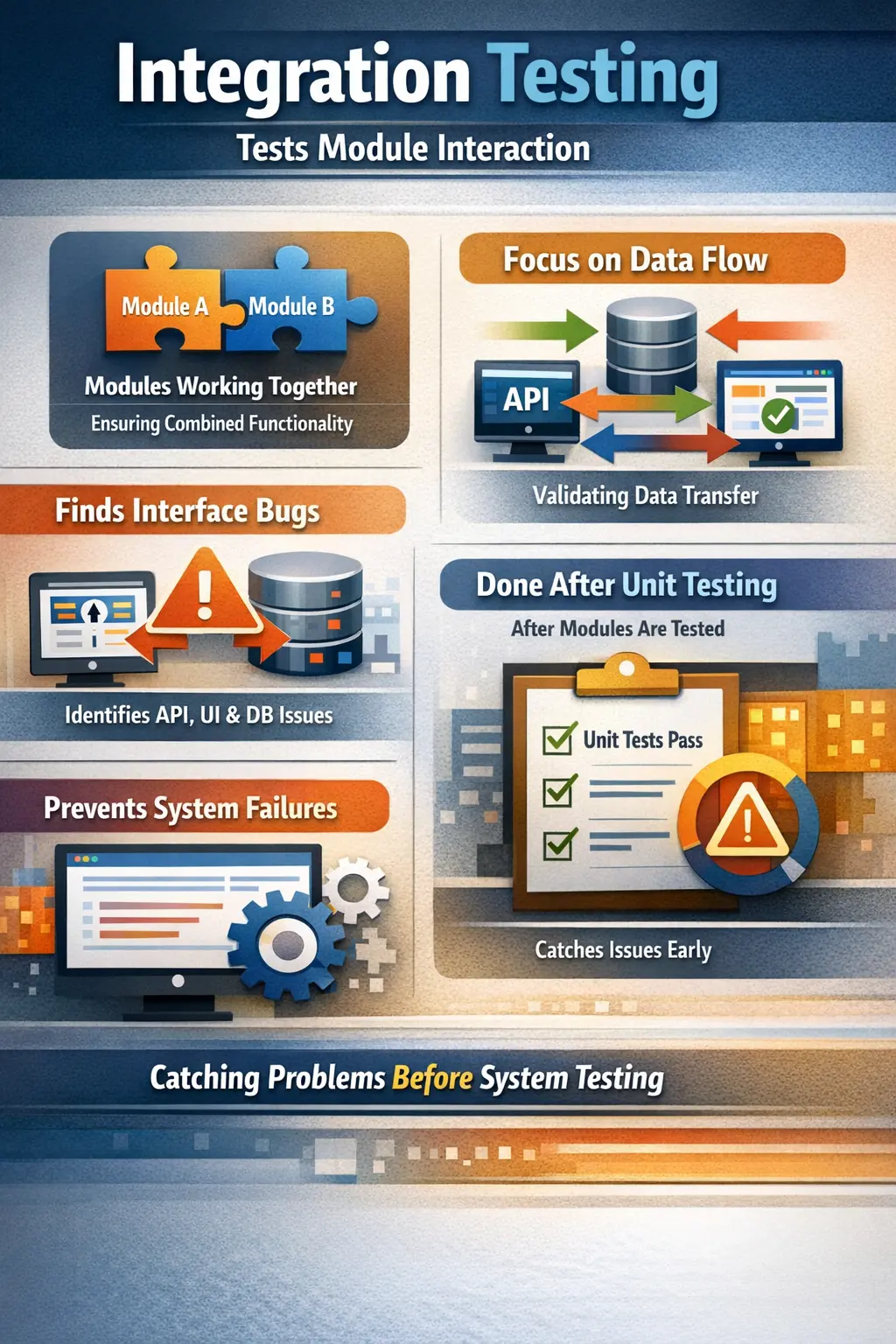
Integration testing is a level of software testing that focuses on verifying interactions between combined modules or components. While unit testing checks individual pieces in isolation, integration testing examines how those pieces communicate and function when connected. It answers a practical question: do the combined units communicate and work together correctly?
Why Integration Testing Matters in Real Applications
Integration testing matters because modern software is built from many connected parts. A business feature rarely lives inside one method, one class, or one screen. A simple user action may involve the user interface, backend services, validation rules, database operations, message queues, third-party APIs, and notification systems. Each part may work correctly on its own, but the feature can still fail if the parts do not communicate correctly. Integration testing exists to find these failures at the connection points.
In real projects, many serious defects are not caused by a single broken unit. They are caused by misunderstandings between components. One module may send data in a format another module does not expect. A service may return a response field with a different name. A database column may allow null values while the application expects a mandatory value. An API may return an error code that the frontend does not handle properly. These are integration problems, and they often remain invisible during unit testing.
Integration testing reduces this risk by validating the behavior of connected components before the application reaches full system testing or production. It gives the team confidence that individual parts are not only correct in isolation but also usable together. For manual testers, integration testing is especially important because it connects technical behavior with real user journeys. It helps testers understand how data moves through the system and where failures are likely to occur.
The Core Idea Behind Integration Testing
The core idea behind integration testing is simple: once individual units are ready, they must be combined and tested as connected pieces. Unit testing answers whether a small unit of code works. Integration testing answers whether two or more units work together. This distinction is important because software behavior changes when components interact. Data must be passed correctly, contracts must match, dependencies must be available, and error conditions must be handled consistently.
Consider a login feature. The login page may collect a username and password correctly. The authentication service may validate credentials correctly when tested alone. The database may store user records correctly. But the complete login process can still fail if the page sends the wrong field names, if the service expects encrypted input but receives plain text, if the database query uses a wrong column, or if the authentication response is not handled properly by the frontend. Integration testing exposes these gaps.
Integration testing therefore focuses on communication. It checks whether components exchange the right data, in the right format, at the right time, with the right result. It also checks how the system behaves when communication fails. A strong integration test does not only ask whether the happy path works. It also asks what happens when a dependency is slow, unavailable, returns invalid data, or rejects a request.
What Usually Gets Integrated
Integration can happen at many levels. In a traditional web application, the user interface may be integrated with backend services. Backend services may be integrated with a database. A payment module may be integrated with an external payment gateway. A registration feature may be integrated with an email service. A reporting module may be integrated with analytics data. Every connection between two parts of the system is a potential integration point.
In API-based systems, integration testing often focuses on service-to-service communication. One service may call another service to retrieve customer details, calculate pricing, create orders, or update inventory. If these services have different expectations about request bodies, response formats, authentication tokens, status codes, or timeout behavior, integration defects appear. These defects may not be obvious until the services actually communicate.
Integration testing can also involve databases, files, queues, caches, authentication providers, third-party systems, and background jobs. For example, after a user places an order, the application may save order data, reduce inventory, create an invoice, send a confirmation email, and publish an event for shipment processing. If any connection in this chain fails, the business process becomes unreliable. Integration testing validates these connections before users are affected.
Data Flow Validation
One of the most important responsibilities of integration testing is validating data flow. Data should move from one component to another without losing meaning, changing format incorrectly, or being stored in the wrong place. A user may enter data on a screen, but that data may pass through validation logic, API requests, service layers, database tables, and response messages before the workflow is complete. Each step must preserve the correct business meaning.
Data flow defects are common. A field may be mapped to the wrong database column. A date may be converted into the wrong timezone. A decimal value may be rounded incorrectly. A mandatory value may be dropped when one service calls another. A status value may be changed from "pending" to "completed" too early. These defects can cause serious business impact even when individual components appear correct.
Manual testers can validate data flow by following business transactions across the application. For example, after creating an order, the tester can verify that the order appears in order history, inventory is updated, payment status is correct, confirmation email details match the order, and backend records reflect the transaction accurately. This kind of testing goes beyond screen-level validation and checks whether connected systems preserve business data correctly.
Interface and Contract Validation
Integration testing also validates interfaces and contracts. An interface is a point where one component communicates with another. A contract defines what the communication should look like. In API communication, the contract may include endpoint URL, request method, headers, authentication method, request body, response body, status codes, and error formats. If either side violates the contract, integration failure occurs.
Contract mismatch is a frequent source of defects. A frontend may expect a field named "customerName" while the backend returns "name". A service may expect an amount as a number, but another service sends it as a string. One component may treat a missing field as optional, while another treats it as required. These mismatches can cause broken screens, failed transactions, or incorrect data processing.
Good integration testing verifies both successful and unsuccessful communication. It checks whether valid requests are accepted, invalid requests are rejected with meaningful errors, and unexpected responses are handled safely. This is especially important when multiple teams own different services. Clear interface validation prevents one team from breaking another team's functionality without realizing it.
Common Approaches to Integration Testing
Integration testing can be performed using different approaches. The big bang approach combines all modules at once and tests them together. This may appear simple because the team waits until everything is ready, integrates all pieces, and then starts testing. However, the major disadvantage is defect isolation. When a failure occurs, it may be difficult to identify which component, interface, or dependency caused the issue.
Incremental integration is usually more controlled. Modules are integrated step by step, and testing is performed after each integration. This helps teams find problems earlier and isolate failures more easily. If a defect appears immediately after adding a new component, the investigation can focus on that component and its connections. Incremental integration reduces uncertainty and supports faster debugging.
Top-down integration starts with higher-level modules and gradually integrates lower-level modules. Stubs may be used to simulate lower-level dependencies that are not ready yet. Bottom-up integration starts with lower-level modules and gradually integrates higher-level modules. Drivers may be used to simulate callers. Many real projects use a hybrid approach based on availability, risk, and architecture.
Role of Manual Testers in Integration Testing
Manual testers play an important role in integration testing because integration points often represent real business workflows. Testers understand how users move through the application, what data matters, what outcomes are expected, and what failures would affect the business. This makes them well suited to design practical integration scenarios that go beyond technical connectivity.
A manual tester may verify that a customer registration flow creates a user profile, sends a verification email, stores audit details, and allows the user to log in only after verification. The tester may also check negative flows, such as duplicate email registration, expired verification links, unavailable email service, or invalid profile data. These scenarios confirm that components work together under realistic conditions.
Manual testers also help identify missing error handling. When a dependency fails, the application should not behave unpredictably. It should display a meaningful message, avoid data corruption, and allow recovery where possible. Testers bring a user and business perspective to these failures, ensuring that the system does not simply work technically but behaves responsibly.
Positive, Negative, and Failure Scenarios
Integration testing should include positive scenarios, negative scenarios, and failure scenarios. Positive scenarios confirm that connected components work correctly when valid data and normal conditions are present. For example, a valid order should pass from cart to payment to confirmation without losing data or producing incorrect status updates.
Negative scenarios validate how the integration behaves when invalid data is provided. For example, payment should be rejected for an expired card, an invalid coupon should not apply a discount, and an unauthorized user should not access restricted account information. These tests confirm that components enforce rules consistently across boundaries.
Failure scenarios are especially important in integration testing. What happens if a service is down? What happens if an API times out? What happens if the database is temporarily unavailable? What happens if a third-party provider returns an unexpected response? Strong integration testing validates these conditions because real production systems must handle dependency failures gracefully.
Typical Integration Defects
Integration defects often appear at the boundaries between components. Incorrect data mapping is one common example. A field entered by the user may be saved under the wrong property, or a backend response may be displayed in the wrong place. These defects can be subtle because the system may not crash, but the business outcome is wrong.
Another common defect is interface mismatch. One component may change a field name, status code, data type, or response structure without another component being updated. This can break frontend screens, API consumers, reports, or downstream systems. Authentication and authorization issues are also common, especially when services require tokens, roles, permissions, or session details.
Error handling defects are also frequent. A service may return an error, but the calling component may show a blank page, retry incorrectly, duplicate a transaction, or store incomplete data. Timeout issues, sequence errors, duplicate messages, inconsistent status updates, and environment configuration mismatches are all typical integration testing findings.
Integration Testing Entry Criteria
Integration testing should begin only when the required components are ready enough to be connected and tested meaningfully. A common entry condition is that individual units or modules have passed basic unit testing. If components are unstable in isolation, integration testing may produce too many confusing failures. The team should also have a ready test environment, deployed builds, test data, access credentials, and clear interface details.
Entry criteria may also include availability of dependent systems. If an external API, database, or service is required for integration testing, the team must know whether the real dependency, test dependency, mock, or stub will be used. Without this clarity, testers may report failures that are actually environment or dependency setup problems.
Clear requirements and integration flow understanding are also important. Testers should know which modules are being integrated, what data should pass between them, what outcomes are expected, and what error conditions must be tested. Starting integration testing without this understanding leads to incomplete coverage and weak defect reporting.
Integration Testing Exit Criteria
Integration testing can be considered complete when the planned integration scenarios have been executed, major data flow and communication paths are validated, and critical integration defects are resolved or formally accepted. The exact exit criteria depend on project risk, but the team should not close integration testing while important connected workflows remain untested.
Exit criteria may include successful validation of all high-priority integration points, no open critical or high-severity integration defects, completed retesting for fixed defects, documented known issues, and stakeholder approval for any remaining risks. If integration testing feeds into system testing, the exit decision should also confirm that the application is stable enough for broader end-to-end validation.
Good exit control prevents unstable integrations from moving forward. If payment, login, order creation, data synchronization, or major API communication is still failing, system testing will be blocked or distorted. Integration testing should give confidence that the core connected pieces can support higher levels of testing.
A Practical Login Integration Example
A login feature is a simple but useful example of integration testing. The user interface collects credentials and sends them to an authentication service. The authentication service checks the user record in a database, verifies password rules, evaluates account status, creates a session or token, and sends a response back to the user interface. Some applications may also trigger audit logging, notification, or multi-factor authentication.
Unit testing can verify individual pieces. The password validation function may work. The database query may work. The token generation method may work. But integration testing checks whether the complete chain works together. Does the UI send the correct request? Does the authentication service interpret it correctly? Does the database return the right user? Is the response handled properly? Is the session created only for valid users?
Negative integration scenarios are equally important. What happens if the password is wrong? What if the account is locked? What if the database is unavailable? What if the authentication service times out? What if the token is not returned? These scenarios help testers validate not only successful login but also reliable behavior across connected components.
Integration Testing in API-Based Applications
API-based applications depend heavily on integration testing. A frontend may call APIs for almost every business action. Microservices may call each other to complete a single transaction. Mobile apps may depend on backend APIs for authentication, catalog data, cart updates, payment, notifications, and profile management. When APIs do not integrate correctly, the user experience breaks even if each service works alone.
API integration testing validates request and response structure, authentication, authorization, status codes, error messages, data persistence, and downstream effects. For example, creating an order through an API should not only return a success response. It should also store the order, update inventory, reserve or capture payment, and make the order visible to other relevant services. These checks confirm real integration behavior.
Manual testers working with API integration should pay attention to both technical response details and business consequences. A 200 response is not enough if the order was not actually created correctly. A failed payment should not create a confirmed order. A duplicate request should not create duplicate transactions. Integration testing connects API correctness with business correctness.
Integration Testing in Agile and Continuous Delivery
In Agile teams, integration testing should happen continuously rather than waiting until the end of a long development cycle. As soon as related components are ready, teams should integrate and test them. This prevents late surprises and helps teams discover contract mismatches early. Continuous integration pipelines can also run automated integration checks to catch obvious communication failures quickly.
However, automation does not remove the need for thoughtful manual integration testing. Automated checks are useful for repeatable paths, but manual testers still explore business flows, unusual conditions, failure handling, and user-impacting scenarios. In fast-moving Agile environments, testers must understand what changed, which components are affected, and which integration points need focused validation.
Integration testing also supports release confidence in continuous delivery. When teams release frequently, even small changes can affect connected components. A minor API field change, configuration update, or dependency upgrade can break a workflow. Regular integration testing catches these risks before release.
Integration Testing Compared with Unit and System Testing
Unit testing, integration testing, and system testing form a layered quality approach. Unit testing checks small pieces in isolation. Integration testing checks connected pieces. System testing checks the full application against business requirements. Each level has a different purpose, and none should be treated as a complete replacement for the others.
If unit testing is weak, integration testing may be overloaded with basic logic defects. If integration testing is weak, system testing may be blocked by communication failures and unstable workflows. If system testing is weak, the product may still fail from a user perspective even if units and integrations work. Strong quality depends on all levels working together.
Manual testers should understand this distinction clearly. When testing a feature, they should think about which risks belong at which level. Code calculation logic may be covered by unit testing. Data exchange between services belongs in integration testing. Complete user behavior belongs in system testing. This layered thinking improves test design and defect analysis.
Common Pitfalls in Integration Testing
One common pitfall is assuming that unit-tested components will automatically work together. This is a dangerous assumption because integration failures often come from mismatched expectations, not broken individual logic. Teams that rely only on unit testing may miss important defects until system testing or production.
Another pitfall is testing only happy paths. Integration points must be tested under failure conditions. Services may be unavailable, data may be invalid, authentication may expire, responses may be delayed, and downstream systems may reject requests. If these scenarios are ignored, production failures can become difficult to recover from.
Poor environment management is another common issue. Integration testing requires connected systems, test data, configuration, and access. If the environment is unstable or not production-like enough, test results can be misleading. Teams should clearly distinguish product defects from environment problems and should maintain reliable integration test environments wherever possible.
Best Practices for Integration Testing
Effective integration testing begins with understanding the architecture and data flow. Testers should know which components communicate, what data is exchanged, what dependencies exist, and what business outcomes should result. This understanding helps them design meaningful scenarios instead of only checking screens superficially.
Testing should prioritize high-risk integration points. Payment, authentication, order processing, data synchronization, reporting, third-party APIs, and regulatory workflows often deserve deeper coverage because failures in these areas can have serious impact. Low-risk integrations may need lighter validation. This risk-based approach keeps testing efficient.
Testers should include positive, negative, boundary, and failure scenarios. They should verify not only the visible output but also data persistence, status changes, logs where relevant, downstream effects, and error behavior. Defect reports should clearly identify the integration point, input data, expected data flow, actual result, environment, and evidence. Clear reporting helps developers isolate and fix issues faster.
Interview-Ready Understanding of Integration Testing
In interviews, integration testing should be explained as testing the interaction between two or more modules or components after unit testing. A strong answer should mention that it validates interfaces, data flow, communication, dependencies, and error handling. It should also explain that integration testing finds defects that unit testing cannot reveal because unit testing checks components in isolation.
A practical interview example makes the explanation stronger. You can describe a login flow where the UI, authentication service, database, and notification service must work together. Even if each component passes unit testing, integration testing is needed to verify that credentials are passed correctly, the database is queried correctly, tokens are created correctly, and errors are handled properly.
A concise answer could be: Integration testing is a testing level where combined modules are tested to ensure that they communicate and work together correctly. It focuses on interfaces, data exchange, API communication, database interaction, and error handling. It is important because many real defects occur at component boundaries rather than inside isolated units.
Final Practical Guidance
Integration testing should be treated as a critical bridge between unit testing and system testing. Unit testing gives confidence in individual pieces, but integration testing proves that those pieces can collaborate. Without it, teams may discover serious communication failures too late, when debugging is more expensive and release pressure is higher.
For manual testers, the most useful mindset is to follow the data and the business flow. Ask where the data starts, where it travels, which components touch it, what should happen after each step, and how the system should recover from failures. This approach turns integration testing into a practical investigation of how the application really works.
The simplest way to remember integration testing is this: it verifies the connections. If the connections are reliable, the system has a stronger foundation for full end-to-end testing. If the connections are weak, even well-built components can fail as a complete application. Strong integration testing catches these boundary defects early and improves confidence that the product can operate as a connected whole.
Modern applications are rarely a single block of code. They are built from multiple modules, services, and systems. Integration testing ensures these parts collaborate as intended.
Purpose of Integration Testing
The main goal of integration testing is to uncover defects that appear when modules interact. Even if each component works perfectly alone, issues can arise when they exchange data or depend on each other. Integration testing validates data flow, interface compatibility, and system-to-system communication.
It is especially useful for finding problems that unit tests cannot reveal, such as incorrect assumptions between modules or failures in real communication paths.
What Gets Integrated
Integration testing can involve different kinds of connections. It may check how one module communicates with another, how a user interface connects to backend services, how an application interacts with a database, or how it calls external APIs and third-party services. Any point where two parts of a system meet is a potential integration point that needs validation.
Conceptual Approaches to Integration Testing
Big Bang Integration
In this approach, all modules are integrated at once and then tested together. While simple in theory, it makes defect isolation difficult. When something fails, it is harder to determine which module caused the problem.
Incremental Integration
Here, modules are combined and tested gradually. This allows testers to identify issues earlier and isolate them more easily. Some teams integrate from top to bottom, others from bottom to top, and some use a mix of both. The key idea is controlled and step-by-step integration.
Role of a Manual Tester
Manual testers play a strong role in integration testing. They verify that correct data is passed between modules, confirm that operations occur in the right sequence, and check how errors are handled when one component fails. They also design both positive and negative scenarios to ensure robust communication.
Because integration points often reflect real user journeys, testers think in terms of workflows rather than isolated functions.
Integration Testing Compared to Unit Testing
Unit testing focuses on internal logic within a single component and is usually performed by developers. Integration testing focuses on interactions between components and is commonly handled by testers or QA teams. Unit testing asks whether the code works; integration testing asks whether the pieces work together.
Both levels complement each other and are necessary for strong quality coverage.
Typical Integration Defects
Common issues in integration testing include incorrect data mapping, mismatched interfaces, broken API contracts, and poor error handling. Sometimes dependencies fail, such as a service being unavailable or a database returning unexpected results. These problems often appear only when systems actually communicate.
A Practical Scenario
Consider a login feature. The user interface sends credentials to an authentication service. That service checks a database and may trigger an email or notification service. Each connection must work correctly. Integration testing ensures that these links function together, not just individually.
Entry and Exit Considerations
Integration testing usually begins after individual units are tested and stable. Integrated modules and a ready environment are needed before starting. Testing is considered sufficient when major integration defects are resolved and data flow across components is validated.
These checkpoints help keep integration testing focused and effective.
Common Pitfalls
Some teams rely too heavily on unit testing and reduce integration coverage, which increases risk. Others test only happy paths and ignore failure scenarios. Weak coordination with developers can also slow issue resolution. Effective integration testing requires planning and collaboration.
Interview Perspective
In interviews, integration testing is often defined as testing interactions between modules. A strong answer mentions validating interfaces, data exchange, and error handling. Explaining how integration testing finds issues not visible in unit testing shows practical understanding.
Key Takeaway
Integration testing is critical because most real-world failures happen at the boundaries between components. By validating communication and data flow early, teams catch interaction defects before they affect the entire system. Strong integration testing builds confidence that separate parts of the application can function as a whole.