Compatibility Testing: Ensuring Consistent Behavior Across Environments
Introduction to Compatibility Testing
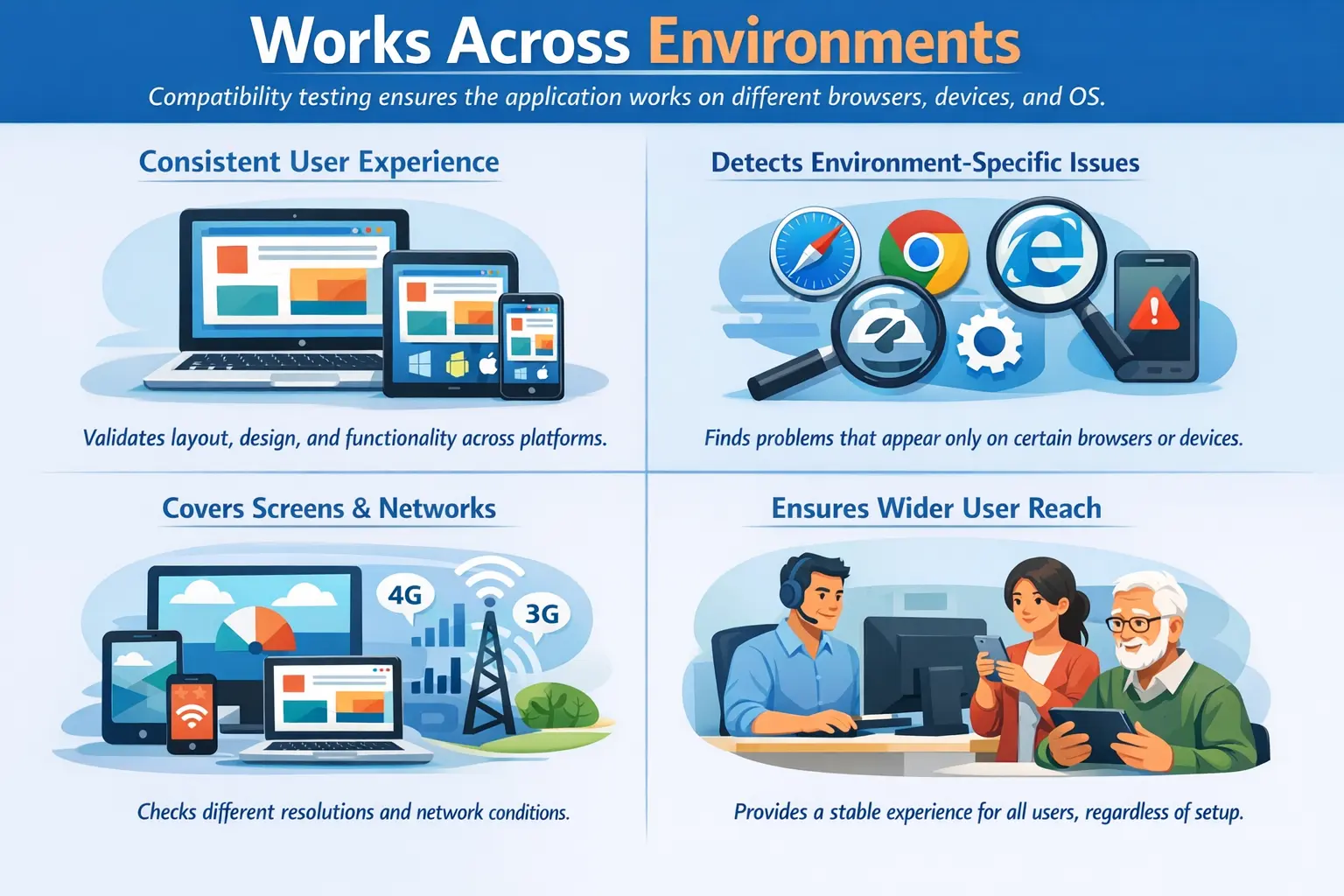
Compatibility Testing is the process of verifying that a software application functions correctly across different environments, including browsers, operating systems, devices, screen resolutions, and network configurations. The objective is to ensure consistent behavior regardless of where or how the application is accessed.
Compatibility testing answers a critical operational question: does the application behave consistently in different environments?
Purpose of Compatibility Testing
The primary goal of compatibility testing is to deliver a uniform user experience across platforms. Users access applications from diverse environments: one user may open the product on Chrome in Windows, another may use Safari on an iPhone, another may use Edge on a corporate laptop, and another may work from a tablet over a slower network. The application should remain usable and reliable across the environments the business claims to support.
Inconsistencies can lead to frustration, defects, or lost business. A form that works in one browser but fails in another can block real users. A layout that looks correct on desktop but breaks on mobile can reduce trust. A download that works on Windows but fails on macOS can create support calls. Compatibility testing catches these environment-specific gaps before customers experience them.
This testing helps identify environment-specific defects, reduces customer complaints related to platform issues, and ensures the application supports its intended user base effectively. It is especially important for public-facing applications because the team cannot control which supported device, browser, operating system, or network a user will choose.
Compatibility testing also protects brand perception. Users rarely care that an issue happens only on one browser version or device type. From their point of view, the product is broken. A strong compatibility strategy helps teams avoid that gap between internal testing confidence and real-world user experience.
Types of Compatibility Testing
Browser Compatibility Testing
Browser compatibility testing verifies that the application works correctly across browsers such as Chrome, Firefox, Edge, and Safari. It evaluates UI rendering consistency, JavaScript execution, and CSS behavior.
Different browser engines may interpret styles and scripts differently, leading to layout or functionality variations.
Browser compatibility testing checks more than page loading. Testers validate menus, forms, modals, dropdowns, date pickers, file uploads, scrolling, downloads, animations, and client-side validation. A JavaScript feature may work in one browser and fail silently in another. A CSS property may render slightly differently and cause overlapping content.
Operating System Compatibility Testing
Operating system compatibility testing ensures that the application performs correctly on platforms such as Windows, macOS, and Linux. It checks OS-specific behaviors, file handling, permissions, and integration aspects.
Operating systems can affect fonts, file paths, keyboard shortcuts, download behavior, printing behavior, notifications, and permission prompts. Web applications are often less OS-dependent than desktop applications, but OS differences still matter when users download files, upload documents, print reports, or use browser features tied to the operating system.
Device Compatibility Testing
Device compatibility testing validates application behavior on desktops, tablets, and mobile devices. It ensures usability across varying hardware capabilities and screen sizes.
Device compatibility considers touch input, keyboard input, screen density, orientation, processing power, available memory, and viewport size. A button that is easy to click with a mouse may be too small for touch. A table that is readable on a desktop may be unusable on a phone. Testing across device categories helps catch these issues.
Resolution Compatibility Testing
Resolution compatibility testing confirms that layouts render properly at different screen resolutions. It verifies responsive design behavior, text alignment, and image scaling to prevent UI distortion.
Resolution testing is important because users do not all view applications on the same screen size. Testers check whether content wraps correctly, cards resize properly, navigation remains accessible, images scale without distortion, and important actions stay visible. Responsive design must be validated, not assumed.
Network Compatibility Testing
Network compatibility testing evaluates application behavior under different network conditions, including varying speeds, Wi-Fi versus mobile data, and limited connectivity scenarios.
It ensures graceful handling of slow or unstable connections. The application should show loading states, avoid duplicate submissions, recover from temporary failures where possible, and present helpful messages when actions cannot be completed. Network behavior is part of compatibility because real users do not all operate under ideal connectivity.
Role of the Manual Tester
The manual tester identifies supported target environments and executes critical scenarios across each configuration. This includes validating functionality, visual consistency, navigation flow, and perceived performance.
The tester begins by understanding the supported environment matrix. This matrix may include browser names and versions, operating systems, device types, screen sizes, and network conditions. Without a defined matrix, compatibility testing can become endless because there are too many possible combinations.
Manual testers execute important workflows across selected configurations. They usually prioritize core flows such as login, navigation, search, form submission, file upload, file download, checkout, payment, reporting, and role-based access. Compatibility testing should focus on flows that users depend on, not only static page viewing.
Environment-specific defects must be documented clearly with details about browser version, OS version, device type, screen resolution, network condition, and configuration. A defect that appears only on Safari mobile or only at a specific screen width cannot be fixed efficiently unless the environment is recorded.
The tester also compares behavior. If the same action works in Chrome but fails in Firefox, that contrast is useful evidence. If a layout breaks only below a certain width, the tester should mention the approximate width. Good compatibility reporting depends on precision.
Scope of Compatibility Testing
Compatibility testing includes verifying layout consistency, font and color rendering, navigation behavior, file upload and download operations, and differences in error handling across environments.
The scope also includes JavaScript behavior, CSS rendering, responsive layouts, browser-specific controls, touch interactions, keyboard interactions, print behavior, media playback, session behavior, and integration with environment-specific features. The exact scope depends on what the application does and which environments it officially supports.
Compatibility testing should include both visual and functional checks. A page may look correct but a button may not work in one browser. Another page may function correctly but display broken alignment on a tablet. Both are compatibility concerns because they affect the user experience in a specific environment.
The focus extends beyond functionality to include presentation and interaction reliability. Users expect the product to feel consistent even when they use different supported devices or browsers.
Compatibility Testing vs Cross-Browser Testing
Cross-browser testing is a subset of compatibility testing focused specifically on browser behavior. Compatibility testing has a broader scope, covering operating systems, devices, screen resolutions, and network conditions.
Cross-browser testing addresses browser engine differences, while compatibility testing ensures overall environmental consistency. For example, testing Chrome, Firefox, Edge, and Safari is cross-browser testing. Testing Chrome on Windows, Safari on iOS, mobile layout, tablet orientation, download behavior on macOS, and slow network behavior belongs to broader compatibility testing.
The difference matters because teams sometimes say they completed compatibility testing after checking only two browsers. That may be enough for a limited product, but it is not full compatibility testing if users also depend on different devices, operating systems, screen sizes, or network conditions.
Cross-browser testing is important, but it should be understood as one part of the larger compatibility strategy.
Real-Time Example
An application may function correctly on Chrome but display overlapping text on Safari or fail to open a dropdown menu in Firefox. Without compatibility testing, such issues may remain undetected until reported by users.
Consider an online form. On desktop Chrome, the form may display correctly and submit successfully. On a mobile browser, the submit button may fall below the visible area or a date picker may be difficult to use. On Safari, a CSS issue may cause the label to overlap the field. On Firefox, a script issue may prevent the dropdown from closing.
Consider a file download feature. It may work on Windows but produce a file name issue on macOS. It may download correctly on desktop but fail on mobile due to browser restrictions. If users need that file for business work, this becomes a serious compatibility defect.
These defects directly affect user trust and product credibility. A user who experiences the defect does not care that it works elsewhere. For that user, the product failed.
Entry and Exit Criteria
Compatibility testing begins once a stable build is available and supported environments are clearly defined. It concludes when critical environment-specific defects are resolved and known limitations are documented.
Entry criteria should include a stable test build, supported environment matrix, access to required devices or browser tools, test data, and a list of critical workflows. The supported matrix is especially important because it defines what must be tested and what is outside scope.
Exit criteria may include completion of planned environment coverage, closure of critical compatibility defects, documentation of unsupported environments, and stakeholder acceptance of known limitations. If an issue affects an unsupported browser, it may be documented rather than fixed. If it affects a supported browser, it usually requires resolution or risk approval.
A controlled environment matrix helps ensure complete coverage. It prevents random testing and helps the team explain which environments were validated.
Common Compatibility Issues
Frequent defects include UI distortion, inconsistent font rendering, broken functionality in specific browsers, and device-specific crashes. These issues may not appear during single-environment testing.
UI distortion is common when layouts are not truly responsive. Text may overlap, buttons may move outside containers, tables may overflow, images may stretch, and modals may become unusable on smaller screens. These issues can make an otherwise functional page difficult to use.
Browser-specific functionality defects may occur when JavaScript, CSS, storage, cookies, file handling, or form controls behave differently. A dropdown may work in Chrome but not in Firefox. A date picker may render differently in Safari. A file upload control may behave differently on mobile.
Font and color rendering issues may seem minor, but they affect readability and brand consistency. A font that is unavailable on one operating system may be replaced by another font and change layout. A color may appear with insufficient contrast on certain displays.
Network-related issues include duplicate submissions during slow connections, missing loading indicators, timeouts without clear messages, and incomplete recovery after connection loss. Such inconsistencies can negatively impact user perception even if core functionality remains intact.
Common Mistakes
Testing only on a primary browser or single device is a major oversight. Ignoring resolution differences or assuming that functionality on one machine guarantees universal compatibility can lead to production failures.
Another mistake is testing only page loading and ignoring interaction. A page may open correctly but fail when the user opens a menu, uploads a file, submits a form, scrolls a table, downloads a report, or switches orientation. Compatibility testing must include real workflows.
Teams also make the mistake of testing too many random environments without prioritization. The goal is not to test every possible device in the world. The goal is to test the environments the product supports and the environments most users actually use.
Poor defect documentation is another common issue. A compatibility defect without browser version, OS, device, resolution, and reproduction details may be difficult to investigate. Environmental diversity must be acknowledged and validated systematically.
Best Practices for Compatibility Testing
The first best practice is to define the supported environment matrix early. Teams should agree which browsers, operating systems, devices, screen sizes, and network conditions are officially supported. This avoids unclear expectations later.
The second best practice is to prioritize based on user analytics and business impact. If most users access the application on mobile Safari and desktop Chrome, those environments deserve strong coverage. Rare or unsupported environments can be handled differently.
The third best practice is to test critical workflows, not only static screens. Login, navigation, search, form submission, checkout, payment, uploads, downloads, and reporting are common workflows that should be validated across supported environments.
The fourth best practice is to document defects with precise environment details. Browser version, OS version, device model, viewport size, orientation, network condition, and screenshots can all be important.
The fifth best practice is to combine real devices, browser developer tools, cloud device labs, and automation where appropriate. Manual testing provides observation and judgment, while tools can extend coverage and repeatability.
Planning Compatibility Coverage
Planning compatibility coverage starts with knowing the audience. A public website needs broader coverage than a controlled internal application. A mobile-heavy product needs strong mobile coverage. A corporate application may need specific browser and operating system combinations used by that organization.
Teams should use analytics, customer requirements, support history, and product strategy to decide coverage. If production analytics show significant traffic from Safari on iOS, that environment should not be treated as optional. If a browser is not supported, that limitation should be documented clearly.
Coverage should also consider risk. A compatibility issue on a rarely used settings page may be lower risk than an issue on checkout or login. Critical flows should be tested on more environments than low-risk screens.
Compatibility coverage should be reviewed over time. Browser versions change, devices change, operating systems update, and user behavior shifts. A matrix that was correct last year may no longer represent the current user base.
Compatibility Testing in Agile Projects
In Agile projects, compatibility testing should not wait until the final release. If a story affects UI, navigation, forms, file handling, or responsive layout, compatibility considerations should be discussed during refinement and checked during sprint testing.
Lightweight compatibility checks can happen within each sprint for changed areas, while broader compatibility regression can be scheduled before release. This prevents late discovery of environment defects that may require design or technical changes.
Agile teams can also automate selected compatibility checks for critical flows, especially across browsers. Manual testing remains important for visual judgment, device behavior, and exploratory checks across supported environments.
Environment Matrix Design
An environment matrix is the foundation of controlled compatibility testing. It lists the browsers, operating systems, devices, screen sizes, and sometimes network conditions that the product must support. Without this matrix, compatibility testing can become vague because testers do not know when coverage is sufficient.
A useful matrix should separate mandatory environments from optional or best-effort environments. Mandatory environments are those officially supported by the product. Defects found there usually require fixing or formal risk acceptance. Optional environments may be tested when time allows, but issues may be documented as limitations.
The matrix should also include priority. For example, the latest Chrome on Windows and Safari on iOS may be high priority if most users rely on them. Older browsers or rare device combinations may be lower priority. This helps testers spend time where user impact is highest.
Environment matrices should not remain static forever. Browser usage changes, operating systems update, new devices become common, and old versions lose support. Teams should review the matrix periodically using analytics, customer contracts, support tickets, and business needs.
Interview Perspective
In interviews, compatibility testing is typically described as verifying that software works correctly across different browsers, operating systems, devices, and configurations. A strong explanation emphasizes consistency of behavior and user experience across environments.
A stronger interview answer explains that compatibility testing includes browser, operating system, device, resolution, and network compatibility. It should mention that cross-browser testing is only a subset of compatibility testing.
If asked for an example, explain that an application may work in Chrome but show overlapping text in Safari or a broken dropdown in Firefox. The tester records browser version, OS, device, resolution, and steps so the issue can be reproduced.
If asked why compatibility testing matters, the answer is that users access software from different environments, and inconsistent behavior can damage trust even when the feature works elsewhere.
Key Takeaway
Compatibility Testing ensures that all users experience consistent, reliable behavior regardless of their environment. It transforms locally working software into universally usable software.
The practical value of compatibility testing is that it moves quality beyond the tester's machine. It confirms that the supported user base can access and use the product reliably across real environments.
Good compatibility testing is planned, matrix-driven, risk-based, and carefully documented. It validates browser behavior, device behavior, operating system differences, screen sizes, and network conditions so that users receive a consistent experience.