Bug in Software Testing
Software systems are developed to perform specific tasks according to defined requirements and user expectations. However, because software is created by humans, mistakes and oversights are inevitable. These mistakes often result in unexpected or incorrect behavior within the application. Such issues are commonly referred to as bugs. Understanding bugs is essential for software testers, developers, and quality assurance professionals because detecting and resolving bugs is a fundamental part of ensuring software quality.
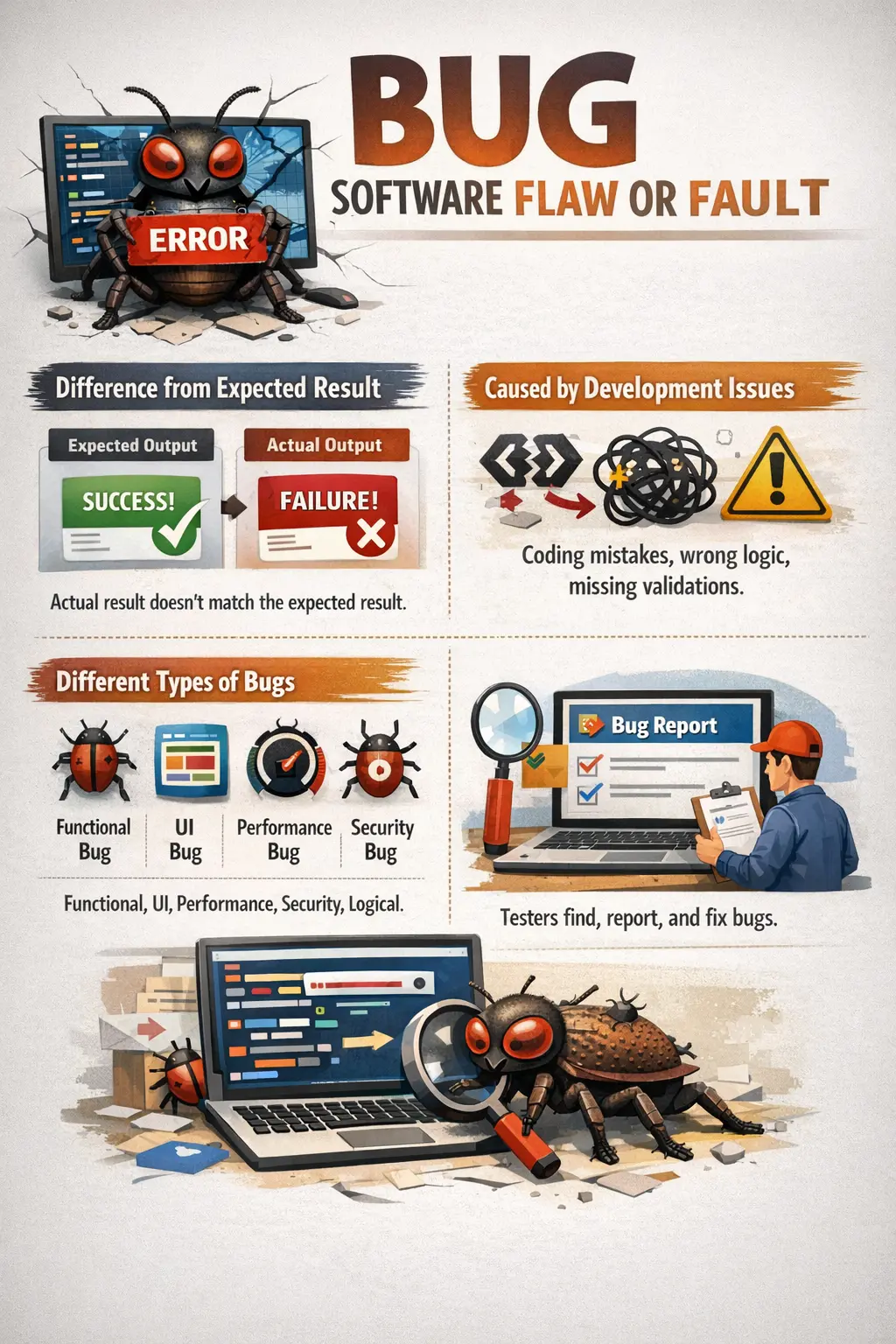
A Bug is a flaw or fault in the software that causes it to behave incorrectly or produce an unexpected result, deviating from the expected behavior. When a software application fails to perform as intended, the underlying cause is usually a bug. In practical terms, a bug answers the question: “Why is the software not behaving as expected?”
Bugs may occur in any part of a software application, including business logic, user interface, database interactions, or system configuration. Some bugs cause minor inconvenience, while others can lead to system crashes or data loss. Effective identification and resolution of bugs is critical for delivering reliable software.
Understanding the Concept of a Bug
A bug represents a technical flaw within the software that leads to incorrect behavior. These flaws are usually introduced during development when code is written, modified, or integrated with other components. Even small programming mistakes can produce significant problems in the final application.
For example, a developer might implement a calculation incorrectly, resulting in wrong totals in a billing system. A missing validation rule might allow users to submit incomplete forms. An incorrect condition in a program may allow unauthorized access. Each of these situations represents a bug.
Bugs are often discovered during testing, but they may also be found by developers, business analysts, or end users. The earlier a bug is identified, the easier and cheaper it is to fix. Bugs discovered in production environments can be costly and damaging to business reputation.
Bugs are an unavoidable part of software development. The goal of testing is not to eliminate all bugs—which is usually impossible—but to reduce them to an acceptable level before release.
A bug becomes visible when the software fails to behave in a way that users, stakeholders, or documented requirements expect. Sometimes the failure is obvious, such as a page crashing or a button not responding. Sometimes it is subtle, such as a calculation being off by a few paise, a filter returning one extra record, or a permission rule allowing access only under a rare condition. Good testers learn to look for both obvious and hidden bugs.
Bugs are also context-dependent. A spelling mistake in an internal test tool may be low impact, but the same mistake on a public payment page may affect brand trust. A slow report may be acceptable for an admin user who runs it once a month, but unacceptable for a call-center user who depends on it hundreds of times a day. Understanding bug impact requires both technical awareness and business awareness.
The presence of bugs does not automatically mean a team is careless. Complex software contains many rules, integrations, data conditions, environments, and user paths. Bugs are expected in development. What matters is how early they are found, how clearly they are reported, how effectively they are fixed, and whether the team learns from them.
Bug vs Defect – Practical Understanding
In software testing, the terms bug and defect are often used interchangeably. In real-world projects, both terms typically refer to problems found in the software. However, there is a subtle conceptual difference between the two.
A bug usually refers to a technical flaw within the software code or implementation. It is commonly used from a development perspective. Developers often refer to issues in the code as bugs because they represent mistakes or faults in programming logic.
A defect is typically described from a testing or quality perspective. A defect refers to the difference between expected and actual behavior. When testers compare the system behavior against requirements and find deviations, they report defects.
In practical environments, both developers and testers frequently use the words bug and defect interchangeably. Bug tracking tools such as Jira, Bugzilla, and Azure DevOps often use either term depending on organizational preference.
Understanding the conceptual difference helps clarify communication between development and testing teams. Developers focus on fixing bugs in the code, while testers focus on identifying defects in system behavior.
In practical project communication, the distinction is often less important than clarity. A tester may log a "bug" in Jira, a QA lead may call it a "defect" in a report, and a developer may refer to it as an "issue" during discussion. These differences are usually acceptable as long as the team agrees on the behavior that is wrong and the process used to resolve it.
From a learning perspective, it helps to remember that a bug is commonly associated with the internal flaw that causes the incorrect behavior, while a defect is commonly associated with the observed mismatch between expected and actual result. For example, an incorrect if condition in code is a bug, while the tester's observation that invalid users can log in is reported as a defect.
In interviews, candidates should avoid arguing too rigidly over terminology unless the interviewer specifically asks for formal definitions. A strong answer acknowledges that the terms are often used interchangeably in real projects while still explaining the conceptual difference clearly.
How Bugs Are Introduced
Bugs can be introduced at various stages of the software development lifecycle. Understanding how bugs originate helps teams prevent them and improve development practices.
Coding mistakes are one of the most common sources of bugs. Developers may accidentally introduce incorrect conditions, missing validations, or wrong calculations. Even experienced developers make mistakes, especially in large and complex systems.
Incorrect logic implementation is another major source of bugs. Requirements may be correctly understood, but the logic used to implement them may contain errors. For example, a discount calculation might apply incorrect percentages.
Misunderstood requirements frequently lead to bugs. If developers misunderstand business rules, the implemented functionality may differ from what users expect.
Missing validations also cause bugs. Input fields may accept invalid values if proper validation checks are not implemented.
Integration issues occur when multiple modules interact incorrectly. Individual components may work correctly on their own but fail when combined.
Configuration errors are another source of bugs. Incorrect server settings, database configurations, or environment variables can cause unexpected behavior.
Bugs introduced during development may remain hidden until testing or production usage reveals them.
Bugs can also be introduced during code changes that appear small. A developer may fix one validation rule but accidentally affect another. A database column may be renamed without updating all queries. A CSS change may improve one screen but break another screen on mobile. This is why regression testing is necessary after changes.
Bugs may also come from assumptions. A developer may assume that a field will never be blank, that a user will always follow the normal flow, that a service will always return data quickly, or that a date will always be in a particular format. Real users and real systems often violate these assumptions. Testing exposes such gaps.
Third-party dependencies are another source of bugs. Modern applications depend on payment gateways, email services, authentication providers, APIs, analytics scripts, maps, and cloud services. Even if the application code is correct, a change in an external system, incorrect credentials, expired certificates, or network instability can create visible bugs.
Bugs can also be introduced through environment differences. A feature may work in the developer's local machine but fail in QA because of configuration, database version, browser behavior, file permissions, or missing environment variables. This is why environment details are important in bug reports.
Bug Lifecycle Overview
Bugs typically follow a structured lifecycle from discovery to resolution. This lifecycle ensures that issues are tracked and resolved systematically.
When a tester discovers a bug, it is first recorded as a new issue. The bug is documented with details such as steps to reproduce, expected results, and actual results.
The bug is then assigned to a developer who is responsible for investigating and fixing the issue. Once assigned, the bug status changes to indicate that work is in progress.
After the developer implements a fix, the bug status changes to fixed. The bug is then returned to the tester for verification.
The tester re-tests the application to confirm that the bug has been resolved. If the issue is fixed successfully, the bug is marked as closed.
If the problem persists, the bug is reopened and returned to the developer for further investigation.
This structured lifecycle helps ensure that bugs are properly tracked and resolved.
Many teams use additional lifecycle statuses. A bug may be marked Duplicate if the same issue is already reported. It may be marked Rejected if the behavior is expected or outside scope. It may be marked Deferred if the team agrees to fix it in a later release. It may be marked Cannot Reproduce when developers cannot trigger the issue using the provided details.
The lifecycle is important because fixing a bug is not complete when code is changed. The fix must be deployed to a testable build, retested by QA, and closed only when the expected behavior is confirmed. If the tester closes a bug without retesting, the team loses confidence in the process.
Reopened bugs are especially important. A reopened bug means the fix did not solve the issue completely or introduced a related problem. Frequent reopened bugs may indicate incomplete root cause analysis, rushed fixes, poor unit testing, or unclear requirements. Tracking this pattern helps teams improve.
Types of Bugs
Bugs can appear in different areas of a software application. Understanding bug types helps testers focus on critical areas and design better test cases.
Functional bugs occur when a feature does not work according to requirements. These bugs affect core application functionality. For example, if a payment process fails despite valid inputs, it is a functional bug.
User interface bugs involve visual or layout problems. Examples include overlapping text, misaligned buttons, or broken links. Although UI bugs may seem minor, they affect user experience and product perception.
Logical bugs occur when the implemented logic produces incorrect results. These bugs often involve incorrect calculations or conditions. Logical bugs may be difficult to detect because the system appears to function normally.
Performance bugs occur when the system is slow or unstable. Examples include slow page loads, long processing times, and system freezes. Performance bugs often appear under heavy load conditions.
Security bugs involve vulnerabilities that allow unauthorized access or data exposure. These bugs are particularly serious because they can compromise sensitive information.
Understanding bug types helps testers detect issues systematically and improves overall test coverage.
Data bugs occur when the application saves, retrieves, updates, or displays data incorrectly. Examples include user profile changes not being saved, duplicate records being created, deleted records still appearing, or reports showing values different from the database. These bugs can reduce trust because users depend on data accuracy.
Workflow bugs occur when the sequence of business steps is broken. For example, an order may be confirmed before payment, an approval request may skip the manager, or a cancelled subscription may still renew automatically. These bugs are often discovered through end-to-end testing rather than isolated screen testing.
Compatibility bugs occur when behavior differs across browsers, devices, operating systems, or screen sizes. A button may work in Chrome but fail in Safari. A layout may look correct on desktop but overlap on mobile. Compatibility bugs are common in web and mobile applications because users access software from many environments.
Integration bugs occur when connected systems do not exchange information correctly. An API may return data in a slightly different format, a message queue may delay processing, or an external service may reject a request. These bugs often require clear logs and environment details to investigate.
Bug Severity
Severity describes how serious a bug is from a technical perspective. It reflects the impact of the bug on the system.
Critical bugs cause system crashes, data loss, or complete system failure. These bugs prevent normal system operation and require immediate attention.
High severity bugs affect major functionality and significantly impact users. The system may still operate, but important features may not work.
Medium severity bugs affect limited functionality or have workarounds available. These bugs reduce usability but do not block system usage completely.
Low severity bugs involve minor cosmetic issues such as alignment problems or spelling errors. Although these bugs do not affect functionality, they still require correction to maintain quality.
Severity is typically assigned by testers because they evaluate the technical impact of the bug.
Severity should be based on impact, not emotion. A tester may feel frustrated by a bug, but that does not automatically make it critical. Critical severity should be reserved for bugs that stop core functionality, crash the system, corrupt data, expose sensitive information, or create serious business risk.
High severity bugs usually affect important features even if the entire system does not crash. For example, users may be able to log in but unable to complete payment. Medium severity bugs may affect secondary functionality or have a workaround. Low severity bugs may involve cosmetic or content issues that should still be fixed for professional quality.
Correct severity helps teams focus effort. If every bug is marked critical, the classification becomes meaningless. If serious bugs are marked too low, they may not receive attention in time. Testers should assign severity carefully and be ready to explain the impact.
Bug Priority
Priority indicates how urgently a bug should be fixed. It reflects business importance rather than technical severity.
Priority levels are usually categorized as P1 through P4.
P1 bugs must be fixed immediately because they affect critical business operations.
P2 bugs must be fixed before release but are not emergencies.
P3 bugs are less urgent and may be fixed if time permits.
P4 bugs have low urgency and can be deferred to future releases.
Priority decisions are usually made by product managers or project managers based on business needs.
Understanding the difference between severity and priority is important. A bug may be technically severe but not urgent if it affects a rarely used feature. Conversely, a minor bug may have high priority if it affects a frequently used feature.
Priority depends heavily on business context. A minor UI bug on a public homepage may be high priority before a product launch because many users will see it. A serious bug in an admin feature scheduled for a future phase may have lower priority if it does not affect the current release.
Product owners and project managers often decide priority because they understand release commitments, customer impact, contractual obligations, and business value. Testers contribute by explaining technical impact, reproduction conditions, and affected workflows.
During bug triage, severity and priority are reviewed together. A high-severity, high-priority bug usually blocks progress. A low-severity, high-priority bug may be fixed quickly because of visibility. A high-severity, low-priority bug may be deferred if it affects an inactive feature. This balance helps teams make realistic decisions.
Manual Tester’s Role in Bug Management
Manual testers play a central role in identifying and managing bugs. Their work begins during test execution when they interact with the application and observe system behavior.
Testers must carefully analyze issues to confirm that they are genuine bugs rather than misunderstandings of requirements.
Once confirmed, testers must reproduce bugs consistently. Reproducibility is important because developers must be able to observe the same problem in order to fix it.
Testers must document bugs clearly and provide supporting evidence such as screenshots and logs. Clear documentation reduces confusion and speeds up resolution.
Testers also assign appropriate severity levels. Incorrect severity assignments may cause delays in fixing important bugs.
After bugs are fixed, testers verify fixes through re-testing. If the issue remains unresolved, the bug is reopened.
Effective bug management improves collaboration between testers and developers.
Before reporting a bug, testers should confirm the expected behavior. This may require checking requirements, acceptance criteria, user stories, design documents, API specifications, or business rules. Reporting an issue without understanding the expected behavior can create false bugs and waste team time.
Testers should also verify whether the bug is reproducible. If it occurs consistently, the report should include exact steps. If it occurs intermittently, the report should mention frequency, conditions, timestamps, test data, browser, environment, and any pattern observed. Intermittent bugs should not be ignored simply because they are difficult to reproduce.
Bug documentation is one of the most important tester responsibilities. A good bug report includes a clear title, affected module, build version, environment, test data, steps to reproduce, expected result, actual result, severity, attachments, and relevant notes. Developers can fix bugs faster when reports are precise.
Testers also support regression testing after bug fixes. A fix may solve the reported issue but break related areas. For example, fixing form submission may affect validation messages, database save behavior, confirmation emails, or duplicate submission handling. Good testers identify these related risks.
Bug Report Quality
The quality of a bug report has a direct effect on resolution speed. A vague report such as "Submit not working" forces developers to guess the screen, data, build, and condition. A stronger report says "Submit button does not save valid registration form in Chrome on QA build 2.1.4." This gives the team useful context immediately.
A good bug report separates observation from assumption. The tester should describe what happened and what was expected, not guess the root cause unless there is evidence. For example, "screen displays a 500 error after clicking Save" is better than "database is broken" unless logs confirm a database failure.
Evidence strengthens bug reports. Screenshots help with visual issues and error messages. Videos help with workflows and intermittent issues. Console logs, network traces, and server logs help with technical failures. However, evidence should support clear written steps, not replace them.
Real-Time Example
Consider a web application with a form submission feature. The requirement states that when a user clicks the Submit button, the form should be saved successfully.
During testing, a tester enters valid data and clicks the Submit button. However, nothing happens and the form is not submitted.
This situation represents a functional bug because the application fails to perform the expected action.
The expected result is successful form submission, while the actual result is no response.
This bug would likely be classified as high severity because it prevents completion of a major function.
Once reported, developers would investigate the issue, correct the code, and return the fix for testing.
This example illustrates how bugs represent technical problems that cause incorrect behavior.
Consider another example from an online shopping application. A user applies a valid coupon code during checkout, but the total amount does not change. The system allows the order to proceed at the full price. This is a logical or functional bug because the discount rule is not applied correctly. It may also become a high-priority bug if the coupon campaign is active.
In a banking application, a user may attempt to transfer more than the allowed daily limit. If the system permits the transfer, the bug affects business rules, security, and financial control. Such a bug may be high severity because it violates a core restriction.
In a reporting module, a filter may show correct records on screen but export a file with unfiltered data. Users may not notice the issue immediately, but it can lead to wrong decisions. This type of bug shows why testers must validate outputs across screens, files, databases, and notifications where relevant.
Bug Reproducibility
Reproducibility means the same bug can be observed again by following the same steps under the same conditions. Reproducible bugs are easier to fix because developers can observe the failure, debug the application, and verify the fix.
Some bugs are not consistently reproducible. They may depend on timing, network speed, session state, data condition, browser cache, user role, or integration response. These intermittent bugs are difficult but important. Testers should collect as much evidence as possible and describe the frequency clearly.
If a developer cannot reproduce a bug, it does not always mean the bug is invalid. It may mean the report lacks environment details, test data, timing information, or hidden preconditions. Testers and developers should collaborate to isolate the missing condition.
Bug Triage
Bug triage is the process of reviewing reported bugs and deciding what should happen next. The team reviews validity, severity, priority, ownership, release impact, duplication, and required action. Triage helps prevent bug lists from becoming unmanaged.
During triage, a bug may be accepted for fixing, deferred to a later release, marked duplicate, rejected as expected behavior, or returned for more information. These decisions should be based on evidence, business impact, and release priorities.
A well-written bug report makes triage efficient. If the report clearly explains the problem, impact, steps, environment, and evidence, the team can focus on decision-making. Poor reports slow triage because basic facts must be clarified first.
Bug Prevention
Finding bugs is important, but preventing bugs is more valuable. Bug prevention focuses on reducing the chance of similar issues appearing again. This requires looking beyond the individual bug and understanding why it happened.
Requirement reviews help prevent bugs caused by ambiguity. Design reviews help prevent workflow and architecture problems. Code reviews help catch implementation mistakes early. Unit testing helps developers verify logic before QA testing begins. Testers contribute by asking questions early and identifying missing scenarios.
Root cause analysis is a key bug prevention practice. If many bugs come from misunderstood requirements, the team may improve refinement. If many bugs come from integration failures, the team may improve contract testing. If many bugs are reopened, the team may improve developer verification before marking fixes complete.
Common Mistakes in Bug Reporting
One common mistake is reporting bugs without clear reproduction steps. Without precise steps, developers may not be able to reproduce the problem.
Duplicate bug reporting is another common issue. Multiple testers may report the same bug without checking existing records.
Incorrect severity or priority assignment can lead to inefficient bug resolution.
Testers sometimes report bugs caused by misunderstanding requirements rather than actual software problems.
Avoiding these mistakes improves efficiency and communication.
Another common mistake is combining multiple bugs into one report. If one report includes a broken link, an incorrect error message, and a layout issue, it becomes difficult to assign, fix, retest, and close. Separate bugs should usually be reported separately unless they clearly have the same root behavior.
Some testers report bugs without checking existing records. Duplicate bug reports waste time and split discussion across multiple tickets. Before logging a new bug, testers should search the tracking tool for similar issues.
Another mistake is using unclear or emotional language. Bug reports should be factual and professional. Instead of saying "the page is useless," the tester should explain exactly which action failed, what was expected, and what happened.
Testers should also avoid closing bugs without proper retesting. A developer's comment that the issue is fixed is not enough. QA should verify the fix in the correct build and then close the bug only if the expected behavior is confirmed.
Importance of Effective Bug Reporting
Effective bug reporting plays a major role in software quality.
Clear bug reports help developers understand problems quickly and implement fixes efficiently.
Accurate bug tracking helps project managers monitor product quality.
Well-documented bugs provide historical information that helps improve future releases.
Effective bug reporting reduces delays and improves team collaboration.
Bug reporting also creates visibility into product risk. A project manager can review open bugs to understand whether the release is stable. A product owner can decide which bugs must be fixed before release and which can be accepted temporarily. Developers can understand which areas require attention. Support teams can prepare for known issues.
Historical bug data helps teams improve future releases. If a module repeatedly produces bugs, it may need refactoring, stronger unit tests, better requirements, or additional regression coverage. If many bugs come from configuration, environment management may need improvement. Bug history becomes a learning tool.
Effective bug reporting also protects customer trust. Bugs that are found and fixed before release are far less damaging than bugs discovered by users in production. Clear reporting helps teams fix issues faster and reduces the chance of defect leakage.
Bug Metrics
Bug metrics help teams understand quality trends. Common metrics include total bugs logged, open bugs, closed bugs, bugs by severity, bugs by priority, reopened bugs, rejected bugs, duplicate bugs, bug leakage, and average resolution time.
Bug leakage measures bugs that escaped testing and were found after release. A high leakage rate may indicate weak test coverage, missed regression, unclear requirements, or insufficient environment similarity. Reopened bug rate indicates how often fixes fail verification. A high reopened rate may show incomplete fixes or poor root cause analysis.
Metrics should be interpreted with context. A high number of bugs during early testing may be expected and may show that testing is effective. A very low bug count does not always prove quality; it may mean testing is shallow. Metrics are useful when combined with coverage, severity, release risk, and product complexity.
Interview Perspective
Bugs are one of the most frequently discussed topics in software testing interviews.
A short interview answer typically defines a bug as a flaw in software that causes incorrect behavior.
A detailed answer explains that a bug is an error introduced during development that results in deviation from expected behavior.
Interviewers may also ask about bug severity, priority, and lifecycle.
Understanding bugs demonstrates practical knowledge of software testing.
In interviews, a strong answer should define a bug and connect it to real project handling. For example: "A bug is a flaw in software that causes incorrect or unexpected behavior. Bugs are usually introduced during coding, logic implementation, integration, or configuration. Testers identify bugs during execution, report them with steps and evidence, assign severity, and verify fixes through retesting."
If asked about bug versus defect, explain that both are often used interchangeably in projects. Conceptually, a bug usually refers to a technical flaw in implementation, while a defect refers to deviation between expected and actual behavior from a testing perspective.
If asked about bug lifecycle, explain the flow from New to Assigned or Open, then Fixed, Retest, Closed, or Reopened. You can also mention statuses such as Duplicate, Deferred, Rejected, and Cannot Reproduce to show real project awareness.
Key Takeaway
A Bug is a technical manifestation of a quality problem within software. Bugs arise from coding mistakes, logic errors, or configuration problems and cause software to behave incorrectly.
Effective bug identification and reporting are essential for delivering reliable software. Clear bug reports improve communication, speed up resolution, and reduce project risk.
Understanding bugs helps testers ensure that applications function correctly and meet user expectations. Proper bug management leads to higher-quality software and increased user confidence.
Bugs should be treated as information, not blame. Every bug tells the team something about the product, the process, the requirement, the code, the environment, or the test coverage. When teams respond professionally, bugs become opportunities to improve quality.
For manual testers, understanding bugs means more than finding visible failures. It means recognizing risk, reproducing issues carefully, reporting them clearly, supporting triage, retesting fixes, and helping prevent similar problems in future releases. This makes bug management one of the most important practical skills in software testing.