WebDriverException in Selenium Java
WebDriverException is the base Selenium runtime exception for many browser automation failures. It usually means Selenium WebDriver encountered a problem while communicating with the browser, the browser driver, or the current browser session. Unlike a narrow exception such as NoSuchElementException, which usually points to a missing element, WebDriverException often points to a broader infrastructure, session, configuration, driver, or browser stability problem.
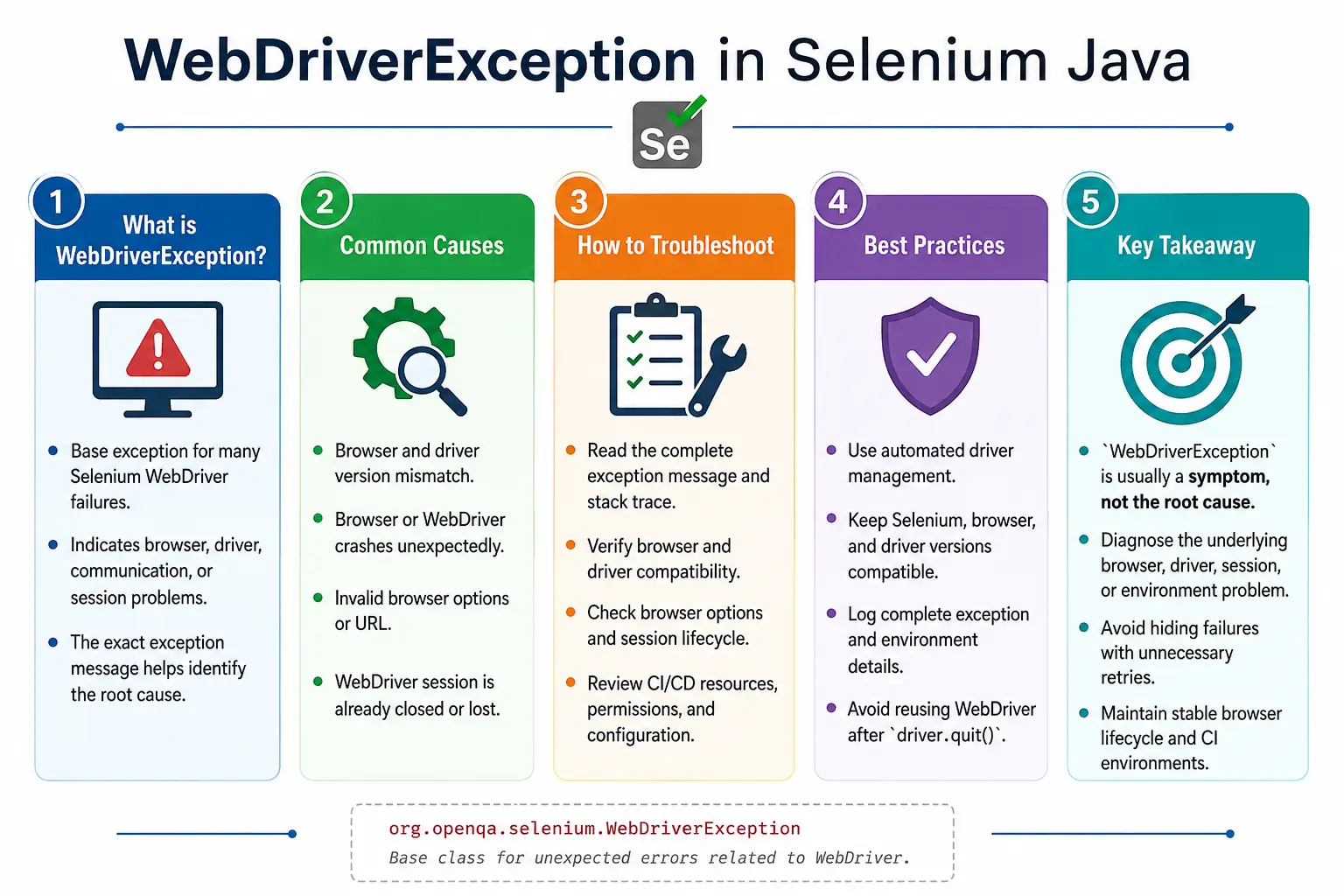
This exception is important because it can appear in many different situations. A browser may crash. A driver may be incompatible with the installed browser version. A session may be terminated unexpectedly. A test may call WebDriver after driver.quit(). A CI machine may update Chrome but still use an old driver. A headless browser may fail to start because of invalid options. A corporate security tool may block automation. In all these cases, the surface error may be WebDriverException, but the root cause is different.
Good Selenium engineers do not treat every WebDriverException the same way. They read the exception message, inspect the stack trace, check browser and driver versions, review CI logs, capture screenshots when possible, and decide whether the current session is still usable. The goal is not simply to catch the exception. The goal is to understand whether the failure is a product issue, an automation timing issue, a driver setup issue, or an unstable environment issue.
1. What Is WebDriverException?
WebDriverException is the superclass for many Selenium WebDriver exceptions. It is thrown when WebDriver encounters an unexpected problem while controlling the browser. The problem may occur during browser startup, navigation, element interaction, JavaScript execution, window handling, screenshot capture, frame switching, or session cleanup.
driver.get("https://example.com");A possible error may look like this:
org.openqa.selenium.WebDriverException:
unknown error:
Chrome failed to start
The phrase after WebDriverException matters. It may say that Chrome failed to start, the browser disconnected from DevTools, the session ID is null, the target window is already closed, the browser process crashed, or an argument was invalid. That detail is the starting point for root cause analysis.
2. Where It Occurs in the Selenium Stack
Selenium automation has several layers. Your Java test code calls Selenium WebDriver. WebDriver communicates with a browser driver such as ChromeDriver, GeckoDriver, or EdgeDriver. The browser driver controls the real browser. If communication fails at any layer, Selenium may report WebDriverException.
Test Code
   ↓
Selenium WebDriver
   ↓
Browser Driver
   ↓
Browser
   ↓
Unexpected communication or session failure
   ↓
WebDriverException
This layered model explains why the exception is broad. The failure may not be in your locator or your test step. It may be in the browser process, driver binary, system configuration, operating system permissions, network stack, or CI environment.
3. Common Causes
The most common causes are browser-driver mismatch, browser crash, driver crash, invalid browser options, browser not installed, invalid URL, session loss, manual browser closure, operating system restrictions, and network instability. In CI, version mismatch and insufficient system resources are especially common.
- The installed browser version is not compatible with the driver version.
- The browser crashes or exits unexpectedly.
- The browser driver process crashes.
- The browser is closed manually during execution.
- The test calls WebDriver after
driver.quit(). - Browser startup options are invalid or unsupported.
- The requested browser is not installed or not discoverable.
- The URL passed to
driver.get()is invalid. - CI agents have missing permissions, sandbox issues, or low memory.
- Network or proxy settings break communication.
4. Browser Closed Manually
A simple way to create this exception is to close the browser manually while the test is still running. Selenium still holds a driver object, but the browser session underneath it is gone. The next WebDriver command fails because the driver can no longer communicate with the browser.
driver.get("https://example.com");

// User manually closes Chrome.

driver.findElement(By.id("login"));
The failure message may say that the browser is disconnected, the session is invalid, or the driver is not connected to DevTools. In normal automation, users should not touch browser windows controlled by tests. In CI, this same pattern can happen when the browser crashes or is killed by the operating system.
5. Browser and Driver Version Mismatch
Version mismatch is a classic cause of browser startup and session failures. For example, a machine may have Chrome version 139 installed while the test uses ChromeDriver version 137. The browser driver may not understand the protocol requirements of the newer browser. The result may be WebDriverException, SessionNotCreatedException, or a startup failure message.
The practical fix is to manage drivers automatically. Modern Selenium includes Selenium Manager, and many Java projects use WebDriverManager. These tools reduce manual driver maintenance by resolving a compatible driver for the installed browser.
WebDriverManager.chromedriver().setup();

WebDriver driver =
        new ChromeDriver();
In enterprise CI/CD, version alignment should be part of the build environment. Do not rely on random driver files stored on individual machines. Browser and driver updates should be predictable, logged, and reproducible.
6. Browser Crash
A browser crash breaks the WebDriver session. The crash may be caused by low memory, unstable browser versions, GPU issues, bad extensions, heavy pages, unsupported headless options, or operating system constraints. Once the browser crashes, the existing driver object may no longer be useful.
Chrome running
    ↓
Browser crash
    ↓
Driver loses connection
    ↓
WebDriverException
When this happens, screenshots may not be possible because the browser is already gone. The useful evidence may be browser logs, driver logs, CI system logs, crash dumps, and the last action performed by the test. A framework should distinguish between an application assertion failure and a browser crash because their fixes are completely different.
7. Driver Crash
The browser driver process can also fail. ChromeDriver, GeckoDriver, and EdgeDriver are separate executables. If the driver process terminates unexpectedly, Selenium cannot send commands to the browser. This can happen due to driver bugs, file permission issues, incompatible binaries, corrupted driver downloads, operating system restrictions, or resource pressure.
If driver crashes are frequent, review driver versions, Selenium library versions, OS updates, antivirus logs, and CI resource limits. Also check whether tests are launching too many browsers in parallel on a small machine. Parallel execution without enough CPU and memory can create random infrastructure failures that appear as Selenium exceptions.
8. Invalid URL
Passing an invalid URL to driver.get() can also lead to WebDriver-level errors. A browser expects a valid URL with an appropriate scheme such as https:// or http://. A value like abc is not a proper web address for navigation.
driver.get("abc");Use a valid URL:
driver.get("https://example.com");In frameworks, validate configuration values before launching tests. If the environment URL is missing or malformed, fail early with a clear message such as "Base URL is not configured" instead of allowing a confusing WebDriver error later.
9. Browser Not Installed
If the requested browser is not installed, installed in an unexpected location, or blocked by company policy, WebDriver may fail at startup. For example, creating a FirefoxDriver on a machine without Firefox can produce a startup failure. The exact exception may vary depending on browser, driver, Selenium version, and environment.
Build agents should be provisioned with the browsers required by the test suite. Local development machines should follow documented setup instructions. If tests support multiple browsers, validate browser availability before starting a large execution run.
10. Invalid Browser Options
Browser options control startup behavior. Invalid or unsupported arguments can prevent the browser from launching. This is common when teams copy old headless flags, use platform-specific options, or pass arguments that are no longer supported by the browser.
ChromeOptions options =
        new ChromeOptions();

options.addArguments("--invalid-option");

WebDriver driver =
        new ChromeDriver(options);
Keep browser options minimal and intentional. Add an option only when there is a real reason. Document why it exists. If a browser update breaks startup, review the options first because outdated flags are a common source of failure.
11. Browser Permission Issues
Corporate security tools, antivirus software, operating system policies, and restricted CI containers can interfere with browser automation. A browser process may be blocked from starting, accessing a profile directory, writing temporary files, or opening required ports. These failures often surface as broad WebDriver errors.
In CI, make sure the execution user has permission to launch browsers and write to required working directories. Avoid sharing the same browser profile across parallel tests. Use temporary, isolated profiles when needed. If antivirus or endpoint protection kills driver processes, coordinate with infrastructure teams rather than hiding the issue in test retries.
12. Browser Session Lost
Calling WebDriver commands after the session has ended is another common cause. Once driver.quit() is called, the session is closed. Any further command on the same driver reference is invalid.
driver.quit();

driver.findElement(By.id("login"));
This often happens when cleanup code runs too early or when a failed setup method still allows test methods to execute. Test frameworks should manage driver lifecycle carefully. Create the driver before the test, use it during the test, and quit it after the test. Do not reuse a driver reference after teardown.
13. Headless Browser Startup Failure
Headless mode is widely used in CI, but it can expose configuration problems. Some environments require additional browser arguments. Others require a specific window size. Older browser versions used older headless modes, while newer versions support updated headless behavior.
ChromeOptions options =
        new ChromeOptions();

options.addArguments("--headless=new");
options.addArguments("--window-size=1366,768");

WebDriver driver =
        new ChromeDriver(options);
If headless startup fails, compare local visible mode, local headless mode, and CI headless mode. The difference usually points to environment configuration, missing dependencies, or unsupported browser options.
14. Using Selenium Manager or WebDriverManager
Driver management should be automated. Manual driver binaries create maintenance problems. One team member updates Chrome, another has an old ChromeDriver, and CI has a third combination. This leads to inconsistent behavior and difficult debugging.
Selenium Manager can resolve drivers automatically in current Selenium versions. WebDriverManager is also commonly used in Java projects.
WebDriverManager.chromedriver().setup();

WebDriver driver =
        new ChromeDriver();
Whichever approach you use, make it consistent across local and CI environments. The goal is reproducibility. If a test passes locally but fails in CI because of driver setup, the test suite is not operationally stable.
15. Verify Browser Versions
When startup fails, check the installed browser version and driver version. This should be one of the first debugging steps. A mismatch can create failures before the first page even loads.
Chrome Browser
      ↓
Compatible ChromeDriver
      ↓
Stable WebDriver session
Version checks are especially important after automatic browser updates. CI images and developer machines can update browsers silently. If the driver is pinned manually, this can break automation overnight.
16. Basic Exception Handling
You can catch WebDriverException, but you should not catch it casually everywhere. Because it is broad, catching it too low in the code can hide useful failures. Catch it when you need to log, capture evidence, clean up resources, or convert the failure into a framework-specific exception.
try {

    driver.get(url);

} catch (WebDriverException e) {

    System.out.println(
            "WebDriver failed."
    );

    throw e;
}
Always rethrow unless the code has truly recovered. Printing a message and continuing can create misleading downstream failures because the browser may not be in a valid state.
17. Logging WebDriverException
Logging is critical for WebDriverException because the exception message and stack trace often contain the only clue. Log the full exception, not only the message. Include current URL, browser name, browser version, driver version if available, test name, and environment.
try {

    driver.get(url);

} catch (WebDriverException e) {

    logger.error(
            "WebDriver encountered an error.",
            e
    );

    throw e;
}
For CI, attach logs to the build output. If a browser crashes, the stack trace alone may not be enough. Driver logs, browser console logs, and container logs may be needed.
18. Screenshot on WebDriverException
Screenshots can help, but only if the browser session is still alive. If the browser crashed or the session ended, screenshot capture may fail. Therefore screenshot logic should be wrapped safely and should not replace the original exception.
catch (WebDriverException e) {

    try {

        ScreenshotUtil.captureScreenshot(
                driver,
                "WebDriverException"
        );

    } catch (Exception ignored) {
    }

    throw e;
}
This pattern preserves the original failure while attempting to gather evidence. Do not allow screenshot failure to mask the real WebDriver failure.
19. Reinitializing the Browser
Sometimes the only useful recovery is to quit the broken session and create a new browser. This is appropriate when the browser has crashed, the session is invalid, or the driver is no longer responsive. It is not appropriate for simple application-level failures.
driver.quit();

WebDriverManager.chromedriver().setup();

driver =
        new ChromeDriver();
Restarting the browser inside a test should be done carefully. If the test state is lost, continuing may not make sense. In many frameworks, the better approach is to fail the current test, clean up the driver, and let the next test start with a fresh session.
20. Real Project Example: Browser Crash
Imagine a test clicks Submit on a heavy page, the browser freezes, and the next command fails with a WebDriver communication error. The test should log the failure, attempt screenshot capture if possible, quit the broken driver, and mark the test failed. It should not blindly create a new browser and continue from the middle of the scenario unless the scenario is explicitly designed for recovery.
try {

    driver.findElement(By.id("submit"))
          .click();

} catch (WebDriverException e) {

    logger.error(
            "Browser communication failed.",
            e
    );

    driver.quit();

    throw e;
}
This keeps the result honest. A browser crash is an execution failure that needs evidence and diagnosis, not a hidden retry that makes reports unreliable.
21. Real Project Example: CI/CD Version Change
A very common CI failure happens when the pipeline image updates Chrome automatically but the project still uses an old ChromeDriver. The tests may fail before opening the first page. Developers may think the application is broken, but the issue is actually the automation environment.
CI image updated Chrome
       ↓
Old ChromeDriver still used
       ↓
Browser session fails
       ↓
WebDriverException or SessionNotCreatedException
The fix is to use automated driver management or update the pinned driver version. Also log browser and driver versions at test startup so the cause is visible in the build report.
22. WebDriverException vs Other Selenium Exceptions
Prefer specific exceptions when the cause is specific. If an element is missing, handle NoSuchElementException. If a wait times out, handle TimeoutException. If a stored element reference is stale, handle StaleElementReferenceException. Use WebDriverException for broader driver, browser, communication, and session failures.
NoSuchElementException: the element was not found.TimeoutException: an explicit wait condition did not complete in time.StaleElementReferenceException: a stored element reference is no longer valid.ElementNotInteractableException: the element exists but is not ready for interaction.ElementClickInterceptedException: another element received the click.WebDriverException: a general WebDriver, browser, driver, communication, or session problem occurred.
23. Exception Hierarchy
Selenium exceptions are part of a hierarchy. WebDriverException sits above many specific Selenium exceptions. This means a catch block for WebDriverException can catch many Selenium failures, but that broadness is exactly why it must be used carefully.
Throwable
    │
Exception
    │
RuntimeException
    │
WebDriverException
    │
├── NoSuchElementException
├── TimeoutException
├── StaleElementReferenceException
├── ElementNotInteractableException
├── ElementClickInterceptedException
├── InvalidArgumentException
├── NoSuchWindowException
├── NoSuchFrameException
├── SessionNotCreatedException
└── many other Selenium exceptions
If you catch WebDriverException before specific exceptions, the specific catch blocks may never run. In Java, catch more specific exceptions first and broader exceptions later.
24. Required Imports
The imports depend on the handling strategy. A typical example may include Selenium element classes, browser driver classes, waits, JavaScript execution, and the exception itself.
import java.time.Duration;

import org.openqa.selenium.By;
import org.openqa.selenium.JavascriptExecutor;
import org.openqa.selenium.WebDriver;
import org.openqa.selenium.WebDriverException;
import org.openqa.selenium.WebElement;
import org.openqa.selenium.chrome.ChromeDriver;
import org.openqa.selenium.chrome.ChromeOptions;
import org.openqa.selenium.support.ui.ExpectedConditions;
import org.openqa.selenium.support.ui.WebDriverWait;
25. Retry Browser Navigation
Limited retry can help for transient navigation failures, but it should not become a substitute for fixing environment problems. If every navigation requires retries, the network, environment, or application stability needs investigation.
for (int i = 0; i < 3; i++) {

    try {

        driver.get("https://example.com");
        break;

    } catch (WebDriverException e) {

        System.out.println("Retrying...");
    }
}
Production framework retry should log each attempt and fail clearly after the final attempt. Silent retries make failures harder to understand.
26. Retry Element Actions Carefully
Retrying element clicks or typing after a broad WebDriverException can be dangerous because the session may be broken. Retry is safer for known transient exceptions. For broad WebDriver failures, first confirm that the session is still alive.
try {

    driver.findElement(By.id("submit")).click();

} catch (WebDriverException e) {

    logger.error("Click failed.", e);
    throw e;
}
If the exception message indicates a browser crash or disconnected session, retrying the same click on the same driver will usually fail again. Restarting the session may be required, but the current test should normally fail.
27. Verify Driver Session
A simple command such as getTitle(), getCurrentUrl(), or getWindowHandles() can indicate whether the driver session is still responsive. This is useful in framework-level diagnostics.
try {

    System.out.println(driver.getTitle());

} catch (WebDriverException e) {

    System.out.println(
            "Driver session is unavailable."
    );
}
Do not overuse session checks in test code. They belong in framework utilities, teardown logic, or diagnostic handlers.
28. JavaScript Fallback
Sometimes teams use JavaScript as a fallback after a WebDriver click fails. This may help for interaction-specific issues, but it will not help if the browser session itself is broken. If WebDriver cannot communicate with the browser, JavaScript execution will fail too.
try {

    driver.findElement(By.id("submit")).click();

} catch (WebDriverException e) {

    JavascriptExecutor js =
            (JavascriptExecutor) driver;

    js.executeScript(
            "arguments[0].click();",
            driver.findElement(By.id("submit"))
    );
}
Use this pattern only when you know the failure is a click-mechanics issue and the session is healthy. If the exception is caused by driver disconnection, invalid session, or browser crash, JavaScript fallback is the wrong tool.
29. Framework Utility Method
Framework methods should centralize exception handling. This gives consistent logging, screenshots, and error messages. It also keeps test methods focused on business behavior.
public WebElement find(By locator) {

    try {

        return driver.findElement(locator);

    } catch (WebDriverException e) {

        logger.error(
                "Unable to locate element.",
                e
        );

        throw e;
    }
}
This helper does not hide the exception. It adds context and rethrows. That is the correct pattern for most framework-level handling.
30. Generic Click Utility
A generic click method can log failures and capture screenshots. It can also delegate specific exception handling to more specialized helpers. For broad WebDriverException, keep the behavior conservative.
public void click(By locator) {

    try {

        driver.findElement(locator).click();

    } catch (WebDriverException e) {

        logger.error("Click failed.", e);

        ScreenshotUtil.capture(
                driver,
                "ClickFailure"
        );

        throw e;
    }
}
If screenshot capture can fail, wrap it safely. The original exception should remain the main failure reported to the test framework.
31. Generic Navigation Method
Navigation is a common place for WebDriver-level problems. Centralizing navigation allows the framework to log the target URL, environment, browser details, and failure reason.
public void open(String url) {

    try {

        driver.get(url);

    } catch (WebDriverException e) {

        logger.error("Navigation failed.", e);

        throw e;
    }
}
This is also the right place to validate that URLs are non-empty and properly formed before calling WebDriver.
32. Generic Framework Exception Handler
Some frameworks wrap WebDriver actions in a common executor. This can reduce repeated try-catch blocks, but it should not make debugging harder. The wrapper must preserve stack traces and add useful context.
public void execute(Runnable action) {

    try {

        action.run();

    } catch (WebDriverException e) {

        logger.error(
                "WebDriver exception occurred.",
                e
        );

        ScreenshotUtil.capture(
                driver,
                "FrameworkError"
        );

        throw e;
    }
}
execute(() -> driver.findElement(By.id("submit")).click());
execute(() -> driver.get("https://example.com"));This approach is useful when applied consistently. However, do not wrap everything so deeply that test reports lose the original action that failed.
33. When Not to Catch WebDriverException
Do not catch WebDriverException just to keep the test running. A browser communication problem usually means the current test cannot be trusted. Continuing after a broken browser action may create false positives or confusing later failures.
Also avoid catching broad exceptions before specific ones. If your code has a specific recovery for TimeoutException or ElementClickInterceptedException, catch those first. Use WebDriverException as the broader fallback only when needed.
34. CI/CD Stability Practices
CI environments need special attention. Browser automation is resource-intensive. If many tests run in parallel on a small agent, browser crashes and driver communication failures become more likely. Stable CI execution requires controlled browser versions, enough CPU and memory, predictable display or headless setup, and clean driver lifecycle management.
Log browser version, driver version, Selenium version, OS, headless mode, and viewport size at the beginning of each run. These details make environment-related WebDriver failures much easier to diagnose.
Another important CI practice is separating test failure categories. A failed assertion means the application behavior did not match expectations. A missing element may indicate timing, locator, or page-state issues. A WebDriverException during browser startup, session creation, or driver communication usually belongs to execution infrastructure. Treating all failures as product defects creates noise for developers and hides real environment instability. A useful framework report should make this distinction clear so teams know whether to inspect application code, automation code, browser setup, or CI machine health.
For recurring CI-only WebDriverException failures, compare the failing agent with a passing local machine. Check browser version, driver resolution, operating system, headless mode, available memory, display configuration, proxy settings, and security restrictions. Many issues become obvious when these details are placed side by side. This is why environment metadata in reports is not optional for serious automation work.
35. Root Cause Analysis Checklist
- Read the complete exception message and stack trace.
- Check whether the browser was still open when the failure occurred.
- Check browser and driver version compatibility.
- Review browser startup options and headless arguments.
- Confirm the requested browser is installed on the machine.
- Verify the URL and environment configuration.
- Review CI memory, CPU, container, and permission limits.
- Check whether the test called WebDriver after
driver.quit(). - Capture screenshot if the session is still alive.
- Attach browser, driver, and framework logs to the report.
36. Common Mistakes
- Assuming every
WebDriverExceptionhas the same cause. - Using outdated browser drivers.
- Ignoring browser and driver version mismatch.
- Closing the browser manually during execution.
- Calling WebDriver after
driver.quit(). - Using invalid browser options copied from old projects.
- Retrying indefinitely instead of diagnosing the root cause.
- Restarting the browser and continuing a test with lost state.
- Failing to log the complete stack trace.
- Letting screenshot failure hide the original exception.
37. Best Practices
- Use Selenium Manager or WebDriverManager for driver compatibility.
- Keep Selenium, browser, and driver versions aligned.
- Handle specific Selenium exceptions before broad
WebDriverException. - Log full exception details and environment metadata.
- Capture screenshots only when the browser session is still alive.
- Restart browser sessions only when the session is unusable.
- Use isolated driver instances for parallel execution.
- Do not reuse a driver after teardown.
- Monitor browser and driver updates in CI/CD.
- Keep browser options minimal, documented, and current.
38. Interview Perspective
A short interview answer is: WebDriverException is the parent exception for many Selenium runtime exceptions and generally indicates a problem with WebDriver, the browser driver, the browser session, or communication between Selenium and the browser.
A stronger real-time answer is: in real projects, I usually see WebDriverException when the browser crashes, the browser driver is incompatible, the session is terminated, browser options are invalid, or CI environment setup is unstable. I read the full exception message, check browser and driver versions, review startup options, capture screenshots if the session is alive, log complete details, and restart the browser session only when the existing session is unusable.
39. Key Takeaway
WebDriverException is usually a symptom, not the final diagnosis. It tells you that something went wrong at the WebDriver, browser driver, browser, communication, or session level. The real fix depends on the underlying message and environment context, so always investigate the cause before choosing a recovery strategy.
The best approach is disciplined diagnosis: inspect the stack trace, verify browser and driver compatibility, check session lifecycle, review browser options, collect logs, and separate infrastructure failures from application failures. Do not hide broad WebDriver failures with generic retries.
Stable Selenium frameworks reduce WebDriverException failures by managing drivers automatically, controlling browser lifecycle, using clean CI environments, logging environment metadata, preserving original exceptions, and failing clearly when the browser session is no longer reliable.