@FindBy Annotation in Selenium Java
The @FindBy annotation is a Selenium support annotation used with PageFactory to locate and initialize web elements inside a Page Object. It allows an automation engineer to declare elements once as fields in a page class and then interact with those fields through page methods. Instead of repeatedly calling driver.findElement() inside every method, the page class can define elements using annotations such as @FindBy(id = "username").
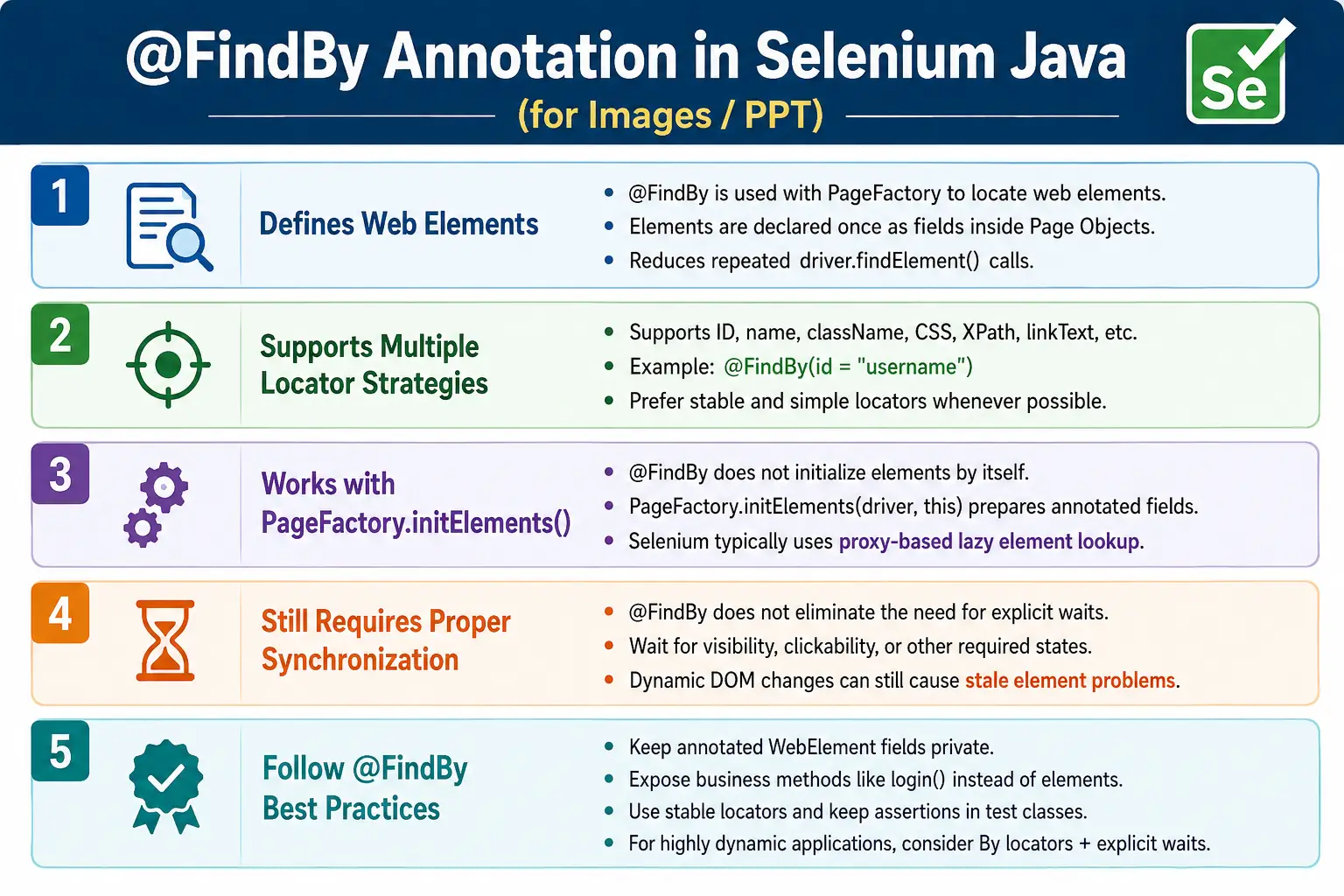
This annotation is closely connected with the PageFactory approach. It improves readability in Page Object classes and reduces visible boilerplate code. At the same time, it is important to understand its limitations. Many modern Selenium frameworks prefer By locators with explicit waits because that approach gives better control over when elements are located, especially on dynamic web applications. Still, @FindBy remains important because many real projects and interview questions use it.
1. What Is @FindBy?
@FindBy is an annotation that tells Selenium how to locate a web element. It is applied to a WebElement field or a List<WebElement> field inside a page object class. Selenium reads the annotation when PageFactory.initElements() is called.
@FindBy(id = "username")
private WebElement username;
This annotated field represents the element that would otherwise be located using driver.findElement(By.id("username")). The annotation itself does not perform the lookup alone. It works through PageFactory initialization.
2. Why @FindBy Is Needed
Without @FindBy, a page method may repeatedly call driver.findElement(). That is not wrong, but it can make PageFactory-style page classes more verbose. @FindBy allows element definitions to be placed clearly at the top of the page class.
driver.findElement(By.id("username")).sendKeys("admin");
driver.findElement(By.id("password")).sendKeys("admin123");
driver.findElement(By.id("login")).click();
With @FindBy, those elements are declared once, and methods can interact with the fields directly.
username.sendKeys("admin");
password.sendKeys("admin123");
loginButton.click();
This style makes the page class concise. The test class still should not access these elements directly. The page object should expose business methods such as login().
3. How @FindBy Works
The flow begins when a page object is created. The constructor receives the WebDriver and calls PageFactory.initElements(driver, this). Selenium scans the page object, finds fields annotated with @FindBy, creates proxy objects, and connects those proxies with the WebDriver.
@FindBy
  PageFactory.initElements()
    WebElement proxy
      Element lookup
        Browser action
The real element is typically located when the field is used. This lazy behavior is useful, but it does not remove the need for explicit waits or good synchronization.
4. Required Imports
import java.time.Duration;
import java.util.List;

import org.openqa.selenium.WebDriver;
import org.openqa.selenium.WebElement;
import org.openqa.selenium.support.FindBy;
import org.openqa.selenium.support.How;
import org.openqa.selenium.support.PageFactory;
import org.openqa.selenium.support.ui.ExpectedConditions;
import org.openqa.selenium.support.ui.Select;
import org.openqa.selenium.support.ui.WebDriverWait;
The core import is org.openqa.selenium.support.FindBy. PageFactory is required to initialize the annotated fields. Other imports depend on whether the page uses waits, dropdowns, or lists of elements.
5. Basic Example
public class LoginPage {

    private WebDriver driver;

    @FindBy(id = "username")
    private WebElement username;

    @FindBy(id = "password")
    private WebElement password;

    @FindBy(id = "login")
    private WebElement loginButton;

    public LoginPage(WebDriver driver) {
        this.driver = driver;
        PageFactory.initElements(driver, this);
    }
}
This class declares three elements. The constructor initializes them. Without the constructor call to PageFactory, the fields will not be prepared correctly.
6. Using the Elements
public void login(String user, String pass) {
    username.sendKeys(user);
    password.sendKeys(pass);
    loginButton.click();
}
The method is short and readable. It does not show the locator lookup repeatedly. That is the main advantage of the annotation-based PageFactory style.
7. Locating by ID
@FindBy(id = "username")
private WebElement username;
This is equivalent in meaning to locating the element by By.id("username"). ID is usually one of the most stable and preferred locator strategies when the application provides unique IDs.
8. Locating by Name
@FindBy(name = "email")
private WebElement email;
Name locators are common in forms. They are useful when the name attribute is stable and meaningful.
9. Locating by Class Name and Tag Name
@FindBy(className = "login-btn")
private WebElement loginButton;

@FindBy(tagName = "h1")
private WebElement heading;
Class name can be useful, but avoid class names that are used only for styling and change frequently. Tag name is rarely specific enough for a single element but can be useful in simple page state methods or lists.
10. Locating by Link Text
@FindBy(linkText = "Sign In")
private WebElement signInLink;

@FindBy(partialLinkText = "Forgot")
private WebElement forgotPasswordLink;
Link text strategies are readable, but they depend on visible text. If the text changes due to localization, content updates, or design changes, the locator may fail.
11. Locating by CSS Selector
@FindBy(css = "#username")
private WebElement username;

@FindBy(css = ".login-btn")
private WebElement loginButton;

@FindBy(css = "input[type='password']")
private WebElement password;
CSS selectors are widely used because they are expressive and generally fast. They can target IDs, classes, attributes, hierarchy, and combinations. Prefer simple and stable CSS selectors over long brittle selectors.
12. Locating by XPath
@FindBy(xpath = "//input[@id='username']")
private WebElement username;

@FindBy(xpath = "//button[text()='Login']")
private WebElement loginButton;
XPath is powerful, but use it carefully. It is useful when you need text matching, ancestor navigation, or complex relationships. Avoid long absolute XPath expressions because they are fragile when the page layout changes.
13. Using How
@FindBy also supports the How enum style. It is less common in modern code but appears in older frameworks.
@FindBy(how = How.ID, using = "username")
private WebElement username;

@FindBy(how = How.CSS, using = ".search-box")
private WebElement searchBox;
This style is equivalent to direct annotation attributes. Most teams prefer the shorter form because it is easier to read.
14. Using @FindBy with Lists
@FindBy can locate multiple matching elements by using List<WebElement>. This is useful for menus, links, table rows, product cards, search results, and repeated UI items.
@FindBy(tagName = "a")
private List<WebElement> links;

@FindBy(css = ".product")
private List<WebElement> products;
public int getProductCount() {
return products.size();
}Lists on dynamic pages should be handled carefully. If the list changes after filtering or AJAX updates, a fresh lookup using By locators may be safer.
15. Complete Login Page Example
public class LoginPage {

    private WebDriver driver;

    @FindBy(id = "username")
    private WebElement username;

    @FindBy(id = "password")
    private WebElement password;

    @FindBy(id = "loginBtn")
    private WebElement loginButton;

    public LoginPage(WebDriver driver) {
        this.driver = driver;
        PageFactory.initElements(driver, this);
    }

    public DashboardPage login(String user, String pass) {
        username.clear();
        username.sendKeys(user);
        password.clear();
        password.sendKeys(pass);
        loginButton.click();

        return new DashboardPage(driver);
    }
}
This is a typical PageFactory page object. The elements are private, the constructor initializes them, and the public method represents a business action.
16. Test Using the Page Object
@Test
public void verifyLogin() {
    LoginPage page = new LoginPage(driver);

    DashboardPage dashboard =
            page.login("admin", "admin123");

    Assert.assertTrue(
            dashboard.isDashboardDisplayed()
    );
}
The test does not know how the username, password, or button is located. It communicates with the page object through business methods.
17. Combining @FindBy with Explicit Wait
Even with @FindBy, explicit waits are important. PageFactory initializes element proxies, but it does not guarantee that an element is visible, clickable, enabled, or stable at the moment of interaction.
public void clickLogin() {
    WebDriverWait wait =
            new WebDriverWait(driver, Duration.ofSeconds(10));

    wait.until(
            ExpectedConditions.elementToBeClickable(loginButton)
    ).click();
}
This approach is safer than calling loginButton.click() immediately. Use waits based on the action you need to perform.
18. Waiting Before Typing
public void enterUsername(String user) {
    WebDriverWait wait =
            new WebDriverWait(driver, Duration.ofSeconds(10));

    wait.until(
            ExpectedConditions.visibilityOf(username)
    ).sendKeys(user);
}
For text input, visibility is usually a meaningful condition. For buttons, clickability is usually better. For messages, visibility or text presence may be better.
19. Dropdown Example
@FindBy(id = "country")
private WebElement countryDropdown;

public void selectCountry(String country) {
    Select select = new Select(countryDropdown);
    select.selectByVisibleText(country);
}
The annotation locates the dropdown element. Selenium's Select class handles option selection for standard HTML <select> elements.
20. Checkbox Example
@FindBy(id = "agree")
private WebElement agreeCheckbox;

public void acceptTerms() {
    if (!agreeCheckbox.isSelected()) {
        agreeCheckbox.click();
    }
}
The method hides checkbox state handling from the test. The test can simply call registrationPage.acceptTerms().
21. Lazy Initialization
@FindBy fields are usually represented by proxy objects created by PageFactory. The real element is located when it is used. This is called lazy initialization. It can reduce immediate lookup work during page object creation, but it can also confuse beginners because the field appears ready even though lookup may happen later.
Lazy initialization does not remove synchronization problems. If the page is not ready when the field is used, the interaction can still fail. If the DOM changes after an element is resolved, stale element problems can still happen.
22. Common Beginner Mistakes
- Forgetting to call
PageFactory.initElements(). - Using an incorrect locator value in the annotation.
- Making WebElement fields public and using them directly in tests.
- Assuming
@FindByremoves the need for explicit waits. - Putting assertions inside page objects.
- Using brittle XPath expressions when stable IDs or CSS selectors exist.
- Using
@FindBylists on dynamic pages without waiting for list updates. - Mixing PageFactory style and direct locators inconsistently.
23. @FindBy vs driver.findElement
@FindBy is annotation-based and works with PageFactory. driver.findElement() is a direct Selenium lookup that can be used anywhere. The annotation style makes page classes concise. Direct lookup gives full control over when and how lookup happens.
@FindByreduces visible boilerplate in PageFactory classes.driver.findElement()can be used without PageFactory.@FindBystores WebElement fields.driver.findElement()performs a direct lookup at the call site.
24. @FindBy vs By Locators
@FindBy stores element definitions as annotations on WebElement fields. By stores locator definitions as objects. With By, a framework can wait and locate the element at the exact moment of interaction.
@FindByrequires PageFactory.Bylocators do not require PageFactory.@FindByis concise for stable pages.Bylocators are often better for dynamic pages.@FindByis common in older PageFactory frameworks.Bylocators are common in many newer Selenium frameworks.
25. Stale Element Concerns
Stale element issues can occur when the DOM changes after an element has been found. PageFactory's proxy behavior can help in some cases, but it does not guarantee that stale elements will never occur. Dynamic applications frequently rebuild elements after AJAX calls, filtering, sorting, and page updates.
If a PageFactory page repeatedly fails with stale element errors, consider improving waits, waiting for the page to stabilize, or refactoring the unstable element to a By-based method that performs a fresh lookup.
26. Frames and @FindBy
@FindBy works in the current WebDriver context. If the element is inside an iframe, the driver must switch to that frame before the element is used. The annotation does not automatically switch frames.
Frame handling should be explicit. The page method or a frame component can switch into the frame, perform the action, and switch back to default content when needed. This keeps frame-related behavior maintainable.
27. Best Practices
- Keep
@FindByfields private. - Initialize elements in the constructor using
PageFactory.initElements(). - Expose business methods instead of exposing WebElement fields.
- Use explicit waits before interacting with dynamic elements.
- Prefer stable locators such as id, name, useful CSS selectors, or test attributes.
- Avoid complex XPath unless it is truly needed.
- Return the next page object when an action navigates to a new page.
- Keep assertions in test classes.
28. Real Project Usage
In PageFactory-based projects, each page object may contain several @FindBy fields and methods that use them. A login page may define username, password, login button, error message, and forgot password link. A product page may define product title, price, size selector, add-to-cart button, and product images.
The important rule is that the page object should expose meaningful methods. Tests should not know whether the page uses @FindBy, By, CSS selectors, XPath, or another lookup strategy. That implementation detail belongs inside the page object.
29. When to Use @FindBy
Use @FindBy when maintaining a PageFactory-based framework, when the team already follows this pattern consistently, and when the page elements are stable enough for this style. It is especially common in legacy Selenium Java projects and interview examples.
For a brand-new framework, evaluate the application behavior before choosing PageFactory. If the application is highly dynamic, By locators with explicit waits may be easier to maintain.
30. When to Avoid @FindBy
Avoid @FindBy if the team needs precise control over lookup timing, if stale elements are common, or if the page frequently re-renders elements. Also avoid it if developers and testers do not understand PageFactory initialization and proxy behavior. A simpler locator-based page object may be clearer.
31. Locator Quality with @FindBy
The quality of @FindBy depends heavily on the quality of the locator used inside the annotation. A clean annotation with a poor locator is still a poor automation design. Prefer locators that describe stable application structure rather than temporary styling. IDs, names, meaningful CSS selectors, and test-specific attributes are usually better than long absolute XPath expressions.
For example, @FindBy(id = "loginBtn") is usually more maintainable than a long XPath that depends on five parent containers. A selector based on a stable attribute such as data-testid is often stronger than a selector based on CSS classes generated by a frontend framework. The annotation is only a wrapper around a locator strategy; it cannot make a weak locator strong.
Teams should review @FindBy fields during code review. If a locator is fragile, the page object may work today and fail tomorrow. Good automation code is not only about passing the current run; it is about surviving normal UI changes.
32. Naming @FindBy Fields
Field names should describe the element's purpose. Names such as username, password, loginButton, errorMessage, and countryDropdown are clear. Names such as element1, btn, txt, or x make the page object harder to understand.
Good names make page methods easier to read. A method that calls loginButton.click() is understandable. A method that calls btn1.click() forces the reader to inspect the annotation. Page objects are read often during maintenance, so naming matters.
33. @FindBy and Encapsulation
Even though @FindBy creates convenient WebElement fields, those fields should not be exposed publicly. Public fields allow test classes to bypass page methods and interact directly with elements. That breaks the Page Object Model boundary.
// Avoid this
@FindBy(id = "username")
public WebElement username;
// Prefer this
@FindBy(id = "username")
private WebElement username;The page object should provide methods such as enterUsername() or login(). This keeps the page object responsible for how the element is used.
34. @FindBy and Page Navigation
When an action moves the user to another page, the method can return the next page object. This creates a readable representation of application navigation. For example, successful login can return DashboardPage. Clicking checkout can return CheckoutPage.
public DashboardPage login(String user, String pass) {
    username.sendKeys(user);
    password.sendKeys(pass);
    loginButton.click();

    return new DashboardPage(driver);
}
This pattern keeps page transitions clear. It also prevents test classes from manually creating the next page object without showing which action caused the navigation.
35. @FindBy with BasePage
PageFactory frameworks often use a BasePage class. The base class stores WebDriver, initializes PageFactory, and may provide reusable wait helpers. Page classes extend the base class and focus on page-specific fields and methods.
public class BasePage {

    protected WebDriver driver;
    protected WebDriverWait wait;

    public BasePage(WebDriver driver) {
        this.driver = driver;
        this.wait = new WebDriverWait(
                driver,
                Duration.ofSeconds(10)
        );
        PageFactory.initElements(driver, this);
    }
}
This reduces repeated constructor code. However, the team must understand that child page elements are initialized through the base constructor. Keep BasePage focused on common page behavior, not test data, reporting, or browser setup.
36. Troubleshooting @FindBy Issues
If an annotated element fails, troubleshoot the failure type. A NullPointerException often means PageFactory was not initialized or the page object was not constructed correctly. A NoSuchElementException usually means the locator is wrong, the page is not loaded, the element is inside a frame, or the application state is different from expected.
An ElementNotInteractableException means the element may exist but is not ready for action. Use explicit waits for visibility or clickability. A StaleElementReferenceException suggests the DOM changed after the element was resolved. In that case, check whether the page re-renders and whether a By-based fresh lookup would be more reliable.
Do not fix every issue by adding sleeps. Fixed waits slow the suite and often hide the real issue. Diagnose whether the problem is locator quality, page timing, frame context, DOM refresh, or application behavior.
37. @FindBy and Dynamic Lists
Lists declared with @FindBy are useful but need careful handling. A list of search results may be empty at first and populated later. A product list may update after filters are applied. A table may refresh after sorting. If the framework reads the list before the UI update completes, the result can be wrong or unstable.
For dynamic lists, wait for a meaningful condition before reading the list. For example, wait until the list size is greater than zero, wait until a loading spinner disappears, or wait until a known result text appears. If the list changes frequently, a method that uses a By locator to re-query the DOM may be more predictable.
38. @FindBy and Parallel Execution
@FindBy can work with parallel execution when page objects are created per test thread and each page object uses the correct driver instance. Problems happen when page objects, WebElements, or drivers are stored in static fields and shared across threads.
In a parallel-safe framework, each test creates its own page objects using its own driver. If the framework uses ThreadLocal<WebDriver>, resolve the driver for the current thread and pass it into the page constructor. Avoid sharing annotated element fields across tests.
39. Maintaining Legacy @FindBy Frameworks
Many real projects already use PageFactory and @FindBy. The goal in such projects is not always to rewrite everything immediately. First, stabilize the existing framework. Add explicit waits where needed, improve weak locators, keep fields private, and prevent tests from accessing WebElements directly.
If certain pages remain unstable because they re-render frequently, migrate those pages gradually to By locators. The public page methods can remain the same, so test classes do not need to change. This protects the test suite while improving reliability internally.
40. Code Review Checklist
- Is
PageFactory.initElements()called for the page object? - Are
@FindByfields private? - Are locator values stable and readable?
- Are public methods business-oriented?
- Are explicit waits used for dynamic elements?
- Are assertions kept in test classes?
- Are lists handled with proper synchronization?
- Are frame or shadow DOM limitations considered?
- Is the page object safe for parallel execution?
41. Practical Decision Guide
Use @FindBy when the project already uses PageFactory, when the page is stable, and when the team understands PageFactory behavior. Prefer By locators when the application is highly dynamic, stale element problems are common, or precise lookup timing is required.
The best engineering decision is not based on fashion. It is based on application behavior, team experience, maintainability, and failure patterns. A stable PageFactory framework can be perfectly acceptable. A new dynamic framework may benefit more from By locators and explicit wait utilities.
42. Advanced Locator Guidance
When using @FindBy, avoid treating all locator strategies as equal. A page object should prefer locators that represent stable application identity. For example, a login button with a stable id or test-specific attribute is usually better than a selector based on layout position. A locator such as //div[3]/button[2] may pass today but fail when the page layout changes.
CSS selectors are often a good balance of readability and power. XPath is useful for text-based relationships and parent-child navigation, but it should not be the default for every element. If the application team can add stable attributes such as data-testid, data-test, or data-qa, those attributes can make automation more reliable. The annotation can then use a CSS selector such as [data-testid='login-button'].
Good locator design is a collaboration point between testers and developers. Automation becomes more stable when the UI provides reliable hooks. @FindBy makes those hooks easy to declare, but the quality still depends on the underlying HTML.
43. @FindBy and Page Readiness
A common mistake is assuming that a page object is ready just because it has been constructed. Creating new LoginPage(driver) and calling PageFactory.initElements() does not prove that the login page has fully loaded. It only prepares element proxies. The page object may still need a readiness check.
public boolean isLoginPageDisplayed() {
    return loginButton.isDisplayed();
}
In stronger frameworks, a page constructor or page method may wait for a key element that proves the page is ready. This must be used carefully because constructors that wait too much can slow down tests. A clean alternative is to expose a method such as waitForLoginPage() and call it when the workflow needs it.
44. @FindBy and Test Readability
The purpose of @FindBy is not only shorter code. Its real value comes when it supports readable page methods. A test should not read like a technical list of element actions. It should read like a user scenario. The annotated elements should remain hidden behind methods that describe what the user does.
loginPage.login("admin", "admin123");
dashboardPage.openReports();
reportsPage.filterByStatus("Completed");
This style is easier to understand than a test containing many direct element interactions. If tests still access annotated WebElements directly, the framework is not getting the full benefit of Page Object Model.
45. Refactoring from Direct Selenium to @FindBy
When refactoring old Selenium tests into PageFactory style, start with repeated flows. Login is usually the first candidate. Move locators into a page class, annotate them with @FindBy, initialize the page with PageFactory, and create a business method. Then update tests to call that method.
Do not refactor every page at once. Convert one page, run tests, review naming, and confirm the team agrees on the pattern. Then continue page by page. This reduces risk and avoids inconsistent page classes.
46. Refactoring from @FindBy to By
Some teams move in the opposite direction. They start with PageFactory and later migrate unstable pages to By locators. The best migration keeps public page methods unchanged. For example, loginPage.login() should remain the same for tests while the internal element lookup changes.
This is a sign of good abstraction. Tests should not care whether the page object uses @FindBy or By internally. They should care only that the page method performs the expected business action.
47. Practical Maintenance Rules
- Review annotated locators whenever the UI changes.
- Remove unused
@FindByfields from page classes. - Keep field names aligned with business meaning.
- Do not add annotations for elements that tests never use.
- Prefer page methods over direct element exposure.
- Track recurring stale element failures and refactor unstable areas.
- Keep PageFactory and non-PageFactory styles consistent within each page.
48. Real-World Summary
In real projects, @FindBy is neither magic nor obsolete knowledge. It is a practical Selenium feature that many frameworks still use. It can make page classes clean when used with discipline. It can also create confusion when teams forget initialization, skip waits, expose public elements, or use brittle locators.
The strongest automation engineers understand both styles: PageFactory with @FindBy and modern POM using By locators. That flexibility matters because different projects have different histories, UI behavior, and maintenance needs.
49. Interview Perspective
A short interview answer is: @FindBy is a Selenium annotation used with PageFactory to locate web elements. It replaces repeated driver.findElement() calls by initializing elements through annotations.
A stronger real-time answer is: in PageFactory-based Selenium frameworks, I use @FindBy to define page elements once inside page objects. After initializing them with PageFactory.initElements(), I interact with those elements through business methods such as login() or search(). For highly dynamic applications, I often prefer By locators with explicit waits because they provide more predictable element lookup and synchronization.
50. Key Takeaway
The @FindBy annotation simplifies PageFactory-based page object implementation. It supports common locator strategies, initializes WebElement fields through PageFactory, and reduces boilerplate code inside page classes.
Use @FindBy with proper encapsulation, explicit waits, stable locators, and clear business methods. Understand that it is not a replacement for good synchronization or good framework design. Many modern frameworks prefer By locators, but knowing @FindBy remains valuable because it is widely used in existing Selenium automation projects.
In practice, treat @FindBy as one implementation choice within the Page Object Model. Use it where it improves readability and maintainability, but choose a different locator strategy when the application demands more precise control and long-term stability.