Size & Range of Data Types in Java
In Java programming, knowing the names of data types is only the beginning. A developer must also understand how much memory each type uses, what values it can safely store, and what happens when a value crosses its allowed limit. These ideas are known as the size and range of data types. They directly affect memory usage, calculation accuracy, overflow behavior, performance, and the reliability of real-world Java applications.
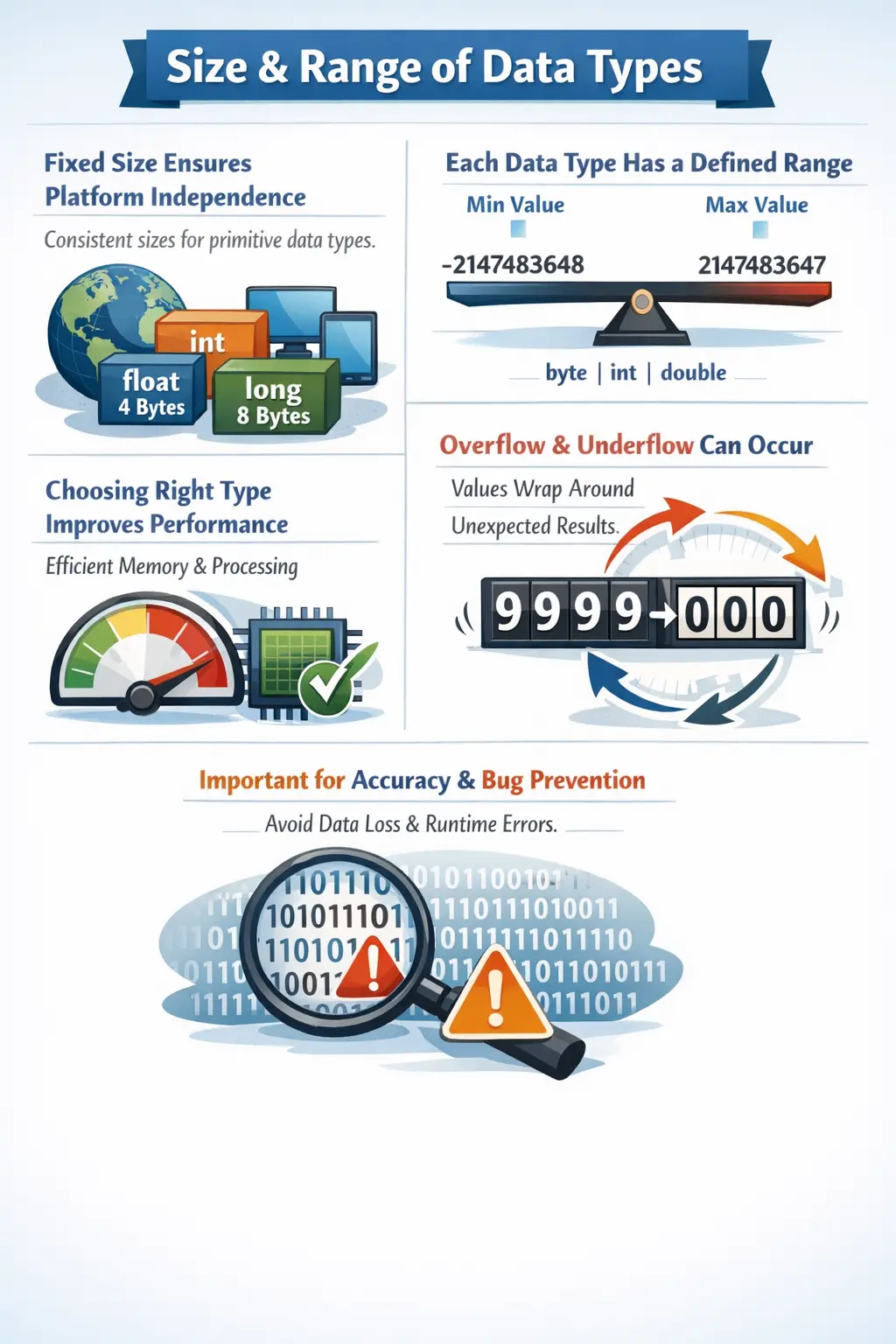
Java defines fixed sizes for its primitive data types. This is a major design feature because it supports platform independence. In some languages, the size of a data type may vary depending on the compiler, processor, or operating system. Java avoids that uncertainty for primitive types. An int is always 32 bits, a long is always 64 bits, a char is always 16 bits, and so on. This consistency helps Java programs behave predictably across Windows, Linux, macOS, servers, laptops, and cloud environments.
The size and range of data types answer a practical question: how much data can a variable safely hold? If a value is too large or too small for the selected type, the program may fail to compile, lose precision, or produce unexpected runtime results. For this reason, data type selection is not just a syntax decision. It is a correctness decision.
Understanding size and range also helps in interviews. Java interviewers often ask about the size of int, the range of byte, the difference between float and double, why char uses 2 bytes, and what happens during overflow. These questions are simple on the surface, but they test whether the candidate understands how Java stores data internally.
Why Size and Range Matter
Size refers to the amount of memory a data type occupies. Range refers to the minimum and maximum values that can be stored in that type. For example, a byte occupies 1 byte of memory and can store values from -128 to 127. If the program needs to store the value 200, byte is not suitable because 200 is outside its range.
Choosing the right data type helps prevent overflow and underflow. Overflow occurs when a value goes beyond the maximum limit of a type. Underflow occurs when a value goes below the minimum limit. In integer types, this can cause wraparound behavior. In floating-point types, extreme values can lead to infinity, loss of precision, or values too small to represent meaningfully.
Size and range also affect memory efficiency. If a program stores millions of values, using an unnecessarily large type can waste memory. However, using a type that is too small can be dangerous because it may overflow as data grows. Good Java programming balances memory usage with correctness.
Another reason size and range matter is business accuracy. In a banking system, a transaction ID may grow beyond the range of int, so long may be safer. In a scientific application, using float instead of double may introduce unacceptable precision loss. In a file-processing application, byte may be perfect for raw binary data. The correct choice depends on the use case.
Overview of Java Primitive Data Types
Java has eight primitive data types: byte, short, int, long, float, double, char, and boolean. These types are grouped into integer types, floating-point types, character type, and boolean type.
The integer types are byte, short, int, and long. They store whole numbers without decimal points. The floating-point types are float and double. They store decimal values and approximate real numbers. The char type stores a single Unicode character. The boolean type stores logical values: true or false.
Each primitive type has a defined purpose. Smaller integer types save memory but hold smaller ranges. Larger integer types hold larger values but use more memory. Floating-point types handle decimals but have precision limitations. Character values support Unicode. Boolean values control decisions and program flow.
Byte Size and Range
The byte data type is the smallest integer type in Java. It occupies 1 byte, or 8 bits, of memory. Its range is from -128 to 127. This range comes from the fact that Java integer types are signed, meaning they can represent both negative and positive values.
byte min = Byte.MIN_VALUE;
byte max = Byte.MAX_VALUE;

System.out.println(min); // -128
System.out.println(max); // 127
The wrapper class Byte provides constants such as MIN_VALUE and MAX_VALUE. These constants are useful when you want to check the exact range without memorizing values. They also make code clearer when demonstrating limits.
The byte type is useful when memory efficiency is important. It is commonly used for binary data, file handling, network streams, image processing, and large arrays of small values. However, because the range is very limited, it is rarely used for general business calculations.
A major risk with byte is overflow. If a byte variable contains 127 and is incremented, it wraps around to -128. Java does not throw an exception for this overflow.
byte value = 127;
value++;
System.out.println(value); // -128
This behavior is important because the program compiles and runs, but the result may be unexpected. If a business calculation depends on a small type and the value grows beyond its range, the output can become incorrect without an obvious error message.
Short Size and Range
The short data type occupies 2 bytes, or 16 bits, of memory. Its range is from -32,768 to 32,767. It provides a larger range than byte while still using less memory than int.
System.out.println(Short.MIN_VALUE); // -32768
System.out.println(Short.MAX_VALUE); // 32767
The short type is useful when storing large collections of values that are known to stay within a small range. For example, it may be used in memory-sensitive systems, embedded-style processing, or compact data formats. However, in most modern application code, developers prefer int for simplicity.
One reason short is less common is that Java promotes smaller integer types to int during many arithmetic operations. This means calculations involving short often produce an int result, requiring explicit casting if you want to store the result back into a short.
short a = 10;
short b = 20;
// short c = a + b; // compilation error
short c = (short) (a + b);
This promotion behavior surprises beginners. Even though both operands are short, the expression a + b is evaluated as an int. Understanding this helps avoid confusion when working with smaller numeric types.
Int Size and Range
The int data type is the most commonly used integer type in Java. It occupies 4 bytes, or 32 bits, of memory. Its range is from -2,147,483,648 to 2,147,483,647. This range is large enough for most counters, indexes, quantities, scores, ages, totals, and general-purpose whole-number calculations.
System.out.println(Integer.MIN_VALUE); // -2147483648
System.out.println(Integer.MAX_VALUE); // 2147483647
The int type is also the default type for integer literals. When you write a whole number such as 100, Java treats it as an int unless the context or suffix indicates otherwise. This is one reason int appears so frequently in Java programs.
int count = 100;
int population = 1_000_000;
Underscores can be used in numeric literals to improve readability. The compiler ignores them. This is useful for large values because 1_000_000 is easier to read than 1000000. The underscores do not affect the value or type.
Although int has a large range, it can still overflow. If an int reaches Integer.MAX_VALUE and is incremented, it wraps around to Integer.MIN_VALUE. This can cause serious bugs when values grow unexpectedly.
int max = Integer.MAX_VALUE;
System.out.println(max + 1); // -2147483648
This is why long should be used when values may exceed the int range. Transaction IDs, timestamps, file sizes, and large counts often require long instead of int.
Long Size and Range
The long data type occupies 8 bytes, or 64 bits, of memory. Its range is from -9,223,372,036,854,775,808 to 9,223,372,036,854,775,807. This enormous range makes it suitable for very large whole-number values.
System.out.println(Long.MIN_VALUE);
System.out.println(Long.MAX_VALUE);
When writing a long literal, the value should end with L. The uppercase L is preferred because lowercase l can be confused with the digit 1. Without the suffix, Java first treats a whole-number literal as an int, which can cause a compilation error if the value is too large.
long transactionId = 9876543210L;
long timestamp = 1720000000000L;
The long type is commonly used for timestamps, large identifiers, file sizes, database IDs, counters in high-volume systems, and values that can grow over time. If there is any realistic chance that a value may exceed int range, long is often the safer choice.
However, long uses more memory than int. In normal business code this may not matter much, but in very large arrays or memory-sensitive systems, the difference can be significant. Choosing between int and long should be based on expected range and scale.
Float Size, Range, and Precision
The float data type occupies 4 bytes, or 32 bits, of memory. It stores decimal values and provides approximately 6 to 7 decimal digits of precision. Its range is approximately ±3.4 × 1038, but range and precision are not the same thing. A float can represent very large or very small values, but not always with many exact digits.
System.out.println(Float.MIN_VALUE);
System.out.println(Float.MAX_VALUE);
Decimal literals are treated as double by default in Java. To assign a decimal literal to a float, you must use the f or F suffix.
float price = 99.99f;
float temperature = 36.6F;
The float type is useful when memory usage matters and moderate precision is acceptable. It may be used in graphics, game development, sensor values, scientific approximations, and large arrays of decimal values. For general decimal calculations, however, double is usually preferred.
Developers must remember that float is approximate. It should not be used for exact financial calculations where every decimal digit matters. If exact decimal arithmetic is required, BigDecimal is usually more appropriate.
Double Size, Range, and Precision
The double data type occupies 8 bytes, or 64 bits, of memory. It provides approximately 15 decimal digits of precision and has a range of approximately ±1.7 × 10308. It is the default decimal type in Java and is widely used for general decimal calculations.
System.out.println(Double.MIN_VALUE);
System.out.println(Double.MAX_VALUE);
Because decimal literals are double by default, no suffix is required when assigning ordinary decimal values to a double.
double average = 85.75;
double pi = 3.141592653589793;
The double type is more precise than float, but it is still a binary floating-point type. Some decimal values cannot be represented exactly in binary. This can produce results that look surprising.
double a = 0.1;
double b = 0.2;
System.out.println(a + b); // 0.30000000000000004
This does not mean Java is wrong. It means binary floating-point arithmetic is approximate for many decimal fractions. For money and exact decimal calculations, use BigDecimal instead of relying on float or double.
Char Size and Range
The char data type occupies 2 bytes, or 16 bits, of memory. It stores a single Unicode character. Its range is from \u0000 to \uffff, which corresponds to numeric values from 0 to 65,535.
char grade = 'A';
char digit = '7';
char symbol = '#';
Java uses Unicode instead of only ASCII, which allows it to represent characters from many languages and symbol systems. This supports Java’s platform-independent and international design. A char can store letters, digits, symbols, punctuation, and many non-English characters.
Although char stores a character, it can also behave numerically because characters have Unicode code values. For example, the character 'A' has a numeric Unicode value of 65.
char ch = 'A';
System.out.println((int) ch); // 65
This is useful in some character-processing logic, but beginners should be careful not to confuse a character digit such as '5' with the numeric value 5. They are different values with different meanings.
Boolean Size and Range
The boolean data type represents logical values. It can hold only two values: true or false. Unlike the numeric types, Java does not define an exact public memory size for boolean in the language specification. Its actual storage may depend on the JVM implementation.
boolean isLoggedIn = true;
boolean hasPermission = false;
Conceptually, a boolean represents one of two states. It is used in conditions, loops, validation logic, feature flags, permissions, and decision-making. Even though people often say a boolean needs one bit logically, developers should avoid claiming that Java boolean always occupies exactly one bit or one byte. The specification leaves implementation details to the JVM.
Java also does not allow integers to be used as booleans. The values 0 and 1 are not substitutes for false and true. A condition must evaluate to a boolean expression.
if (isLoggedIn) {
    System.out.println("User is logged in");
}
Summary Table of Size and Range
The main primitive type sizes can be summarized clearly. byte uses 1 byte and ranges from -128 to 127. short uses 2 bytes and ranges from -32,768 to 32,767. int uses 4 bytes and ranges from about -2.1 billion to +2.1 billion. long uses 8 bytes and supports very large whole numbers.
For decimal values, float uses 4 bytes and provides about 7 digits of precision. double uses 8 bytes and provides about 15 digits of precision. For characters, char uses 2 bytes and supports Unicode values from 0 to 65,535. For logical values, boolean stores true or false, but the exact JVM memory size is not fixed by the language specification.
This summary helps with quick revision, but it is more important to understand how the values are used. Memorizing ranges is useful for interviews, but applying them correctly is what matters in real programming.
Overflow and Underflow
Overflow happens when a value exceeds the maximum limit of a type. Underflow happens when a value goes below the minimum limit. For integer types, Java wraps around rather than throwing an exception. This can create unexpected values.
int max = Integer.MAX_VALUE;
int result = max + 1;
System.out.println(result); // -2147483648
This result occurs because the value wraps from the maximum positive int to the minimum negative int. If this happens in a financial, inventory, or counter-based system, the consequences can be serious. The program may continue running with incorrect data.
Underflow follows the same wraparound idea in the opposite direction for integer values.
int min = Integer.MIN_VALUE;
System.out.println(min - 1); // 2147483647
To avoid overflow bugs, choose a type with enough range, validate input values, use helper methods when needed, and consider classes such as BigInteger for extremely large whole-number calculations.
Default Values and Initialization
Primitive fields receive default values in Java. Instance variables and static variables of integer types default to 0. Floating-point types default to 0.0. char defaults to '\u0000'. boolean defaults to false.
class Defaults {
    int count;        // 0
    double amount;    // 0.0
    char grade;       // '\u0000'
    boolean active;   // false
}
Local variables are different. A local variable declared inside a method does not receive a default value. It must be initialized before use. If you try to use it without initialization, the compiler reports an error.
void printNumber() {
    int number;
    // System.out.println(number); // compilation error
}
This rule is frequently tested in interviews. The correct explanation is that fields get default values, but local variables must be explicitly initialized.
Memory Efficiency and Performance
Choosing the correct data type can improve memory efficiency. If a program stores a huge array of small numbers, using byte instead of int may save memory. However, using smaller types everywhere does not automatically make code better. Smaller types can introduce range problems and extra casting in arithmetic expressions.
In everyday Java programming, int is usually the best default for whole numbers. It is efficient, readable, and large enough for most purposes. long should be used when values can become very large. For decimal values, double is usually preferred over float because it provides better precision.
Performance must always be balanced with correctness. Saving a few bytes is not useful if the selected type can overflow or lose precision. Good data type selection considers expected values, future growth, calculation behavior, and readability.
Real-World Scenarios
In a banking system, transaction IDs may grow into very large numbers. If a developer stores them in int, the system may eventually reach the maximum range and fail or produce incorrect values. A long is safer for such identifiers.
In a scientific application, decimal precision matters. Using float may be acceptable for approximate measurements, but double is better when higher precision is needed. For exact decimal business values, such as currency, BigDecimal is often the correct choice.
In file processing, bytes are important because files and streams often work with raw binary data. A byte array can efficiently represent file content, network packets, or encoded data. In this case, the small range of byte is not a weakness because the task itself is byte-oriented.
In user interface logic or business rule validation, boolean values are common. Flags such as isActive, hasPermission, isEligible, and isCompleted make conditional logic readable and expressive.
Common Beginner Mistakes
One common mistake is using byte or short unnecessarily. Beginners sometimes think smaller types are always better, but in normal calculations they may complicate code without meaningful benefit. int is usually simpler and safer for ordinary whole numbers.
Another mistake is forgetting the L suffix for large long literals. If a number exceeds the int range and has no suffix, Java may reject it before assigning it to the long variable.
A third mistake is forgetting the f suffix for float values. Decimal literals are double by default, so assigning them directly to float without suffix or cast causes a compilation error.
A fourth mistake is assuming that boolean has a fixed memory size defined by Java. The logical values are only true and false, but the exact storage is JVM-dependent.
A fifth mistake is ignoring overflow. Integer overflow does not always produce a compile-time or runtime error. It can silently wrap around, so developers must choose types carefully and validate critical calculations.
Best Practices
Use int as the default integer type unless there is a specific reason to use byte, short, or long. The int type provides a strong balance of range, performance, and readability.
Use long for values that can exceed the int range, such as timestamps, large IDs, file sizes, and high-volume counters. Always use the uppercase L suffix when writing long literals that need it.
Use double as the default decimal type when approximate decimal arithmetic is acceptable. Use float only when memory constraints, APIs, or specific use cases require it. Use BigDecimal for exact decimal calculations, especially money.
Use wrapper constants such as Integer.MAX_VALUE, Long.MIN_VALUE, Float.MAX_VALUE, and Double.MAX_VALUE when demonstrating or checking limits. These constants are clearer and safer than hard-coding large boundary values manually.
Initialize variables clearly and do not rely on assumptions. Fields have default values, but local variables must be initialized. Explicit initialization often improves readability even when defaults exist.
Interview Perspective
In interviews, a short answer is that Java primitive data types have fixed sizes and ranges to ensure platform-independent behavior. For example, byte is 1 byte, short is 2 bytes, int is 4 bytes, long is 8 bytes, float is 4 bytes, double is 8 bytes, and char is 2 bytes.
A stronger answer adds that boolean does not have a fixed size defined by the Java specification. It represents true or false, but exact storage depends on the JVM. This distinction shows deeper understanding.
Interviewers may also ask about overflow. A good explanation is that integer overflow wraps around without throwing an exception. For example, Integer.MAX_VALUE + 1 becomes Integer.MIN_VALUE. This is why developers must choose suitable types and handle boundary conditions carefully.
Another common interview point is the difference between float and double. float uses 4 bytes and has lower precision, while double uses 8 bytes and has higher precision. Decimal literals are double by default, so float literals need an f suffix.
Key Takeaway
The size and range of data types are fundamental Java concepts. They explain how much memory a type uses, what values it can hold, and what risks exist when values exceed limits. Java’s fixed primitive sizes support predictable, platform-independent behavior.
Choosing the right type improves correctness, memory usage, and performance. Use int for most whole numbers, long for very large whole numbers, double for most decimal calculations, char for single Unicode characters, and boolean for logical decisions.
The golden rule is simple: select a data type based on the real range and precision your program needs. A type that is too small can overflow, a type that is too imprecise can produce inaccurate results, and a type that is unnecessarily large can waste memory at scale. Mastering size and range helps Java developers write programs that are efficient, predictable, and reliable.