Relational Operators in Java for Comparison, Logic, and Real-World Usage
In any programming language, the ability to make decisions is what transforms simple code into meaningful, intelligent behavior. In Java, this decision-making capability is primarily driven by relational operators. These operators allow programs to compare values and determine outcomes, forming the foundation of conditions, loops, validations, and business logic.
Whether you are validating user input, checking eligibility criteria, filtering data, or controlling execution flow, relational operators are used extensively. Despite their simplicity, they are a frequent source of subtle bugs—especially when dealing with object comparison, floating-point precision, and type compatibility.
This article provides a comprehensive, real-world understanding of relational operators in Java, focusing not only on syntax but also on behavior, pitfalls, and best practices.
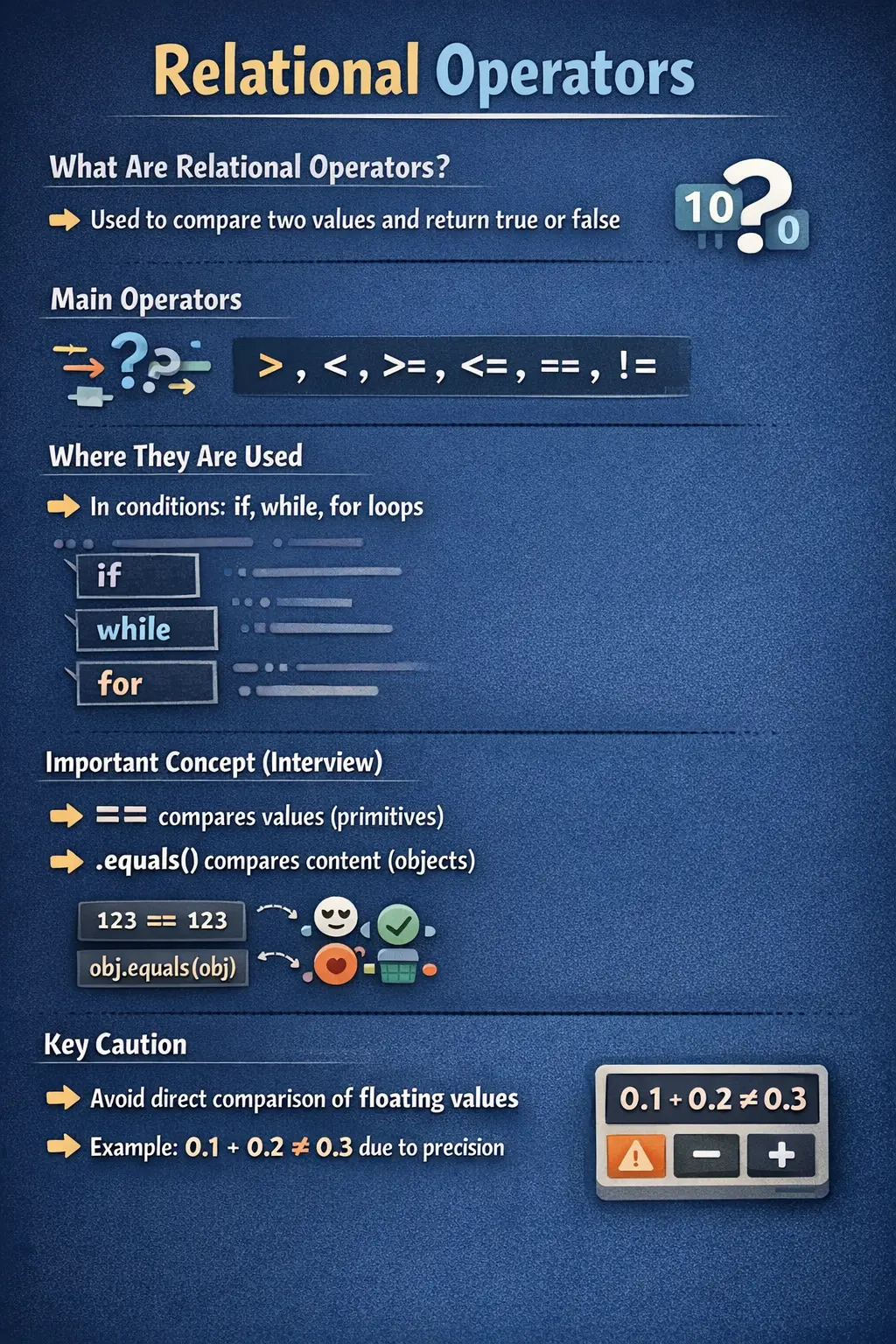
What Are Relational Operators?
Relational operators in Java are used to compare two operands and return a boolean result—either true or false. This boolean outcome is then used to control program flow in constructs such as if, while, for, and conditional expressions.
At a conceptual level, relational operators answer the question:
“How do two values relate to each other?”
These operators are fundamental because they act as the decision engine of a program. Without them, it would be impossible to implement conditional logic or dynamic behavior.
Relational operators work primarily with:
- Numeric data types (int, double, etc.)
- char values (since they are numeric internally)
However, their behavior changes significantly when used with objects, which is where many developers make mistakes.
List of Relational Operators in Java
Java provides six relational operators:
- Greater than (>)
- Less than (<)
- Greater than or equal to (>=)
- Less than or equal to (<=)
- Equal to (==)
- Not equal to (!=)
Each operator serves a specific purpose, but they all share a common characteristic: they return a boolean value.
Greater Than (>) – Checking Dominance
The greater-than operator checks whether the left operand is greater than the right operand.
int a = 10;
int b = 5;
System.out.println(a > b);  // true
This operator is commonly used in scenarios such as:
- Threshold validation (e.g., salary > minimum requirement)
- Performance checks (e.g., score > passing marks)
- Loop conditions
Its behavior is straightforward, but its importance lies in how frequently it is used in real-world logic.
Less Than (<) – Validating Limits
The less-than operator checks whether the left operand is smaller than the right operand.
int x = 5;
int y = 10;
System.out.println(x < y);  // true
This operator is often used in:
- Boundary validations
- Loop conditions
- Range checks
For example, ensuring that a value does not exceed a certain limit is a common use case.
Greater Than or Equal To (>=) – Inclusive Conditions
The greater-than-or-equal-to operator extends the comparison to include equality.
int score = 60;
System.out.println(score >= 60); // true
This operator is particularly useful in:
- Eligibility criteria (e.g., score ≥ passing marks)
- Threshold-based conditions
- Business rules that include boundary values
Including equality makes conditions more robust and realistic.
Less Than or Equal To (<=) – Inclusive Upper Bounds
The less-than-or-equal-to operator checks whether a value is less than or equal to another.
int age = 18;
System.out.println(age <= 18); // true
This operator is commonly used in:
- Age validations
- Range checks
- Limiting conditions
It ensures that boundary values are handled correctly, which is critical in real-world applications.
Equal To (==) – The Most Misunderstood Operator
The equality operator (==) is one of the most frequently used—and most misunderstood—operators in Java.
With Primitive Data Types
When used with primitives, == compares actual values.
int a = 10;
int b = 10;
System.out.println(a == b); // true
This behavior is intuitive and straightforward.
With Reference Data Types
When used with objects, == compares memory references, not actual content.
String s1 = new String("Java");
String s2 = new String("Java");

System.out.println(s1 == s2);      // false
System.out.println(s1.equals(s2)); // true
This distinction is critical:
- == → compares memory addresses
- .equals() → compares content
Failing to understand this difference leads to serious logical bugs, especially in real-world applications involving strings, collections, or custom objects.
Not Equal To (!=) – Detecting Differences
The not-equal operator checks whether two values are different.
int x = 10;
int y = 20;
System.out.println(x != y); // true
This operator is widely used in:
- Validation logic
- Loop conditions
- Change detection
It is particularly useful when checking for mismatches or inconsistencies.
Type Compatibility Rules
Relational operators in Java follow strict type compatibility rules.
They can be used with:
- Numeric types
- char values
However, they cannot be used with boolean values.
boolean a = true;
boolean b = false;

// a > b ❌ invalid
This restriction exists because boolean values represent logical states, not numeric quantities.
Relational Operators with char
In Java, char values are internally represented as integers based on Unicode values. This allows relational operators to be used with characters.
char c1 = 'A';  // 65
char c2 = 'B';  // 66

System.out.println(c1 < c2); // true
This behavior is important in scenarios involving:
- Character sorting
- Encoding comparisons
- Lexical ordering
Floating-Point Comparison – A Critical Pitfall
One of the most important edge cases in relational operations involves floating-point numbers.
double x = 0.1 + 0.2;
System.out.println(x == 0.3); // false
This occurs due to precision limitations in floating-point representation. Values like 0.1 and 0.2 cannot be represented exactly in binary, leading to slight inaccuracies.
Best Practice
Instead of direct comparison, use a tolerance-based approach:
Math.abs(x - 0.3) < 0.0001
This ensures reliable comparisons in real-world applications such as financial calculations and scientific computations.
Best Practices for Object Comparison
When working with objects, always follow this rule:
- Use == for primitives
- Use .equals() for objects
Integer a = 100;
Integer b = 100;

System.out.println(a.equals(b)); // true
This ensures that comparisons are based on actual values rather than memory references.
Relational Operators in Control Flow
Relational operators are the backbone of control flow statements.
Example with if
if (score >= 50) {
    System.out.println("Pass");
}
Example with loop
for (int i = 0; i < 5; i++) {
    System.out.println(i);
}
In both cases, relational operators determine whether execution continues or stops.
Common Beginner Mistakes
Despite their simplicity, relational operators often lead to common mistakes.
One major mistake is using == instead of .equals() for object comparison. This leads to incorrect results because references are compared instead of values.
Another common issue is directly comparing floating-point numbers, which can produce unexpected results due to precision errors.
Beginners also attempt to use relational operators with boolean values, which is not allowed in Java.
Confusion between assignment (=) and equality (==) is another frequent problem, often leading to logical errors.
Interview Perspective
Relational operators are a core interview topic, but questions usually focus on edge cases rather than basic definitions.
Typical interview questions include:
- Difference between == and .equals()
- Floating-point comparison issues
- Behavior with objects vs primitives
- Type compatibility rules
A strong answer should demonstrate not just knowledge of operators but also understanding of real-world implications.
Key Takeaway
Relational operators are fundamental to Java programming because they drive decision-making and control flow. While they appear simple, their behavior varies depending on data types, object references, and precision considerations.
Understanding the difference between value comparison and reference comparison, handling floating-point precision correctly, and applying relational operators in the right context are essential skills for writing reliable and bug-free programs.
At a deeper level, relational operators are not just about comparison—they are about enabling logic, controlling execution, and ensuring that programs behave correctly under all conditions.
How Relational Operators Drive Decision-Making
Relational operators are closely connected to decision-making because every comparison produces a boolean result. That result becomes the basis for choosing one execution path over another. When an if statement checks whether a score is greater than a pass mark, when a while loop continues until a counter reaches a limit, or when a validation rule rejects an invalid age, relational operators are quietly controlling program behavior.
This makes relational operators different from arithmetic operators. Arithmetic operators calculate values, while relational operators judge relationships between values. A calculation such as total + tax produces another number. A comparison such as total > limit produces a decision. That decision may allow a payment, stop a loop, display an error, enable a button, or trigger a business workflow. In real applications, comparisons often represent business rules.
Because relational operators sit at the boundary between data and behavior, small mistakes can have large effects. A wrong comparison operator can approve an ineligible user, reject a valid transaction, run a loop too many times, or skip an important validation. Understanding relational operators is therefore not just about syntax. It is about writing conditions that accurately express the intended rule.
Boolean Results and Control Flow
Every relational expression in Java returns either true or false. This boolean result is the only kind of result that can directly control statements such as if, while, and the condition part of a for loop. For example, age >= 18 is not just a comparison; it is a yes-or-no answer that the program can act upon.
This boolean nature is why relational operators are often combined with logical operators. A real business condition may require more than one comparison. A loan applicant may need income greater than a threshold and credit score above a required value. A discount may apply only when purchase amount is high enough or the customer belongs to a special category. Relational operators create the individual comparisons, while logical operators combine them into complete rules.
Good condition design requires clarity. A condition should be readable enough that another developer can understand the rule without mentally untangling confusing symbols. Expressions such as score >= passMark and quantity <= availableStock communicate intent clearly. If a condition becomes too long, it is often better to split it into named boolean variables such as isEligibleAge, hasRequiredIncome, or isWithinLimit.
Boundary Conditions and Inclusive Comparisons
Many relational bugs occur at boundaries. A boundary is the exact point where behavior changes. For example, if a student passes at 35 marks, then 34 should fail and 35 should pass. If a user must be at least 18 years old, then 17 should fail and 18 should pass. These rules depend on choosing the correct operator. Using > instead of >= changes the business behavior.
Inclusive operators such as >= and <= are essential when boundary values are allowed. Exclusive operators such as > and < are correct when the boundary itself is not allowed. This distinction appears in age checks, price ranges, password length validation, account limits, date ranges, score thresholds, and stock availability logic. A single missing equality sign can create an off-by-one defect.
From a testing perspective, relational operators are directly connected to boundary value analysis. If a rule says a value must be between 1 and 100 inclusive, tests should cover 0, 1, 100, and 101. These values confirm that the relational operators express the rule correctly. Developers and testers who understand boundary behavior are better at preventing subtle production defects.
Numeric Type Compatibility and Promotion
Relational operators can compare numeric values even when the operands are not exactly the same type. Java applies numeric promotion rules before comparison. For example, comparing an int with a double is valid because Java promotes the int to double and then performs the comparison. Comparing a byte with an int is also valid because the byte can be promoted.
This automatic promotion is convenient, but it should be understood clearly. When a smaller type is promoted to a larger type, the comparison usually behaves as expected. However, comparing very large integers with floating-point values can introduce precision concerns because floating-point types do not represent all integer values exactly. In ordinary business code this may not matter, but in scientific, financial, or high-precision systems it can become important.
Java does not allow relational ordering operators such as >, <, >=, or <= with boolean values. A boolean is already a logical state; it is not considered greater or smaller than another boolean. This prevents meaningless comparisons such as true > false. If boolean values need to be checked, they should be used directly in conditions or compared with equality only when clarity requires it.
Character Comparison and Unicode Values
Java allows relational comparisons with char because characters are internally represented by Unicode numeric values. For example, 'A' has a numeric value of 65 and 'B' has a numeric value of 66, so 'A' < 'B' evaluates to true. This behavior helps when sorting characters, validating ranges, or checking whether a character falls within a particular alphabetic or numeric range.
However, character comparison should not be confused with full language-aware text comparison. Unicode ordering is not the same as dictionary ordering for every language. Uppercase letters, lowercase letters, accented characters, and symbols may not behave as a beginner expects. For simple checks such as whether a character is between '0' and '9', relational comparison is useful. For complex text sorting, Java provides more appropriate APIs.
In real-world programs, character comparisons may appear in parsers, validators, password rules, token processing, and simple input classification. A developer might check whether a character is a digit, uppercase letter, or lowercase letter using relational operators. Even here, built-in methods such as Character.isDigit() or Character.isLetter() may be clearer and more robust for production code.
Equality with Primitives vs Objects
The equality operator == is simple with primitive values. It compares the actual stored values. If two int variables both contain 10, then a == b is true. The same idea applies to other primitive types, though floating-point values require additional care because of precision limitations.
With objects, == means something different. It compares references, not content. Two object variables may refer to different objects that contain the same data. In that case, == returns false because the references are different. This is why two different String objects containing the same text should be compared using .equals(), not ==.
This distinction is one of the most important Java fundamentals. In business applications, object comparison appears everywhere: usernames, product codes, statuses, IDs, DTO fields, wrapper values, and custom objects. Using == where .equals() is required can silently break logic. The program may compile and run, but decisions will be based on object identity rather than business value.
Wrapper Classes, Caching, and Unboxing
Wrapper classes such as Integer, Long, and Double add another layer of behavior. When a wrapper is compared with a primitive using ==, Java unboxes the wrapper and performs a primitive comparison. For example, comparing Integer a = 10 with int b = 10 gives true because a is unboxed to int.
When two wrapper objects are compared with ==, Java may compare references instead of values. This becomes confusing because some wrapper values are cached. For Integer, values from -128 to 127 are commonly cached, so two boxed values of 100 may refer to the same object while two boxed values of 200 may not. This makes == unreliable for wrapper value comparison.
The practical rule is to use .equals() or Objects.equals() for wrapper object value comparison. Developers should also be careful when wrappers can be null. If Java tries to unbox a null wrapper during comparison with a primitive, a NullPointerException occurs. This can happen in code that reads values from maps, databases, APIs, or optional configuration.
Floating-Point Comparison in Detail
Floating-point comparison is a classic source of confusion because decimal values such as 0.1 and 0.2 cannot always be represented exactly in binary. When Java stores these values as double, the internal representation may contain tiny precision differences. As a result, 0.1 + 0.2 == 0.3 may evaluate to false even though the mathematical expression appears true.
This does not mean Java is wrong. It means floating-point values are approximate. Direct equality comparison is risky when values come from calculations. Instead of checking whether two floating-point numbers are exactly equal, developers often check whether the difference between them is smaller than a tolerance. This tolerance-based approach is common in measurements, scientific calculations, graphics, and any domain where approximate decimals are expected.
Financial calculations require even more caution. Money should generally not be handled casually with binary floating-point equality because exact decimal behavior is often required. In such cases, developers may use integer minor units such as cents or classes designed for decimal precision. Relational operators still matter, but the data representation must be chosen carefully.
Relational Operators in Loops
Loops depend heavily on relational operators. A for loop commonly uses a condition such as i < count or i <= limit. A while loop may continue while a value is below a threshold or until a condition becomes false. The relational operator determines when the loop stops, so choosing the wrong one can create off-by-one errors or infinite loops.
For example, array and list indexes usually start at zero and end at length minus one. This is why loops often use i < array.length, not i <= array.length. Using the inclusive condition would try to access an index equal to the length, which is outside the valid range. This mistake leads to ArrayIndexOutOfBoundsException.
Relational operators in loops should always be reviewed together with initialization and update logic. A condition may be correct in isolation but wrong when combined with the starting value or increment. Clear loop design reduces errors and makes code easier to maintain.
Chained Comparisons and Logical Operators
Some beginners try to write chained comparisons in Java the way they might in mathematics, such as 10 < x < 20. Java does not allow this. The expression 10 < x produces a boolean result, and Java cannot then compare that boolean with 20 using <. To express a range, both comparisons must be written separately and combined with logical operators.
The correct Java form is x > 10 && x < 20. This reads as "x is greater than 10 and x is less than 20." For inclusive ranges, the condition becomes x >= min && x <= max. This pattern is common in validations, filters, grading systems, age checks, date ranges, and search criteria.
Logical operators make relational expressions more powerful, but they also increase the need for readability. Complex conditions should be grouped with parentheses when helpful, and meaningful variable names should be used for important business rules. A condition that is technically correct but hard to understand can still become a maintenance problem.
Relational Operators in Real-World Business Logic
Relational operators appear constantly in real-world software. An e-commerce application checks whether cart total exceeds a free-shipping threshold. A banking system checks whether withdrawal amount is less than or equal to available balance. A learning platform checks whether a score is greater than or equal to the passing mark. A security system checks whether failed login attempts have reached a maximum limit.
In each case, the comparison expresses a business rule. The operator chosen determines whether the rule is inclusive or exclusive, strict or flexible, allowed or rejected. Because of this, developers should not treat relational operators as casual syntax. They should be selected based on requirement wording. Words such as "at least," "more than," "up to," "less than," "minimum," and "maximum" usually map directly to relational operators.
Testing these rules is equally important. Business-critical comparisons should be tested around boundary values. If a discount applies when total is at least 100, test 99, 100, and 101. If a password must be fewer than 20 characters, test 19, 20, and 21 depending on the exact requirement. Relational operators and test design are closely connected.
Best Practices for Reliable Comparisons
Reliable comparison logic starts with choosing the right operator for the requirement. Use inclusive operators when boundary values are valid, and exclusive operators when they are not. Avoid guessing from vague requirements; clarify the business rule if the boundary is unclear. A comparison may look small in code, but it can decide whether a user is accepted, rejected, charged, blocked, or approved.
Use == for primitive value comparison and .equals() or Objects.equals() for object value comparison. Avoid direct equality checks for calculated floating-point values. Guard against null before comparisons that may trigger unboxing. Use clear variable names and split complex conditions into readable boolean expressions when necessary.
For loops and ranges, pay special attention to starting values, ending values, and whether the boundary should be included. Most indexing loops use an exclusive upper bound because indexes stop before the length. Most business ranges use inclusive or exclusive boundaries depending on requirement language. Reading the requirement carefully is as important as knowing the operator syntax.
How to Explain Relational Operators in Interviews
A strong interview answer starts with the definition: relational operators compare two operands and return a boolean result. Then list the six operators: >, <, >=, <=, ==, and !=. After that, explain where they are used: conditions, loops, validations, filters, and business rules.
The answer becomes stronger when it includes edge cases. Mention that == compares primitive values but object references for objects. Explain that .equals() should be used for object content comparison. Discuss floating-point precision and why tolerance-based comparison may be needed. Mention that chained comparisons like 10 < x < 20 are invalid in Java and must be written using logical operators.
The best interview responses connect relational operators to real examples. For instance, score >= 35 checks pass eligibility, balance >= withdrawalAmount protects banking transactions, and i < list.size() controls safe iteration. This shows that the candidate understands both syntax and practical behavior.
1. Greater Than (>)
int a = 10;
int b = 5;
System.out.println(a > b);
Explanation
- Returns true if left operand is greater than right.
2. Less Than (<)
int a = 3;
int b = 7;
System.out.println(a < b);
Explanation
- Checks if left value is smaller.
3. Greater Than or Equal To (>=)
int marks = 60;
System.out.println(marks >= 35);
Explanation
- Commonly used in eligibility checks.
4. Less Than or Equal To (<=)
int age = 18;
System.out.println(age <= 18);
Explanation
- Boundary condition comparison.
5. Equal To (==) with Primitives
int x = 10;
int y = 10;
System.out.println(x == y);
Explanation
- Compares values for primitive types.
6. Not Equal To (!=) with Primitives
int x = 10;
int y = 20;
System.out.println(x != y);
Explanation
- Returns true when values differ.
7. Relational Operators with char
char c1 = 'A';
char c2 = 'B';
System.out.println(c1 < c2);
Explanation
- char values are compared using Unicode values.
- 'A' (65) < 'B' (66).
8. Relational Operators with Floating Numbers
double a = 10.5;
double b = 10.50;
System.out.println(a == b);
Explanation
- Floating-point values are compared after representation.
- May lead to precision-related surprises.
9. Floating-Point Precision Trap
double a = 0.1 + 0.2;
double b = 0.3;
System.out.println(a == b);
Explanation
- Due to binary representation, result is false.
- Avoid direct equality comparison for decimals.
10. Relational Operators with Mixed Types
int a = 10;
double b = 10.0;
System.out.println(a == b);
Explanation
- int is promoted to double.
- Comparison is valid.
11. Relational Operators with byte and int
byte a = 10;
int b = 10;
System.out.println(a == b);
Explanation
- byte is promoted to int.
- Numeric comparison occurs.
12. Relational Operators with Wrapper and Primitive
Integer a = 10;
int b = 10;
System.out.println(a == b);
Explanation
- Wrapper is unboxed.
- Primitive comparison is performed.
13. Wrapper Objects Using == (Cache Effect)
Integer a = 100;
Integer b = 100;
System.out.println(a == b);
Explanation
- Values in range -128 to 127 are cached.
- Both references point to same object.
14. Wrapper Objects Outside Cache
Integer a = 200;
Integer b = 200;
System.out.println(a == b);
Explanation
- Different objects created.
- == returns false.
15. Correct Wrapper Comparison Using .equals()
Integer a = 200;
Integer b = 200;
System.out.println(a.equals(b));
Explanation
- Compares values, not references.
- Always preferred.
16. Relational Operators with null (Runtime Error)
Integer a = null;
// System.out.println(a == 10); // NullPointerException
Explanation
- Unboxing null causes runtime exception.
- Must perform null checks.
17. Safe Relational Comparison with Null Check
Integer a = null;
int b = 10;
if (a != null && a == b) {
System.out.println("Equal");
}
Explanation
- Prevents unboxing null.
- Defensive programming technique.
18. Relational Operators in Conditional Statements
int score = 75;
if (score > 50) {
System.out.println("Passed");
}
Explanation
- Most common real-world usage.
19. Chained Relational Expressions (Invalid)
// System.out.println(10 < 20 < 30); // compile-time error
Explanation
- Java does not allow chained comparisons.
- Must use logical operators.
20. Correct Way to Chain Conditions
int x = 20;
System.out.println(x > 10 && x < 30);
Explanation
- Use logical operators (&&, ||) for chaining.
21. Relational Operators with boolean (Not Allowed)
// System.out.println(true > false); // compile-time error
Explanation
- Relational operators cannot be used with boolean.
22. Relational Operators in for Loop
for (int i = 0; i <= 3; i++) {
System.out.println(i);
}
Explanation
- Loop condition uses relational operators.
23. Relational Operator with long
long a = 100L;
long b = 200L;
System.out.println(a < b);
Explanation
- Same rules apply to long types.
24. Relational Operators with Expressions
int a = 5;
int b = 10;
System.out.println(a + 5 == b);
Explanation
- Expressions are evaluated first.
- Then relational comparison happens.
25. Interview Summary Example
int a = 10;
int b = 20;
System.out.println(a < b);    // true
System.out.println(a >= b);   // false
System.out.println(a != b);   // true
System.out.println(a == 10);  // true
Explanation
- Covers:
- <
- >=
- !=
- ==
- Common interview output-based question.