Interfaces
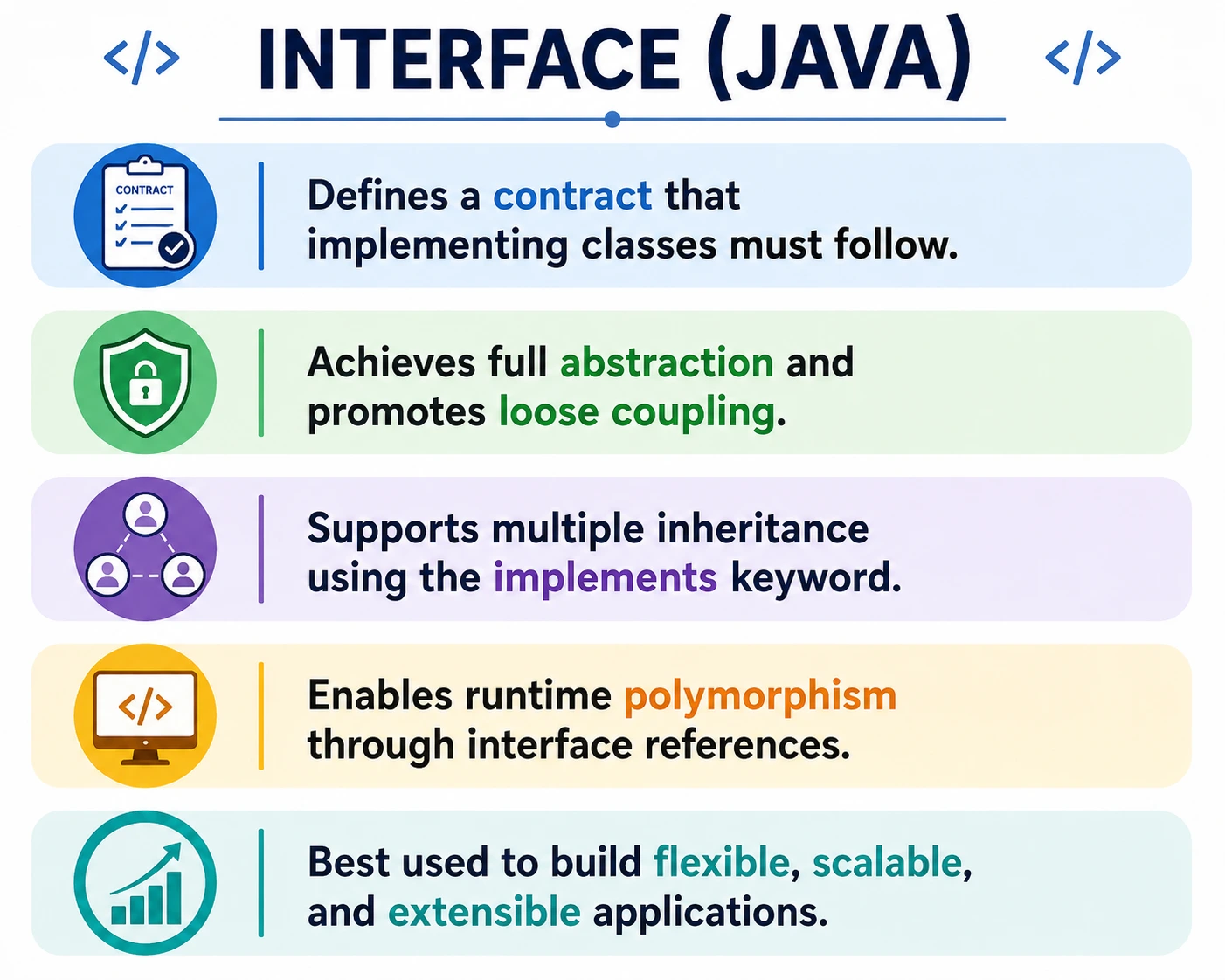
An interface in Java defines a contract that a class must follow. It specifies what a class can do, but it does not force the caller to know how the class does it internally. This makes interfaces one of the most important tools for abstraction, loose coupling, polymorphism, multiple inheritance of type, and API design in Java. When a class implements an interface, it promises to provide the behavior declared by that interface.
Interfaces are especially useful when different classes share a capability but do not naturally belong to the
same class hierarchy. A CreditCardPayment, UpiPayment, and WalletPayment
may all be very different classes internally, but all of them can implement a Payment interface
because all of them know how to perform a payment. The caller can depend on the Payment
contract instead of depending on a specific payment implementation.
This is a very high-frequency Java interview topic, especially when compared with abstract classes. A strong
explanation should cover what an interface is, why interfaces are needed, how implements works,
why interface methods are public by contract, how interface references support polymorphism, and how Java
8+ features such as default methods, static methods, and functional interfaces fit into the design.
What Is an Interface?
An interface is a blueprint or contract that lists behavior a class must provide. It does not normally
represent a complete object by itself. Instead, it describes a capability. A class uses the
implements keyword to commit to that contract. Once it implements the interface, it must provide
concrete implementations for the interface's abstract methods unless the class itself is declared abstract.
The key design idea is that an interface focuses on behavior, not state. It answers the question, "What can
this object do?" rather than "What is this object made of?" This is why interface names often describe
capabilities, such as Runnable, Comparable, Serializable,
Payment, Logger, or NotificationSender.
Interfaces promote loose coupling because code can depend on an interface instead of a concrete class. If a
service depends on Logger, it can work with a file logger, database logger, console logger, or
test logger. The service does not need to know which implementation is being used. It only needs the method
promised by the interface.
interface Payment {
    void pay();
}
Why Interfaces Are Needed
Interfaces are needed because real applications often require flexible behavior. A program should not always depend on one concrete class. If it does, changing the implementation becomes harder. Interfaces define a stable boundary between the caller and the implementation. The caller uses the interface methods, while the implementing class handles the details.
Interfaces also support multiple inheritance of type. Java does not allow a class to extend multiple classes,
because that can create ambiguity when two parent classes contain conflicting implementation. However, Java
allows a class to implement multiple interfaces. This is safe because interfaces primarily define contracts.
A class can promise to be Runnable, Comparable, and Serializable at
the same time.
Interfaces improve testability. If a class depends on an interface, tests can provide a fake implementation instead of using a real database, network service, or payment gateway. This makes tests faster and easier to control. Interfaces are also the foundation of many Java frameworks and APIs, including collections, JDBC, Spring-style service design, event handling, and functional programming with lambdas.
Basic Syntax
An interface is declared with the interface keyword. A class implements it using the
implements keyword. Interface methods are public by contract, so implementing methods in the
class must be declared public. If the implementing method has weaker access, the compiler
reports an error because the class would fail to satisfy the public contract.
interface InterfaceName {
    returnType methodName();
}

class ClassName implements InterfaceName {
    public returnType methodName() {
        // implementation
    }
}
A class can implement more than one interface by separating interface names with commas. This is one of the major reasons interfaces are heavily used in Java design. They allow a class to expose multiple capabilities without forcing it into multiple class inheritance.
Simple Interface Example
The following example shows a simple interface named Animal. The interface declares a
sound() method. The Dog class implements Animal and provides the
actual behavior. The variable is declared using the interface type, while the object is created using the
implementation class.
interface Animal {
    void sound();
}

class Dog implements Animal {
    @Override
    public void sound() {
        System.out.println("Dog barks");
    }
}

Animal a = new Dog();
a.sound();
This example demonstrates runtime polymorphism and loose coupling. The caller works with the
Animal interface, but the actual behavior comes from the Dog object. If another
class such as Cat implements Animal, the same interface reference can point to that
implementation as well.
Key Rules of Interfaces (Very Important)
Interface rules are important because they define how Java treats contracts. Traditional interface methods
are public and abstract by default. This means the method is part of the public contract and must be
implemented by concrete classes. You do not need to write public abstract in the interface
method declaration, although the meaning is still there.
interface Test {
    void show(); // public abstract implicitly
}
Variables declared in an interface are public, static, and final by default. In practice, they are constants. They must be initialized when declared, and they cannot be changed later. Interfaces are not designed to hold object state the way classes do.
interface Config {
    int MAX = 100; // constant
}
An interface cannot be instantiated directly because it is a contract, not a concrete implementation. You create an object of a class that implements the interface, then assign it to an interface reference if needed.
// Test t = new Test(); // Compile-time error
A concrete class must implement all abstract methods declared by the interfaces it implements. If it does not implement every required method, the class must itself be declared abstract. This rule ensures that any concrete object assigned to an interface reference can actually perform the promised operations.
class A implements Test {
    public void show() { }
}
Multiple Inheritance Using Interfaces (Key Advantage)
One of the strongest advantages of interfaces is support for multiple inheritance of type. A Java class can extend only one class, but it can implement multiple interfaces. This allows a class to promise several independent capabilities without inheriting conflicting implementation from multiple parent classes.
interface A {
    void show();
}
interface B {
    void display();
}
class C implements A, B {
    public void show() { }
    public void display() { }
}
This design helps Java avoid the classic diamond problem that can happen with multiple class inheritance. If two parent classes provide conflicting method implementations, the child class may not have a clear choice. With interfaces, the implementing class explicitly provides the required behavior, so the contract remains clear.
Interface Reference and Polymorphism
Interface references are a common way to use runtime polymorphism in Java. A variable can be declared using an interface type, while the actual object belongs to a class that implements the interface. The reference type decides which methods can be called. The object type decides which implementation runs at runtime.
Payment p = new CreditCardPayment();
p.pay();
Here, the reference type is the interface and the object type is the implementation class. The method call is resolved at runtime. This is why interfaces are central to flexible Java design. Callers can work with abstractions while concrete classes provide behavior.
Interface Inheritance (extends)
An interface can extend another interface using the extends keyword. This allows one interface
to build on another contract. A child interface inherits the abstract methods of the parent interface and can
add more methods. A class that implements the child interface must implement the full inherited contract.
interface A {
    void show();
}
interface B extends A {
    void display();
}
Interfaces can also extend multiple interfaces. This is another way Java supports multiple inheritance of type. The interface combines multiple contracts, and the implementing class provides the required methods.
Java 8+ Interface Enhancements (Interview Favorite)
Java 8 introduced important interface enhancements. Before Java 8, interfaces were mostly pure contracts with abstract methods and constants. Java 8 added default methods and static methods. Later Java versions added private interface methods to help organize reusable code inside interfaces. These additions made interfaces more flexible while still preserving their role as contracts.
Default Methods
Default methods allow an interface to provide a method implementation. This was introduced mainly to evolve existing interfaces without breaking every implementing class. If a new abstract method were added to an old interface, every existing implementation would fail to compile. A default method can provide optional common behavior while allowing classes to override it when needed.
interface Vehicle {
    default void start() {
        System.out.println("Vehicle starts");
    }
}
Static Methods
Static methods in interfaces belong to the interface itself and are called using the interface name. They are useful for helper operations related to the interface contract. They are not inherited by implementing classes in the same way instance methods are.
interface Utility {
    static void help() {
        System.out.println("Helping");
    }
}
Functional Interfaces
A functional interface has exactly one abstract method. It can be used with lambda expressions and method references. Functional interfaces are central to modern Java features such as streams, callbacks, and concise behavior passing.
@FunctionalInterface
interface Calculator {
    int add(int a, int b);
}
Interface vs Abstract Class (Interview Favorite)
Interfaces and abstract classes both support abstraction, but they represent different design choices. An interface is best for defining a capability or contract, especially when unrelated classes can share that capability. An abstract class is best when related classes share common state or partial implementation.
| Feature | Interface | Abstract Class |
|---|---|---|
| Abstraction | Full | Partial |
| Methods | Abstract + default | Abstract + concrete |
| Variables | Constants only | Instance variables |
| Constructors | No | Yes |
| Multiple inheritance | Yes | No |
| Use case | Contract / capability | Base class |
A practical rule is to use an interface when you want to say "this class can do this." Use an abstract class
when you want to say "this class is a specialized form of this base type and shares some base
implementation." For example, Car may extend an abstract Vehicle class, while many
unrelated classes may implement a Serializable or Runnable interface.
When to Use Interfaces
Use interfaces when you need to define a contract that multiple classes can implement. They are ideal when behavior varies across implementations but the calling code should remain stable. Interfaces are also useful when a class needs to expose multiple independent capabilities, because a class can implement several interfaces.
Interfaces are heavily used in API and framework design. A framework can define an interface and allow application code to provide implementations. This creates plug-and-play behavior. The framework depends on the contract, and the application supplies the concrete logic.
When NOT to Use Interfaces
Do not use an interface when the main need is shared state, constructor logic, or a large amount of common implementation. In those cases, an abstract class may be more appropriate. Interfaces should also not be created automatically for every class. If there is only one implementation and no realistic need for substitution, an interface may add unnecessary indirection.
Default methods should also be used carefully. They are helpful for compatibility and small shared behavior, but if an interface starts containing too much implementation, it may be taking on responsibilities better suited for an abstract class or helper class.
Common Beginner Mistakes
A common beginner mistake is forgetting that interface methods are public by contract. When a class
implements an interface method, the method must be declared public. If the method is left with
default package access, the compiler reports an error because the implementation is weaker than the public
interface contract.
Another mistake is trying to create an object directly from an interface. An interface is not a concrete implementation. You create an object of an implementing class and assign it to an interface reference if needed. Beginners also forget to implement all methods, confuse interfaces with abstract classes, or overuse default methods to place large implementation logic inside interfaces.
Design Value of Interfaces
The main design value of interfaces is that they create stable contracts. A class that uses an interface does
not need to know the exact implementation class. This supports loose coupling and makes code easier to
replace, test, and extend. A payment service can depend on a PaymentGateway interface while the
actual implementation may connect to different providers.
Interfaces also clarify responsibilities. If a class implements Comparable, readers know it can
be compared. If it implements Runnable, readers know it can be executed by a thread. If it
implements AutoCloseable, readers know it owns a resource that can be closed. These contracts
make Java code more expressive.
In layered applications, interfaces often sit between modules. A controller depends on a service interface. A service depends on a repository interface. A business workflow depends on a gateway interface. These boundaries allow implementations to change without forcing every caller to change.
Interfaces as Contracts
The word contract is important when discussing interfaces. A contract is a promise between the caller and the implementation. The caller promises to use only the behavior exposed by the interface. The implementing class promises to provide that behavior correctly. This agreement allows the two sides to evolve with less direct dependency on each other.
For example, if an interface declares send(String message), every implementation should send the
message in a way that matches the meaning of the interface. One implementation may send email, another may
send SMS, and another may write to a test log. The internal mechanism can differ, but the contract should
remain consistent. If an implementation does something unrelated, such as deleting a record, it violates the
expectation created by the interface.
Good interface design depends on clear method names and focused responsibilities. A small interface with a meaningful purpose is easier to implement and easier to test. A broad interface with many unrelated methods forces classes to implement behavior they may not need. This can lead to empty methods, unsupported operations, and confusing code. In practical Java design, focused interfaces are usually better than large, vague interfaces.
Interfaces and Testability
Interfaces make Java applications easier to test because they allow dependency substitution. If a class depends on an interface, a test can provide a controlled implementation of that interface. This avoids the need to connect to real external systems during every test. A payment workflow can be tested with a fake payment gateway. A notification service can be tested with a fake sender. A repository can be replaced with an in-memory implementation.
This is one reason interfaces are common in service-oriented and layered applications. Business logic should be tested without depending on slow or unstable external resources. Interfaces allow tests to focus on the behavior under test while controlling the dependencies around it. This improves test speed, repeatability, and clarity.
From a manual testing perspective, interfaces help explain why the same user-facing behavior may have multiple backend implementations. A tester may validate a payment feature through different payment modes. The interface-level behavior is consistent, but each implementation has its own rules and risks. Understanding this separation helps testers design better functional, integration, and regression scenarios.
Interfaces in Frameworks and APIs
Java frameworks rely heavily on interfaces because frameworks need extension points. A framework cannot know every application-specific class in advance, so it defines contracts and allows application code to provide implementations. The framework calls interface methods at the right time, and the implementation supplies the project-specific behavior.
The Java Collections Framework is a familiar example. List, Set, and
Map are interfaces. Classes such as ArrayList, LinkedList,
HashSet, TreeSet, and HashMap provide concrete implementations. Code
can depend on List instead of a specific list implementation when it only needs list behavior.
This gives developers the freedom to change the implementation based on performance or ordering needs.
JDBC is another example. Application code works with interfaces such as Connection,
Statement, and ResultSet. Database vendors provide concrete implementations
through drivers. The application can use the same JDBC contracts with different databases. This is interface
design at API scale.
Interface Evolution and Default Methods
Interface evolution is a practical problem in long-lived software. Once many classes implement an interface, adding a new abstract method can break every implementation. Java 8 default methods help solve this problem by allowing an interface to add a method with a default implementation. Existing classes can continue to work, and classes that need custom behavior can override the default method.
Default methods should still be used with discipline. They are useful for backward compatibility and small shared behavior, but they should not turn an interface into a large implementation holder. If an interface begins to contain significant state-like behavior or many complex default methods, an abstract class or helper class may be more appropriate.
Static methods in interfaces are also useful for utility behavior related to the interface. Since they are called using the interface name, they do not participate in polymorphism. They are best used for helper operations that conceptually belong with the interface contract.
Interface Segregation in Practice
A practical design principle related to interfaces is interface segregation. It means clients should not be forced to depend on methods they do not use. Instead of one large interface with many unrelated methods, it is often better to create smaller interfaces that represent focused capabilities. This makes implementations simpler and prevents classes from carrying irrelevant method contracts.
For example, a single Machine interface with print(), scan(), and
fax() may not fit a simple printer that only prints. A better design may use separate
Printable, Scannable, and Faxable interfaces. A multifunction device
can implement all three, while a simple printer implements only Printable.
This keeps contracts honest. A class should implement an interface because it truly provides that capability, not because the interface happens to contain one method it needs along with several methods it cannot support.
Choosing Good Interface Boundaries
Choosing where to place an interface is a design decision. A good interface sits at a boundary where callers need stable behavior but should not depend on the concrete implementation. This boundary may exist between a service and an external gateway, between business logic and data access, between a framework and application code, or between production code and test doubles. The interface gives both sides a clear agreement.
A poor interface often appears when it is created too early. If there is only one implementation and no clear need for replacement, testing substitution, or API separation, an interface may not add immediate value. Interfaces are most useful when variation is real or expected. They should make the design easier to change, not simply add another layer of naming.
Method names inside an interface should describe business or technical capability clearly. A method named
process() may be acceptable in a narrow context, but in a broad interface it can become vague.
Names such as processPayment(), sendNotification(), or
calculateDiscount() communicate intent more clearly. Good interface names reduce the need to
inspect every implementation just to understand the contract.
Implementation Discipline
Implementing an interface is not just a syntax requirement. It is a responsibility to honor the behavior
promised by the contract. If an interface method says pay(), every implementation should
complete or attempt a payment according to the expected business meaning. It should not perform unrelated
work or silently ignore required behavior. Polymorphism depends on callers being able to trust the contract.
This discipline is especially important when multiple teams work on the same system. One team may define an interface, while another team writes an implementation. Clear contracts, meaningful method names, and consistent behavior reduce integration defects. If the contract is vague, each implementation may interpret it differently, and bugs appear when callers assume one meaning while implementations provide another.
In practical Java development, interfaces are strongest when they are small, stable, and meaningful. They should hide implementation details, support substitution, and make code easier to reason about. When used this way, interfaces become more than an interview concept; they become one of the main tools for building maintainable Java applications.
Interview-Ready Answers
Short Answer
An interface defines a contract that a class must implement.
Detailed Answer
In Java, an interface provides full abstraction by declaring methods without implementation. Classes implement interfaces using the implements keyword. Interfaces support multiple inheritance, polymorphism, and are widely used for designing flexible and loosely coupled systems.
Key Takeaway
Interfaces define what a class can do without exposing how it does it. They are central to abstraction, polymorphism, loose coupling, API design, multiple inheritance of type, and testable Java architecture. Use them when you need a clear contract across multiple implementations, and choose abstract classes when shared state or substantial common implementation is the stronger requirement.
Top 20 Interface Examples (With Output)
1. Basic Interface Implementation
interface Animal {
    void sound();
}

class Dog implements Animal {
    public void sound() {
        System.out.println("Dog barks");
    }

    public static void main(String[] args) {
        Animal a = new Dog();
        a.sound();
    }
}
Output
Dog barks
2. Interface Reference and Runtime Polymorphism
interface Shape {
    void draw();
}

class Circle implements Shape {
    public void draw() {
        System.out.println("Circle");
    }
}

class Test {
    public static void main(String[] args) {
        Shape s = new Circle();
        s.draw();
    }
}
Output
Circle
3. Multiple Inheritance Using Interfaces
interface A {
    void a();
}

interface B {
    void b();
}

class C implements A, B {
    public void a() { System.out.println("A"); }
    public void b() { System.out.println("B"); }

    public static void main(String[] args) {
        C c = new C();
        c.a();
        c.b();
    }
}
Output
A
B
4. Interface with Default Method (Java 8+)
interface Printer {
    default void print() {
        System.out.println("Default print");
    }
}

class LaserPrinter implements Printer {
    public static void main(String[] args) {
        new LaserPrinter().print();
    }
}
Output
Default print
5. Overriding Default Method
interface Printer {
    default void print() {
        System.out.println("Default");
    }
}

class InkPrinter implements Printer {
    public void print() {
        System.out.println("Ink Printer");
    }

    public static void main(String[] args) {
        new InkPrinter().print();
    }
}
Output
Ink Printer
6. Interface with Static Method
interface Utils {
    static void help() {
        System.out.println("Helping");
    }
}

class Test {
    public static void main(String[] args) {
        Utils.help();
    }
}
Output
Helping
7. Static Method Not Inherited
interface A {
    static void show() {
        System.out.println("A");
    }
}

class B implements A {
    public static void main(String[] args) {
        // show();        // Compile-time error
        A.show();
    }
}
Explanation
Interface static methods must be called using interface name.
8. Interface Variables Are public static final by Default
interface Config {
    int TIMEOUT = 30;
}

class Test {
    public static void main(String[] args) {
        System.out.println(Config.TIMEOUT);
    }
}
Output
30
9. Cannot Modify Interface Variable
interface Config {
    int TIMEOUT = 30;
}

class Test {
    public static void main(String[] args) {
        // Config.TIMEOUT = 40; // Compile-time error
    }
}
Explanation
Interface fields are constants.
10. Interface with Multiple Implementations
interface Payment {
    void pay();
}

class Card implements Payment {
    public void pay() { System.out.println("Card Payment"); }
}

class UPI implements Payment {
    public void pay() { System.out.println("UPI Payment"); }
}

class Test {
    public static void main(String[] args) {
        Payment p1 = new Card();
        Payment p2 = new UPI();
        p1.pay();
        p2.pay();
    }
}
Output
Card Payment
UPI Payment
11. Interface Used as Method Parameter
interface Logger {
    void log(String msg);
}

class FileLogger implements Logger {
    public void log(String msg) {
        System.out.println("File: " + msg);
    }
}

class Test {
    static void process(Logger l) {
        l.log("Started");
    }

    public static void main(String[] args) {
        process(new FileLogger());
    }
}
Output
File: Started
12. Interface Used as Return Type
interface Browser {
    void open();
}

class Chrome implements Browser {
    public void open() {
        System.out.println("Chrome opened");
    }
}

class Factory {
    static Browser getBrowser() {
        return new Chrome();
    }

    public static void main(String[] args) {
        Browser b = getBrowser();
        b.open();
    }
}
Output
Chrome opened
13. Interface Extending Another Interface
interface A {
    void a();
}

interface B extends A {
    void b();
}

class C implements B {
    public void a() { System.out.println("A"); }
    public void b() { System.out.println("B"); }

    public static void main(String[] args) {
        C c = new C();
        c.a();
        c.b();
    }
}
Output
A
B
14. Class Implementing Multiple Interfaces with Same Method
interface A {
    void show();
}

interface B {
    void show();
}

class C implements A, B {
    public void show() {
        System.out.println("Single implementation");
    }

    public static void main(String[] args) {
        new C().show();
    }
}
Output
Single implementation
15. Diamond Problem with Default Methods
interface A {
    default void show() {
        System.out.println("A");
    }
}

interface B {
    default void show() {
        System.out.println("B");
    }
}

class C implements A, B {
    public void show() {
        A.super.show();
    }

    public static void main(String[] args) {
        new C().show();
    }
}
Output
A
16. Interface Cannot Have Constructors
interface A {
    // A() {}  // Compile-time error
}
Explanation
Interfaces cannot be instantiated.
17. Functional Interface (Single Abstract Method)
@FunctionalInterface
interface Calc {
    int add(int a, int b);
}

class Test {
    public static void main(String[] args) {
        Calc c = (x, y) -> x + y;
        System.out.println(c.add(2, 3));
    }
}
Output
5
18. Interface vs Abstract Class (State Difference)
interface I {
    // int x; // Must be initialized
}

abstract class A {
    int x;
}
Explanation
Interface supports constants only.
Abstract class allows instance variables.
19. Real-World Example (WebDriver-Style Interface)
interface Driver {
    void start();
}

class ChromeDriver implements Driver {
    public void start() {
        System.out.println("Chrome Driver started");
    }

    public static void main(String[] args) {
        Driver d = new ChromeDriver();
        d.start();
    }
}
Output
Chrome Driver started
20. Interview Summary – Interfaces
interface Service {
    void execute();
}

class Impl implements Service {
    public void execute() {
        System.out.println("Executed");
    }

    public static void main(String[] args) {
        Service s = new Impl();
        s.execute();
    }
}
Key Points
- Achieves full abstraction
- Supports multiple inheritance
- Enables loose coupling & polymorphism
Output
Executed