Encapsulation
Encapsulation is an object-oriented design principle that bundles data (variables) and behavior (methods) into a single unit (class) and restricts direct access to the data. It is achieved using access modifiers and getter/setter methods. This is a high-frequency interview topic and foundational for secure, maintainable Java design.
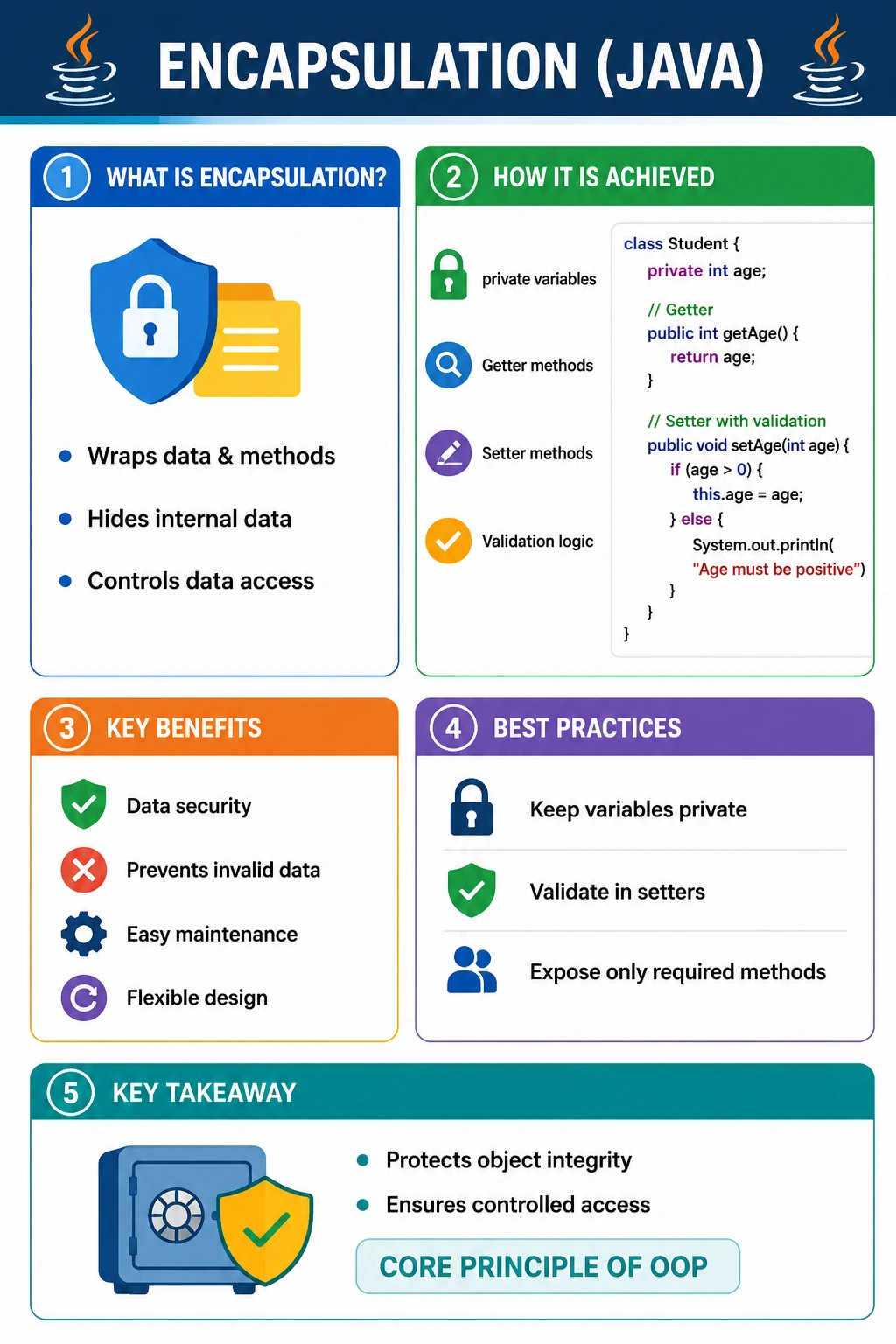
What Is Encapsulation?
Encapsulation is the object-oriented practice of keeping data and the behavior that operates on that data together inside a class, while controlling how outside code can access or modify that data. In simple terms, encapsulation means protecting the internal state of an object and exposing a safe, meaningful way to interact with it. A class should not simply expose all of its fields to the entire program. Instead, it should decide what information can be read, what information can be changed, and what rules must be followed when changes happen.
In Java, encapsulation is usually achieved by declaring instance variables as private and providing public methods that represent controlled access. These methods may be getters, setters, business methods, validation methods, or operations that express domain behavior. The important idea is not just "make fields private and generate getters and setters." True encapsulation means the class owns its state and protects its rules.
For example, a BankAccount object should not allow outside code to directly change balance to any random value. The class should provide methods such as deposit and withdraw. Those methods can validate the amount, prevent invalid operations, and keep the account in a consistent state. This is stronger than simply exposing a public balance field.
Why Encapsulation Is Important
Encapsulation is important because it protects object integrity. Object integrity means the object remains in a valid and meaningful state throughout its lifetime. If every field is public, any part of the program can change the object's data without validation. This makes bugs easier to introduce and harder to trace. Encapsulation reduces that risk by forcing changes to pass through controlled methods.
Encapsulation also improves maintainability. When a class hides its internal details, the implementation can change without breaking outside code. For example, a class may initially store fullName as one field. Later, it may store firstName and lastName separately. If outside code uses getFullName(), the internal storage can change while the public behavior remains stable. This ability to change internals without breaking callers is one of the biggest practical benefits of encapsulation.
Another important benefit is clearer responsibility. The class that owns the data also owns the rules around that data. A Student class can decide whether age must be positive. An Order class can decide whether cancellation is allowed. A Password class can decide whether a value meets strength requirements. Without encapsulation, those rules often become scattered across the program, creating duplication and inconsistency.
Encapsulation also supports safer multi-team development. In larger projects, many developers work with the same classes. If a class exposes its internal fields publicly, every caller can depend on those fields directly. Any internal change becomes risky. When a class exposes a controlled API, teams can rely on stable behavior instead of fragile implementation details.
How Encapsulation Is Achieved in Java
Java provides access modifiers and class structure to support encapsulation. The most common approach is to declare fields as private. Private fields can be accessed only inside the same class. Outside code cannot directly read or write them. The class then exposes public methods when access is needed.
A getter method returns a value. A setter method accepts a value and may update a field. However, setters are not mandatory for encapsulation. In some designs, a class may expose only getters, making it read-only from the outside. In stronger domain models, a class may expose behavior methods instead of generic setters. For example, account.deposit(amount) is often better than account.setBalance(value) because deposit communicates the operation and can enforce rules.
Encapsulation is strongest when access methods express intent. A method named setAge accepts a value, but a method named celebrateBirthday expresses a meaningful behavior. A method named setStatus may allow arbitrary status changes, while approve, reject, cancel, and ship may represent valid business transitions more clearly. Encapsulation is therefore both a language feature and a design habit.
Basic Encapsulation Example
The following Student class hides its age field and allows controlled access through methods:
class Student {
    private int age;
    public int getAge() {
        return age;
    }
    public void setAge(int age) {
        if (age > 0) {
            this.age = age;
        }
    }
}
Usage
Student s = new Student();
s.setAge(20);
System.out.println(s.getAge());
In this example, direct access to age is restricted because the field is private. Outside code cannot write s.age = -10. It must call setAge. The setter contains validation and accepts only positive values. This keeps the object's state valid. The getter provides read access without exposing direct write access.
This example is intentionally simple, but it demonstrates the essence of encapsulation. The class controls how its data changes. The caller does not need to know how age is stored internally. The caller only needs to use the public methods provided by the class.
What Happens Without Encapsulation (Bad Design)
Without encapsulation, object state can be changed from anywhere. This may look convenient at first, but it creates fragile code. If a field is public, outside code can assign invalid values, skip business rules, and make the object inconsistent.
class Student {
    public int age;
}

Student s = new Student();
s.age = -10; // invalid state
This design has no control, no validation, and no protection. The Student object can now contain an impossible age. If other parts of the program assume age is positive, bugs may appear much later. The original cause may be difficult to find because any code could have modified the public field.
Encapsulation prevents this by limiting direct access. The class becomes the single place where state changes are managed. This does not eliminate every bug, but it greatly reduces uncontrolled modification and makes behavior easier to debug.
Encapsulation vs Data Hiding (Clarification)
Encapsulation and data hiding are related, but they are not identical. Data hiding means restricting direct access to data, usually by making fields private. Encapsulation is broader. It includes bundling data and behavior together, hiding internal state, and exposing controlled operations that preserve object rules.
| Concept | Meaning |
|---|---|
| Encapsulation | Wrapping data + methods |
| Data Hiding | Restricting direct access using private |
- Encapsulation includes data hiding
- Data hiding alone is not full encapsulation
A class with private fields and meaningless getters and setters may hide data, but it may still have weak encapsulation if it allows every field to be changed without rules. Strong encapsulation focuses on valid behavior, not just private fields. A well-encapsulated object exposes methods that make sense for the object and prevent invalid states.
Access Modifiers and Encapsulation
Access modifiers define visibility. They decide where fields, methods, and constructors can be accessed. Encapsulation relies heavily on choosing the right visibility level. The private modifier is the strongest common choice for instance variables because it keeps state inside the class.
| Modifier | Scope |
|---|---|
| private | Within class only |
| default | Same package |
| protected | Package + subclass |
| public | Everywhere |
Best Practice:
- Variables should usually be private
- Methods should expose controlled access
Public should be used for behavior that outside code is allowed to call. Protected and default access are useful in package and inheritance designs, but they should still be chosen deliberately. The goal is to expose the minimum necessary surface. The less internal detail a class exposes, the easier it is to change safely later.
Encapsulation with Validation Logic
Validation is one of the clearest practical uses of encapsulation. A setter or business method can check input before modifying object state. This allows the class to enforce rules at the point where data changes.
class BankAccount {
    private double balance;
    public void deposit(double amount) {
        if (amount > 0) {
            balance += amount;
        }
    }
    public double getBalance() {
        return balance;
    }
}
- Business rules enforced
- Invalid operations blocked
The BankAccount class does not expose balance directly. Instead, it provides deposit and getBalance. The deposit method accepts only positive amounts. This protects the account from invalid deposits and makes the operation meaningful. A method named deposit communicates business intent better than a generic setter for balance.
This pattern is common in real systems. A class should not just store data; it should guard the rules that make the data meaningful. Encapsulation is the mechanism that allows those rules to be centralized.
Read-Only and Write-Only Encapsulation
Encapsulation does not always require both getters and setters. Sometimes a class should expose read-only access. Sometimes it should expose write-only behavior. The access pattern should match the purpose of the data.
Read-Only Class
class Employee {
    private int id = 101;
    public int getId() {
        return id;
    }
}
Write-Only Class
class Password {
    private String pwd;
    public void setPwd(String pwd) {
        this.pwd = pwd;
    }
}
A read-only class exposes a getter but no setter, so outside code can read the value but cannot change it directly. This is useful for identifiers, created dates, calculated values, or immutable state. A write-only design is less common, but it can be useful for sensitive data such as passwords where setting is allowed but reading back the raw value should not be exposed.
These patterns show that encapsulation is about controlled access, not automatic getter and setter generation. The class decides what access is appropriate.
Encapsulation and Immutability (Related Concept)
Immutability is closely related to encapsulation. An immutable object cannot change after it is created. To build immutable classes, fields are usually private and final, values are assigned in the constructor, and setters are not provided. Getters may return values, but they must not expose mutable internal state unsafely.
final class User {
    private final String name;
    User(String name) {
        this.name = name;
    }
    public String getName() {
        return name;
    }
}
- Strong encapsulation
- Object state cannot change
Immutable objects are easier to reason about because their state remains stable. They are safer to share and often simpler to test. However, immutability requires careful design, especially when fields refer to mutable objects such as arrays, lists, or dates. Returning a direct reference to a mutable internal object can break encapsulation even if the field itself is private.
Encapsulation Benefits in Real Projects
In real projects, encapsulation improves refactoring. If outside code depends only on public methods, internal implementation can change without breaking callers. A class can change field names, storage format, calculation logic, or validation rules while keeping the same public contract.
Encapsulation also improves debugging. When state changes only through known methods, it is easier to find where invalid data entered the object. If every field is public, any part of the program can be responsible. Controlled access narrows the search area.
Testing also becomes cleaner. Instead of testing random field assignments, tests can focus on meaningful behavior. For example, tests can verify that deposit increases balance, withdraw reduces balance, and invalid withdrawal is rejected. These tests match business behavior rather than internal field manipulation.
Encapsulation creates cleaner APIs and contracts. A class tells other code what operations are allowed. The internal details remain private. This is essential for maintainable systems where classes are used by many other classes, services, and teams.
Encapsulation in Domain Models
Domain models are one of the best places to understand encapsulation. A domain model represents a meaningful business concept such as Customer, Order, Invoice, Account, Policy, Claim, Product, or Payment. These objects should not behave like loose bags of public data. They should protect the rules that make the business concept valid.
Consider an Order object. If every field is public, outside code could set status to "SHIPPED" before payment is completed, change total amount directly, or remove customer information accidentally. A better design keeps fields private and exposes meaningful methods such as addItem, removeItem, applyDiscount, markPaid, ship, and cancel. These methods can enforce allowed transitions and prevent invalid states.
This approach makes the code more expressive. Instead of reading order.status = "CANCELLED", a reader sees order.cancel(). The method name communicates intent, and the class can decide whether cancellation is currently allowed. This is encapsulation at a design level, not just a syntax level.
Defensive Copying and Internal Objects
Encapsulation can be broken even when fields are private if a class exposes references to mutable internal objects. For example, if a class stores a private List and returns that same List from a getter, outside code can modify the list directly. The field is private, but the object it references is still exposed.
Defensive copying solves this problem by returning a copy instead of the original mutable object. Another option is returning an unmodifiable view. The right choice depends on whether callers should be able to read, iterate, or modify data. The key idea is that private fields alone are not always enough. You must also protect mutable objects referenced by those fields.
This matters in real applications because lists, maps, arrays, dates, and custom mutable objects are frequently shared. Strong encapsulation considers both field visibility and object mutability. If outside code can change internal state without going through class rules, encapsulation is weakened.
Encapsulation in Test Automation
Encapsulation is also important in test automation frameworks. In Page Object Model, a page class hides locators and low-level UI interactions behind meaningful methods. A test should not know every locator, click sequence, or wait condition. It should call methods such as loginAs, searchProduct, addItemToCart, or submitOrder.
This makes tests more maintainable. If a button locator changes, the page class can be updated without changing every test. If a wait condition changes, the page method can handle it internally. The test remains focused on behavior rather than implementation detail.
Encapsulation in automation is not only about private variables. It is about hiding fragile UI details and exposing stable test actions. This is the same principle used in application code: protect internals, expose meaningful behavior, and reduce dependency on implementation details.
Encapsulation and Refactoring
Refactoring means improving internal code structure without changing external behavior. Encapsulation makes refactoring safer because outside code depends on public methods rather than private fields. If a class exposes fields publicly, changing those fields can break many callers. If the class exposes methods, internal changes can often be made behind the same method signatures.
For example, a class may originally store a price and tax separately. Later, the calculation may become more complex and involve discount rules. If callers use getTotal(), the class can change its internal calculation without changing callers. If callers directly read and calculate using public fields, every caller may need to change.
This is why encapsulation supports long-term maintainability. Software changes constantly. Classes that hide internal details are easier to evolve because their public contract can remain stable while implementation improves.
Encapsulation vs Abstraction
Encapsulation and abstraction are often taught together, but they answer different questions. Encapsulation asks how data is protected and controlled inside a class. Abstraction asks what essential behavior is exposed while unnecessary detail is hidden. Encapsulation is about access control and object integrity. Abstraction is about simplifying usage and focusing on what matters.
A BankAccount class uses encapsulation when it keeps balance private and allows changes only through deposit and withdraw. It uses abstraction when callers can deposit money without knowing every internal calculation or storage detail. The two principles support each other. Encapsulation protects the data, and abstraction presents a clean way to use the object.
In interviews, it is useful to separate them clearly. Do not say they are exactly the same. Say that encapsulation is wrapping data and behavior with controlled access, while abstraction hides implementation complexity and exposes essential features.
Encapsulation and API Design
Every public method of a class is part of its API. Once other code starts using that method, changing it becomes harder. Encapsulation encourages careful API design because it asks the class to expose only what callers truly need. A smaller public API is easier to maintain than a class that exposes every field and every internal helper.
For example, a ShoppingCart class may expose addItem, removeItem, clear, getTotal, and checkout. It does not need to expose the internal list in a way that callers can freely modify. If callers can directly change the internal list, they may bypass quantity checks, discount rules, or inventory validation. A controlled API keeps the cart's rules inside the cart.
This design also helps future changes. The cart may initially store items in an ArrayList. Later, it may switch to a Map for faster lookup by product id. If callers never depended on the internal collection directly, the change is easier. This is one of the most practical reasons encapsulation matters in real code.
Levels of Encapsulation
Encapsulation can be weak, moderate, or strong depending on how much control the class actually has over its state. Weak encapsulation uses private fields but exposes unrestricted getters and setters for everything. This is better than public fields, but it may still allow invalid state if setters do not validate input.
Moderate encapsulation uses private fields, selective getters and setters, and some validation. This is common in many Java applications. Strong encapsulation exposes behavior-oriented methods instead of raw field modification. It protects invariants, prevents invalid transitions, and hides mutable internals carefully.
The goal is not always to make every class extremely restrictive. Simple data transfer objects may intentionally have straightforward access patterns. Domain objects with important business rules should be more protective. A good developer chooses the level of encapsulation based on the responsibility and risk of the class.
Encapsulation and Business Rules
Business rules are often the strongest reason to use encapsulation. If a payment amount must be positive, the Payment class should enforce it. If an order cannot be shipped before payment, the Order class should prevent that transition. If a password should never be exposed, the Password class should not provide a raw getter.
When business rules are placed inside the class that owns the data, the rules stay close to the state they protect. This reduces duplication and prevents different parts of the application from applying rules inconsistently. Instead of five services each checking order status differently, the Order object can expose methods that represent valid operations.
This style is especially valuable as applications grow. The more places that directly manipulate data, the harder it becomes to maintain correctness. Encapsulation creates a central boundary where rules can be enforced consistently.
Common Beginner Mistakes
The most common beginner mistake is making variables public for convenience. This may seem easier in small examples, but it creates weak design. Public fields allow invalid state changes and make future refactoring difficult.
Another mistake is generating getters and setters for every field without thinking. Encapsulation is not automatic just because methods exist. If a setter allows any value without validation, it may not protect the object. If a field should never change after construction, a setter should not exist.
Developers also expose internal mutable objects directly. For example, returning an internal List allows outside code to modify the object's state without the class knowing. A safer design may return an unmodifiable view or a defensive copy.
Another frequent confusion is between encapsulation and abstraction. Encapsulation protects internal state and controls access. Abstraction hides implementation complexity and exposes essential behavior. They work together, but they are not the same concept.
Interview-Ready Answers
Short Answer
Encapsulation is the process of wrapping data and methods into a single unit and restricting direct access to data.
Detailed Answer
In Java, encapsulation is achieved by declaring class variables as private and providing controlled access through public getter and setter methods. It improves security, prevents invalid data modification, and enhances maintainability.
A stronger interview answer should explain that encapsulation is not just private variables. It is about object integrity. Private fields, meaningful methods, validation logic, and controlled exposure work together to protect the object's state. A good example is a BankAccount class that keeps balance private and exposes deposit and withdraw methods instead of allowing direct balance assignment.
Key Takeaway
Encapsulation protects object integrity. It combines data and behavior inside a class, restricts direct access to internal state, and exposes controlled operations that preserve valid object behavior. In Java, it is commonly implemented using private fields, public methods, validation logic, and thoughtful access modifiers. Strong encapsulation makes applications safer, easier to maintain, easier to test, and more flexible during refactoring.
Encapsulation Examples (Interview Practice)
1. Basic Encapsulation (Private Variable + Getter/Setter)
class User {
    private String name;

    public String getName() {
        return name;
    }

    public void setName(String name) {
        this.name = name;
    }
}

class Test {
    public static void main(String[] args) {
        User u = new User();
        u.setName("Admin");
        System.out.println(u.getName());
    }
}
Explanation
- Data hidden using private
- Controlled access via methods
- Output: Admin
2. Direct Access Not Allowed
class User {
    private int age;
}

class Test {
    public static void main(String[] args) {
        User u = new User();
        // u.age = 20;  // Compile-time error
    }
}
Explanation
- Encapsulation prevents direct field access
3. Validation Inside Setter
class User {
    private int age;

    public void setAge(int age) {
        if (age > 0) {
            this.age = age;
        }
    }

    public int getAge() {
        return age;
    }
}

class Test {
    public static void main(String[] args) {
        User u = new User();
        u.setAge(-5);
        System.out.println(u.getAge());
    }
}
Explanation
- Business rule enforced
- Output: 0
4. Read-Only Property (No Setter)
class Config {
    private final String env = "PROD";

    public String getEnv() {
        return env;
    }
}

class Test {
    public static void main(String[] args) {
        Config c = new Config();
        System.out.println(c.getEnv());
    }
}
Explanation
- Encapsulation + immutability
- Output: PROD
5. Write-Only Property (No Getter)
class Secret {
    private String password;

    public void setPassword(String password) {
        this.password = password;
    }
}
Explanation
- Data can be written but not read
6. Encapsulation with Multiple Fields
class Employee {
    private int id;
    private String name;

    public void setId(int id) {
        this.id = id;
    }

    public void setName(String name) {
        this.name = name;
    }

    public String getDetails() {
        return id + " " + name;
    }
}

class Test {
    public static void main(String[] args) {
        Employee e = new Employee();
        e.setId(101);
        e.setName("John");
        System.out.println(e.getDetails());
    }
}
Explanation
- Multiple private fields
- Output: 101 John
7. Constructor + Encapsulation
class Account {
    private double balance;

    public Account(double balance) {
        this.balance = balance;
    }

    public double getBalance() {
        return balance;
    }
}

class Test {
    public static void main(String[] args) {
        Account a = new Account(1000);
        System.out.println(a.getBalance());
    }
}
Explanation
- Initialization controlled
- Output: 1000.0
8. Controlled Update Method (No Setter)
class Account {
    private double balance;

    public void deposit(double amount) {
        if (amount > 0) {
            balance += amount;
        }
    }

    public double getBalance() {
        return balance;
    }
}

class Test {
    public static void main(String[] args) {
        Account a = new Account();
        a.deposit(500);
        System.out.println(a.getBalance());
    }
}
Explanation
- Domain logic inside class
- Output: 500.0
9. Encapsulation with Boolean Flag
class Feature {
    private boolean enabled;

    public boolean isEnabled() {
        return enabled;
    }

    public void enable() {
        enabled = true;
    }
}

class Test {
    public static void main(String[] args) {
        Feature f = new Feature();
        f.enable();
        System.out.println(f.isEnabled());
    }
}
Explanation
- Standard isX() naming
- Output: true
10. Encapsulation Prevents Invalid State
class Product {
    private int price;

    public void setPrice(int price) {
        if (price > 0) {
            this.price = price;
        }
    }

    public int getPrice() {
        return price;
    }
}

class Test {
    public static void main(String[] args) {
        Product p = new Product();
        p.setPrice(-100);
        System.out.println(p.getPrice());
    }
}
Explanation
- Invalid data blocked
- Output: 0
11. Encapsulation with Object Field
class Address {
    String city;
}

class User {
    private Address address;

    public void setAddress(Address address) {
        this.address = address;
    }

    public Address getAddress() {
        return address;
    }
}

class Test {
    public static void main(String[] args) {
        Address a = new Address();
        a.city = "Dallas";

        User u = new User();
        u.setAddress(a);

        System.out.println(u.getAddress().city);
    }
}
Explanation
- Object encapsulated
- Output: Dallas
12. Defensive Copy (Strong Encapsulation)
class User {
    private int[] scores;

    public void setScores(int[] scores) {
        this.scores = scores.clone();
    }

    public int[] getScores() {
        return scores.clone();
    }
}

class Test {
    public static void main(String[] args) {
        int[] arr = {10, 20};
        User u = new User();
        u.setScores(arr);

        arr[0] = 99;
        System.out.println(u.getScores()[0]);
    }
}
Explanation
- Prevents external modification
- Output: 10
13. Encapsulation + final Class
final class Constants {
    private int x = 10;

    public int getX() {
        return x;
    }
}
Explanation
- Cannot be extended
- Strong encapsulation
14. Encapsulation with Lazy Initialization
class Config {
    private String value;

    public String getValue() {
        if (value == null) {
            value = "DEFAULT";
        }
        return value;
    }
}

class Test {
    public static void main(String[] args) {
        Config c = new Config();
        System.out.println(c.getValue());
    }
}
Explanation
- Value created only when needed
- Output: DEFAULT
15. Encapsulation in Real-World Example (Login)
class Login {
    private String password = "admin123";

    public boolean authenticate(String input) {
        return password.equals(input);
    }
}

class Test {
    public static void main(String[] args) {
        Login l = new Login();
        System.out.println(l.authenticate("admin123"));
    }
}
Explanation
- Password hidden
- Output: true
16. Encapsulation + Method Chaining
class User {
    private String name;

    public User setName(String name) {
        this.name = name;
        return this;
    }

    public String getName() {
        return name;
    }
}

class Test {
    public static void main(String[] args) {
        User u = new User().setName("QA");
        System.out.println(u.getName());
    }
}
Explanation
- Fluent API
- Output: QA
17. Encapsulation Across Packages (Conceptual)
class User {
    private int id;
    protected String role;
}
Explanation
- private means class only
- protected means same package or subclass
18. Encapsulation Prevents Tight Coupling
class Engine {
    private int power = 100;

    public int getPower() {
        return power;
    }
}

class Car {
    private Engine engine = new Engine();

    public int getCarPower() {
        return engine.getPower();
    }
}
Explanation
- Internal structure hidden
19. Bad Encapsulation Example (Avoid)
class User {
    public int age;
}
Explanation
- Data exposed directly
- No control or validation
20. Interview Summary – Encapsulation
class User {
    private int age;

    public void setAge(int age) {
        if (age > 0) {
            this.age = age;
        }
    }

    public int getAge() {
        return age;
    }
}

class Test {
    public static void main(String[] args) {
        User u = new User();
        u.setAge(25);
        System.out.println(u.getAge());
    }
}
Explanation
- Hide data
- Expose behavior
- Output: 25