Arithmetic Operators in Java with Real-World Understanding
Arithmetic operators form the backbone of almost every Java program. Whether you are calculating totals in a billing system, processing financial transactions, implementing algorithms, or even handling simple counters, arithmetic operations are everywhere. Despite their simplicity, arithmetic operators are one of the most misunderstood areas for beginners because of subtle behaviors like integer division, type promotion, overflow, and operator overloading.
In Java, arithmetic operators are used to perform fundamental mathematical operations such as addition, subtraction, multiplication, division, and remainder calculation. While these operations may seem straightforward at first glance, their behavior varies depending on data types, operand combinations, and execution context. A deep understanding of arithmetic operators is therefore essential not only for writing correct logic but also for avoiding hidden runtime issues.
This article provides a complete, structured, and real-world explanation of arithmetic operators in Java, covering their behavior, edge cases, and interview-critical concepts.
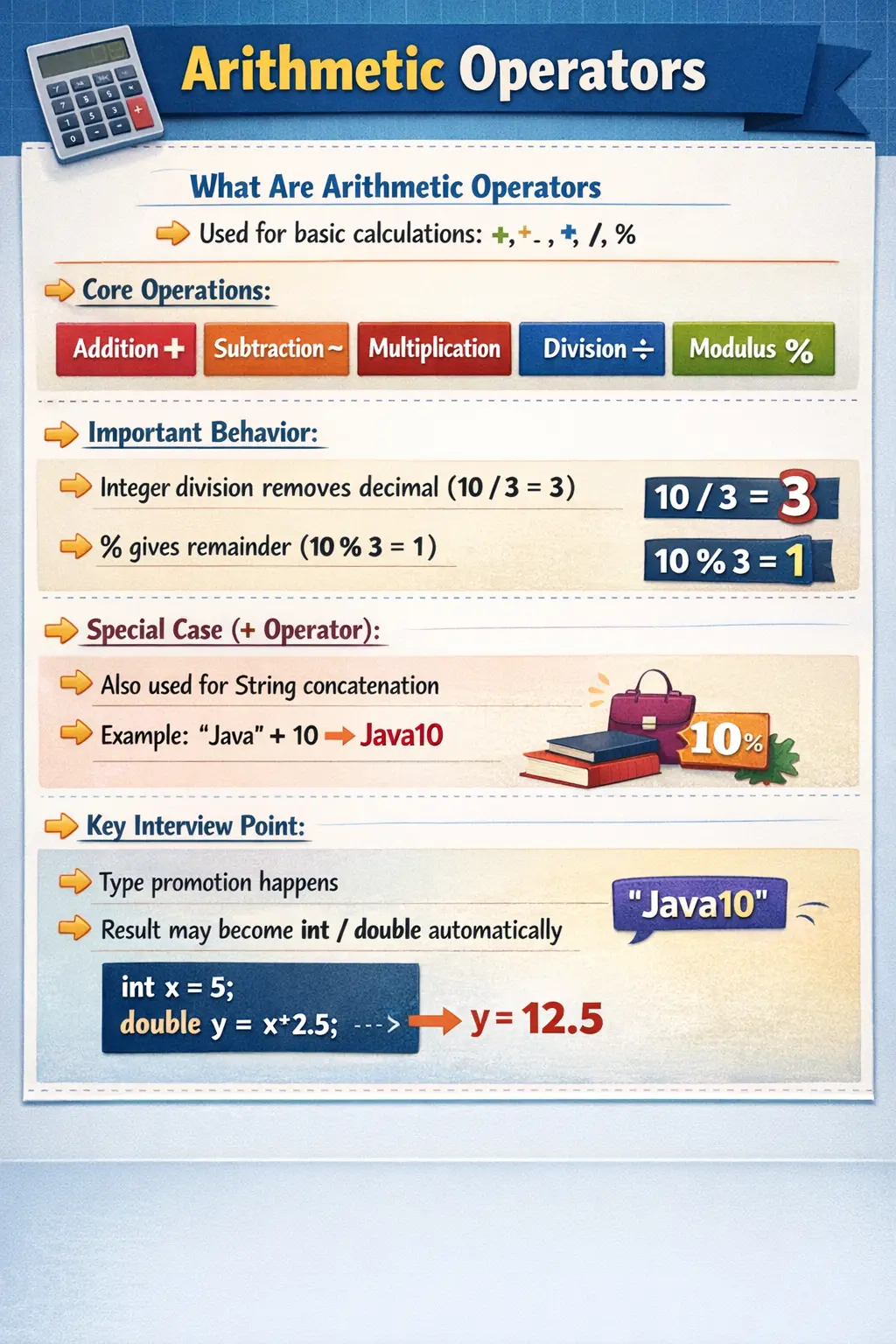
What Are Arithmetic Operators?
Arithmetic operators in Java are symbols used to perform mathematical calculations on numeric values. These operators work with primitive numeric data types such as byte, short, int, long, float, double, and even char (since characters are internally represented as numeric values).
Unlike simple mathematics, Java introduces rules such as type promotion, precision handling, and overflow behavior, which influence how results are computed and stored.
At a conceptual level, arithmetic operators answer a simple question:
“How do we compute values inside a program?”
However, at a practical level, they influence performance, correctness, and even application stability.
List of Arithmetic Operators in Java
Java provides five primary arithmetic operators:
- Addition (+)
- Subtraction (-)
- Multiplication (*)
- Division (/)
- Modulus (%)
Each operator has a specific role, but their behavior is not always identical to what we expect from basic mathematics. Understanding these nuances is what differentiates a beginner from a professional developer.
Addition Operator (+) – More Than Just Adding Numbers
The addition operator is one of the most commonly used operators in Java. At its simplest, it adds two numeric values.
int a = 10;
int b = 20;
int sum = a + b;   // 30
While this looks straightforward, the addition operator has an important special behavior in Java—it is overloaded for String concatenation.
String s = "Java";
int v = 8;
System.out.println(s + v);   // Java8
This dual behavior makes + unique among arithmetic operators. When one of the operands is a String, Java automatically converts the other operand into a string and performs concatenation instead of numeric addition. This leads to a very important concept: evaluation order.
System.out.println(10 + 20 + "Java"); // 30Java
System.out.println("Java" + 10 + 20); // Java1020
In the first case, addition happens first, then concatenation. In the second case, everything becomes a string after the first concatenation. This behavior is a frequent interview question and a common source of logical bugs.
Subtraction Operator (-) – Simple but Powerful
The subtraction operator performs basic subtraction between two operands.
int a = 50;
int b = 20;
int result = a - b;   // 30
In addition to binary subtraction, Java also supports unary minus, which changes the sign of a value.
int x = 10;
int y = -x;   // -10
While subtraction itself is simple, it plays a critical role in calculations involving differences, offsets, and comparisons.
Multiplication Operator (*) – Scaling Values
The multiplication operator is used to multiply two numeric values.
int a = 5;
int b = 4;
int product = a * b;   // 20
When used with floating-point numbers, it preserves decimal precision:
double d = 2.5 * 4; // 10.0
Multiplication is commonly used in:
- Financial calculations
- Scaling values (e.g., converting units)
- Algorithmic computations
However, multiplication can also lead to overflow if the result exceeds the data type’s range.
Division Operator (/) – The Most Misunderstood Operator
The division operator is one of the most important and error-prone operators in Java. Its behavior depends entirely on the data types of the operands.
Integer Division
int a = 10;
int b = 3;
int result = a / b;   // 3
In integer division, Java discards the decimal part instead of rounding. This is a critical concept.
Floating-Point Division
double x = 10.0 / 3; // 3.3333...
When at least one operand is a floating-point type, Java performs decimal division.
Division by Zero
Division by zero behaves differently depending on the data type:
int x = 10 / 0;   // ❌ ArithmeticException
double y = 10.0 / 0;  // Infinity
This difference is extremely important in real-world applications, especially when dealing with user inputs or calculations involving dynamic values.
Modulus Operator (%) – Understanding Remainders
The modulus operator returns the remainder after division.
int a = 10;
int b = 3;
int r = a % b;   // 1
Although simple, the modulus operator has powerful real-world applications:
- Checking even or odd numbers
- Implementing cyclic logic
- Handling periodic conditions
if (num % 2 == 0) {
    System.out.println("Even");
}
Many algorithms, including hashing and scheduling, rely heavily on modulus operations.
Type Promotion in Arithmetic Operations
One of the most critical concepts in Java arithmetic is type promotion. Java automatically promotes smaller data types to larger ones during arithmetic operations to prevent data loss.
Rule 1: Smaller Types Are Promoted to int
byte a = 10;
byte b = 20;
int c = a + b;   // result is int
Even though both operands are byte, the result is promoted to int.
Rule 2: Mixed Types → Higher Type Wins
int a = 10;
double b = 2.5;
double c = a + b;   // double
The result always takes the higher precision type.
Rule 3: Explicit Casting for Smaller Types
byte b = (byte) (10 + 20);
Without casting, this would cause a compilation error.
Arithmetic Operations with char
In Java, char is treated as a numeric type because it represents Unicode values.
char c1 = 'A';   // 65
char c2 = 'B';   // 66
int sum = c1 + c2;   // 131
This behavior is often surprising to beginners but is essential for understanding character encoding and manipulation.
Overflow and Underflow – Critical Runtime Concepts
Arithmetic operations can produce unexpected results when values exceed their data type limits.
Overflow Example
byte b = 127;
b++;   // becomes -128
Underflow Example
byte b = -128;
b--;   // becomes 127
This wrap-around behavior occurs because Java uses fixed-size memory representation for primitive types.
Understanding overflow and underflow is critical in:
- Financial systems
- Scientific calculations
- High-performance applications
Operator Precedence and Evaluation
Arithmetic operators follow a specific precedence order:
- Multiplication and division
- Addition and subtraction
int result = 10 + 5 * 2; // 20, not 30
Using parentheses can override precedence:
int result = (10 + 5) * 2; // 30
Ignoring precedence rules is a common source of logical errors.
Common Beginner Mistakes
Arithmetic operators may appear simple, but beginners often make subtle mistakes that lead to incorrect results.
One common mistake is assuming that integer division produces decimal results. In reality, Java truncates decimals unless explicitly using floating-point types.
Another frequent issue is misunderstanding operator precedence, which can completely change the outcome of an expression.
Many beginners also ignore overflow scenarios, especially when working with smaller data types like byte or short.
Confusion between modulus (%) and percentage is another typical mistake. The modulus operator returns a remainder, not a percentage.
Finally, unexpected results in string concatenation using + often lead to confusion if evaluation order is not properly understood.
Interview Perspective
From an interview standpoint, arithmetic operators are considered a foundational topic, but questions often focus on edge cases rather than basic usage.
You may be asked about:
- Integer vs floating-point division
- Type promotion rules
- Overflow behavior
- String concatenation with +
- Modulus use cases
A strong answer should not just define operators but also explain their behavior in real scenarios.
Key Takeaway
Arithmetic operators in Java may seem simple, but they carry deep implications for correctness, performance, and reliability. Understanding how they behave with different data types, how Java promotes values during operations, and how edge cases like overflow and division by zero are handled is essential for writing robust code.
At a fundamental level, arithmetic operators are not just about calculations—they are about ensuring that logic behaves predictably under all conditions.
Mastering these concepts will help you avoid subtle bugs, write efficient programs, and confidently handle both interview questions and real-world development challenges.
How Java Evaluates Arithmetic Expressions
To understand arithmetic operators properly, it is important to understand that Java does not simply calculate values exactly as they appear on the screen. Before an arithmetic expression is executed, Java applies rules related to operand type, promotion, precedence, and assignment compatibility. These rules decide the final result type and whether the expression is valid at compile time. For example, adding two byte values does not produce a byte result. Java promotes both operands to int first, so the expression result is an int.
This behavior surprises beginners because it feels stricter than everyday mathematics. In mathematics, 10 + 20 simply produces 30. In Java, the same operation also has a type. That type matters because the result must be stored somewhere. If the target variable cannot safely hold the result type, Java requires an explicit cast. This is why arithmetic expressions are not only about numeric values; they are also about type safety.
Java follows this approach because it is a strongly typed language. The compiler tries to prevent accidental data loss wherever possible. When smaller integer types such as byte, short, and char participate in arithmetic, they are promoted to int so that operations are performed in a predictable standard form. When mixed types are involved, Java promotes the lower-capacity type to the higher-capacity type. An expression involving int and double becomes a double expression because preserving decimal precision is more important than keeping the original integer type.
Arithmetic Operators and Data Type Choice
The behavior of arithmetic operators is strongly connected to the data types chosen by the developer. Choosing int, long, float, or double is not just a storage decision. It directly affects how calculations behave. Integer types are suitable for counts, indexes, quantities, and whole-number calculations. Floating-point types are suitable for approximate decimal calculations such as measurements, averages, and scientific values. Financial calculations often require more care, because floating-point precision may not be suitable for exact currency values.
For example, if a program calculates the average score of students using only integer operands, the decimal part will be discarded. A calculation such as total / count may produce an integer result even if the mathematical average contains decimals. To get a decimal result, at least one operand must be converted to double or float. This is a practical example of how data type choice changes output even when the operator remains the same.
In real projects, arithmetic bugs often come from choosing a type casually. A billing system may use int for values that can exceed the allowed range. A reporting system may use integer division where decimal accuracy is expected. A scientific application may lose precision if intermediate results are stored in smaller types. Good developers think about the expected value range, decimal requirements, and business meaning before selecting data types for arithmetic operations.
Integer Division in Real-World Logic
Integer division deserves special attention because it is one of the most common sources of wrong results. When both operands are integers, Java performs integer division and discards the fractional part. It does not round the result. This means 10 / 3 produces 3, not 3.33 and not 4. This behavior is correct from Java's perspective, but it may be wrong from a business perspective if the calculation expects decimals.
Consider a progress calculation where completed tasks are divided by total tasks. If both values are integers, completed / total may become zero until all tasks are complete. A developer expecting a percentage may be confused when the output remains zero for many inputs. The correct approach is to convert one operand before division, such as (double) completed / total. Once one operand becomes a floating-point value, Java performs floating-point division.
This distinction is especially important in reports, dashboards, analytics, grading systems, and billing logic. Integer division is not bad; it is useful when whole-number division is intended. For example, determining how many full boxes can be packed from a total number of items may intentionally use integer division. The key is to use integer division deliberately rather than accidentally.
Division by Zero and Defensive Programming
Division by zero is another area where arithmetic operators can create runtime problems. Integer division by zero throws an ArithmeticException. This means the program fails during execution unless the condition is handled. Floating-point division by zero behaves differently. It follows IEEE 754 rules and may produce Infinity, -Infinity, or NaN depending on the expression. This difference is important because not all division-by-zero cases fail in the same way.
In real applications, denominators often come from user input, database values, API responses, or calculated totals. A count may be zero because no records were found. A quantity may be zero because the user did not select anything. A total may be zero because filtering removed all data. If the code divides without checking the denominator, it may crash or produce misleading output. Defensive programming requires checking the divisor before division when zero is possible.
A good developer asks whether zero is valid, invalid, or meaningful in the business context. If zero is invalid, the program should reject the input with a clear message. If zero is valid but calculation is not possible, the program may show a fallback value or "not applicable." If floating-point infinity appears, the program should not silently display it to users unless it has a defined meaning. Arithmetic correctness is not only technical; it is also about presenting meaningful results.
Modulus Beyond Even and Odd Checks
The modulus operator is often introduced as a way to check whether a number is even or odd, but its usefulness goes much further. Modulus returns the remainder after division, which makes it valuable whenever logic repeats in cycles. For example, rotating through a list, wrapping around an index, grouping records, distributing work across buckets, and scheduling recurring events can all involve modulus logic.
Suppose an application displays a different banner every day from a list of seven banners. The day number can be divided by seven, and the remainder can choose the banner index. Similarly, a system assigning requests across multiple workers may use a remainder calculation to distribute items. Hashing mechanisms also rely conceptually on modulus to map large numeric values into a limited range of buckets. This makes % a small operator with large practical importance.
Developers must also understand modulus with negative numbers. In Java, the sign of the result follows the dividend, which is the left operand. This means -10 % 3 produces a negative remainder. This behavior matters in cyclic calculations because negative indexes can break array or list access. When working with values that may be negative, developers should normalize the result before using it as an index or position.
Overflow, Underflow, and Silent Wrong Results
Overflow is one of the most dangerous arithmetic issues because Java does not throw an exception for normal integer overflow. If an int exceeds its maximum value, it wraps around to the minimum range. For example, adding one to Integer.MAX_VALUE produces Integer.MIN_VALUE. The program continues running, but the result is logically wrong. This kind of defect can be difficult to detect because there is no immediate error message.
Overflow is not limited to addition. Multiplication is especially risky because values grow quickly. Two valid int values can produce a result too large for an int. If the program stores the result in an int, the value may wrap before the developer notices. Assigning the result to a long after the multiplication may still be too late if the multiplication itself was performed as int. At least one operand must be promoted before the operation if a larger result is expected.
Underflow is the opposite problem, where a value goes below the minimum range. With integer types, this also wraps. With floating-point types, very small values may lose precision or move toward zero. In applications such as finance, measurement, inventory, or scientific computation, silent numeric errors can become serious. Java provides helper methods such as Math.addExact(), Math.subtractExact(), and Math.multiplyExact() for cases where overflow should be detected rather than ignored.
Compound Assignment and Hidden Casting
Compound assignment operators such as +=, -=, *=, and /= are closely related to arithmetic operators. They combine an operation and an assignment in a shorter form. For example, x += 5 is commonly understood as x = x + 5. However, Java adds an important detail: compound assignment includes an implicit cast back to the left-hand variable type.
This is why byte b = 10; b = b + 5; causes a compile-time error, while b += 5; compiles. In the first case, b + 5 is promoted to int, and Java will not assign an int to a byte without an explicit cast. In the second case, compound assignment performs the cast implicitly. This looks convenient, but it can hide narrowing conversion and possible data loss.
Compound assignment is perfectly acceptable in normal counters and accumulators, but developers should understand what it does. When working with smaller data types, repeated compound operations can still overflow or wrap. In code that demands precision or strict range control, explicit calculation and validation may be clearer than relying on shorthand syntax.
Arithmetic with Wrapper Classes and Autoboxing
Arithmetic operators work on primitive values, but Java code often uses wrapper classes such as Integer, Long, and Double. When wrapper objects appear in arithmetic expressions, Java automatically unboxes them into primitives. For example, adding two Integer objects causes both objects to be unboxed, the addition to be performed on primitive values, and the result to be produced according to normal numeric rules.
This behavior improves readability, but it also introduces null risk. If an Integer reference is null and Java tries to unbox it during arithmetic, the program throws a NullPointerException. This can happen in calculations using values from maps, database records, form input, or optional configuration. The arithmetic operator itself is not the problem; the hidden unboxing step is the problem.
When using wrapper classes in arithmetic logic, developers should check whether null is possible. If the value is required, validate it before calculation. If missing values are allowed, decide a safe default or handle the case explicitly. This is especially important in enterprise Java applications where wrappers are common in DTOs, entity classes, and framework-bound models.
Precedence, Associativity, and Readable Expressions
Operator precedence determines which operators are evaluated first. Multiplication, division, and modulus have higher precedence than addition and subtraction. Associativity determines how operators of the same precedence are grouped. Most arithmetic operators are evaluated from left to right. These rules allow Java to interpret expressions consistently, but they can make complex expressions hard to read.
For example, 10 + 5 * 2 evaluates to 20 because multiplication happens before addition. If the intended logic is to add first and then multiply, parentheses are required. Parentheses are not only for changing behavior; they also improve readability. Even when Java would evaluate an expression correctly without parentheses, adding them can make the intention clearer to future readers.
Professional code favors clarity over cleverness. A long arithmetic expression with several operators may be technically valid but difficult to maintain. Breaking the calculation into named intermediate variables often improves understanding. Names such as subtotal, taxAmount, discountedTotal, and averageScore communicate business meaning better than a single dense expression.
Real-World Use Cases of Arithmetic Operators
Arithmetic operators appear in almost every software domain. In e-commerce systems, multiplication calculates line totals from price and quantity, addition calculates cart totals, subtraction applies discounts, division calculates averages, and modulus may support promotional rotation or grouping. In banking systems, arithmetic supports balances, interest, penalties, fees, and transaction limits. In reporting systems, arithmetic calculates percentages, totals, trends, and ratios.
Testing and automation work also uses arithmetic frequently. Loop counters, retry attempts, timeout calculations, pagination offsets, random test data ranges, and execution metrics all involve arithmetic operators. A test automation engineer writing Java should understand these operators because incorrect arithmetic can create flaky tests, wrong waits, invalid data, or misleading reports.
Even simple UI behavior can depend on arithmetic. Pagination uses offsets and limits. Progress bars use ratios. Grid layouts may calculate row and column positions. Scheduling logic uses time intervals and remainders. Because arithmetic operators appear in so many places, a small misunderstanding can affect many types of applications. Mastery of arithmetic operators is therefore a practical programming skill, not just a beginner syntax topic.
Best Practices for Arithmetic Logic
Good arithmetic logic starts with choosing appropriate data types. Use int for ordinary whole-number counts when the range is safe, long for larger whole-number values, and floating-point types for approximate decimal calculations. For exact financial calculations, consider decimal-safe approaches rather than casually using double. The operator may be simple, but the result depends heavily on the type.
Developers should guard against division by zero, especially when the divisor comes from dynamic input. They should use parentheses to clarify expressions, avoid relying on memory of precedence in complex formulas, and be careful with integer division where decimal results are expected. When values can exceed primitive ranges, larger types or exact arithmetic methods should be considered.
It is also useful to write tests around boundary conditions. Arithmetic defects often appear at zero, one, maximum values, minimum values, negative values, and mixed-type inputs. A calculation that works for normal values may fail at limits. Strong test coverage for arithmetic logic should include common cases, edge cases, and invalid cases. This is especially true for business rules involving money, eligibility, scoring, limits, and thresholds.
How to Explain Arithmetic Operators in Interviews
In interviews, a basic answer lists the five main arithmetic operators: addition, subtraction, multiplication, division, and modulus. A stronger answer explains that Java arithmetic behavior depends on operand types and includes concepts such as integer division, floating-point division, type promotion, overflow, and precedence. Interviewers often ask output-based questions because these concepts reveal whether the candidate truly understands Java execution.
A good explanation should include examples. For division, mention that 10 / 3 gives 3, while 10.0 / 3 gives a decimal result. For type promotion, mention that byte + byte produces an int. For string concatenation, explain why 10 + 20 + "Java" differs from "Java" + 10 + 20. For overflow, explain that integer overflow wraps instead of throwing an exception.
The best interview answers connect syntax to real-world reliability. Arithmetic operators are not just symbols; they control calculations that may affect money, reports, limits, scores, and system behavior. A candidate who discusses edge cases, data type choice, and defensive checks shows practical maturity beyond memorized definitions.
1. Addition (+)
int a = 10;
int b = 20;
int sum = a + b;
System.out.println(sum);
Explanation
- Adds two operands.
- Result type follows numeric promotion rules.
2. Subtraction (-)
int a = 20;
int b = 5;
int result = a - b;
System.out.println(result);
Explanation
- Subtracts second operand from first.
3. Multiplication (*)
int a = 4;
int b = 5;
int product = a * b;
System.out.println(product);
Explanation
- Multiplies operands.
- Watch for overflow with large values.
4. Division with Integers (/)
int a = 10;
int b = 3;
System.out.println(a / b);
Explanation
- Integer division discards fractional part.
- Result is 3, not 3.33.
5. Division with Floating-Point
int a = 10;
double b = 3;
System.out.println(a / b);
Explanation
- int is promoted to double.
- Result contains decimals.
6. Modulus (%)
int a = 10;
int b = 3;
System.out.println(a % b);
Explanation
- Returns remainder.
- Commonly used to check even/odd.
7. Modulus with Negative Numbers
System.out.println(-10 % 3);
System.out.println(10 % -3);
Explanation
- Sign of result follows dividend (left operand).
8. Increment Operator (++) – Post-Increment
int a = 5;
System.out.println(a++);
System.out.println(a);
Explanation
- Uses value first, then increments.
- Output: 5, then 6.
9. Increment Operator (++) – Pre-Increment
int a = 5;
System.out.println(++a);
Explanation
- Increments first, then uses value.
- Output: 6.
10. Decrement Operator (--)
int a = 5;
System.out.println(a--);
System.out.println(--a);
Explanation
- Post-decrement and pre-decrement behavior differs.
11. Arithmetic with char
char c = 'A';
System.out.println(c + 1);
Explanation
- char is treated as numeric (Unicode).
- 'A' → 65, result is 66.
12. Arithmetic Promotion (byte, short)
byte a = 10;
byte b = 20;
// byte c = a + b; // compile-time error
byte c = (byte) (a + b);
System.out.println(c);
Explanation
- byte and short are promoted to int.
- Explicit cast required.
13. Compound Assignment (+=)
byte a = 10;
a += 5;
System.out.println(a);
Explanation
- Performs implicit casting.
- No explicit cast needed.
14. Arithmetic Overflow
int max = Integer.MAX_VALUE;
System.out.println(max + 1);
Explanation
- Causes overflow.
- Wraps around to Integer.MIN_VALUE.
15. Floating-Point Overflow
double d = Double.MAX_VALUE;
System.out.println(d * 2);
Explanation
- Results in Infinity.
- No exception thrown.
16. Division by Zero (Integer)
// System.out.println(10 / 0); // ArithmeticException
Explanation
- Integer division by zero throws runtime exception.
17. Division by Zero (Floating-Point)
System.out.println(10.0 / 0);
Explanation
- Results in Infinity.
- Floating-point follows IEEE 754 standard.
18. Modulus by Zero
// System.out.println(10 % 0); // ArithmeticException
Explanation
- Modulus by zero throws exception for integers.
19. Operator Precedence
int result = 10 + 5 * 2;
System.out.println(result);
Explanation
- * has higher precedence than +.
- Result is 20.
20. Parentheses Changing Precedence
int result = (10 + 5) * 2;
System.out.println(result);
Explanation
- Parentheses override default precedence.
- Result is 30.
21. Mixed-Type Arithmetic
int a = 5;
long b = 10;
System.out.println(a + b);
Explanation
- int promoted to long.
- Result is long.
22. Arithmetic with Wrapper Classes
Integer a = 10;
Integer b = 20;
System.out.println(a + b);
Explanation
- Wrappers are unboxed.
- Arithmetic happens on primitives.
23. Arithmetic in for Loop
for (int i = 0; i < 3; i++) {
System.out.println(i * i);
}
Explanation
- Arithmetic operators frequently used in loops.
24. Real-World Example (Total Calculation)
int price = 100;
int quantity = 3;
int total = price * quantity;
System.out.println(total);
Explanation
- Demonstrates practical usage of arithmetic operators.
25. Interview Summary Example
int a = 10;
int b = 3;
System.out.println(a / b);   // 3
System.out.println(a % b);   // 1
System.out.println(++a);     // 11
System.out.println(b--);     // 3
Explanation
- Combines:
- Division
- Modulus
- Pre-increment
- Post-decrement
- Common interview output question.