Charset Meta Tag
Introduction
Every webpage displayed in a browser is ultimately made up of characters. Whether it is a simple English sentence, a Tamil tutorial, a Hindi article, a Chinese news page, or even a collection of emojis, all visible content on the screen originates from data stored inside computers. Computers, however, do not naturally understand letters, words, or symbols. They understand only binary data—streams of 0s and 1s.
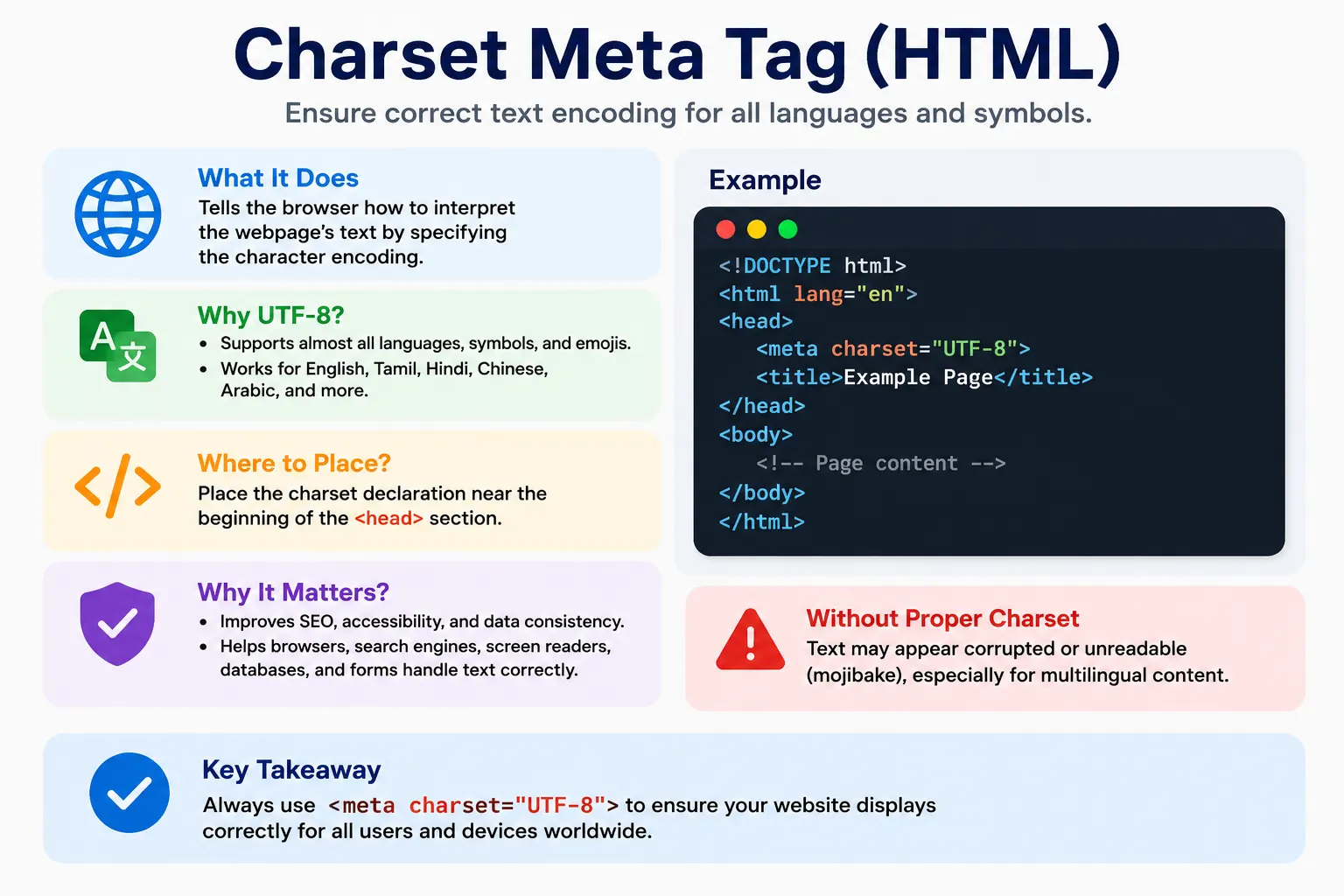
This creates an important challenge. If a browser receives a sequence of bytes from a server, how does it know whether those bytes represent the English word "Hello," the Tamil word "வணக்கம்," the Chinese phrase "你好," or an emoji such as 😊? The answer lies in character encoding.
Character encoding provides the rules that allow computers to translate stored binary data into human-readable text. In HTML, the mechanism used to specify these rules is the Charset Meta Tag. This small but extremely important tag tells the browser how to interpret the document's bytes and convert them into meaningful characters.
Without a proper charset declaration, text may appear corrupted, unreadable, or completely different from what the author intended. Languages that use non-Latin scripts are particularly vulnerable to encoding problems. A page containing Tamil, Hindi, Chinese, Arabic, or emoji content may display strange symbols, question marks, or meaningless characters if the browser interprets the data using the wrong encoding.
Modern websites almost universally use UTF-8, which has become the standard encoding of the web. Understanding the charset meta tag is essential because it affects browser rendering, multilingual content support, SEO, accessibility, form submissions, data storage, and overall user experience.
Understanding Character Encoding
Before understanding the charset meta tag, it is important to understand character encoding itself.
Computers store data as binary values.
For example:
01001000
01100101
01101100
01101100
01101111
To humans, these bits are meaningless. The computer needs a mapping system that defines which binary sequence corresponds to which character.
Character encoding is that mapping system.
It provides rules that answer questions such as:
- Which byte represents the letter A?
- Which byte represents the number 5?
- Which byte represents the Tamil character த?
- Which byte represents 😊?
Without encoding standards, different systems would interpret the same bytes differently, leading to unreadable text.
Character encoding acts as a translator between machine data and human language.
What Is the Charset Meta Tag?
The charset meta tag tells the browser which character encoding should be used when interpreting an HTML document.
Example:
<meta charset="UTF-8">This declaration tells the browser:
"Use UTF-8 encoding when reading and displaying this page."The browser processes this instruction before it begins fully parsing the document.
Once the browser understands the encoding, it can correctly interpret all characters contained within the page.
Although the charset declaration appears simple, it has a significant impact on how content is displayed.
Why the Charset Meta Tag Is Necessary
Consider a simple English page:
<h1>Hello World</h1>Even if encoding information is missing, most browsers can often guess the correct interpretation because English characters are common and supported by many encoding systems.
However, consider a Tamil page:
<h1>வணக்கம்</h1>Without encoding information, the browser may interpret the bytes incorrectly.
Instead of displaying:
வணக்கம்the browser might display:
à ®µà ®£à ®•à ¯Âà ®•à ®®à ¯Âor
???????This phenomenon is known as character corruption or mojibake.
The charset meta tag prevents such problems by explicitly telling the browser how the document should be decoded.
Syntax of the Charset Meta Tag
HTML5 introduced a simplified syntax:
<meta charset="UTF-8">This is now the standard approach used across modern websites.
The syntax is short, easy to read, and universally supported by modern browsers.
Before HTML5, developers had to use a longer declaration:
<meta http-equiv="Content-Type"
      content="text/html; charset=UTF-8">
Although older browsers still recognize this syntax, the simplified HTML5 version is preferred.
Placement of the Charset Meta Tag
The charset declaration belongs inside the <head> section.
Example:
<head>
    <meta charset="UTF-8">
    <title>SoftwareTips4U</title>
</head>
This placement is important because browsers need encoding information before they process most of the document.
If the browser encounters text before determining the encoding, it may interpret characters incorrectly.
For this reason, the charset declaration should appear near the beginning of the head section.
Best practice:
<head>
    <meta charset="UTF-8">
</head>
This ensures the browser obtains encoding information as early as possible.
Browser Processing of Charset Information
When a browser receives an HTML document, it follows a sequence of steps.
Receive HTML
      ↓
Read Charset
      ↓
Decode Bytes
      ↓
Parse HTML
      ↓
Create DOM
      ↓
Render Page
Notice that character decoding happens before HTML parsing.
This is necessary because the browser cannot correctly identify HTML tags, attributes, or text content unless it first understands how the bytes should be interpreted.
The charset declaration therefore influences every subsequent stage of page processing.
What Is UTF-8?
UTF-8 stands for:
Unicode Transformation Format – 8 BitUTF-8 is currently the most widely used character encoding on the internet.
It is based on the Unicode standard, which was created to provide a universal representation for characters from virtually every writing system.
UTF-8 supports:
- English
- Tamil
- Hindi
- Chinese
- Japanese
- Korean
- Arabic
- Russian
- Greek
- Hebrew
- Emojis
- Mathematical symbols
Because of its flexibility and compatibility, UTF-8 has become the default encoding for modern web development.
Why UTF-8 Became the Web Standard
The internet is global.
A single webpage may contain:
Hello
வணக்கம்
नमस्ते
你好
مرحبا
😊
Older encodings could not support all these characters simultaneously.
UTF-8 solved this problem by providing a universal character set capable of representing nearly every written language.
Benefits of UTF-8 include:
- Universal language support
- Emoji support
- Cross-platform consistency
- Browser compatibility
- Internationalization support
- Reduced encoding conflicts
Because of these advantages, UTF-8 is recommended for all modern websites.
Historical Character Encodings
Before UTF-8 became dominant, several other encoding systems were widely used.
ASCII
ASCII was one of the earliest encoding standards.
It supported:
- English letters
- Numbers
- Basic symbols
Example:
A
B
C
1
2
3
ASCII was sufficient for early computing systems but lacked support for international languages.
ISO-8859-1
ISO-8859-1 extended ASCII support for Western European languages.
It could represent characters such as:
é
ñ
ü
However, it still could not support most global languages.
Windows-1252
Windows-1252 became popular on Microsoft Windows systems.
It improved support for Western languages but remained limited compared to Unicode.
Limitations of Older Encodings
Older encodings shared several problems.
They often:
- Supported only a small set of languages
- Lacked emoji support
- Created compatibility issues between systems
- Produced corrupted text when interpreted incorrectly
For example:
தமிழ்could not be represented properly in many legacy encodings.
As websites became international, these limitations became unacceptable.
UTF-8 emerged as the solution.
Charset and Multilingual Websites
Modern websites frequently serve international audiences.
A single page may contain:
<h1>Hello</h1>

<h2>வணக்கம்</h2>

<h2>नमस्ते</h2>

<h2>你好</h2>

<h2>😊</h2>
With UTF-8:
<meta charset="UTF-8">all these characters can coexist within the same document.
Without UTF-8, some characters may fail to display correctly.
This makes UTF-8 essential for multilingual websites.
Charset and Emojis
Emoji usage has become common across modern applications.
Examples:
😊
🚀
🎉
🔥
❤️
Older encoding systems cannot represent many emojis.
UTF-8 fully supports emoji characters, making it ideal for social media platforms, messaging systems, blogs, and modern web applications.
Without UTF-8, emoji rendering may fail or display placeholder symbols.
Charset and SEO
Search engines expect webpages to use consistent character encoding.
Proper encoding ensures:
- Correct content indexing
- Accurate language detection
- Better international SEO
- Improved search result quality
If a page's text appears corrupted due to encoding issues, search engines may misinterpret the content.
For multilingual websites targeting global audiences, proper UTF-8 usage is particularly important.
Charset and Accessibility
Accessibility tools depend on correctly encoded content.
Examples include:
- Screen readers
- Translation software
- Voice assistants
- Text-to-speech systems
When encoding is correct, assistive technologies can accurately process content.
Incorrect encoding can cause pronunciation errors, translation failures, and comprehension issues.
Thus, UTF-8 contributes not only to technical correctness but also to accessibility and inclusivity.
Charset and Form Submissions
Consider an HTML form:
<form>
    <input type="text">
</form>
A user enters:
தமிழ்When the form data is submitted, the browser must encode the text correctly.
UTF-8 ensures:
User Input
      ↓
Correct Encoding
      ↓
Server Transmission
      ↓
Database Storage
Without proper encoding, multilingual user input may become corrupted before reaching the server.
Charset and Databases
Web applications often store user-generated content in databases.
Examples:
- Comments
- Reviews
- Messages
- Product descriptions
If the website uses UTF-8 but the database uses a different encoding, data corruption may occur.
Modern applications therefore strive to maintain UTF-8 consistency across:
- HTML documents
- APIs
- Databases
- Backend systems
This ensures reliable handling of international content.
Common Mistakes
One common mistake is omitting the charset declaration entirely.
Bad example:
<head>
    <title>Demo</title>
</head>
Although browsers may guess the encoding, relying on guesswork is risky.
Another mistake is using outdated encodings.
Example:
<meta charset="ISO-8859-1">While still supported, it is rarely appropriate for modern websites.
UTF-8 should generally be preferred.
A third mistake is placing the charset declaration too late.
Bad:
<head>

<title>Demo</title>

<meta charset="UTF-8">

</head>
Best practice is to place it near the top.
Modern HTML Template
A typical modern HTML document begins with:
<!DOCTYPE html>
<html lang="en">

<head>

<meta charset="UTF-8">

<meta name="viewport"
content="width=device-width, initial-scale=1.0">

<title>SoftwareTips4U</title>

</head>

<body>

</body>

</html>
This structure follows modern standards and ensures proper text rendering across browsers and devices.
Common Interview Questions
What Is the Purpose of the Charset Meta Tag?
It specifies the character encoding used by the HTML document.
Which Encoding Is Recommended Today?
UTF-8.
Why Is UTF-8 Popular?
Because it supports nearly all languages, symbols, and emojis.
Where Should the Charset Declaration Be Placed?
Near the beginning of the <head> section.
What Happens If Charset Is Missing?
Text may appear corrupted, unreadable, or incorrectly interpreted.
Charset Encoding Comparison
| Encoding | Language Support |
|---|---|
| ASCII | English Only |
| ISO-8859-1 | Western European Languages |
| Windows-1252 | Legacy Windows Systems |
| UTF-8 | Global Languages + Emoji |
Conclusion
The Charset Meta Tag is one of the smallest yet most important elements in an HTML document. Its primary responsibility is to tell the browser how to translate raw bytes into readable characters. Without proper character encoding, webpages can display corrupted text, unreadable symbols, and broken multilingual content.
Modern web development relies heavily on UTF-8 because it provides universal support for languages, symbols, and emojis while maintaining excellent compatibility across browsers, devices, operating systems, and databases. From SEO and accessibility to form handling and internationalization, UTF-8 plays a critical role in ensuring a consistent and reliable user experience.
Whenever a browser loads a webpage, one of its earliest tasks is determining the character encoding. By including a properly configured charset declaration, developers ensure that content is interpreted exactly as intended, regardless of language or platform.
One-Line Insight
<meta charset="UTF-8"> tells the browser how to convert raw bytes into the correct human-readable characters, making modern multilingual web content possible.